warning light RENAULT SCENIC 2018 Repair Manual
[x] Cancel search | Manufacturer: RENAULT, Model Year: 2018, Model line: SCENIC, Model: RENAULT SCENIC 2018Pages: 364, PDF Size: 10.43 MB
Page 170 of 364

2.50
This function is an additional driving aid. This function is not under any circumstances intended to replace the due\
care
and attention of the driver, who should at all times be in control of the vehicle.
System servicing/repairs
– In the event of an impact, the camera alignment may be changed, and its \
operation may consequently be affected. Deactivate the function, then consult an authorised dealer.
– Any work in the area where the camera is located (repairs, replacements\
, windscreen modifications etc.) must be carried out by a qualified professional.
Only an authorised dealer is qualified to service the system.
In the event of system disturbance
Some conditions can disturb or damage the operation of the system, such \
as:
– windscreen obscured (by dirt, ice, snow, condensation etc.);
– a complex environment (tunnel etc.);
– poor weather conditions (snow, hail, black ice etc.);
– poor visibility (night, fog etc.);
– road markings which are worn, lacking in contrast or very widely spaced \
from one another (lines partially erased etc);
– being dazzled (glaring sun, lights of vehicles travelling in the opposi\
te direction etc.);
– the road is narrow, winding or undulating (tight bends etc.);
– closely following a vehicle travelling in the same lane.
Risk of false alarms or absence of warnings
LANE DEPARTURE WARNING (4/4)
Page 172 of 364
2.52
LANE KEEPING ASSIST (2/4)
Activation/deactivation
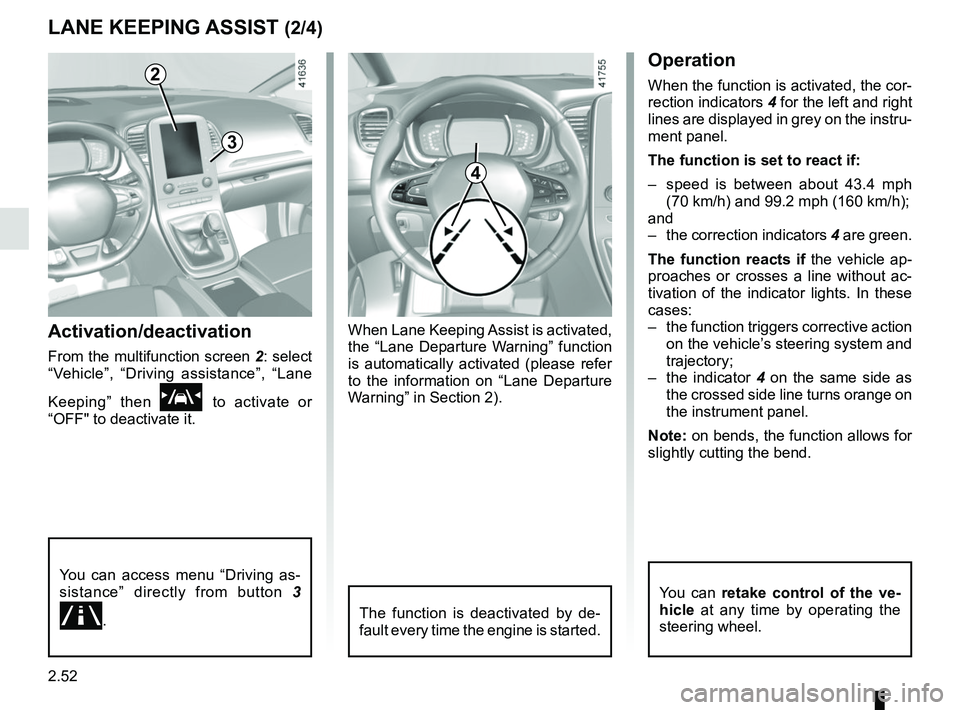
From the multifunction screen 2: select
“Vehicle”, “Driving assistance”, “Lane
Keeping” then
\f to activate or
“OFF" to deactivate it.
2
You can access menu “Driving as-
sistance” directly from button 3
.
3
4
Operation
When the function is activated, the cor-
rection indicators 4 for the left and right
lines are displayed in grey on the instru-
ment panel.
The function is set to react if:
– speed is between about 43.4 mph (70 km/h) and 99.2 mph (160 km/h);
and
– the correction indicators 4 are green.
The function reacts if the vehicle ap-
proaches or crosses a line without ac-
tivation of the indicator lights. In these
cases:
– the function triggers corrective action on the vehicle’s steering system and
trajectory;
– the indicator 4 on the same side as
the crossed side line turns orange on
the instrument panel.
Note: on bends, the function allows for
slightly cutting the bend.
The function is deactivated by de-
fault every time the engine is started.
You can retake control of the ve-
hicle at any time by operating the
steering wheel.
When Lane Keeping Assist is activated,
the “Lane Departure Warning” function
is automatically activated (please refer
to the information on “Lane Departure
Warning” in Section 2).
Page 173 of 364
2.53
– only one line is detected;
– very fast lane departure;
– driving continuously near a line;
– impaired visibility;
– 4 seconds approximately after changing lanes;
– during tight bends;
– the lane width is too narrow;
– ...
When the function is unavailable, the
correction indicators are displayed in
grey on the instrument panel.
LANE KEEPING ASSIST (3/4)
Adjustment
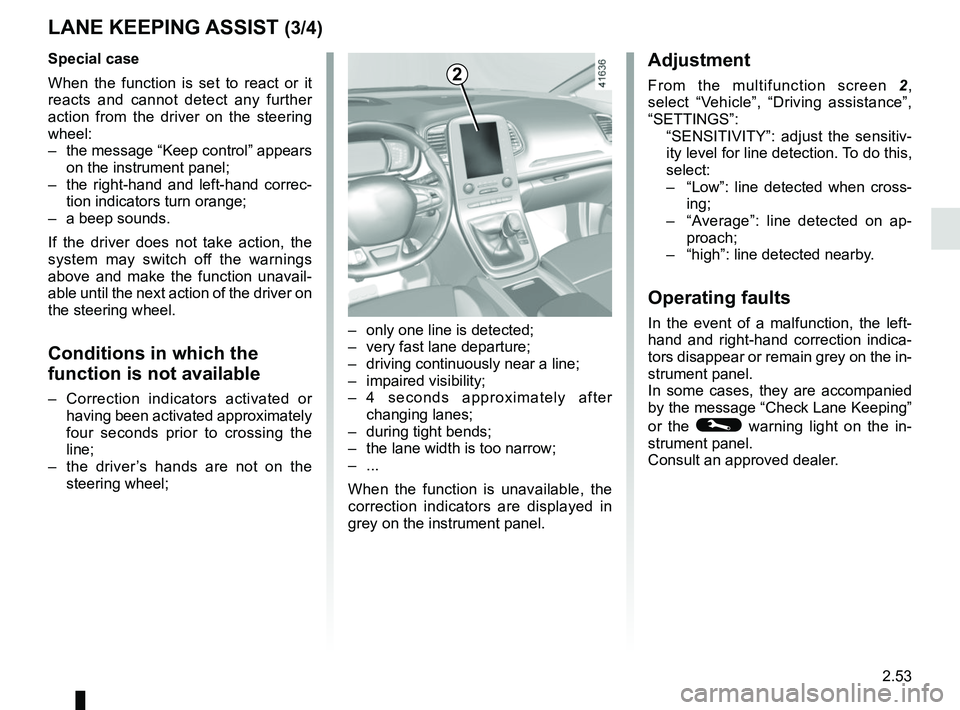
From the multifunction screen 2,
select “Vehicle”, “Driving assistance”,
“SETTINGS”:
“SENSITIVITY”: adjust the sensitiv- ity level for line detection. To do this,
select:
– “Low”: line detected when cross-
ing;
– “Average”: line detected on ap-
proach;
– “high”: line detected nearby.
Operating faults
In the event of a malfunction, the left-
hand and right-hand correction indica-
tors disappear or remain grey on the in-
strument panel.
In some cases, they are accompanied
by the message “Check Lane Keeping”
or the
© warning light on the in-
strument panel.
Consult an approved dealer.
2Special case
When the function is set to react or it
reacts and cannot detect any further
action from the driver on the steering
wheel:
– the message “Keep control” appears on the instrument panel;
– the right-hand and left-hand correc- tion indicators turn orange;
– a beep sounds.
If the driver does not take action, the
system may switch off the warnings
above and make the function unavail-
able until the next action of the driver on
the steering wheel.
Conditions in which the
function is not available
– Correction indicators activated or having been activated approximately
four seconds prior to crossing the
line;
– the driver’s hands are not on the steering wheel;
Page 177 of 364
2.57
1
BLIND SPOT WARNING (3/4)
Operation
This function gives a warning:
– when the vehicle speed is between approximately 19 mph (30 km/h) and
87 mph (140 km/h);
– when another vehicle is in the blind spot area and travelling in the same
direction as your vehicle.
If your vehicle is overtaking another ve-
hicle, the indicator 6 will be activated
only if that vehicle remains in the blind
spot for more than one second.
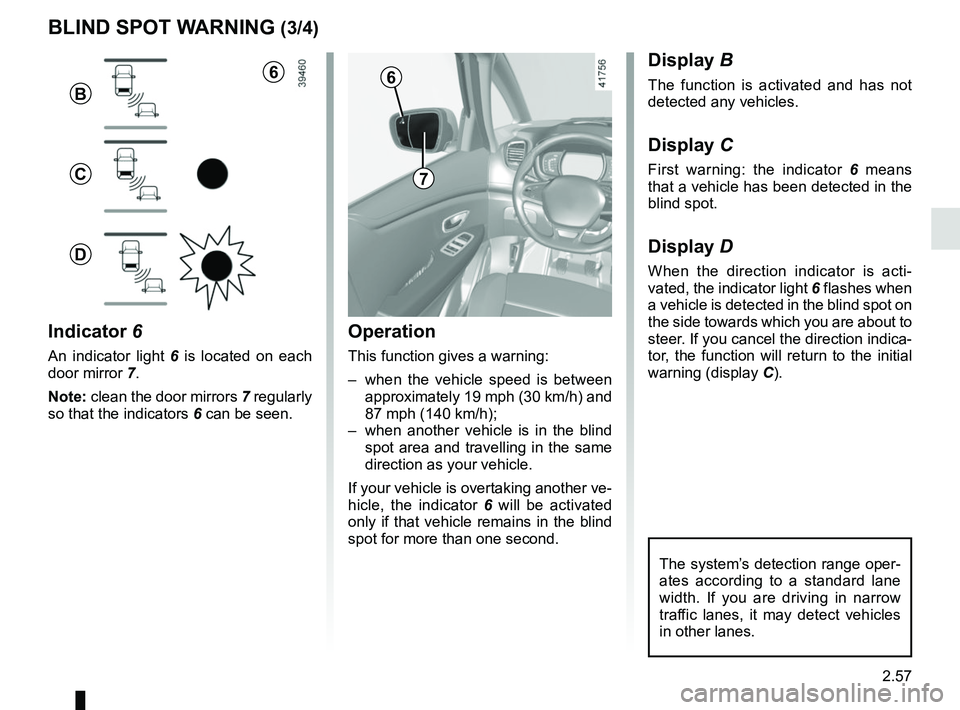
Indicator 6
An indicator light 6 is located on each
door mirror 7.
Note: clean the door mirrors 7 regularly
so that the indicators 6 can be seen.
Display B
The function is activated and has not
detected any vehicles.
Display C
First warning: the indicator 6 means
that a vehicle has been detected in the
blind spot.
Display D
When the direction indicator is acti-
vated, the indicator light 6 flashes when
a vehicle is detected in the blind spot on
the side towards which you are about to
steer. If you cancel the direction indica-
tor, the function will return to the initial
warning (display C).
7
6
B
C
D
The system’s detection range oper-
ates according to a standard lane
width. If you are driving in narrow
traffic lanes, it may detect vehicles
in other lanes.
6
Page 178 of 364
2.58
Operating faults
If the system detects a fault, the mes-
sage “Check blind spot alert” is dis-
played on the instrument panel. Consult
an approved dealer.
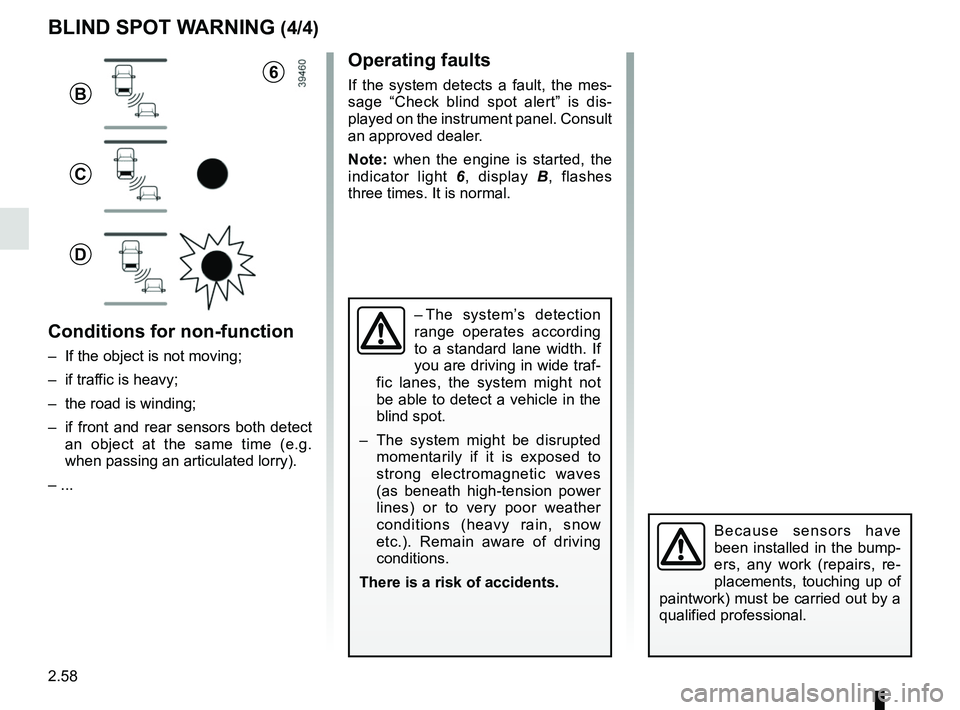
Note: when the engine is started, the
indicator light 6, display B , flashes
three times. It is normal.
– The system’s detection
range operates according
to a standard lane width. If
you are driving in wide traf-
fic lanes, the system might not
be able to detect a vehicle in the
blind spot.
– The system might be disrupted momentarily if it is exposed to
strong electromagnetic waves
(as beneath high-tension power
lines) or to very poor weather
conditions (heavy rain, snow
etc.). Remain aware of driving
conditions.
There is a risk of accidents.
BLIND SPOT WARNING (4/4)
Because sensors have
been installed in the bump-
ers, any work (repairs, re-
placements, touching up of
paintwork) must be carried out by a
qualified professional.
6
B
C
D
Conditions for non-function
– If the object is not moving;
– if traffic is heavy;
– the road is winding;
– if front and rear sensors both detect an object at the same time (e.g.
when passing an articulated lorry).
– ...
Page 189 of 364
2.69
SPEED LIMITER (3/3)
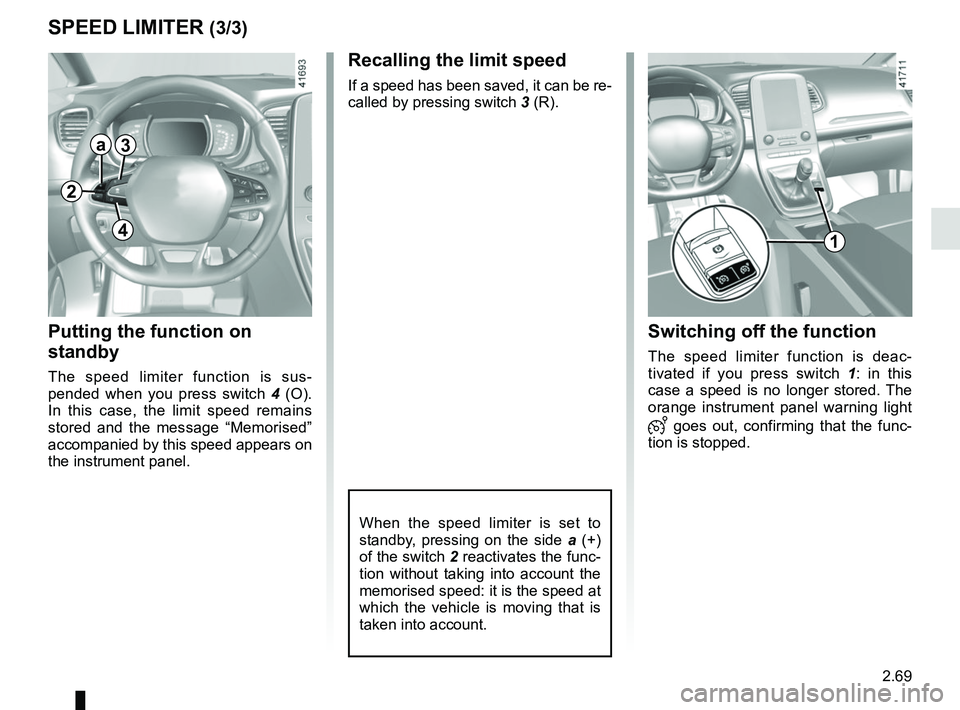
Recalling the limit speed
If a speed has been saved, it can be re-
called by pressing switch 3 (R).
Putting the function on
standby
The speed limiter function is sus-
pended when you press switch 4 (O).
In this case, the limit speed remains
stored and the message “Memorised”
accompanied by this speed appears on
the instrument panel.
Switching off the function
The speed limiter function is deac-
tivated if you press switch 1 : in this
case a speed is no longer stored. The
orange instrument panel warning light
goes out, confirming that the func-
tion is stopped.
When the speed limiter is set to
standby, pressing on the side a (+)
of the switch 2 reactivates the func-
tion without taking into account the
memorised speed: it is the speed at
which the vehicle is moving that is
taken into account.
2
a3
41
Page 191 of 364
2.71
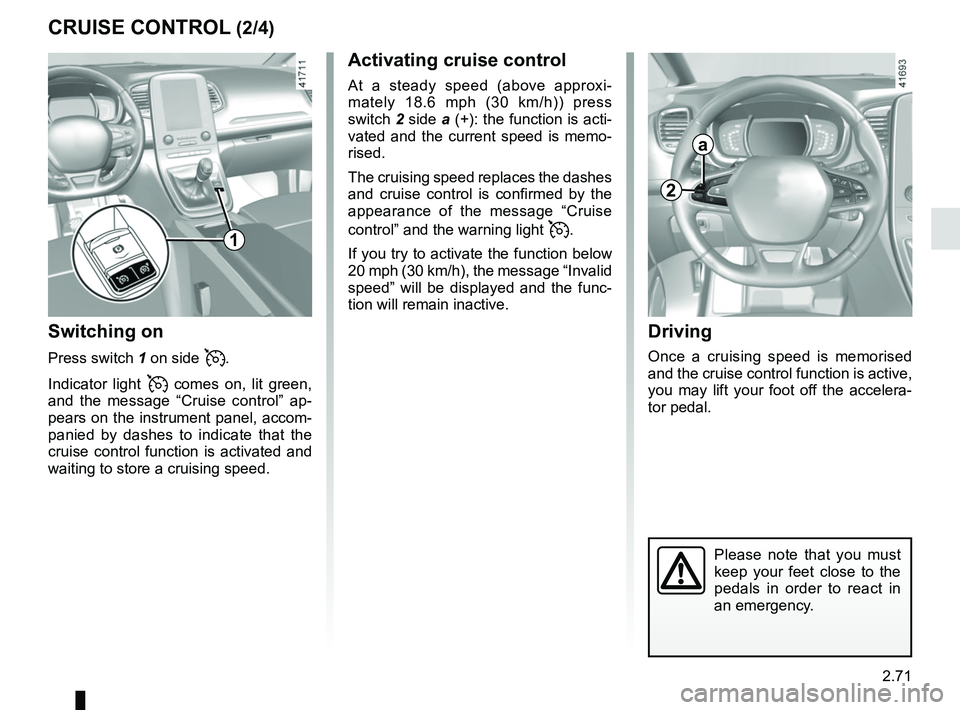
CRUISE CONTROL (2/4)Driving
Once a cruising speed is memorised
and the cruise control function is active,
you may lift your foot off the accelera-
tor pedal.
Please note that you must
keep your feet close to the
pedals in order to react in
an emergency.
Activating cruise control
At a steady speed (above approxi-
mately 18.6 mph (30 km/h)) press
switch 2 side a (+): the function is acti-
vated and the current speed is memo-
rised.
The cruising speed replaces the dashes
and cruise control is confirmed by the
appearance of the message “Cruise
control” and the warning light
.
If you try to activate the function below
20 mph (30 km/h), the message “Invalid
speed” will be displayed and the func-
tion will remain inactive.
Switching on
Press switch 1 on side .
Indicator light
comes on, lit green,
and the message “Cruise control” ap-
pears on the instrument panel, accom-
panied by dashes to indicate that the
cruise control function is activated and
waiting to store a cruising speed.
2
a
1
Page 193 of 364
2.73
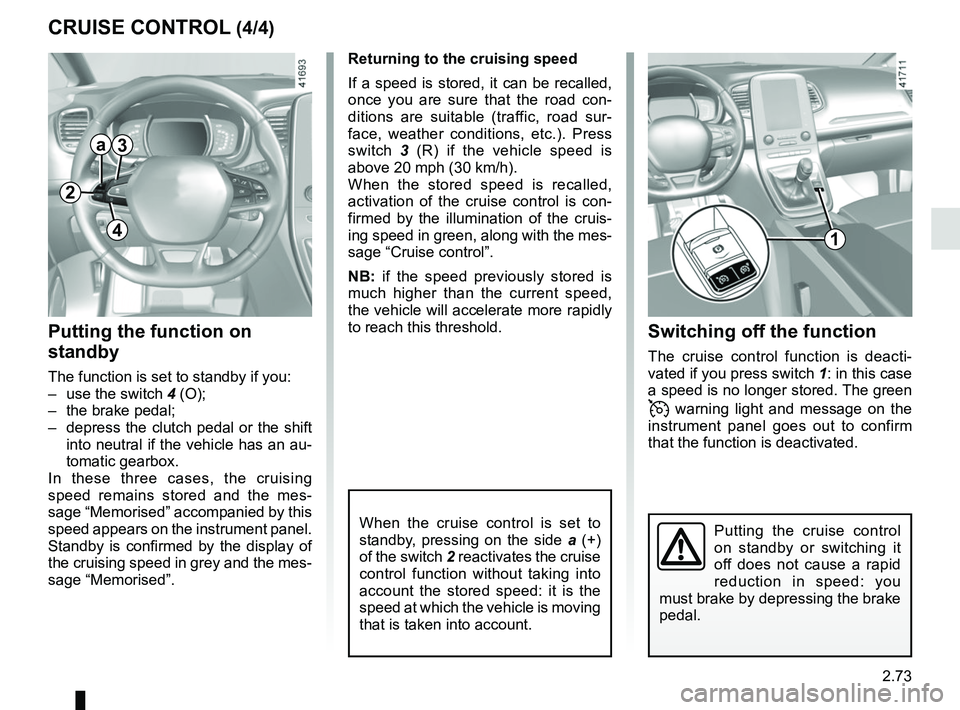
CRUISE CONTROL (4/4)Switching off the function
The cruise control function is deacti-
vated if you press switch 1: in this case
a speed is no longer stored. The green
warning light and message on the
instrument panel goes out to confirm
that the function is deactivated.
Returning to the cruising speed
If a speed is stored, it can be recalled,
once you are sure that the road con-
ditions are suitable (traffic, road sur-
face, weather conditions, etc.). Press
switch
3 (R) if the vehicle speed is
above 20 mph (30 km/h).
When the stored speed is recalled,
activation of the cruise control is con-
firmed by the illumination of the cruis-
ing speed in green, along with the mes-
sage “Cruise control”.
NB: if the speed previously stored is
much higher than the current speed,
the vehicle will accelerate more rapidly
to reach this threshold.
When the cruise control is set to
standby, pressing on the side a (+)
of the switch 2 reactivates the cruise
control function without taking into
account the stored speed: it is the
speed at which the vehicle is moving
that is taken into account.
Putting the function on
standby
The function is set to standby if you:
– use the switch 4 (O);
– the brake pedal;
– depress the clutch pedal or the shift into neutral if the vehicle has an au-
tomatic gearbox.
In these three cases, the cruising
speed remains stored and the mes-
sage “Memorised” accompanied by this
speed appears on the instrument panel.
Standby is confirmed by the display of
the cruising speed in grey and the mes-
sage “Memorised”.
Putting the cruise control
on standby or switching it
off does not cause a rapid
reduction in speed: you
must brake by depressing the brake
pedal.
2
a3
41
Page 195 of 364
2.75
The cruising speed replaces the dashes
and cruise control is confirmed by the
appearance of the message “Adaptive
cruise ctrl” and the warning light
.
If you try to activate the function below
31 mph (50 km/h) or above 99 mph
(160 km/h), the message “Invalid
speed” is displayed and the function re-
mains inactive.
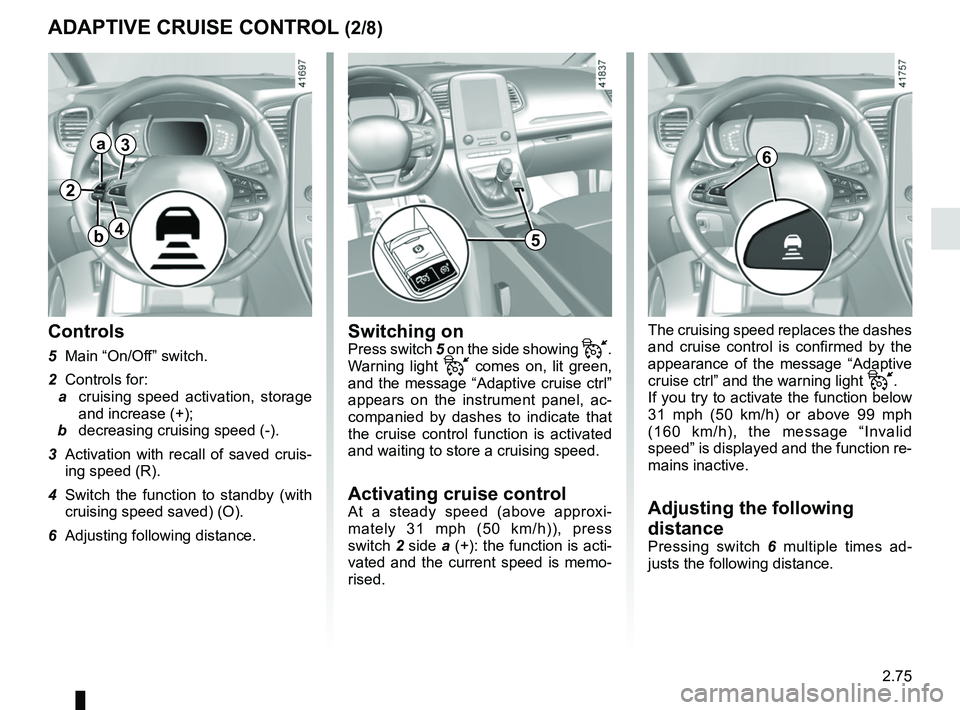
Adjusting the following
distance
Pressing switch 6 multiple times ad-
justs the following distance.
Switching onPress switch 5 on the side showing .
Warning light
comes on, lit green,
and the message “Adaptive cruise ctrl”
appears on the instrument panel, ac-
companied by dashes to indicate that
the cruise control function is activated
and waiting to store a cruising speed.
Activating cruise controlAt a steady speed (above approxi-
mately 31 mph (50 km/h)), press
switch 2 side a (+): the function is acti-
vated and the current speed is memo-
rised.
Controls
5 Main “On/Off” switch.
2 Controls for:
a cruising speed activation, storage
and increase (+);
b decreasing cruising speed (-).
3 Activation with recall of saved cruis- ing speed (R).
4 Switch the function to standby (with cruising speed saved) (O).
6 Adjusting following distance.
ADAPTIVE CRUISE CONTROL (2/8)
6
2
a
b
3
45
Page 199 of 364
2.79
5
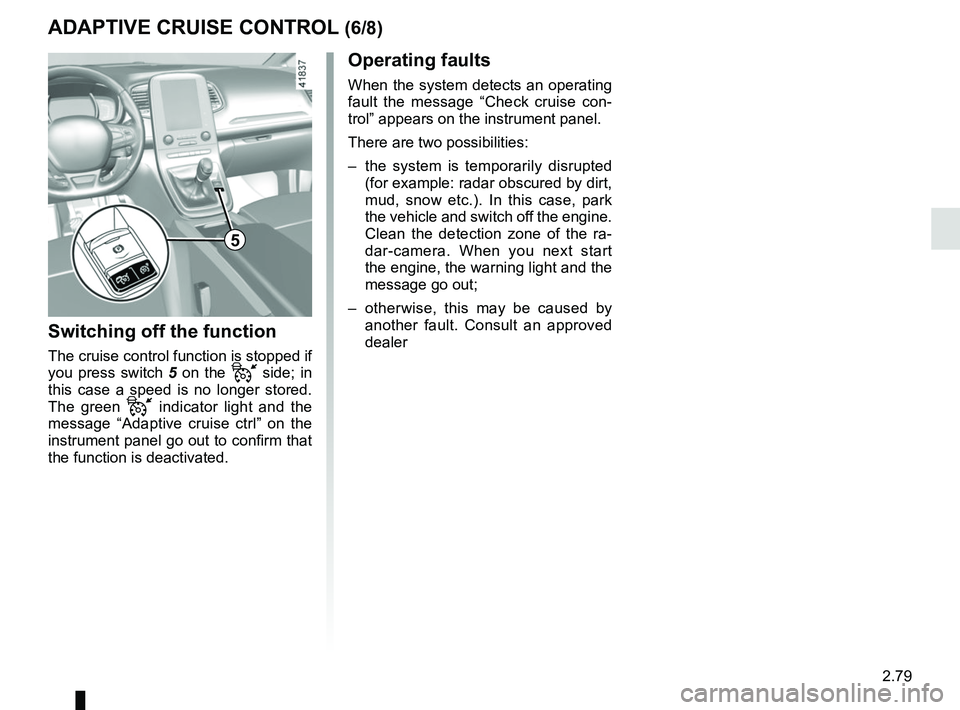
Switching off the function
The cruise control function is stopped if
you press switch 5 on the
side; in
this case a speed is no longer stored.
The green
indicator light and the
message “Adaptive cruise ctrl” on the
instrument panel go out to confirm that
the function is deactivated.
ADAPTIVE CRUISE CONTROL (6/8)
Operating faults
When the system detects an operating
fault the message “Check cruise con-
trol” appears on the instrument panel.
There are two possibilities:
– the system is temporarily disrupted (for example: radar obscured by dirt,
mud, snow etc.). In this case, park
the vehicle and switch off the engine.
Clean the detection zone of the ra-
dar-camera. When you next start
the engine, the warning light and the
message go out;
– otherwise, this may be caused by another fault. Consult an approved
dealer