Brake RENAULT TALISMAN 2016 1.G User Guide
[x] Cancel search | Manufacturer: RENAULT, Model Year: 2016, Model line: TALISMAN, Model: RENAULT TALISMAN 2016 1.GPages: 328, PDF Size: 3.39 MB
Page 114 of 328
2.6
STARTING, STOPPING THE ENGINE: vehicle with RENAULT CARD (2/3)
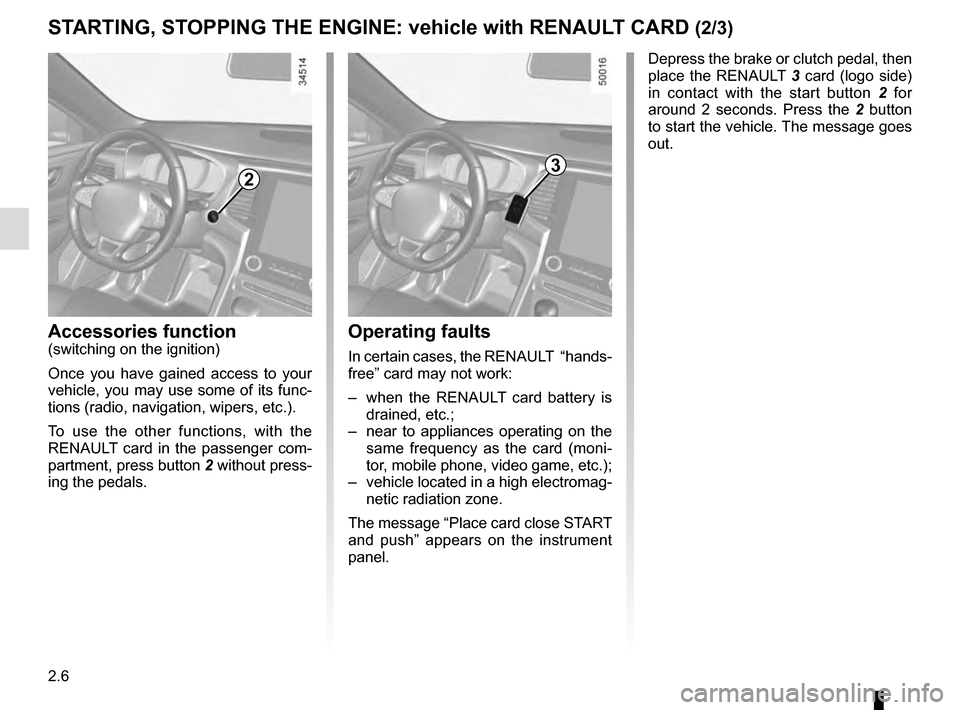
Depress the brake or clutch pedal, then
place the RENAULT 3 card (logo side)
in contact with the start button 2 for
around 2 seconds. Press the 2 button
to start the vehicle. The message goes
out.
2
Accessories function(switching on the ignition)
Once you have gained access to your
vehicle, you may use some of its func-
tions (radio, navigation, wipers, etc.).
To use the other functions, with the
RENAULT card in the passenger com-
partment, press button 2 without press-
ing the pedals.
3
Operating faults
In certain cases, the RENAULT “hands-
free” card may not work:
– when the RENAULT card battery is drained, etc.;
– near to appliances operating on the same frequency as the card (moni-
tor, mobile phone, video game, etc.);
– vehicle located in a high electromag- netic radiation zone.
The message “Place card close START
and push” appears on the instrument
panel.
Page 115 of 328
2.7
STARTING, STOPPING THE ENGINE: vehicle with RENAULT CARD (3/3)
If the RENAULT card is no longer in the
passenger compartment when you try
to switch the engine off, the message
“No keycard Press and hold” appears
on the instrument panel: press the
button 2 for longer than two seconds.
If the card is no longer in the passen-
ger compartment, make sure you can
retrieve it before pressing and holding
the button. Without the card RENAULT
, you will not be able to start.
With the engine switched off, any ac-
cessories being used (radio, etc.) will
continue to function for approximately
10 minutes.
When the driver’s door is opened, the
accessories stop working.
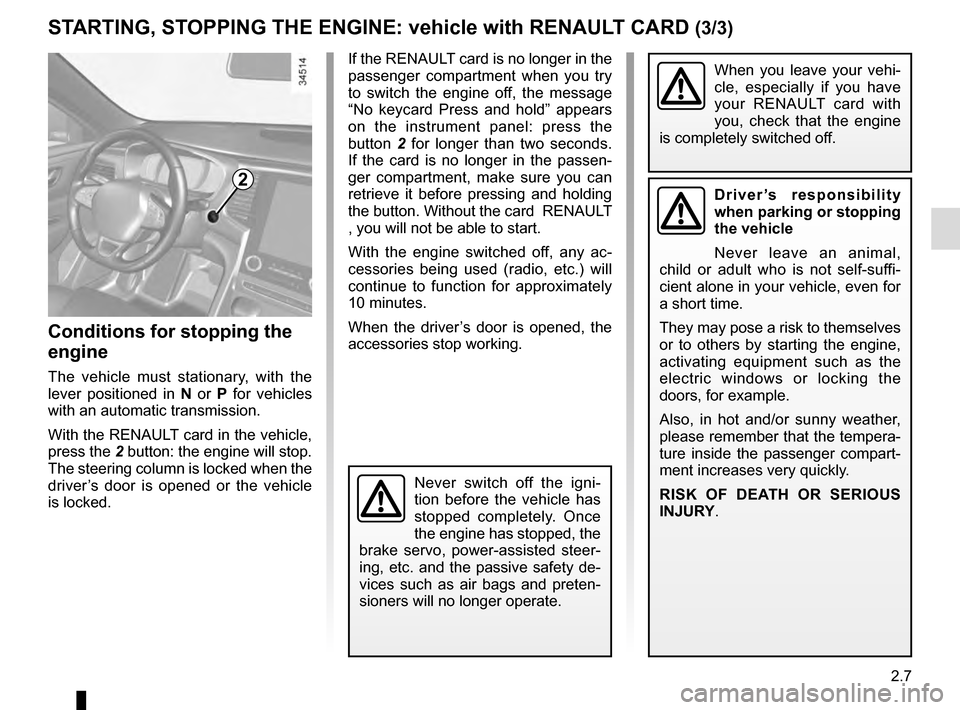
Conditions for stopping the
engine
The vehicle must stationary, with the
lever positioned in N or P for vehicles
with an automatic transmission.
With the RENAULT card in the vehicle,
press the 2 button: the engine will stop.
The steering column is locked when the
driver’s door is opened or the vehicle
is locked.
When you leave your vehi-
cle, especially if you have
your RENAULT card with
you, check that the engine
is completely switched off.
2Driver’s responsibility
when parking or stopping
the vehicle
Never leave an animal,
child or adult who is not self-suffi-
cient alone in your vehicle, even for
a short time.
They may pose a risk to themselves
or to others by starting the engine,
activating equipment such as the
electric windows or locking the
doors, for example.
Also, in hot and/or sunny weather,
please remember that the tempera-
ture inside the passenger compart-
ment increases very quickly.
RISK OF DEATH OR SERIOUS
INJURY.
Never switch off the igni-
tion before the vehicle has
stopped completely. Once
the engine has stopped, the
brake servo, power-assisted steer-
ing, etc. and the passive safety de-
vices such as air bags and preten-
sioners will no longer operate.
Page 116 of 328
2.8
For manual gearboxes:
– the gearbox is in neutral;
and
– the clutch pedal is released. If the warning light
flashes, this
means that the clutch pedal is not
sufficiently released;
and
– the vehicle speed is less than ap- proximately 7 mph (3 km/h).
For all vehicles:
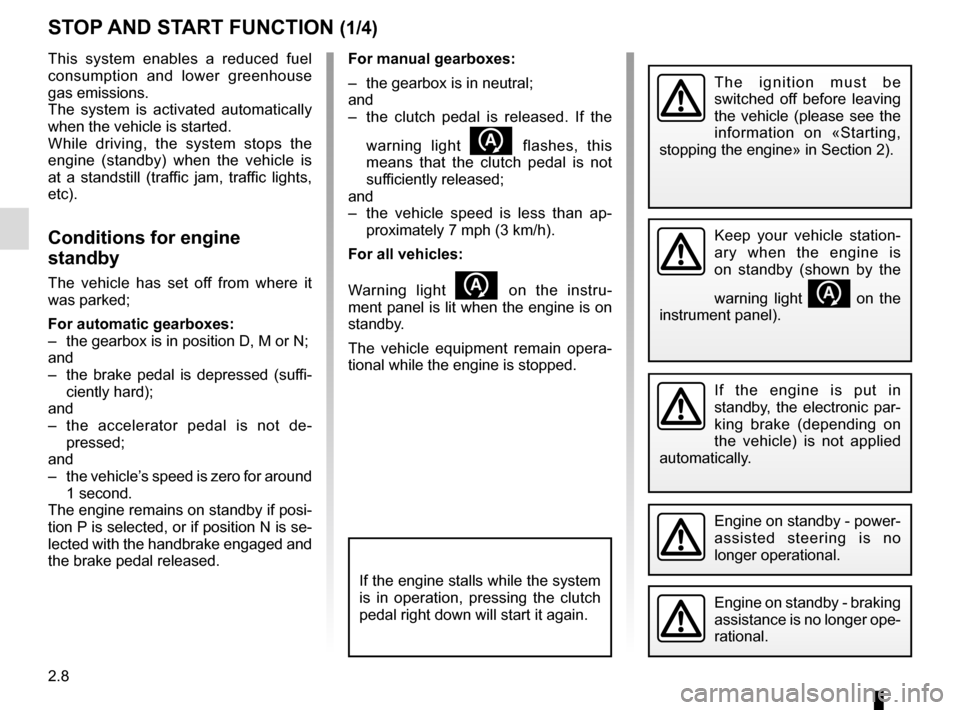
Warning light
on the instru-
ment panel is lit when the engine is on
standby.
The vehicle equipment remain opera-
tional while the engine is stopped.
STOP AND START FUNCTION (1/4)
This system enables a reduced fuel
consumption and lower greenhouse
gas emissions.
The system is activated automatically
when the vehicle is started.
While driving, the system stops the
engine (standby) when the vehicle is
at a standstill (traffic jam, traffic lights,
etc).
Conditions for engine
standby
The vehicle has set off from where it
was parked;
For automatic gearboxes:
– the gearbox is in position D, M or N;
and
– the brake pedal is depressed (suffi- ciently hard);
and
– the accelerator pedal is not de- pressed;
and
– the vehicle’s speed is zero for around 1 second.
The engine remains on standby if posi-
tion P is selected, or if position N is se-
lected with the handbrake engaged and
the brake pedal released.
If the engine is put in
standby, the electronic par-
king brake (depending on
the vehicle) is not applied
automatically.
Engine on standby - braking
assistance is no longer ope-
rational.
The ignition must be
switched off before leaving
the vehicle (please see the
information on «Starting,
stopping the engine» in Section 2).
If the engine stalls while the system
is in operation, pressing the clutch
pedal right down will start it again.
Keep your vehicle station-
ary when the engine is
on standby (shown by the
warning light
on the
instrument panel).
Engine on standby - power-
assisted steering is no
longer operational.
Page 117 of 328
2.9
Conditions for coming out of
engine standby
For automatic gearboxes:
– the brake pedal is released, position D or M engaged or ;
– the brake pedal is released, position N engaged and the parking brake off
or;
– the brake pedal is pressed again, with position P engaged or position
N engaged with the handbrake ap-
plied, or ;
– position R is engaged or ;
– the accelerator pedal is depressed or;
– in manual mode, the gear lever is moved towards + or -.
For manual gearboxes:
– the gearbox is in neutral and the clutch pedal is slightly depressed, or
– the engine is in gear and the clutch pedal is pressed right down.
To fill up with fuel, the engine must
be stopped (and not on standby):
stop the engine (please see
«Starting, stopping the engine»).
STOP AND START FUNCTION (2/4)
Preventing the engine from
standing by
In certain situations, such as negotiat-
ing a crossroads for instance, it is pos-
sible (with the system activated) to keep
the engine running so as to be ready to
move off quickly.
Automatic gearbox:
Keep the vehicle stationary without
pressing too hard on the brake pedal.
Manual gearbox:
Keep the clutch pedal pressed right
down.
Special note: depending on the vehi-
cle, if you switch off the ignition when
the engine is on standby, the warning
light
Ä is displayed for a few sec-
onds on the instrument panel.
Page 118 of 328
2.10
STOP AND START FUNCTION (3/4)
Conditions preventing the
standby of the engine
Certain conditions prevent the system
from using the engine standby function,
including when:
For vehicles with a RENAULT card:
– the driver’s door is not closed;
– the driver’s seatbelt is not fastened;
For all vehicles:
– reverse gear is engaged;
– the bonnet is not locked;
– the outdoor temperature is too low or too high (less than around 5°C or
higher than around 30°C);
– the battery is not sufficiently char- ged;
– the difference between the vehicle interior temperature and the automa-
tic climate control instruction is too
high;
– parking distance control is in opera- tion; – for vehicles with automatic gear-
boxes, the gradient is steeper than
approximately 12%;
– the «Clear View» function is activa- ted (please see «Automatic climate
control» in Section 3);
– the engine temperature is too low;
– the emission control system is being regenerated;
– ...
Warning light
is displayed on the
instrument panel. This notifies you that
engine standby is not available.
Deactivate the Stop and
Start function when perfor-
ming any operations in the
engine compartment.
Special cases for vehicles
with a RENAULT card
With the engine on standby (traffic jam,
traffic lights, etc.), if the driver unfastens
the seat belt and opens the driver’s
door, or gets out of the seat, the ignition
is switched off.
The assisted parking brake is applied
automatically.
To restart and reactivate the Stop and
Start system, start the engine (please
refer to “Starting, stopping the engine”
in Section 2).
Special case of vehicles with
a key
With the engine on standby (traffic
jam, traffic lights, etc.), if you get out of
the vehicle, a beep warns you that the
engine is on standby and has not been
stopped.
Page 119 of 328
2.11
STOP AND START FUNCTION (4/4)
Special feature of the automatic
engine re-start
Under certain conditions, the engine
can restart on its own in order to gua-
rantee your safety and comfort.
This can occur especially when:
– the outdoor temperature is too low or too high (less than around 0 °C or
higher than around 30 °C);
– the «Clear View» function is activa- ted (please see «Automatic climate
control» in Section 3);
– the battery is not sufficiently char- ged;
– the vehicle speed is above 3 mph (5 km/h) (downhill slope, etc.); ;
– repeated pressing on the brake pedal or braking system require-
ment;
– ...
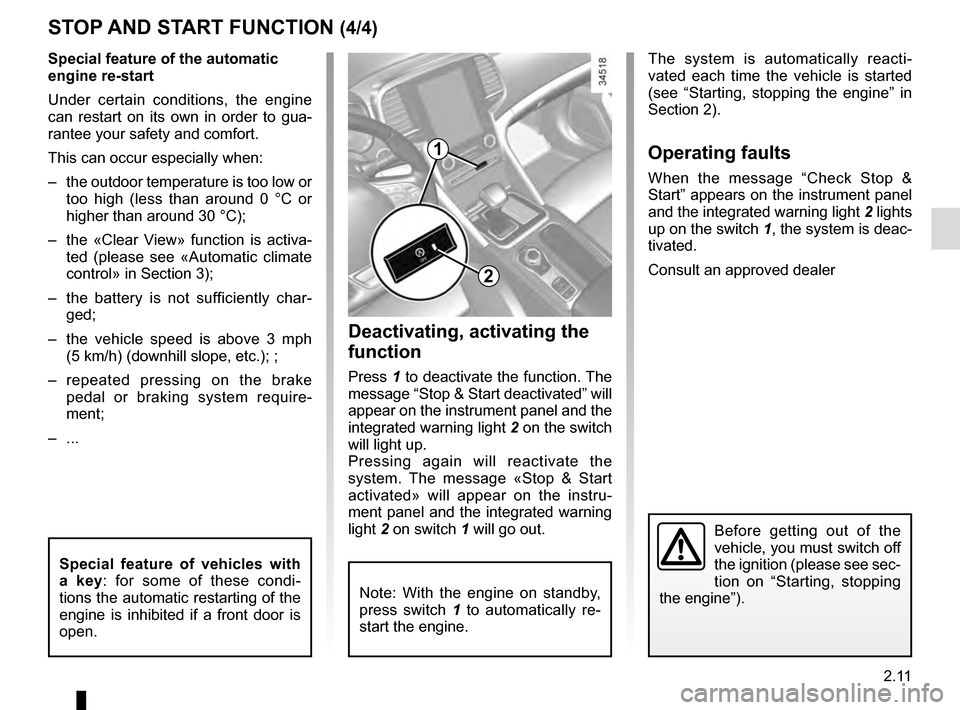
1
2
Deactivating, activating the
function
Press 1 to deactivate the function. The
message “Stop & Start deactivated” will
appear on the instrument panel and the
integrated warning light 2 on the switch
will light up.
Pressing again will reactivate the
system. The message «Stop & Start
activated» will appear on the instru-
ment panel and the integrated warning
light 2 on switch 1 will go out.
Note: With the engine on standby,
press switch 1 to automatically re-
start the engine.
The system is automatically reacti-
vated each time the vehicle is started
(see “Starting, stopping the engine” in
Section 2).
Operating faults
When the message “Check Stop &
Start” appears on the instrument panel
and the integrated warning light 2 lights
up on the switch 1, the system is deac-
tivated.
Consult an approved dealer
Before getting out of the
vehicle, you must switch off
the ignition (please see sec-
tion on “Starting, stopping
the engine”).
Special feature of vehicles with
a key: for some of these condi-
tions the automatic restarting of the
engine is inhibited if a front door is
open.
Page 123 of 328
2.15
ELECTRONIC PARKING BRAKE (1/3)
Note:
To indicate that the electronic parking
brake is released, a beep sounds and
the message “Apply parking brake” ap-
pears on the instrument panel:
– with the engine running: when the driver’s door is opened;
– with the engine switched off (eg. when the engine stalls): when a front
door is opened.
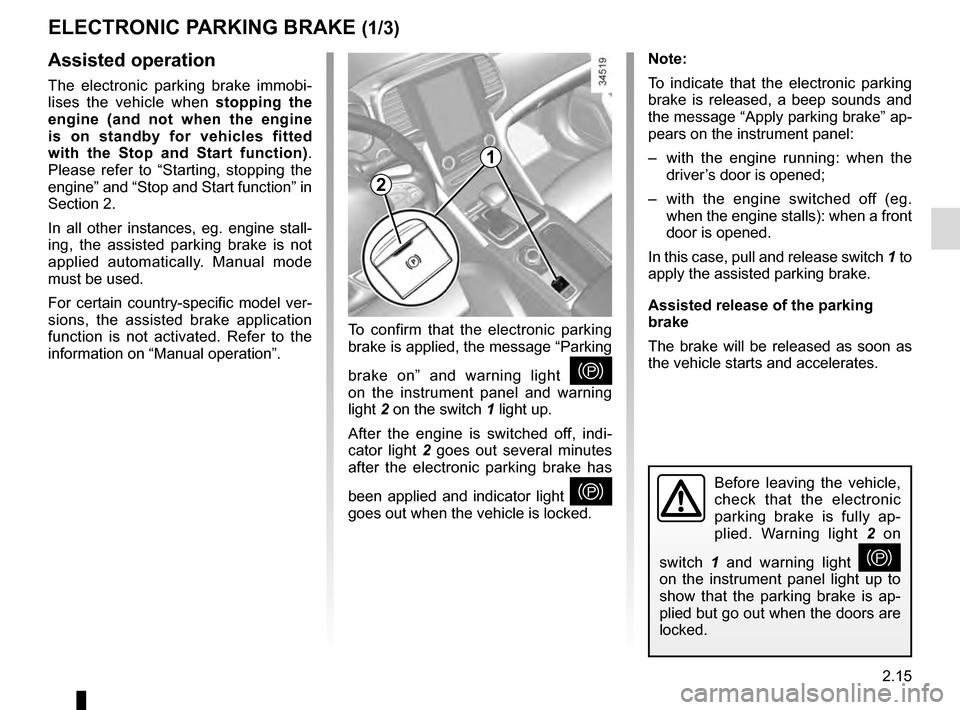
In this case, pull and release switch 1 to
apply the assisted parking brake.
Assisted release of the parking
brake
The brake will be released as soon as
the vehicle starts and accelerates.Assisted operation
The electronic parking brake immobi-
lises the vehicle when stopping the
engine (and not when the engine
is on standby for vehicles fitted
with the Stop and Start function) .
Please refer to “Starting, stopping the
engine” and “Stop and Start function” in
Section 2.
In all other instances, eg. engine stall-
ing, the assisted parking brake is not
applied automatically. Manual mode
must be used.
For certain country-specific model ver-
sions, the assisted brake application
function is not activated. Refer to the
information on “Manual operation”. To confirm that the electronic parking
brake is applied, the message “Parking
brake on” and warning light
}
on the instrument panel and warning
light 2 on the switch 1 light up.
After the engine is switched off, indi-
cator light 2 goes out several minutes
after the electronic parking brake has
been applied and indicator light
}
goes out when the vehicle is locked.Before leaving the vehicle,
check that the electronic
parking brake is fully ap-
plied. Warning light 2 on
switch 1 and warning light
}
on the instrument panel light up to
show that the parking brake is ap-
plied but go out when the doors are
locked.
2
1
Page 124 of 328
2.16
ELECTRONIC PARKING BRAKE (2/3)Special cases
To park on a slope or while towing a
trailer, for example, pull switch 1 for
a few seconds to gain the maximum
braking.
To park the vehicle without applying the
electronic parking brake (if there is a
risk of freezing, for example):
– with the engine running, while si- multaneously depressing the brake
pedal and the switch 1, stop the
engine (not standby for vehicles
fitted with Stop and Start);
– with a gear or position P engaged,
release the brake pedal and the
switch 1.
For vehicles fitted with a Stop and Start
function, with the engine on standby,
the electronic parking brake is automat-
ically activated if the driver unfastens
their seat belt and opens the driver’s
door or gets out of their seat.
Brief stop
To manually activate the electronic
parking brake, (when stopping at a red
light, or stopping when the engine is
running etc.) : pull and release switch 1.
The brake is released as soon as the
vehicle is started up again.
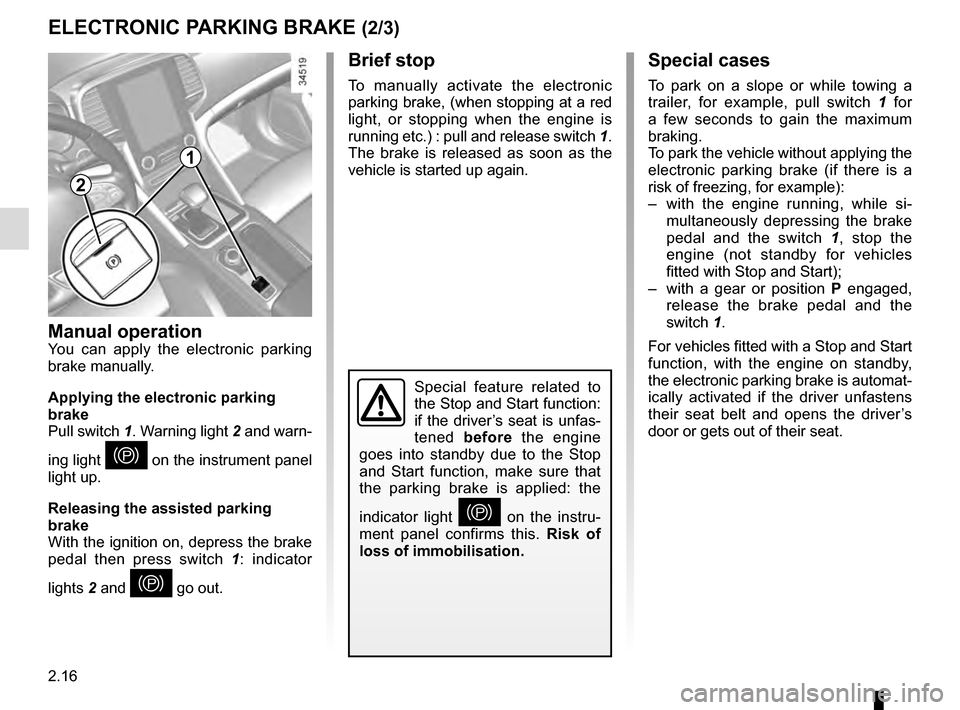
Manual operationYou can apply the electronic parking
brake manually.
Applying the electronic parking
brake
Pull switch 1. Warning light 2 and warn-
ing light
} on the instrument panel
light up.
Releasing the assisted parking
brake
With the ignition on, depress the brake
pedal then press switch 1: indicator
lights 2 and
} go out.
Special feature related to
the Stop and Start function:
if the driver’s seat is unfas-
tened before the engine
goes into standby due to the Stop
and Start function, make sure that
the parking brake is applied: the
indicator light
} on the instru-
ment panel confirms this. Risk of
loss of immobilisation.
2
1
Page 125 of 328
2.17
Operating faults
– If there is a fault, the © warning
light illuminates on the instrument
panel accompanied by the “Check
parking brake” message and, in
some cases, the
} warning
light.
Please contact an authorised dealer
as soon as possible.
– If there is an electronic parking brake fault, the warning light
® comes
on, along with the message “Braking
system fault”, a beep and, in some
cases, the warning light
}.
This means that you must stop as
soon as traffic conditions allow.
Versions with an automatic
gearbox
For safety reasons, automatic release
is deactivated when the driver’s door
is open or not shut properly and the
engine is running (in order to prevent
the vehicle from moving without the
driver). The “Release parking brake
manually” message appears on the
instrument panel when the driver de-
presses the accelerator.
ELECTRONIC PARKING BRAKE (3/3)
It is therefore essential to
immobilise the vehicle by
engaging first gear (manual
gearbox) or position P (au-
tomatic gearbox). If the slope re-
quires it, chock the vehicle.
Never leave your vehicle
without moving the selector
lever to position P. This is
because when the vehicle
is stationary with the engine running
and a gear engaged, the vehicle
may begin to move if you acceler-
ate.
There is a risk of accidents.
If no lights or sounds are ap-
parent, this indicates a fault
in the instrument panel. This
indicates that it is essential
to stop immediately (as soon as traf-
fic conditions allow). Ensure that the
vehicle is correctly immobilised and
contact an approved Dealer.
In the event of the message
“Electric failure DANGER”
or “Check battery”, manu-
ally activate the electronic
parking brake by pulling switch 1 (or
position the gear lever in P for au-
tomatic gearboxes) before stopping
the engine.
Risk of loss of immobilisation of the
vehicle.
Contact an authorised dealer.
Page 129 of 328
2.21
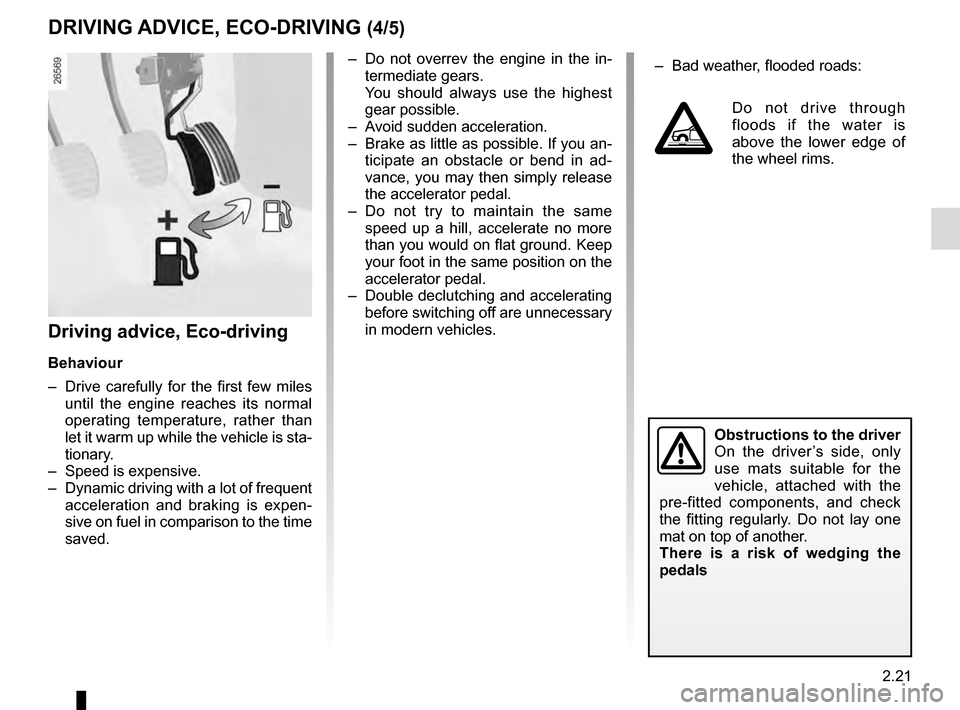
– Do not overrev the engine in the in-termediate gears.
You should always use the highest gear possible.
– Avoid sudden acceleration.
– Brake as little as possible. If you an- ticipate an obstacle or bend in ad-
vance, you may then simply release
the accelerator pedal.
– Do not try to maintain the same speed up a hill, accelerate no more
than you would on flat ground. Keep
your foot in the same position on the
accelerator pedal.
– Double declutching and accelerating before switching off are unnecessary
in modern vehicles.
Obstructions to the driver
On the driver’s side, only
use mats suitable for the
vehicle, attached with the
pre-fitted components, and check
the fitting regularly. Do not lay one
mat on top of another.
There is a risk of wedging the
pedals
DRIVING ADVICE, ECO-DRIVING (4/5)
– Bad weather, flooded roads:
Do not drive through
floods if the water is
above the lower edge of
the wheel rims.
Driving advice, Eco-driving
Behaviour
– Drive carefully for the first few miles until the engine reaches its normal
operating temperature, rather than
let it warm up while the vehicle is sta-
tionary.
– Speed is expensive.
– Dynamic driving with a lot of frequent acceleration and braking is expen-
sive on fuel in comparison to the time
saved.