warning light RENAULT TALISMAN 2016 1.G Owner's Guide
[x] Cancel search | Manufacturer: RENAULT, Model Year: 2016, Model line: TALISMAN, Model: RENAULT TALISMAN 2016 1.GPages: 328, PDF Size: 3.39 MB
Page 90 of 328
1.84
AUDIBLE AND VISUAL SIGNALS
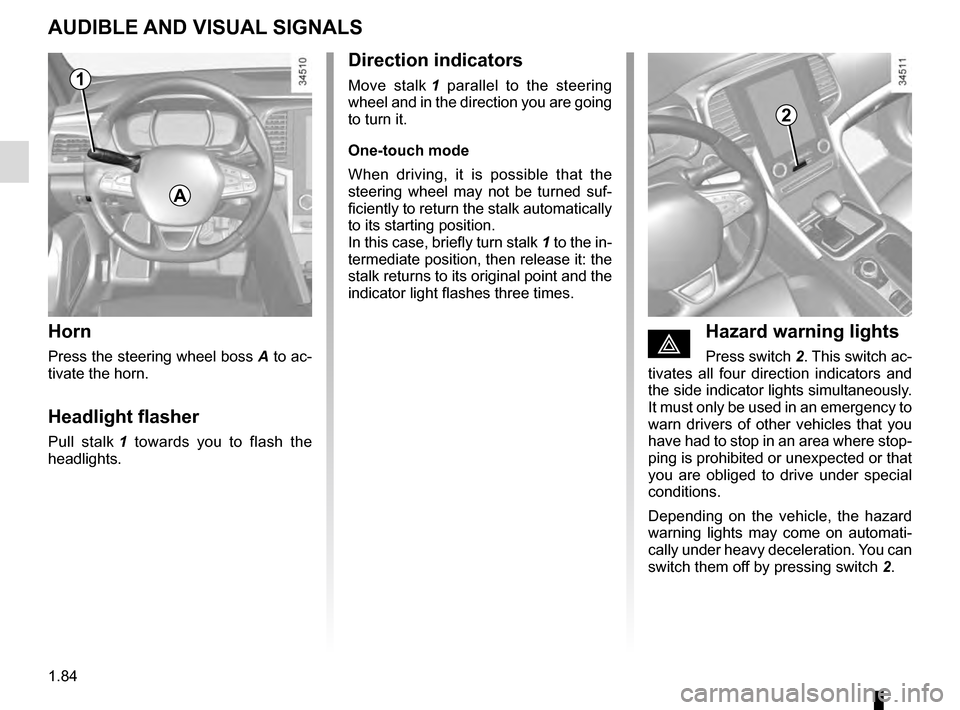
Horn
Press the steering wheel boss A to ac-
tivate the horn.
Headlight flasher
Pull stalk 1 towards you to flash the
headlights.
éHazard warning lights
Press switch 2. This switch ac-
tivates all four direction indicators and
the side indicator lights simultaneously.
It must only be used in an emergency to
warn drivers of other vehicles that you
have had to stop in an area where stop-
ping is prohibited or unexpected or that
you are obliged to drive under special
conditions.
Depending on the vehicle, the hazard
warning lights may come on automati-
cally under heavy deceleration. You can
switch them off by pressing switch 2.
Direction indicators
Move stalk 1 parallel to the steering
wheel and in the direction you are going
to turn it.
One-touch mode
When driving, it is possible that the
steering wheel may not be turned suf-
ficiently to return the stalk automatically
to its starting position.
In this case, briefly turn stalk 1 to the in-
termediate position, then release it: the
stalk returns to its original point and the
indicator light flashes three times.
2
A
1
Page 92 of 328
1.86
Automatic main beam
headlights
Depending on the vehicle, this system
switches the main beam headlights on
and off automatically. The function uses
a camera located behind the interior
rear-view mirror to detect vehicles that
are following and coming in the oppo-
site direction.
The main beam headlights come on au-
tomatically if:
– exterior light is weak;
– no other vehicles or lighting are de-tected;
– the vehicle speed is above approxi- mately 30 mph (45 km/h).
If any of the above conditions are not
fulfilled, the system switches to dipped
beam headlights.
The “automatic main beam
headlights” system should
under no circumstances be
used to replace driver atten-
tion and responsibility with regard
to vehicle lighting and adapting to
light, visibility and traffic conditions.Using the portable naviga-
tion system at night in the
windscreen area below the
camera may disturb the
operation of the “automatic main
beam headlights” system (risk of re-
flection on the windscreen).
EXTERIOR LIGHTING AND SIGNALS (2/5)
4
3
The system may encounter difficul-
ties under certain conditions, inclu-
ding :
– extreme weather conditions (rain, snow, fog, etc.);
– obstruction in front of the winds- creen or camera;
– when a following or oncoming vehicle has weak or hidden li-
ghting;
– incorrect settings for the front headlights;
– reflective systems;
– ...
Activation
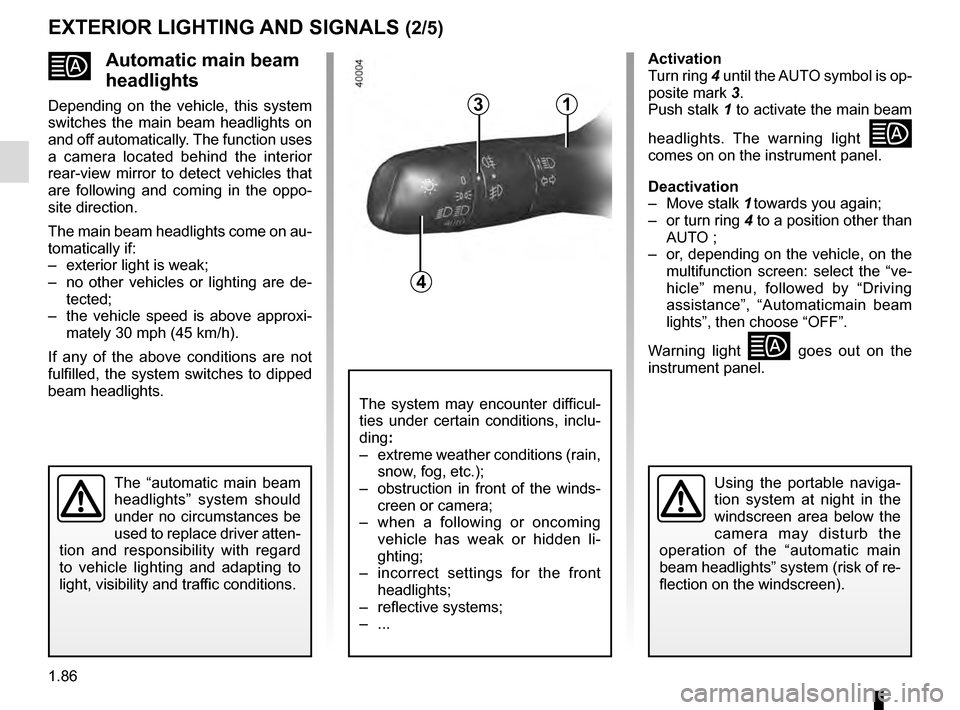
Turn ring 4 until the AUTO symbol is op-
posite mark 3.
Push stalk 1 to activate the main beam
headlights. The warning light
comes on on the instrument panel.
Deactivation
– Move stalk 1 towards you again;
– or turn ring 4 to a position other than AUTO ;
– or, depending on the vehicle, on the multifunction screen: select the “ve-
hicle” menu, followed by “Driving
assistance”, “Automaticmain beam
lights”, then choose “OFF”.
Warning light
goes out on the
instrument panel.
1
Page 93 of 328
1.87
Operating faults
When the message “Check auto li-
ghting” appears on the instrument
panel, the system is deactivated.
Consult an approved dealer.
EXTERIOR LIGHTING AND SIGNALS (3/5)
Switching off the lights
There are two possibilities:
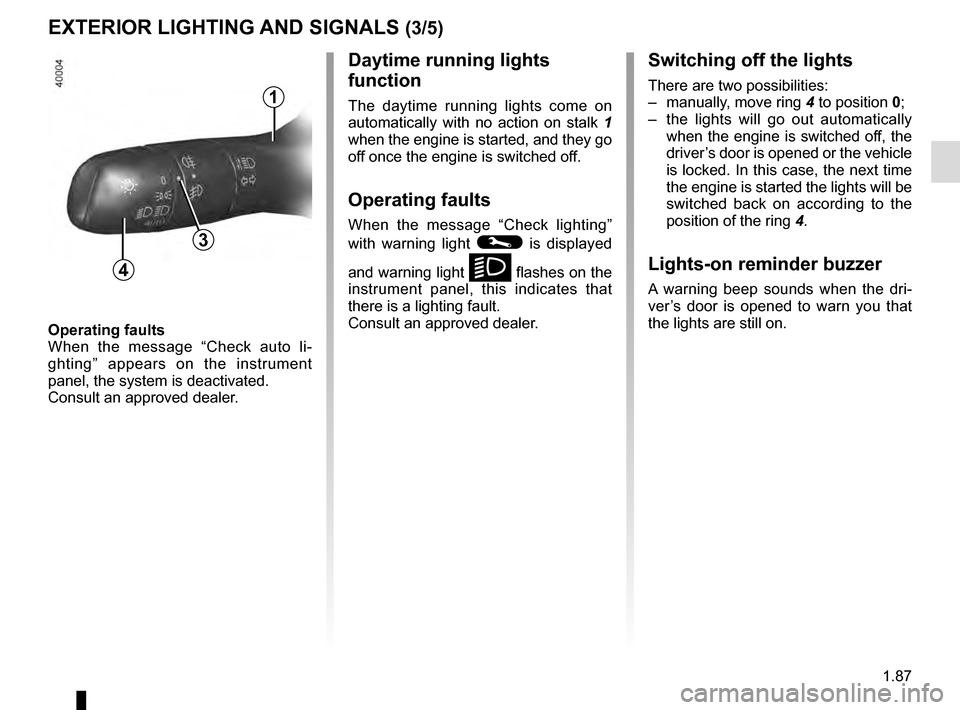
– manually, move ring 4 to position 0;
– the lights will go out automatically when the engine is switched off, the
driver’s door is opened or the vehicle
is locked. In this case, the next time
the engine is started the lights will be
switched back on according to the
position of the ring 4.
Lights-on reminder buzzer
A warning beep sounds when the dri-
ver’s door is opened to warn you that
the lights are still on.
Daytime running lights
function
The daytime running lights come on
automatically with no action on stalk 1
when the engine is started, and they go
off once the engine is switched off.
Operating faults
When the message “Check lighting”
with warning light
© is displayed
and warning light
k flashes on the
instrument panel, this indicates that
there is a lighting fault.
Consult an approved dealer.4
3
1
Page 107 of 328
1.101
Vehicles with RENAULT card
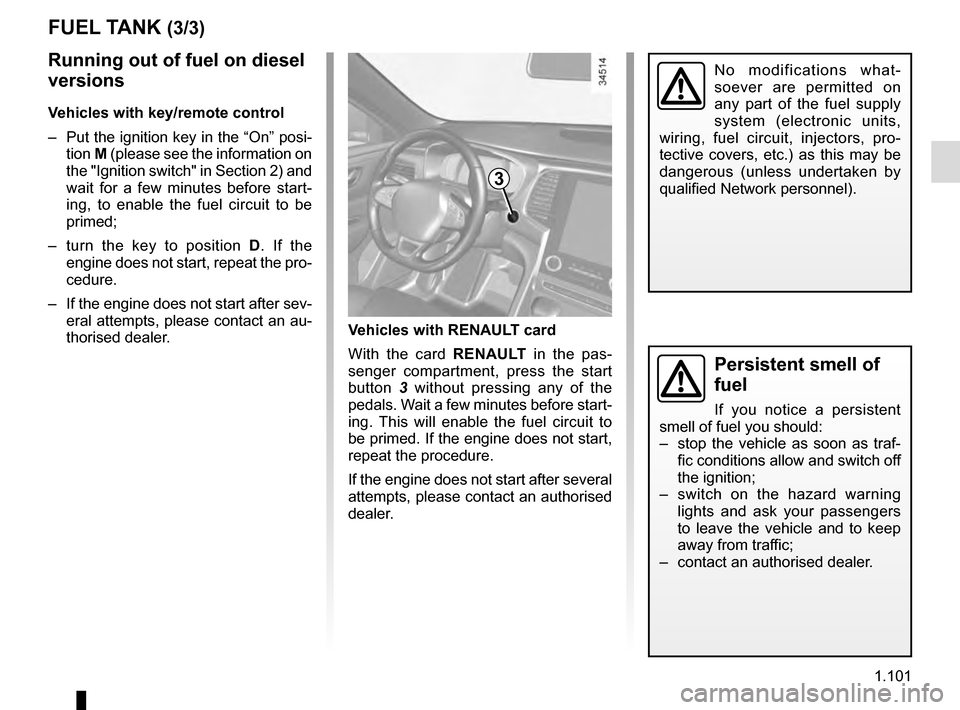
With the card RENAULT in the pas-
senger compartment, press the start
button 3 without pressing any of the
pedals. Wait a few minutes before start-
ing. This will enable the fuel circuit to
be primed. If the engine does not start,
repeat the procedure.
If the engine does not start after several
attempts, please contact an authorised
dealer.
No modifications what-
soever are permitted on
any part of the fuel supply
system (electronic units,
wiring, fuel circuit, injectors, pro-
tective covers, etc.) as this may be
dangerous (unless undertaken by
qualified Network personnel).
3
FUEL TANK (3/3)
Running out of fuel on diesel
versions
Vehicles with key/remote control
– Put the ignition key in the “On” posi- tion M (please see the information on
the "Ignition switch" in Section 2) and
wait for a few minutes before start-
ing, to enable the fuel circuit to be
primed;
– turn the key to position D . If the
engine does not start, repeat the pro-
cedure.
– If the engine does not start after sev- eral attempts, please contact an au-
thorised dealer.
Persistent smell of
fuel
If you notice a persistent
smell of fuel you should:
– stop the vehicle as soon as traf- fic conditions allow and switch off
the ignition;
– switch on the hazard warning lights and ask your passengers
to leave the vehicle and to keep
away from traffic;
– contact an authorised dealer.
Page 116 of 328
2.8
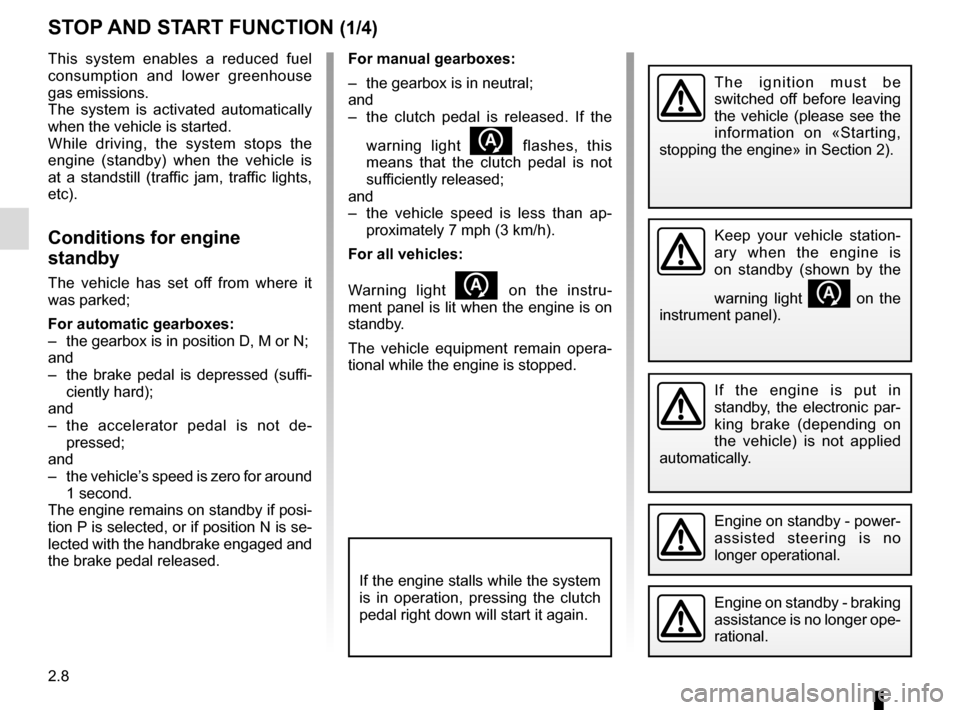
For manual gearboxes:
– the gearbox is in neutral;
and
– the clutch pedal is released. If the warning light
flashes, this
means that the clutch pedal is not
sufficiently released;
and
– the vehicle speed is less than ap- proximately 7 mph (3 km/h).
For all vehicles:
Warning light
on the instru-
ment panel is lit when the engine is on
standby.
The vehicle equipment remain opera-
tional while the engine is stopped.
STOP AND START FUNCTION (1/4)
This system enables a reduced fuel
consumption and lower greenhouse
gas emissions.
The system is activated automatically
when the vehicle is started.
While driving, the system stops the
engine (standby) when the vehicle is
at a standstill (traffic jam, traffic lights,
etc).
Conditions for engine
standby
The vehicle has set off from where it
was parked;
For automatic gearboxes:
– the gearbox is in position D, M or N;
and
– the brake pedal is depressed (suffi- ciently hard);
and
– the accelerator pedal is not de- pressed;
and
– the vehicle’s speed is zero for around 1 second.
The engine remains on standby if posi-
tion P is selected, or if position N is se-
lected with the handbrake engaged and
the brake pedal released.
If the engine is put in
standby, the electronic par-
king brake (depending on
the vehicle) is not applied
automatically.
Engine on standby - braking
assistance is no longer ope-
rational.
The ignition must be
switched off before leaving
the vehicle (please see the
information on «Starting,
stopping the engine» in Section 2).
If the engine stalls while the system
is in operation, pressing the clutch
pedal right down will start it again.
Keep your vehicle station-
ary when the engine is
on standby (shown by the
warning light
on the
instrument panel).
Engine on standby - power-
assisted steering is no
longer operational.
Page 117 of 328
2.9
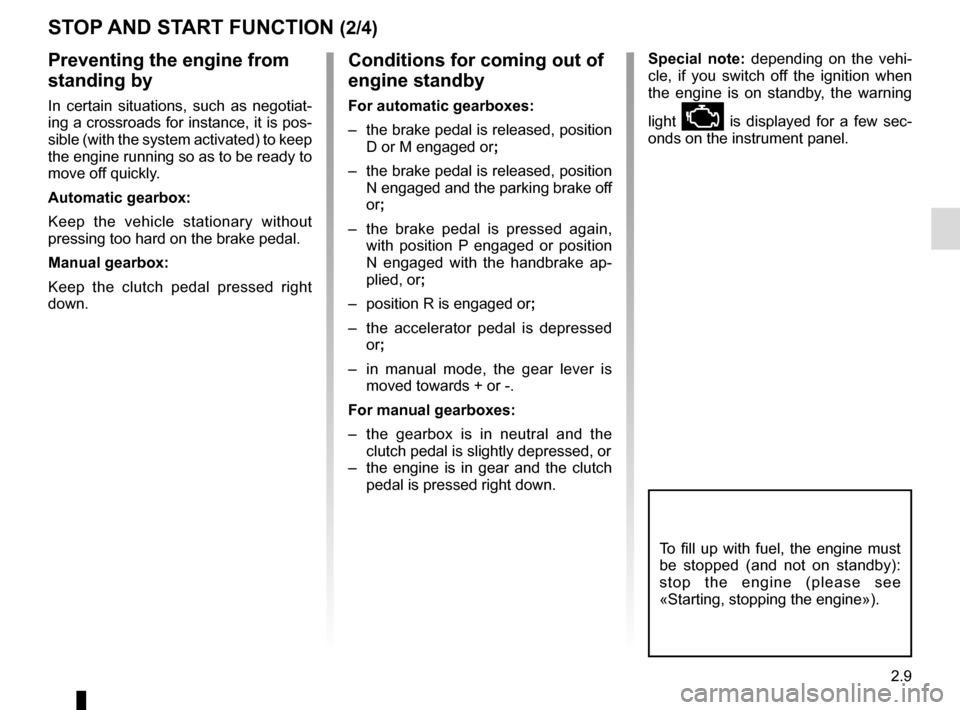
Conditions for coming out of
engine standby
For automatic gearboxes:
– the brake pedal is released, position D or M engaged or ;
– the brake pedal is released, position N engaged and the parking brake off
or;
– the brake pedal is pressed again, with position P engaged or position
N engaged with the handbrake ap-
plied, or ;
– position R is engaged or ;
– the accelerator pedal is depressed or;
– in manual mode, the gear lever is moved towards + or -.
For manual gearboxes:
– the gearbox is in neutral and the clutch pedal is slightly depressed, or
– the engine is in gear and the clutch pedal is pressed right down.
To fill up with fuel, the engine must
be stopped (and not on standby):
stop the engine (please see
«Starting, stopping the engine»).
STOP AND START FUNCTION (2/4)
Preventing the engine from
standing by
In certain situations, such as negotiat-
ing a crossroads for instance, it is pos-
sible (with the system activated) to keep
the engine running so as to be ready to
move off quickly.
Automatic gearbox:
Keep the vehicle stationary without
pressing too hard on the brake pedal.
Manual gearbox:
Keep the clutch pedal pressed right
down.
Special note: depending on the vehi-
cle, if you switch off the ignition when
the engine is on standby, the warning
light
Ä is displayed for a few sec-
onds on the instrument panel.
Page 118 of 328
2.10
STOP AND START FUNCTION (3/4)
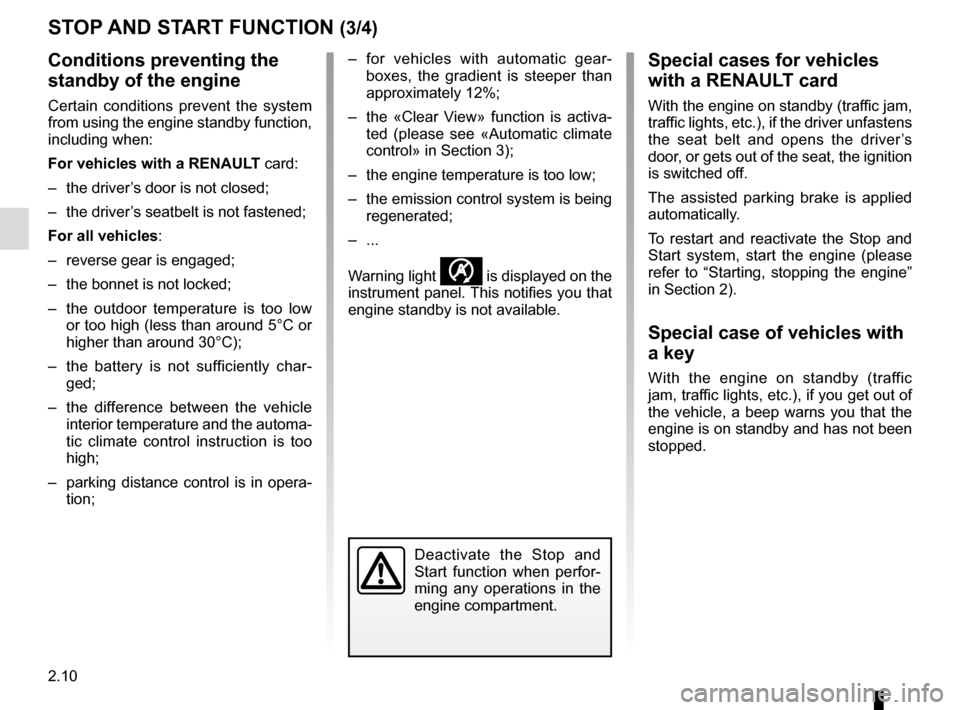
Conditions preventing the
standby of the engine
Certain conditions prevent the system
from using the engine standby function,
including when:
For vehicles with a RENAULT card:
– the driver’s door is not closed;
– the driver’s seatbelt is not fastened;
For all vehicles:
– reverse gear is engaged;
– the bonnet is not locked;
– the outdoor temperature is too low or too high (less than around 5°C or
higher than around 30°C);
– the battery is not sufficiently char- ged;
– the difference between the vehicle interior temperature and the automa-
tic climate control instruction is too
high;
– parking distance control is in opera- tion; – for vehicles with automatic gear-
boxes, the gradient is steeper than
approximately 12%;
– the «Clear View» function is activa- ted (please see «Automatic climate
control» in Section 3);
– the engine temperature is too low;
– the emission control system is being regenerated;
– ...
Warning light
is displayed on the
instrument panel. This notifies you that
engine standby is not available.
Deactivate the Stop and
Start function when perfor-
ming any operations in the
engine compartment.
Special cases for vehicles
with a RENAULT card
With the engine on standby (traffic jam,
traffic lights, etc.), if the driver unfastens
the seat belt and opens the driver’s
door, or gets out of the seat, the ignition
is switched off.
The assisted parking brake is applied
automatically.
To restart and reactivate the Stop and
Start system, start the engine (please
refer to “Starting, stopping the engine”
in Section 2).
Special case of vehicles with
a key
With the engine on standby (traffic
jam, traffic lights, etc.), if you get out of
the vehicle, a beep warns you that the
engine is on standby and has not been
stopped.
Page 119 of 328
2.11
STOP AND START FUNCTION (4/4)
Special feature of the automatic
engine re-start
Under certain conditions, the engine
can restart on its own in order to gua-
rantee your safety and comfort.
This can occur especially when:
– the outdoor temperature is too low or too high (less than around 0 °C or
higher than around 30 °C);
– the «Clear View» function is activa- ted (please see «Automatic climate
control» in Section 3);
– the battery is not sufficiently char- ged;
– the vehicle speed is above 3 mph (5 km/h) (downhill slope, etc.); ;
– repeated pressing on the brake pedal or braking system require-
ment;
– ...
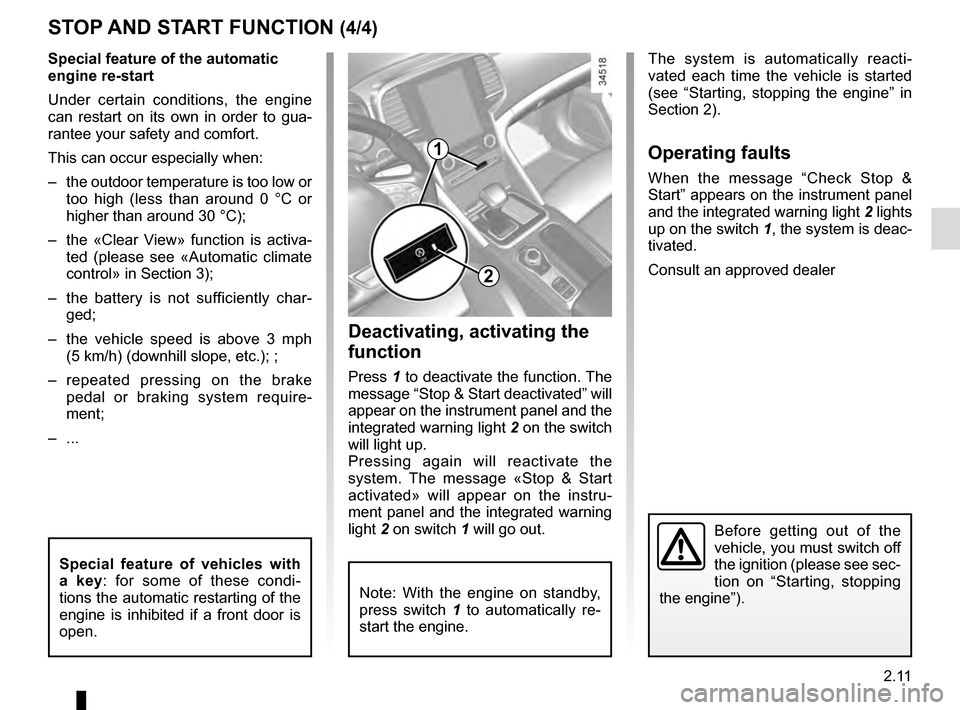
1
2
Deactivating, activating the
function
Press 1 to deactivate the function. The
message “Stop & Start deactivated” will
appear on the instrument panel and the
integrated warning light 2 on the switch
will light up.
Pressing again will reactivate the
system. The message «Stop & Start
activated» will appear on the instru-
ment panel and the integrated warning
light 2 on switch 1 will go out.
Note: With the engine on standby,
press switch 1 to automatically re-
start the engine.
The system is automatically reacti-
vated each time the vehicle is started
(see “Starting, stopping the engine” in
Section 2).
Operating faults
When the message “Check Stop &
Start” appears on the instrument panel
and the integrated warning light 2 lights
up on the switch 1, the system is deac-
tivated.
Consult an approved dealer
Before getting out of the
vehicle, you must switch off
the ignition (please see sec-
tion on “Starting, stopping
the engine”).
Special feature of vehicles with
a key: for some of these condi-
tions the automatic restarting of the
engine is inhibited if a front door is
open.
Page 120 of 328
2.12
SPECIAL FEATURES OF PETROL VERSIONS
The following operating conditions:
– driving for long periods when the low fuel level warning light is lit;
– using leaded petrol;
– using fuel or lubrication additives which are not approved.
Or operating faults such as:
– faulty ignition system, running out of fuel or disconnected spark plugs re-
sulting in the engine misfiring or cut-
ting out when driving;
– loss of power,
as they may cause the catalytic con-
verter to overheat and thus reduce its
efficiency, or damage it irreparably
and cause heat damage to the vehi-
cle. If you notice any of the above operating
faults, have the necessary repairs car-
ried out as soon as possible by an ap-
proved Dealer.
These faults may be avoided by regu-
larly taking your vehicle to an approved
Dealer at the intervals specified in the
Maintenance document.
Starting problems
To avoid damaging the catalytic con-
verter,
do not keep trying to start the
engine (using the start button, or by
pushing or towing the vehicle) without
having identified and corrected the
starting fault.
If the fault cannot be identified, do not
keep trying to start the engine, but con-
tact an approved Dealer.
Do not park the vehicle or
run the engine in locations
where combustible sub-
stances or materials such as
grass or leaves can come into con-
tact with the hot exhaust system.
Page 123 of 328
2.15
ELECTRONIC PARKING BRAKE (1/3)
Note:
To indicate that the electronic parking
brake is released, a beep sounds and
the message “Apply parking brake” ap-
pears on the instrument panel:
– with the engine running: when the driver’s door is opened;
– with the engine switched off (eg. when the engine stalls): when a front
door is opened.
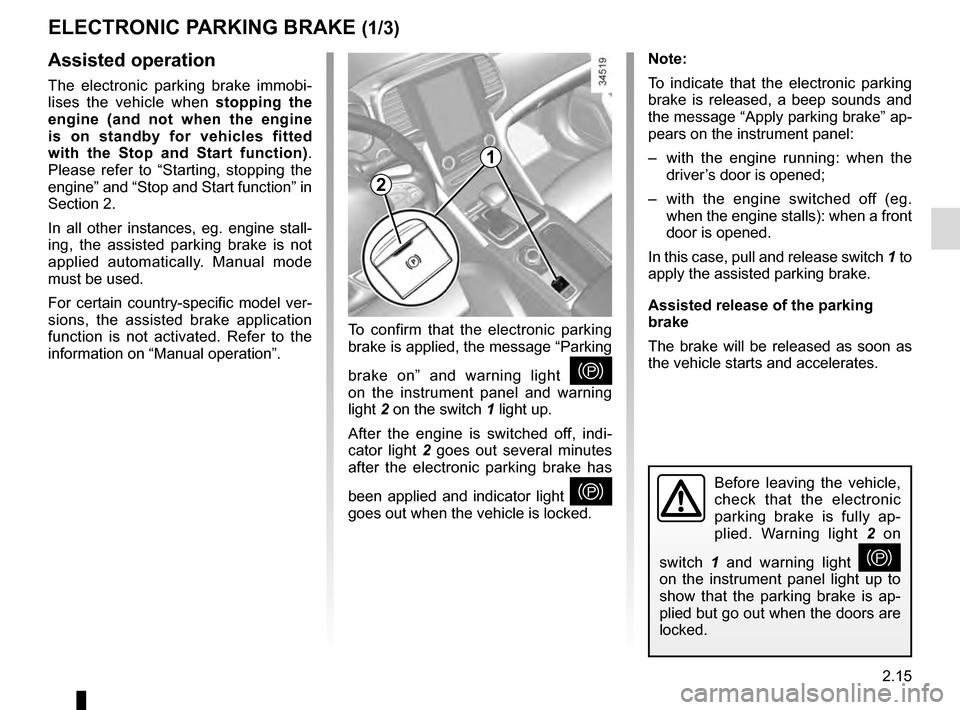
In this case, pull and release switch 1 to
apply the assisted parking brake.
Assisted release of the parking
brake
The brake will be released as soon as
the vehicle starts and accelerates.Assisted operation
The electronic parking brake immobi-
lises the vehicle when stopping the
engine (and not when the engine
is on standby for vehicles fitted
with the Stop and Start function) .
Please refer to “Starting, stopping the
engine” and “Stop and Start function” in
Section 2.
In all other instances, eg. engine stall-
ing, the assisted parking brake is not
applied automatically. Manual mode
must be used.
For certain country-specific model ver-
sions, the assisted brake application
function is not activated. Refer to the
information on “Manual operation”. To confirm that the electronic parking
brake is applied, the message “Parking
brake on” and warning light
}
on the instrument panel and warning
light 2 on the switch 1 light up.
After the engine is switched off, indi-
cator light 2 goes out several minutes
after the electronic parking brake has
been applied and indicator light
}
goes out when the vehicle is locked.Before leaving the vehicle,
check that the electronic
parking brake is fully ap-
plied. Warning light 2 on
switch 1 and warning light
}
on the instrument panel light up to
show that the parking brake is ap-
plied but go out when the doors are
locked.
2
1