Acc RENAULT TALISMAN 2016 1.G Repair Manual
[x] Cancel search | Manufacturer: RENAULT, Model Year: 2016, Model line: TALISMAN, Model: RENAULT TALISMAN 2016 1.GPages: 328, PDF Size: 3.39 MB
Page 137 of 328
2.29
DRIVER CORRECTION DEVICES AND AIDS (2/12)
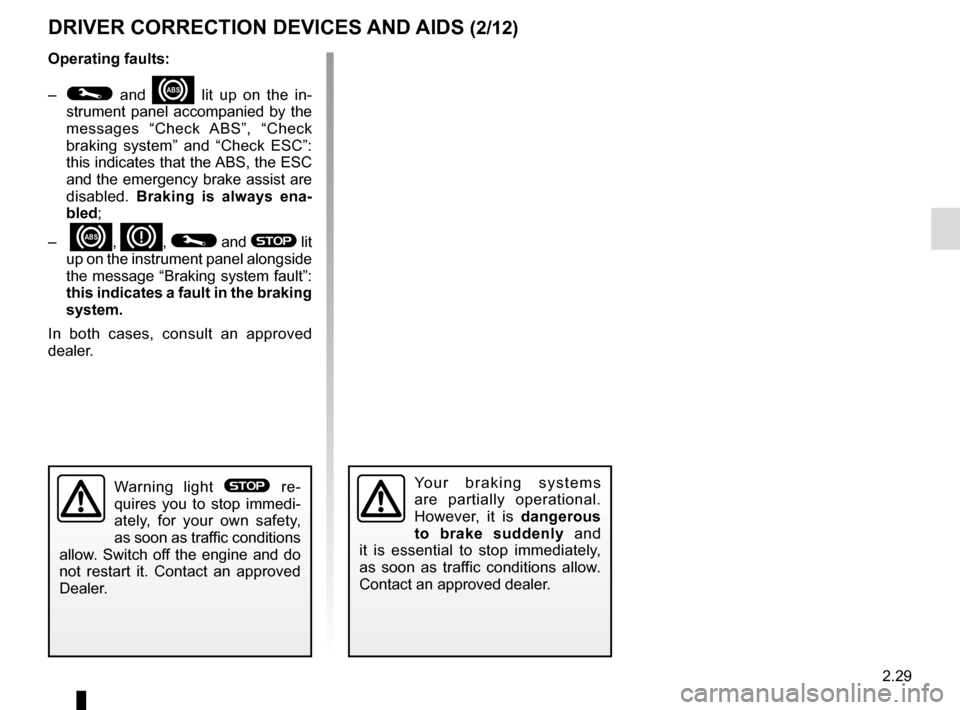
Operating faults:
–
© and x lit up on the in-
strument panel accompanied by the
messages “Check ABS”, “Check
braking system” and “Check ESC”:
this indicates that the ABS, the ESC
and the emergency brake assist are
disabled. Braking is always ena-
bled;
–
x, D, © and ® lit
up on the instrument panel alongside
the message “Braking system fault”:
this indicates a fault in the braking
system.
In both cases, consult an approved
dealer.
Your braking systems
are partially operational.
However, it is dangerous
to brake suddenly and
it is essential to stop immediately,
as soon as traffic conditions allow.
Contact an approved dealer.Warning light ® re-
quires you to stop immedi-
ately, for your own safety,
as soon as traffic conditions
allow. Switch off the engine and do
not restart it. Contact an approved
Dealer.
Page 138 of 328
2.30
Electronic stability control
ESC with understeer control
and traction control
Electronic stability control ESC
This system helps you to keep control
of the vehicle in critical driving condi-
tions (avoiding an obstacle, loss of grip
on a bend, etc.).
Operating principle
A sensor in the steering wheel detects
the direction selected by the driver.
Other sensors throughout the vehicle
measure the actual direction.
The system compares driver input to
the actual trajectory of the vehicle and
corrects the trajectory if necessary by
controlling the braking of certain wheels
and/or engine power. In the event that
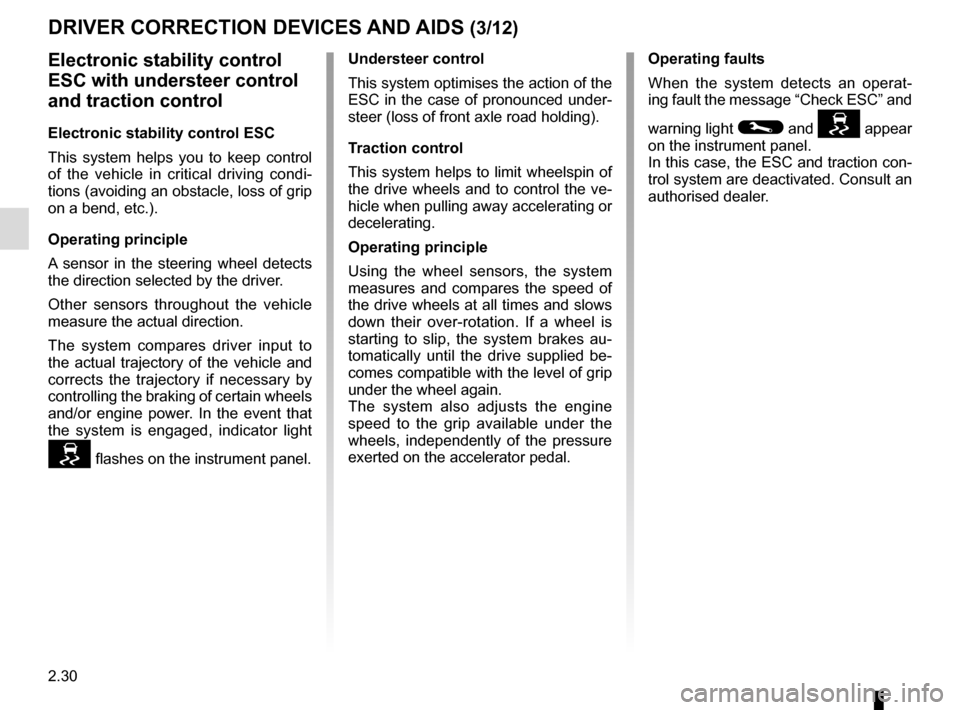
the system is engaged, indicator light
flashes on the instrument panel.Understeer control
This system optimises the action of the
ESC in the case of pronounced under-
steer (loss of front axle road holding).
Traction control
This system helps to limit wheelspin of
the drive wheels and to control the ve-
hicle when pulling away accelerating or
decelerating.
Operating principle
Using the wheel sensors, the system
measures and compares the speed of
the drive wheels at all times and slows
down their over-rotation. If a wheel is
starting to slip, the system brakes au-
tomatically until the drive supplied be-
comes compatible with the level of grip
under the wheel again.
The system also adjusts the engine
speed to the grip available under the
wheels, independently of the pressure
exerted on the accelerator pedal.
DRIVER CORRECTION DEVICES AND AIDS (3/12)
Operating faults
When the system detects an operat-
ing fault the message “Check ESC” and
warning light
© and appear
on the instrument panel.
In this case, the ESC and traction con-
trol system are deactivated. Consult an
authorised dealer.
Page 140 of 328
2.32
DRIVER CORRECTION DEVICES AND AIDS (5/12)
Braking anticipation
Depending on the vehicle, when you
rapidly release the accelerator, the
system anticipates the braking ma-
noeuvre in order to reduce stopping
distances.
Special cases
When using the cruise control:
– if you use the accelerator, when you release it, the system may be trig-
gered;
– if you do not use the accelerator, the system will not be triggered.
Operating faults
When the system detects an operat-
ing fault the message “Check brak-
ing system” appears on the instrument
panel along with the
© warning
light.
Consult an approved dealer.
Emergency brake assist
This system supplements the ABS
and helps reduce vehicle stopping dis-
tances.
Operating principle
The system is for detecting an emer-
gency braking situation. In this case,
the braking assistance immediately de-
velops maximum power and may trig-
ger ABS regulation.
ABS braking is maintained as long as
the brake pedal is applied.
Hazard warning lights switching on
Depending on the vehicle, these may
light up in the event of sudden decel-
eration.
Page 142 of 328
2.34
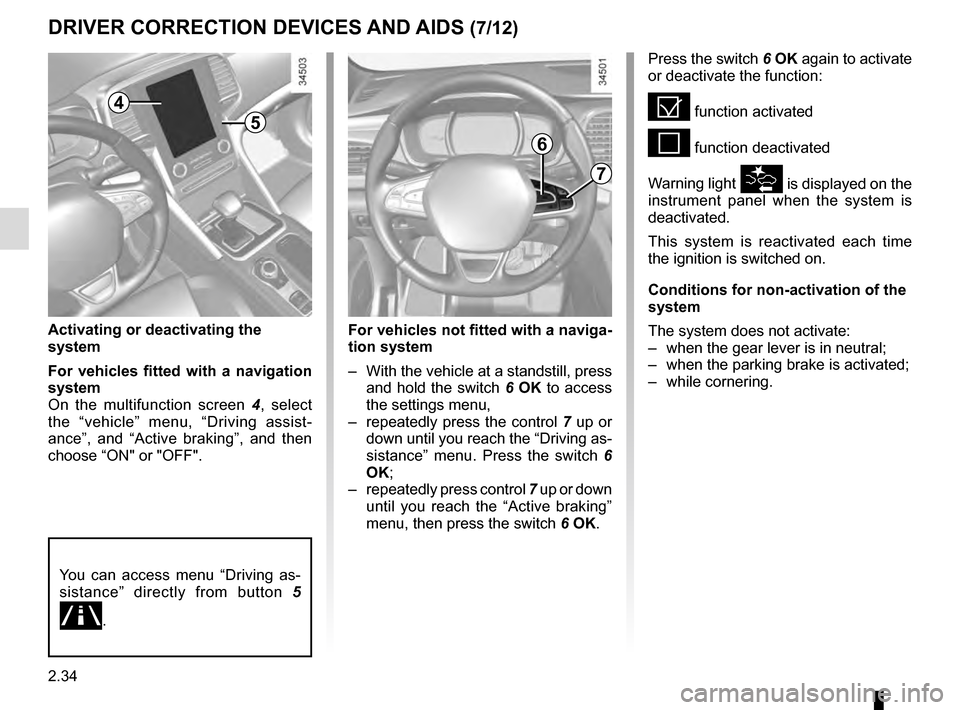
For vehicles not fitted with a naviga-
tion system
– With the vehicle at a standstill, press and hold the switch 6 OK to access
the settings menu,
– repeatedly press the control 7 up or
down until you reach the “Driving as-
sistance” menu. Press the switch 6
OK;
– repeatedly press control 7 up or down
until you reach the “Active braking”
menu, then press the switch 6 OK.
Activating or deactivating the
system
For vehicles fitted with a navigation
system
On the multifunction screen
4, select
the “vehicle” menu, “Driving assist-
ance”, and “Active braking”, and then
choose “ON" or "OFF".
DRIVER CORRECTION DEVICES AND AIDS (7/12)
You can access menu “Driving as-
sistance” directly from button 5
.
Press the switch 6 OK again to activate
or deactivate the function:
= function activated
< function deactivated
Warning light
\b is displayed on the
instrument panel when the system is
deactivated.
This system is reactivated each time
the ignition is switched on.
Conditions for non-activation of the
system
The system does not activate:
– when the gear lever is in neutral;
– when the parking brake is activated;
– while cornering.
4
5
6
7
Page 144 of 328

Active emergency braking
Limitation of the system operation
– The system will only respond to vehicles which are moving or which have \
been sensed as")
2.36
DRIVER CORRECTION DEVICES AND AIDS (9/12)
Active emergency braking
Limitation of the system operation
– The system will only respond to vehicles which are moving or which have \
been sensed as moving.
– A vehicle travelling in the opposite direction will not trigger any alert\
or any action on the system operation.
– The sensor area should be kept clean and free of any modifications in or\
der to ensure the proper operation of the system.
– The system cannot respond to small vehicles such as motorbikes or bicycl\
es as effectively as to other vehicles.
Deactivating the function
The function should be deactivated if:
– the brake lights are not functioning;
– the front of the vehicle has undergone an impact or been damaged;
– the vehicle is being towed (breakdowns).
Halting the function
You can halt the active braking function at any time by tapping the accel\
erator pedal or by turning the steering wheel in a avo id-
ance manoeuvre.
If the driver notices any unusual behaviour in the system, please consul\
t an authorised dealer.
Page 146 of 328
2.38
DRIVER CORRECTION DEVICES AND AIDS (11/12)
Hill start assistance
Depending on the gradient of the in-
cline, this system assists the driver
when starting on a hill. It prevents the
vehicle from rolling backwards by au-
tomatically applying the brakes when
the driver lifts his/her foot off the brake
pedal to depress the accelerator pedal.
System operation
It only operates when the gear lever is
in a position other than neutral (other
than N or P for automatic transmis-
sions) and the vehicle is completely
stationary (brake pedal depressed)
The system holds the vehicle for ap-
proximately 2 seconds. The brakes are
then released (the vehicle will move ac-
cording to the slope).
The hill start assistance
system cannot completely
prevent the vehicle from
rolling backwards in all sit-
uations (extremely steep gradients,
etc.).
In all cases, the driver may depress
the brake pedal to prevent the vehi-
cle from rolling backwards.
The hill start assistance function
should not be used for prolonged
stops: use the brake pedal.
This function is not designed to im-
mobilise the vehicle permanently.
If necessary, use the brake pedal to
stop the vehicle.
The driver must remain particularly
vigilant when driving on slippery or
low-grip surfaces and/or on hills.
Risk of serious injury.
Page 147 of 328
2.39
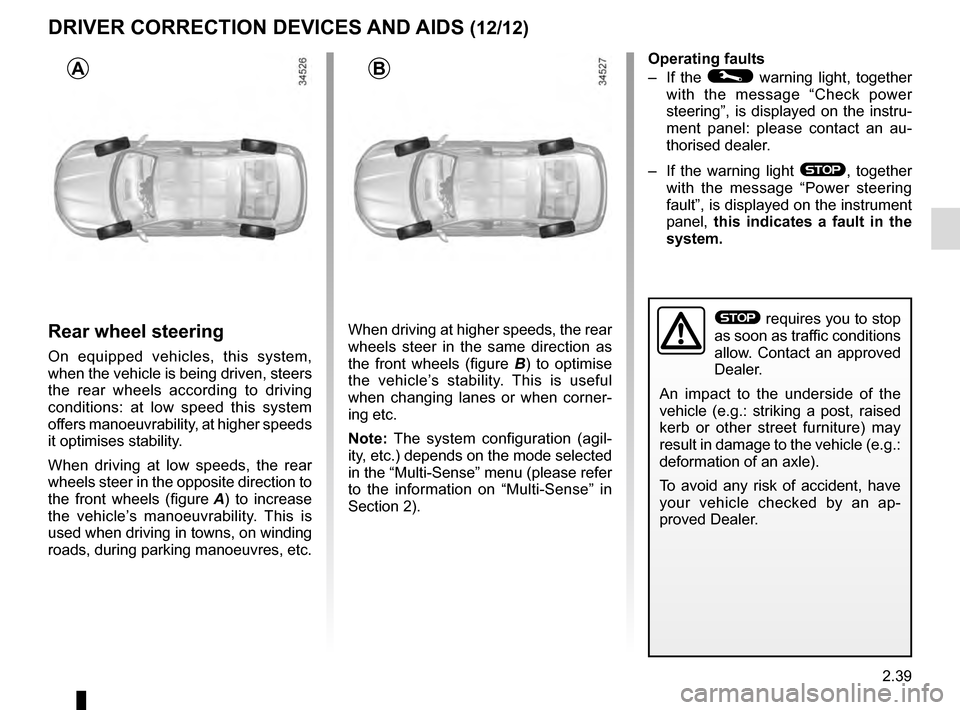
Rear wheel steering
On equipped vehicles, this system,
when the vehicle is being driven, steers
the rear wheels according to driving
conditions: at low speed this system
offers manoeuvrability, at higher speeds
it optimises stability.
When driving at low speeds, the rear
wheels steer in the opposite direction to
the front wheels (figure A) to increase
the vehicle’s manoeuvrability. This is
used when driving in towns, on winding
roads, during parking manoeuvres, etc. When driving at higher speeds, the rear
wheels steer in the same direction as
the front wheels (figure B
) to optimise
the vehicle’s stability. This is useful
when changing lanes or when corner-
ing etc.
Note: The system configuration (agil-
ity, etc.) depends on the mode selected
in the “Multi-Sense” menu (please refer
to the information on “Multi-Sense” in
Section 2). Operating faults
– If the
© warning light, together
with the message “Check power
steering”, is displayed on the instru-
ment panel: please contact an au-
thorised dealer.
– If the warning light
®, together
with the message “Power steering
fault”, is displayed on the instrument
panel, this indicates a fault in the
system.
DRIVER CORRECTION DEVICES AND AIDS (12/12)
AB
® requires you to stop
as soon as traffic conditions
allow. Contact an approved
Dealer.
An impact to the underside of the
vehicle (e.g.: striking a post, raised
kerb or other street furniture) may
result in damage to the vehicle (e.g.:
deformation of an axle).
To avoid any risk of accident, have
your vehicle checked by an ap-
proved Dealer.
Page 148 of 328

This function is a driving aid in the event of the accidental crossing o\
f
a continuous or broken line in the road. However, the function is not in-
tended to repla")
2.40
LANE DEPARTURE WARNING (1/3)
This function is a driving aid in the event of the accidental crossing o\
f
a continuous or broken line in the road. However, the function is not in-
tended to replace the driver. The function can be disrupted under certain
conditions, including:
– poor visibility (rain, snow, fog, dirty windscreen, glare of the sun, partially ob- scured road lines, etc.);
– roads with tight bends;
– closely following a vehicle in the same lane;
– worn road markings, difficult to distinguish or spaced very widely apart;
– narrow roads;
– ...
In this case, the line visibility indicators remain uncoloured on the in\
strument
panel to indicate that the function will not operate (lines not detecte\
d).
Under no circumstances should this function replace the driver’s care or respon-
sibility whilst performing manoeuvres.
This system notifies the driver when
they accidentally cross a continuous or
broken line.
This function uses a camera attached
to the windscreen, behind the rear-view
mirror.
On equipped vehicles, some infor-
mation is given on the head-up dis-
play.
Page 149 of 328
2.41
LANE DEPARTURE WARNING (2/3)
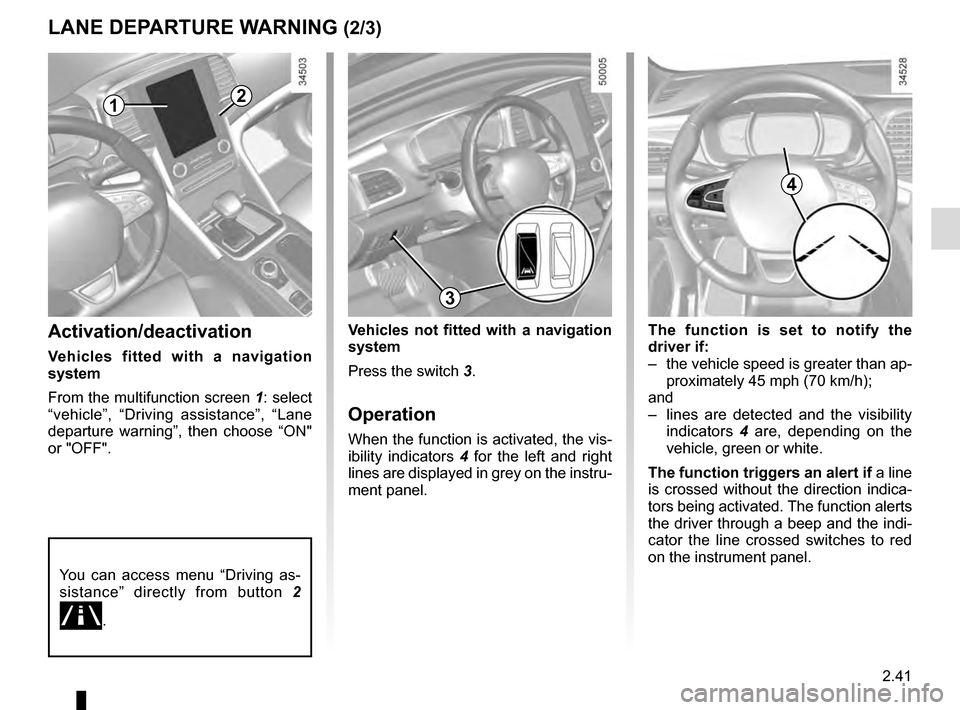
The function is set to notify the
driver if:
– the vehicle speed is greater than ap-proximately 45 mph (70 km/h);
and
– lines are detected and the visibility indicators 4 are, depending on the
vehicle, green or white.
The function triggers an alert if a line
is crossed without the direction indica-
tors being activated. The function alerts
the driver through a beep and the indi-
cator the line crossed switches to red
on the instrument panel.Activation/deactivation
Vehicles fitted with a navigation
system
From the multifunction screen 1: select
“vehicle”, “Driving assistance”, “Lane
departure warning”, then choose “ON"
or "OFF".
1
Vehicles not fitted with a navigation
system
Press the switch 3.
Operation
When the function is activated, the vis-
ibility indicators 4 for the left and right
lines are displayed in grey on the instru-
ment panel.
You can access menu “Driving as-
sistance” directly from button 2
.
2
4
3
Page 150 of 328
2.42
Conditions for non-activation
of alerts
– Direction indicators activated less than around 2 seconds before de-
parting from the lane;
– very fast lane departure;
– driving continuously on a line;
– on bends, the function allows for slightly cutting the bend;
– hazard warning lights activated;
– ...
LANE DEPARTURE WARNING (3/3)
1
56
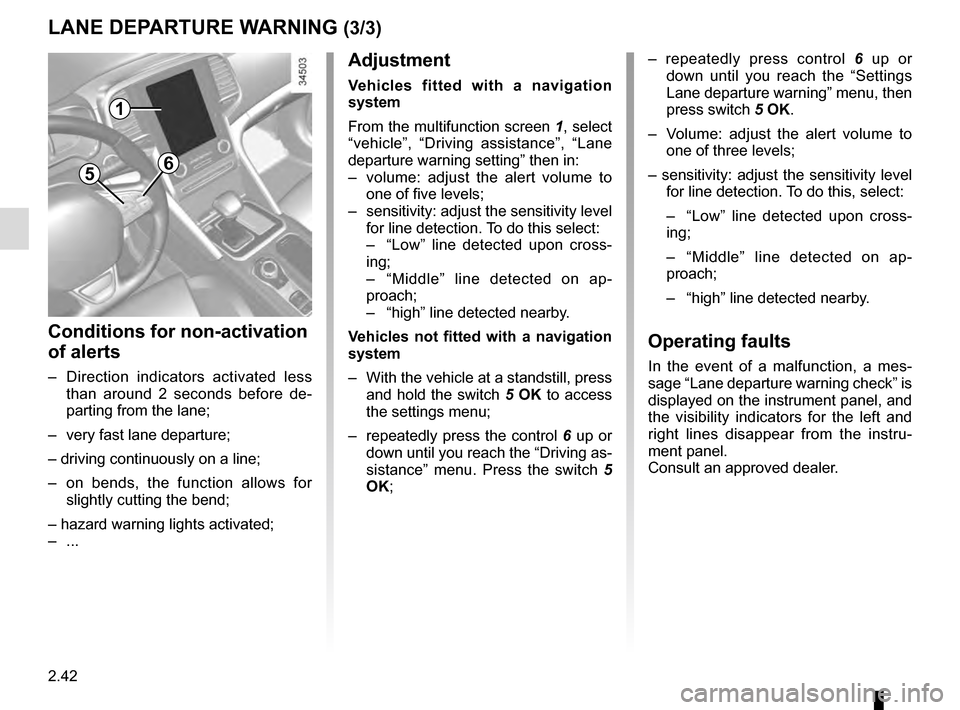
– repeatedly press control 6 up or
down until you reach the “Settings
Lane departure warning” menu, then
press switch 5 OK.
– Volume: adjust the alert volume to one of three levels;
– sensitivity: adjust the sensitivity level for line detection. To do this, select:
– “Low” line detected upon cross-
ing;
– “Middle” line detected on ap-
proach;
– “high” line detected nearby.
Operating faults
In the event of a malfunction, a mes-
sage “Lane departure warning check” is
displayed on the instrument panel, and
the visibility indicators for the left and
right lines disappear from the instru-
ment panel.
Consult an approved dealer.
Adjustment
Vehicles fitted with a navigation
system
From the multifunction screen 1, select
“vehicle”, “Driving assistance”, “Lane
departure warning setting” then in:
– volume: adjust the alert volume to one of five levels;
– sensitivity: adjust the sensitivity level for line detection. To do this select:
– “Low” line detected upon cross-
ing;
– “Middle” line detected on ap-
proach;
– “high” line detected nearby.
Vehicles not fitted with a navigation
system
– With the vehicle at a standstill, press and hold the switch 5 OK to access
the settings menu;
– repeatedly press the control 6 up or
down until you reach the “Driving as-
sistance” menu. Press the switch 5
OK;