head-up display RENAULT TALISMAN 2016 1.G Owners Manual
[x] Cancel search | Manufacturer: RENAULT, Model Year: 2016, Model line: TALISMAN, Model: RENAULT TALISMAN 2016 1.GPages: 328, PDF Size: 3.39 MB
Page 61 of 328
1.55
DRIVING POSITION (2/2)
The equipment fitted, described below, DEPENDS ON THE VERSION AND COUNTRY.
1 Side air vent.
2 Demister outlet.
3 Stalk for:
– direction indicator lights;
– exterior lights;
– fog lights.
4 Driver Airbag and horn location.
5 Instrument panel.
6 Head-up display.
7 Controls for:
– on-board computer information
read-out and vehicle settings cus-
tomisation menu,
– remote radio and navigation
system.
8 Steering column stalk for winds-
creen and rear screen wash/wiper.
9 Centre air vents.
10 Windscreen demister outlet.
11 Multimedia touchscreen.
12 Multifunction screen controls:
– screen activation/deactivation;
– volume;
– welcome menu;
– driving aids menu;
– settings.
13 Switches for:
– hazard warning lights,
– electric door locking.
14 Heating or air conditioning con-
trols.
15 Passenger Airbag location.
16 Glovebox.
17 Storage compartment.
18 Accessories and multimedia
socket
19 Cup holders
20 Controls for:
– electronic parking brake.
– cruise control/speed limiter.
21 Central multifunction and Multi-
Sense control.
22 Gearstick.
23 Controls for:
– heated front seats,
– ventilated front seats,
– activation/deactivation of ECO
mode,
– activation/deactivation of assisted
parking,
– activation/deactivation of the Stop
and Start function.
24 Engine start/stop button (vehicles
with RENAULT
card).
25 Ignition switch (vehicles with key).
26 Control for adjusting steering
wheel height and reach.
27 Cruise control/speed limiter and
adaptive cruise control controls.
28 Bonnet release control.
29 Controls for:
– electric headlight beam adjust-
ment,
– instrument panel lighting dimmer,
– lane departure warning,
– ESP and traction control system,
– heated steering wheel.
Page 70 of 328
1.64
DISPLAYS AND INDICATORS (3/4)
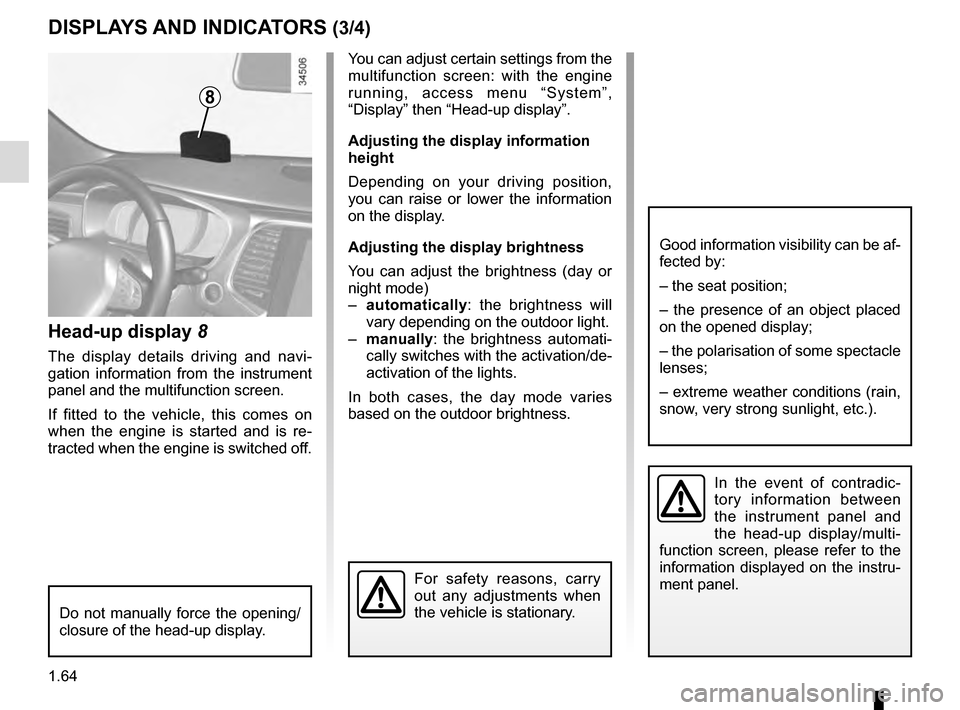
Head-up display 8
The display details driving and navi-
gation information from the instrument
panel and the multifunction screen.
If fitted to the vehicle, this comes on
when the engine is started and is re-
tracted when the engine is switched off.
8
You can adjust certain settings from the
multifunction screen: with the engine
running, access menu “System”,
“Display” then “Head-up display”.
Adjusting the display information
height
Depending on your driving position,
you can raise or lower the information
on the display.
Adjusting the display brightness
You can adjust the brightness (day or
night mode)
– automatically : the brightness will
vary depending on the outdoor light.
– manually: the brightness automati-
cally switches with the activation/de-
activation of the lights.
In both cases, the day mode varies
based on the outdoor brightness.
Good information visibility can be af-
fected by:
– the seat position;
– the presence of an object placed
on the opened display;
– the polarisation of some spectacle
lenses;
– extreme weather conditions (rain,
snow, very strong sunlight, etc.).
In the event of contradic-
tory information between
the instrument panel and
the head-up display/multi-
function screen, please refer to the
information displayed on the instru-
ment panel.
Do not manually force the opening/
closure of the head-up display.
For safety reasons, carry
out any adjustments when
the vehicle is stationary.
Page 156 of 328
2.48
SAFE DISTANCE ALERT (2/2)
The measurement is dis-
played for information
purposes: the system does
not carry out any action on
the vehicle.
This function is not designed for use
in urban conditions or for a dynamic
driving style (sudden cornering, ac-
celeration, braking etc.).
The function does not interact with
the braking system.
The sensor area should be kept
clean and free of any modifications
to ensure the proper operation of
the system.
Any work in the area where the
radar is located (repairs, replace-
ments, touching up of paintwork)
must be carried out by a qualified
professional.
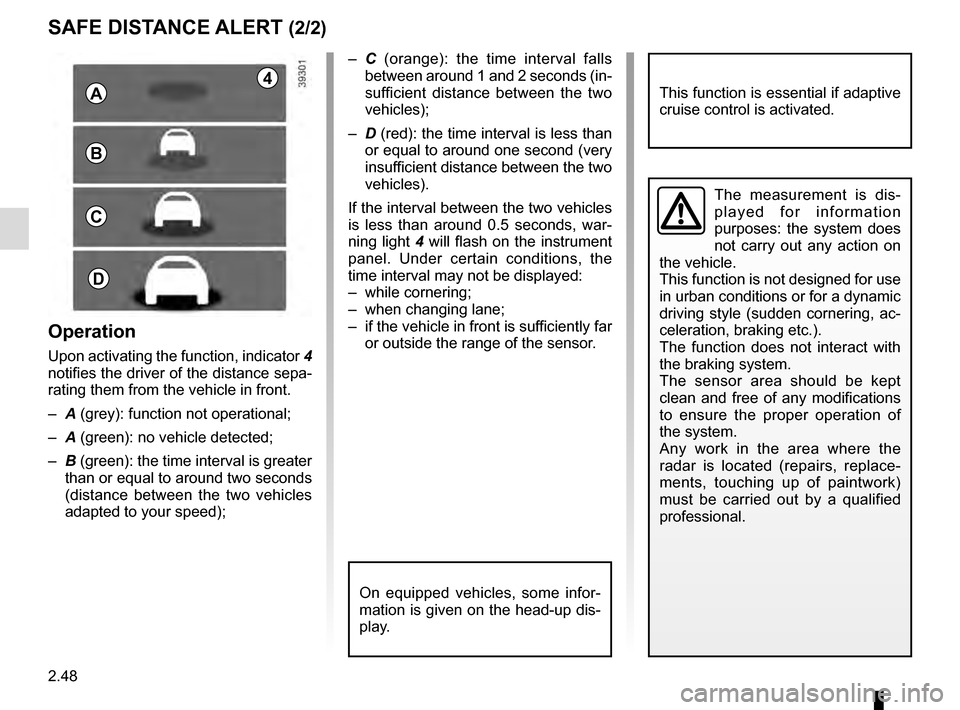
– C (orange): the time interval falls
between around 1 and 2 seconds (in-
sufficient distance between the two
vehicles);
– D (red): the time interval is less than
or equal to around one second (very
insufficient distance between the two
vehicles).
If the interval between the two vehicles
is less than around 0.5 seconds, war-
ning light 4 will flash on the instrument
panel. Under certain conditions, the
time interval may not be displayed:
– while cornering;
– when changing lane;
– if the vehicle in front is sufficiently far or outside the range of the sensor.
On equipped vehicles, some infor-
mation is given on the head-up dis-
play.
4A
B
C
D
Operation
Upon activating the function, indicator 4
notifies the driver of the distance sepa-
rating them from the vehicle in front.
– A (grey): function not operational;
– A (green): no vehicle detected;
– B (green): the time interval is greater
than or equal to around two seconds
(distance between the two vehicles
adapted to your speed);
This function is essential if adaptive
cruise control is activated.
Page 160 of 328
2.52
OVERSPEED ALERT (1/3)
The overspeed alert with signage panel
recognition notifies the driver that they
are exceeding the speed limit for the
section of road on which they are cur-
rently travelling.Special situations
– If the vehicle is travelling in a coun-
try where the speed units differ from
those of the vehicle, the system dis-
plays the speed limit sign in the unit
of the country, alongside the speed
limit converted to the unit used by the
vehicle’s instrument panel.
– For countries where the speed limit is reduced during rainy weather on
some types of roads, the system can
modify the limited speed after a few
seconds of wiping the windscreen.
– The system does not take into ac- count exceptional speed limit meas-
ures, such as peak pollution days.
On equipped vehicles, some infor-
mation is given on the head-up dis-
play.
1Operating principle
The system detects speed limit signs
on the side of the road and displays the
speed limit.
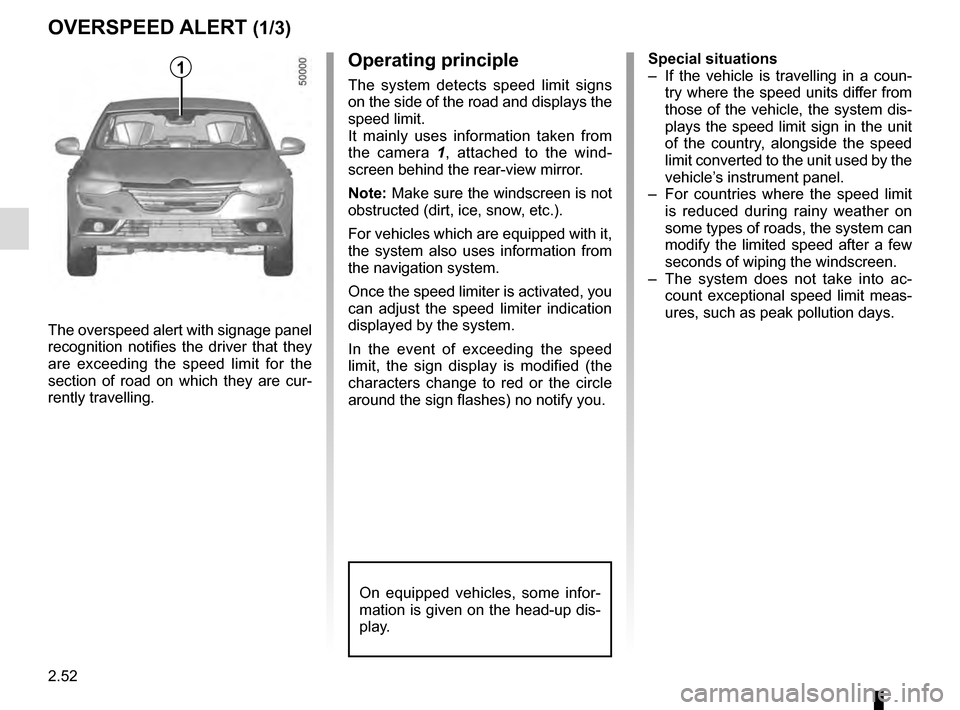
It mainly uses information taken from
the camera 1 , attached to the wind-
screen behind the rear-view mirror.
Note: Make sure the windscreen is not
obstructed (dirt, ice, snow, etc.).
For vehicles which are equipped with it,
the system also uses information from
the navigation system.
Once the speed limiter is activated, you
can adjust the speed limiter indication
displayed by the system.
In the event of exceeding the speed
limit, the sign display is modified (the
characters change to red or the circle
around the sign flashes) no notify you.