battery SAAB 9-3 2000 User Guide
[x] Cancel search | Manufacturer: SAAB, Model Year: 2000, Model line: 9-3, Model: SAAB 9-3 2000Pages: 236, PDF Size: 10.85 MB
Page 63 of 236

63 Instruments and controls
CHECK messages When the engine is started, CHECKING will
appear on the display for about four sec-
onds, while the SID checks are being per-
formed.
When a CHECK message is generated
while the car is being driven, a chime will
sound, INFO DISPL will illuminate on the
main instrument panel, and the message
will appear on the SID. The number of mes-
sages that can be displayed by the SID
varies with the specification of the car.
If more than one CHECK message has
been generated, the
+ symbol will appear to
the left of the text on the display. The mes-
sages appear in order of priority.
If a new fault occurs while another message
is being displayed, the message relating to
the new one will appear for 10 seconds,
after which the display will return to the ear-
lier one.
Press CLEAR once to acknowledge a mes-
sage, whereupon it will be cleared from the
display. It will not be displayed again before
the ignition has been switched off and then
on again. The following CHECK messages may be
displayed:
1 This message cannot be removed by pressing
CLEAR. Press the brake pedal to clear.
2 This message will be displayed approxi-
mately 600 miles (1,000 km) before the next
scheduled service is due, or when 365 days
have elapsed since the last service. The
message should be cleared at the time of that
service (see the Saab Warranties & Service
Record Booklet).
If you have carried out the service yourself,
you can clear the message by pressing
CLEAR once. Reset by pressing CLEAR for
at least eight seconds, until ”SERVICE”
appears on the display and a chime sounds.
Night Panel To improve night-driving conditions inside
the car, the Night Panel mode can be
selected. In this mode, the amount of infor-
mation displayed is reduced, and only the
most important instruments and displays
will be illuminated.
When the Night Panel button is pressed,
only the speedometer will be illuminated (up
to the 87 mph or 140-km/h graduation), all
the other instruments illumination will be
extinguished and their needles moved to
zero. Both the SID and the ACC displays will
be extinguished and the backlighting for
switches and other controls will be dimmed.
Note: All indicator and warning lights,
together with the display of CHECK mes-
sages, will operate as normal.
The following conditions will wake up the
respective displays in the Night-Panel
mode:
Adjusting of the Audio System, SID or
ACC (display comes on for ten seconds).
CHECK message generated in the SID.
High engine revs cause the rev counter to
be illuminated until the engine speed has
fallen again.
If the quantity of fuel remaining falls below
4 gallons (15 liters), the fuel gauge will be
illuminated.
If the engine temperature rises above nor-
mal, the temperature gauge will be illumi-
nated. Display shows: See
page
TEST BRAKE LIGHTS
1)
183
BRAKE LIGHT FAILURE 183
FRONT LIGHT FAILURE 181
REAR LIGHT FAILURE 183
FOG LIGHT FAILURE 183
WASHER FLUID LEVEL LOW 180
FILL COOLANT FLUID 174
TIGHTEN FUEL FILLER CAP 138
KEY NOT ACCEPTED 39
REPLACE KEY BATTERY 39
SERVICE THEFT ALARM 39
TRANSMISSION OVERHEAT-
ING 144
TIME FOR SERVICE
2)
212
ProCarManuals.com
Page 68 of 236

68 Instruments and controlsResetting values
To reset the values, press CLR for at least
four seconds.
The following functions will be reset
simultaneously:
Estimated range on remaining fuel
(function based on a fuel consumption of
28 mpg)
Average fuel consumption
Average speed
Arrival time (function based on current
speed)
Programmed values for DIST, ALARM and
SPD W will not be reset (see the respective
function).
CHECK messages When the engine is started, CHECKING will
appear on the display for about four sec-
onds, while the SID checks are being per-
formed.
When a CHECK message is generated
while the car is being driven, a chime will
sound, INFO DISPL will illuminate on the
main instrument panel, and the message
will appear on the SID. The number of mes-
sages that can be displayed by the SID
varies with the specification of the car.
If more than one CHECK message has
been generated, the
+ symbol will appear to
the left of the text on the display. The mes-
sages appear in order of priority.
If a new fault occurs while another message
is being displayed, the message relating to
the new one will appear for 10 seconds,
after which the display will return to the ear-
lier one.
Press CLR once to acknowledge a mes-
sage, whereupon it will be cleared from the
display. It will not be displayed again before
the ignition has been switched off and then
on again. The following CHECK messages may be
displayed:
1 This message cannot be removed by pressing
CLR. Press the brake pedal to clear.
2 This message will be displayed approximately
600 miles (1,000 km) before the next sched-
uled service is due, or when 365 days have
elapsed since the last service. The message
should be cleared at the time of that service
(see the Saab Warranties & Service Record
Booklet).
If you have carried out the service yourself, you
can clear the message by pressing CLR once.
Reset by pressing CLR for at least eight sec-
onds, until ”SERVICE” appears on the display
and a chime sounds. Display shows: See
page
TEST BRAKE LIGHTS
1)
183
BRAKE LIGHT FAILURE 183
FRONT LIGHT FAILURE 181
REAR LIGHT FAILURE 183
FOG LIGHT FAILURE 184
WASHER FLUID LEVEL LOW 180
TIGHTEN FUEL FILLER CAP 138
FILL COOLANT FLUID 174
KEY NOT ACCEPTED 39
REPLACE KEY BATTERY 39
SERVICE THEFT ALARM 39
TRANSMISSION OVERHEAT-
ING 144
TIME FOR SERVICE
2)
212
ProCarManuals.com
Page 72 of 236
72 Instruments and controlsCourtesy Headlamp Feature A delay function allows the headlights to
remain on low beam for about 30 seconds
after the driver’s door has been closed.
To activate this function, switch off the igni-
tion, remove the key, open the driver’s door
and pull the high/low beam control stalk
towards the steering wheel like you are
flashing the high beam, see page 71. The
low beam headlights will now come on
immediately after the driver’s door has been
closed and will remain on for about
30 seconds.
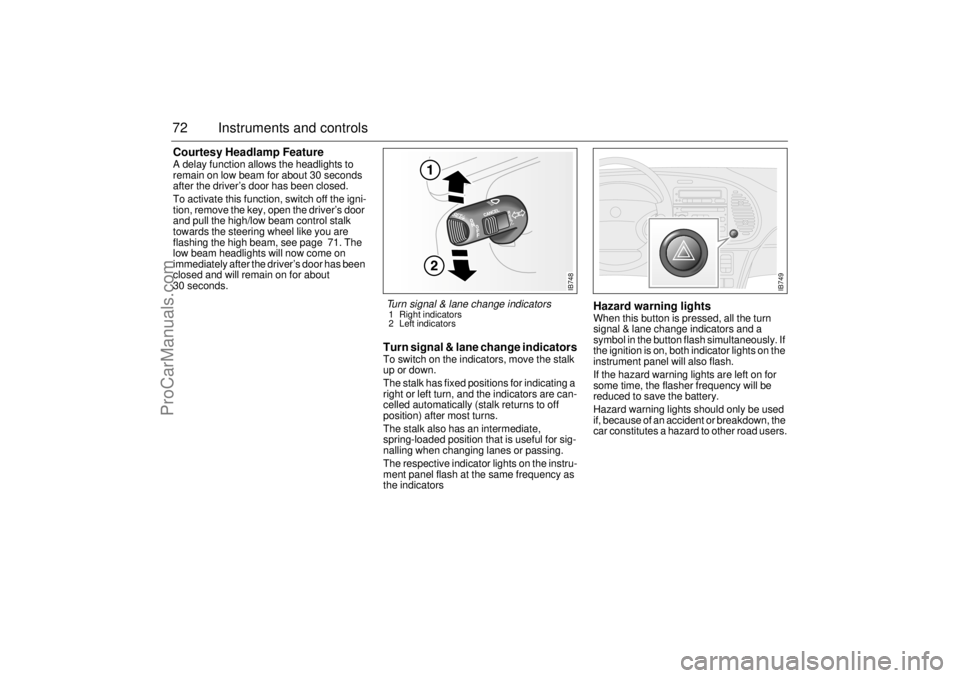
Turn signal & lane change indicatorsTo switch on the indicators, move the stalk
up or down.
The stalk has fixed positions for indicating a
right or left turn, and the indicators are can-
celled automatically (stalk returns to off
position) after most turns.
The stalk also has an intermediate,
spring-loaded position that is useful for sig-
nalling when changing lanes or passing.
The respective indicator lights on the instru-
ment panel flash at the same frequency as
the indicators
Hazard warning lightsWhen this button is pressed, all the turn
signal & lane change indicators and a
symbol in the button flash simultaneously. If
the ignition is on, both indicator lights on the
instrument panel will also flash.
If the hazard warning lights are left on for
some time, the flasher frequency will be
reduced to save the battery.
Hazard warning lights should only be used
if, because of an accident or breakdown, the
car constitutes a hazard to other road users.
IB748
Turn signal & lane change indicators 1 Right indicators
2 Left indicators
IB749
ProCarManuals.com
Page 79 of 236

79 Instruments and controls
The button is located on the climate-control
panel. An LED in the button is lit as long as
heating is on.
Switch off the heating as soon as the rear
window is clear. It will go off automatically
after about 10 minutes.
If the battery voltage is lower than 12 V the
heating will be switched off earlier so that
the battery can get the benefit of the alterna-
tor charge.
Avoid placing sharp objects on the rear
parcel shelf; the heater elements may suffer
damage if such objects touch the rear win-
dow. Do not switch the heating on until you
have started the engine.
Recommended settings in
severe cold On starting with a cold engine, set the fan
switch to position 2 and select defrost to
heat the cabin and defrost the windshield as
quickly as possible.
When the engine is warm enough for the
reading of the temperature gauge to start
rising, fan setting 3 may be chosen. Once
the windshield is clear, the air-distribution
control should be shifted two steps to the
left.
The warm-up time of the engine depends on
the kind of driving. Town driving in high gear
with a low RPM gives a longer warm-up time
than highway driving with a higher RPM.
Do not use position 4 on the fan switch, as
this is mainly intended to provide rapid cool-
ing in hot weather.
Electrically heated rear
window/external mirrors
ProCarManuals.com
Page 86 of 236
86 Instruments and controlsCalibrationIf the battery has been disconnected or has run flat, the system will
recalibrate automatically.
Manual calibration:
1 Start the engine.
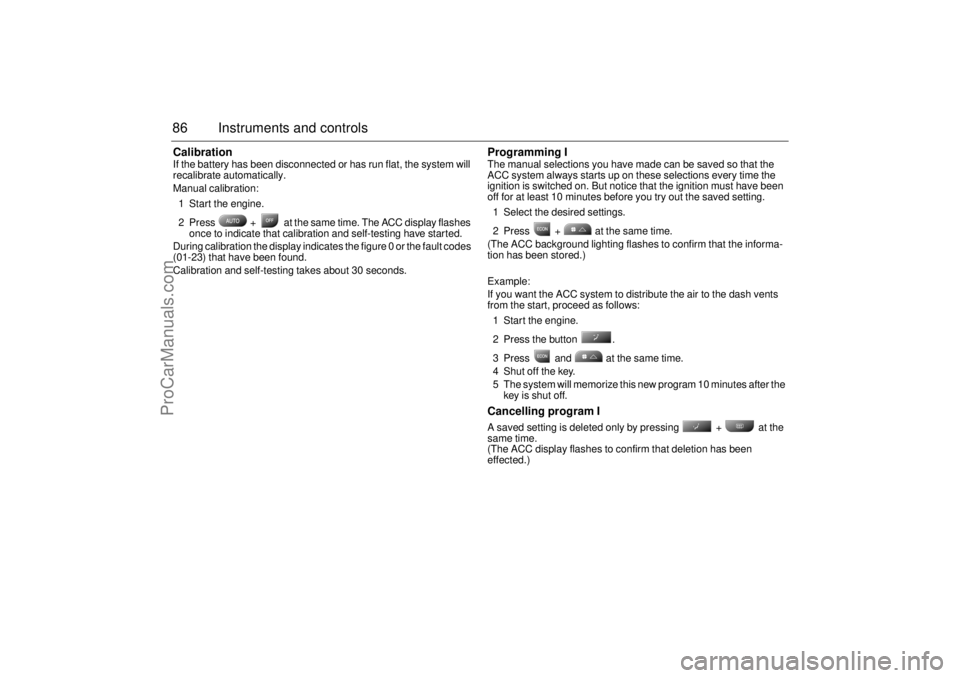
2 Press + at the same time. The ACC display flashes
once to indicate that calibration and self-testing have started.
During calibration the display indicates the figure 0 or the fault codes
(01-23) that have been found.
Calibration and self-testing takes about 30 seconds.
Programming IThe manual selections you have made can be saved so that the
ACC system always starts up on these selections every time the
ignition is switched on. But notice that the ignition must have been
off for at least 10 minutes before you try out the saved setting.
1 Select the desired settings.
2 Press + at the same time.
(The ACC background lighting flashes to confirm that the informa-
tion has been stored.)
Example:
If you want the ACC system to distribute the air to the dash vents
from the start, proceed as follows:
1 Start the engine.
2 Press the button .
3 Press and at the same time.
4 Shut off the key.
5 The system will memorize this new program 10 minutes after the
key is shut off.Cancelling program I A saved setting is deleted only by pressing + at the
same time.
(The ACC display flashes to confirm that deletion has been
effected.)
ProCarManuals.com
Page 88 of 236
88 Instruments and controlsUseful tips: If the ACC system is not functioning
satisfactorily the following should be tried
before you take the car to an authorized
Saab dealer.
If the indication AUTO does not light up
after starting (the ignition must have been
switched off for at least 10 minutes): See
Cancelling programming of ACC.
If you think that the ACC system is not
functioning satisfactorily you should:
1. Check that the cigarette lighter plug is
in its socket (since if the socket is empty
heated air can flow out and affect the
cabin sensor).
2. Recalibrate: See the section headed
Calibration.
If the battery has been disconnected or
has died, the ACC system should be reca-
librated: See Calibration.
Programmed settings are not deleted if the
battery has been disconnected. Extinguishing the lighting in ACC See section Night Panel, page 63.
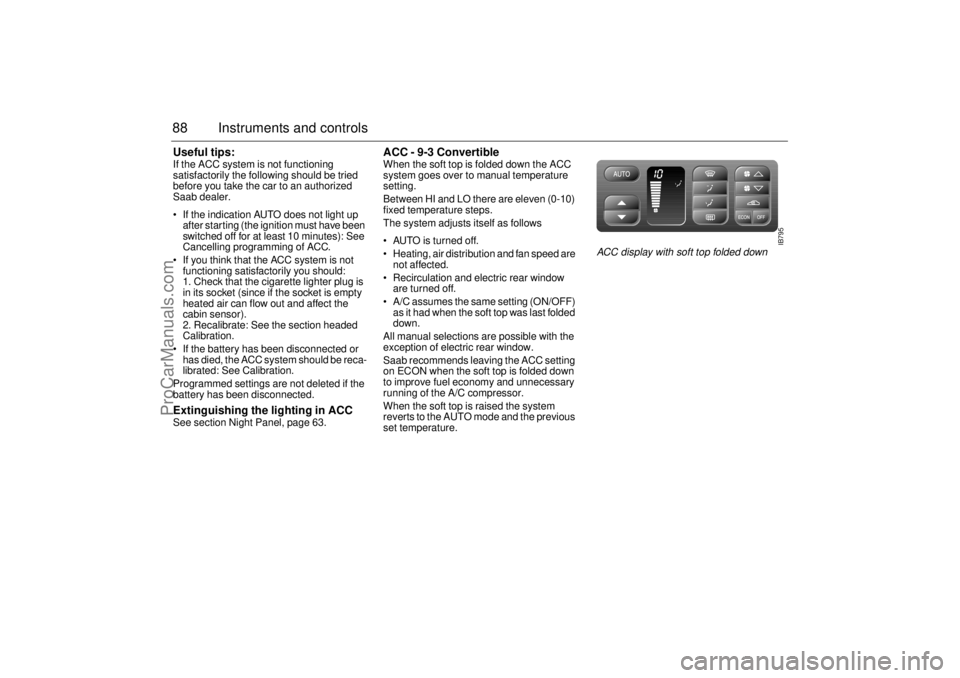
ACC - 9-3 Convertible When the soft top is folded down the ACC
system goes over to manual temperature
setting.
Between HI and LO there are eleven (0-10)
fixed temperature steps.
The system adjusts itself as follows
AUTO is turned off.
Heating, air distribution and fan speed are
not affected.
Recirculation and electric rear window
are turned off.
A/C assumes the same setting (ON/OFF)
as it had when the soft top was last folded
down.
All manual selections are possible with the
exception of electric rear window.
Saab recommends leaving the ACC setting
on ECON when the soft top is folded down
to improve fuel economy and unnecessary
running of the A/C compressor.
When the soft top is raised the system
reverts to the AUTO mode and the previous
set temperature.
IB795
ACC display with soft top folded down
ProCarManuals.com
Page 109 of 236
109 Saab 9-3 Audio System
Installation of car phone
(option)
Provision has been made on certain vari-
ants of the Saab 9-3 for the installation of a
hands-free car phone.
Installation must be done by an authorized
Saab dealer.
A car-phone cradle is available as an acces-
sory.
Your Saab dealer has details of which
phones are suitable for the installation.
Provision for hands-free phone (Con-
vertible, only if Saab 9-3 Audio System is
fitted)
Car phone connects to car’s circuitry.
Coaxial cable for external antenna is pre-
run.
Microphone for hands-free phone use
incorporated in overhead panel at front
(not Convertible).
Audio System mute functions when
phone activated.
Phone conversation amplified through
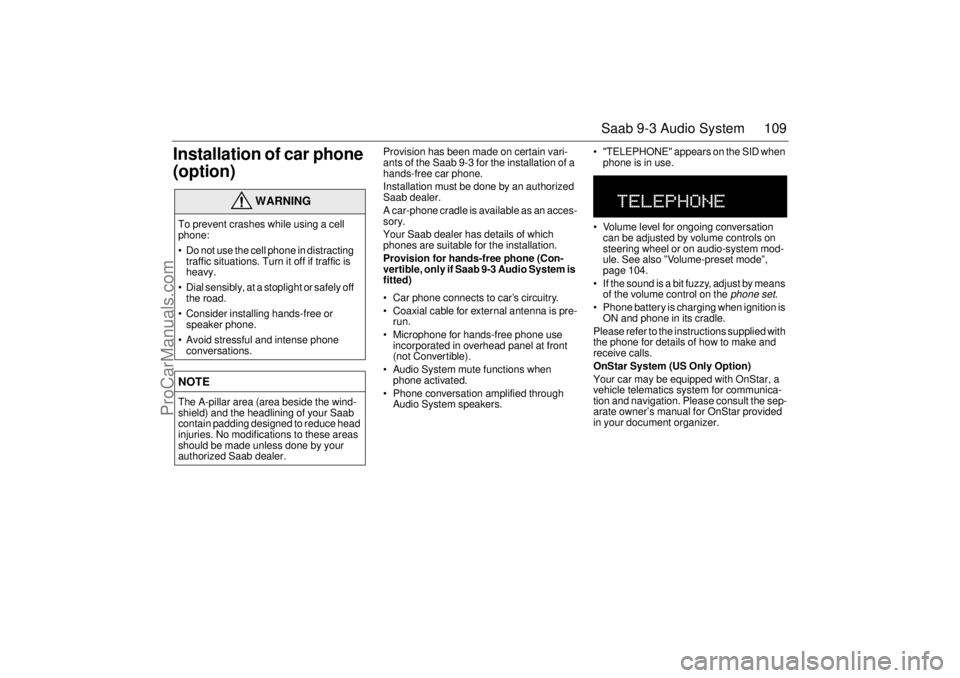
Audio System speakers. "TELEPHONE" appears on the SID when
phone is in use.
Volume level for ongoing conversation
can be adjusted by volume controls on
steering wheel or on audio-system mod-
ule. See also ”Volume-preset mode”,
page 104.
If the sound is a bit fuzzy, adjust by means
of the volume control on the
phone set
.
Phone battery is charging when ignition is
ON and phone in its cradle.
Please refer to the instructions supplied with
the phone for details of how to make and
receive calls.
OnStar System (US Only Option)
Your car may be equipped with OnStar, a
vehicle telematics system for communica-
tion and navigation. Please consult the sep-
arate owner’s manual for OnStar provided
in your document organizer.
WARNING
To prevent crashes while using a cell
phone:
Do not use the cell phone in distracting
traffic situations. Turn it off if traffic is
heavy.
Dial sensibly, at a stoplight or safely off
the road.
Consider installing hands-free or
speaker phone.
Avoid stressful and intense phone
conversations.NOTEThe A-pillar area (area beside the wind-
shield) and the headlining of your Saab
contain padding designed to reduce head
injuries. No modifications to these areas
should be made unless done by your
authorized Saab dealer.
ProCarManuals.com
Page 121 of 236
121 Interior equipment, trunk
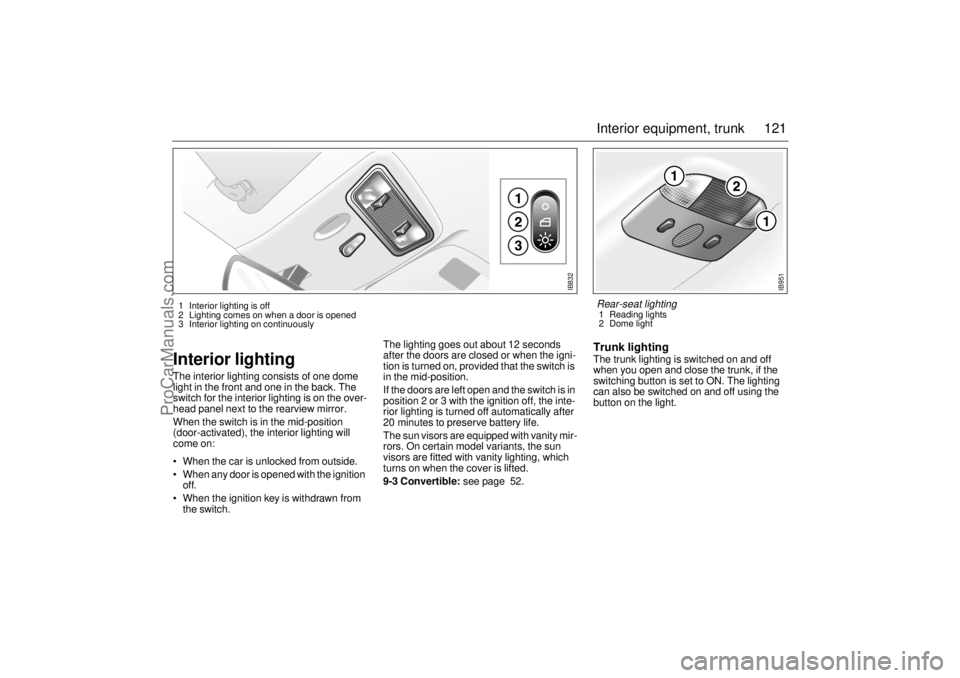
Interior lightingThe interior lighting consists of one dome
light in the front and one in the back. The
switch for the interior lighting is on the over-
head panel next to the rearview mirror.
When the switch is in the mid-position
(door-activated), the interior lighting will
come on:
When the car is unlocked from outside.
When any door is opened with the ignition
off.
When the ignition key is withdrawn from
the switch.The lighting goes out about 12 seconds
after the doors are closed or when the igni-
tion is turned on, provided that the switch is
in the mid-position.
If the doors are left open and the switch is in
position 2 or 3 with the ignition off, the inte-
rior lighting is turned off automatically after
20 minutes to preserve battery life.
The sun visors are equipped with vanity mir-
rors. On certain model variants, the sun
visors are fitted with vanity lighting, which
turns on when the cover is lifted.
9-3 Convertible: see page 52.
Trunk lightingThe trunk lighting is switched on and off
when you open and close the trunk, if the
switching button is set to ON. The lighting
can also be switched on and off using the
button on the light.
IB832
1 Interior lighting is off
2 Lighting comes on when a door is opened
3 Interior lighting on continuously
IB951
Rear-seat lighting 1 Reading lights
2 Dome light
ProCarManuals.com
Page 129 of 236
129 Interior equipment, trunk
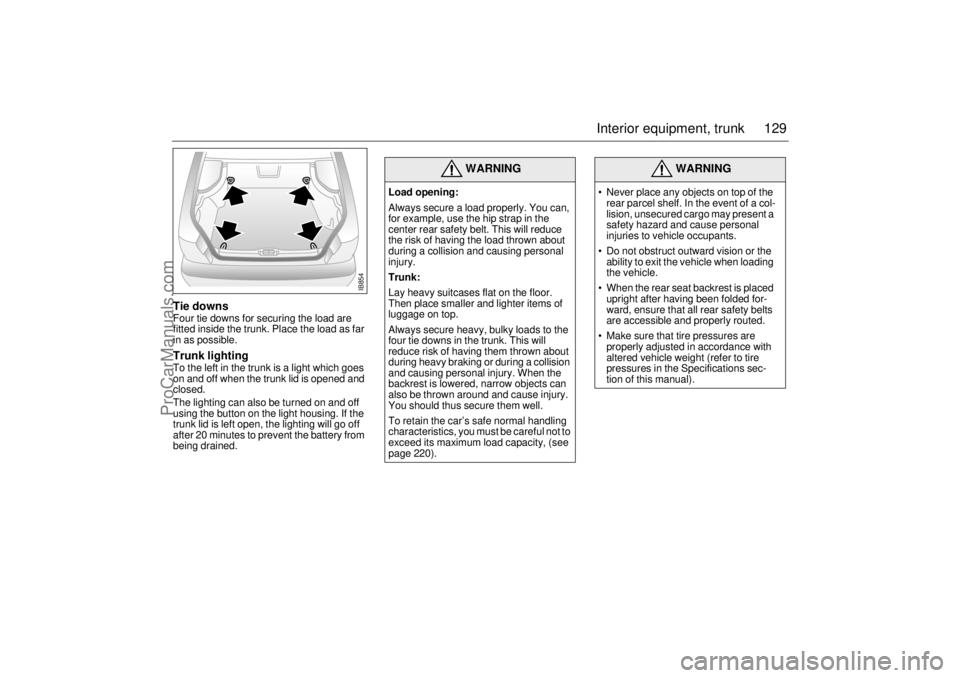
Tie downsFour tie downs for securing the load are
fitted inside the trunk. Place the load as far
in as possible.Trunk lightingTo the left in the trunk is a light which goes
on and off when the trunk lid is opened and
closed.
The lighting can also be turned on and off
using the button on the light housing. If the
trunk lid is left open, the lighting will go off
after 20 minutes to prevent the battery from
being drained.
WARNING
Load opening:
Always secure a load properly. You can,
for example, use the hip strap in the
center rear safety belt. This will reduce
the risk of having the load thrown about
during a collision and causing personal
injury.
Trunk:
Lay heavy suitcases flat on the floor.
Then place smaller and lighter items of
luggage on top.
Always secure heavy, bulky loads to the
four tie downs in the trunk. This will
reduce risk of having them thrown about
during heavy braking or during a collision
and causing personal injury. When the
backrest is lowered, narrow objects can
also be thrown around and cause injury.
You should thus secure them well.
To retain the car’s safe normal handling
characteristics, you must be careful not to
exceed its maximum load capacity, (see
page 220).
WARNING
Never place any objects on top of the
rear parcel shelf. In the event of a col-
lision, unsecured cargo may present a
safety hazard and cause personal
injuries to vehicle occupants.
Do not obstruct outward vision or the
ability to exit the vehicle when loading
the vehicle.
When the rear seat backrest is placed
upright after having been folded for-
ward, ensure that all rear safety belts
are accessible and properly routed.
Make sure that tire pressures are
properly adjusted in accordance with
altered vehicle weight (refer to tire
pressures in the Specifications sec-
tion of this manual).
IB854
ProCarManuals.com
Page 135 of 236
135 Starting and driving
If the car does not startIf the text "KEY NOT ACCEPTED" appears
on the SID when the engine refuses to start,
the trouble may be a fault in the transponder
of the key or in the receiver of the ignition
switch. Proceed as follows:
• Turn the key back to the LOCK position.
Turn the key to the ON position.
Press one of the buttons on the remote
control (the LED on top of the dash stops
flashing).
Start the engine.
Try the other key. If it works, the trouble is in
the first key.
Call on an authorized Saab dealer for
inspection and correction.
Starting the engineDo not run the starter motor for more than
25 seconds at a time. Wait 20-30 seconds
before running the starter again, to give the
battery time to recover.
Avoid racing the engine or putting a heavy
load on it before it has warmed up. Let the
engine idle for at least 10 seconds and then
drive away as long as the engine oil warning
light has gone out to enable the engine to
attain its normal temperature as quickly as
possible.
It is possible for air to enter the lubricating
system in conjunction with an oil or oil-filter
change, or if the car has been stored for
some time. This air can cause the hydraulic
cam followers to emit a ticking noise, which
can persist for up to 15 minutes after start-
ing. Although this is quite normal and does
not indicate any malfunction, it is advisable
not to exceed 3,000 rpm before the noise
has disappeared. The hydraulic cam lifters are completely
service free; the valve clearance is set up at
the factory and will not need any subse-
quent adjustment.
Starting the engine The engine has an automatic choke and
should be started as follows:
Cars with manual gearbox
To start the engine the clutch pedal must
be fully depressed.
1 Depress the clutch pedal but do not
touch the accelerator.
2 Start the engine. Let the ignition key
spring back as soon as the engine has
started and is running smoothly – at very
low temperatures, you may need to run
the starter for up to 50 seconds.
Let the engine idle for about 10 seconds. Do
not open the throttle wide for at least
2-3 minutes after starting.
Cars with automatic transmission
The selector lever must be in the P or N
position.
1 Keep your foot on the brake pedal.
2 Start the engine. Let the ignition key
spring back as soon as the engine has
started and is running smoothly – at very
low temperatures, you may need to run
the starter for up to 50 seconds.
Let the engine idle for about 10 seconds. Do
not open the throttle wide for at least
2–3 minutes after starting.
WARNING
Always remove the key before leaving
the car.
Always apply the parking brake before
removing the ignition key.NOTETake care not to spill drinks or to drop
crumbs over the ignition switch. If dirt or
liquid gets into it, the switch may not
operate properly.
WARNING
Carbon monoxide (CO) is a colorless,
odorless, poisonous gas. Be alert to
the danger of CO – always open the
garage doors before starting the
engine in the garage.
There is also a danger of CO poison-
ing if the exhaust system is leaking.
ProCarManuals.com