buttons SAAB 9-3 2000 User Guide
[x] Cancel search | Manufacturer: SAAB, Model Year: 2000, Model line: 9-3, Model: SAAB 9-3 2000Pages: 236, PDF Size: 10.85 MB
Page 91 of 236
91 Saab 9-3 Audio System
Quick guide to the Saab 9-3
Audio System Radio, see page 94
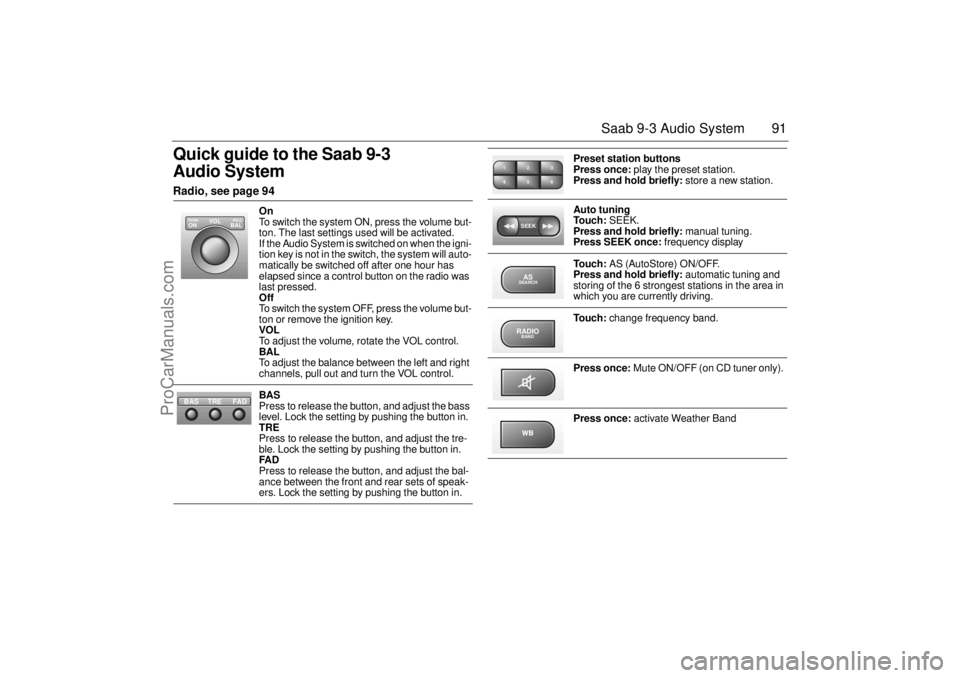
On
To switch the system ON, press the volume but-
ton. The last settings used will be activated.
If the Audio System is switched on when the igni-
tion key is not in the switch, the system will auto-
matically be switched off after one hour has
elapsed since a control button on the radio was
last pressed.
Off
To switch the system OFF, press the volume but-
ton or remove the ignition key.
VOL
To adjust the volume, rotate the VOL control.
BAL
To adjust the balance between the left and right
channels, pull out and turn the VOL control.
BAS
Press to release the button, and adjust the bass
level. Lock the setting by pushing the button in.
TRE
Press to release the button, and adjust the tre-
ble. Lock the setting by pushing the button in.
FAD
Press to release the button, and adjust the bal-
ance between the front and rear sets of speak-
ers. Lock the setting by pushing the button in.
VOL
BAL ON
PULL PUSH
TREFAD BAS
Preset station buttons
Press once: play the preset station.
Press and hold briefly: store a new station.
Auto tuning
To u c h : SEEK.
Press and hold briefly: manual tuning.
Press SEEK once: frequency display
To u c h : AS (AutoStore) ON/OFF.
Press and hold briefly: automatic tuning and
storing of the 6 strongest stations in the area in
which you are currently driving.
To u c h : change frequency band.
Press once: Mute ON/OFF (on CD tuner only).
Press once: activate Weather Band
2 13
5 46SEEKASSEARCHRADIOBAND
ProCarManuals.com
Page 94 of 236
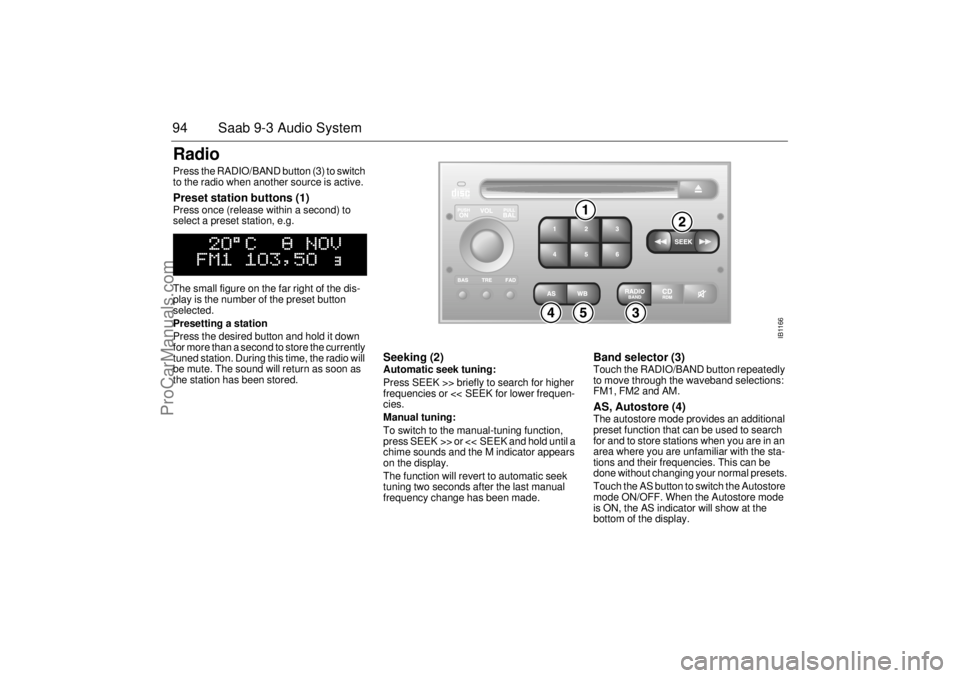
94 Saab 9-3 Audio SystemRadio Press the RADIO/BAND button (3) to switch
to the radio when another source is active. Preset station buttons (1) Press once (release within a second) to
select a preset station, e.g.
The small figure on the far right of the dis-
play is the number of the preset button
selected.
Presetting a station
Press the desired button and hold it down
for more than a second to store the currently
tuned station. During this time, the radio will
be mute. The sound will return as soon as
the station has been stored.
Seeking (2) Automatic seek tuning:
Press SEEK >> briefly to search for higher
frequencies or << SEEK for lower frequen-
cies.
Manual tuning:
To switch to the manual-tuning function,
press SEEK >> or << SEEK and hold until a
chime sounds and the M indicator appears
on the display.
The function will revert to automatic seek
tuning two seconds after the last manual
frequency change has been made.
Band selector (3) Touch the RADIO/BAND button repeatedly
to move through the waveband selections:
FM1, FM2 and AM. AS, Autostore (4) The autostore mode provides an additional
preset function that can be used to search
for and to store stations when you are in an
area where you are unfamiliar with the sta-
tions and their frequencies. This can be
done without changing your normal presets.
Touch the AS button to switch the Autostore
mode ON/OFF. When the Autostore mode
is ON, the AS indicator will show at the
bottom of the display.
IB1166
ProCarManuals.com
Page 95 of 236
95 Saab 9-3 Audio System
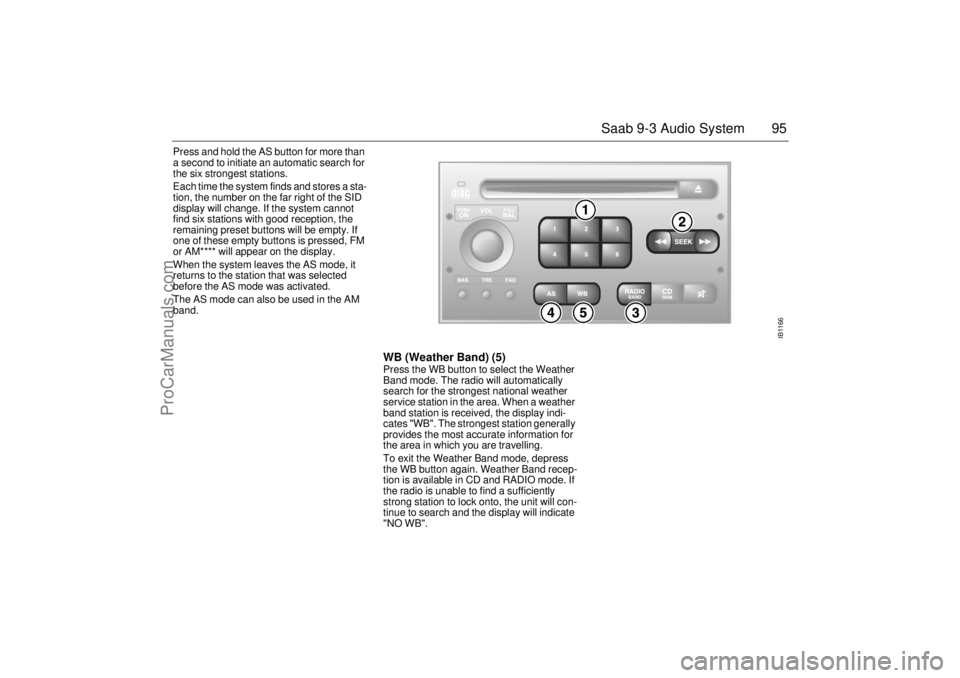
Press and hold the AS button for more than
a second to initiate an automatic search for
the six strongest stations.
Each time the system finds and stores a sta-
tion, the number on the far right of the SID
display will change. If the system cannot
find six stations with good reception, the
remaining preset buttons will be empty. If
one of these empty buttons is pressed, FM
or AM**** will appear on the display.
When the system leaves the AS mode, it
returns to the station that was selected
before the AS mode was activated.
The AS mode can also be used in the AM
band.
WB (Weather Band) (5)Press the WB button to select the Weather
Band mode. The radio will automatically
search for the strongest national weather
service station in the area. When a weather
band station is received, the display indi-
cates "WB". The strongest station generally
provides the most accurate information for
the area in which you are travelling.
To exit the Weather Band mode, depress
the WB button again. Weather Band recep-
tion is available in CD and RADIO mode. If
the radio is unable to find a sufficiently
strong station to lock onto, the unit will con-
tinue to search and the display will indicate
"NO WB".
IB1166
ProCarManuals.com
Page 102 of 236
102 Saab 9-3 Audio SystemIf the CD changer is activated immediately
after a magazine has been loaded, the fol-
lowing will appear on the display:
The CD number will change as each CD is
played.
After a magazine has been loaded, play-
back will start with the first track on the first
CD when the CD changer is selected, and
the following will appear on the display:
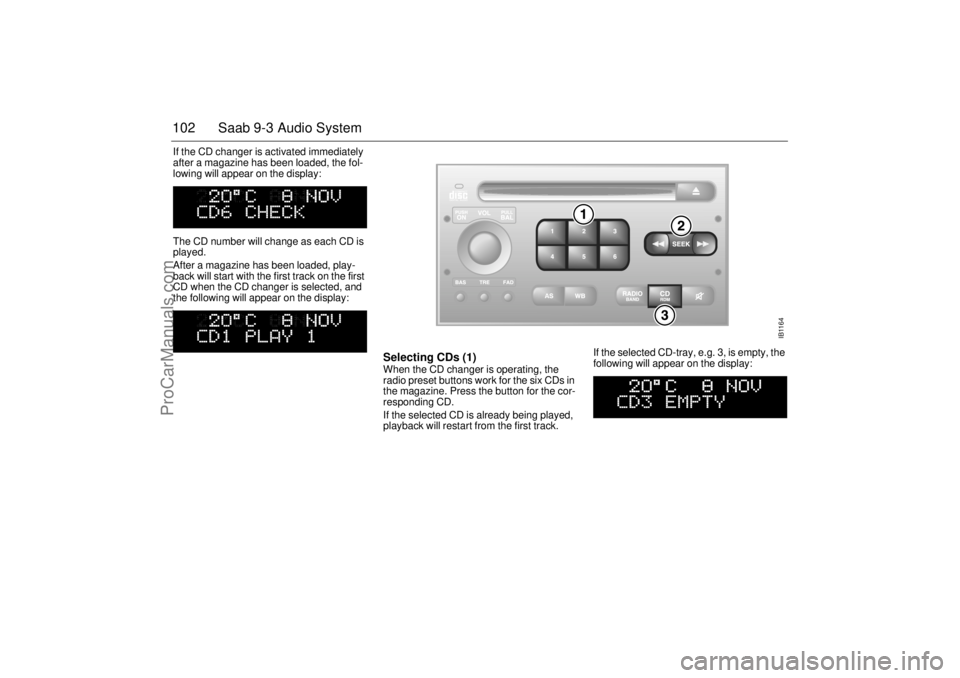
Selecting CDs (1) When the CD changer is operating, the
radio preset buttons work for the six CDs in
the magazine. Press the button for the cor-
responding CD.
If the selected CD is already being played,
playback will restart from the first track. If the selected CD-tray, e.g. 3, is empty, the
following will appear on the display:
IB1164
ProCarManuals.com
Page 104 of 236
104 Saab 9-3 Audio SystemGeneral functionsVolume-preset modeTo select the volume-preset mode, press
and hold the WB button at the same time as
you switch the Audio System on.
Use the << SEEK >> button to select the
required function.
The following volume settings can be prese-
lected:
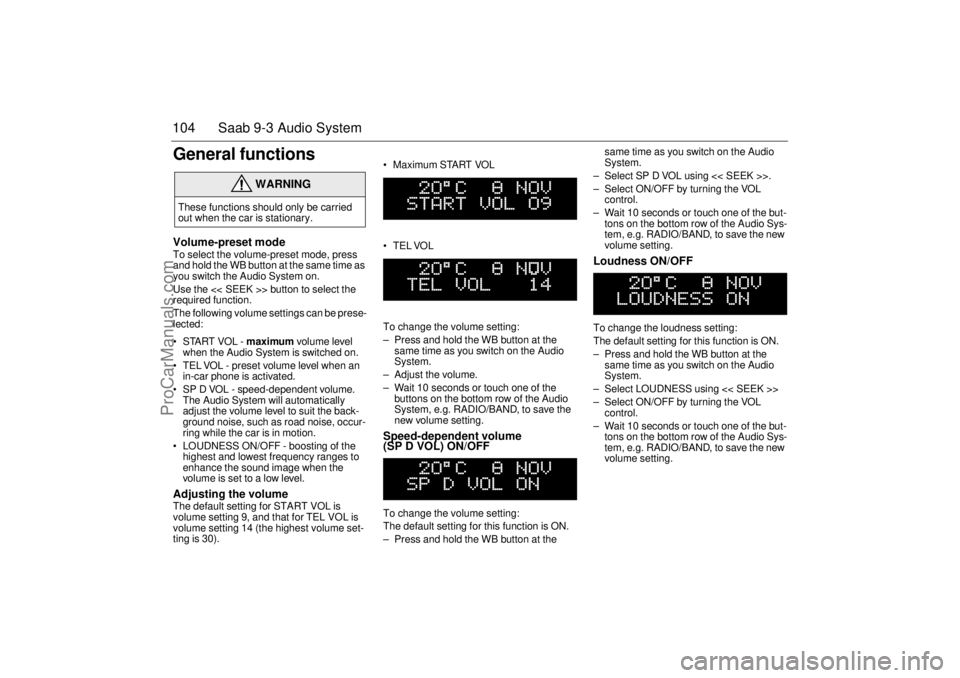
STARTVOL - maximum volume level
when the Audio System is switched on.
TEL VOL - preset volume level when an
in-car phone is activated.
SP D VOL - speed-dependent volume.
The Audio System will automatically
adjust the volume level to suit the back-
ground noise, such as road noise, occur-
ring while the car is in motion.
LOUDNESS ON/OFF - boosting of the
highest and lowest frequency ranges to
enhance the sound image when the
volume is set to a low level. Adjusting the volume The default setting for START VOL is
volume setting 9, and that for TEL VOL is
volume setting 14 (the highest volume set-
ting is 30). Maximum START VOL
TELVOL
To change the volume setting:
– Press and hold the WB button at the
same time as you switch on the Audio
System.
– Adjust the volume.
– Wait 10 seconds or touch one of the
buttons on the bottom row of the Audio
System, e.g. RADIO/BAND, to save the
new volume setting.
Speed-dependent volume
(SP D VOL) ON/OFF To change the volume setting:
The default setting for this function is ON.
– Press and hold the WB button at the same time as you switch on the Audio
System.
– Select SP D VOL using << SEEK >>.
– Select ON/OFF by turning the VOL
control.
– Wait 10 seconds or touch one of the but-
tons on the bottom row of the Audio Sys-
tem, e.g. RADIO/BAND, to save the new
volume setting.
Loudness ON/OFF To change the loudness setting:
The default setting for this function is ON.
– Press and hold the WB button at the
same time as you switch on the Audio
System.
– Select LOUDNESS using << SEEK >>
– Select ON/OFF by turning the VOL
control.
– Wait 10 seconds or touch one of the but-
tons on the bottom row of the Audio Sys-
tem, e.g. RADIO/BAND, to save the new
volume setting.
WARNING
These functions should only be carried
out when the car is stationary.
ProCarManuals.com
Page 105 of 236
105 Saab 9-3 Audio System
Steering-wheel
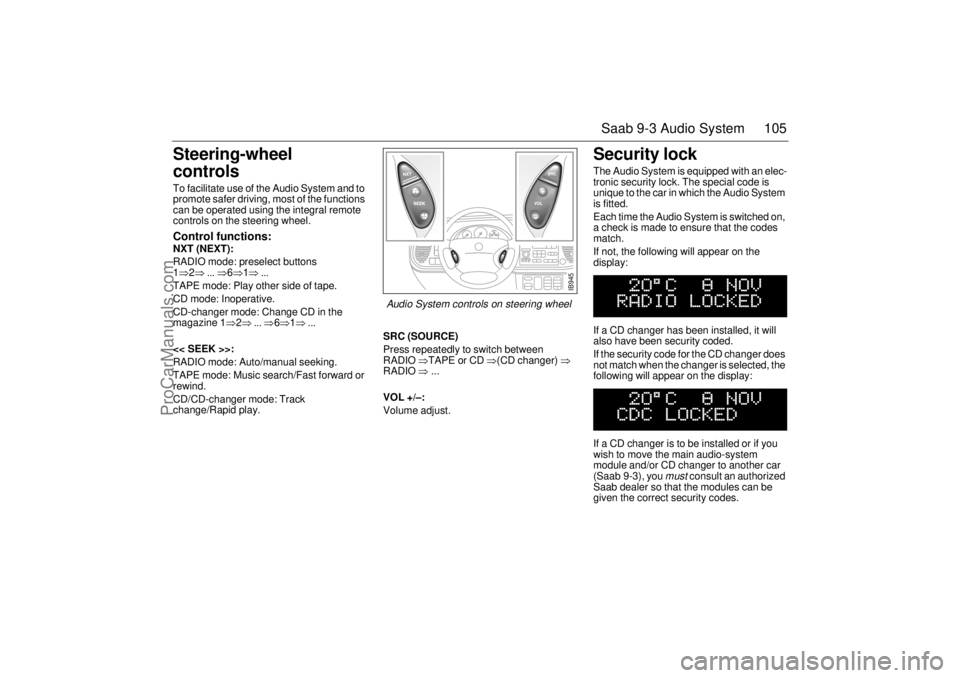
controls To facilitate use of the Audio System and to
promote safer driving, most of the functions
can be operated using the integral remote
controls on the steering wheel. Control functions: NXT (NEXT):
RADIO mode: preselect buttons
1⇒2⇒ ... ⇒6⇒1⇒ ...
TAPE mode: Play other side of tape.
CD mode: Inoperative.
CD-changer mode: Change CD in the
magazine 1⇒2⇒ ... ⇒6⇒1⇒ ...
<< SEEK >>:
RADIO mode: Auto/manual seeking.
TAPE mode: Music search/Fast forward or
rewind.
CD/CD-changer mode: Track
change/Rapid play.SRC (SOURCE)
Press repeatedly to switch between
RADIO ⇒TAPE or CD ⇒(CD changer) ⇒
RADIO ⇒ ...
VOL +/–:
Volume adjust.
Security lock The Audio System is equipped with an elec-
tronic security lock. The special code is
unique to the car in which the Audio System
is fitted.
Each time the Audio System is switched on,
a check is made to ensure that the codes
match.
If not, the following will appear on the
display:
If a CD changer has been installed, it will
also have been security coded.
If the security code for the CD changer does
not match when the changer is selected, the
following will appear on the display:
If a CD changer is to be installed or if you
wish to move the main audio-system
module and/or CD changer to another car
(Saab 9-3), you
must
consult an authorized
Saab dealer so that the modules can be
given the correct security codes.
IB945
Audio System controls on steering wheel
ProCarManuals.com
Page 117 of 236
117 Interior equipment, trunk
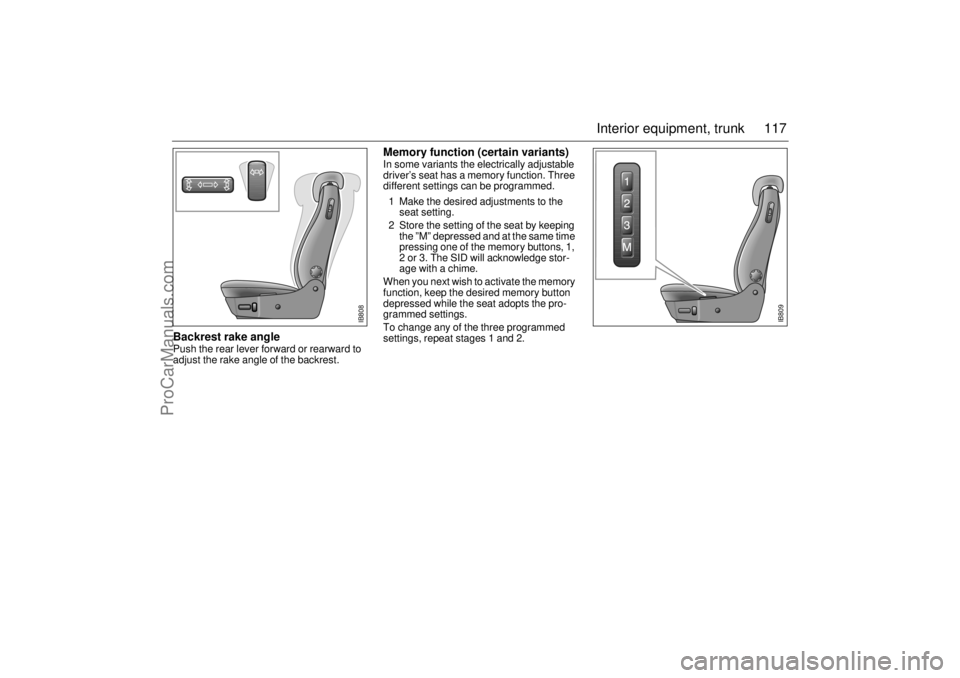
Backrest rake angle Push the rear lever forward or rearward to
adjust the rake angle of the backrest.
Memory function (certain variants)In some variants the electrically adjustable
driver’s seat has a memory function. Three
different settings can be programmed.
1 Make the desired adjustments to the
seat setting.
2 Store the setting of the seat by keeping
the ”M” depressed and at the same time
pressing one of the memory buttons, 1,
2 or 3. The SID will acknowledge stor-
age with a chime.
When you next wish to activate the memory
function, keep the desired memory button
depressed while the seat adopts the pro-
grammed settings.
To change any of the three programmed
settings, repeat stages 1 and 2.
IB809
IB808
ProCarManuals.com
Page 118 of 236
118 Interior equipment, trunkElectrically heated front seats
(option on some model vari-
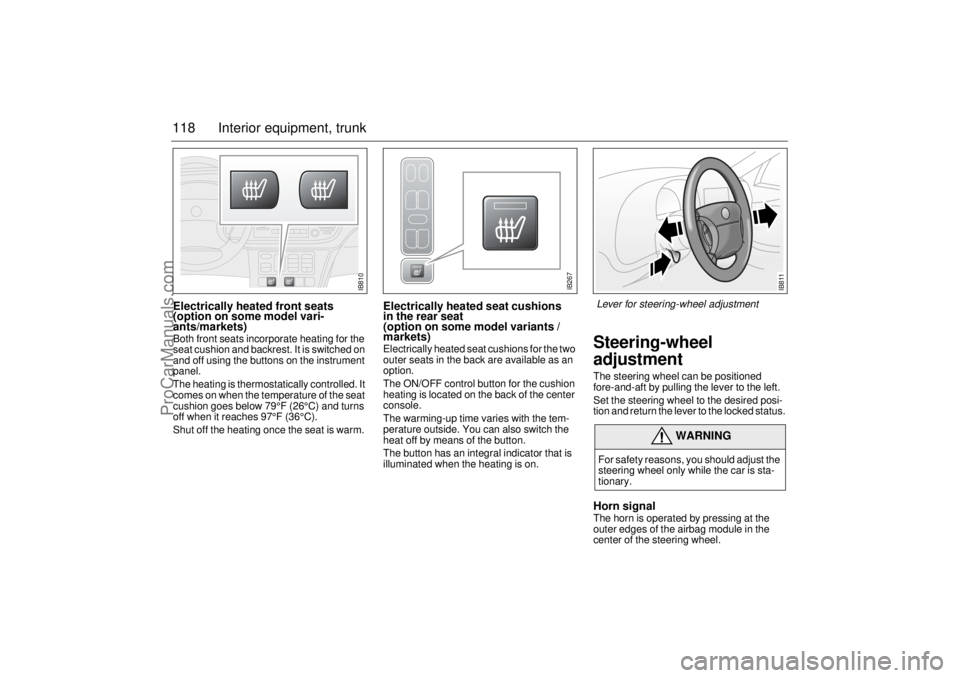
ants/markets)Both front seats incorporate heating for the
seat cushion and backrest. It is switched on
and off using the buttons on the instrument
panel.
The heating is thermostatically controlled. It
comes on when the temperature of the seat
cushion goes below 79°F (26°C) and turns
off when it reaches 97°F (36°C).
Shut off the heating once the seat is warm.
Electrically heated seat cushions
in the rear seat
(option on some model variants /
markets) Electrically heated seat cushions for the two
outer seats in the back are available as an
option.
The ON/OFF control button for the cushion
heating is located on the back of the center
console.
The warming-up time varies with the tem-
perature outside. You can also switch the
heat off by means of the button.
The button has an integral indicator that is
illuminated when the heating is on.
Steering-wheel
adjustmentThe steering wheel can be positioned
fore-and-aft by pulling the lever to the left.
Set the steering wheel to the desired posi-
tion and return the lever to the locked status. Horn signalThe horn is operated by pressing at the
outer edges of the airbag module in the
center of the steering wheel.
WARNING
For safety reasons, you should adjust the
steering wheel only while the car is sta-
tionary.
IB810
IB267
IB811
Lever for steering-wheel adjustment
ProCarManuals.com
Page 135 of 236
135 Starting and driving
If the car does not startIf the text "KEY NOT ACCEPTED" appears
on the SID when the engine refuses to start,
the trouble may be a fault in the transponder
of the key or in the receiver of the ignition
switch. Proceed as follows:
• Turn the key back to the LOCK position.
Turn the key to the ON position.
Press one of the buttons on the remote
control (the LED on top of the dash stops
flashing).
Start the engine.
Try the other key. If it works, the trouble is in
the first key.
Call on an authorized Saab dealer for
inspection and correction.
Starting the engineDo not run the starter motor for more than
25 seconds at a time. Wait 20-30 seconds
before running the starter again, to give the
battery time to recover.
Avoid racing the engine or putting a heavy
load on it before it has warmed up. Let the
engine idle for at least 10 seconds and then
drive away as long as the engine oil warning
light has gone out to enable the engine to
attain its normal temperature as quickly as
possible.
It is possible for air to enter the lubricating
system in conjunction with an oil or oil-filter
change, or if the car has been stored for
some time. This air can cause the hydraulic
cam followers to emit a ticking noise, which
can persist for up to 15 minutes after start-
ing. Although this is quite normal and does
not indicate any malfunction, it is advisable
not to exceed 3,000 rpm before the noise
has disappeared. The hydraulic cam lifters are completely
service free; the valve clearance is set up at
the factory and will not need any subse-
quent adjustment.
Starting the engine The engine has an automatic choke and
should be started as follows:
Cars with manual gearbox
To start the engine the clutch pedal must
be fully depressed.
1 Depress the clutch pedal but do not
touch the accelerator.
2 Start the engine. Let the ignition key
spring back as soon as the engine has
started and is running smoothly – at very
low temperatures, you may need to run
the starter for up to 50 seconds.
Let the engine idle for about 10 seconds. Do
not open the throttle wide for at least
2-3 minutes after starting.
Cars with automatic transmission
The selector lever must be in the P or N
position.
1 Keep your foot on the brake pedal.
2 Start the engine. Let the ignition key
spring back as soon as the engine has
started and is running smoothly – at very
low temperatures, you may need to run
the starter for up to 50 seconds.
Let the engine idle for about 10 seconds. Do
not open the throttle wide for at least
2–3 minutes after starting.
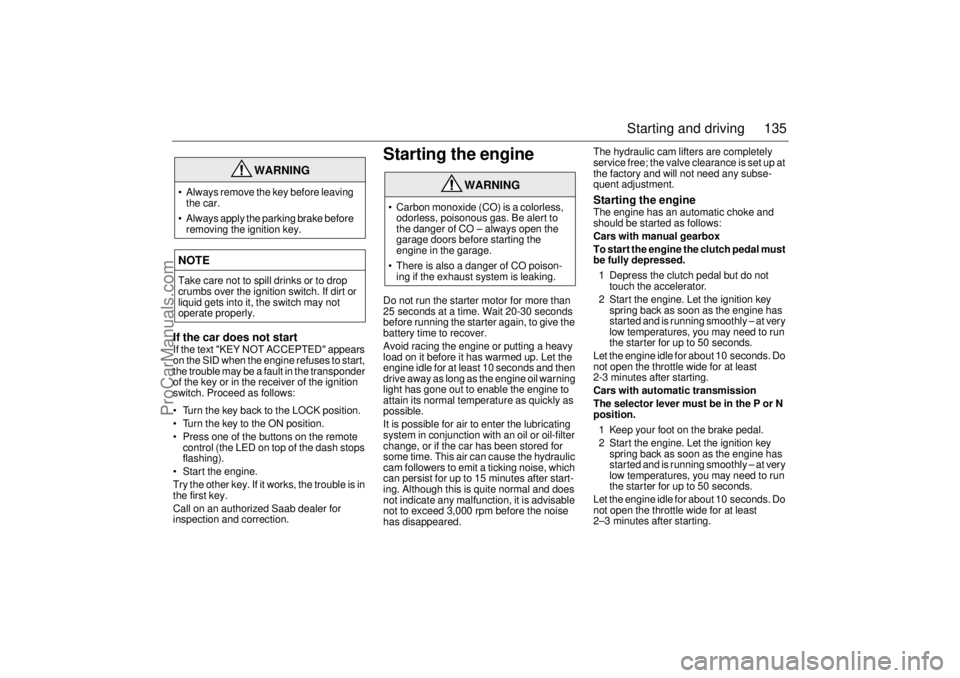
WARNING
Always remove the key before leaving
the car.
Always apply the parking brake before
removing the ignition key.NOTETake care not to spill drinks or to drop
crumbs over the ignition switch. If dirt or
liquid gets into it, the switch may not
operate properly.
WARNING
Carbon monoxide (CO) is a colorless,
odorless, poisonous gas. Be alert to
the danger of CO – always open the
garage doors before starting the
engine in the garage.
There is also a danger of CO poison-
ing if the exhaust system is leaking.
ProCarManuals.com