light SAAB 9-3 2001 Owner's Guide
[x] Cancel search | Manufacturer: SAAB, Model Year: 2001, Model line: 9-3, Model: SAAB 9-3 2001Pages: 260, PDF Size: 12.01 MB
Page 77 of 260
77 Instruments and controls
Back-UpThe back-up lights come on automatically
when reverse gear is engaged or selected
with the ignition switched on.
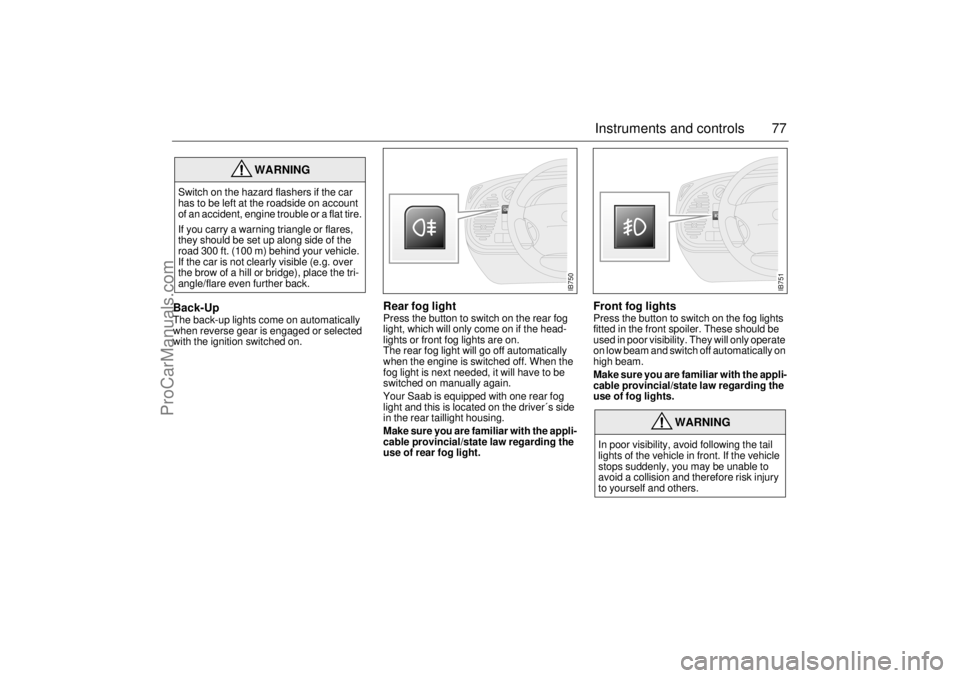
Rear fog lightPress the button to switch on the rear fog
light, which will only come on if the head-
lights or front fog lights are on.
The rear fog light will go off automatically
when the engine is switched off. When the
fog light is next needed, it will have to be
switched on manually again.
Your Saab is equipped with one rear fog
light and this is located on the driver´s side
in the rear taillight housing.
Make sure you are familiar with the appli-
cable provincial/state law regarding the
use of rear fog light.
Front fog lightsPress the button to switch on the fog lights
fitted in the front spoiler. These should be
used in poor visibility. They will only operate
on low beam and switch off automatically on
high beam.
Make sure you are familiar with the appli-
cable provincial/state law regarding the
use of fog lights.
WARNING
Switch on the hazard flashers if the car
has to be left at the roadside on account
of an accident, engine trouble or a flat tire.
If you carry a warning triangle or flares,
they should be set up along side of the
road 300 ft. (100 m) behind your vehicle.
If the car is not clearly visible (e.g. over
the brow of a hill or bridge), place the tri-
angle/flare even further back.
WARNING
In poor visibility, avoid following the tail
lights of the vehicle in front. If the vehicle
stops suddenly, you may be unable to
avoid a collision and therefore risk injury
to yourself and others.
IB750
IB751
ProCarManuals.com
Page 78 of 260
78 Instruments and controlsInstrument lightingThe brightness of the instrument lighting
can be varied by means of the dimmer
switch adjacent to the headlight switch, the
ignition switch shall be in position ON. (See
also Night panel on page 73).
In daylight or other equally bright light, the
instrument and switch illumination is auto-
matically extinguished.
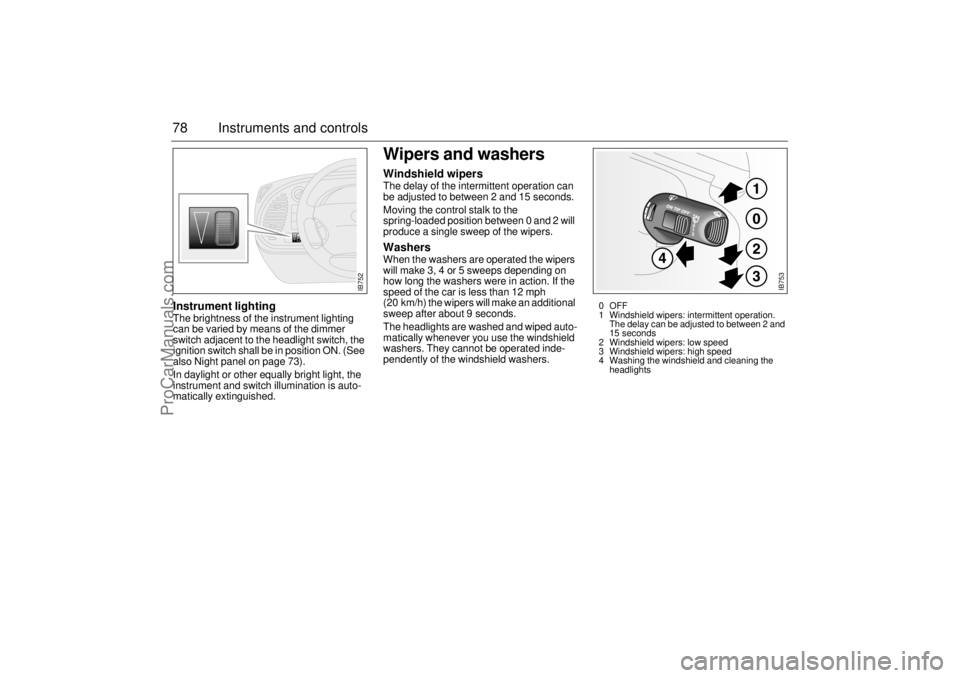
Wipers and washersWindshield wipersThe delay of the intermittent operation can
be adjusted to between 2 and 15 seconds.
Moving the control stalk to the
spring-loaded position between 0 and 2 will
produce a single sweep of the wipers. WashersWhen the washers are operated the wipers
will make 3, 4 or 5 sweeps depending on
how long the washers were in action. If the
speed of the car is less than 12 mph
(20 km/h) the wipers will make an additional
sweep after about 9 seconds.
The headlights are washed and wiped auto-
matically whenever you use the windshield
washers. They cannot be operated inde-
pendently of the windshield washers.
IB752
IB753
0OFF
1 Windshield wipers: intermittent operation.
The delay can be adjusted to between 2 and
15 seconds
2 Windshield wipers: low speed
3 Windshield wipers: high speed
4 Washing the windshield and cleaning the
headlights
ProCarManuals.com
Page 79 of 260
79 Instruments and controls
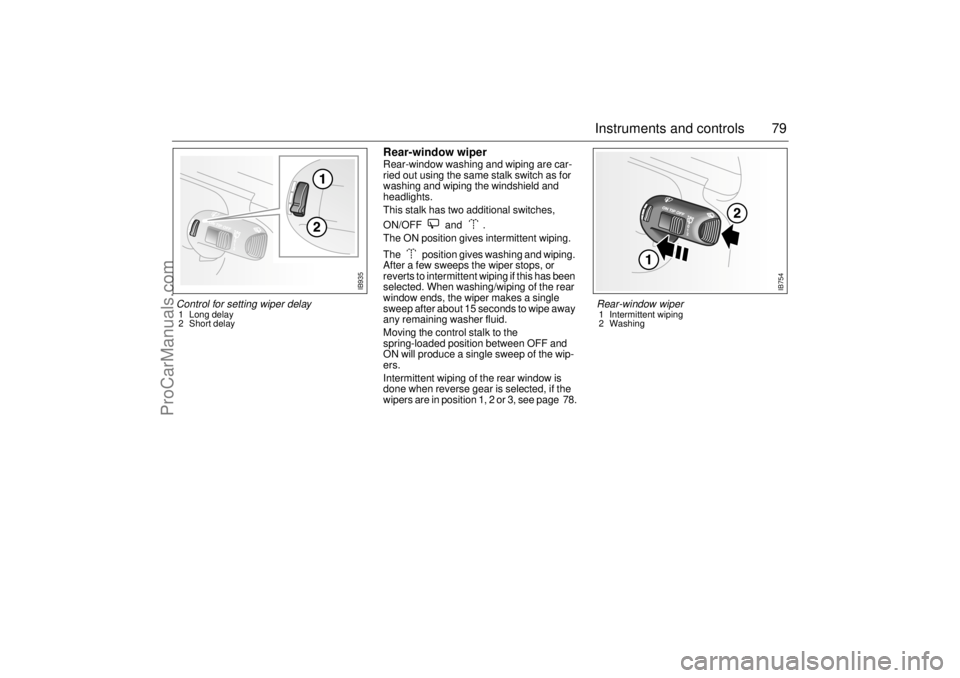
Rear-window wiperRear-window washing and wiping are car-
ried out using the same stalk switch as for
washing and wiping the windshield and
headlights.
This stalk has two additional switches,
ON/OFF and .
The ON position gives intermittent wiping.
The position gives washing and wiping.
After a few sweeps the wiper stops, or
reverts to intermittent wiping if this has been
selected. When washing/wiping of the rear
window ends, the wiper makes a single
sweep after about 15 seconds to wipe away
any remaining washer fluid.
Moving the control stalk to the
spring-loaded position between OFF and
ON will produce a single sweep of the wip-
ers.
Intermittent wiping of the rear window is
done when reverse gear is selected, if the
wipers are in position 1, 2 or 3, see page 78.
IB754
Rear-window wiper 1 Intermittent wiping
2 Washing
Control for setting wiper delay 1 Long delay
2 Short delay
IB935
ProCarManuals.com
Page 90 of 260
90 Instruments and controlsCalibrationIf the battery has been disconnected or has run flat, the system will
recalibrate automatically.
Manual calibration:
1 Start the engine.
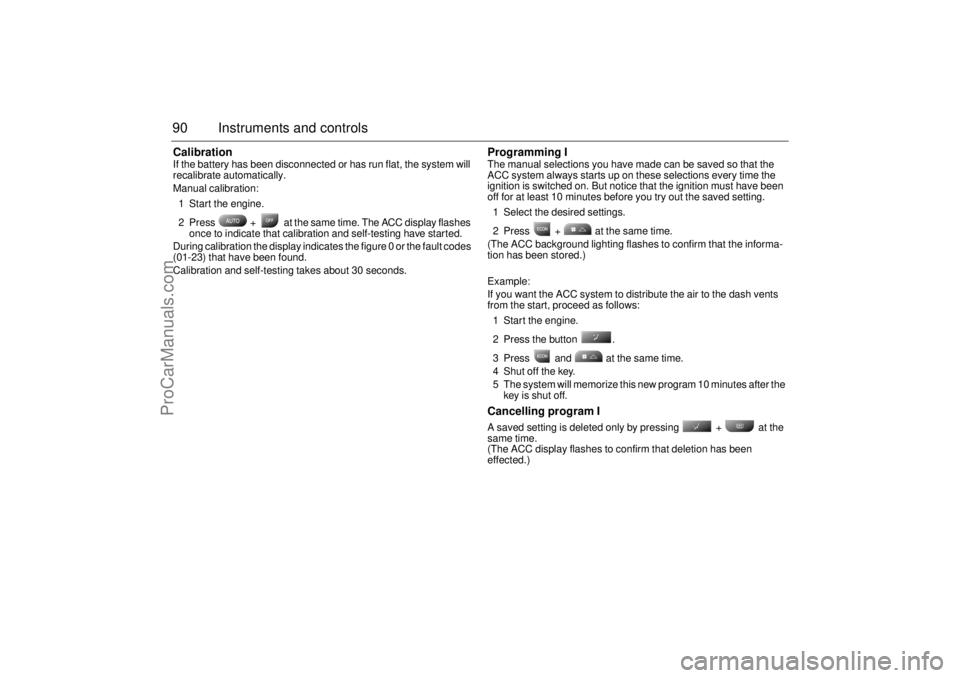
2 Press + at the same time. The ACC display flashes
once to indicate that calibration and self-testing have started.
During calibration the display indicates the figure 0 or the fault codes
(01-23) that have been found.
Calibration and self-testing takes about 30 seconds.
Programming IThe manual selections you have made can be saved so that the
ACC system always starts up on these selections every time the
ignition is switched on. But notice that the ignition must have been
off for at least 10 minutes before you try out the saved setting.
1 Select the desired settings.
2 Press + at the same time.
(The ACC background lighting flashes to confirm that the informa-
tion has been stored.)
Example:
If you want the ACC system to distribute the air to the dash vents
from the start, proceed as follows:
1 Start the engine.
2 Press the button .
3 Press and at the same time.
4 Shut off the key.
5 The system will memorize this new program 10 minutes after the
key is shut off.Cancelling program I A saved setting is deleted only by pressing + at the
same time.
(The ACC display flashes to confirm that deletion has been
effected.)
ProCarManuals.com
Page 92 of 260
92 Instruments and controlsUseful tips: If the ACC system is not functioning
satisfactorily the following should be tried
before you take the car to an authorized
Saab dealer.
If the indication AUTO does not light up
after starting (the ignition must have been
switched off for at least 10 minutes): See
“Cancelling program I”, page 90.
If you think that the ACC system is not
functioning satisfactorily you should:
1 Check that the cigarette lighter plug is in
its socket (since if the socket is empty
heated air can flow out and affect the
cabin sensor).
2 Recalibrate: See the section headed
Calibration, page 90.
If the battery has been disconnected or
has died, the ACC system should be reca-
librated: See Calibration, pag 90.
Programmed settings are not deleted if the
battery has been disconnected. Extinguishing the lighting in ACC See section Night panel, page 73.
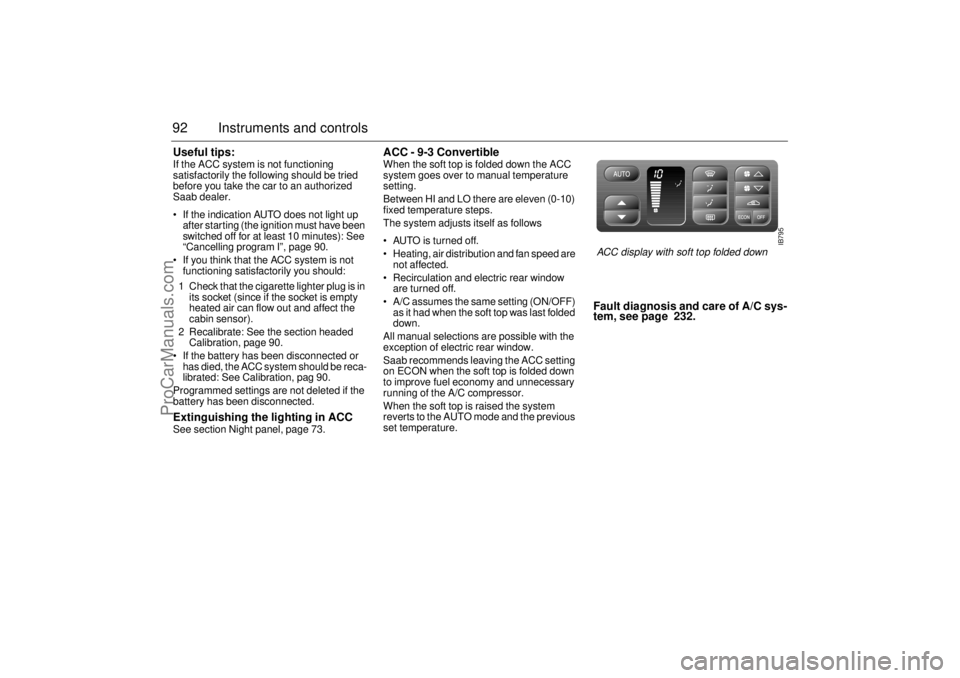
ACC - 9-3 Convertible When the soft top is folded down the ACC
system goes over to manual temperature
setting.
Between HI and LO there are eleven (0-10)
fixed temperature steps.
The system adjusts itself as follows
AUTO is turned off.
Heating, air distribution and fan speed are
not affected.
Recirculation and electric rear window
are turned off.
A/C assumes the same setting (ON/OFF)
as it had when the soft top was last folded
down.
All manual selections are possible with the
exception of electric rear window.
Saab recommends leaving the ACC setting
on ECON when the soft top is folded down
to improve fuel economy and unnecessary
running of the A/C compressor.
When the soft top is raised the system
reverts to the AUTO mode and the previous
set temperature.
Fault diagnosis and care of A/C sys-
tem, see page 232.
IB795
ACC display with soft top folded down
ProCarManuals.com
Page 102 of 260
102 Saab 9-3 Audio SystemType II (metal) tapes The cassette has an automatic tape-type
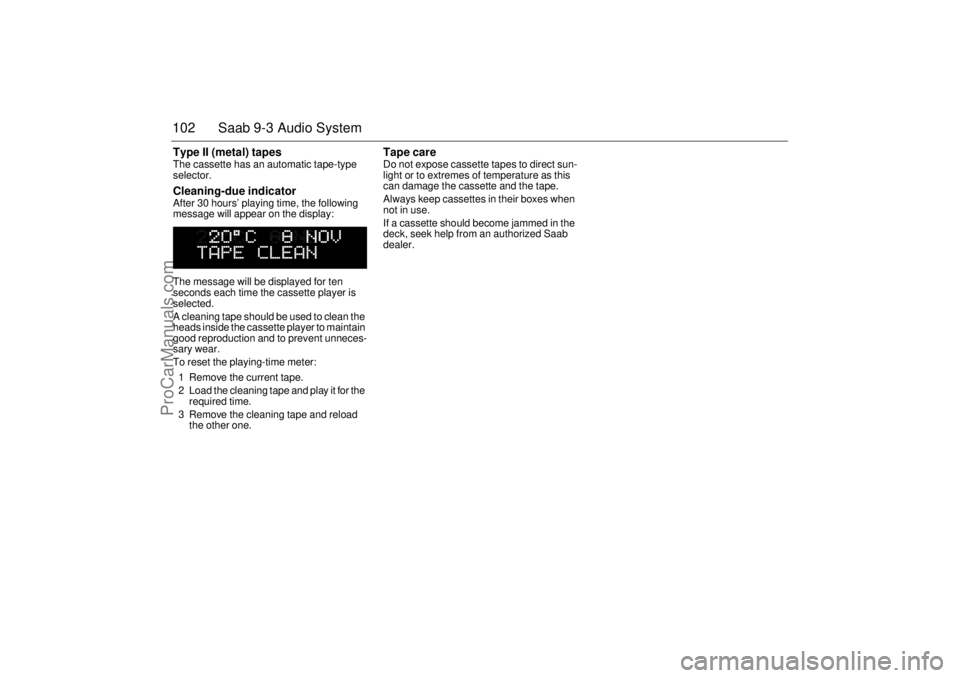
selector. Cleaning-due indicator After 30 hours’ playing time, the following
message will appear on the display:
The message will be displayed for ten
seconds each time the cassette player is
selected.
A cleaning tape should be used to clean the
heads inside the cassette player to maintain
good reproduction and to prevent unneces-
sary wear.
To reset the playing-time meter:
1 Remove the current tape.
2 Load the cleaning tape and play it for the
required time.
3 Remove the cleaning tape and reload
the other one.
Tape care Do not expose cassette tapes to direct sun-
light or to extremes of temperature as this
can damage the cassette and the tape.
Always keep cassettes in their boxes when
not in use.
If a cassette should become jammed in the
deck, seek help from an authorized Saab
dealer.
ProCarManuals.com
Page 111 of 260
111 Saab 9-3 Audio System
AntennaThe antenna of the Audio System is motor-
ized.
Saab 9-3 Viggen Coupé and 5-door: The
antenna is located on the roof.
For the cleaning of the motorized antenna,
see the section headed "Washing", page
226.
The car has a factory-fitted roof antenna for
a car phone. Roof loads may negatively
affect telecommunication.
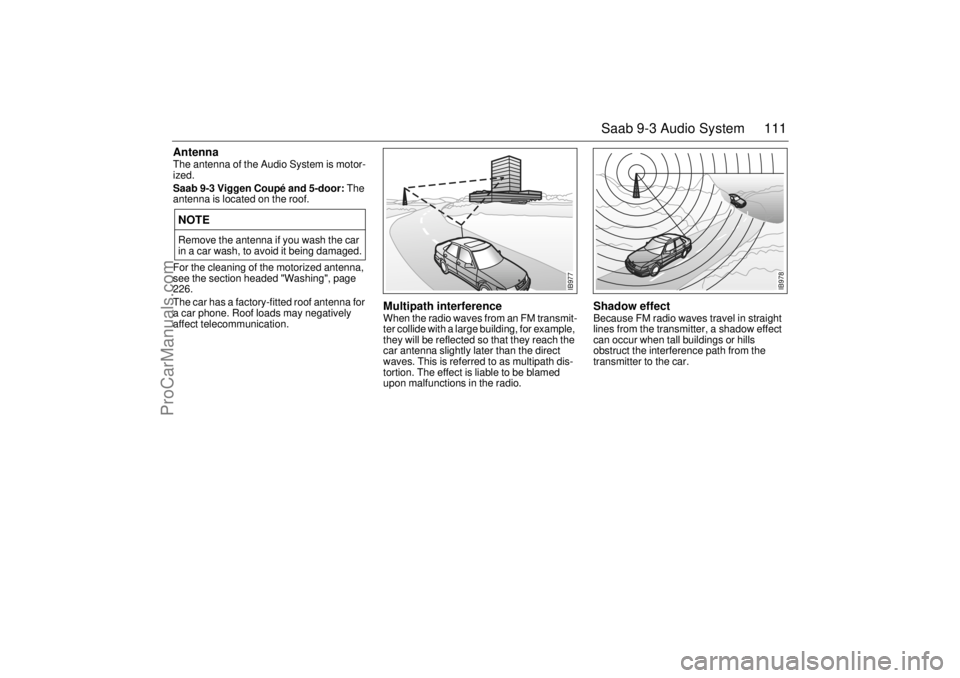
Multipath interference When the radio waves from an FM transmit-
ter collide with a large building, for example,
they will be reflected so that they reach the
car antenna slightly later than the direct
waves. This is referred to as multipath dis-
tortion. The effect is liable to be blamed
upon malfunctions in the radio.
Shadow effect Because FM radio waves travel in straight
lines from the transmitter, a shadow effect
can occur when tall buildings or hills
obstruct the interference path from the
transmitter to the car.
NOTERemove the antenna if you wash the car
in a car wash, to avoid it being damaged.
IB977
IB978
ProCarManuals.com
Page 113 of 260
113 Saab 9-3 Audio System
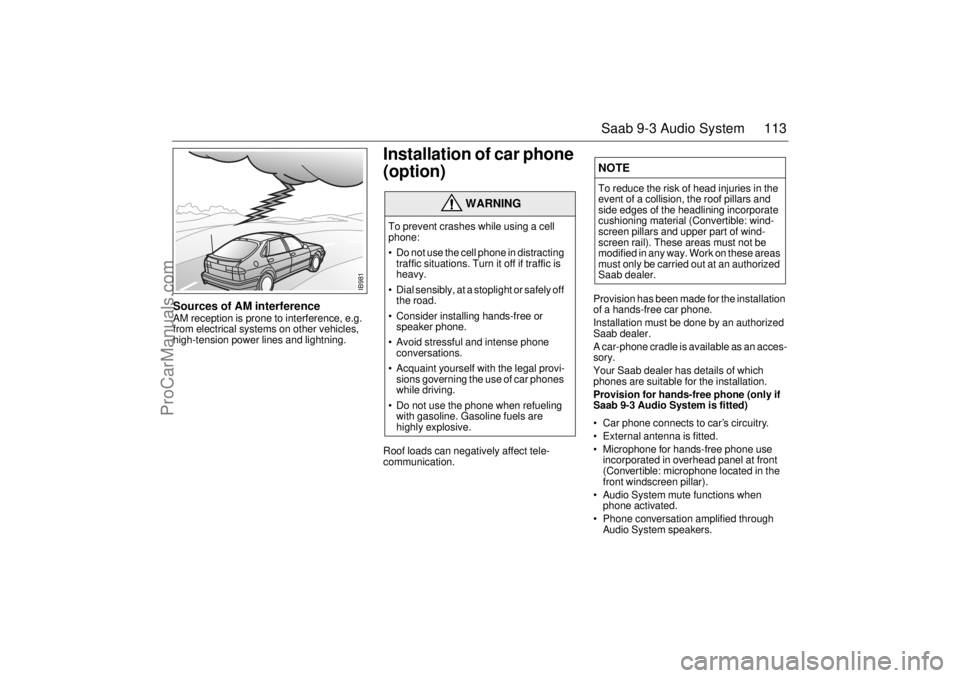
Sources of AM interference AM reception is prone to interference, e.g.
from electrical systems on other vehicles,
high-tension power lines and lightning.
Installation of car phone
(option) Roof loads can negatively affect tele-
communication.
Provision has been made for the installation
of a hands-free car phone.
Installation must be done by an authorized
Saab dealer.
A car-phone cradle is available as an acces-
sory.
Your Saab dealer has details of which
phones are suitable for the installation.
Provision for hands-free phone (only if
Saab 9-3 Audio System is fitted)
Car phone connects to car’s circuitry.
External antenna is fitted.
Microphone for hands-free phone use
incorporated in overhead panel at front
(Convertible: microphone located in the
front windscreen pillar).
Audio System mute functions when
phone activated.
Phone conversation amplified through
Audio System speakers.
WARNING
To prevent crashes while using a cell
phone:
Do not use the cell phone in distracting
traffic situations. Turn it off if traffic is
heavy.
Dial sensibly, at a stoplight or safely off
the road.
Consider installing hands-free or
speaker phone.
Avoid stressful and intense phone
conversations.
Acquaint yourself with the legal provi-
sions governing the use of car phones
while driving.
Do not use the phone when refueling
with gasoline. Gasoline fuels are
highly explosive.
NOTETo reduce the risk of head injuries in the
event of a collision, the roof pillars and
side edges of the headlining incorporate
cushioning material (Convertible: wind-
screen pillars and upper part of wind-
screen rail). These areas must not be
modified in any way. Work on these areas
must only be carried out at an authorized
Saab dealer.
IB981
ProCarManuals.com
Page 117 of 260
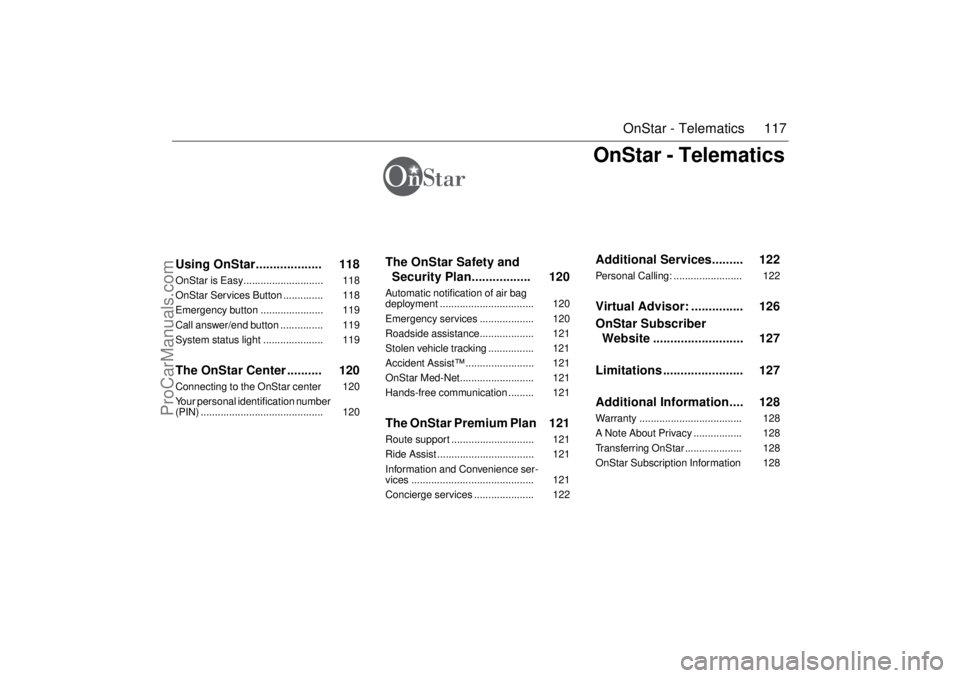
117 OnStar - Telematics
OnStar - Telematics
Using OnStar................... 118OnStar is Easy............................ 118
OnStar Services Button .............. 118
Emergency button ...................... 119
Call answer/end button ............... 119
System status light ..................... 119The OnStar Center .......... 120Connecting to the OnStar center 120
Your personal identification number
(PIN) ........................................... 120
The OnStar Safety and
Security Plan................. 120
Automatic notification of air bag
deployment ................................. 120
Emergency services ................... 120
Roadside assistance................... 121
Stolen vehicle tracking ................ 121
Accident Assist™ ........................ 121
OnStar Med-Net.......................... 121
Hands-free communication ......... 121The OnStar Premium Plan 121Route support ............................. 121
Ride Assist .................................. 121
Information and Convenience ser-
vices ........................................... 121
Concierge services ..................... 122
Additional Services......... 122Personal Calling: ........................ 122Virtual Advisor: ............... 126
OnStar Subscriber
Website .......................... 127
Limitations ....................... 127
Additional Information.... 128Warranty .................................... 128
A Note About Privacy ................. 128
Transferring OnStar .................... 128
OnStar Subscription Information 128
ProCarManuals.com
Page 119 of 260

119 OnStar - Telematics
System status lightSolid Green — Indicates the OnStar
system in the vehicle is powered ON and
ready to make calls or receive calls from the
OnStar Center.
Blinking Green — The light blinks green to
indicate a call is being connected or in
progress. If you notice this light blinking
while you are not on a call, press the Call
Answer/End button.
Red — This signals that your OnStar
system may not be functioning properly.
Press the OnStar button to attempt to con-
tact an OnStar Advisor. If the connection is
made, the Advisor will assist you in making
sure your OnStar system is operating prop-
erly. If you cannot contact the OnStar Cen-
ter, please take your car to the nearest Saab
dealer for diagnosis and service.The OnStar Center is the heart of your ser-
vice — staffed 24 hours a day, 7 days a
week with knowledgeable OnStar Advisors.
Even on weekends and holidays, there is
always someone ready to help.
OnStar uses sophisticated Global Position-
ing System (GPS) satellites to locate your
Saab, and wireless technology to provide
the communications link and seamless inte-
gration into your Saab. This system allows
our OnStar Advisors to pinpoint your Saab´s
location precisely. This way, Advisors can
provide you with a range of helpful services
to protect you and your Saab. Plus, with our
Premium Plan* included for 12 months with
your Saab, Advisors can also access an
extensive database to assist you with direc-
tions, making reservations and other conve-
nience services.
*) New retail deliveries only.
Emergency button
In an emergency, press this
button to connect with an
OnStar Advisor. Your call will
be given the highest priority,
and you will hear a tone fol-
lowed by the words ”Connect-
ing to OnStar Emergency.” The
Advisor will locate your Saab,
find out what kind of assistance
you require, and contact the
nearest emergency services
provider who can dispatch
ambulance, fire, police or other
emergency services. Please
use this button only for true
emergencies.
Call answer/end button
Press this button at the end of a
call. You’ll hear the words
”OnStar Request Ended.” Also,
press this button to answer a
call from the OnStar Center, or
cancel a call if one of the other
buttons is accidentally
pressed. This button is also
used to access OnStar Per-
sonal Calling services which
are described on page 122.
ProCarManuals.com