lock SAAB 9-3 2002 Owner's Guide
[x] Cancel search | Manufacturer: SAAB, Model Year: 2002, Model line: 9-3, Model: SAAB 9-3 2002Pages: 256, PDF Size: 11.55 MB
Page 58 of 256
58 ConvertibleUse mild soap, lukewarm water and a
sponge for washing.
Rinse the top thoroughly with plain water to
get rid of all the soap. Flush the cleaning
agent off the bodywork as well, since it can
cause discoloration if it is left to dry on the
paintwork.
If further cleaning is needed after soap and
water have been used, a mild shampoo may
be employed. First rinse the soft top, then
use shampoo on the complete top and
scrub with a small soft hand brush.
Add water as needed until the cleaning
agent lathers. Use a rag or sponge to
remove dirt, so as to avoid working it into the
cloth. Thoroughly rinse the whole car with
plain water and make sure that cleaning
agents are not allowed to dry on the paint-
work.
Cleaning the rear windowThe rear window can be cleaned with a
window cleaner or a mild soap solution and
a soft, anti-static cloth.
Since the rear window is made of glass,
when necessary, you can use an ice
scraper on the outside. Never use a scraper
on the inside!Interior lightingThe front light is located on the front roof rail.
The rear lighting consists of two lights built
in to the side panels adjacent to the rear
seat. The switch is on the center console
between the front seats, see also page 133.
Certain variants have a mirror and lighting
built into the sun visors.
Manually opening the
fuel filler doorConvertible If the fuel filler door, controlled by the central
lock, does not unlock take the following
action:
Check fuse 25. If it is defective or blows
again after changing, the locking motor can
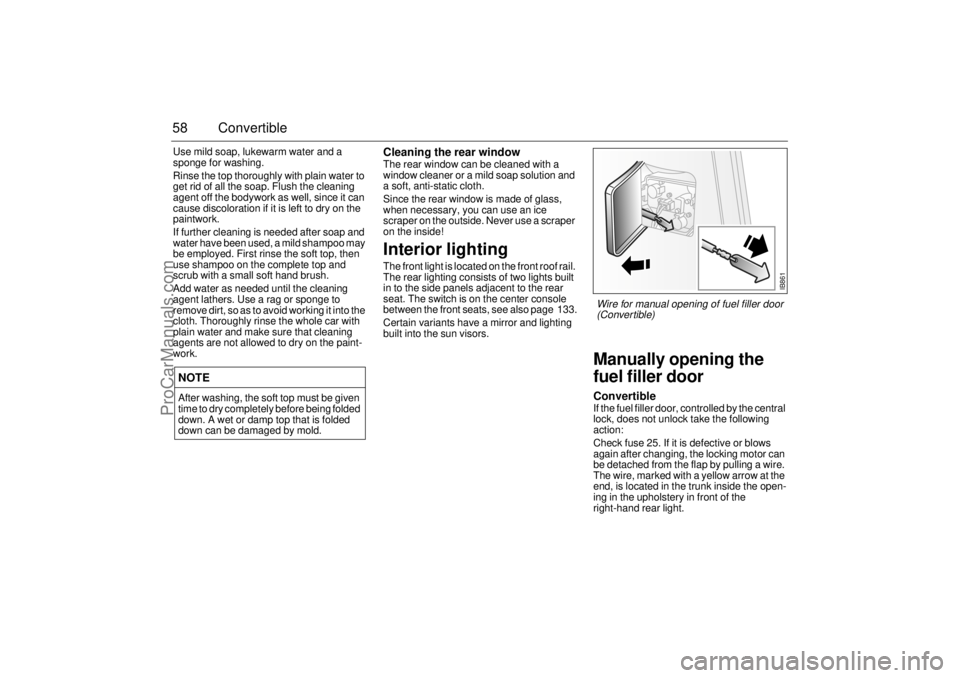
be detached from the flap by pulling a wire.
The wire, marked with a yellow arrow at the
end, is located in the trunk inside the open-
ing in the upholstery in front of the
right-hand rear light.
NOTEAfter washing, the soft top must be given
time to dry completely before being folded
down. A wet or damp top that is folded
down can be damaged by mold.
IB861
Wire for manual opening of fuel filler door
(Convertible)
ProCarManuals.com
Page 61 of 256
61 Instruments and controls
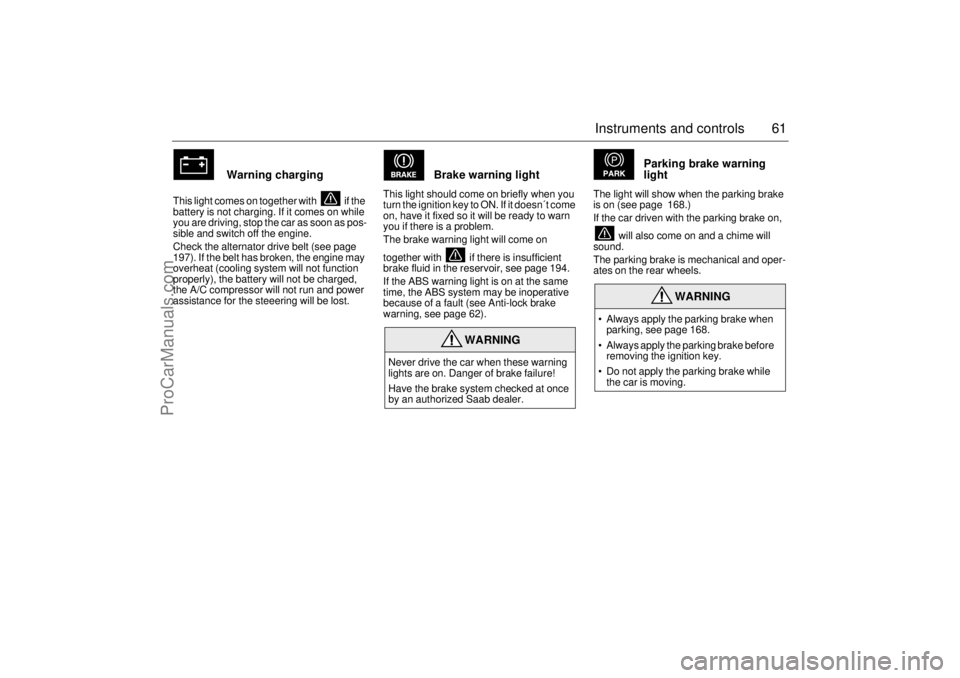
Warning charging
This light comes on together with if the
battery is not charging. If it comes on while
you are driving, stop the car as soon as pos-
sible and switch off the engine.
Check the alternator drive belt (see page
197). If the belt has broken, the engine may
overheat (cooling system will not function
properly), the battery will not be charged,
the A/C compressor will not run and power
assistance for the steeering will be lost.
Brake warning light
This light should come on briefly when you
turn the ignition key to ON. If it doesn´t come
on, have it fixed so it will be ready to warn
you if there is a problem.
The brake warning light will come on
together with if there is insufficient
brake fluid in the reservoir, see page 194.
If the ABS warning light is on at the same
time, the ABS system may be inoperative
because of a fault (see Anti-lock brake
warning, see page 62).
Parking brake warning
light
The light will show when the parking brake
is on (see page 168.)
If the car driven with the parking brake on,
will also come on and a chime will
sound.
The parking brake is mechanical and oper-
ates on the rear wheels.
WARNING
Never drive the car when these warning
lights are on. Danger of brake failure!
Have the brake system checked at once
by an authorized Saab dealer.
WARNING
Always apply the parking brake when
parking, see page 168.
Always apply the parking brake before
removing the ignition key.
Do not apply the parking brake while
the car is moving.
ProCarManuals.com
Page 62 of 256
62 Instruments and controls
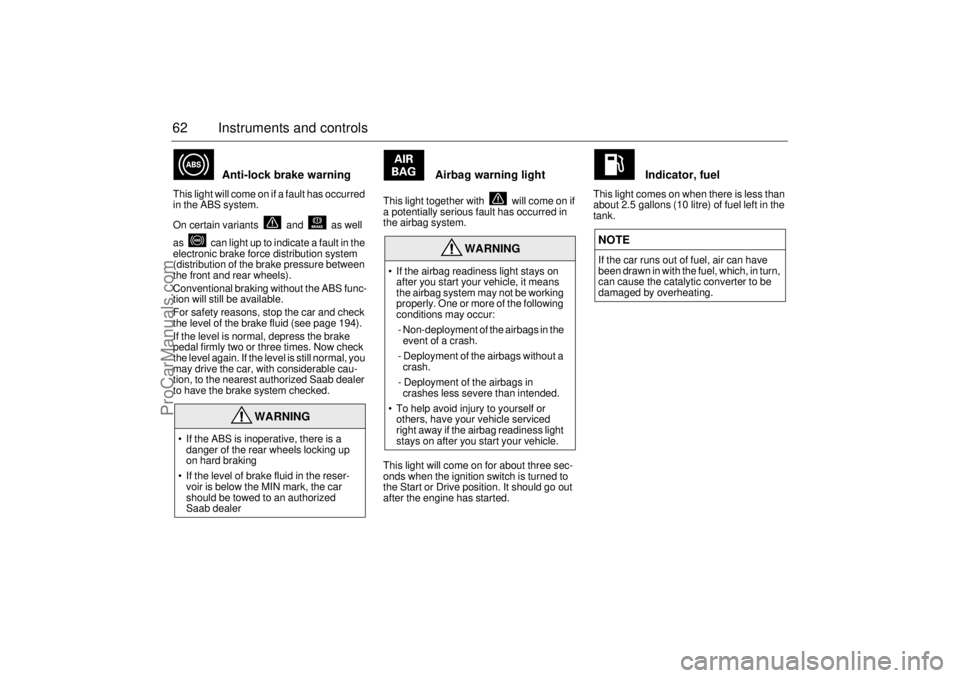
Anti-lock brake warning
This light will come on if a fault has occurred
in the ABS system.
On certain variants and as well
as can light up to indicate a fault in the
electronic brake force distribution system
(distribution of the brake pressure between
the front and rear wheels).
Conventional braking without the ABS func-
tion will still be available.
For safety reasons, stop the car and check
the level of the brake fluid (see page 194).
If the level is normal, depress the brake
pedal firmly two or three times. Now check
the level again. If the level is still normal, you
may drive the car, with considerable cau-
tion, to the nearest authorized Saab dealer
to have the brake system checked.
Airbag warning light
This light together with will come on if
a potentially serious fault has occurred in
the airbag system.
This light will come on for about three sec-
onds when the ignition switch is turned to
the Start or Drive position. It should go out
after the engine has started.
Indicator, fuel
This light comes on when there is less than
about 2.5 gallons (10 litre) of fuel left in the
tank.
WARNING
If the ABS is inoperative, there is a
danger of the rear wheels locking up
on hard braking
If the level of brake fluid in the reser-
voir is below the MIN mark, the car
should be towed to an authorized
Saab dealer
WARNING
If the airbag readiness light stays on
after you start your vehicle, it means
the airbag system may not be working
properly. One or more of the following
conditions may occur:
- Non-deployment of the airbags in the
event of a crash.
- Deployment of the airbags without a
crash.
- Deployment of the airbags in
crashes less severe than intended.
To help avoid injury to yourself or
others, have your vehicle serviced
right away if the airbag readiness light
stays on after you start your vehicle.
NOTEIf the car runs out of fuel, air can have
been drawn in with the fuel, which, in turn,
can cause the catalytic converter to be
damaged by overheating.
ProCarManuals.com
Page 74 of 256
74 Instruments and controlsUnits and language versions The SID has four sets of units:
CHECK messages can be displayed in six
language options: English, Swedish,
German, French, Italian and Spanish.
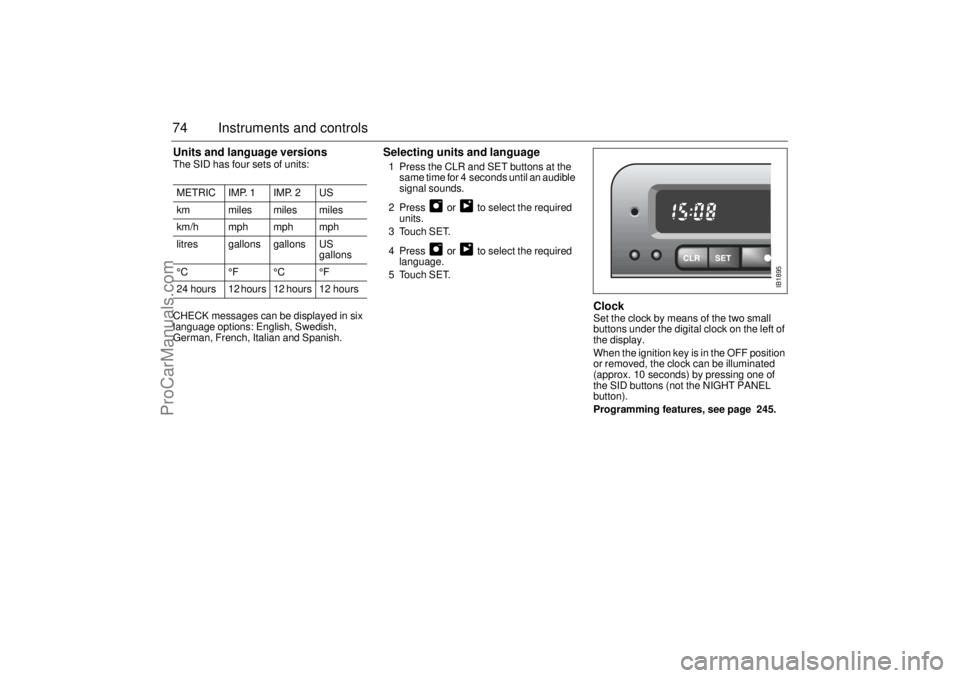
Selecting units and language 1 Press the CLR and SET buttons at the
same time for 4 seconds until an audible
signal sounds.
2 Press or to select the required
units.
3 Touch SET.
4 Press or to select the required
language.
5 Touch SET.
Clock Set the clock by means of the two small
buttons under the digital clock on the left of
the display.
When the ignition key is in the OFF position
or removed, the clock can be illuminated
(approx. 10 seconds) by pressing one of
the SID buttons (not the NIGHT PANEL
button).
Programming features, see page 245. METRIC IMP. 1 IMP. 2 US
km miles miles miles
km/h mph mph mph
litres gallons gallons US
gallons
°C °F °C °F
24 hours 12 hours 12 hours 12 hours
IB1895
ProCarManuals.com
Page 75 of 256
75 Instruments and controls
SwitchesThe parking lights and daytime running
lights come on automatically when the igni-
tion switch is in the ON position.
Note to owners in the U.S.: If you do not
want Daytime Running Lights, this feature
can be disconnected: switch off the engine
and remove fuse No. 15 (see page 208).
Note to owners in Canada: Daytime Run-
ning Lights must not be disconnected as
they are a Canadian Federal legal require-
ment.
The parking lights can be switched on
regardless of the position of the ignition
switch. Do not use parking lights when driv-
ing.
Note:
The lighting switch must be in parking or
headlight position to operate the rear fog
light (see page 77).The headlights come on when the ignition
switch is in the OFF, ON or START posi-
tions. Note that they go off again when the
ignition switch is turned to LOCK.
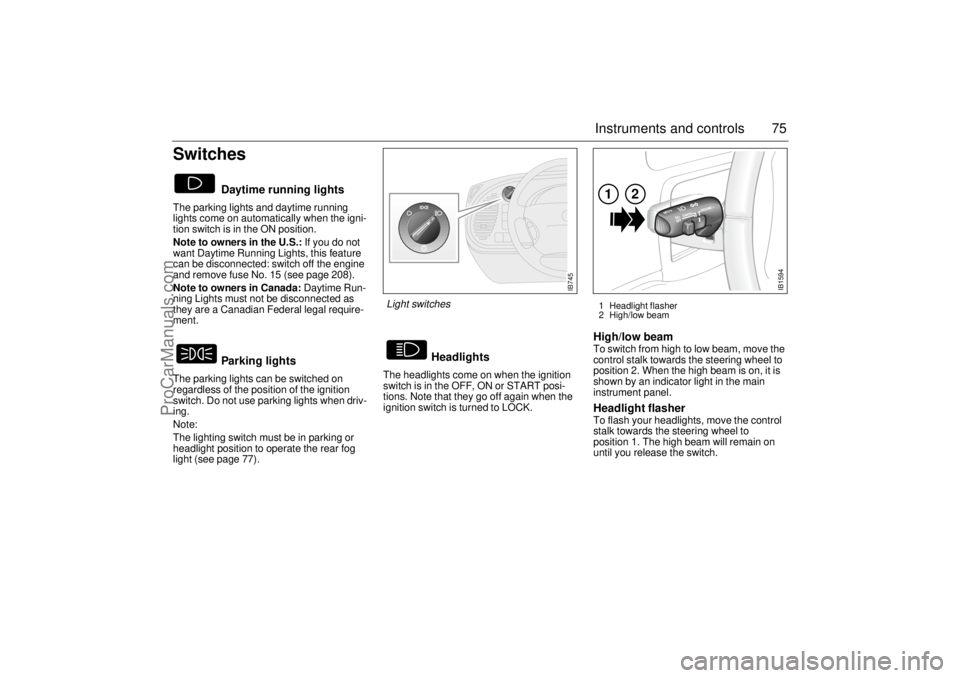
High/low beam To switch from high to low beam, move the
control stalk towards the steering wheel to
position 2. When the high beam is on, it is
shown by an indicator light in the main
instrument panel.Headlight flasher To flash your headlights, move the control
stalk towards the steering wheel to
position 1. The high beam will remain on
until you release the switch.
Daytime running lights
Parking lights
Headlights
IB745
Light switches
1 Headlight flasher
2 High/low beam
IB1594
12
ProCarManuals.com
Page 86 of 256
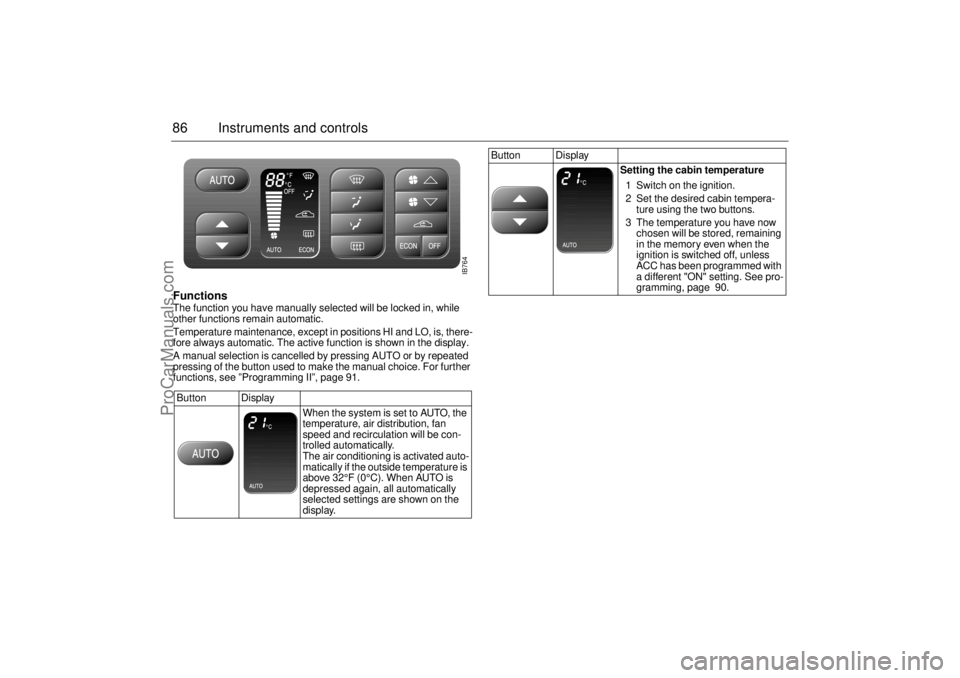
86 Instruments and controlsFunctions The function you have manually selected will be locked in, while
other functions remain automatic.
Temperature maintenance, except in positions HI and LO, is, there-
fore always automatic. The active function is shown in the display.
A manual selection is cancelled by pressing AUTO or by repeated
pressing of the button used to make the manual choice. For further
functions, see ”Programming II”, page 91.
Button Display
When the system is set to AUTO, the
temperature, air distribution, fan
speed and recirculation will be con-
trolled automatically.
The air conditioning is activated auto-
matically if the outside temperature is
above 32°F (0°C). When AUTO is
depressed again, all automatically
selected settings are shown on the
display.
Button Display
Setting the cabin temperature
1 Switch on the ignition.
2 Set the desired cabin tempera-
ture using the two buttons.
3 The temperature you have now
chosen will be stored, remaining
in the memory even when the
ignition is switched off, unless
ACC has been programmed with
a different "ON" setting. See pro-
gramming, page 90.
IB764
ProCarManuals.com
Page 93 of 256
93 Saab 9-3 Audio System
Saab 9-3 Audio
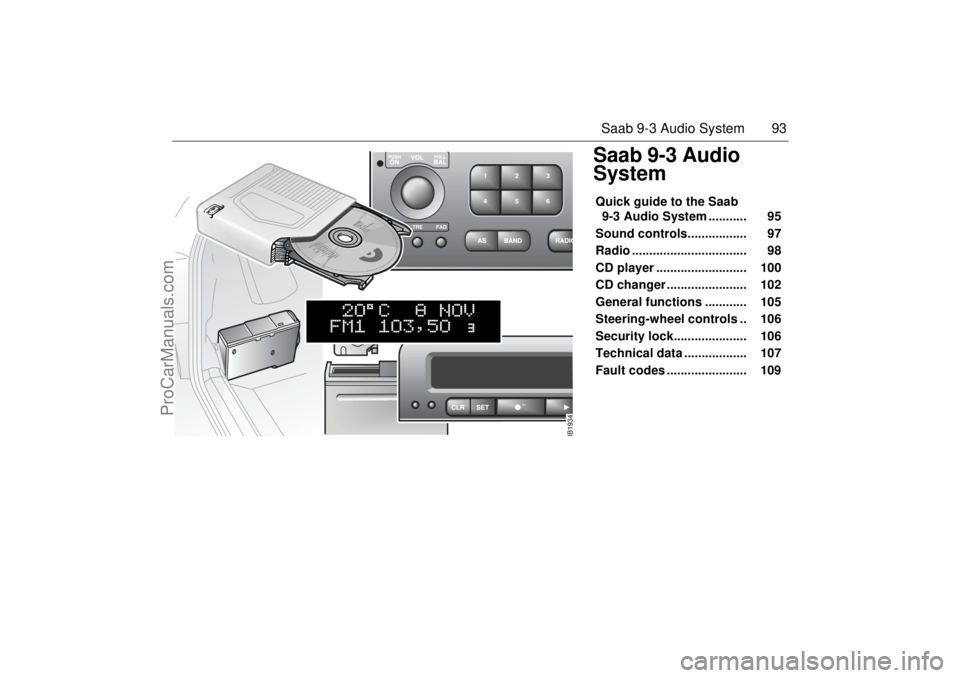
SystemQuick guide to the Saab
9-3 Audio System ........... 95
Sound controls................. 97
Radio ................................. 98
CD player .......................... 100
CD changer ....................... 102
General functions ............ 105
Steering-wheel controls .. 106
Security lock..................... 106
Technical data .................. 107
Fault codes ....................... 109
IB1934
ProCarManuals.com
Page 95 of 256
95 Saab 9-3 Audio System
Quick guide to the Saab 9-3
Audio System Radio, see page 98
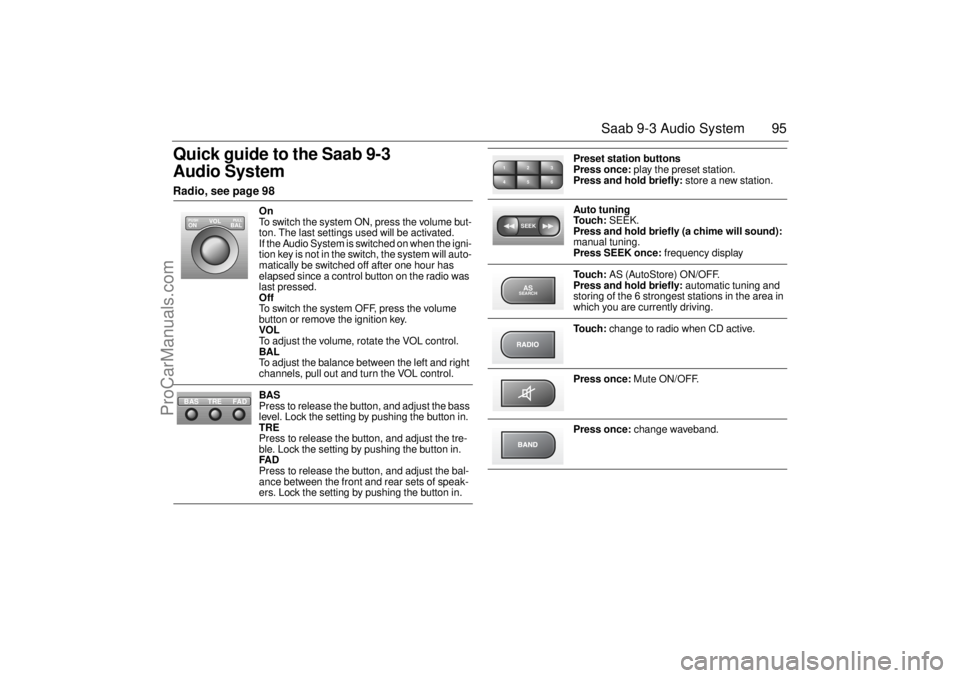
On
To switch the system ON, press the volume but-
ton. The last settings used will be activated.
If the Audio System is switched on when the igni-
tion key is not in the switch, the system will auto-
matically be switched off after one hour has
elapsed since a control button on the radio was
last pressed.
Off
To switch the system OFF, press the volume
button or remove the ignition key.
VOL
To adjust the volume, rotate the VOL control.
BAL
To adjust the balance between the left and right
channels, pull out and turn the VOL control.
BAS
Press to release the button, and adjust the bass
level. Lock the setting by pushing the button in.
TRE
Press to release the button, and adjust the tre-
ble. Lock the setting by pushing the button in.
FAD
Press to release the button, and adjust the bal-
ance between the front and rear sets of speak-
ers. Lock the setting by pushing the button in.
VOL
BAL ON
PULL PUSH
TREFAD BAS
Preset station buttons
Press once: play the preset station.
Press and hold briefly: store a new station.
Auto tuning
To u c h : SEEK.
Press and hold briefly (a chime will sound):
manual tuning.
Press SEEK once: frequency display
To u c h : AS (AutoStore) ON/OFF.
Press and hold briefly: automatic tuning and
storing of the 6 strongest stations in the area in
which you are currently driving.
To u c h : change to radio when CD active.
Press once: Mute ON/OFF.
Press once: change waveband.
2 13
5 46SEEKASSEARCH
ProCarManuals.com
Page 97 of 256
97 Saab 9-3 Audio System
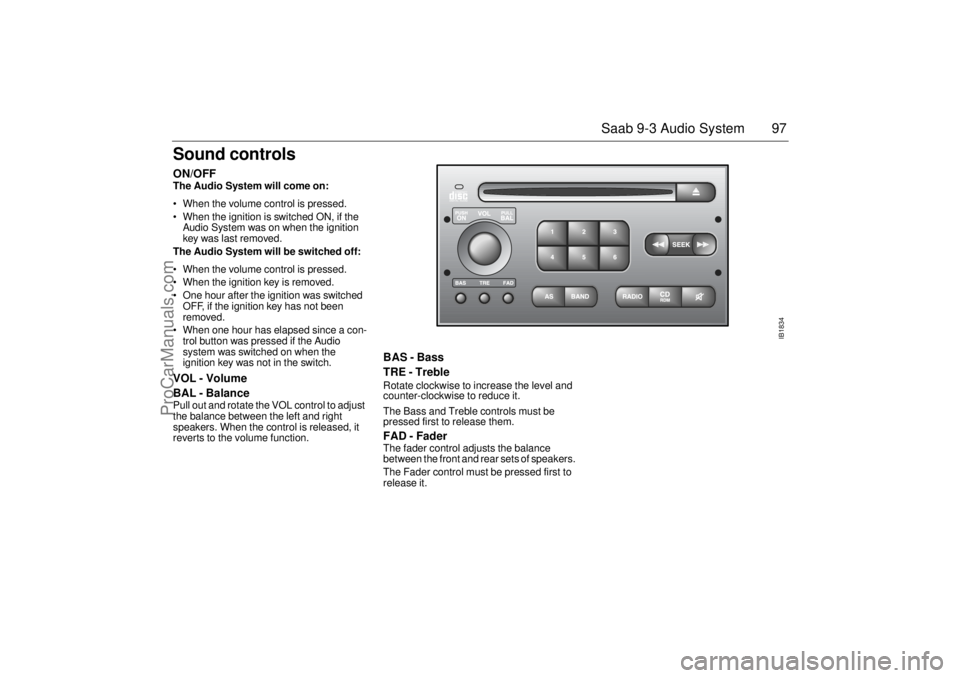
Sound controls ON/OFF The Audio System will come on:
• When the volume control is pressed.
When the ignition is switched ON, if the
Audio System was on when the ignition
key was last removed.
The Audio System will be switched off:
When the volume control is pressed.
When the ignition key is removed.
One hour after the ignition was switched
OFF, if the ignition key has not been
removed.
When one hour has elapsed since a con-
trol button was pressed if the Audio
system was switched on when the
ignition key was not in the switch. VOL - Volume
BAL - Balance Pull out and rotate the VOL control to adjust
the balance between the left and right
speakers. When the control is released, it
reverts to the volume function.
BAS - Bass
TRE - Treble Rotate clockwise to increase the level and
counter-clockwise to reduce it.
The Bass and Treble controls must be
pressed first to release them.FAD - Fader The fader control adjusts the balance
between the front and rear sets of speakers.
The Fader control must be pressed first to
release it.
IB1834
ProCarManuals.com
Page 106 of 256
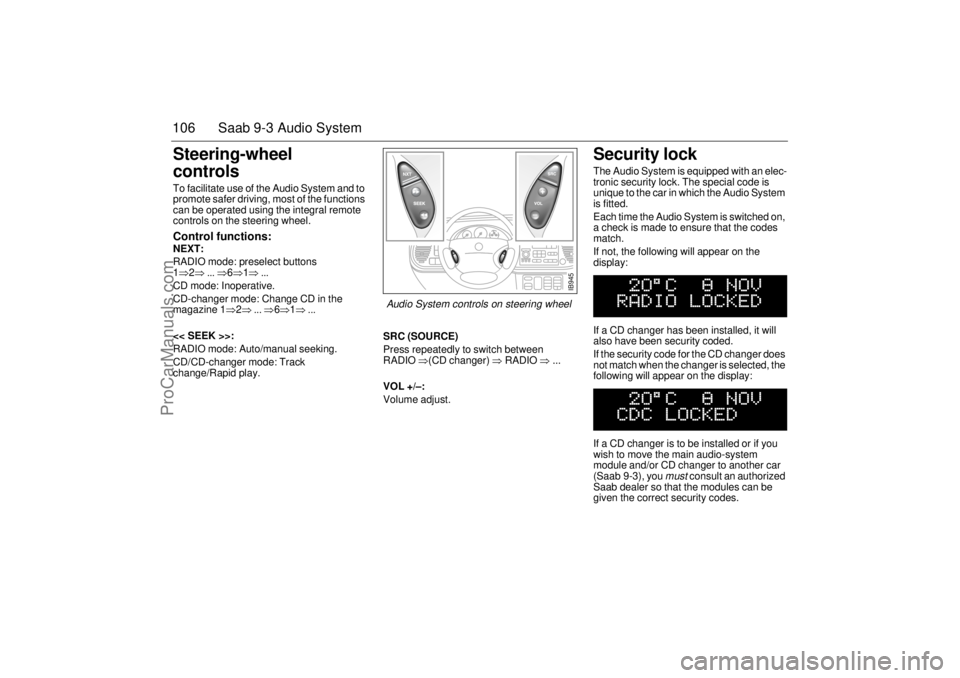
106 Saab 9-3 Audio SystemSteering-wheel
controls To facilitate use of the Audio System and to
promote safer driving, most of the functions
can be operated using the integral remote
controls on the steering wheel. Control functions: NEXT:
RADIO mode: preselect buttons
1⇒2⇒ ... ⇒6⇒1⇒ ...
CD mode: Inoperative.
CD-changer mode: Change CD in the
magazine 1⇒2⇒ ... ⇒6⇒1⇒ ...
<< SEEK >>:
RADIO mode: Auto/manual seeking.
CD/CD-changer mode: Track
change/Rapid play.SRC (SOURCE)
Press repeatedly to switch between
RADIO ⇒(CD changer) ⇒ RADIO ⇒ ...
VOL +/–:
Volume adjust.
Security lock The Audio System is equipped with an elec-
tronic security lock. The special code is
unique to the car in which the Audio System
is fitted.
Each time the Audio System is switched on,
a check is made to ensure that the codes
match.
If not, the following will appear on the
display:
If a CD changer has been installed, it will
also have been security coded.
If the security code for the CD changer does
not match when the changer is selected, the
following will appear on the display:
If a CD changer is to be installed or if you
wish to move the main audio-system
module and/or CD changer to another car
(Saab 9-3), you
must
consult an authorized
Saab dealer so that the modules can be
given the correct security codes.
IB945
Audio System controls on steering wheel
ProCarManuals.com