instruments SAAB 9-3 2005 Service Manual
[x] Cancel search | Manufacturer: SAAB, Model Year: 2005, Model line: 9-3, Model: SAAB 9-3 2005Pages: 292, PDF Size: 23 MB
Page 118 of 292

116 Instruments and controlsThe seat cushions and backrests of the front
seats are heated.
Heating is thermostatically controlled.
Heating is controlled manually but can also
be automatic. Refer to Profiler on page 117.
Three heating levels are available. Pressing
the button once will turn the heating on at full
power. Pressing the button a total of 4 times
will turn the heating off.
= full.
= medium.
= low.
CalibrationCalibration is performed automatically
every fifth time the car is started after having
been switched off for more than 2 hours or
if the battery has been disconnected.ProgrammingA number of functions can be customized
under Profiler (see page 117). Further cus-
tomizations can be made at a Saab dealer.Tips(before contacting a Saab workshop)
If you feel that the ACC system is not func-
tioning satisfactorily, select "Default
Settings" under Profiler (see page 117.
To prevent the smell of washer fluid from
entering the car, recirculation can be acti-
vated automatically while the windshield
is washed. The recirculation symbol will
however not light up. This function is
optional; contact a Saab dealer. This
automatic recirculation is the factory
default setting as long as the system is
working in full "AUTO" model with no
customized settings.
Electric heating, front
seats (option)
ProCarManuals.com
Page 119 of 292
117 Instruments and controls
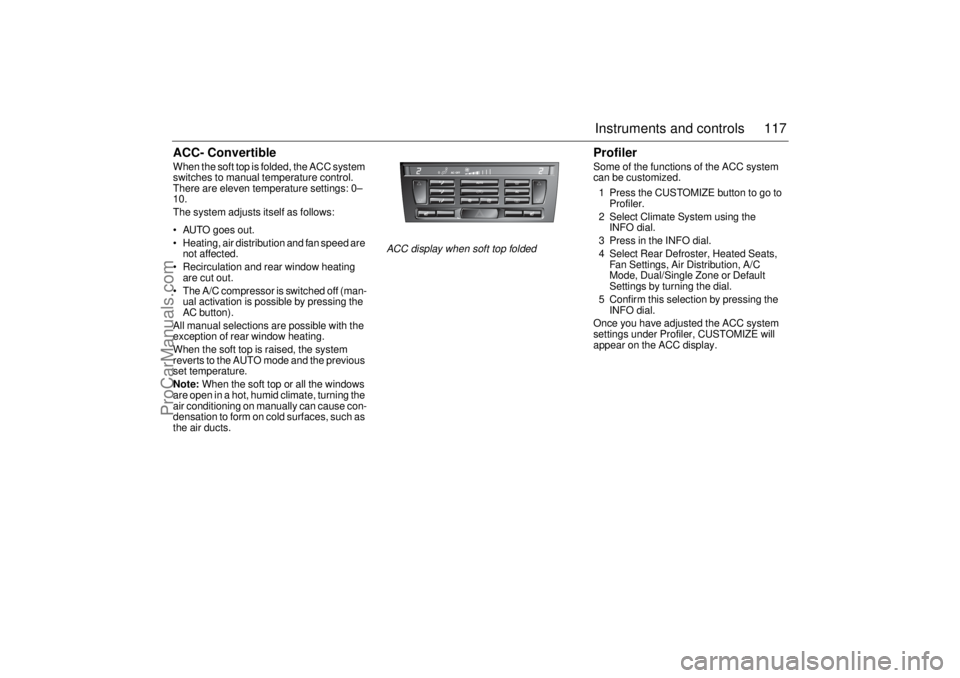
ACC- ConvertibleWhen the soft top is folded, the ACC system
switches to manual temperature control.
There are eleven temperature settings: 0–
10.
The system adjusts itself as follows:
AUTO goes out.
Heating, air distribution and fan speed are
not affected.
Recirculation and rear window heating
are cut out.
The A/C compressor is switched off (man-
ual activation is possible by pressing the
AC button).
All manual selections are possible with the
exception of rear window heating.
When the soft top is raised, the system
reverts to the AUTO mode and the previous
set temperature.
Note: When the soft top or all the windows
are open in a hot, humid climate, turning the
air conditioning on manually can cause con-
densation to form on cold surfaces, such as
the air ducts.
ProfilerSome of the functions of the ACC system
can be customized.
1 Press the CUSTOMIZE button to go to
Profiler.
2 Select Climate System using the
INFO dial.
3 Press in the INFO dial.
4 Select Rear Defroster, Heated Seats,
Fan Settings, Air Distribution, A/C
Mode, Dual/Single Zone or Default
Settings by turning the dial.
5 Confirm this selection by pressing the
INFO dial.
Once you have adjusted the ACC system
settings under Profiler, CUSTOMIZE will
appear on the ACC display.
ACC display when soft top folded
ProCarManuals.com
Page 120 of 292
118 Instruments and controls
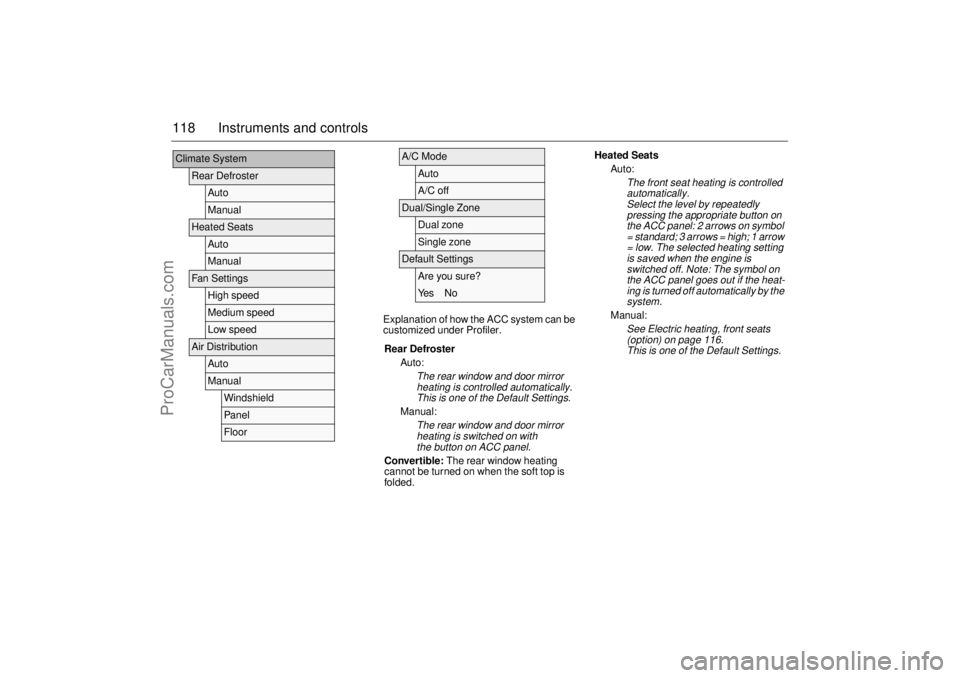
Explanation of how the ACC system can be
customized under Profiler.
Climate System
Rear Defroster
AutoManual
Heated Seats
AutoManual
Fan Settings
High speedMedium speedLow speed
Air Distribution
AutoManual
WindshieldPanelFloor
A/C Mode
AutoA/C off
Dual/Single Zone
Dual zoneSingle zone
Default Settings
Are you sure?Ye s N o
Rear Defroster
Auto:The rear window and door mirror
heating is controlled automatically.
This is one of the Default Settings.
Manual:
The rear window and door mirror
heating is switched on with
the button on ACC panel.
Convertible: The rear window heating
cannot be turned on when the soft top is
folded.
Heated Seats
Auto:
The front seat heating is controlled
automatically.
Select the level by repeatedly
pressing the appropriate button on
the ACC panel: 2 arrows on symbol
= standard; 3 arrows = high; 1 arrow
= low. The selected heating setting
is saved when the engine is
switched off. Note: The symbol on
the ACC panel goes out if the heat-
ing is turned off automatically by the
system.
Manual:
See Electric heating, front seats
(option) on page 116
.
This is one of the Default Settings.
ProCarManuals.com
Page 121 of 292

119 Instruments and controls
Fan Settings
High speed:
This selection give a slightly higher
fan speed than Medium speed
though with continued automatic
regulation.
Medium speed:
Normal automatic fan speed. This is
one of the Default Settings.
Low speed:
This selection give a slightly lower
fan speed than Medium speed
though with continued automatic
regulation.
Convertible: Fan speed is not regulated
automatically when the soft top is open.
Air Distribution
Auto:
The ACC system adapts air tem-
perature and distribution to the pre-
vailing conditions. This is one of the
Default Settings
.
Manual:
Windshield:
The ACC system directs almost
all air to the windshield.
Panel:
The ACC system directs almost
all air to air vents in the fascia.
Floor:
The ACC system directs almost
all air to the floor.
A/C Mode
Auto:
Automatic engagement and disen-
gagement of the A/C. This is one of
the Default Settings.
A/C off:
A/C compressor OFF (see also
page 111). The A/C compressor
can be activated temporarily by
pressing the AC or AUTO button
while on the road and if the outside
temperature is above 41°F (+5°C).
The A/C will be off the next time the
engine is started, if the engine has
been switched off for more than
2hours.
Convertible: The A/C compressor is
switched off when the soft top is folded
down.
Further customizations to this function can
be made at a Saab dealer.
The A/C compressor can be on even
when the soft top is folded down.
The A/C compressor can be set to
operate as when the soft top was last
folded down.Dual/Single Zone
Dual zone:
Individual temperature setting for
each zone (see page 109). The sys-
tem saves the settings when the
engine is switched off. This is one of
the Default Settings.
Single zone:
Common temperature setting when
the engine is started. If the temper-
ature setting for the passenger zone
is changed, the system will switch to
Dual zone control. Single zone con-
trol will return the next time the
engine is started having been
switched off for more than 2 hours.
ProCarManuals.com
Page 122 of 292

120 Instruments and controls(This page has been left blank.)
ProCarManuals.com