instrument panel SAAB 9-3 2008 User Guide
[x] Cancel search | Manufacturer: SAAB, Model Year: 2008, Model line: 9-3, Model: SAAB 9-3 2008Pages: 320, PDF Size: 56.39 MB
Page 82 of 320
82 Instruments and controls
Warning and indicator
lightsThe warnings and indications that can be
shown depend on the engine variant and
equipment level.
This warning light illuminates when a fault
arises in the antilock brake system.
The following message is shown on the
Saab Information Display (SID):
The brake system will continue to function
but without ABS modulation. See also
page 172.
Antilock braking warningAntilock brake malfunc.
Contact service.
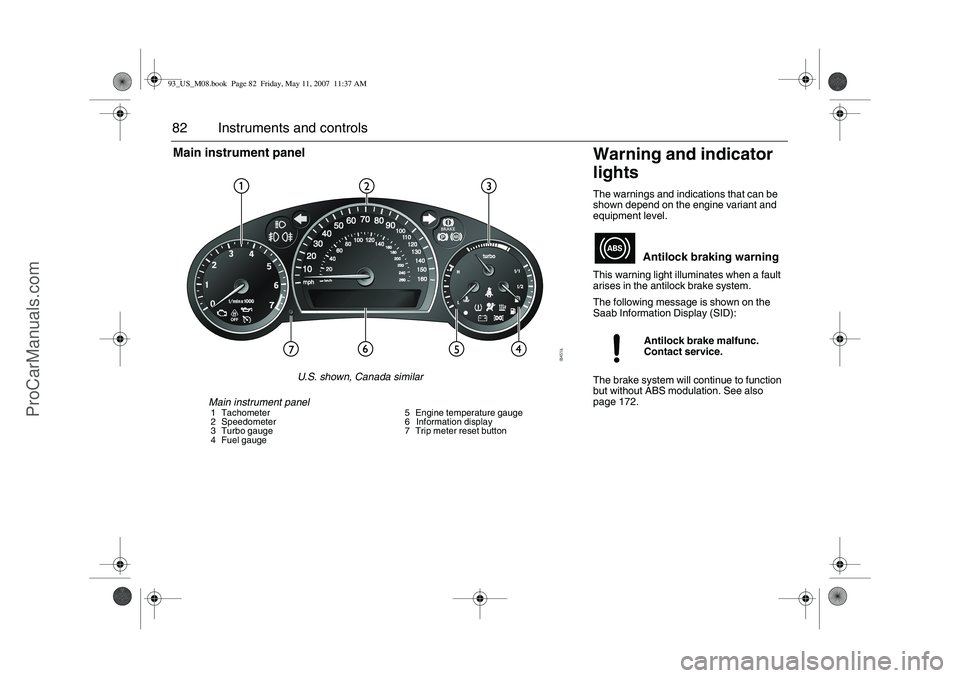
Main instrument panel1 Tachometer
2 Speedometer
3 Turbo gauge
4 Fuel gauge5 Engine temperature gauge
6 Information display
7 Trip meter reset button
Main instrument panel
U.S. shown, Canada similar
93_US_M08.book Page 82 Friday, May 11, 2007 11:37 AM
ProCarManuals.com
Page 87 of 320
87 Instruments and controls
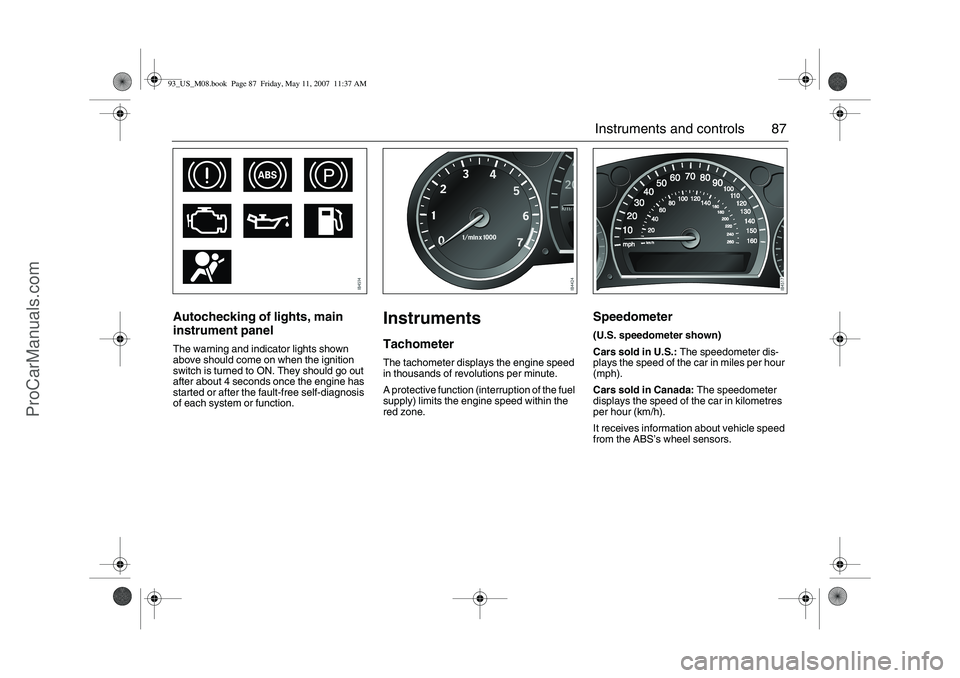
Autochecking of lights, main
instrument panelThe warning and indicator lights shown
above should come on when the ignition
switch is turned to ON. They should go out
after about 4 seconds once the engine has
started or after the fault-free self-diagnosis
of each system or function.
InstrumentsTachometerThe tachometer displays the engine speed
in thousands of revolutions per minute.
A protective function (interruption of the fuel
supply) limits the engine speed within the
red zone.
Speedometer (U.S. speedometer shown)
Cars sold in U.S.: The speedometer dis-
plays the speed of the car in miles per hour
(mph).
Cars sold in Canada: The speedometer
displays the speed of the car in kilometres
per hour (km/h).
It receives information about vehicle speed
from the ABS’s wheel sensors.
93_US_M08.book Page 87 Friday, May 11, 2007 11:37 AM
ProCarManuals.com
Page 89 of 320
89 Instruments and controls
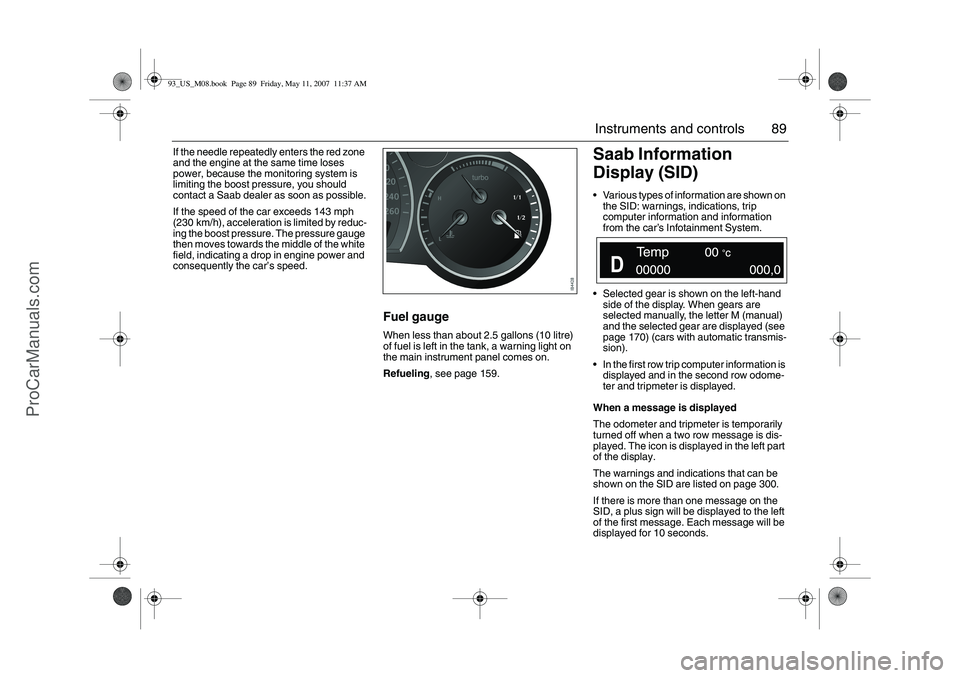
If the needle repeatedly enters the red zone
and the engine at the same time loses
power, because the monitoring system is
limiting the boost pressure, you should
contact a Saab dealer as soon as possible.
If the speed of the car exceeds 143 mph
(230 km/h), acceleration is limited by reduc-
ing the boost pressure. The pressure gauge
then moves towards the middle of the white
field, indicating a drop in engine power and
consequently the car’s speed.
Fuel gaugeWhen less than about 2.5 gallons (10 litre)
of fuel is left in the tank, a warning light on
the main instrument panel comes on.
Refueling, see page 159.
Saab Information
Display (SID)Various types of information are shown on
the SID: warnings, indications, trip
computer information and information
from the car’s Infotainment System.
Selected gear is shown on the left-hand
side of the display. When gears are
selected manually, the letter M (manual)
and the selected gear are displayed (see
page 170) (cars with automatic transmis-
sion).
In the first row trip computer information is
displayed and in the second row odome-
ter and tripmeter is displayed.
When a message is displayed
The odometer and tripmeter is temporarily
turned off when a two row message is dis-
played. The icon is displayed in the left part
of the display.
The warnings and indications that can be
shown on the SID are listed on page 300.
If there is more than one message on the
SID, a plus sign will be displayed to the left
of the first message. Each message will be
displayed for 10 seconds.
93_US_M08.book Page 89 Friday, May 11, 2007 11:37 AM
ProCarManuals.com
Page 91 of 320
91 Instruments and controls
When the engine is started, the function that
was selected when the engine was
switched off is displayed, with the following
exceptions:
Temp is displayed if the outside tempera-
ture is between 26 and 38°F (–3 and
+3°C).
D.T.E. is displayed if less than or equal to
30 miles (50 km).Outdoor temperature
The Temp function is always activated
(even in NIGHTPANEL mode) if the outdoor
temperature rises or falls to between 26 and
38°F (–3 and +3°C).
If the temperature sensor, located under the
front bumper, is covered by snow or ice,
temperature readings will be unreliable.Setting values
1 Select one of the functions using the
steering wheel controls, or .
Dist (preset to 100 miles (100 km) if not
previously set)
SpeedØ
Speed W (preset to 55 mph (90 km/h)
2 Press and hold the SET button until
given audible confirmation.
3 Use the steering wheel controls to select
the value. (Press CLR to reset the
value.)
4 Press the SET button to finish setup.
Using DIST as a trip meter
1Select Dist using the steering wheel
controls, or .
2 Press and hold the CLR button for
approx. 1 second.
An arrow will now appear on the right-hand
side of the display, indicating that the trip
meter is running.
WARNING
Remember that roads can be icy even at
temperatures of above 38°F (+3°C),
especially on bridges and stretches of
road that are sheltered from the sun.
93_US_M08.book Page 91 Friday, May 11, 2007 11:37 AM
ProCarManuals.com
Page 93 of 320
93 Instruments and controls
You can check the distance left by selecting
Dist. At the same time you can check the
calculated time of arrival.
After the distance to destination has
decreased to zero, Dist will function as a trip
meter (see Using DIST as a trip meter). The
starting value for the trip meter will be the
last distance set for the Dist function.
Example: The Dist function is set to
100 miles. After the count-down has
reached 0 miles, Dist will act as a trip meter
beginning at 100 miles.Calculating the arrival time if a specified
average speed is maintained
(When will I arrive if I know how far I have to
drive and know what my average speed will
be?)
This function should be used before starting
out a journey.
First, set the distance under Dist.
1 Then select SpeedØ function.
2 Press and hold the SET button until
given audible confirmation.
3 Set the estimated average speed using
the steering wheel controls.
4 Confirm the setting by pressing the SET
button.
The distance and the calculated time of
arrival is now displayed.
The time of arrival is updated during the
journey based on the average speed since
Dist was set. The speed of the car must
exceed 12 mph (20 km/h).
By selecting Dist during the journey, you
can see how much distance is left to travel.
When Dist reaches zero it acts as a trip
meter. The trip meter starts from the dis-
tance that was set previously.
NIGHTPANELTo improve night-driving conditions inside
the car, the Night Panel mode can be
selected. In this mode, the amount of infor-
mation displayed is reduced, and only the
most important instruments and displays
will be illuminated.
When the NIGHTPANEL button is pressed,
only the speedometer will be illuminated.
All other instrument lighting will be switched
off and the needles drop to zero.
Note: All indicator and warning lights and
messages will operate normally if required.
Temp (when the outside temperature falls
or rises to between 26 and 38°F (–3 and
+3°C)) and D.T.E. (when the remaining fuel
is only sufficient for approx. 80 miles
(50 km) of driving) are even shown in Night
Panel model.
93_US_M08.book Page 93 Friday, May 11, 2007 11:37 AM
ProCarManuals.com
Page 94 of 320
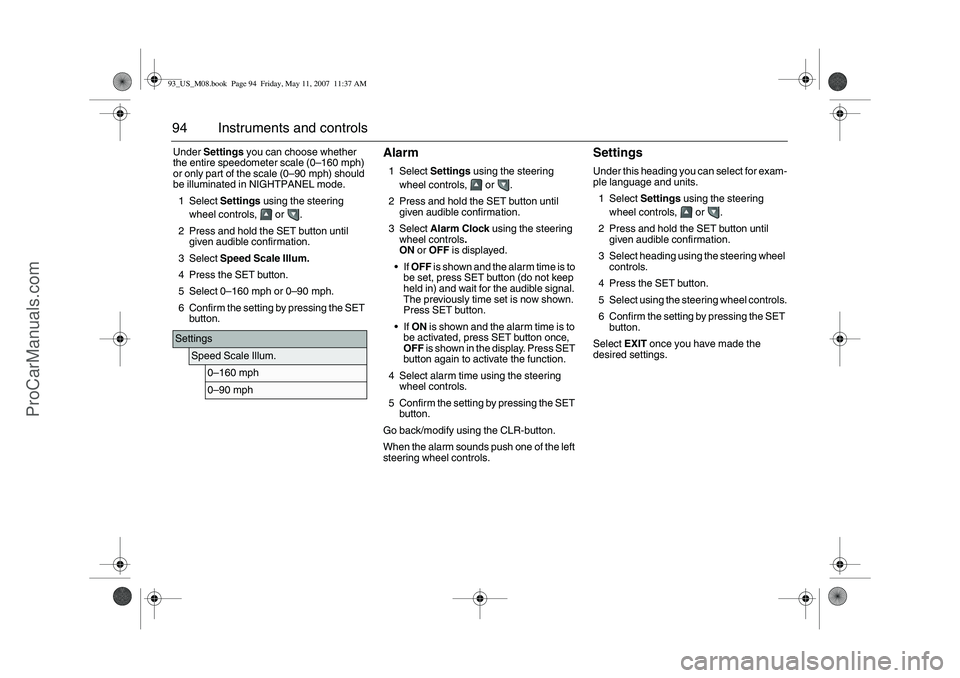
94 Instruments and controlsUnder Settings you can choose whether
the entire speedometer scale (0–160 mph)
or only part of the scale (0–90 mph) should
be illuminated in NIGHTPANEL mode.
1Select Settings using the steering
wheel controls, or .
2 Press and hold the SET button until
given audible confirmation.
3Select Speed Scale Illum.
4 Press the SET button.
5Select 0–160 mph or 0–90 mph.
6 Confirm the setting by pressing the SET
button.
Alarm1Select Settings using the steering
wheel controls, or .
2 Press and hold the SET button until
given audible confirmation.
3Select Alarm Clock using the steering
wheel controls.
ON or OFF is displayed.
If OFF is shown and the alarm time is to
be set, press SET button (do not keep
held in) and wait for the audible signal.
The previously time set is now shown.
Press SET button.
If ON is shown and the alarm time is to
be activated, press SET button once,
OFF is shown in the display. Press SET
button again to activate the function.
4 Select alarm time using the steering
wheel controls.
5 Confirm the setting by pressing the SET
button.
Go back/modify using the CLR-button.
When the alarm sounds push one of the left
steering wheel controls.
SettingsUnder this heading you can select for exam-
ple language and units.
1Select Settings using the steering
wheel controls, or .
2 Press and hold the SET button until
given audible confirmation.
3 Select heading using the steering wheel
controls.
4 Press the SET button.
5 Select using the steering wheel controls.
6 Confirm the setting by pressing the SET
button.
Select EXIT once you have made the
desired settings.
Settings
Speed Scale Illum.
0–160 mph0–90 mph
93_US_M08.book Page 94 Friday, May 11, 2007 11:37 AM
ProCarManuals.com
Page 96 of 320
96 Instruments and controlsExplanation of the various selections under
Settings.Resetting the service indication
Reset the service indication in accordance
with the following:
1 Turn the ignition switch to the ON posi-
tion, the engine must be switched off.
2Select Settings using the steering
wheel controls, or .
3 Press and hold the SET button until
given audible confirmation.
4Select Time for Service.
5 Press the SET button.
6 To the question Reset Service Ind?
select YES (Press CLR button to undo).
ClockAdjustments can be made in the Infotain-
ment system.
See separate Manual. Rain Sensor
The sensitivity has three levels.
Park Assistance
The Park Assistance can be shut off by
choosing OFF.
Alarm Clock
Setting of alarm clock is possible.
Language
Select the desired language. The num-
ber of languages can vary between
markets.
Speed Scale Illum.
Select the proportion of the speedo-
meter to be illuminated in NIGHT-
PANEL mode.
Speed Scale Sel.
Select if both scales or just mph-scale
shall be illuminated in NIGHTPANEL
mode.Unit
Select the desired group of units.
Next Service: xx%
Displayed percentage is approximately
equivalent to the condition of the
engine oil. 100% is equivalent to new
engine oil. The type of service that is
required is also shown here.
Time for Service.
When it is time for service the required
service type is displayed.
INTERMEDIATE
MAIN
MAIN & INTERMED
A service indication must only be
reset after the service has been
performed.
TCS/ESP
Select whether the system shall be on
or off. The car has either TCS or ESP.
93_US_M08.book Page 96 Friday, May 11, 2007 11:37 AM
ProCarManuals.com
Page 99 of 320
99 Instruments and controls
Xenon cornering headlights3
33 3When the car speed exceeds approx.
6 mph (10 km/h), the main headlight will be
angled slightly when the steering wheel is
turned. The beam can be angled maximum
15° to the right or left compared to a car
without cornering headlights.
If a fault occurs in the cornering headlights,
there is no angling when the steering wheel
is turned. The beam continues to shine
straight ahead and the following message
appears in SID:
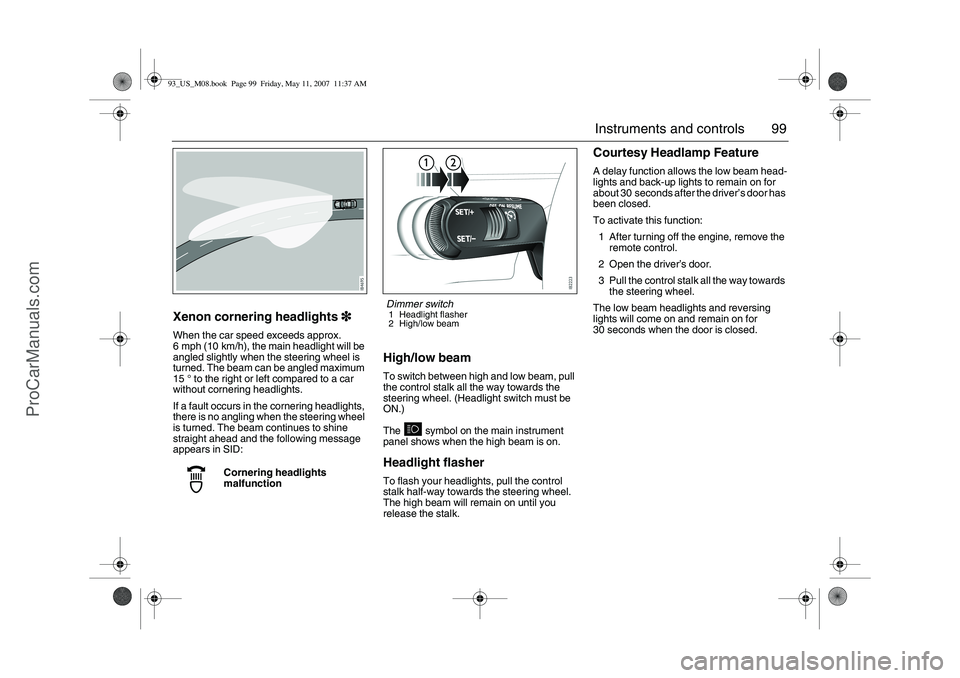
High/low beamTo switch between high and low beam, pull
the control stalk all the way towards the
steering wheel. (Headlight switch must be
ON.)
The symbol on the main instrument
panel shows when the high beam is on.Headlight flasherTo flash your headlights, pull the control
stalk half-way towards the steering wheel.
The high beam will remain on until you
release the stalk.
Courtesy Headlamp FeatureA delay function allows the low beam head-
lights and back-up lights to remain on for
about 30 seconds after the driver’s door has
been closed.
To activate this function:
1 After turning off the engine, remove the
remote control.
2 Open the driver’s door.
3 Pull the control stalk all the way towards
the steering wheel.
The low beam headlights and reversing
lights will come on and remain on for
30 seconds when the door is closed.
Cornering headlights
malfunction
Dimmer switch1 Headlight flasher
2 High/low beam
93_US_M08.book Page 99 Friday, May 11, 2007 11:37 AM
ProCarManuals.com
Page 100 of 320
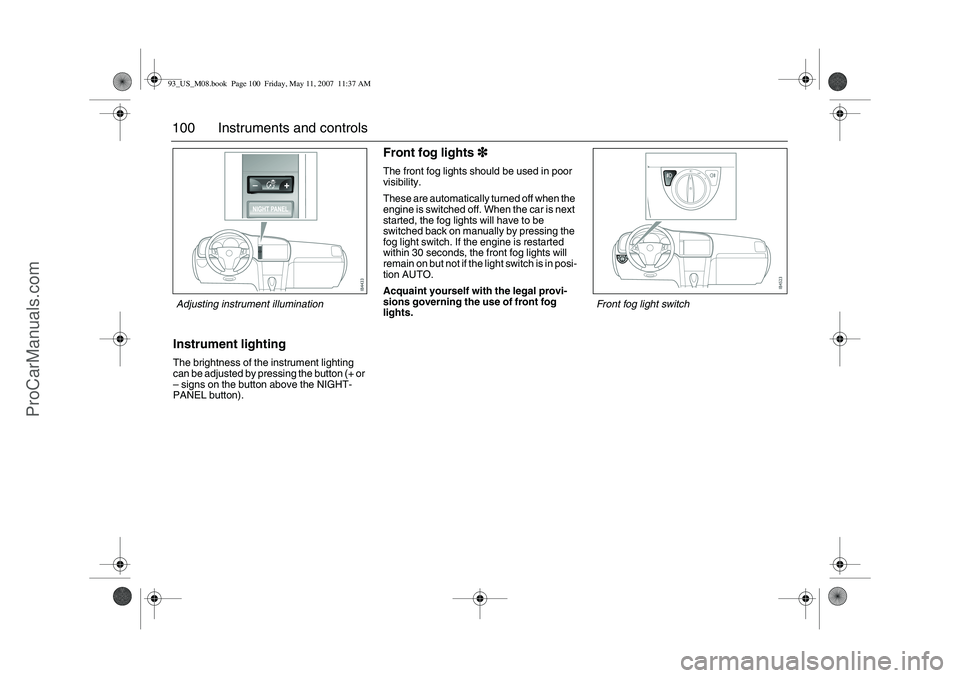
100 Instruments and controlsInstrument lightingThe brightness of the instrument lighting
can be adjusted by pressing the button (+ or
– signs on the button above the NIGHT-
PANEL button).
Front fog lights3
33 3 The front fog lights should be used in poor
visibility.
These are automatically turned off when the
engine is switched off. When the car is next
started, the fog lights will have to be
switched back on manually by pressing the
fog light switch. If the engine is restarted
within 30 seconds, the front fog lights will
remain on but not if the light switch is in posi-
tion AUTO.
Acquaint yourself with the legal provi-
sions governing the use of front fog
lights.
Front fog light switch
Adjusting instrument illumination93_US_M08.book Page 100 Friday, May 11, 2007 11:37 AM
ProCarManuals.com
Page 101 of 320
101 Instruments and controls
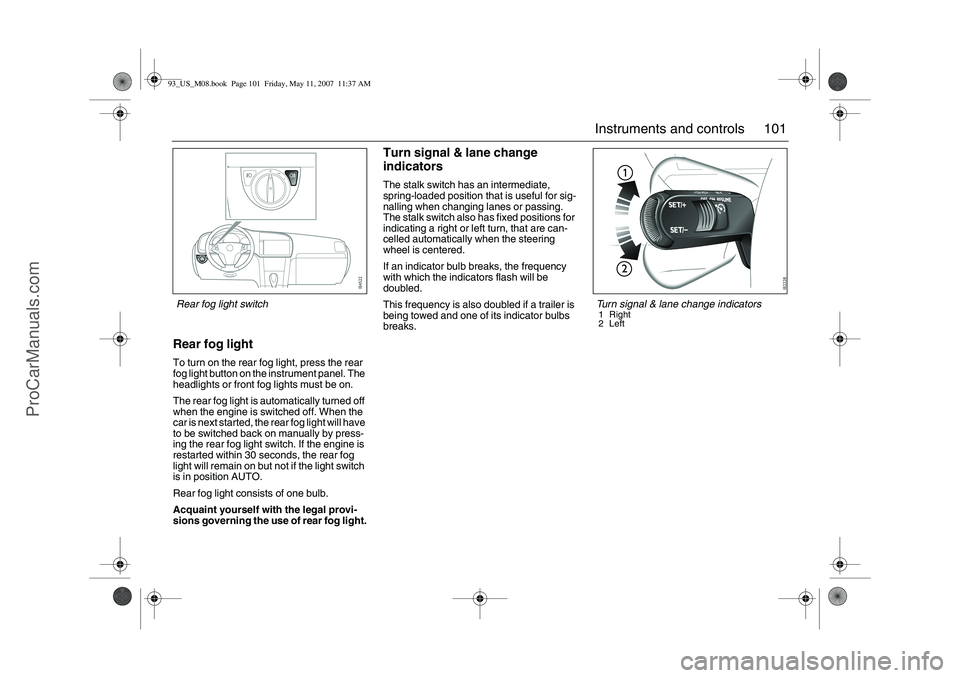
Rear fog lightTo turn on the rear fog light, press the rear
fog light button on the instrument panel. The
headlights or front fog lights must be on.
The rear fog light is automatically turned off
when the engine is switched off. When the
car is next started, the rear fog light will have
to be switched back on manually by press-
ing the rear fog light switch. If the engine is
restarted within 30 seconds, the rear fog
light will remain on but not if the light switch
is in position AUTO.
Rear fog light consists of one bulb.
Acquaint yourself with the legal provi-
sions governing the use of rear fog light.
Turn signal & lane change
indicatorsThe stalk switch has an intermediate,
spring-loaded position that is useful for sig-
nalling when changing lanes or passing.
The stalk switch also has fixed positions for
indicating a right or left turn, that are can-
celled automatically when the steering
wheel is centered.
If an indicator bulb breaks, the frequency
with which the indicators flash will be
doubled.
This frequency is also doubled if a trailer is
being towed and one of its indicator bulbs
breaks.
Turn signal & lane change indicators1 Right
2Left
Rear fog light switch93_US_M08.book Page 101 Friday, May 11, 2007 11:37 AM
ProCarManuals.com