lights SAAB 9-3 2008 User Guide
[x] Cancel search | Manufacturer: SAAB, Model Year: 2008, Model line: 9-3, Model: SAAB 9-3 2008Pages: 320, PDF Size: 56.39 MB
Page 78 of 320
78 9-3 ConvertibleCalibrating front electric
windows with pinch protection3
33 3The window lifts should be calibrated if auto-
matic closing does not work or if the battery
has been disconnected. The pinch protec-
tion will not work if the windows are not
calibrated.
Perform calibration as follows:
1 Make sure the soft top is raised.
2 Make sure the doors are closed.
3 Let the engine idle.
4 Press and hold the soft top button up
until a chime sounds.
During calibration, the four windows will
be raised and lowered several times.
If calibration fails twice in a row, have the car
checked and rectified. We recommend that
you contact a Saab dealer.
Interior lightingThe interior lighting consists of a front roof
light, two front reading lights, footfall lighting
and courtesy lighting in the doors. The light
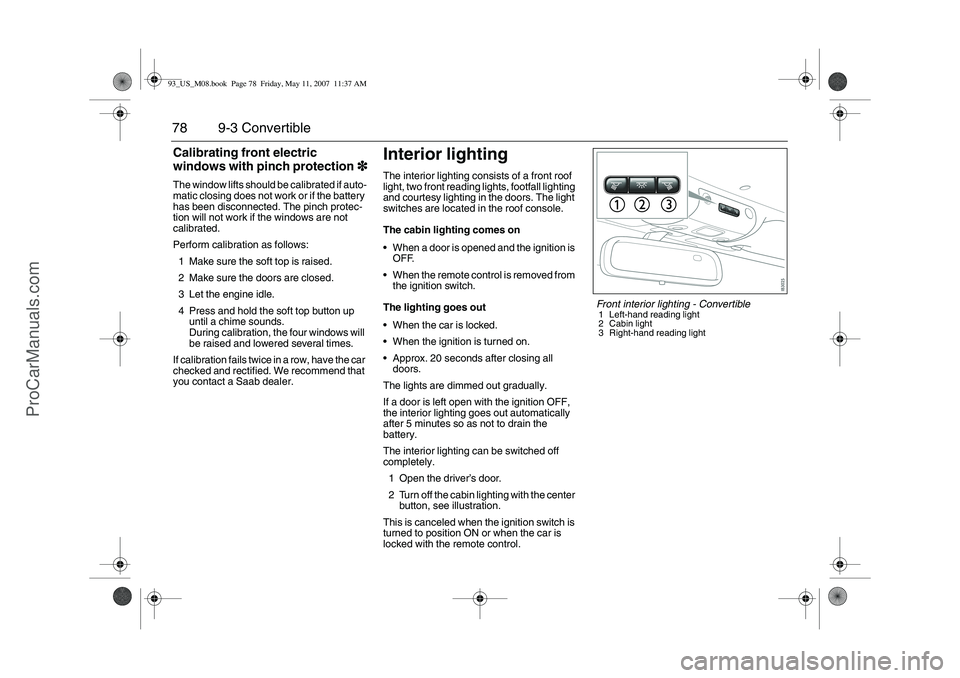
switches are located in the roof console.
The cabin lighting comes on
When a door is opened and the ignition is
OFF.
When the remote control is removed from
the ignition switch.
The lighting goes out
When the car is locked.
When the ignition is turned on.
Approx. 20 seconds after closing all
doors.
The lights are dimmed out gradually.
If a door is left open with the ignition OFF,
the interior lighting goes out automatically
after 5 minutes so as not to drain the
battery.
The interior lighting can be switched off
completely.
1 Open the driver’s door.
2 Turn off the cabin lighting with the center
button, see illustration.
This is canceled when the ignition switch is
turned to position ON or when the car is
locked with the remote control.
Front interior lighting - Convertible1 Left-hand reading light
2 Cabin light
3 Right-hand reading light
93_US_M08.book Page 78 Friday, May 11, 2007 11:37 AM
ProCarManuals.com
Page 81 of 320
81 Instruments and controls
Warning and indicator
lights _______________ 82
Instruments ___________ 87
Saab Information Display
(SID) ________________ 89
Switches _____________ 97
Wipers and washers ____ 103
Automatic climate-
control system (ACC)__ 107
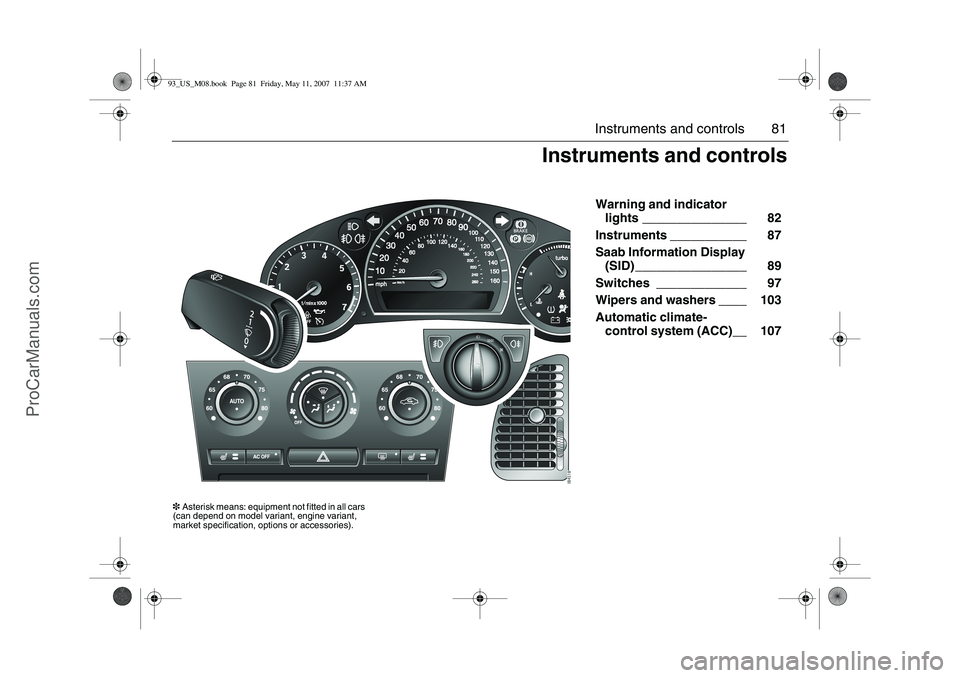
Instruments and controls
3Asterisk means: equipment not fitted in all cars
(can depend on model variant, engine variant,
market specification, options or accessories).93_US_M08.book Page 81 Friday, May 11, 2007 11:37 AM
ProCarManuals.com
Page 82 of 320
82 Instruments and controls
Warning and indicator
lightsThe warnings and indications that can be
shown depend on the engine variant and
equipment level.
This warning light illuminates when a fault
arises in the antilock brake system.
The following message is shown on the
Saab Information Display (SID):
The brake system will continue to function
but without ABS modulation. See also
page 172.
Antilock braking warningAntilock brake malfunc.
Contact service.
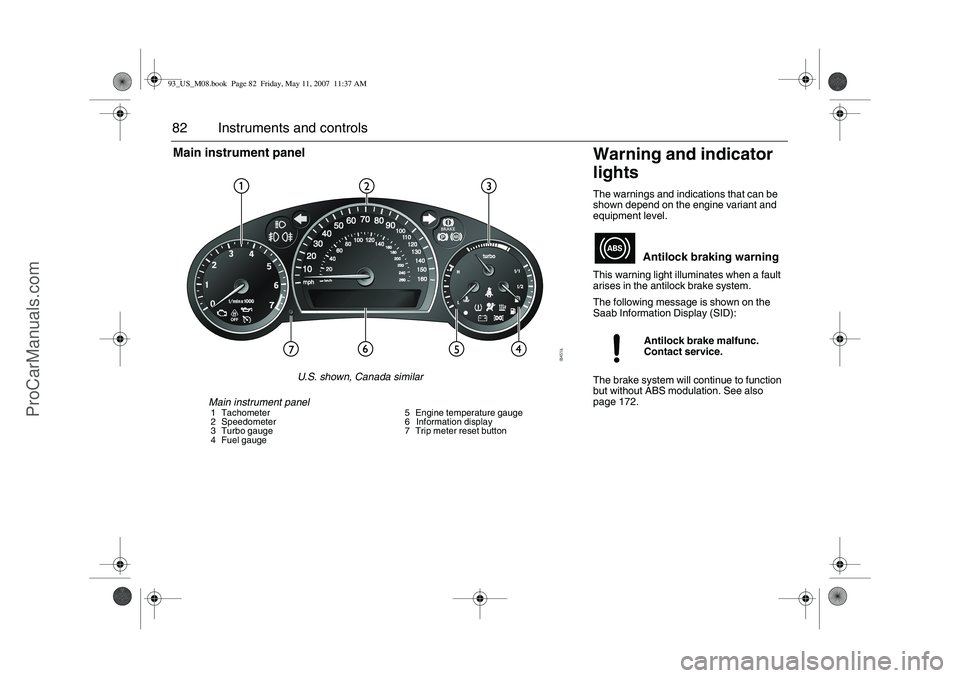
Main instrument panel1 Tachometer
2 Speedometer
3 Turbo gauge
4 Fuel gauge5 Engine temperature gauge
6 Information display
7 Trip meter reset button
Main instrument panel
U.S. shown, Canada similar
93_US_M08.book Page 82 Friday, May 11, 2007 11:37 AM
ProCarManuals.com
Page 84 of 320
84 Instruments and controlsatmosphere. A few driving trips with the cap
properly installed should turn the light off.
If the light is still on the car may still be driven
with care but the performance of the engine
will be somewhat diminished (see
page 156).
The following message is shown on the
Saab Information Display (SID):
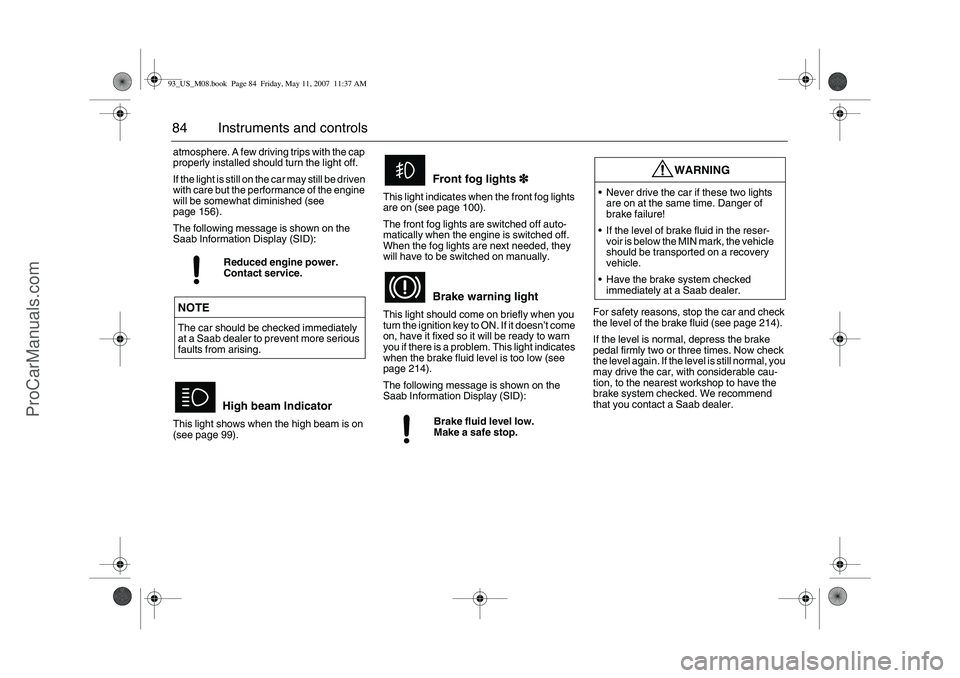
This light shows when the high beam is on
(see page 99).This light indicates when the front fog lights
are on (see page 100).
The front fog lights are switched off auto-
matically when the engine is switched off.
When the fog lights are next needed, they
will have to be switched on manually.
This light should come on briefly when you
turn the ignition key to ON. If it doesn’t come
on, have it fixed so it will be ready to warn
you if there is a problem. This light indicates
when the brake fluid level is too low (see
page 214).
The following message is shown on the
Saab Information Display (SID):For safety reasons, stop the car and check
the level of the brake fluid (see page 214).
If the level is normal, depress the brake
pedal firmly two or three times. Now check
the level again. If the level is still normal, you
may drive the car, with considerable cau-
tion, to the nearest workshop to have the
brake system checked. We recommend
that you contact a Saab dealer. Reduced engine power.
Contact service.NOTEThe car should be checked immediately
at a Saab dealer to prevent more serious
faults from arising.
High beam Indicator
Front fog lights3
33 3
Brake warning lightBrake fluid level low.
Make a safe stop.
WARNING
Never drive the car if these two lights
are on at the same time. Danger of
brake failure!
If the level of brake fluid in the reser-
voir is below the MIN mark, the vehicle
should be transported on a recovery
vehicle.
Have the brake system checked
immediately at a Saab dealer.
93_US_M08.book Page 84 Friday, May 11, 2007 11:37 AM
ProCarManuals.com
Page 85 of 320
85 Instruments and controls
The brake system provides Electronic
Brakeforce Distribution (EBD). This distrib-
utes the brake pressure between the front
and rear wheels, in such a way as to achieve
optimum braking performance irrespective
of the car’s load.
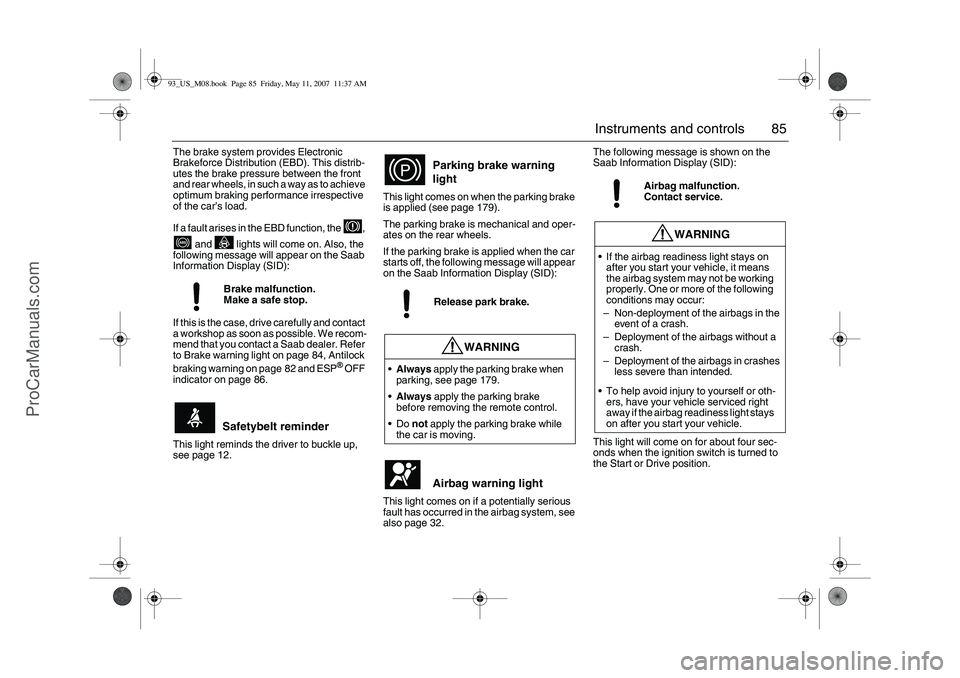
If a fault arises in the EBD function, the ,
and lights will come on. Also, the
following message will appear on the Saab
Information Display (SID):
If this is the case, drive carefully and contact
a workshop as soon as possible. We recom-
mend that you contact a Saab dealer. Refer
to Brake warning light on page 84, Antilock
braking warning on page 82 and ESP
® OFF
indicator on page 86.
This light reminds the driver to buckle up,
see page 12.This light comes on when the parking brake
is applied (see page 179).
The parking brake is mechanical and oper-
ates on the rear wheels.
If the parking brake is applied when the car
starts off, the following message will appear
on the Saab Information Display (SID):
This light comes on if a potentially serious
fault has occurred in the airbag system, see
also page 32.The following message is shown on the
Saab Information Display (SID):
This light will come on for about four sec-
onds when the ignition switch is turned to
the Start or Drive position. Brake malfunction.
Make a safe stop.
Safetybelt reminder
Parking brake warning
lightRelease park brake.
WARNING
Always apply the parking brake when
parking, see page 179.
Always apply the parking brake
before removing the remote control.
Do not apply the parking brake while
the car is moving.
Airbag warning light
Airbag malfunction.
Contact service.
WARNING
If the airbag readiness light stays on
after you start your vehicle, it means
the airbag system may not be working
properly. One or more of the following
conditions may occur:
–Non-deployment of the airbags in the
event of a crash.
–Deployment of the airbags without a
crash.
–Deployment of the airbags in crashes
less severe than intended.
To help avoid injury to yourself or oth-
ers, have your vehicle serviced right
away if the airbag readiness light stays
on after you start your vehicle.
93_US_M08.book Page 85 Friday, May 11, 2007 11:37 AM
ProCarManuals.com
Page 86 of 320
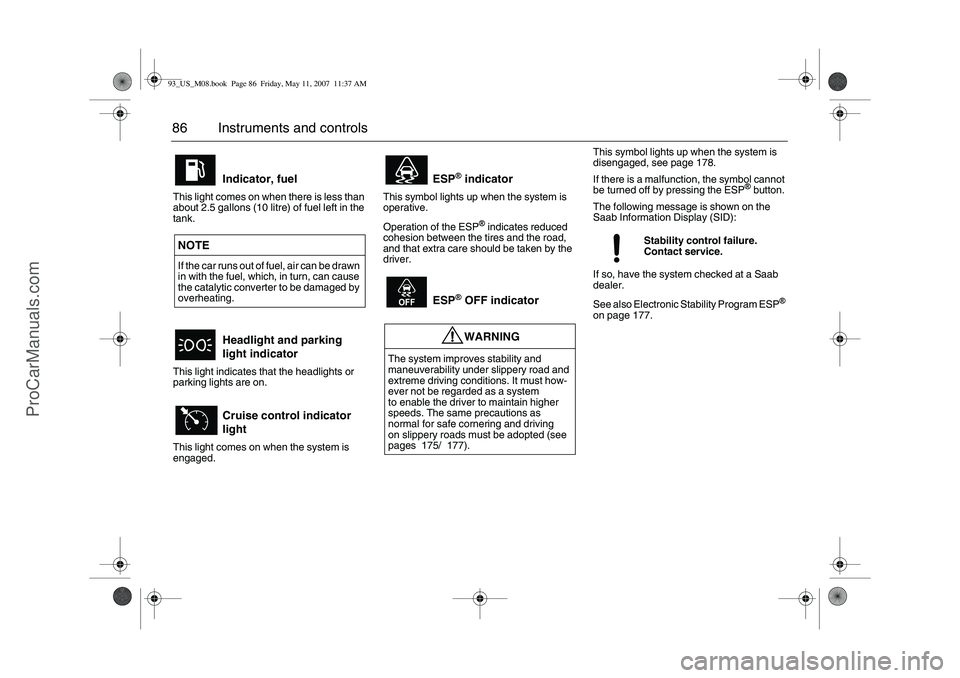
86 Instruments and controlsThis light comes on when there is less than
about 2.5 gallons (10 litre) of fuel left in the
tank.
This light indicates that the headlights or
parking lights are on.
This light comes on when the system is
engaged.This symbol lights up when the system is
operative.
Operation of the ESP
® indicates reduced
cohesion between the tires and the road,
and that extra care should be taken by the
driver.This symbol lights up when the system is
disengaged, see page 178.
If there is a malfunction, the symbol cannot
be turned off by pressing the ESP
® button.
The following message is shown on the
Saab Information Display (SID):
If so, have the system checked at a Saab
dealer.
See also Electronic Stability Program ESP
®
on page 177.
Indicator, fuel
NOTE
If the car runs out of fuel, air can be drawn
in with the fuel, which, in turn, can cause
the catalytic converter to be damaged by
overheating.
Headlight and parking
light indicator
Cruise control indicator
light
ESP
® indicator
ESP® OFF indicatorWARNING
The system improves stability and
maneuverability under slippery road and
extreme driving conditions. It must how-
ever not be regarded as a system
to enable the driver to maintain higher
speeds. The same precautions as
normal for safe cornering and driving
on slippery roads must be adopted (see
pages 175/ 177).
Stability control failure.
Contact service.
93_US_M08.book Page 86 Friday, May 11, 2007 11:37 AM
ProCarManuals.com
Page 87 of 320
87 Instruments and controls
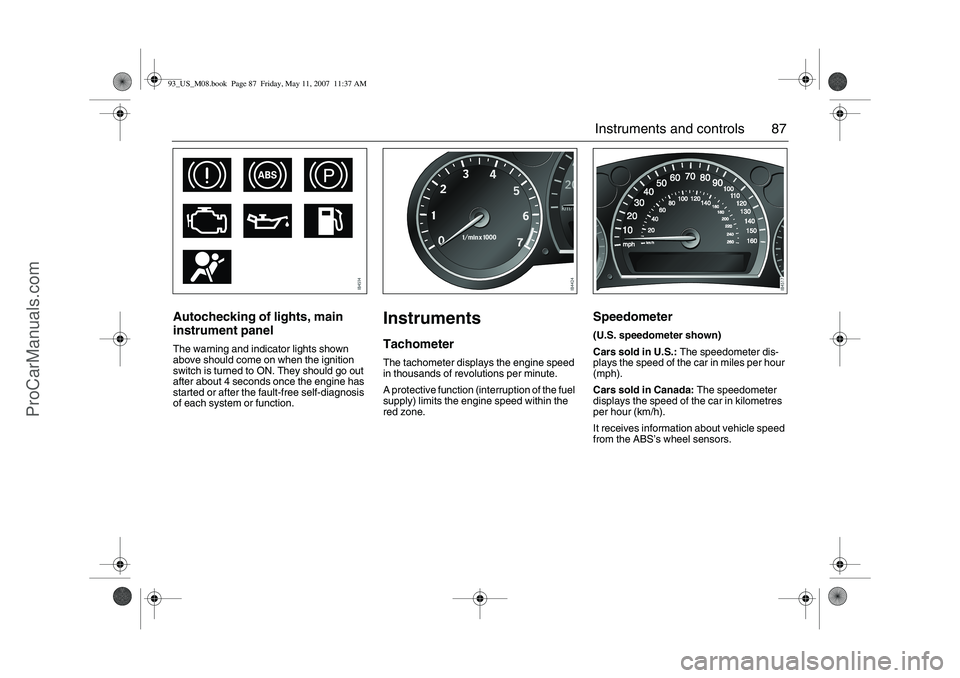
Autochecking of lights, main
instrument panelThe warning and indicator lights shown
above should come on when the ignition
switch is turned to ON. They should go out
after about 4 seconds once the engine has
started or after the fault-free self-diagnosis
of each system or function.
InstrumentsTachometerThe tachometer displays the engine speed
in thousands of revolutions per minute.
A protective function (interruption of the fuel
supply) limits the engine speed within the
red zone.
Speedometer (U.S. speedometer shown)
Cars sold in U.S.: The speedometer dis-
plays the speed of the car in miles per hour
(mph).
Cars sold in Canada: The speedometer
displays the speed of the car in kilometres
per hour (km/h).
It receives information about vehicle speed
from the ABS’s wheel sensors.
93_US_M08.book Page 87 Friday, May 11, 2007 11:37 AM
ProCarManuals.com
Page 90 of 320
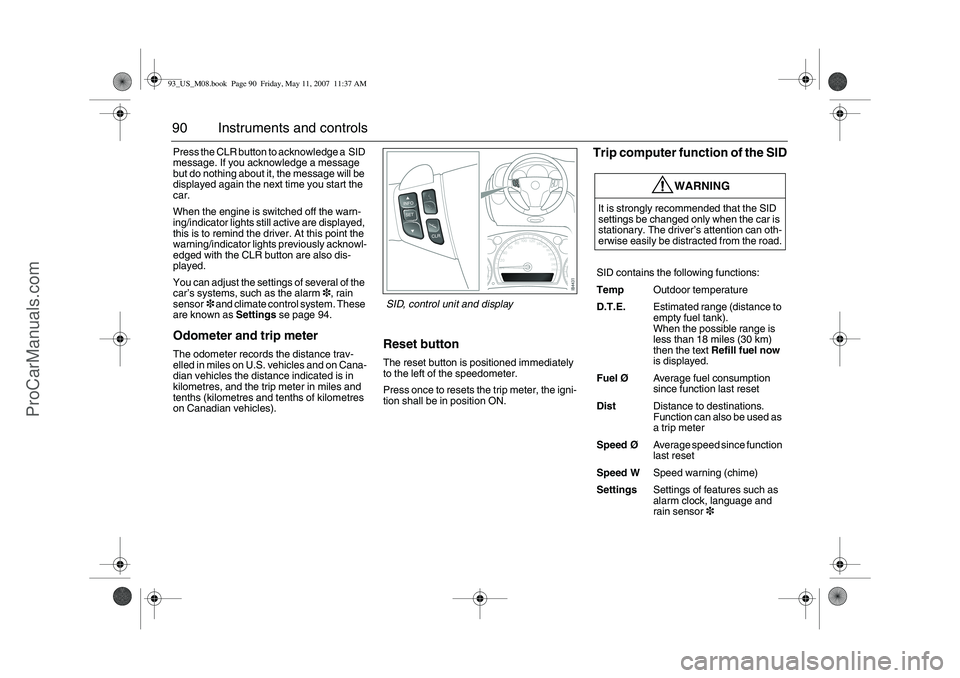
90 Instruments and controlsPress the CLR button to acknowledge a SID
message. If you acknowledge a message
but do nothing about it, the message will be
displayed again the next time you start the
car.
When the engine is switched off the warn-
ing/indicator lights still active are displayed,
this is to remind the driver. At this point the
warning/indicator lights previously acknowl-
edged with the CLR button are also dis-
played.
You can adjust the settings of several of the
car’s systems, such as the alarm3, rain
sensor3 and climate control system. These
are known as Settings se page 94.Odometer and trip meterThe odometer records the distance trav-
elled in miles on U.S. vehicles and on Cana-
dian vehicles the distance indicated is in
kilometres, and the trip meter in miles and
tenths (kilometres and tenths of kilometres
on Canadian vehicles).
Reset buttonThe reset button is positioned immediately
to the left of the speedometer.
Press once to resets the trip meter, the igni-
tion shall be in position ON.
Trip computer function of the SID
WARNING
It is strongly recommended that the SID
settings be changed only when the car is
stationary. The driver’s attention can oth-
erwise easily be distracted from the road.
SID contains the following functions:
TempOutdoor temperature
D.T.E.Estimated range (distance to
empty fuel tank).
When the possible range is
less than 18 miles (30 km)
then the text Refill fuel now
is displayed.
FuelØAverage fuel consumption
since function last reset
DistDistance to destinations.
Function can also be used as
a trip meter
SpeedØAverage speed since function
last reset
Speed WSpeed warning (chime)
SettingsSettings of features such as
alarm clock, language and
rain sensor3
SID, control unit and display
93_US_M08.book Page 90 Friday, May 11, 2007 11:37 AM
ProCarManuals.com
Page 93 of 320
93 Instruments and controls
You can check the distance left by selecting
Dist. At the same time you can check the
calculated time of arrival.
After the distance to destination has
decreased to zero, Dist will function as a trip
meter (see Using DIST as a trip meter). The
starting value for the trip meter will be the
last distance set for the Dist function.
Example: The Dist function is set to
100 miles. After the count-down has
reached 0 miles, Dist will act as a trip meter
beginning at 100 miles.Calculating the arrival time if a specified
average speed is maintained
(When will I arrive if I know how far I have to
drive and know what my average speed will
be?)
This function should be used before starting
out a journey.
First, set the distance under Dist.
1 Then select SpeedØ function.
2 Press and hold the SET button until
given audible confirmation.
3 Set the estimated average speed using
the steering wheel controls.
4 Confirm the setting by pressing the SET
button.
The distance and the calculated time of
arrival is now displayed.
The time of arrival is updated during the
journey based on the average speed since
Dist was set. The speed of the car must
exceed 12 mph (20 km/h).
By selecting Dist during the journey, you
can see how much distance is left to travel.
When Dist reaches zero it acts as a trip
meter. The trip meter starts from the dis-
tance that was set previously.
NIGHTPANELTo improve night-driving conditions inside
the car, the Night Panel mode can be
selected. In this mode, the amount of infor-
mation displayed is reduced, and only the
most important instruments and displays
will be illuminated.
When the NIGHTPANEL button is pressed,
only the speedometer will be illuminated.
All other instrument lighting will be switched
off and the needles drop to zero.
Note: All indicator and warning lights and
messages will operate normally if required.
Temp (when the outside temperature falls
or rises to between 26 and 38°F (–3 and
+3°C)) and D.T.E. (when the remaining fuel
is only sufficient for approx. 80 miles
(50 km) of driving) are even shown in Night
Panel model.
93_US_M08.book Page 93 Friday, May 11, 2007 11:37 AM
ProCarManuals.com
Page 97 of 320
97 Instruments and controls
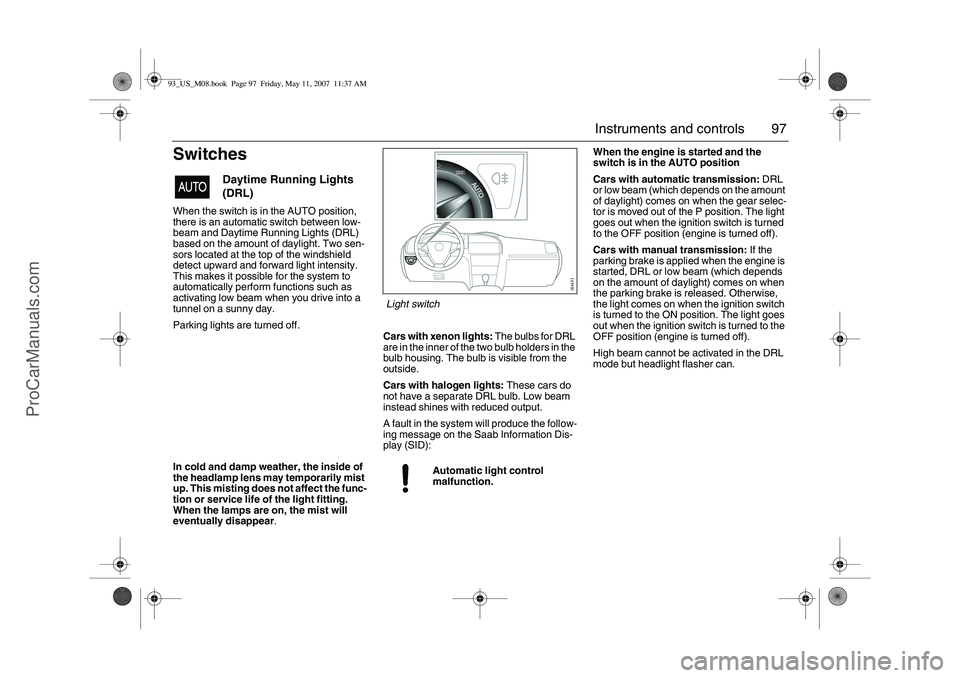
SwitchesWhen the switch is in the AUTO position,
there is an automatic switch between low-
beam and Daytime Running Lights (DRL)
based on the amount of daylight. Two sen-
sors located at the top of the windshield
detect upward and forward light intensity.
This makes it possible for the system to
automatically perform functions such as
activating low beam when you drive into a
tunnel on a sunny day.
Parking lights are turned off.
Cars with xenon lights: The bulbs for DRL
are in the inner of the two bulb holders in the
bulb housing. The bulb is visible from the
outside.
Cars with halogen lights: These cars do
not have a separate DRL bulb. Low beam
instead shines with reduced output.
A fault in the system will produce the follow-
ing message on the Saab Information Dis-
play (SID):When the engine is started and the
switch is in the AUTO position
Cars with automatic transmission: DRL
or low beam (which depends on the amount
of daylight) comes on when the gear selec-
tor is moved out of the P position. The light
goes out when the ignition switch is turned
to the OFF position (engine is turned off).
Cars with manual transmission: If the
parking brake is applied when the engine is
started, DRL or low beam (which depends
on the amount of daylight) comes on when
the parking brake is released. Otherwise,
the light comes on when the ignition switch
is turned to the ON position. The light goes
out when the ignition switch is turned to the
OFF position (engine is turned off).
High beam cannot be activated in the DRL
mode but headlight flasher can.
Daytime Running Lights
(DRL)
Automatic light control
malfunction.
In cold and damp weather, the inside of
the headlamp lens may temporarily mist
up. This misting does not affect the func-
tion or service life of the light fitting.
When the lamps are on, the mist will
eventually disappear.
Light switch
93_US_M08.book Page 97 Friday, May 11, 2007 11:37 AM
ProCarManuals.com