wheel SAAB 9-3 2008 Owner's Manual
[x] Cancel search | Manufacturer: SAAB, Model Year: 2008, Model line: 9-3, Model: SAAB 9-3 2008Pages: 320, PDF Size: 56.39 MB
Page 94 of 320
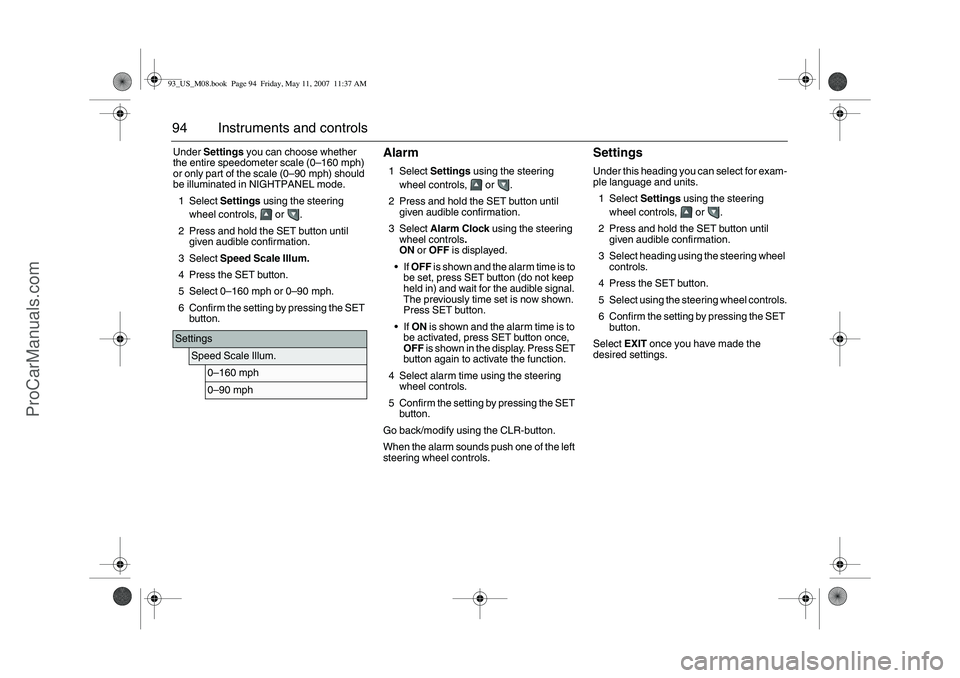
94 Instruments and controlsUnder Settings you can choose whether
the entire speedometer scale (0–160 mph)
or only part of the scale (0–90 mph) should
be illuminated in NIGHTPANEL mode.
1Select Settings using the steering
wheel controls, or .
2 Press and hold the SET button until
given audible confirmation.
3Select Speed Scale Illum.
4 Press the SET button.
5Select 0–160 mph or 0–90 mph.
6 Confirm the setting by pressing the SET
button.
Alarm1Select Settings using the steering
wheel controls, or .
2 Press and hold the SET button until
given audible confirmation.
3Select Alarm Clock using the steering
wheel controls.
ON or OFF is displayed.
If OFF is shown and the alarm time is to
be set, press SET button (do not keep
held in) and wait for the audible signal.
The previously time set is now shown.
Press SET button.
If ON is shown and the alarm time is to
be activated, press SET button once,
OFF is shown in the display. Press SET
button again to activate the function.
4 Select alarm time using the steering
wheel controls.
5 Confirm the setting by pressing the SET
button.
Go back/modify using the CLR-button.
When the alarm sounds push one of the left
steering wheel controls.
SettingsUnder this heading you can select for exam-
ple language and units.
1Select Settings using the steering
wheel controls, or .
2 Press and hold the SET button until
given audible confirmation.
3 Select heading using the steering wheel
controls.
4 Press the SET button.
5 Select using the steering wheel controls.
6 Confirm the setting by pressing the SET
button.
Select EXIT once you have made the
desired settings.
Settings
Speed Scale Illum.
0–160 mph0–90 mph
93_US_M08.book Page 94 Friday, May 11, 2007 11:37 AM
ProCarManuals.com
Page 96 of 320
96 Instruments and controlsExplanation of the various selections under
Settings.Resetting the service indication
Reset the service indication in accordance
with the following:
1 Turn the ignition switch to the ON posi-
tion, the engine must be switched off.
2Select Settings using the steering
wheel controls, or .
3 Press and hold the SET button until
given audible confirmation.
4Select Time for Service.
5 Press the SET button.
6 To the question Reset Service Ind?
select YES (Press CLR button to undo).
ClockAdjustments can be made in the Infotain-
ment system.
See separate Manual. Rain Sensor
The sensitivity has three levels.
Park Assistance
The Park Assistance can be shut off by
choosing OFF.
Alarm Clock
Setting of alarm clock is possible.
Language
Select the desired language. The num-
ber of languages can vary between
markets.
Speed Scale Illum.
Select the proportion of the speedo-
meter to be illuminated in NIGHT-
PANEL mode.
Speed Scale Sel.
Select if both scales or just mph-scale
shall be illuminated in NIGHTPANEL
mode.Unit
Select the desired group of units.
Next Service: xx%
Displayed percentage is approximately
equivalent to the condition of the
engine oil. 100% is equivalent to new
engine oil. The type of service that is
required is also shown here.
Time for Service.
When it is time for service the required
service type is displayed.
INTERMEDIATE
MAIN
MAIN & INTERMED
A service indication must only be
reset after the service has been
performed.
TCS/ESP
Select whether the system shall be on
or off. The car has either TCS or ESP.
93_US_M08.book Page 96 Friday, May 11, 2007 11:37 AM
ProCarManuals.com
Page 99 of 320
99 Instruments and controls
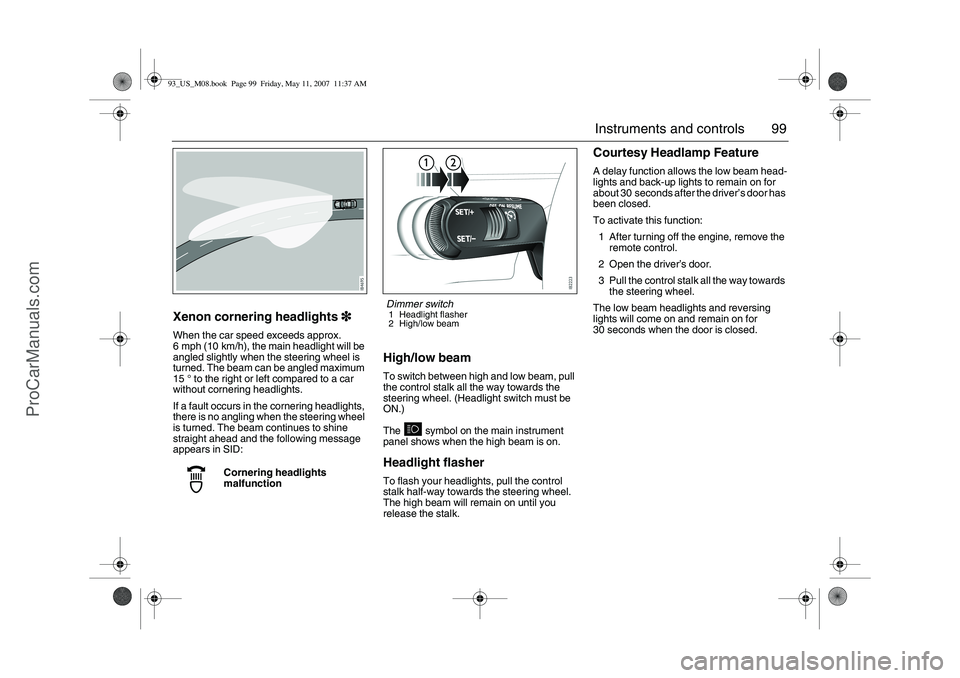
Xenon cornering headlights3
33 3When the car speed exceeds approx.
6 mph (10 km/h), the main headlight will be
angled slightly when the steering wheel is
turned. The beam can be angled maximum
15° to the right or left compared to a car
without cornering headlights.
If a fault occurs in the cornering headlights,
there is no angling when the steering wheel
is turned. The beam continues to shine
straight ahead and the following message
appears in SID:
High/low beamTo switch between high and low beam, pull
the control stalk all the way towards the
steering wheel. (Headlight switch must be
ON.)
The symbol on the main instrument
panel shows when the high beam is on.Headlight flasherTo flash your headlights, pull the control
stalk half-way towards the steering wheel.
The high beam will remain on until you
release the stalk.
Courtesy Headlamp FeatureA delay function allows the low beam head-
lights and back-up lights to remain on for
about 30 seconds after the driver’s door has
been closed.
To activate this function:
1 After turning off the engine, remove the
remote control.
2 Open the driver’s door.
3 Pull the control stalk all the way towards
the steering wheel.
The low beam headlights and reversing
lights will come on and remain on for
30 seconds when the door is closed.
Cornering headlights
malfunction
Dimmer switch1 Headlight flasher
2 High/low beam
93_US_M08.book Page 99 Friday, May 11, 2007 11:37 AM
ProCarManuals.com
Page 101 of 320
101 Instruments and controls
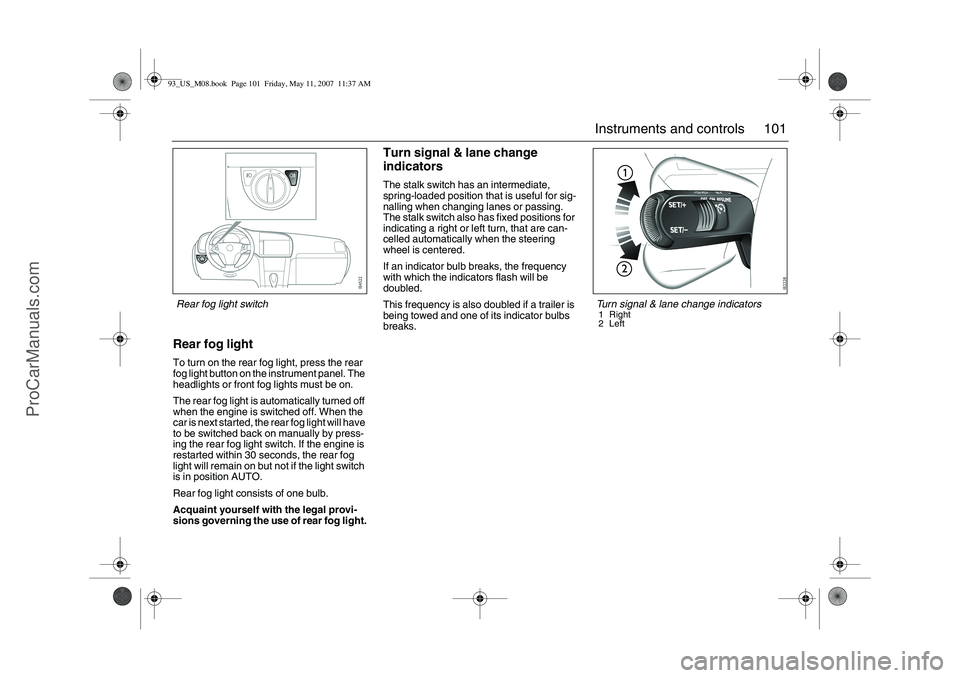
Rear fog lightTo turn on the rear fog light, press the rear
fog light button on the instrument panel. The
headlights or front fog lights must be on.
The rear fog light is automatically turned off
when the engine is switched off. When the
car is next started, the rear fog light will have
to be switched back on manually by press-
ing the rear fog light switch. If the engine is
restarted within 30 seconds, the rear fog
light will remain on but not if the light switch
is in position AUTO.
Rear fog light consists of one bulb.
Acquaint yourself with the legal provi-
sions governing the use of rear fog light.
Turn signal & lane change
indicatorsThe stalk switch has an intermediate,
spring-loaded position that is useful for sig-
nalling when changing lanes or passing.
The stalk switch also has fixed positions for
indicating a right or left turn, that are can-
celled automatically when the steering
wheel is centered.
If an indicator bulb breaks, the frequency
with which the indicators flash will be
doubled.
This frequency is also doubled if a trailer is
being towed and one of its indicator bulbs
breaks.
Turn signal & lane change indicators1 Right
2Left
Rear fog light switch93_US_M08.book Page 101 Friday, May 11, 2007 11:37 AM
ProCarManuals.com
Page 104 of 320
104 Instruments and controls
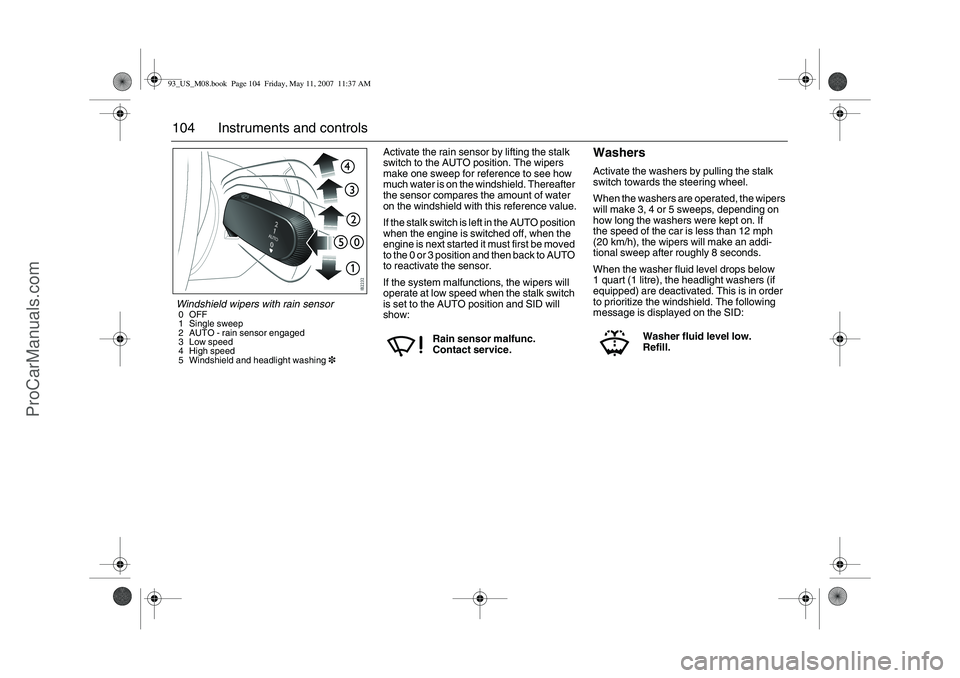
Activate the rain sensor by lifting the stalk
switch to the AUTO position. The wipers
make one sweep for reference to see how
much water is on the windshield. Thereafter
the sensor compares the amount of water
on the windshield with this reference value.
If the stalk switch is left in the AUTO position
when the engine is switched off, when the
engine is next started it must first be moved
to the 0 or 3 position and then back to AUTO
to reactivate the sensor.
If the system malfunctions, the wipers will
operate at low speed when the stalk switch
is set to the AUTO position and SID will
show:
WashersActivate the washers by pulling the stalk
switch towards the steering wheel.
When the washers are operated, the wipers
will make 3, 4 or 5 sweeps, depending on
how long the washers were kept on. If
the speed of the car is less than 12 mph
(20 km/h), the wipers will make an addi-
tional sweep after roughly 8 seconds.
When the washer fluid level drops below
1 quart (1 litre), the headlight washers (if
equipped) are deactivated. This is in order
to prioritize the windshield. The following
message is displayed on the SID:
Rain sensor malfunc.
Contact service.
Washer fluid level low.
Refill.
Windshield wipers with rain sensor0OFF
1 Single sweep
2 AUTO - rain sensor engaged
3 Low speed
4 High speed
5 Windshield and headlight washing393_US_M08.book Page 104 Friday, May 11, 2007 11:37 AM
ProCarManuals.com
Page 105 of 320
105 Instruments and controls
Headlight washers3
33 3The headlights are washed at the same time
as the windshield if the headlights are on.
The headlights are washed every fifth time
the windshield washers are used or if two
(2) minutes have elapsed since the wind-
shield was last washed.
The headlight washers are not activated at
speeds in excess of 125 mph (200 km/h).Adjusting sensitivity
The sensitivity of the rain sensor can be
adjusted under Settings.
1Select Settings using the steering
wheel controls, or .
2 Press and hold the SET button until
given audible confirmation.
3Select Rain Sensor.
4 Press the SET button.
5 Select the sensitivity.
6 Confirm this selection by pressing the
SET button.
Go back/modify using the CLR-button.The sensitivity of the sensor is also affected
by the amount of daylight. The sensor is
somewhat more sensitive at night. This
adjustment is automatic.
Explanation of sensor sensitivity.
Rain Sensor
HIGHMEDIUMLOW
HIGH
The sensor is set to high sensitivity.
The wipers start when there is only
a small amount of water on
the windshield.
MEDIUM
The sensor is set to normal sensitivity.
This is one of the Default Settings.
LOW
The sensor is set to low sensitivity (wip-
ers operate only with a large amount of
water on the windshield, i.e., down-
pour).
93_US_M08.book Page 105 Friday, May 11, 2007 11:37 AM
ProCarManuals.com
Page 115 of 320
115 Instruments and controls
ACC- ConvertibleWhen the soft top is folded, several func-
tions in the ACC-system is effected.
The system adjusts itself as follows:
the sensitivity of the temperature knob
changes
air distribution and fan speed can only be
adjusted manually
Recirculation and rear window heating
are cut out.
The A/C compressor is switched off
(manual activation is possible by pressing
the AC OFF button).
All manual selections are possible with the
exception of rear window heating and
defroster function.
When the soft top is raised, the system
reverts to the AUTO mode and the set tem-
perature.
Note: When the soft top or all the windows
are open in a hot, humid climate, turning the
air conditioning on manually can cause con-
densation to form on cold surfaces, such as
the air ducts.
SettingsSome of the functions of the ACC system
can be customized.
1Select Settings using the steering
wheel controls, or .
2 Press and hold the SET button until
given audible confirmation.
3Select Climate System.
4 Press the SET button.
5 Select the Rear Defroster, Heated
Seats, Fan Settings, A/C Mode or
Default Settings.
6 Press the SET button.
7 Make your selection.
8 Confirm your selection by pressing the
SET button.
SettingsClimate System
Rear Defroster
AUTOMANUAL
Heated Seats
AUTOMANUAL
Fan Settings
HIGH SPEEDMEDIUM SPEEDLOW SPEED
A/C Mode
AUTOOFF
Default Settings
Are you sure?YES NO
93_US_M08.book Page 115 Friday, May 11, 2007 11:37 AM
ProCarManuals.com
Page 119 of 320
119 Interior equipment
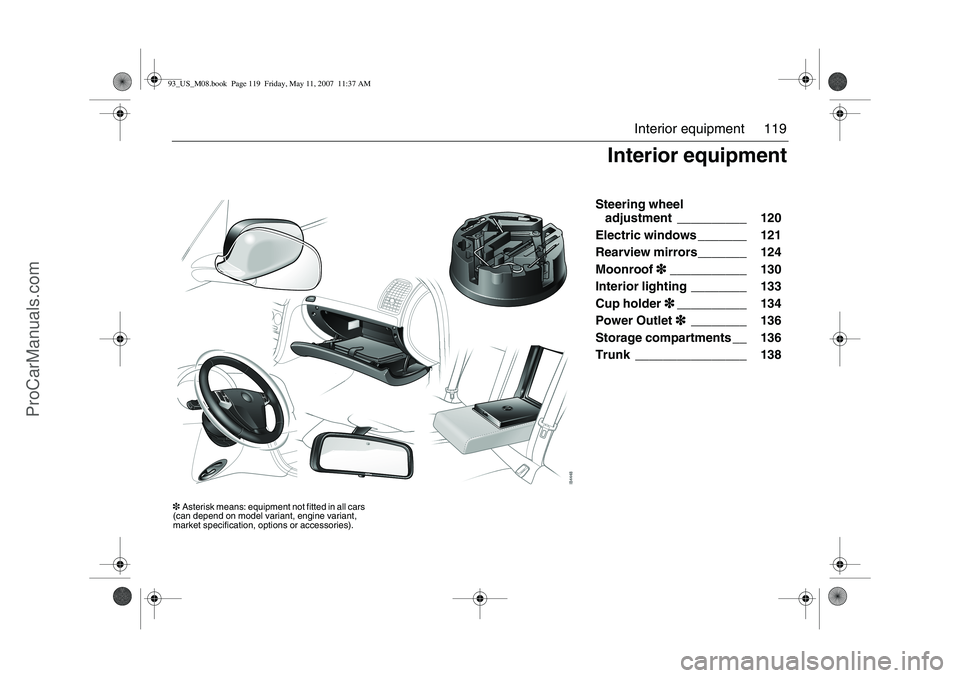
Steering wheel
adjustment __________ 120
Electric windows _______ 121
Rearview mirrors_______ 124
Moonroof3
33 3___________ 130
Interior lighting ________ 133
Cup holder3
33 3__________ 134
Power Outlet3
33 3________ 136
Storage compartments __ 136
Trunk ________________ 138
Interior equipment
3Asterisk means: equipment not fitted in all cars
(can depend on model variant, engine variant,
market specification, options or accessories).93_US_M08.book Page 119 Friday, May 11, 2007 11:37 AM
ProCarManuals.com
Page 120 of 320
120 Interior equipmentSteering wheel
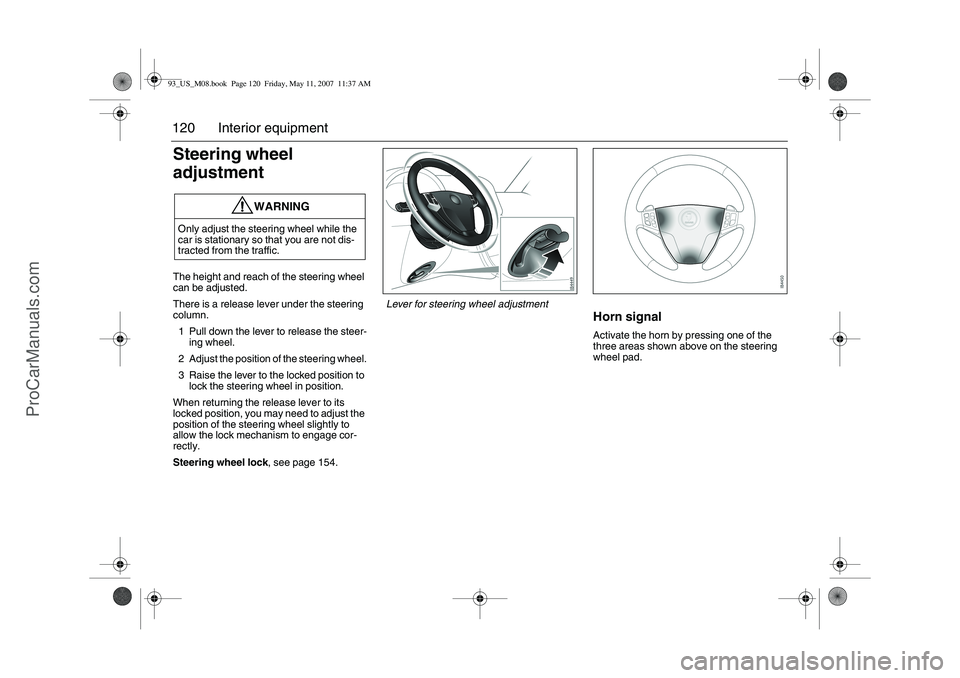
adjustmentThe height and reach of the steering wheel
can be adjusted.
There is a release lever under the steering
column.
1 Pull down the lever to release the steer-
ing wheel.
2 Adjust the position of the steering wheel.
3 Raise the lever to the locked position to
lock the steering wheel in position.
When returning the release lever to its
locked position, you may need to adjust the
position of the steering wheel slightly to
allow the lock mechanism to engage cor-
rectly.
Steering wheel lock, see page 154.
Horn signalActivate the horn by pressing one of the
three areas shown above on the steering
wheel pad.
WARNING
Only adjust the steering wheel while the
car is stationary so that you are not dis-
tracted from the traffic.
Lever for steering wheel adjustment
93_US_M08.book Page 120 Friday, May 11, 2007 11:37 AM
ProCarManuals.com
Page 142 of 320
142 Interior equipment
Trunk lightingOn the underside of the parcel shelf is a light
that is switched on and off when the trunk is
opened and closed.
If the trunk lid is left open, the lighting will be
switched off automatically after 20 minutes
to prevent the battery from running flat.
Emergency opening of the
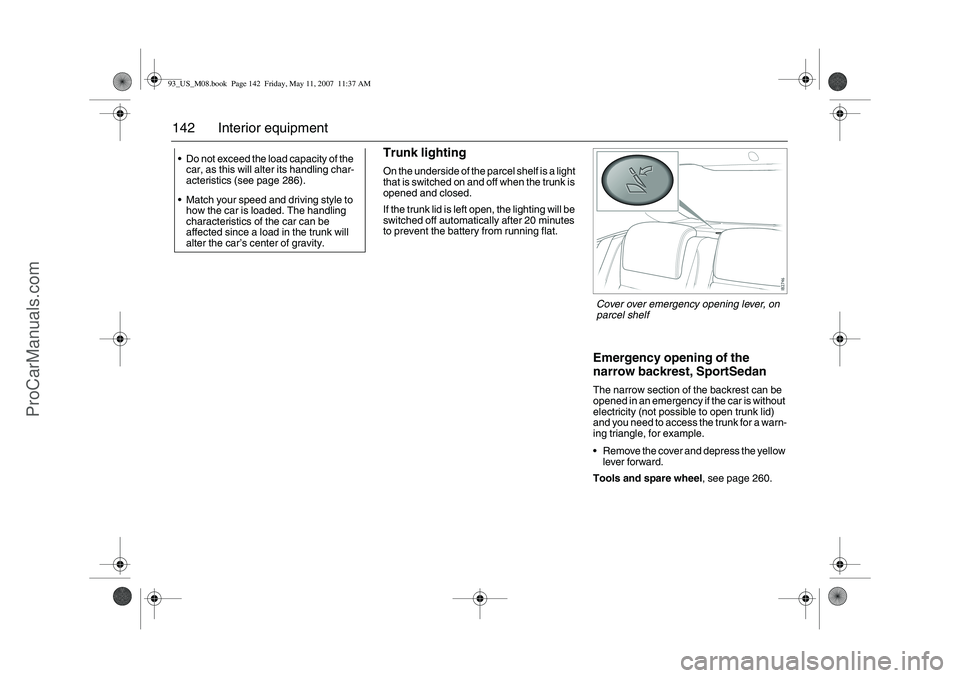
narrow backrest, SportSedanThe narrow section of the backrest can be
opened in an emergency if the car is without
electricity (not possible to open trunk lid)
and you need to access the trunk for a warn-
ing triangle, for example.
Remove the cover and depress the yellow
lever forward.
Tools and spare wheel, see page 260. Do not exceed the load capacity of the
car, as this will alter its handling char-
acteristics (see page 286).
Match your speed and driving style to
how the car is loaded. The handling
characteristics of the car can be
affected since a load in the trunk will
alter the car’s center of gravity.Cover over emergency opening lever, on
parcel shelf
93_US_M08.book Page 142 Friday, May 11, 2007 11:37 AM
ProCarManuals.com