ECO mode SAAB 9-5 2001 User Guide
[x] Cancel search | Manufacturer: SAAB, Model Year: 2001, Model line: 9-5, Model: SAAB 9-5 2001Pages: 272, PDF Size: 14.83 MB
Page 73 of 272
73 Instruments and controls
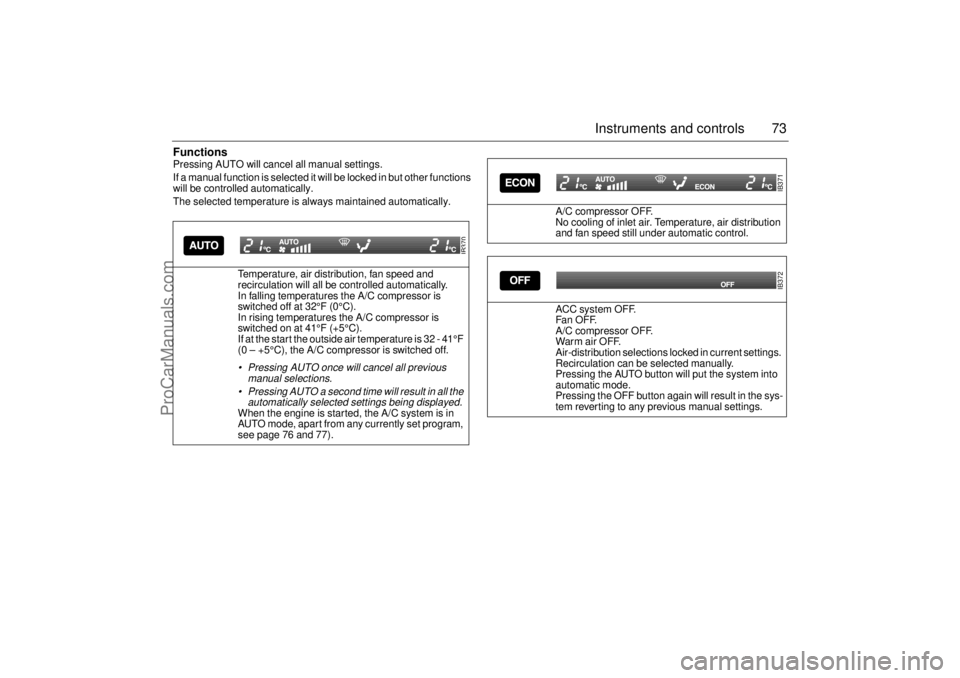
FunctionsPressing AUTO will cancel all manual settings.
If a manual function is selected it will be locked in but other functions
will be controlled automatically.
The selected temperature is always maintained automatically.
Temperature, air distribution, fan speed and
recirculation will all be controlled automatically.
In falling temperatures the A/C compressor is
switched off at 32°F (0°C).
In rising temperatures the A/C compressor is
switched on at 41°F (+5°C).
If at the start the outside air temperature is 32 - 41°F
(0 – +5°C), the A/C compressor is switched off.
Pressing AUTO once will cancel all previous
manual selections.
Pressing AUTO a second time will result in all the
automatically selected settings being displayed. When the engine is started, the A/C system is in
AUTO mode, apart from any currently set program,
see page 76 and 77).
IB370
A/C compressor OFF.
No cooling of inlet air. Temperature, air distribution
and fan speed still under automatic control.
ACC system OFF.
Fa n OF F.
A/C compressor OFF.
War m air OFF.
Air-distribution selections locked in current settings.
Recirculation can be selected manually.
Pressing the AUTO button will put the system into
automatic mode.
Pressing the OFF button again will result in the sys-
tem reverting to any previous manual settings.
IB371IB372
ProCarManuals.com
Page 77 of 272
77 Instruments and controls
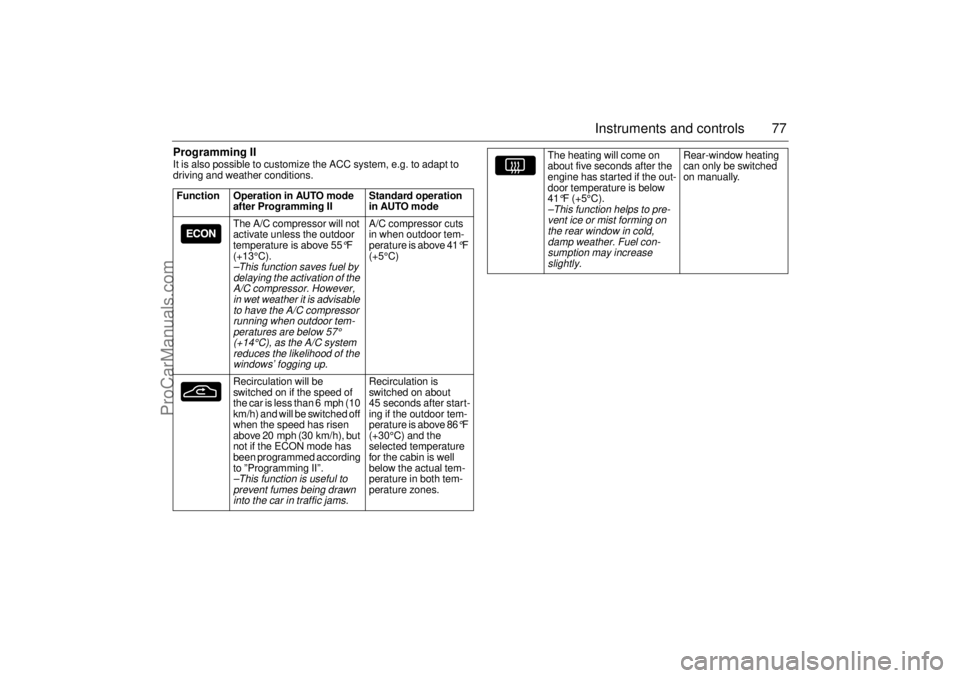
Programming IIIt is also possible to customize the ACC system, e.g. to adapt to
driving and weather conditions.
Function Operation in AUTO mode
after Programming II Standard operation
in AUTO mode
The A/C compressor will not
activate unless the outdoor
temperature is above 55
°F
(+13°C).
–This function saves fuel by
delaying the activation of the
A/C compressor. However,
in wet weather it is advisable
to have the A/C compressor
running when outdoor tem-
peratures are below
57°
(+14°C), as the A/C system
reduces the likelihood of the
windows’ fogging up.
A/C compressor cuts
in when outdoor tem-
perature is above 41
°F
(+5°C)
Recirculation will be
switched on if the speed of
the car is less than 6 mph (10
km/h) and will be switched off
when the speed has risen
above 20 mph (30 km/h), but
not if the ECON mode has
been programmed according
to ”Programming II”.
–This function is useful to
prevent fumes being drawn
into the car in traffic jams.
Recirculation is
switched on about
45 seconds after start-
ing if the outdoor tem-
perature is above 86
°F
(+30°C) and the
selected temperature
for the cabin is well
below the actual tem-
perature in both tem-
perature zones.
The heating will come on
about five seconds after the
engine has started if the out-
door temperature is below
41°F (+5°C).
–This function helps to pre-
vent ice or mist forming on
the rear window in cold,
damp weather. Fuel con-
sumption may increase
slightly.
Rear-window heating
can only be switched
on manually.
ProCarManuals.com
Page 80 of 272

80 Instruments and controlsAfterheater, V6-engine
carsThe afterheater enables a comfortable tem-
perature to be maintained inside the car
even after the engine has been switched off.
The heater can be activated up to 10 min-
utes after the engine has stopped, although
the coolant temperature must be at least
104°F (40°C) for the heater to operate.
To start the heater:
1 The ignition should be OFF.
2 Press and hold the AUTO button on the
ACC panel for about a second, until a
chime is sounded and the following
appears on the SID:
”AFTERHEATER
ACTIVATED”.
After five seconds, the SID will indicate how
much heat is available (0 – 100%).
To switch off the heater:
1 Press the OFF button on the ACC panel.
The heater will also be switched off if the
ignition is turned ON. The following settings will be used when the
heater is running:
Air distribution in AUTO mode.
Recirculation not active but can be
selected manually.
Fan speed is automatic and cannot be
changed.
Only the fan speed is shown on the dis-
play. If AUTO is pressed, the system
selections will be indicated.
The following controls do not operate while
the afterheater is on:
Rear-window heating.
ECON.
User presets.
Some of the functions can be repro-
grammed. For further information, please
consult your Saab dealer (see page 261).
ProCarManuals.com
Page 82 of 272
82 Saab 9-5 Audio SystemTo get the best out of your Saab 9-5 Audio
System, we recommend that you read
through this entire section.
The Saab 9-5 Audio System is available in
two versions: Premium on the 9-5 and Pres-
tige on the 9-5 SE and 9-5 Aero (Prestige
system is also available as an option in the
U.S. on the 9-5 model.) Both models have
been specially matched to the Saab 9-5
cabin.
The two models are comprised of a radio,
CD player and cassette player.
A six-disc CD changer for installation in the
luggage compartment is available as a
dealer-installed accessory/option.
The Premium model has seven speakers:
three mounted in the fascia (the center
speaker further enhances the overall sound
image) and one in each door.
The Prestige model (Harman/Kardon) has
nine speakers (9-5 Wagon has eight speak-
ers): three mounted in the fascia (the center
speaker further enhances the sound
image), one in each door and two subwoof-
ers in the rear window shelf (9-5 Wagon:
one subwoofer in the luggage compart-
ment). The subwoofers enhance reproduc-
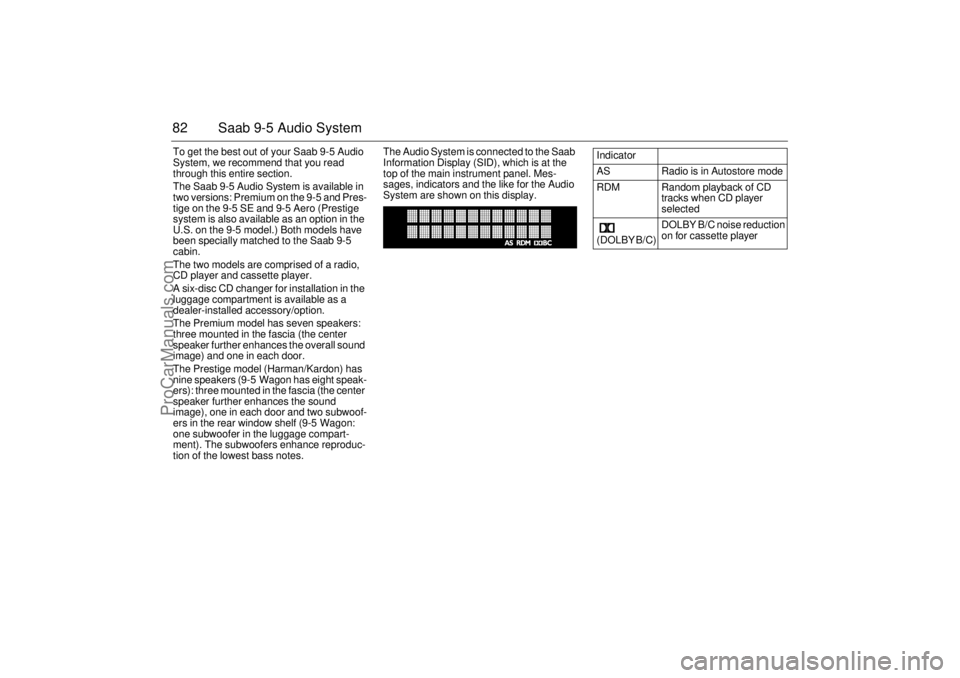
tion of the lowest bass notes.The Audio System is connected to the Saab
Information Display (SID), which is at the
top of the main instrument panel. Mes-
sages, indicators and the like for the Audio
System are shown on this display.
Indicator
AS Radio is in Autostore mode
RDM Random playback of CD
tracks when CD player
selected
(DOLBY B/C) DOLBY B/C noise reduction
on for cassette player
ProCarManuals.com
Page 86 of 272
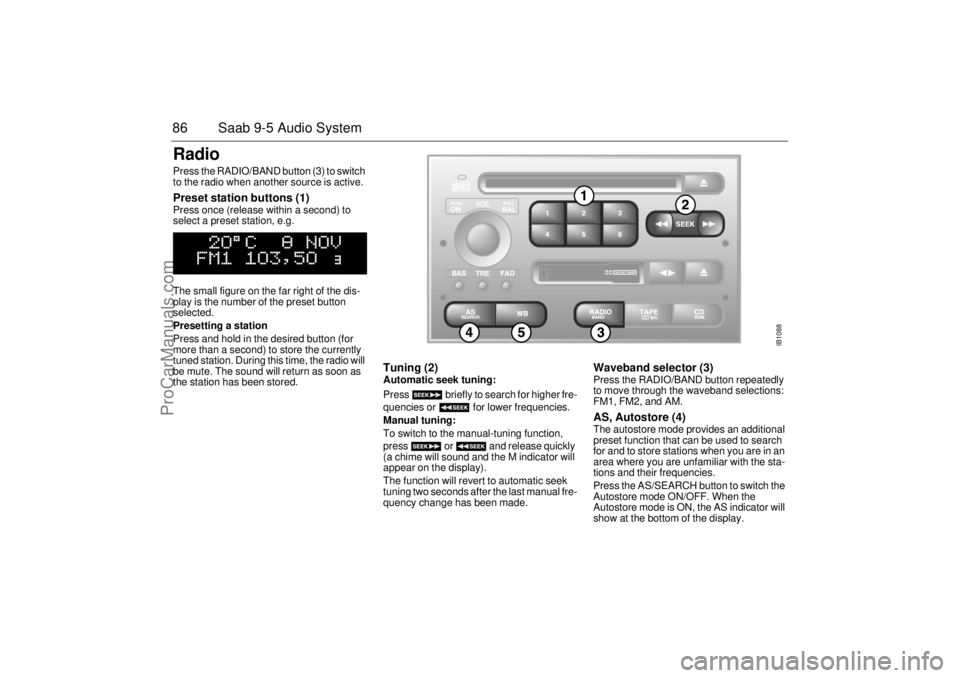
86 Saab 9-5 Audio SystemRadio Press the RADIO/BAND button (3) to switch
to the radio when another source is active. Preset station buttons (1) Press once (release within a second) to
select a preset station, e.g.
The small figure on the far right of the dis-
play is the number of the preset button
selected.
Presetting a station
Press and hold in the desired button (for
more than a second) to store the currently
tuned station. During this time, the radio will
be mute. The sound will return as soon as
the station has been stored.
Tuning (2) Automatic seek tuning:
Press briefly to search for higher fre-
quencies or for lower frequencies.
Manual tuning:
To switch to the manual-tuning function,
press or and release quickly
(a chime will sound and the M indicator will
appear on the display).
The function will revert to automatic seek
tuning two seconds after the last manual fre-
quency change has been made.
Waveband selector (3) Press the RADIO/BAND button repeatedly
to move through the waveband selections:
FM1, FM2, and AM. AS, Autostore (4) The autostore mode provides an additional
preset function that can be used to search
for and to store stations when you are in an
area where you are unfamiliar with the sta-
tions and their frequencies.
Press the AS/SEARCH button to switch the
Autostore mode ON/OFF. When the
Autostore mode is ON, the AS indicator will
show at the bottom of the display.
IB1088
ProCarManuals.com
Page 87 of 272

87 Saab 9-5 Audio System
Press and hold in the AS/SEARCH button
for more than a second to initiate a search
for the six strongest stations.
Each time the system finds and stores a sta-
tion, the number on the far right of the dis-
play will change. If the system cannot find
six stations with good reception, the remain-
ing preset buttons will be empty. If one of
these empty buttons is pressed, U**** (FM)
or AM**** will appear on the display.
When the system leaves the AS mode, it
returns to the station that was selected
before the AS mode was activated.
The AS mode can also be used in the AM
band.
WB (Weather Band) (5)Press the WB button to select the Weather
Band mode. The radio will automatically
search for the strongest national weather
service station in the area. When a weather
band station is received, the display indi-
cates ”WB”. The strongest station generally
provides the most accurate information for
the area in which you are traveling.
To exit the Weather Band mode, depress
the WB button again. Weather Band recep-
tion is available in CD, TAPE and RADIO
mode. If the radio is unable to find a suffi-
ciently strong station to lock onto, the unit
will continue to search and the display will
indicate ”NO WB”.
ProCarManuals.com
Page 91 of 272
91 Saab 9-5 Audio System
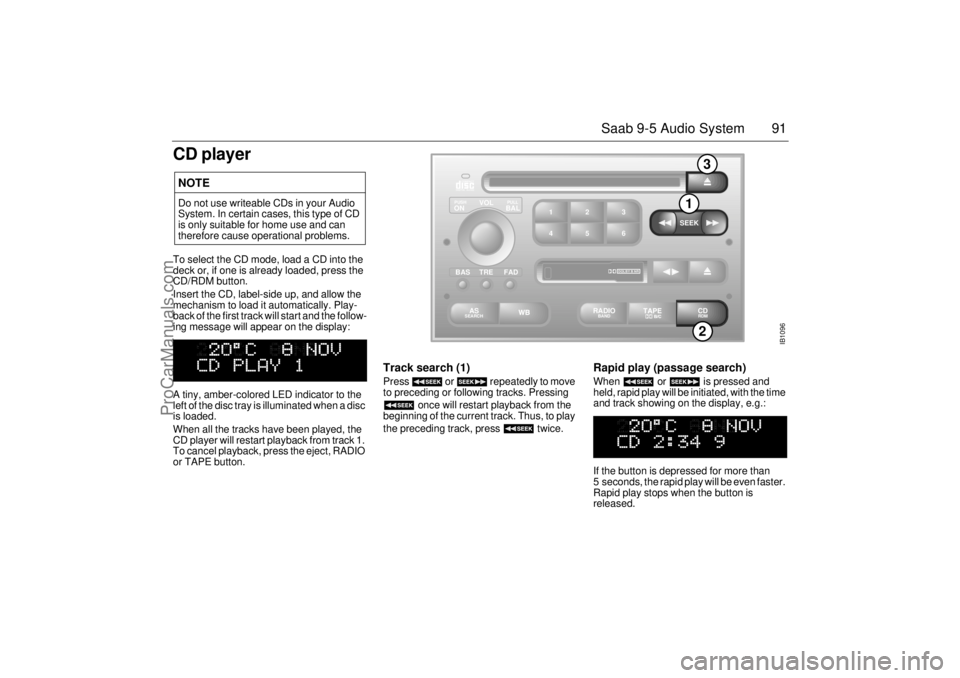
CD playerTo select the CD mode, load a CD into the
deck or, if one is already loaded, press the
CD/RDM button.
Insert the CD, label-side up, and allow the
mechanism to load it automatically. Play-
back of the first track will start and the follow-
ing message will appear on the display:
A tiny, amber-colored LED indicator to the
left of the disc tray is illuminated when a disc
is loaded.
When all the tracks have been played, the
CD player will restart playback from track 1.
To cancel playback, press the eject, RADIO
or TAPE button.
Track search (1) Press or repeatedly to move
to preceding or following tracks. Pressing
once will restart playback from the
beginning of the current track. Thus, to play
the preceding track, press twice.
Rapid play (passage search) When or is pressed and
held, rapid play will be initiated, with the time
and track showing on the display, e.g.:
If the button is depressed for more than
5 seconds, the rapid play will be even faster.
Rapid play stops when the button is
released.
NOTEDo not use writeable CDs in your Audio
System. In certain cases, this type of CD
is only suitable for home use and can
therefore cause operational problems.
IB1096
VOL
TREBAL ON
FAD BAS
PULL PUSH
CDRDM
RADIO BAND
ASSEARCH
2 13
5 46
DOLBY B NR
SEEK
2
1
3
ProCarManuals.com
Page 92 of 272
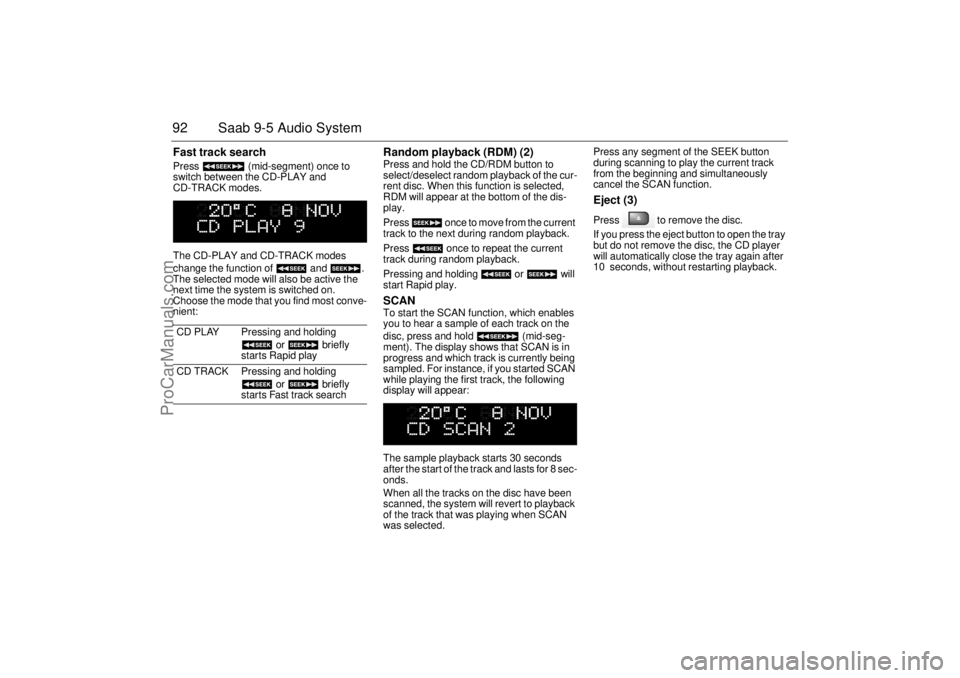
92 Saab 9-5 Audio SystemFast track search Press (mid-segment) once to
switch between the CD-PLAY and
CD-TRACK modes.
The CD-PLAY and CD-TRACK modes
change the function of and .
The selected mode will also be active the
next time the system is switched on.
Choose the mode that you find most conve-
nient:
Random playback (RDM) (2) Press and hold the CD/RDM button to
select/deselect random playback of the cur-
rent disc. When this function is selected,
RDM will appear at the bottom of the dis-
play.
Press once to move from the current
track to the next during random playback.
Press once to repeat the current
track during random playback.
Pressing and holding or will
start Rapid play. SCAN To start the SCAN function, which enables
you to hear a sample of each track on the
disc, press and hold (mid-seg-
ment). The display shows that SCAN is in
progress and which track is currently being
sampled. For instance, if you started SCAN
while playing the first track, the following
display will appear:
The sample playback starts 30 seconds
after the start of the track and lasts for 8 sec-
onds.
When all the tracks on the disc have been
scanned, the system will revert to playback
of the track that was playing when SCAN
was selected. Press any segment of the SEEK button
during scanning to play the current track
from the beginning and simultaneously
cancel the SCAN function.
Eject (3) Press to remove the disc.
If you press the eject button to open the tray
but do not remove the disc, the CD player
will automatically close the tray again after
10 seconds, without restarting playback.
CD PLAY Pressing and holding
or briefly
starts Rapid play
CD TRACK Pressing and holding
or briefly
starts Fast track search
ProCarManuals.com
Page 95 of 272
95 Saab 9-5 Audio System
If for some reason the CD selected by the
preset button cannot be played, playback of
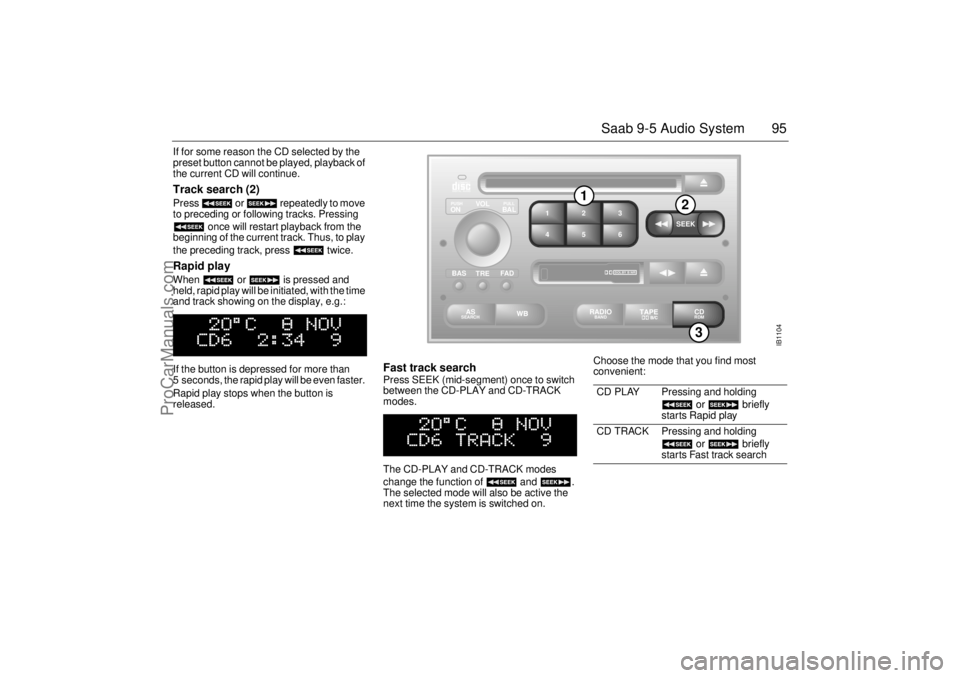
the current CD will continue. Track search (2) Press or repeatedly to move
to preceding or following tracks. Pressing
once will restart playback from the
beginning of the current track. Thus, to play
the preceding track, press twice. Rapid play When or is pressed and
held, rapid play will be initiated, with the time
and track showing on the display, e.g.:
If the button is depressed for more than
5 seconds, the rapid play will be even faster.
Rapid play stops when the button is
released.
Fast track search Press SEEK (mid-segment) once to switch
between the CD-PLAY and CD-TRACK
modes.
The CD-PLAY and CD-TRACK modes
change the function of and .
The selected mode will also be active the
next time the system is switched on. Choose the mode that you find most
convenient:
CD PLAY Pressing and holding
or briefly
starts Rapid play
CD TRACK Pressing and holding
or briefly
starts Fast track search
IB1104
VOL
TREBAL ON
FA D BAS
PULL PUSH
CDRDM
RADIO BAND
ASSEARCH
2 13
5 46
DOLBY B NR
SEEK
3
1
2
ProCarManuals.com
Page 96 of 272
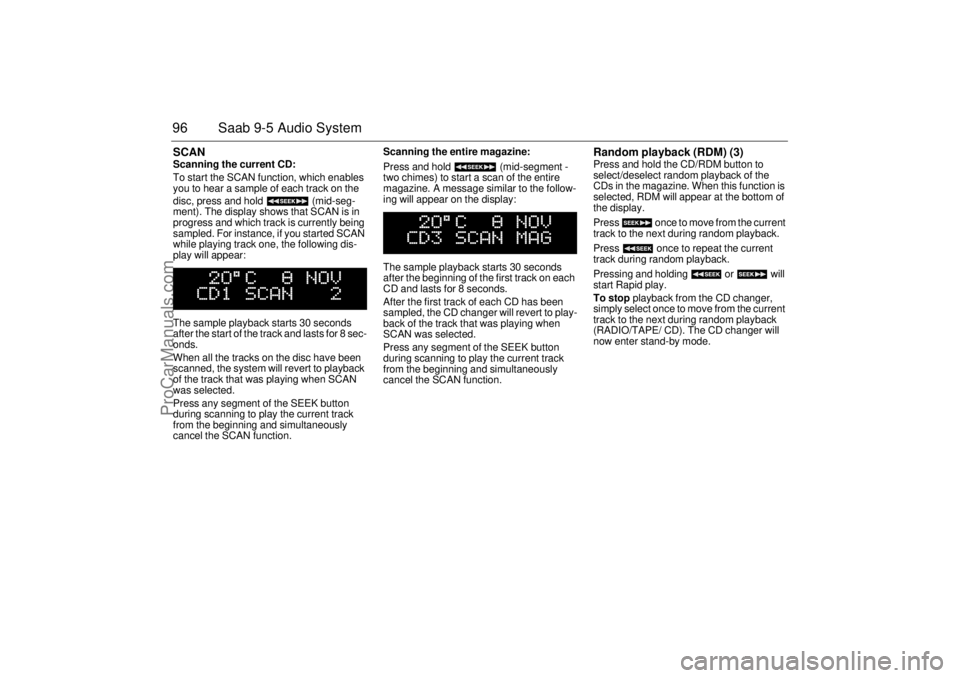
96 Saab 9-5 Audio SystemSCAN Scanning the current CD:
To start the SCAN function, which enables
you to hear a sample of each track on the
disc, press and hold (mid-seg-
ment). The display shows that SCAN is in
progress and which track is currently being
sampled. For instance, if you started SCAN
while playing track one, the following dis-
play will appear:
The sample playback starts 30 seconds
after the start of the track and lasts for 8 sec-
onds.
When all the tracks on the disc have been
scanned, the system will revert to playback
of the track that was playing when SCAN
was selected.
Press any segment of the SEEK button
during scanning to play the current track
from the beginning and simultaneously
cancel the SCAN function. Scanning the entire magazine:
Press and hold (mid-segment -
two chimes) to start a scan of the entire
magazine. A message similar to the follow-
ing will appear on the display:
The sample playback starts 30 seconds
after the beginning of the first track on each
CD and lasts for 8 seconds.
After the first track of each CD has been
sampled, the CD changer will revert to play-
back of the track that was playing when
SCAN was selected.
Press any segment of the SEEK button
during scanning to play the current track
from the beginning and simultaneously
cancel the SCAN function.
Random playback (RDM) (3) Press and hold the CD/RDM button to
select/deselect random playback of the
CDs in the magazine. When this function is
selected, RDM will appear at the bottom of
the display.
Press once to move from the current
track to the next during random playback.
Press once to repeat the current
track during random playback.
Pressing and holding or will
start Rapid play.
To stop playback from the CD changer,
simply select once to move from the current
track to the next during random playback
(RADIO/TAPE/ CD). The CD changer will
now enter stand-by mode.
ProCarManuals.com