change time SAAB 9-5 2001 Owners Manual
[x] Cancel search | Manufacturer: SAAB, Model Year: 2001, Model line: 9-5, Model: SAAB 9-5 2001Pages: 272, PDF Size: 14.83 MB
Page 2 of 272
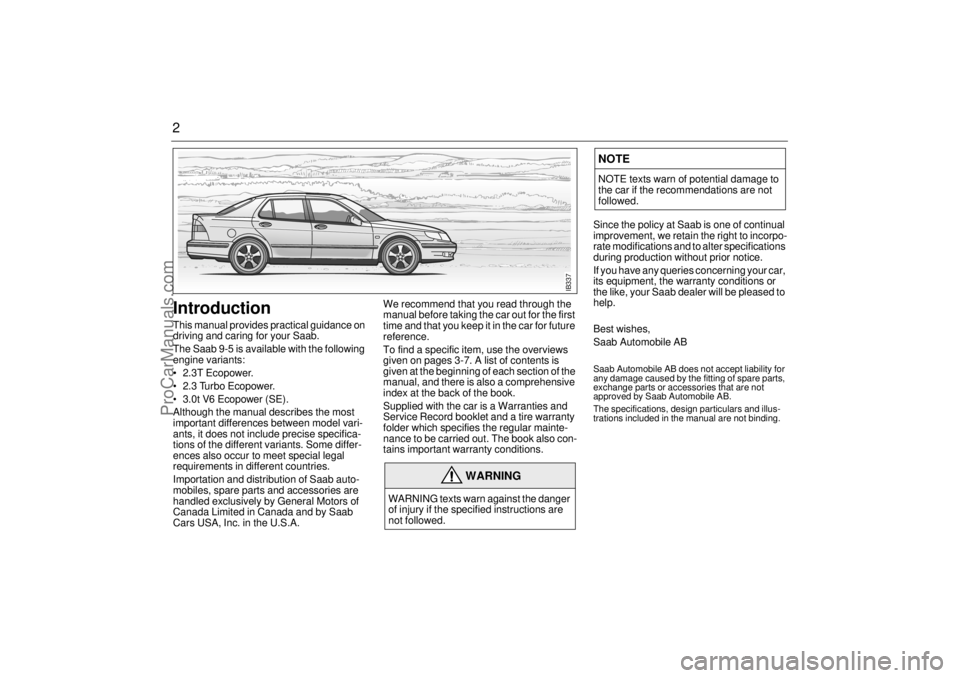
2Introduction This manual provides practical guidance on
driving and caring for your Saab.
The Saab 9-5 is available with the following
engine variants:
2.3T Ecopower.
2.3 Turbo Ecopower.
3.0t V6 Ecopower (SE).
Although the manual describes the most
important differences between model vari-
ants, it does not include precise specifica-
tions of the different variants. Some differ-
ences also occur to meet special legal
requirements in different countries.
Importation and distribution of Saab auto-
mobiles, spare parts and accessories are
handled exclusively by General Motors of
Canada Limited in Canada and by Saab
Cars USA, Inc. in the U.S.A.We recommend that you read through the
manual before taking the car out for the first
time and that you keep it in the car for future
reference.
To find a specific item, use the overviews
given on pages 3-7. A list of contents is
given at the beginning of each section of the
manual, and there is also a comprehensive
index at the back of the book.
Supplied with the car is a Warranties and
Service Record booklet and a tire warranty
folder which specifies the regular mainte-
nance to be carried out. The book also con-
tains important warranty conditions. Since the policy at Saab is one of continual
improvement, we retain the right to incorpo-
rate modifications and to alter specifications
during production without prior notice.
If you have any queries concerning your car,
its equipment, the warranty conditions or
the like, your Saab dealer will be pleased to
help.
Best wishes,
Saab Automobile AB
Saab Automobile AB does not accept liability for
any damage caused by the fitting of spare parts,
exchange parts or accessories that are not
approved by Saab Automobile AB.
The specifications, design particulars and illus-
trations included in the manual are not binding.
WARNING
WARNING texts warn against the danger
of injury if the specified instructions are
not followed.
NOTENOTE texts warn of potential damage to
the car if the recommendations are not
followed.
IB337
ProCarManuals.com
Page 3 of 272
3
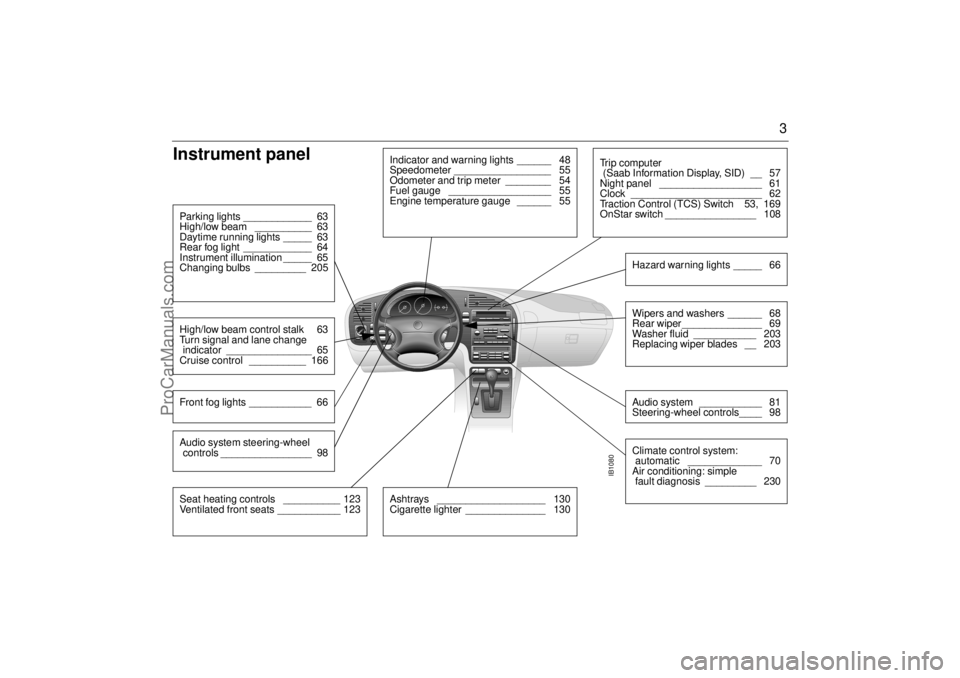
Instrument panel
IB1080
Indicator and warning lights ______ 48
Speedometer _________________ 55
Odometer and trip meter ________ 54
Fuel gauge __________________ 55
Engine temperature gauge ______ 55
Parking lights ____________ 63
High/low beam __________ 63
Daytime running lights _____ 63
Rear fog light ____________ 64
Instrument illumination _____ 65
Changing bulbs _________ 205High/low beam control stalk 63
Turn signal and lane change
indicator _______________ 65
Cruise control __________ 166Front fog lights ___________ 66
Ashtrays ___________________ 130
Cigarette lighter ______________ 130
Tr i p c o m p u t e r
(Saab Information Display, SID) __ 57
Night panel __________________ 61
Clock _______________________ 62
Traction Control (TCS) Switch 53, 169
OnStar switch ________________ 108
Wipers and washers ______ 68
Rear wiper ______________ 69
Washer fluid ___________ 203
Replacing wiper blades __ 203Audio system ___________ 81
Steering-wheel controls____ 98Hazard warning lights _____ 66Climate control system:
automatic _____________ 70
Air conditioning: simple
fault diagnosis _________ 230
Seat heating controls __________ 123
Ventilated front seats ___________ 123Audio system steering-wheel
controls ________________ 98
ProCarManuals.com
Page 35 of 272
35 Security
To check the number of keys that are pro-
grammed for the car; see page 45.Electronic starting interlock
(immobilizer)Each time the key is removed from the igni-
tion, the electronic starting interlock is acti-
vated and the car is thus immobilized, see
also page 42.Reprogramming lock system
functionsCertain lock system functions can be repro-
grammed by your authorized Saab work-
shop; see page 261.
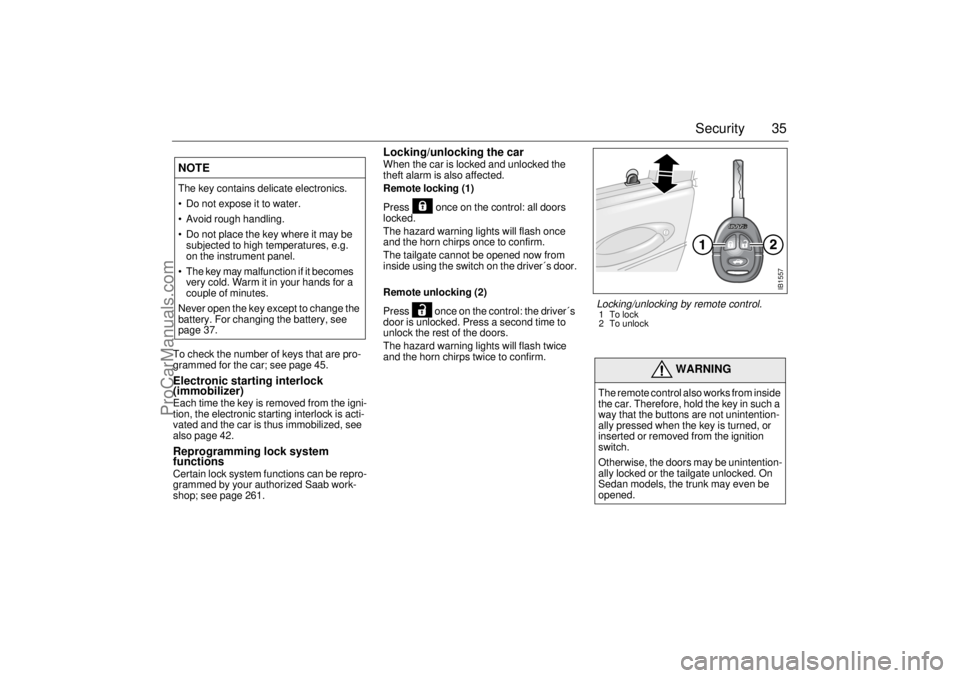
Locking/unlocking the car When the car is locked and unlocked the
theft alarm is also affected.
Remote locking (1)
Press once on the control: all doors
locked.
The hazard warning lights will flash once
and the horn chirps once to confirm.
The tailgate cannot be opened now from
inside using the switch on the driver´s door.
Remote unlocking (2)
Press once on the control: the driver´s
door is unlocked. Press a second time to
unlock the rest of the doors.
The hazard warning lights will flash twice
and the horn chirps twice to confirm.
NOTEThe key contains delicate electronics.
Do not expose it to water.
Avoid rough handling.
Do not place the key where it may be
subjected to high temperatures, e.g.
on the instrument panel.
The key may malfunction if it becomes
very cold. Warm it in your hands for a
couple of minutes.
Never open the key except to change the
battery. For changing the battery, see
page 37.
WARNING
The remote control also works from inside
the car. Therefore, hold the key in such a
way that the buttons are not unintention-
ally pressed when the key is turned, or
inserted or removed from the ignition
switch.
Otherwise, the doors may be unintention-
ally locked or the tailgate unlocked. On
Sedan models, the trunk may even be
opened.
IB1557
Locking/unlocking by remote control.1To lock
2 To unlock
ProCarManuals.com
Page 37 of 272
37 Security
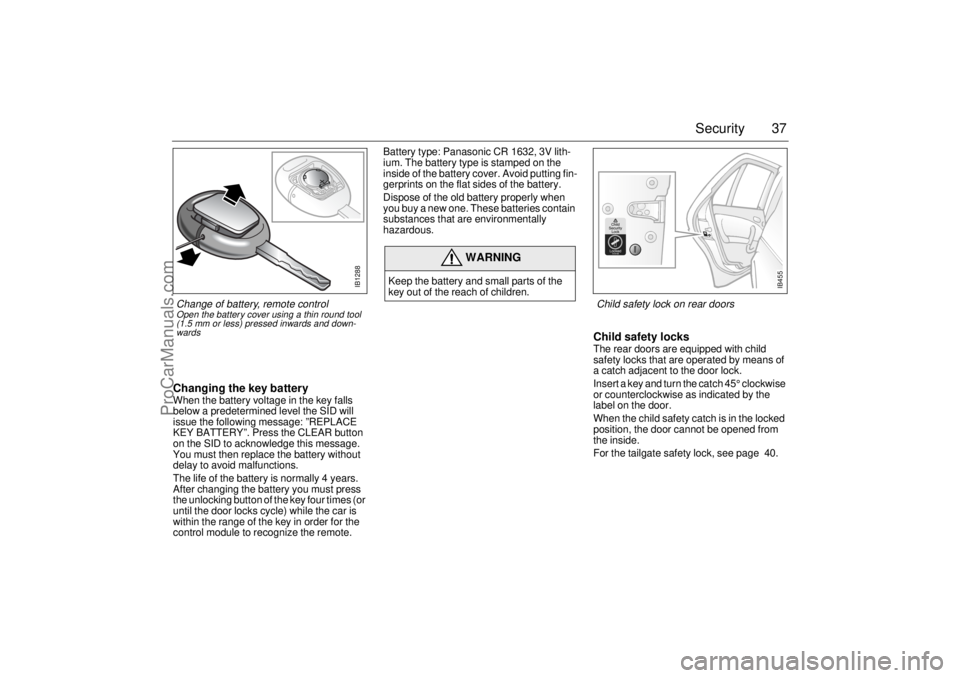
Changing the key batteryWhen the battery voltage in the key falls
below a predetermined level the SID will
issue the following message: ”REPLACE
KEY BATTERY”. Press the CLEAR button
on the SID to acknowledge this message.
You must then replace the battery without
delay to avoid malfunctions.
The life of the battery is normally 4 years.
After changing the battery you must press
the unlocking button of the key four times (or
until the door locks cycle) while the car is
within the range of the key in order for the
control module to recognize the remote. Battery type: Panasonic CR 1632, 3V lith-
ium. The battery type is stamped on the
inside of the battery cover. Avoid putting fin-
gerprints on the flat sides of the battery.
Dispose of the old battery properly when
you buy a new one. These batteries contain
substances that are environmentally
hazardous.
Child safety locksThe rear doors are equipped with child
safety locks that are operated by means of
a catch adjacent to the door lock.
Insert a key and turn the catch 45° clockwise
or counterclockwise as indicated by the
label on the door.
When the child safety catch is in the locked
position, the door cannot be opened from
the inside.
For the tailgate safety lock, see page 40.
WARNING
Keep the battery and small parts of the
key out of the reach of children.
IB1288
Change of battery, remote controlOpen the battery cover using a thin round tool
(1.5 mm or less) pressed inwards and down-
wards
IB455
Child safety lock on rear doors
ProCarManuals.com
Page 43 of 272

43 Security
Alarm signals When the car alarm is armed, it will be trig-
gered if any door, or the trunk lid or hood, is
opened or if a window is broken.
The alarm will also be triggered if an attempt
is made to bypass or short-circuit the igni-
tion switch, or to disconnect the battery.
If the alarm is triggered, the following alarm
signals will be set off:
Flashing of hazard warning lights for five
minutes.
Siren wailing for 30 seconds.
The alarm signals will stop if the alarm is
deactivated (car unlocked) during the alarm
period.
The alarm siren has a long-life battery
(approx. 10 years), see ”SERVICE THEFT
ALARM”, on page 45. When the battery
goes dead, the siren must be replaced: it is
not possible to change the batteries.
Panic-functionIn the car alarm system is a function called
"Panic-function".
To activate panic function:
Push and hold one of the buttons on the
key for 2 seconds. Or, if you are sitting
inside the car, push the LOCK-switch on
the center console for 2 seconds.
These actions will trigger the alarm (hazard
warning lights and siren).
To deactivate panic function:
Push one of the buttons on the key, push
the LOCK-switch in the center console,
turn the key in the driver´s door or turn the
ignition to ON.
When the panic-function is activated the car
will be locked/unlocked depending upon
which button was pushed.
When the ignition is ON the panic-function
cannot be activated.
NOTE It is possible to inadvertently deacti-
vate the car alarm and at the same
time unlock the car, if the button on the
key is pressed by mistake when the
car is still within its range.
When locking the car by remote con-
trol in extremely cold weather, it is
advisable to check that the lock
system has operated properly. To do
so, check that the interior locking but-
tons are all down.
If not, unlock and relock the car again.
ProCarManuals.com
Page 57 of 272
57 Instruments and controls
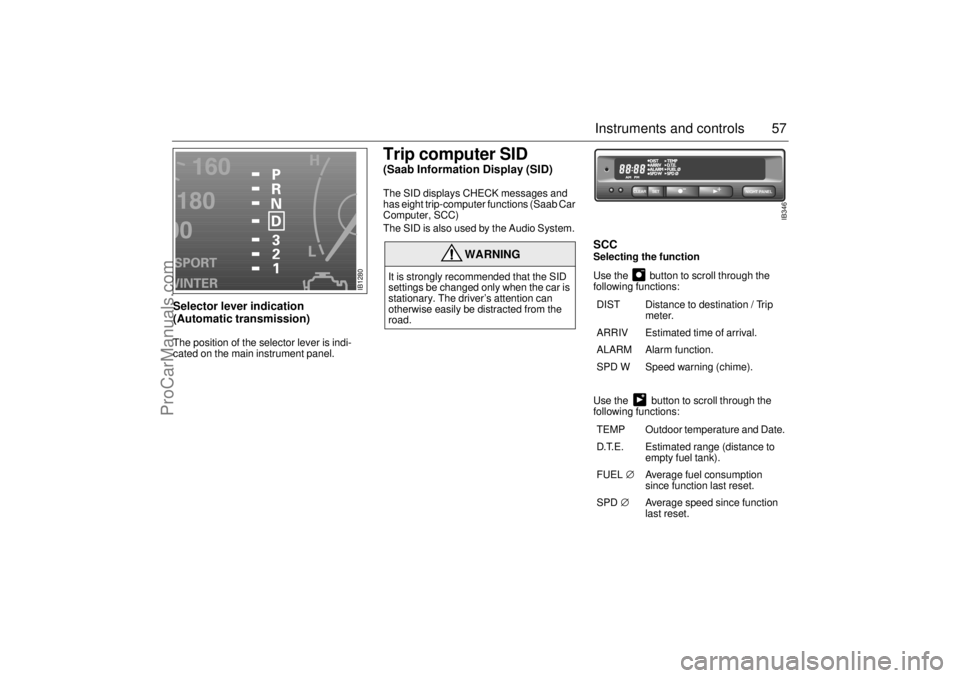
Selector lever indication
(Automatic transmission) The position of the selector lever is indi-
cated on the main instrument panel.
Trip computer SID (Saab Information Display (SID) The SID displays CHECK messages and
has eight trip-computer functions (Saab Car
Computer, SCC)
The SID is also used by the Audio System.
SCCSelecting the function
Use the button to scroll through the
following functions:
Use the button to scroll through the
following functions:
WARNING
It is strongly recommended that the SID
settings be changed only when the car is
stationary. The driver’s attention can
otherwise easily be distracted from the
road.
DIST Distance to destination / Trip
meter.
ARRIV Estimated time of arrival.
ALARM Alarm function.
SPD W Speed warning (chime).
TEMP Outdoor temperature and Date.
D.T.E. Estimated range (distance to
empty fuel tank).
FUEL∅ Average fuel consumption
since function last reset.
SPD∅ Average speed since function
last reset.
NIGHT PANEL
CLEAR
SET
IB346
IB1280
ProCarManuals.com
Page 59 of 272

59 Instruments and controls
Turning the Alarm and Speed
warning on or off 1 Select the Alarm or Speed-warning
function.
2 Press SET to turn on the function.
Press CLEAR to turn off the function.
When either function is on, ALARM/SPD W
respectively will be visible on the display. An
asterisk
* will be visible on the far right of the
display when either function is selected.
The Alarm and Speed-warning settings will
not be cancelled when the engine is
switched off.
When the Alarm has been set to come on at
a specified time, it will only be activated
once – it will not come on at the same time
every day. Press SET to turn it on again.
The Alarm will continue to beep for one
minute if not switched off.
Calculation of arrival time and
average speed The settings must be made before the jour-
ney is started.
Calculation of arrival time:
1 Select DIST using the button.
2 Set the destination distance.
3 Press SET.
When ARRIV is selected during the journey,
the arrival time based on the average speed
over the past 20 minutes will be displayed.
The trip computer will include any stops in
the calculation of the estimated time of
arrival.
Press DIST and the distance remaining to
the destination will be displayed in the same
way.
After the distance to destination has
decreased to zero, the DIST will function as
a trip meter (see ”Using DIST as a trip
meter”). The starting value for the trip meter
will be the last distance set in the DIST
function.
Example: The DIST setting was 100 miles.
Once 100 miles (160 km) has been cov-
ered, the DIST will start to function as a trip
meter, the initial reading of which will be
100 miles (160 km).
Using DIST as a trip meter If no value has been set for the DIST func-
tion, DIST will now function as a trip meter
(indicated by an arrow on the far right of the
display).
Press CLEAR to reset the trip meter.
Under 1000 miles the distance will be
shown in increments of 0.1 miles,
there-after, the reading will change in incre-
ments of 1.0 mile.
Metric units: for just under a kilometer, the
distance will be shown in increments of
10 meters, there-after, the reading will
change in increments of 100 meters.
When DIST is functioning as a trip meter,
the ARRIV function will display the current
time.
ProCarManuals.com
Page 86 of 272
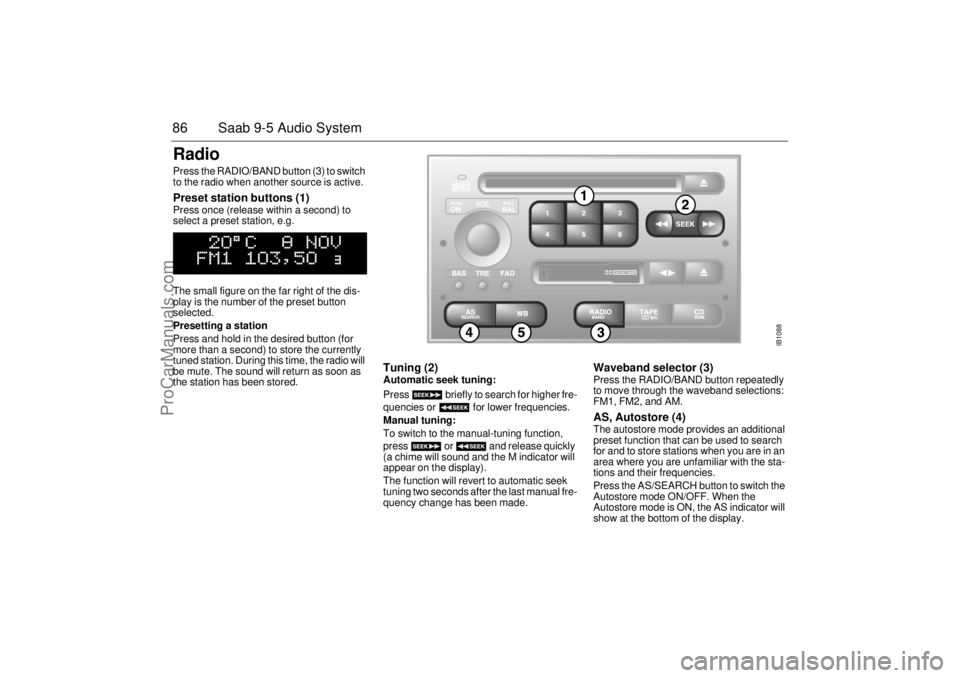
86 Saab 9-5 Audio SystemRadio Press the RADIO/BAND button (3) to switch
to the radio when another source is active. Preset station buttons (1) Press once (release within a second) to
select a preset station, e.g.
The small figure on the far right of the dis-
play is the number of the preset button
selected.
Presetting a station
Press and hold in the desired button (for
more than a second) to store the currently
tuned station. During this time, the radio will
be mute. The sound will return as soon as
the station has been stored.
Tuning (2) Automatic seek tuning:
Press briefly to search for higher fre-
quencies or for lower frequencies.
Manual tuning:
To switch to the manual-tuning function,
press or and release quickly
(a chime will sound and the M indicator will
appear on the display).
The function will revert to automatic seek
tuning two seconds after the last manual fre-
quency change has been made.
Waveband selector (3) Press the RADIO/BAND button repeatedly
to move through the waveband selections:
FM1, FM2, and AM. AS, Autostore (4) The autostore mode provides an additional
preset function that can be used to search
for and to store stations when you are in an
area where you are unfamiliar with the sta-
tions and their frequencies.
Press the AS/SEARCH button to switch the
Autostore mode ON/OFF. When the
Autostore mode is ON, the AS indicator will
show at the bottom of the display.
IB1088
ProCarManuals.com
Page 87 of 272

87 Saab 9-5 Audio System
Press and hold in the AS/SEARCH button
for more than a second to initiate a search
for the six strongest stations.
Each time the system finds and stores a sta-
tion, the number on the far right of the dis-
play will change. If the system cannot find
six stations with good reception, the remain-
ing preset buttons will be empty. If one of
these empty buttons is pressed, U**** (FM)
or AM**** will appear on the display.
When the system leaves the AS mode, it
returns to the station that was selected
before the AS mode was activated.
The AS mode can also be used in the AM
band.
WB (Weather Band) (5)Press the WB button to select the Weather
Band mode. The radio will automatically
search for the strongest national weather
service station in the area. When a weather
band station is received, the display indi-
cates ”WB”. The strongest station generally
provides the most accurate information for
the area in which you are traveling.
To exit the Weather Band mode, depress
the WB button again. Weather Band recep-
tion is available in CD, TAPE and RADIO
mode. If the radio is unable to find a suffi-
ciently strong station to lock onto, the unit
will continue to search and the display will
indicate ”NO WB”.
ProCarManuals.com
Page 92 of 272
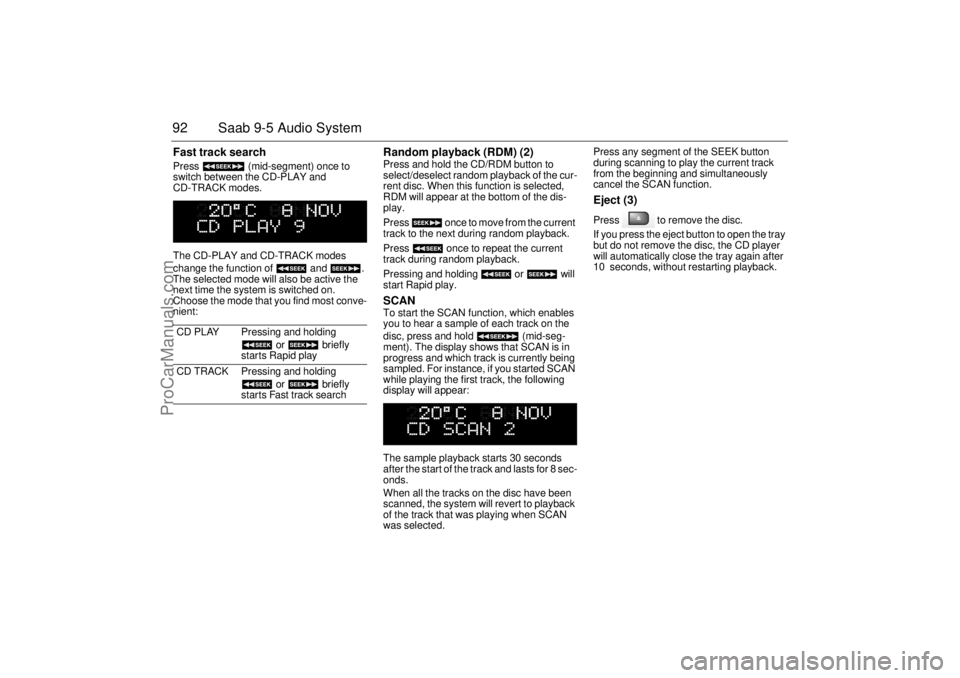
92 Saab 9-5 Audio SystemFast track search Press (mid-segment) once to
switch between the CD-PLAY and
CD-TRACK modes.
The CD-PLAY and CD-TRACK modes
change the function of and .
The selected mode will also be active the
next time the system is switched on.
Choose the mode that you find most conve-
nient:
Random playback (RDM) (2) Press and hold the CD/RDM button to
select/deselect random playback of the cur-
rent disc. When this function is selected,
RDM will appear at the bottom of the dis-
play.
Press once to move from the current
track to the next during random playback.
Press once to repeat the current
track during random playback.
Pressing and holding or will
start Rapid play. SCAN To start the SCAN function, which enables
you to hear a sample of each track on the
disc, press and hold (mid-seg-
ment). The display shows that SCAN is in
progress and which track is currently being
sampled. For instance, if you started SCAN
while playing the first track, the following
display will appear:
The sample playback starts 30 seconds
after the start of the track and lasts for 8 sec-
onds.
When all the tracks on the disc have been
scanned, the system will revert to playback
of the track that was playing when SCAN
was selected. Press any segment of the SEEK button
during scanning to play the current track
from the beginning and simultaneously
cancel the SCAN function.
Eject (3) Press to remove the disc.
If you press the eject button to open the tray
but do not remove the disc, the CD player
will automatically close the tray again after
10 seconds, without restarting playback.
CD PLAY Pressing and holding
or briefly
starts Rapid play
CD TRACK Pressing and holding
or briefly
starts Fast track search
ProCarManuals.com