reset SAAB 9-5 2003 User Guide
[x] Cancel search | Manufacturer: SAAB, Model Year: 2003, Model line: 9-5, Model: SAAB 9-5 2003Pages: 288, PDF Size: 16.78 MB
Page 95 of 288

95 Saab 9-5 Audio System
Press and hold in the AS/SEARCH button
for more than a second to initiate a search
for the six strongest stations.
Each time the system finds and stores a sta-
tion, the number on the far right of the dis-
play will change. If the system cannot find
six stations with good reception, the remain-
ing preset buttons will be empty. If one of
these empty buttons is pressed, U**** (FM)
or AM**** will appear on the display.
When the system leaves the AS mode, it
returns to the station that was selected
before the AS mode was activated.
The AS mode can also be used in the AM
band.
WB (Weather Band) (5)Press the WB button to select the Weather
Band mode. The radio will automatically
search for the strongest national weather
service station in the area. When a weather
band station is received, the display indi-
cates ”WB”. The strongest station generally
provides the most accurate information for
the area in which you are traveling.
To exit the Weather Band mode, depress
the WB button again. Weather Band recep-
tion is available in CD, TAPE and RADIO
mode. If the radio is unable to find a suffi-
ciently strong station to lock onto, the unit
will continue to search and the display will
indicate ”NO WB”.
ProCarManuals.com
Page 98 of 288
98 Saab 9-5 Audio SystemType II (metal) tapes The cassette has an automatic tape-type
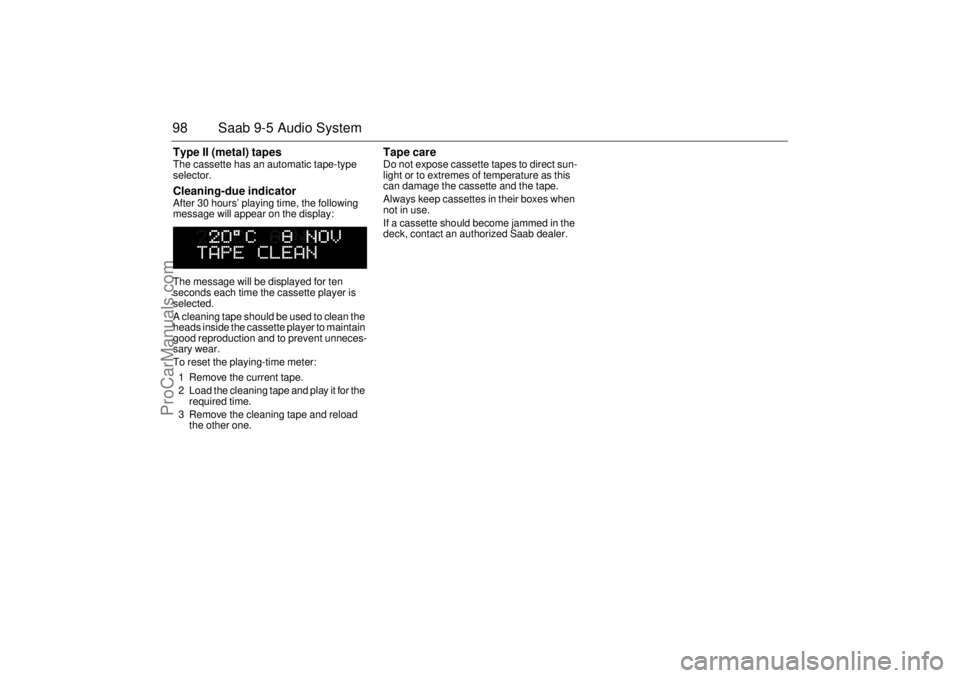
selector. Cleaning-due indicator After 30 hours’ playing time, the following
message will appear on the display:
The message will be displayed for ten
seconds each time the cassette player is
selected.
A cleaning tape should be used to clean the
heads inside the cassette player to maintain
good reproduction and to prevent unneces-
sary wear.
To reset the playing-time meter:
1 Remove the current tape.
2 Load the cleaning tape and play it for the
required time.
3 Remove the cleaning tape and reload
the other one.
Tape care Do not expose cassette tapes to direct sun-
light or to extremes of temperature as this
can damage the cassette and the tape.
Always keep cassettes in their boxes when
not in use.
If a cassette should become jammed in the
deck, contact an authorized Saab dealer.
ProCarManuals.com
Page 102 of 288
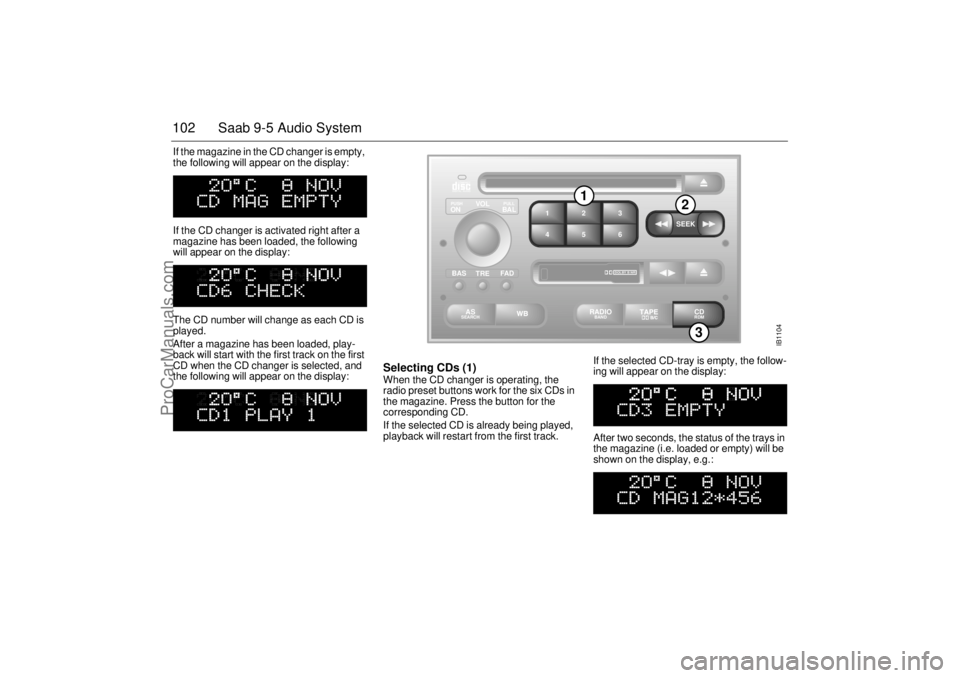
102 Saab 9-5 Audio SystemIf the magazine in the CD changer is empty,
the following will appear on the display:
If the CD changer is activated right after a
magazine has been loaded, the following
will appear on the display:
The CD number will change as each CD is
played.
After a magazine has been loaded, play-
back will start with the first track on the first
CD when the CD changer is selected, and
the following will appear on the display:
Selecting CDs (1) When the CD changer is operating, the
radio preset buttons work for the six CDs in
the magazine. Press the button for the
corresponding CD.
If the selected CD is already being played,
playback will restart from the first track. If the selected CD-tray is empty, the follow-
ing will appear on the display:
After two seconds, the status of the trays in
the magazine (i.e. loaded or empty) will be
shown on the display, e.g.:
IB1104
VOL
TREBAL ON
FA D BAS
PULL PUSH
CDRDM
RADIO BAND
ASSEARCH
2 13
5 46
DOLBY B NR
SEEK
3
1
2
ProCarManuals.com
Page 103 of 288
103 Saab 9-5 Audio System
If for some reason the CD selected by the
preset button cannot be played, playback of
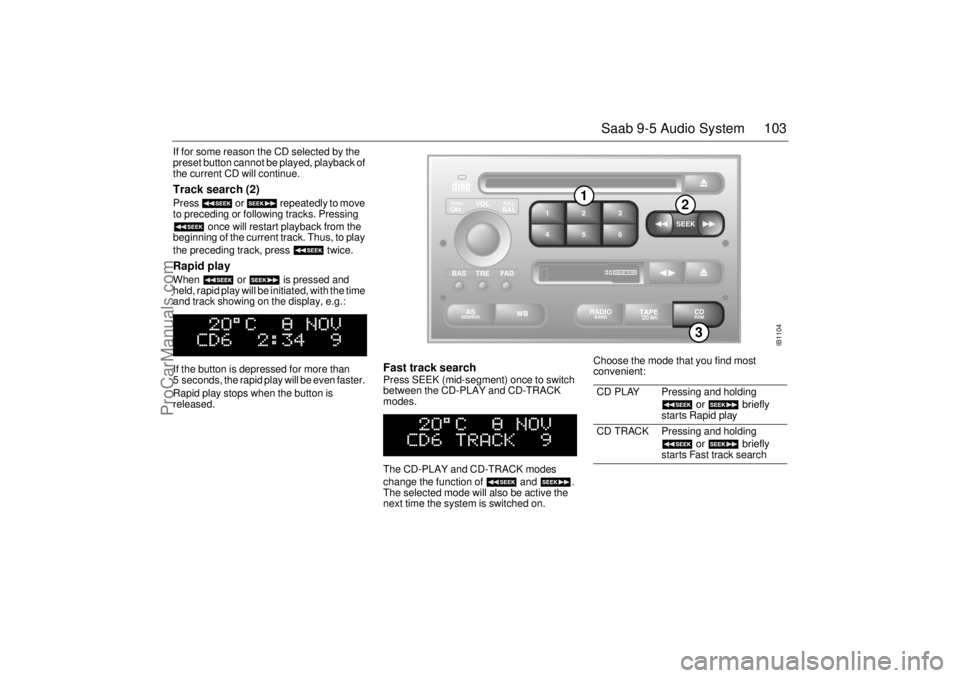
the current CD will continue. Track search (2) Press or repeatedly to move
to preceding or following tracks. Pressing
once will restart playback from the
beginning of the current track. Thus, to play
the preceding track, press twice. Rapid play When or is pressed and
held, rapid play will be initiated, with the time
and track showing on the display, e.g.:
If the button is depressed for more than
5 seconds, the rapid play will be even faster.
Rapid play stops when the button is
released.
Fast track search Press SEEK (mid-segment) once to switch
between the CD-PLAY and CD-TRACK
modes.
The CD-PLAY and CD-TRACK modes
change the function of and .
The selected mode will also be active the
next time the system is switched on. Choose the mode that you find most
convenient:
CD PLAY Pressing and holding
or briefly
starts Rapid play
CD TRACK Pressing and holding
or briefly
starts Fast track search
IB1104
VOL
TREBAL ON
FA D BAS
PULL PUSH
CDRDM
RADIO BAND
ASSEARCH
2 13
5 46
DOLBY B NR
SEEK
3
1
2
ProCarManuals.com
Page 105 of 288
105 Saab 9-5 Audio System
Programmable
functionsVolume-preset modeTo select the volume-preset mode, press
and hold the WB button at the same time as
you switch the Audio System on.
Use the button to select the
desired function.
The following volume settings can be
preselected:
STARTVOL – maximum volume level
when the Audio System is switched on
TEL VOL – preset volume level when an
in-car phone is activated
SP D VOL – speed-dependent volume.
The Audio System will automatically
adjust the volume level to compensate for
background noise, such as road noise,
which increases with vehicle speed.
LOUDNESS ON/OFF – boosting of the
highest and lowest frequency ranges to
enhance the sound image when the
volume is set to a low level.
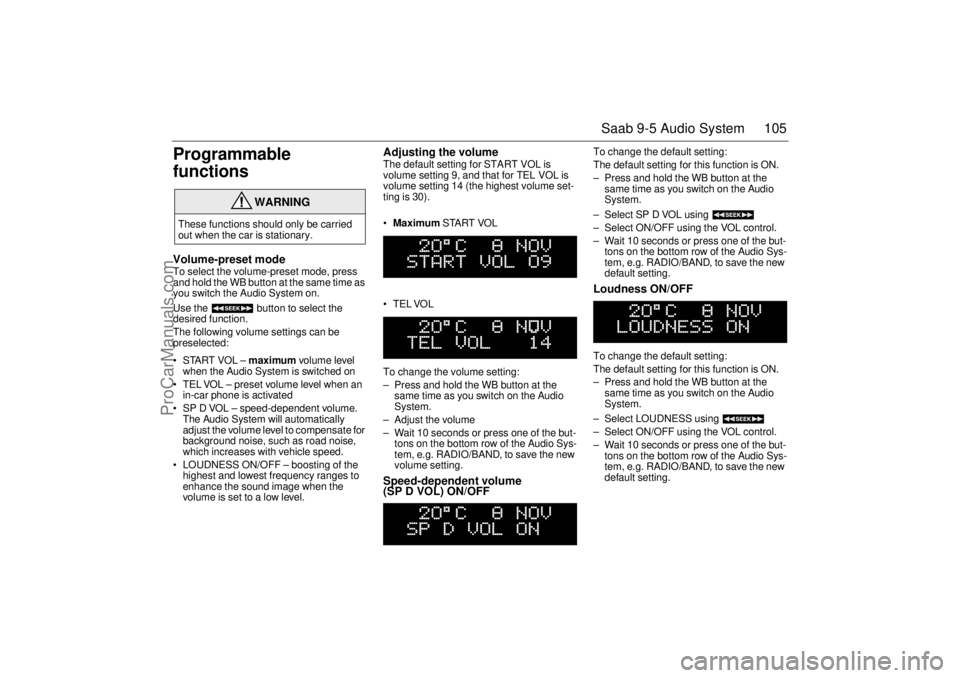
Adjusting the volume The default setting for START VOL is
volume setting 9, and that for TEL VOL is
volume setting 14 (the highest volume set-
ting is 30).
Maximum START VOL
TELVOL
To change the volume setting:
– Press and hold the WB button at the
same time as you switch on the Audio
System.
– Adjust the volume
– Wait 10 seconds or press one of the but-
tons on the bottom row of the Audio Sys-
tem, e.g. RADIO/BAND, to save the new
volume setting.Speed-dependent volume
(SP D VOL) ON/OFF
To change the default setting:
The default setting for this function is ON.
– Press and hold the WB button at the
same time as you switch on the Audio
System.
– Select SP D VOL using
– Select ON/OFF using the VOL control.
– Wait 10 seconds or press one of the but-
tons on the bottom row of the Audio Sys-
tem, e.g. RADIO/BAND, to save the new
default setting. Loudness ON/OFF To change the default setting:
The default setting for this function is ON.
– Press and hold the WB button at the
same time as you switch on the Audio
System.
– Select LOUDNESS using
– Select ON/OFF using the VOL control.
– Wait 10 seconds or press one of the but-
tons on the bottom row of the Audio Sys-
tem, e.g. RADIO/BAND, to save the new
default setting.
WARNING
These functions should only be carried
out when the car is stationary.
ProCarManuals.com
Page 107 of 288

107 Saab 9-5 Audio System
Technical data
These specifications comply with the new IHF Standard
Since the policy at Saab is one of continual improvement, we retain the right to alter
specifications and design without prior notice.
Dolby noise reduction is produced under licence from Dolby Laboratories Licensing
Corporation
”Dolby” and the double-D symbol are trademarks of Dolby Laboratories Licens-
ing Corporation
Changes or modifications not expressly approved by the manufacturer for compliance
could void the user´s authority to operate the equipment.
Tone controls
Bass ______________________ ±10 dB at 100 Hz
Treble _____________________ ±10 dB at 10,000 Hz
Power output
Premium __________________ 150 W
110 W at 1 % THD (total har-
monic distortion) and 13.5 V
Prestige __________________ 200 W
150 W at 1 % THD (total har-
monic distortion) and 13.5 V
Radio module
Radio system _______________ PLL dual-synthesizer tuner
Number of presets:
FM ______________________ 3 x 6
AM ______________________ 2 x 6
Frequency range:
FM ______________________ 87.9–107.9 MHz
AM ______________________ 530–1710 kHz
WB _______________________ 162.40–162.55 MHz
Tuning steps:
Automatic seek tuning: _______ FM 200 kHz
AM 10 kHz
WB 50 kHz
Manual tuning: _____________ FM 200 kHz
AM 10 kHzFrequency range (FM) ________ 40–15000 Hz
±1 dB
Distortion (FM) ______________ < 0.5 %
Cassette player
Fast forward/rewind __________ < 120 seconds (C-60)
Frequency range _____________ 40–16000 Hz
±2 dB
Wow and flutter ______________ 0.2 % WRMS
Signal-to-noise ratio __________ 45 dB
Dolby B/C NR effect __________ 8/16 dB
CD player and CD changer
1-bit system and 8 x oversampling
Frequency range _____________ 20–20000 Hz
±0.5 dB
Distortion __________________ < 0.008 %
Dynamics __________________ > 80 dB (1 kHz)
CD-changer capacity __________ 6 discs
ProCarManuals.com
Page 109 of 288
109 Saab 9-5 Audio System
Adjusting the frequency steps North
America/Europe If the car is taken from North America to
Europe, the radio’s frequency steps can be
adjusted.
Press and hold (mid-segment)
and switch the radio on at the same time.
The preset stations will be cancelled and
replaced by default frequencies.
Fault codesThe Audio System has a built-in diagnostics
function. If a fault is detected, a fault code is
generated to help dealer technicians to
diagnose the fault. Below are the codes for
some faults that you might be able to rectify
yourself.
OnStar SystemYour vehicle may be equipped with OnStar,
a vehicle telematics communications and
navigation system. Please consult the sep-
arate chapter in this owner’s manual, page
111.
NOTICEGreat care should be exercised in trying
to rectify a fault. If you are at all unsure,
contact an authorized Saab dealer.
Fault code Possible cause
CD/CDC
ERROR
12/17/19 CD is dirty, loaded
wrong side up or defec-
tive.
TAPE ERR 01 Tape broken or
mechanical fault in
deck.
TAPE ERR
02/03 Tape snarled up or
mechanical fault in
deck.
TAPE ERR 11 Cassette jammed: can-
not be loaded/ejected.
WARNING
The CD player/CD changer is classified
as Class 1 laser equipment
Service and repair work must only be
carried out by authorized technicians.
If the casing is damaged, hazardous
laser radiation can occur. NOTICEAll work on the Audio System must be
carried out by an authorized Saab dealer.
ProCarManuals.com
Page 125 of 288
125 Interior equipment and trunk
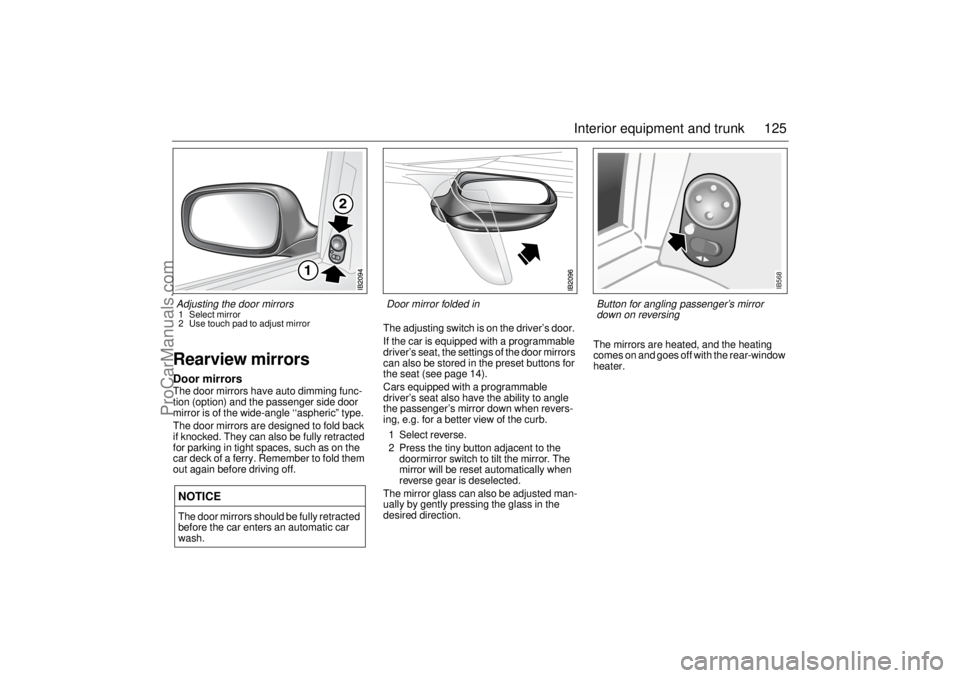
Rearview mirrorsDoor mirrorsThe door mirrors have auto dimming func-
tion (option) and the passenger side door
mirror is of the wide-angle ‘‘aspheric” type.
The door mirrors are designed to fold back
if knocked. They can also be fully retracted
for parking in tight spaces, such as on the
car deck of a ferry. Remember to fold them
out again before driving off.The adjusting switch is on the driver’s door.
If the car is equipped with a programmable
driver’s seat, the settings of the door mirrors
can also be stored in the preset buttons for
the seat (see page 14).
Cars equipped with a programmable
driver’s seat also have the ability to angle
the passenger’s mirror down when revers-
ing, e.g. for a better view of the curb.
1 Select reverse.
2 Press the tiny button adjacent to the
doormirror switch to tilt the mirror. The
mirror will be reset automatically when
reverse gear is deselected.
The mirror glass can also be adjusted man-
ually by gently pressing the glass in the
desired direction.The mirrors are heated, and the heating
comes on and goes off with the rear-window
heater.NOTICEThe door mirrors should be fully retracted
before the car enters an automatic car
wash.Adjusting the door mirrors 1 Select mirror
2 Use touch pad to adjust mirror
Door mirror folded in
IB568
Button for angling passenger’s mirror
down on reversing
ProCarManuals.com
Page 171 of 288
171 Starting and driving
Cruise controlFor safety reasons (brake system func-
tion) the brakes must be applied once,
when the engine has started, before the
cruise control system can be activated.
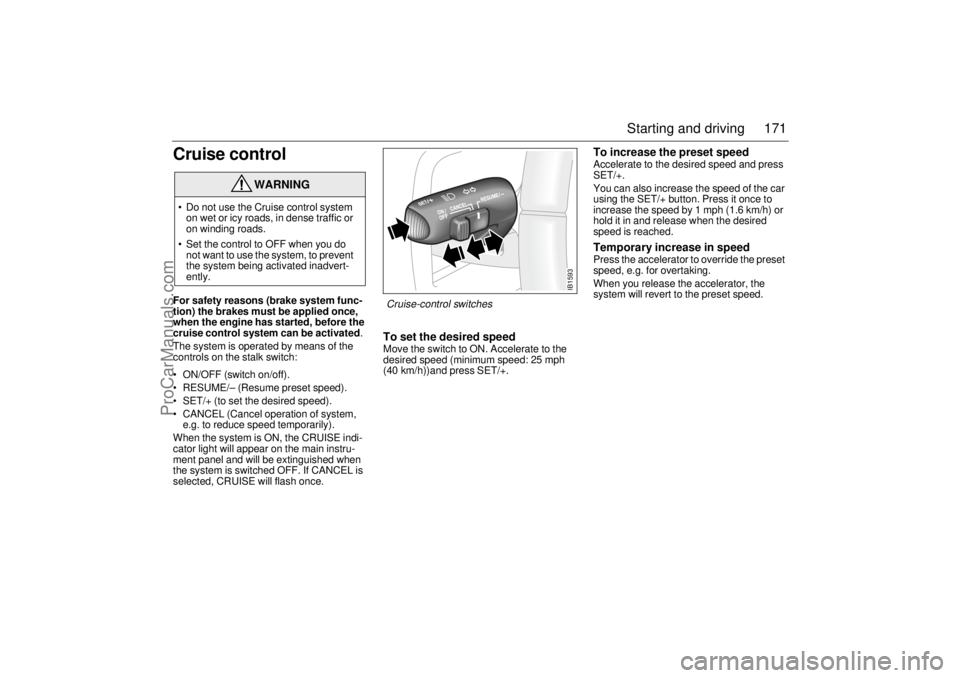
The system is operated by means of the
controls on the stalk switch:
ON/OFF (switch on/off).
RESUME/– (Resume preset speed).
SET/+ (to set the desired speed).
CANCEL (Cancel operation of system,
e.g. to reduce speed temporarily).
When the system is ON, the CRUISE indi-
cator light will appear on the main instru-
ment panel and will be extinguished when
the system is switched OFF. If CANCEL is
selected, CRUISE will flash once.
To set the desired speed Move the switch to ON. Accelerate to the
desired speed (minimum speed: 25 mph
(40 km/h))and press SET/+.
To increase the preset speed Accelerate to the desired speed and press
SET/+.
You can also increase the speed of the car
using the SET/+ button. Press it once to
increase the speed by 1 mph (1.6 km/h) or
hold it in and release when the desired
speed is reached. Temporary increase in speed Press the accelerator to override the preset
speed, e.g. for overtaking.
When you release the accelerator, the
system will revert to the preset speed.
WARNING
Do not use the Cruise control system
on wet or icy roads, in dense traffic or
on winding roads.
Set the control to OFF when you do
not want to use the system, to prevent
the system being activated inadvert-
ently.
IB1593
Cruise-control switches
ProCarManuals.com
Page 172 of 288

172 Starting and drivingTo cancel temporarily Move the control stalk to CANCEL
(spring-loaded position before OFF posi-
tion). This will disengage the system but the
preset speed will be retained in the system
memory. (The memory is deleted when the
engine is switched off.) To re-engage the system To revert to the preset speed, slide the
switch to RESUME/–. This will only operate
when the car’s speed is above 25 mph
(40 km/h). To reduce the preset speedThe cruise control system will always disen-
gage automatically the moment that either
the brake pedal or the clutch pedal is
depressed.
It is also possible to reduce the speed by
means of the RESUME/– button.
Sliding the button to RESUME/– once will
reduce the speed by 1 mph (1.6 km/h).
Holding the button in the RESUME/– posi-
tion will effect a gradual reduction in speed
until the button is released.
Disengaging the system The system will be disengaged:
When the brake or clutch pedal is
depressed.
When the switch is moved to CANCEL.
When the switch is moved to OFF.
When the engine is switched off.
When the selector lever is moved to posi-
tion N (cars with automatic transmission).
When the TCS/ESP system is operative
for more than 1 minute.
BrakingTo avoid the brakes becoming overheated,
(e.g. when negotiating long descents with a
drop of several hundred feet), select a low
gear to use the braking effect of the engine.
If the car has automatic transmission, move
the selector lever to position D or L.
When driving fast, you can help to prolong
the life of the brakes by thinking ahead and
braking harder for short periods, rather than
braking more moderately over long
stretches. Brake pad wear indicatorsThe outboard brake pads on the front
wheels incorporate pad-wear indicators.
When the lining is down to 3 mm, the pad
will produce a screeching, squealing or
scraping noise when the brakes are applied.
New pads should be fitted without delay.
Brake pads should only be replaced by
an authorized Saab dealer.
To ensure optimum brake performance,
it is recommended that you use only
Saab original brake pads.
ProCarManuals.com