key SAAB 9-5 2005 User Guide
[x] Cancel search | Manufacturer: SAAB, Model Year: 2005, Model line: 9-5, Model: SAAB 9-5 2005Pages: 276, PDF Size: 16.72 MB
Page 48 of 276

46 SecurityAlarm signals When the car alarm is armed, it will be trig-
gered if any door, or the trunk lid or hood, is
opened.
The alarm will also be triggered if an attempt
is made to bypass or short-circuit the igni-
tion switch, or to disconnect the battery.
If the alarm is triggered, the following alarm
signals will be set off:
Flashing of hazard warning lights for five
minutes.
Horn wailing for 30 seconds.
The alarm signals will stop if the alarm is
deactivated (car unlocked) during the alarm
period.
Panic-functionIn the car alarm system there is a feature
called "Panic-function".
To activate panic function:
Push and hold one of the buttons on the
key for 2 seconds. Or, if you are sitting
inside the car, push the LOCK-switch on
the center console for 2 seconds.
These actions will trigger the alarm (hazard
warning lights and horn).
To deactivate panic function:
Push one of the buttons on the key, push
the LOCK-switch in the center console,
turn the key in the driver´s door or turn the
ignition to ON.
When the panic-function is activated the car
will be locked/unlocked depending upon
which button was pushed.
When the ignition is ON the panic-function
cannot be activated.
ProCarManuals.com
Page 49 of 276

47 Security
Overview of functions
Alarm signals may differ between model variants for different
countries.
Some of the car-alarm functions can be reprogrammed – con-
sult your Saab dealer for further details (see page 264). Locking/
activation Hazard warning lights flash once.
The LED will come on for 10 seconds.
Unlocking/
deactivation Hazard warning lights flash twice.
The LED will come on for two seconds.
Unlocking/
deactivation of
trunk lid/tailgate
alarm Hazard warning lights flash three times.
The LED will flash three times per second for
10 seconds.
Alarm triggered Hazard warning lights flash for 5 min.
Horn wails for 30 seconds.
To switch off the alarm, deactivate the system in
the normal way (unlocking).
Key The range of the key is normally 5–10 yds. (5–
10 metres), although it can be substantially more
than this in ideal conditions (range can vary gre-
atly depending on the position of the car and its
surroundings).
If the key is not working, it may be because the
code signal has not been synchronized with that
in the control module for the car alarm. To rectify
this, press the unlock button on the key at least
four times in quick succession. When it is recog-
nized, the door locks will cycle.
If a key is lost, the new one will have to be pro-
grammed (all keys must be present) to match the
car’s unique security code. Contact an author-
ized Saab dealer.Battery for key The battery for the key will normally have a life of
4 years. When the battery needs changing,
”Remote control battery
low. Replace battery.”
will appear on the Saab Information Display
(SID).
Contact an authorized Saab dealer.
Car-battery
voltage If the battery is disconnected while the alarm is
active (car is locked), for example during an
attempt to steal the car, the alarm will be
triggered.
ProCarManuals.com
Page 50 of 276

48 SecurityOverview of LED signals and SID messagesSome signals may differ between model variants for different
countries. Status LED signal
Activation (during 10-second delay). Comes on for 10 seconds.
Alarm activated (after delay). Flashes once every other
second.
Deactivation. Comes on for 2 seconds.
Alarm not activated. Off.
Door, trunk lid/tailgate or hood open
or opened during delay period.Flashes three times per
second for 10 seconds.
Unlocking the trunk lid/tailgate. Flashes three times per
second for 10 seconds.
Closing of door, trunk lid/tailgate or
hood after delay period.Comes on for 10 seconds.
Car immobilized but not locked.
Car alarm not activated.Flashes twice at three
seconds intervals.
Fault in a switch serving doors, hood
or trunk lid.Flashing (instead of being
on continuously) during
delay period.
SID message Reason/action
Theft protection failure.
Contact service.Probably a fault in one of the sensors
or the horn.
Have the car checked by an authori-
zed Saab dealer.
Key not accepted.
Contact service.Fault in key transmitter or in igni-
tion-switch receiver.
Turn ignition switch to ON and press
the unlock button on the key. Start
the engine.
Have the car checked by an authori-
zed Saab dealer.
Remote control battery
low. Replace battery.Fit a new battery in the key, see
page 41.
REMOTE KEY
TRANSPONDRTurn the ignition key to position ON
and then press the button for ope-
ning the trunk lid. Saab Information
Display (SID) displays the number of
keys and transmitters (transponders)
coded to the car.
ProCarManuals.com
Page 56 of 276
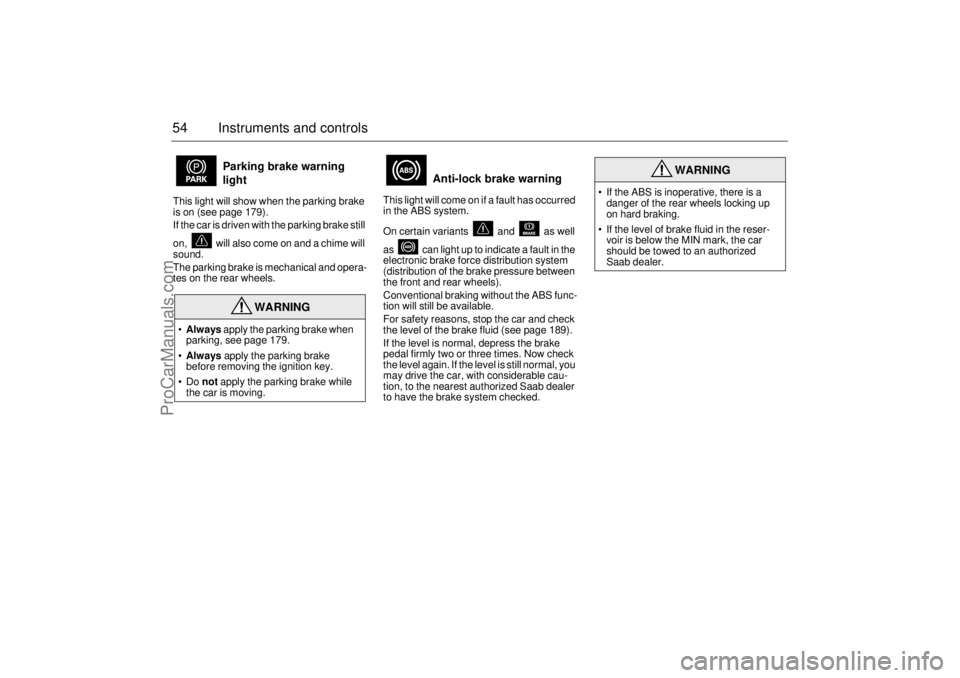
54 Instruments and controlsThis light will show when the parking brake
is on (see page 179).
If the car is driven with the parking brake still
on, will also come on and a chime will
sound.
The parking brake is mechanical and opera-
tes on the rear wheels. This light will come on if a fault has occurred
in the ABS system.
On certain variants and as well
as can light up to indicate a fault in the
electronic brake force distribution system
(distribution of the brake pressure between
the front and rear wheels).
Conventional braking without the ABS func-
tion will still be available.
For safety reasons, stop the car and check
the level of the brake fluid (see page 189).
If the level is normal, depress the brake
pedal firmly two or three times. Now check
the level again. If the level is still normal, you
may drive the car, with considerable cau-
tion, to the nearest authorized Saab dealer
to have the brake system checked.
Parking brake warning
light
WARNING
Always apply the parking brake when
parking, see page 179.
Always apply the parking brake
before removing the ignition key.
Do not apply the parking brake while
the car is moving.
Anti-lock brake warning
WARNING
If the ABS is inoperative, there is a
danger of the rear wheels locking up
on hard braking.
If the level of brake fluid in the reser-
voir is below the MIN mark, the car
should be towed to an authorized
Saab dealer.
ProCarManuals.com
Page 67 of 276

65 Instruments and controls
The following messages may be displayed: 1) This message will be displayed approximately
600 miles (1,000 km) before the next scheduled
service is due, or when 365 days have elapsed
since the last service. The message should be
cleared at the time of that service (see the Saab
Warranties & Service Record Booklet).
This message can also be deleted by first briefly
pressing the CLEAR button, then depressing it a
second time for at least eight seconds until
”SERVICE” appears on the display and a chime
sounds. The message can only be deleted when
it is shown on the SID.
Night panelTo improve night-driving conditions inside
the car, the Night Panel mode can be selec-
ted. In this mode, the amount of information
displayed is reduced, and only the most
important instruments and displays will be
illuminated.
When the Night Panel button is pressed,
only the speedometer will be illuminated (up
to the 87-mph or 140-km/h graduation), all
the other instruments illumination being ext-
inguished and their needles moved to zero.
Both the SID and the ACC displays will be
extinguished and the backlighting for swit-
ches and other controls will be dimmed.
Note: All indicator and warning lights,
together with the display of CHECK messa-
ges, will operate as normal, except ”Out-
door temperature”, see page 62.The following conditions will wake up the
respective displays in the Night-Panel
mode:
Setting of the Audio system, SID or ACC
(display comes on for ten seconds).
CHECK message generated in the SID.
High engine revs cause the rev counter to
be illuminated until the engine speed has
fallen again.
If the quantity of fuel remaining falls below
4 gallons (15 liters), the fuel gauge will be
illuminated.
If the engine temperature rises above nor-
mal, the temperature gauge will be illumi-
nated.
If the speed of the car exceeds 84 mph
(135 km/h), the entire speedometer will
be illuminated.
In cars with automatic transmission, if the
selector lever is moved from D to position
M or L, the selector indication on the main
instrument panel will be illuminated.
To restore the displays and lighting to the
normal mode, press the Night-Panel button. Message See
page
Fog light failure. 198
Rear light failure. 203
Brake light failure. 203
Washer fluid level low.
Refill. 196
Coolant level low.
Refill. 188
Remote control battery
low. Replace battery. 41
Key not accepted.
Contact service. 48
Theft protection failure.
Contact service. 48
Gearbox too hot.
Make a safe stop. 146
Time for ser vice.
1)
246
ProCarManuals.com
Page 68 of 276
66 Instruments and controlsUnits and language versionsThe SID has four sets of units:
CHECK messages can be displayed in six
language options: English, Swedish,
German, French, Italian and Spanish.
Selecting units and language
1 Press CLEAR and SET simultaneously
for four seconds until a chime sounds.
2 Press or to select the requi-
red units.
3 Touch SET.
4 Press or to select the requi-
red language.
5 Touch SET.
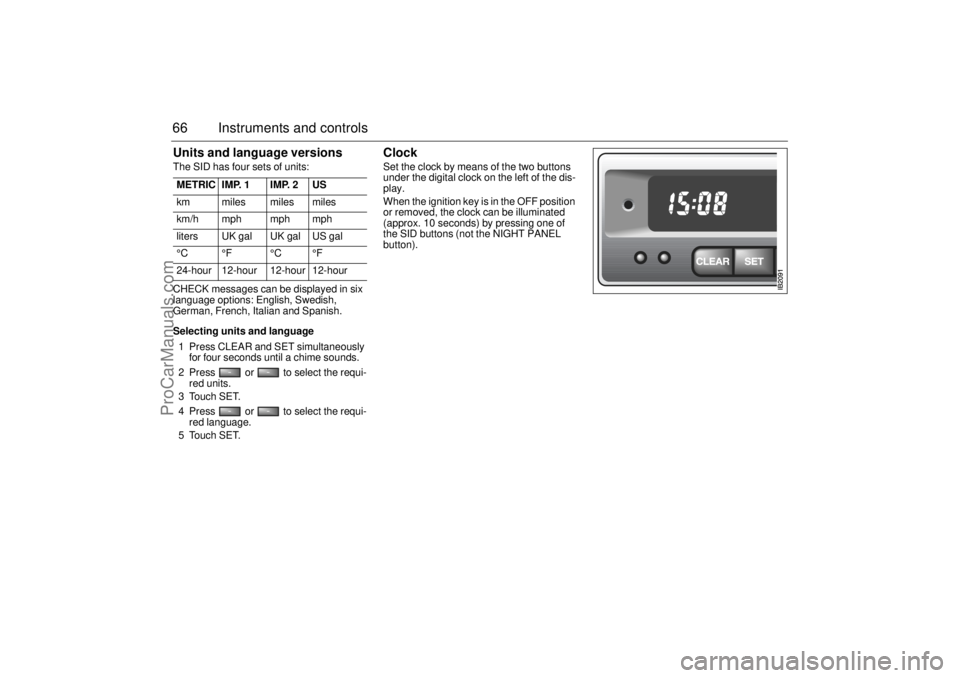
Clock Set the clock by means of the two buttons
under the digital clock on the left of the dis-
play.
When the ignition key is in the OFF position
or removed, the clock can be illuminated
(approx. 10 seconds) by pressing one of
the SID buttons (not the NIGHT PANEL
button). METRIC IMP. 1 IMP. 2 US
km miles miles miles
km/h mph mph mph
liters UK gal UK gal US gal
°C °F °C °F
24-hour 12-hour 12-hour 12-hour
ProCarManuals.com
Page 70 of 276
68 Instruments and controlsCourtesy Headlight FeatureA delay function allows the headlights to
remain on low beam for about 30 seconds
after the driver’s door has been closed.
To activate this function,
Switch off the ignition and remove the key
Open the driver’s door
Pull the high/low beam control stalk
towards the steering wheel like you are
flashing the high beam, see page 67. The
low beam headlights will now come on
immediately after the driver’s door has
been closed (within 30 seconds) and will
remain on for about 30 seconds.
The length of time for this function can be
adjusted by your authorized Saab dealer.
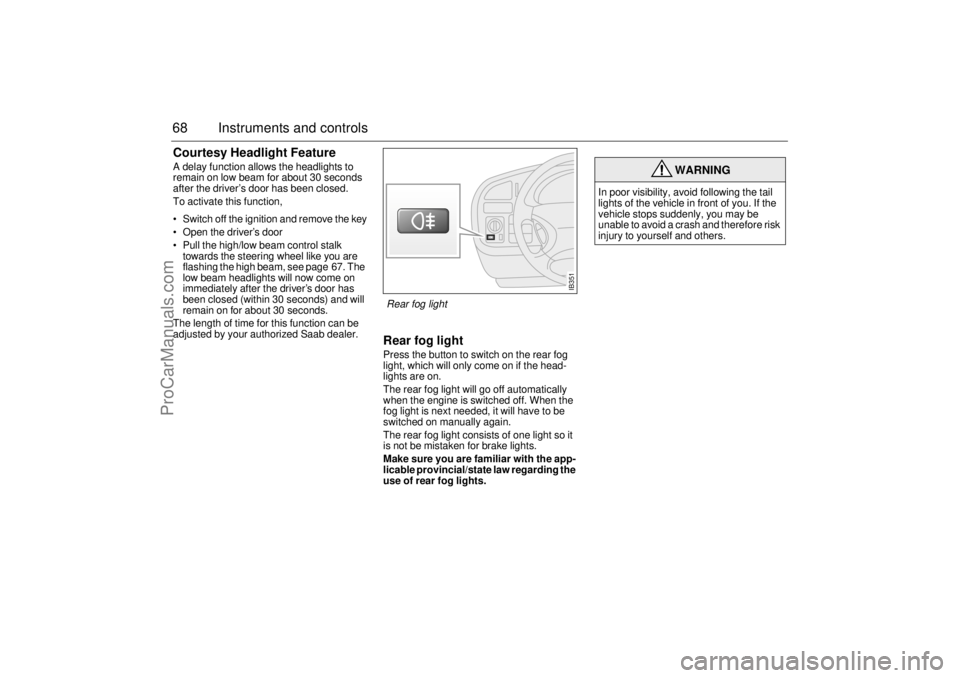
Rear fog lightPress the button to switch on the rear fog
light, which will only come on if the head-
lights are on.
The rear fog light will go off automatically
when the engine is switched off. When the
fog light is next needed, it will have to be
switched on manually again.
The rear fog light consists of one light so it
is not be mistaken for brake lights.
Make sure you are familiar with the app-
licable provincial/state law regarding the
use of rear fog lights.
WARNING
In poor visibility, avoid following the tail
lights of the vehicle in front of you. If the
vehicle stops suddenly, you may be
unable to avoid a crash and therefore risk
injury to yourself and others.
IB351
Rear fog light
ProCarManuals.com
Page 87 of 276
85 Saab 9-5 Audio System
Quick guide to the
Saab 9-5 Audio System Radio (see page 88)
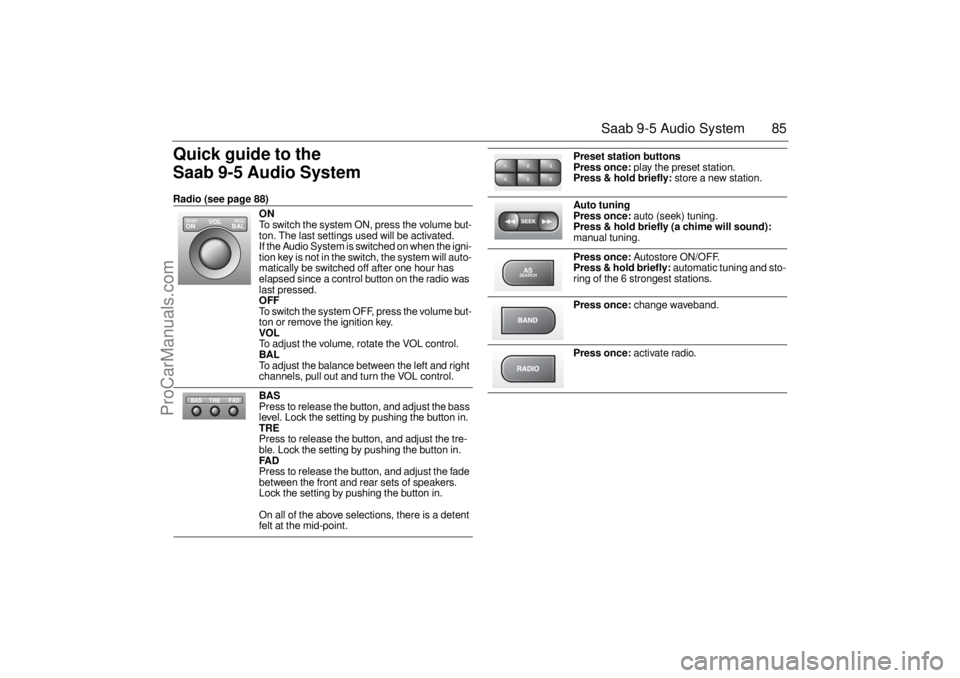
ON
To switch the system ON, press the volume but-
ton. The last settings used will be activated.
If the Audio System is switched on when the igni-
tion key is not in the switch, the system will auto-
matically be switched off after one hour has
elapsed since a control button on the radio was
last pressed. OFF To switch the system OFF, press the volume but-
ton or remove the ignition key. VOL To adjust the volume, rotate the VOL control. BAL To adjust the balance between the left and right
channels, pull out and turn the VOL control. BAS Press to release the button, and adjust the bass
level. Lock the setting by pushing the button in. TRE Press to release the button, and adjust the tre-
ble. Lock the setting by pushing the button in. FAD Press to release the button, and adjust the fade
between the front and rear sets of speakers.
Lock the setting by pushing the button in.
On all of the above selections, there is a detent
felt at the mid-point.
VOL
BAL ON
PULL PUSH
TREFAD BAS
Preset station buttons
Press once:
play the preset station.
Press & hold briefly:
store a new station.
Auto tuning
Press once:
auto (seek) tuning.
Press & hold briefly (a chime will sound):
manual tuning.
Press once:
Autostore ON/OFF.
Press & hold briefly:
automatic tuning and sto-
ring of the 6 strongest stations.
Press once:
change waveband.
Press once:
activate radio.
2 13
5 46ASSEARCH
ProCarManuals.com
Page 89 of 276
87 Saab 9-5 Audio System
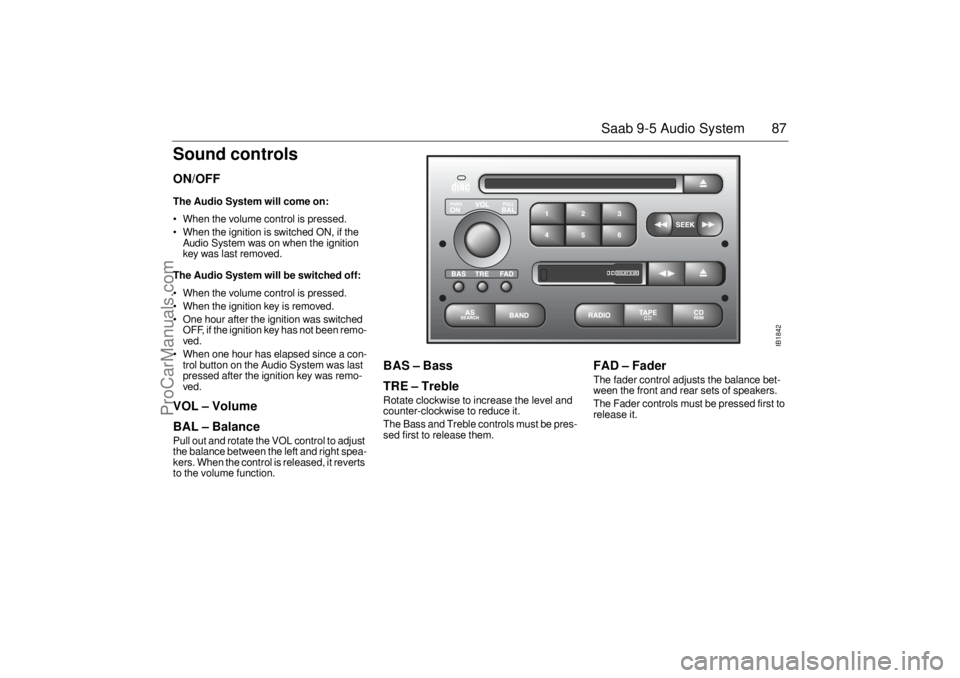
Sound controlsON/OFF The Audio System will come on: When the volume control is pressed.
When the ignition is switched ON, if the
Audio System was on when the ignition
key was last removed. The Audio System will be switched off: When the volume control is pressed.
When the ignition key is removed.
One hour after the ignition was switched
OFF, if the ignition key has not been remo-
ved.
When one hour has elapsed since a con-
trol button on the Audio System was last
pressed after the ignition key was remo-
ved. VOL – Volume
BAL – Balance Pull out and rotate the VOL control to adjust
the balance between the left and right spea-
kers. When the control is released, it reverts
to the volume function.
BAS – Bass
TRE – Treble Rotate clockwise to increase the level and
counter-clockwise to reduce it.
The Bass and Treble controls must be pres-
sed first to release them.
FAD – Fader The fader control adjusts the balance bet-
ween the front and rear sets of speakers.
The Fader controls must be pressed first to
release it.
IB1842
ProCarManuals.com
Page 115 of 276
113 Interior equipment and trunk
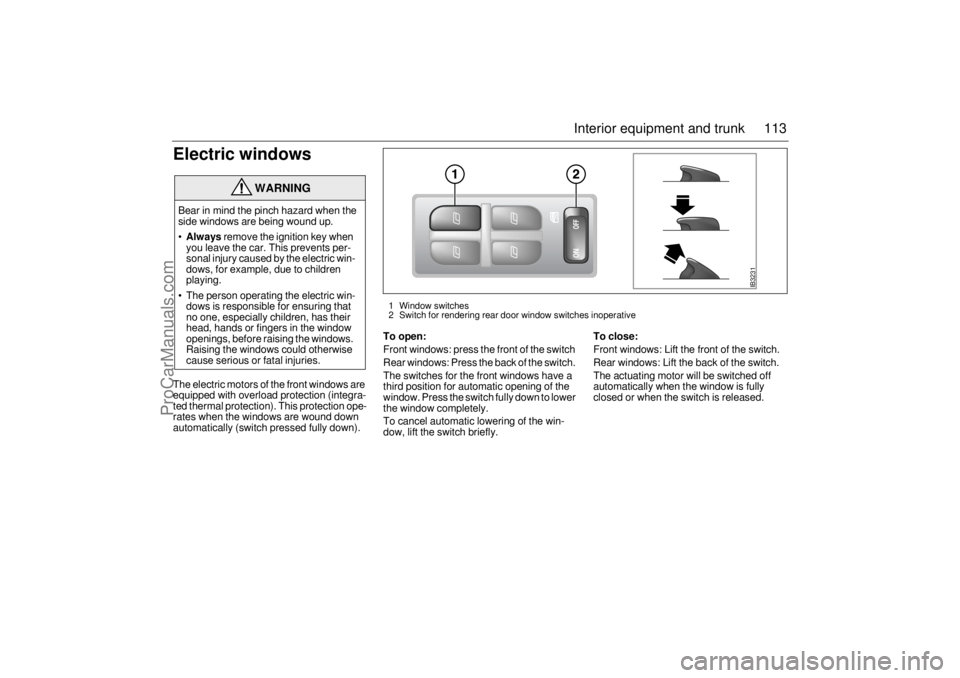
Electric windowsThe electric motors of the front windows are
equipped with overload protection (integra-
ted thermal protection). This protection ope-
rates when the windows are wound down
automatically (switch pressed fully down).
To open:Front windows: press the front of the switch
Rear windows: Press the back of the switch.
The switches for the front windows have a
third position for automatic opening of the
window. Press the switch fully down to lower
the window completely.
To cancel automatic lowering of the win-
dow, lift the switch briefly.
To close:Front windows: Lift the front of the switch.
Rear windows: Lift the back of the switch.
The actuating motor will be switched off
automatically when the window is fully
closed or when the switch is released.
WARNING
Bear in mind the pinch hazard when the
side windows are being wound up.
Always
remove the ignition key when
you leave the car. This prevents per-
sonal injury caused by the electric win-
dows, for example, due to children
playing.
The person operating the electric win-
dows is responsible for ensuring that
no one, especially children, has their
head, hands or fingers in the window
openings, before raising the windows.
Raising the windows could otherwise
cause serious or fatal injuries.
IB3231
1 Window switches
2 Switch for rendering rear door window switches inoperative
ProCarManuals.com