audio SAAB 9-5 2008 Owners Manual
[x] Cancel search | Manufacturer: SAAB, Model Year: 2008, Model line: 9-5, Model: SAAB 9-5 2008Pages: 288, PDF Size: 27.54 MB
Page 1 of 288
1
Owner’s Manual
Saab 9-5, Model Year 200del Year 2008
Safety 11
Security 43
Instruments and controls 57
Saab 9-5 Audio System3
33 3 90
Interior equipment and trunk 113
Starting and driving 139
Car care and technical information 189
Customer Assistance and Information 253
Specifications 259
Index 273
© Saab Automobile AB 2007
Service Readiness, Saab Automobile AB, Trollhättan, Sweden
Printed in Sweden95_US_M08.book Page 1 Friday, May 11, 2007 1:06 PM
ProCarManuals.com
Page 3 of 288
3
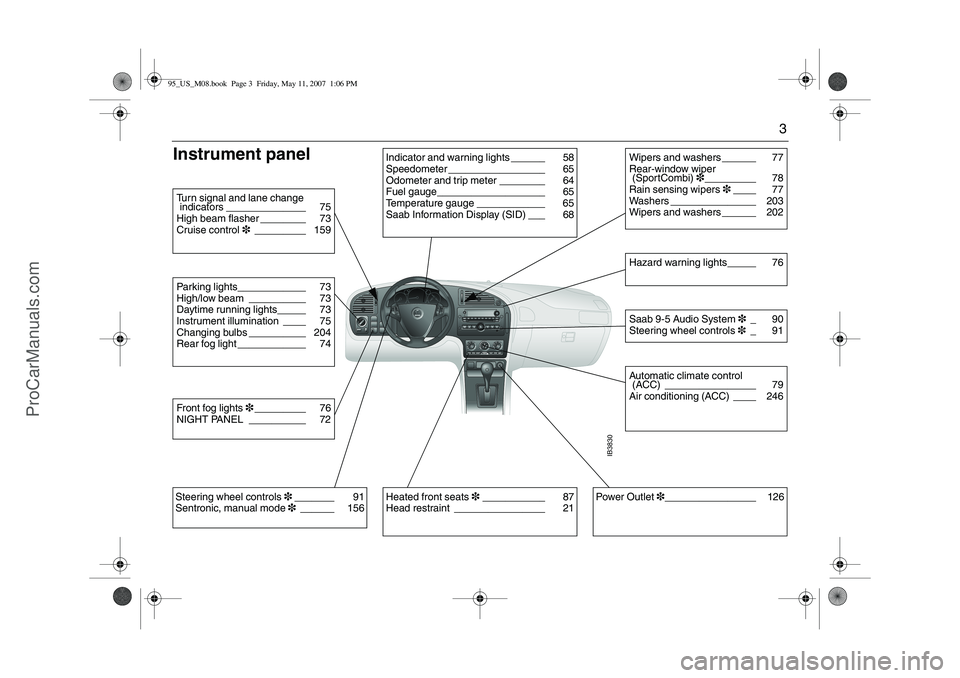
Instrument panel
IB3830
Indicator and warning lights ______ 58
Speedometer _________________ 65
Odometer and trip meter ________ 64
Fuel gauge___________________ 65
Temperature gauge ____________ 65
Saab Information Display (SID) ___ 68
Parking lights____________ 73
High/low beam __________ 73
Daytime running lights_____ 73
Instrument illumination ____ 75
Changing bulbs __________ 204
Rear fog light ____________ 74Turn signal and lane change
indicators ______________ 75
High beam flasher ________ 73
Cruise control3_________ 159Front fog lights3_________ 76
NIGHT PANEL __________ 72
Power Outlet3________________ 126
Wipers and washers ______ 77
Rear-window wiper
(SportCombi)3_________ 78
Rain sensing wipers3____ 77
Washers _______________ 203
Wipers and washers ______ 202Saab 9-5 Audio System3_ 90
Steering wheel controls3_ 91Hazard warning lights_____ 76Automatic climate control
(ACC) ________________ 79
Air conditioning (ACC) ____ 246
Heated front seats3___________ 87
Head restraint ________________ 21
Steering wheel controls3_______ 91
Sentronic, manual mode 3______ 15695_US_M08.book Page 3 Friday, May 11, 2007 1:06 PM
ProCarManuals.com
Page 72 of 288
72 Instruments and controlsNIGHT PANELTo improve night-driving conditions inside
the car, the Night Panel mode can be
selected. In this mode, the amount of infor-
mation displayed is reduced, and only the
most important instruments and displays
will be illuminated.
When the NIGHT PANEL button is pressed,
only the speedometer will be illuminated, all
the other instruments illumination being
extinguished and their needles moved to
zero. The SID display will be extinguished
and the backlighting for switches and other
controls will be dimmed. Note: All indicator
and warning lights, together with the display
of CHECK messages, will operate as nor-
mal, except ”Outdoor temperature”, see
page 68.The following conditions will wake up the
respective displays in the Night-Panel
mode:
Setting of the Audio system or, SID
(display comes on for ten seconds).
CHECK message generated in the SID.
High engine revs cause the rev counter to
be illuminated until the engine speed has
fallen again.
If the quantity of fuel remaining falls below
4 gallons (15 liters), the fuel gauge will be
illuminated.
If the engine temperature rises above
normal, the temperature gauge will be illu-
minated.
In cars with automatic transmission, if the
selector lever is moved from D to position
M or L, the selector indication on the main
instrument panel will be illuminated.
To restore the displays and lighting to the
normal mode, press the NIGHT PANEL but-
ton.
Units and language versionsThe SID has four sets of units: CHECK messages can be displayed in six
language options: English, Swedish,
German, French, Italian and Spanish. Selecting units and language 1 Switch off the engine.
2 Briefly press i/SETbutton. Repeat this
until LANGUAGE/UNITS is displayed.
3 Hold i/SET depressed until a chime
sounds. Then select language using
or .
4 Briefly press the i/SET button. Then
select the units using or .
5 Briefly press the i/SET button. METRIC US GB IMPERIAL
km miles miles miles
km/h mph mph mph
liters US gal gallon gallon
°C °F °C °F
24-hour 12-hour 12-hour 12-hour
95_US_M08.book Page 72 Friday, May 11, 2007 1:06 PM
ProCarManuals.com
Page 89 of 288
89 Saab 9-5 Audio System
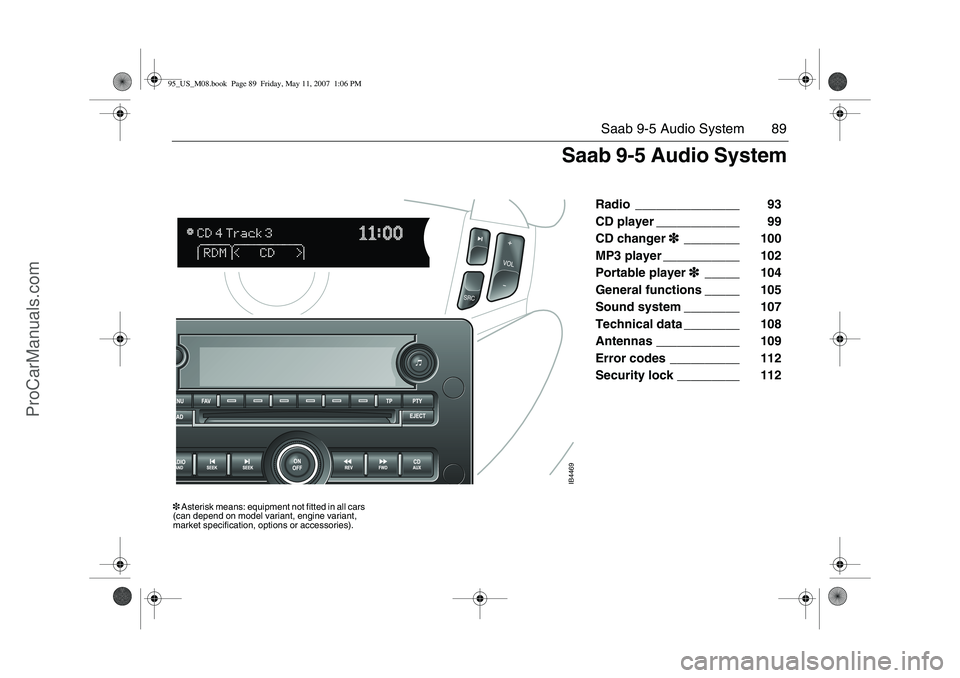
Radio _______________ 93
CD player ____________ 99
CD changer3
33 3________ 100
MP3 player ___________ 102
Portable player3
33 3_____ 104
General functions _____ 105
Sound system ________ 107
Technical data ________ 108
Antennas ____________ 109
Error codes __________ 112
Security lock _________ 112
IB4469
3 Asterisk means: equipment not fitted in all cars
(can depend on model variant, engine variant,
market specification, options or accessories).
Saab 9-5 Audio System
95_US_M08.book Page 89 Friday, May 11, 2007 1:06 PM
ProCarManuals.com
Page 90 of 288
90 Saab 9-5 Audio SystemSaab 9-5 Audio
System3
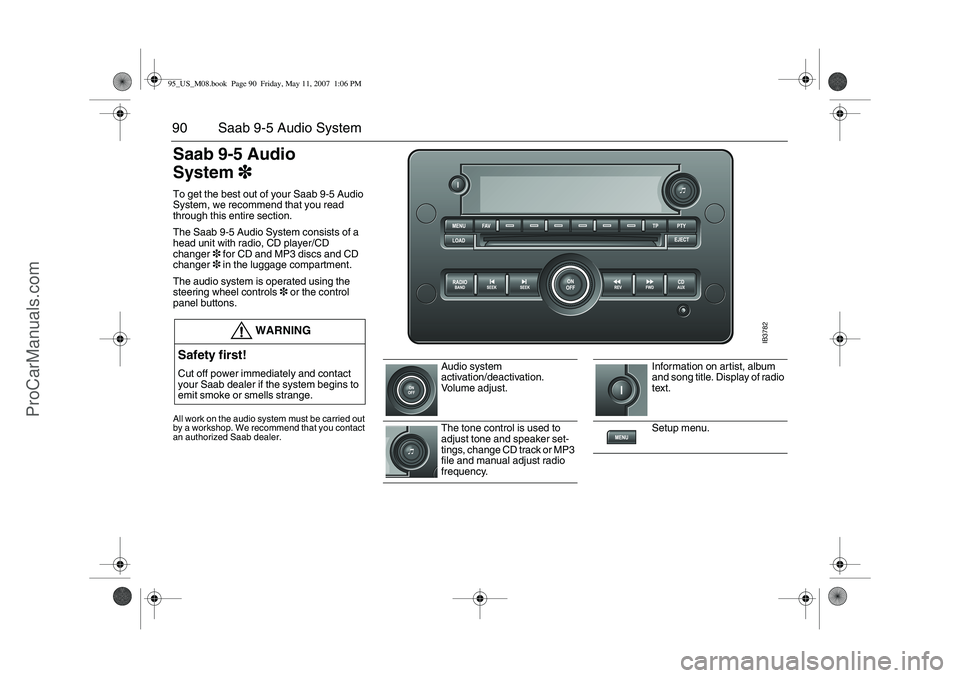
33 3To get the best out of your Saab 9-5 Audio
System, we recommend that you read
through this entire section.
The Saab 9-5 Audio System consists of a
head unit with radio, CD player/CD
changer3 for CD and MP3 discs and CD
changer3 in the luggage compartment.
The audio system is operated using the
steering wheel controls3 or the control
panel buttons.All work on the audio system must be carried out
by a workshop. We recommend that you contact
an authorized Saab dealer.
WARNING
Safety first!Cut off power immediately and contact
your Saab dealer if the system begins to
emit smoke or smells strange.
Audio system
activation/deactivation.
Volume adjust.
The tone control is used to
adjust tone and speaker set-
tings, change CD track or MP3
file and manual adjust radio
frequency.
Information on artist, album
and song title. Display of radio
text.
Setup menu.
IB3782
95_US_M08.book Page 90 Friday, May 11, 2007 1:06 PM
ProCarManuals.com
Page 91 of 288

91 Saab 9-5 Audio System
Steering wheel controls3
33 3l
Scroll among preset pages.
The menu option in the display
is selected with the corre-
sponding pushbutton directly
underneath.
No function on U.S./CA cars.
Select XM
TM
3 program type
when the radio is in the
XM
TM
3 mode.
Cars with CD changer3:
insert CD or MP3 disc or discs.
Cars without CD-changer3:
set time and date.
Eject CD or MP3 disc.
Activate radio and change fre-
quency band (AM,FM and
XM
TM
3).
Auto tuning down and change
track/file going back in order of
play on CD or MP3 disc.
Auto tuning up and change
track/file forward in order of
play on CD or MP3 disc.
Manual tuning and rapid play
back for a track/file on a CD or
MP3 disc.
Manual tuning and rapid play
forward for a track/file on a CD
or MP3 disc.
Activate CD media or portable
player.
"arrow up"/"arrow down":
change preset for radio stations,
change track on CD or MP3
player.
"Seek UP": auto tuning up, select
next track on CD or MP3 disc.
Activate radio station scan
SRC: press to switch between
AM, FM, XM
TM
3, CD, MP3,
CD changer or portable player.
VOL: adjust volume.
IB3935
95_US_M08.book Page 91 Friday, May 11, 2007 1:06 PM
ProCarManuals.com
Page 92 of 288
92 Saab 9-5 Audio SystemSwitching the audio
system On/OffThe audio system will come on:When the ignition is switched ON and/or
the ON/OFF control is pressed.
ON/OFF controlThe audio system will be
switched off:When the ON/OFF control is pressed.
When the ignition key is removed.
One hour after the ignition was switched
OFF, if the ignition key has not been
removed.
1 hour after the audio system has been
switched on if the key is not in the ignition
switch.
Audio settingsVolume
Turn the ON/OFF control until the desired
volume is obtained.Tone controlsTone and speaker settings
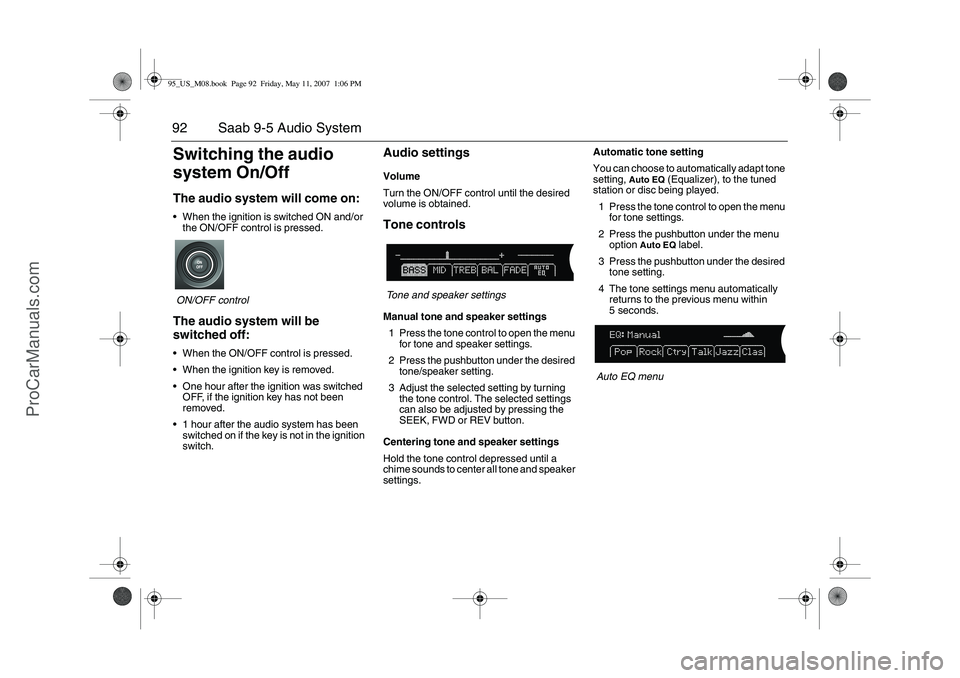
Manual tone and speaker settings
1 Press the tone control to open the menu
for tone and speaker settings.
2 Press the pushbutton under the desired
tone/speaker setting.
3 Adjust the selected setting by turning
the tone control. The selected settings
can also be adjusted by pressing the
SEEK, FWD or REV button.
Centering tone and speaker settings
Hold the tone control depressed until a
chime sounds to center all tone and speaker
settings.Automatic tone setting
You can choose to automatically adapt tone
setting,
Auto EQ
(Equalizer), to the tuned
station or disc being played.
1 Press the tone control to open the menu
for tone settings.
2 Press the pushbutton under the menu
option
Auto EQ
label.
3 Press the pushbutton under the desired
tone setting.
4 The tone settings menu automatically
returns to the previous menu within
5 seconds.
Auto EQ menu
95_US_M08.book Page 92 Friday, May 11, 2007 1:06 PM
ProCarManuals.com
Page 93 of 288
93 Saab 9-5 Audio System
RadioPress the RADIO BAND button to return to
radio mode if another audio source is in use.Selecting a radio stationSelecting a frequency band
Press the RADIO BAND button to change
frequency band. The selected frequency
band appears on the display.
Selecting a preset station
Scroll to the desired preset page by press-
ing the FAV button and then pressing the
pushbutton (1-6) under the desired preset
station.
You can also press or on the steering
wheel to select another preset station.
Tuning a stationFine tuning
Turn the tone control one increment or
press the REV or FWD button to fine-tune
the frequency in increments of 0.2 MHz.
Automatic tuning
Press one of the SEEK buttons or the
button on the steering wheel for automatic
seek tuning. The radio then searches
upward in the frequency band for the near-
est strong station and stops at that fre-
quency.
Manual tuning
Turn the tone control or hold the REV or
FWD button depressed to seek a frequency
manually. Release the control/button to
stop at the desired frequency.
Scanning radio stations
Hold one of the SEEK buttons or the
button on the steering wheel depressed
until a chime sounds for a 5 second sam-
pling of each station accessible on the fre-
quency band.
Scanning...
appears on the
display.
Press one of the SEEK buttons or the
button on the steering wheel again to cancel
the scan and select the radio station being
played at that instant.
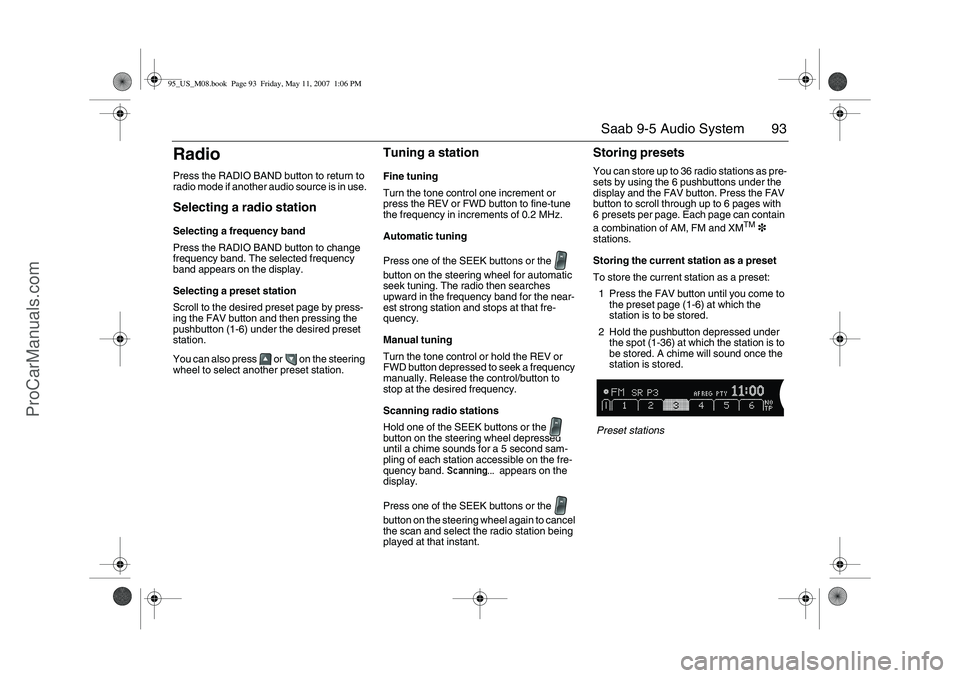
Storing presetsYou can store up to 36 radio stations as pre-
sets by using the 6 pushbuttons under the
display and the FAV button. Press the FAV
button to scroll through up to 6 pages with
6 presets per page. Each page can contain
a combination of AM, FM and XM
TM
3
stations.
Storing the current station as a preset
To store the current station as a preset:
1 Press the FAV button until you come to
the preset page (1-6) at which the
station is to be stored.
2 Hold the pushbutton depressed under
the spot (1-36) at which the station is to
be stored. A chime will sound once the
station is stored.
Preset stations
95_US_M08.book Page 93 Friday, May 11, 2007 1:06 PM
ProCarManuals.com
Page 94 of 288
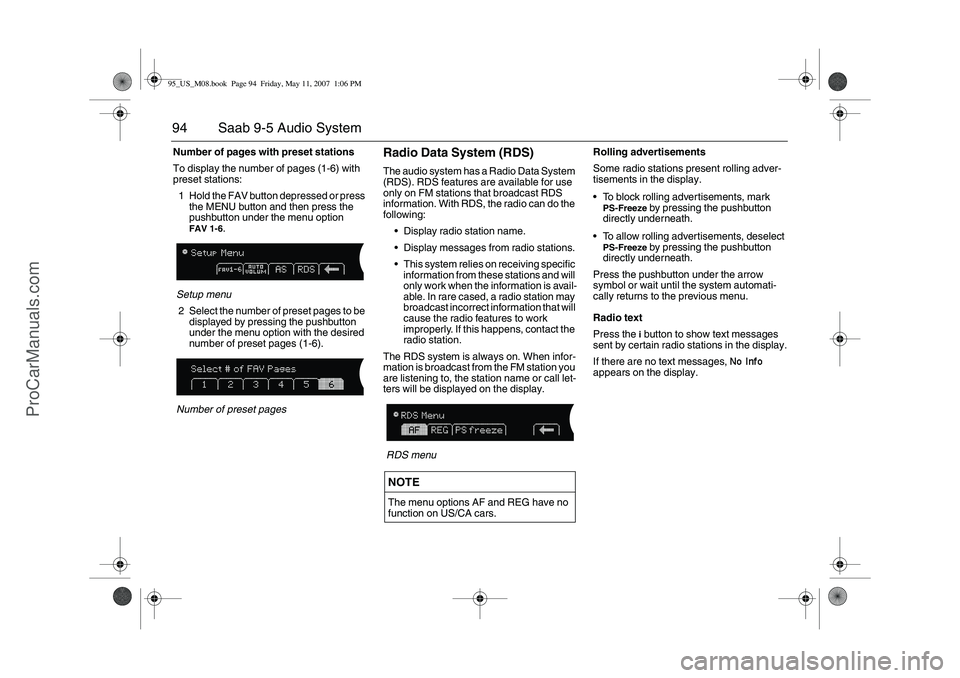
94 Saab 9-5 Audio SystemNumber of pages with preset stations
To display the number of pages (1-6) with
preset stations:
1 Hold the FAV button depressed or press
the MENU button and then press the
pushbutton under the menu option
FAV 1-6
.
Setup menu
2 Select the number of preset pages to be
displayed by pressing the pushbutton
under the menu option with the desired
number of preset pages (1-6).
Number of preset pages
Radio Data System (RDS)The audio system has a Radio Data System
(RDS). RDS features are available for use
only on FM stations that broadcast RDS
information. With RDS, the radio can do the
following:
Display radio station name.
Display messages from radio stations.
This system relies on receiving specific
information from these stations and will
only work when the information is avail-
able. In rare cased, a radio station may
broadcast incorrect information that will
cause the radio features to work
improperly. If this happens, contact the
radio station.
The RDS system is always on. When infor-
mation is broadcast from the FM station you
are listening to, the station name or call let-
ters will be displayed on the display.
RDS menuRolling advertisements
Some radio stations present rolling adver-
tisements in the display.
To block rolling advertisements, mark
PS-Freeze
by pressing the pushbutton
directly underneath.
To allow rolling advertisements, deselect
PS-Freeze
by pressing the pushbutton
directly underneath.
Press the pushbutton under the arrow
symbol or wait until the system automati-
cally returns to the previous menu.
Radio text
Press the i button to show text messages
sent by certain radio stations in the display.
If there are no text messages,
No Info
appears on the display.
NOTEThe menu options AF and REG have no
function on US/CA cars.
95_US_M08.book Page 94 Friday, May 11, 2007 1:06 PM
ProCarManuals.com
Page 95 of 288
95 Saab 9-5 Audio System
XM
TM
3
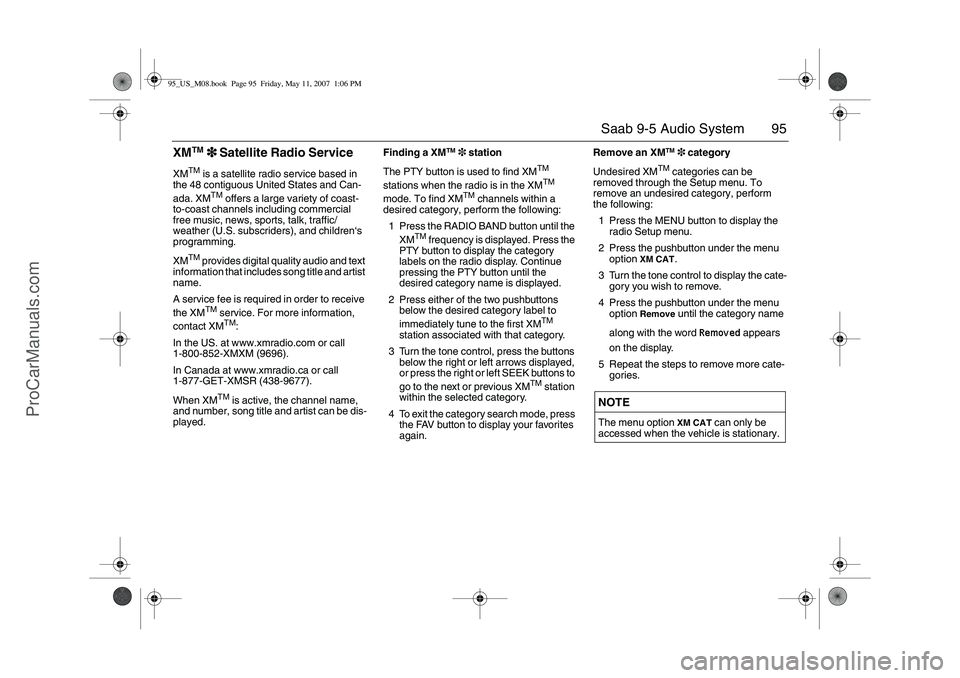
33 3 Satellite Radio Service
XM
TM
is a satellite radio service based in
the 48 contiguous United States and Can-
ada. XMTM
offers a large variety of coast-
to-coast channels including commercial
free music, news, sports, talk, traffic/
weather (U.S. subscriders), and children‘s
programming.
XM
TM
provides digital quality audio and text
information that includes song title and artist
name.
A service fee is required in order to receive
the XMTM
service. For more information,
contact XMTM
:
In the US. at www.xmradio.com or call
1-800-852-XMXM (9696).
In Canada at www.xmradio.ca or call
1-877-GET-XMSR (438-9677).
When XM
TM
is active, the channel name,
and number, song title and artist can be dis-
played.Finding a XM
TM
3 station
The PTY button is used to find XM
TM
stations when the radio is in the XMTM
mode. To find XM
TM
channels within a
desired category, perform the following:
1 Press the RADIO BAND button until the
XM
TM
frequency is displayed. Press the
PTY button to display the category
labels on the radio display. Continue
pressing the PTY button until the
desired category name is displayed.
2 Press either of the two pushbuttons
below the desired category label to
immediately tune to the first XM
TM
station associated with that category.
3 Turn the tone control, press the buttons
below the right or left arrows displayed,
or press the right or left SEEK buttons to
go to the next or previous XM
TM
station
within the selected category.
4 To exit the category search mode, press
the FAV button to display your favorites
again.Remove an XM
TM
3 category
Undesired XM
TM
categories can be
removed through the Setup menu. To
remove an undesired category, perform
the following:
1 Press the MENU button to display the
radio Setup menu.
2 Press the pushbutton under the menu
option
XM CAT
.
3 Turn the tone control to display the cate-
gory you wish to remove.
4 Press the pushbutton under the menu
option
Remove
until the category name
along with the word
Removed
appears
on the display.
5 Repeat the steps to remove more cate-
gories.
NOTEThe menu option
XM CAT
can only be
accessed when the vehicle is stationary.
95_US_M08.book Page 95 Friday, May 11, 2007 1:06 PM
ProCarManuals.com