audio SAAB 9-5 2009 User Guide
[x] Cancel search | Manufacturer: SAAB, Model Year: 2009, Model line: 9-5, Model: SAAB 9-5 2009Pages: 272, PDF Size: 21.53 MB
Page 96 of 272
96 Saab 9-5 Audio SystemRestore removed XM
TM
3 categories
Removed categories can be restored by
pressing the pushbutton under the menu
option
Add
when a removed category is dis-
played or by pressing the pushbutton under
the menu option
Restore All
.Decades
Country
Hits
Christian
Rock
Urban
Jazz & Blues
Dance
Latin
Wor ld
Classical
Kids
News
Sports
Comedy
Ta l k & Va r i e t y
Premium
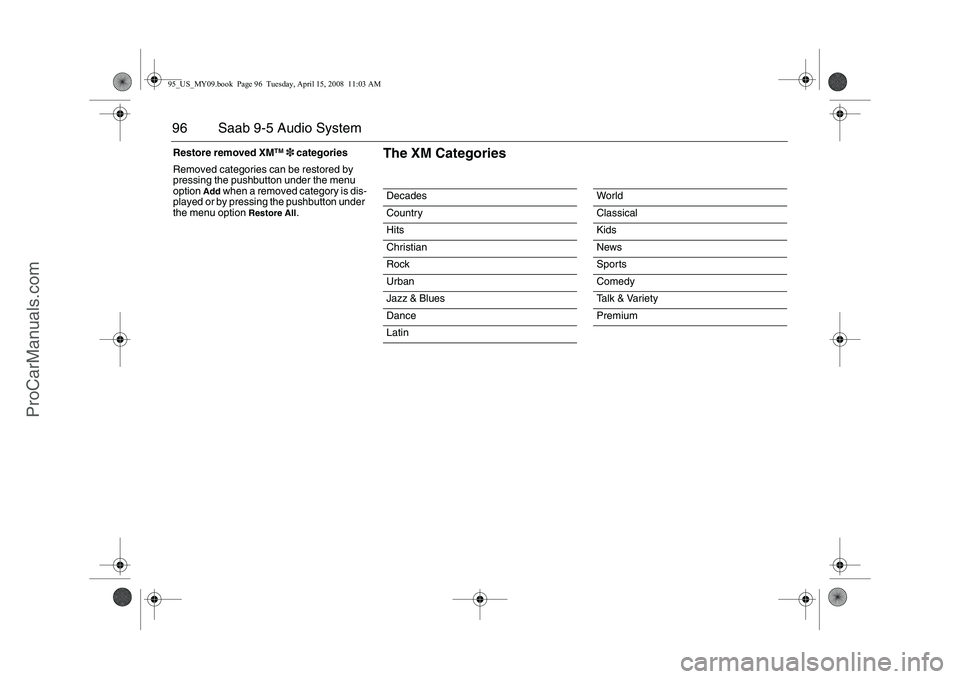
The XM Categories
95_US_MY09.book Page 96 Tuesday, April 15, 2008 11:03 AM
ProCarManuals.com
Page 97 of 272
97 Saab 9-5 Audio System
XM
TM
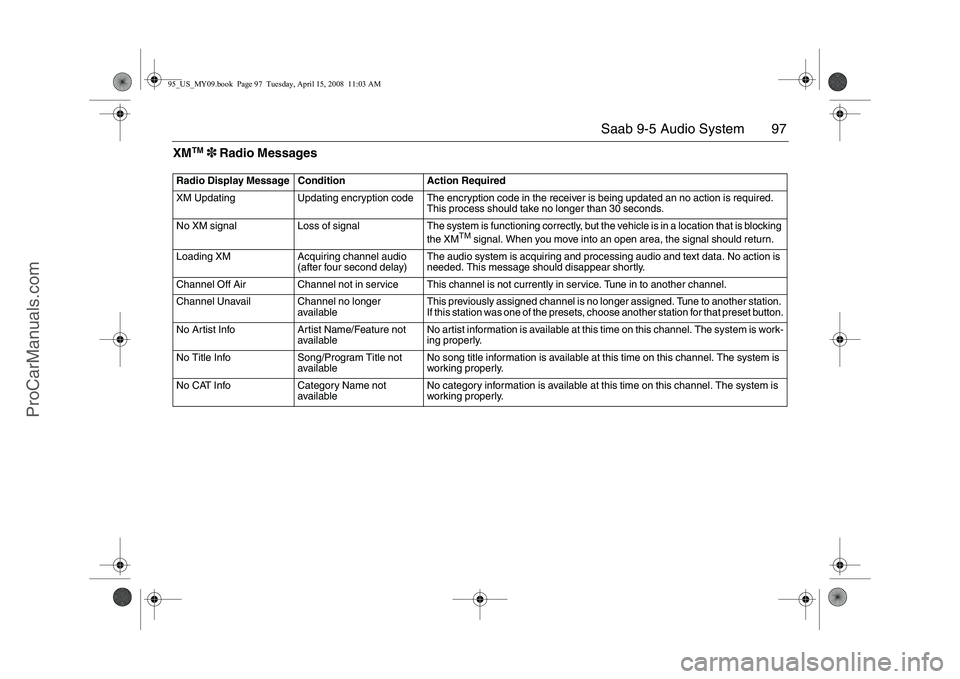
3 Radio Messages
Radio Display Message Condition Action Required
XM Updating Updating encryption code The encryption code in the receiver is being updated an no action is required.
This process should take no longer than 30 seconds.
No XM signal Loss of signal The system is functioning correctly, but the vehicle is in a location that is blocking
the XM
TM
signal. When you move into an open area, the signal should return.
Loading XM Acquiring channel audio
(after four second delay)The audio system is acquiring and processing audio and text data. No action is
needed. This message should disappear shortly.
Channel Off Air Channel not in service This channel is not currently in service. Tune in to another channel.
Channel Unavail Channel no longer
availableThis previously assigned channel is no longer assigned. Tune to another station.
If this station was one of the presets, choose another station for that preset button.
No Artist Info Artist Name/Feature not
availableNo artist information is available at this time on this channel. The system is work-
ing properly.
No Title Info Song/Program Title not
availableNo song title information is available at this time on this channel. The system is
working properly.
No CAT Info Category Name not
availableNo category information is available at this time on this channel. The system is
working properly.
95_US_MY09.book Page 97 Tuesday, April 15, 2008 11:03 AM
ProCarManuals.com
Page 98 of 272
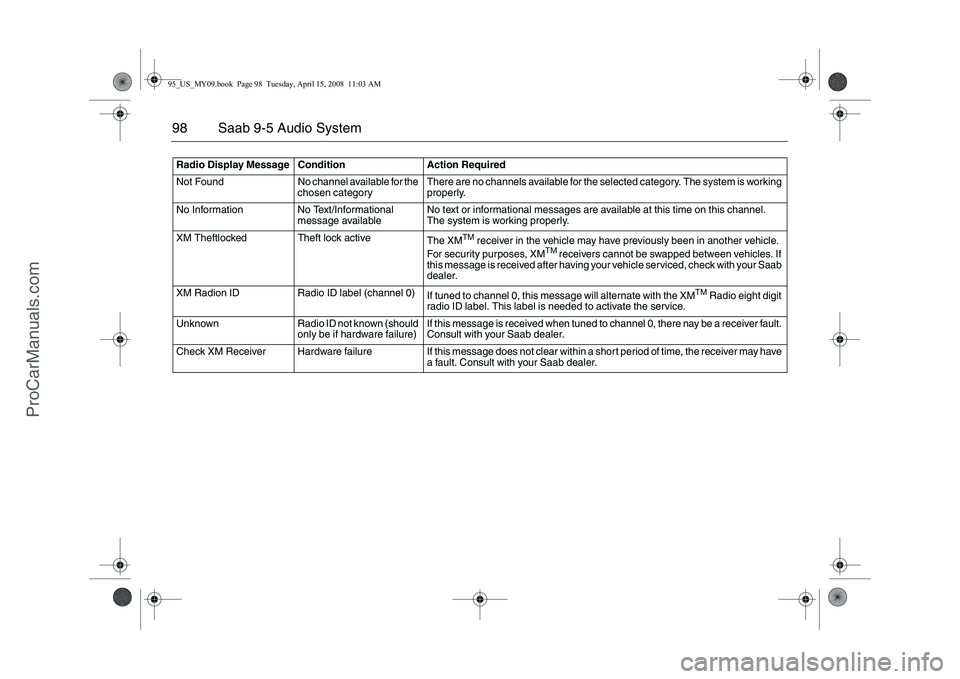
98 Saab 9-5 Audio SystemRadio Display Message Condition Action Required
Not Found No channel available for the
chosen categoryThere are no channels available for the selected category. The system is working
properly.
No Information No Text/Informational
message availableNo text or informational messages are available at this time on this channel.
The system is working properly.
XM Theftlocked Theft lock active
The XM
TM
receiver in the vehicle may have previously been in another vehicle.
For security purposes, XM
TM
receivers cannot be swapped between vehicles. If
this message is received after having your vehicle serviced, check with your Saab
dealer.
XM Radion ID Radio ID label (channel 0)
If tuned to channel 0, this message will alternate with the XM
TM
Radio eight digit
radio ID label. This label is needed to activate the service.
Unknown Radio ID not known (should
only be if hardware failure)If this message is received when tuned to channel 0, there nay be a receiver fault.
Consult with your Saab dealer.
Check XM Receiver Hardware failure If this message does not clear within a short period of time, the receiver may have
a fault. Consult with your Saab dealer.
95_US_MY09.book Page 98 Tuesday, April 15, 2008 11:03 AM
ProCarManuals.com
Page 99 of 272
99 Saab 9-5 Audio System
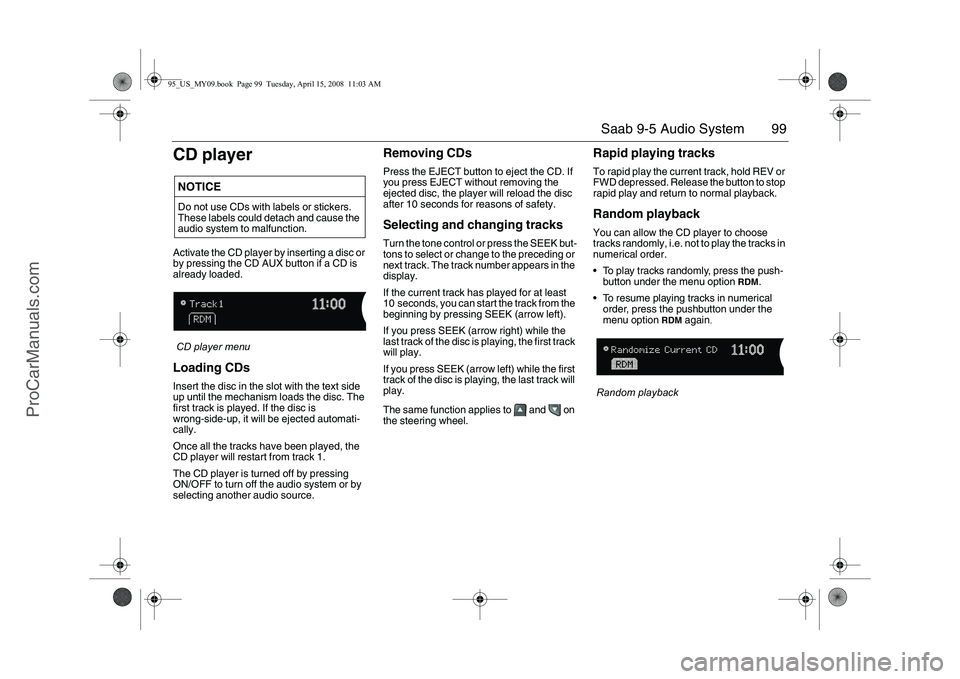
CD playerActivate the CD player by inserting a disc or
by pressing the CD AUX button if a CD is
already loaded.
CD player menuLoading CDsInsert the disc in the slot with the text side
up until the mechanism loads the disc. The
first track is played. If the disc is
wrong-side-up, it will be ejected automati-
cally.
Once all the tracks have been played, the
CD player will restart from track 1.
The CD player is turned off by pressing
ON/OFF to turn off the audio system or by
selecting another audio source.
Removing CDsPress the EJECT button to eject the CD. If
you press EJECT without removing the
ejected disc, the player will reload the disc
after 10 seconds for reasons of safety.Selecting and changing tracksTurn the tone control or press the SEEK but-
tons to select or change to the preceding or
next track. The track number appears in the
display.
If the current track has played for at least
10 seconds, you can start the track from the
beginning by pressing SEEK (arrow left).
If you press SEEK (arrow right) while the
last track of the disc is playing, the first track
will play.
If you press SEEK (arrow left) while the first
track of the disc is playing, the last track will
play.
The same function applies to and on
the steering wheel.
Rapid playing tracksTo rapid play the current track, hold REV or
FWD depressed. Release the button to stop
rapid play and return to normal playback.Random playbackYou can allow the CD player to choose
tracks randomly, i.e. not to play the tracks in
numerical order.
To play tracks randomly, press the push-
button under the menu option
RDM
.
To resume playing tracks in numerical
order, press the pushbutton under the
menu option
RDM
again
.
Random playback
NOTICEDo not use CDs with labels or stickers.
These labels could detach and cause the
audio system to malfunction.95_US_MY09.book Page 99 Tuesday, April 15, 2008 11:03 AM
ProCarManuals.com
Page 100 of 272
100 Saab 9-5 Audio SystemCD changer3Activate the CD changer by inserting one or
more CD/MP3 discs or by pressing the CD
AUX button if one or more discs is already
loaded.Loading CDsLoading a CD
1 Press the LOAD button. The following
appears on the display:
Please Wait
2 Wait until the loading mechanism is
ready for the disc. The following appears
on the display:
Insert CD
3 Insert the disc in the slot with the text
side up until the mechanism loads the
disc. The following appears on the
display:
Loading
If the disc is wrong-side-up, it will be ejected
automatically.Loading several CDs
The CD changer can be loaded with up to
6 discs. To load several discs in the CD
changer:
1 Hold LOAD depressed for 2 seconds. A
chime sounds and the following appears
on the display:
Please Wait
2 Follow the instructions on the display to
load the discs.
3 If you do not wish to load more CDs,
press LOAD to cancel.
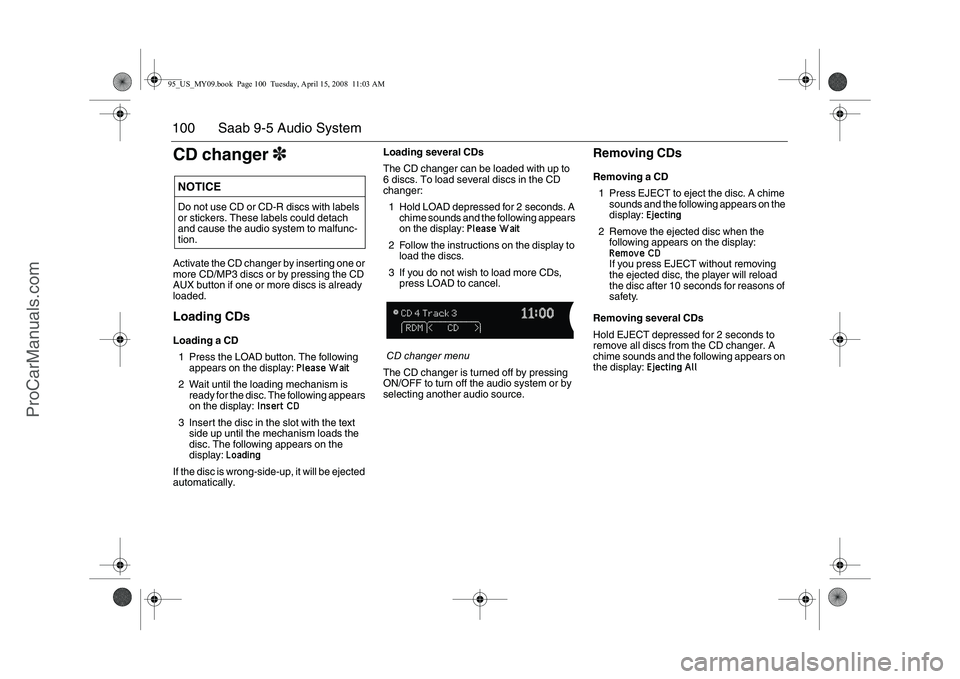
CD changer menu
The CD changer is turned off by pressing
ON/OFF to turn off the audio system or by
selecting another audio source.
Removing CDsRemoving a CD
1 Press EJECT to eject the disc. A chime
sounds and the following appears on the
display:
Ejecting
2 Remove the ejected disc when the
following appears on the display: Remove CDIf you press EJECT without removing
the ejected disc, the player will reload
the disc after 10 seconds for reasons of
safety.
Removing several CDs
Hold EJECT depressed for 2 seconds to
remove all discs from the CD changer. A
chime sounds and the following appears on
the display:
Ejecting All
NOTICEDo not use CD or CD-R discs with labels
or stickers. These labels could detach
and cause the audio system to malfunc-
tion.95_US_MY09.book Page 100 Tuesday, April 15, 2008 11:03 AM
ProCarManuals.com
Page 101 of 272
101 Saab 9-5 Audio System
Selecting and changing tracksTurn the tone control or press the SEEK but-
tons to select or change to the preceding or
next track. The track number appears in the
display.
If the current track has played for at least
10 seconds, you can start the track from the
beginning by pressing SEEK (arrow left).
If you press SEEK (arrow right) while the
last track of the disc is playing, the first track
will play.
If you press SEEK (arrow left) while the first
track of the disc is playing, the last track will
play.
The same function applies to and on
the steering wheel.
For selecting/changing MP3 files, see
page 102.
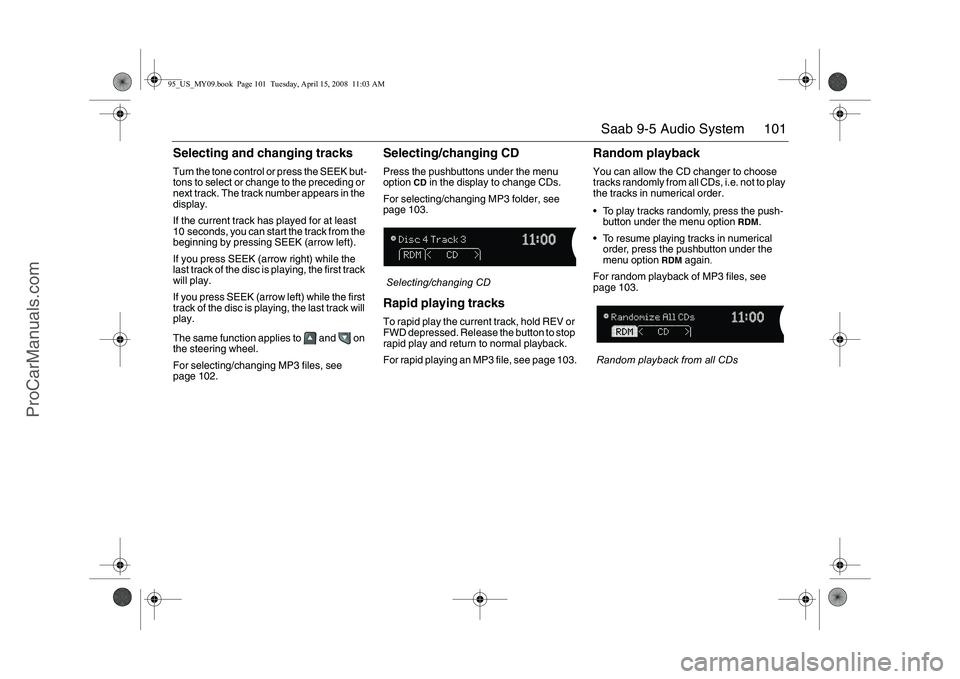
Selecting/changing CDPress the pushbuttons under the menu
option
CD
in the display to change CDs.
For selecting/changing MP3 folder, see
page 103.
Selecting/changing CD
Rapid playing tracksTo rapid play the current track, hold REV or
FWD depressed. Release the button to stop
rapid play and return to normal playback.
For rapid playing an MP3 file, see page 103.
Random playbackYou can allow the CD changer to choose
tracks randomly from all CDs, i.e. not to play
the tracks in numerical order.
To play tracks randomly, press the push-
button under the menu option
RDM
.
To resume playing tracks in numerical
order, press the pushbutton under the
menu option
RDM
again
.
For random playback of MP3 files, see
page 103.
Random playback from all CDs
95_US_MY09.book Page 101 Tuesday, April 15, 2008 11:03 AM
ProCarManuals.com
Page 102 of 272
102 Saab 9-5 Audio SystemMP3 playerThe audio system can play MP3 files
recorded on an CD-R disc with the following
bit speed: 32 - 320 kbps. Sound quality may
vary depending on the quality of the CD-R
disc, recording method and quality of the
recorded music.
The audio system can read and play a max-
imum of 50 MP3 files, 50 playlists, 10 ses-
sions and 255 MP3 files. Discs containing
several folders, playlists, sessions and files
can be played up to the max. limit. Anything
over the max. limit will be ignored.
Activating the MP3 playerActivate the MP3 player by inserting a CD-R
disc with MP3 files into the slot or by press-
ing the CD AUX button if a disc with MP3
files is already loaded.
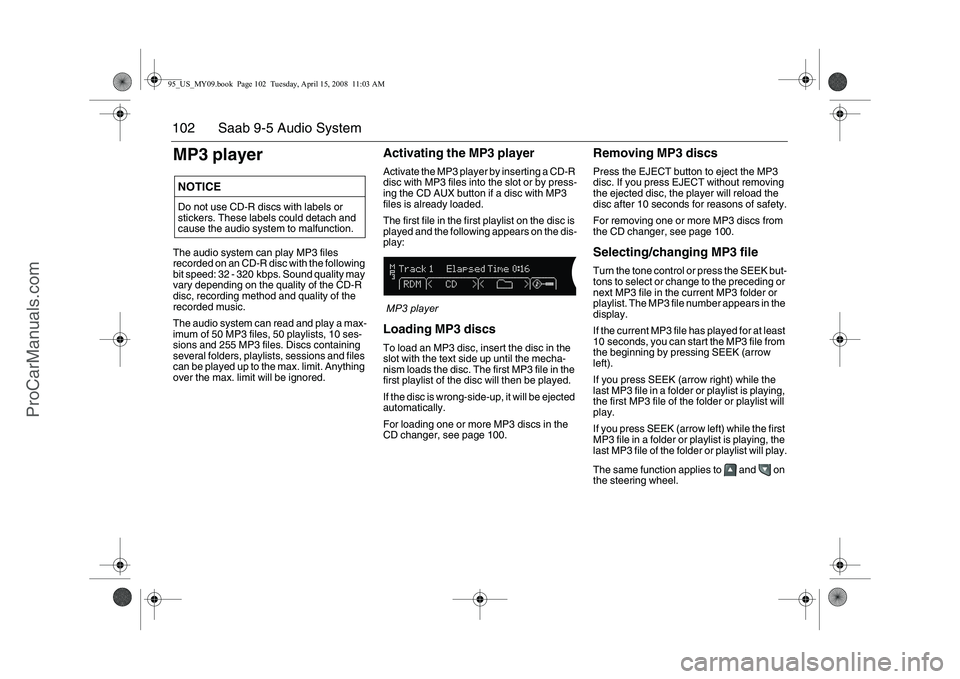
The first file in the first playlist on the disc is
played and the following appears on the dis-
play:
MP3 playerLoading MP3 discsTo load an MP3 disc, insert the disc in the
slot with the text side up until the mecha-
nism loads the disc. The first MP3 file in the
first playlist of the disc will then be played.
If the disc is wrong-side-up, it will be ejected
automatically.
For loading one or more MP3 discs in the
CD changer, see page 100.
Removing MP3 discsPress the EJECT button to eject the MP3
disc. If you press EJECT without removing
the ejected disc, the player will reload the
disc after 10 seconds for reasons of safety.
For removing one or more MP3 discs from
the CD changer, see page 100.Selecting/changing MP3 fileTurn the tone control or press the SEEK but-
tons to select or change to the preceding or
next MP3 file in the current MP3 folder or
playlist. The MP3 file number appears in the
display.
If the current MP3 file has played for at least
10 seconds, you can start the MP3 file from
the beginning by pressing SEEK (arrow
left).
If you press SEEK (arrow right) while the
last MP3 file in a folder or playlist is playing,
the first MP3 file of the folder or playlist will
play.
If you press SEEK (arrow left) while the first
MP3 file in a folder or playlist is playing, the
last MP3 file of the folder or playlist will play.
The same function applies to and on
the steering wheel.
NOTICEDo not use CD-R discs with labels or
stickers. These labels could detach and
cause the audio system to malfunction.95_US_MY09.book Page 102 Tuesday, April 15, 2008 11:03 AM
ProCarManuals.com
Page 103 of 272
103 Saab 9-5 Audio System
Selecting/changing MP3 folder Press the left pushbutton under the Folder
symbol to play the first MP3 file in the
preceding MP3 folder on the disc.
Press the right pushbutton under the
Folder symbol to play the first MP3 file of
the next MP3 folder on the disc.Rapid playing an MP3 fileTo rapid play the current MP3 file, hold REV
or FWD depressed. Release the button to
stop rapid play and return to normal play-
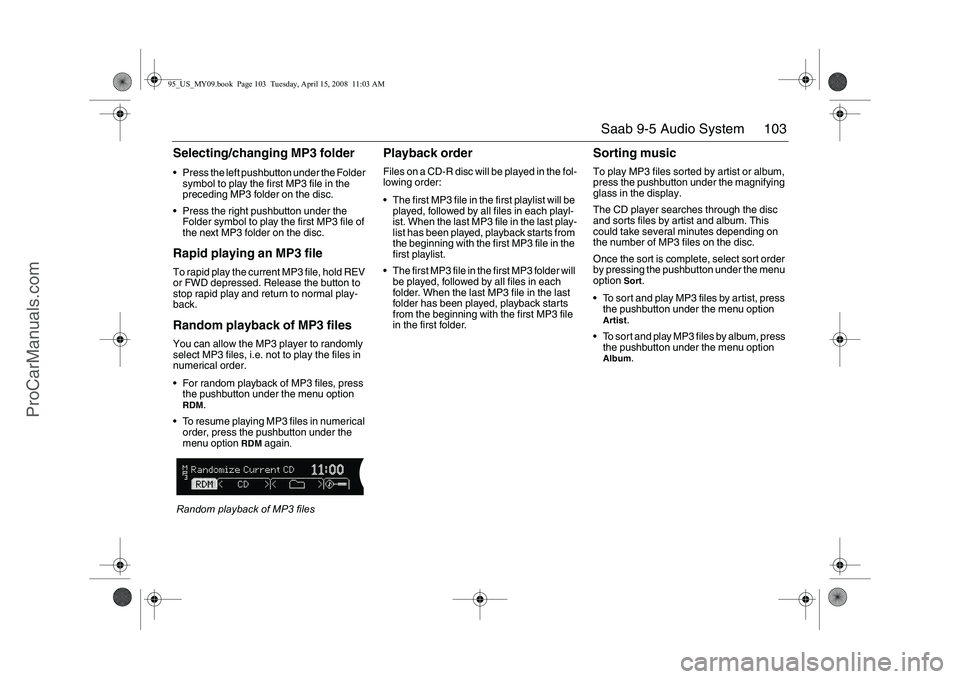
back.Random playback of MP3 filesYou can allow the MP3 player to randomly
select MP3 files, i.e. not to play the files in
numerical order.
For random playback of MP3 files, press
the pushbutton under the menu option RDM
.
To resume playing MP3 files in numerical
order, press the pushbutton under the
menu option
RDM
again
.
Random playback of MP3 files
Playback orderFiles on a CD-R disc will be played in the fol-
lowing order:
The first MP3 file in the first playlist will be
played, followed by all files in each playl-
ist. When the last MP3 file in the last play-
list has been played, playback starts from
the beginning with the first MP3 file in the
first playlist.
The first MP3 file in the first MP3 folder will
be played, followed by all files in each
folder. When the last MP3 file in the last
folder has been played, playback starts
from the beginning with the first MP3 file
in the first folder.
Sorting musicTo play MP3 files sorted by artist or album,
press the pushbutton under the magnifying
glass in the display.
The CD player searches through the disc
and sorts files by artist and album. This
could take several minutes depending on
the number of MP3 files on the disc.
Once the sort is complete, select sort order
by pressing the pushbutton under the menu
option
Sort
.
To sort and play MP3 files by artist, press
the pushbutton under the menu option
Artist
.
To sort and play MP3 files by album, press
the pushbutton under the menu option
Album
.
95_US_MY09.book Page 103 Tuesday, April 15, 2008 11:03 AM
ProCarManuals.com
Page 104 of 272
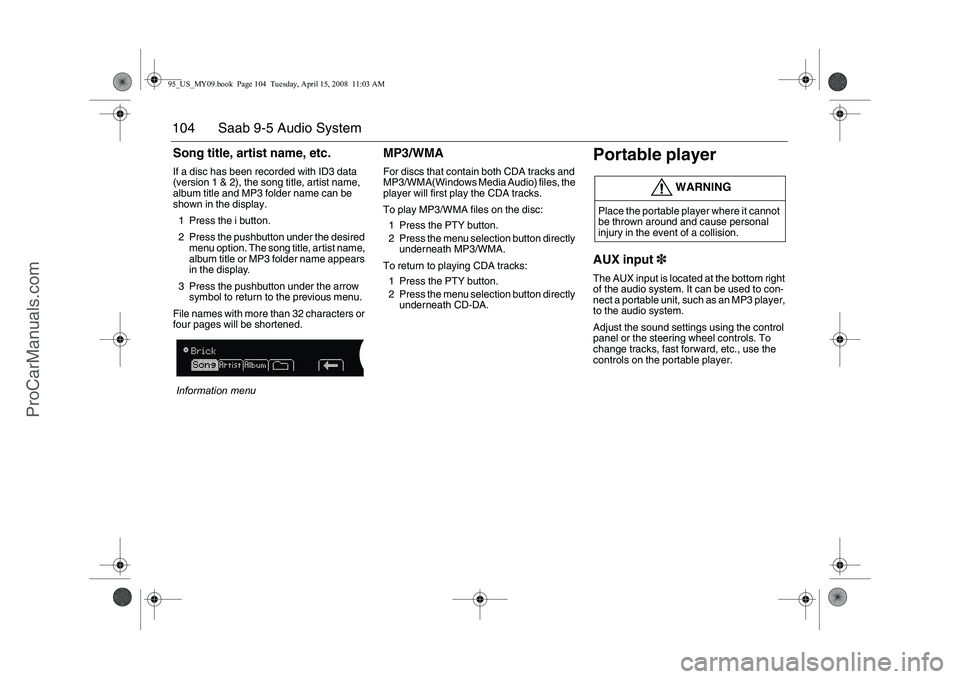
104 Saab 9-5 Audio SystemSong title, artist name, etc.If a disc has been recorded with ID3 data
(version 1 & 2), the song title, artist name,
album title and MP3 folder name can be
shown in the display.
1 Press the i button.
2 Press the pushbutton under the desired
menu option. The song title, artist name,
album title or MP3 folder name appears
in the display.
3 Press the pushbutton under the arrow
symbol to return to the previous menu.
File names with more than 32 characters or
four pages will be shortened.
Information menu
MP3/WMAFor discs that contain both CDA tracks and
MP3/WMA(Windows Media Audio) files, the
player will first play the CDA tracks.
To play MP3/WMA files on the disc:
1 Press the PTY button.
2 Press the menu selection button directly
underneath MP3/WMA.
To return to playing CDA tracks:
1 Press the PTY button.
2 Press the menu selection button directly
underneath CD-DA.
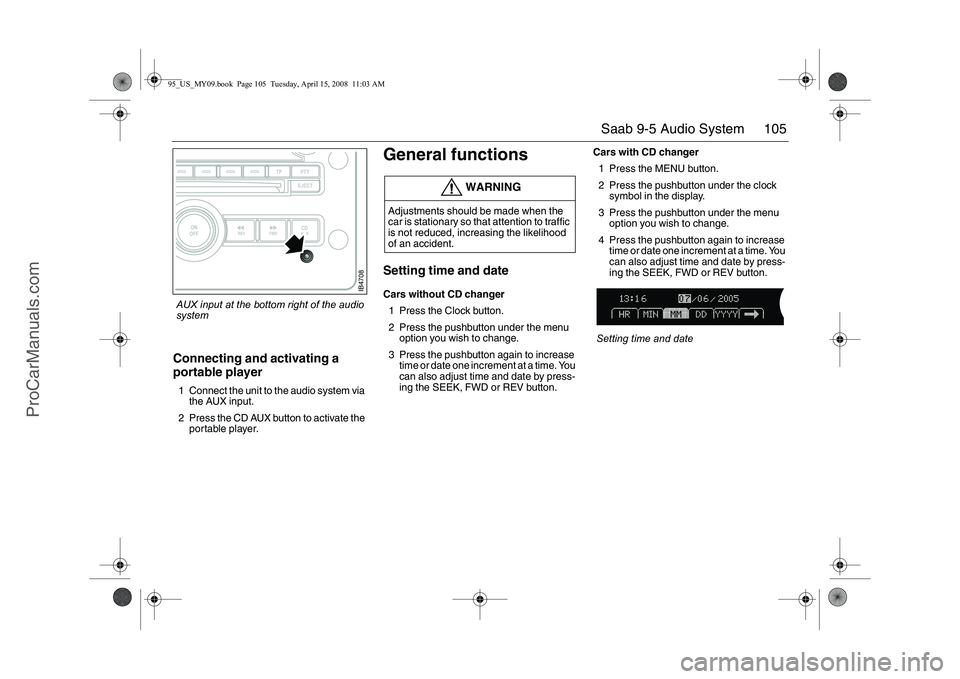
Portable playerAUX input3The AUX input is located at the bottom right
of the audio system. It can be used to con-
nect a portable unit, such as an MP3 player,
to the audio system.
Adjust the sound settings using the control
panel or the steering wheel controls. To
change tracks, fast forward, etc., use the
controls on the portable player.
WARNING
Place the portable player where it cannot
be thrown around and cause personal
injury in the event of a collision.
95_US_MY09.book Page 104 Tuesday, April 15, 2008 11:03 AM
ProCarManuals.com
Page 105 of 272
105 Saab 9-5 Audio System
Connecting and activating a
portable player1 Connect the unit to the audio system via
the AUX input.
2 Press the CD AUX button to activate the
portable player.
General functionsSetting time and dateCars without CD changer
1 Press the Clock button.
2 Press the pushbutton under the menu
option you wish to change.
3 Press the pushbutton again to increase
time or date one increment at a time. You
can also adjust time and date by press-
ing the SEEK, FWD or REV button.Cars with CD changer
1 Press the MENU button.
2 Press the pushbutton under the clock
symbol in the display.
3 Press the pushbutton under the menu
option you wish to change.
4 Press the pushbutton again to increase
time or date one increment at a time. You
can also adjust time and date by press-
ing the SEEK, FWD or REV button.
Setting time and date
WARNING
Adjustments should be made when the
car is stationary so that attention to traffic
is not reduced, increasing the likelihood
of an accident.
IB4708
AUX input at the bottom right of the audio
system95_US_MY09.book Page 105 Tuesday, April 15, 2008 11:03 AM
ProCarManuals.com