brake SAAB 9-7X 2005 User Guide
[x] Cancel search | Manufacturer: SAAB, Model Year: 2005, Model line: 9-7X, Model: SAAB 9-7X 2005Pages: 398, PDF Size: 2.42 MB
Page 113 of 398

Instrument Panel Overview...............................3-4
Hazard Warning Flashers................................3-6
Other Warning Devices...................................3-6
Horn.............................................................3-6
Tilt Wheel.....................................................3-6
Turn Signal/Multifunction Lever.........................3-7
Turn and Lane-Change Signals........................3-7
Headlamp High/Low-Beam Changer..................3-8
Flash-to-Pass.................................................3-8
Windshield Wipers..........................................3-9
Windshield Washer.......................................3-10
Headlamp Washer........................................3-11
Cruise Control..............................................3-11
Headlamps..................................................3-14
Daytime Running Lamps (DRL).......................3-15
Automatic Headlamp System..........................3-16
Fog Lamps..................................................3-17
Instrument Panel Brightness...........................3-17
Dome Lamps...............................................3-17
Dome Lamp Override....................................3-18
Entry Lighting...............................................3-18
Exit Lighting.................................................3-18
Reading Lamps............................................3-18
Battery Run-Down Protection..........................3-19
Accessory Power Outlets...............................3-19Climate Controls............................................3-20
Dual Automatic Climate Control System...........3-20
Outlet Adjustment.........................................3-24
Rear Climate Control System.........................3-24
Warning Lights, Gages, and Indicators............3-25
Instrument Panel Cluster................................3-26
Speedometer and Odometer...........................3-27
Trip Odometer..............................................3-27
Tachometer.................................................3-27
Safety Belt Reminder Light.............................3-28
Passenger Safety Belt Reminder Light.............3-28
Airbag Readiness Light..................................3-29
Passenger Airbag Status Indicator...................3-30
Charging System Light..................................3-32
Voltmeter Gage............................................3-32
Brake System Warning Light..........................3-33
Anti-Lock Brake System Warning Light.............3-34
Engine Coolant Temperature Gage..................3-35
Malfunction Indicator Lamp.............................3-35
Oil Pressure Gage........................................3-38
Change Engine Oil Light................................3-39
Security Light...............................................3-40
Cruise Control Light......................................3-40
Reduced Engine Power Light.........................3-40
Highbeam On Light.......................................3-41
Service All-Wheel Drive Light.........................3-41
Section 3 Instrument Panel
3-1
2005 - Saab 97X Owner Manual
ProCarManuals.com
Page 117 of 398
The main components of your instrument panel are the following:
A. Air Outlets. SeeOutlet Adjustment on page 3-24.
B. Turn Signal/Multifunction Lever. SeeTurn
Signal/Multifunction Lever on page 3-7.
C. Audio Steering Wheel Controls. SeeAudio Steering
Wheel Controls on page 3-94.
D. Horn. SeeHorn on page 3-6.
E. Instrument Panel Cluster. SeeInstrument Panel
Cluster on page 3-26.
F. Windshield Wiper/Washer Lever. SeeWindshield
Wipers on page 3-9.
G. Hazard Warning Flashers Button and Driver
Information Center Buttons. SeeHazard Warning
Flashers on page 3-6orDriver Information Center
(DIC) on page 3-43.
H. Rear Window Washer/Wiper. SeeWindshield
Washer on page 3-10.
I. Instrument Panel Brightness Control. SeeInstrument
Panel Brightness on page 3-17.J. Hood Release. SeeHood Release on page 5-9.
K. Dome Lamp Override Button. SeeDome Lamp
Override on page 3-18.
L. Audio System. SeeAudio System(s) on page 3-56.
M. Climate Controls. SeeDual Automatic Climate
Control System on page 3-20.
N. Gear Shift Lever. SeeAutomatic Transmission
Operation on page 2-24.
O. Ignition Switch. SeeIgnition Positions on page 2-20.
P. Parking Brake. SeeParking Brake on page 2-27.
Q. Accessory Power Outlet. SeeAccessory Power
Outlets on page 3-19.
R. Cupholder. SeeCupholder(s) on page 2-41.
S. Glove Box. SeeGlove Box on page 2-41.
3-5
2005 - Saab 97X Owner Manual
ProCarManuals.com
Page 124 of 398
If you apply your brakes, the cruise control will shut off.
{CAUTION:
Cruise control can be dangerous where you
cannot drive safely at a steady speed. So, do
not use your cruise control on winding roads
or in heavy traffic.
Cruise control can be dangerous on slippery
roads. On such roads, fast changes in tire
traction can cause needless wheel spinning,
and you could lose control. Do not use cruise
control on slippery roads.
Setting Cruise Control
{CAUTION:
If you leave your cruise control on when you
are not using cruise, you might hit a button
and go into cruise when you do not want to.
You could be startled and even lose control.
Keep the cruise control switch off until you
want to use cruise control.
1. Move the cruise control switch to on.
2. Get up to the speed you want.
3. Press in the set button at the end of the lever and
release it.
4. Take your foot off the accelerator pedal.
The cruise light on the
instrument panel will
illuminate when the cruise
control is engaged.
3-12
2005 - Saab 97X Owner Manual
ProCarManuals.com
Page 125 of 398
Resuming a Set Speed
Suppose you set your cruise control at a desired speed
and then you apply the brake. This, of course,
disengages the cruise control. But you do not need to
reset it.
Once you’re going about 25 mph (40 km/h) or more, you
can move the cruise control switch briey from on to
resume/accelerate.
You will go right back up to your chosen speed and stay
there.
If you hold the switch at resume/accelerate the vehicle
will keep going faster until you release the switch or
apply the brake. So unless you want to go faster, do not
hold the switch at resume/accelerate.
Increasing Speed While Using Cruise
Control
There are two ways to go to a higher speed:
Use the accelerator pedal to get to the higher
speed. Press the set button at the end of the lever,
then release the button and the accelerator
pedal. You will now cruise at the higher speed.
If the accelerator pedal is held longer than
60 seconds, cruise control will turn off.
Move the cruise switch from on to
resume/accelerate. Hold it there until you get up to
the speed you want, and then release the switch.
To increase your speed in very small amounts,
move the switch briey to resume/accelerate. Each
time you do this, your vehicle will go about
1 mph (1.6 km/h) faster.
Reducing Speed While Using Cruise
Control
Press in the button at the end of the lever until you
reach the lower speed you want, then release it.
To slow down in very small amounts, briey press
the set button. Each time you do this, you will go
about 1 mph (1.6 km/h) slower.
Passing Another Vehicle While Using
Cruise Control
Use the accelerator pedal to increase your speed.
When you take your foot off the pedal, your vehicle will
slow down to the cruise control speed you set earlier.
3-13
2005 - Saab 97X Owner Manual
ProCarManuals.com
Page 126 of 398
Using Cruise Control on Hills
How well your cruise control will work on hills depends
upon your speed, load and the steepness of the
hills. When going up steep hills, you may want to step
on the accelerator pedal to maintain your speed.
When going downhill, you may have to brake or shift to
a lower gear to keep your speed down. Of course,
applying the brake takes you out of cruise control. Many
drivers nd this to be too much trouble and do not
use cruise control on steep hills.
Ending Cruise Control
To turn off the cruise control, do one of the following:
Step lightly on the brake pedal,
move the cruise control switch to off, or
shift the transmission to NEUTRAL (N).
If your vehicle has the StabiliTrak®feature, cruise
control will turn off if road conditions cause
StabiliTrak
®to activate.
If the accelerator pedal is held longer than
60 seconds, cruise control will turn off.
The cruise control will turn off automatically if the
traction control system or StabiliTrak
®system activate,
if your vehicle is equipped with either feature.
Erasing Speed Memory
When you turn off the cruise control or the ignition, your
cruise control set speed memory is erased.
Headlamps
The exterior lamp control is located in the middle of the
turn signal/multifunction lever. SeeTurn Signal/
Multifunction Lever on page 3-7.
O(Exterior Lamp Control):Turn the control with this
symbol on it to operate the exterior lamps.
The exterior lamp control has the following four positions:
O(On/Off):Turn the control to this position to turn off
the Daytime Running Lamps (DRL) and Automatic
Headlamps. Turning the control to this position again
turns the automatic lighting system back on. This feature
is not available for vehicles rst sold in Canada.
AUTO (Automatic):Turn the control to this position to
put the headlamps in automatic mode. AUTO mode
will turn the exterior lamps on and off depending upon
how much light is available outside of the vehicle.
3-14
2005 - Saab 97X Owner Manual
ProCarManuals.com
Page 145 of 398
Readings in the low warning zone may occur when a
large number of electrical accessories are operating in
the vehicle and the engine is left idling for an
extended period. This condition is normal since the
charging system is not able to provide full power
at engine idle. As engine speeds are increased, this
condition should correct itself as higher engine speeds
allow the charging system to create maximum power.
You can only drive for a short time with the reading
in either warning zone. If you must drive, turn off
all unnecessary accessories.
Readings in either warning zone indicate a possible
problem in the electrical system. Have the vehicle
serviced as soon as possible.
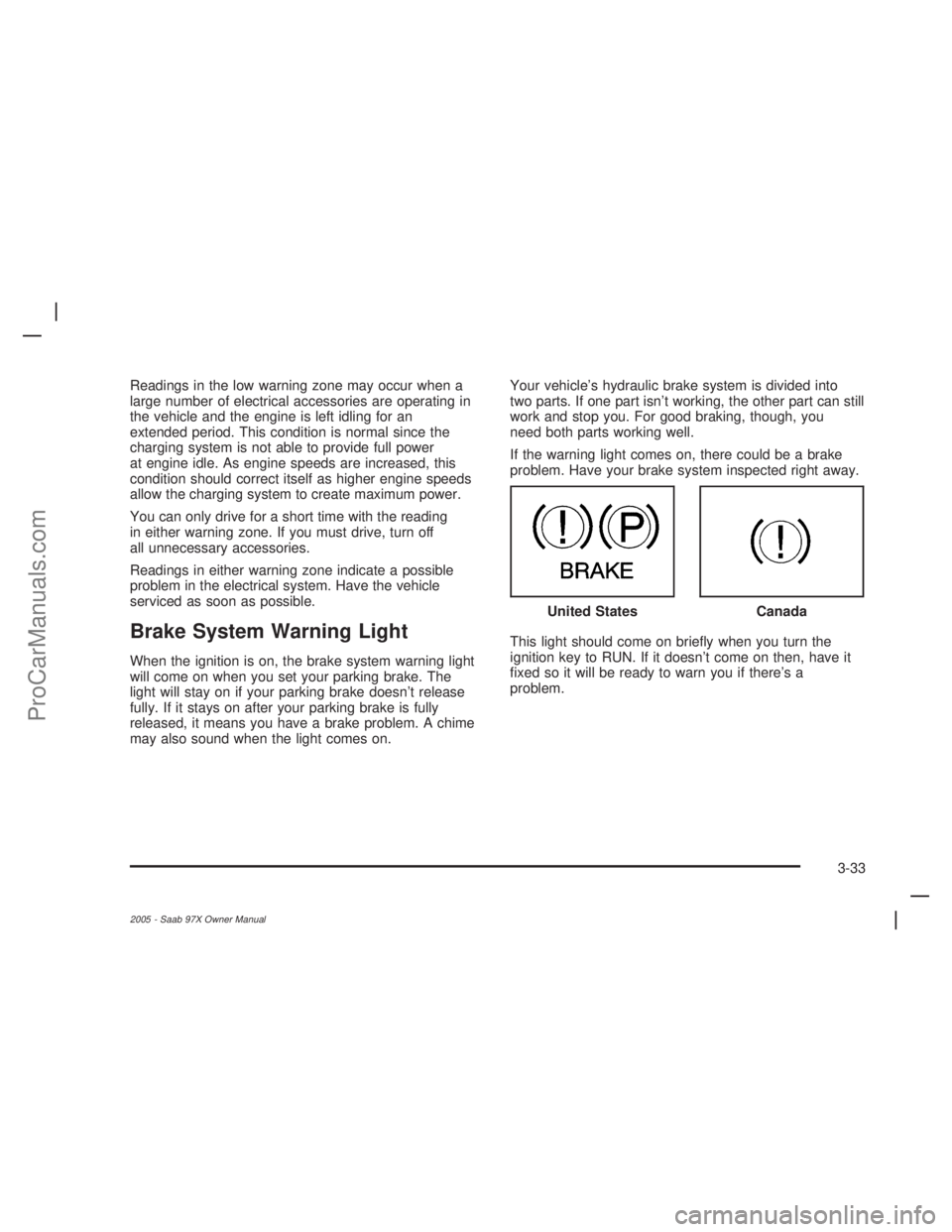
Brake System Warning Light
When the ignition is on, the brake system warning light
will come on when you set your parking brake. The
light will stay on if your parking brake doesn’t release
fully. If it stays on after your parking brake is fully
released, it means you have a brake problem. A chime
may also sound when the light comes on.Your vehicle’s hydraulic brake system is divided into
two parts. If one part isn’t working, the other part can still
work and stop you. For good braking, though, you
need both parts working well.
If the warning light comes on, there could be a brake
problem. Have your brake system inspected right away.
This light should come on briey when you turn the
ignition key to RUN. If it doesn’t come on then, have it
xed so it will be ready to warn you if there’s a
problem.United States
Canada
3-33
2005 - Saab 97X Owner Manual
ProCarManuals.com
Page 146 of 398
If the light comes on while you are driving, pull off the
road and stop carefully. You may notice that the pedal is
harder to push. Or, the pedal may go closer to the
oor. It may take longer to stop. If the light is still on,
have the vehicle towed for service. SeeTowing
Your Vehicle on page 4-34.
{CAUTION:
Your brake system may not be working
properly if the brake system warning light is
on. Driving with the brake system warning light
on can lead to an accident. If the light is still
on after you have pulled off the road and
stopped carefully, have the vehicle towed for
service.
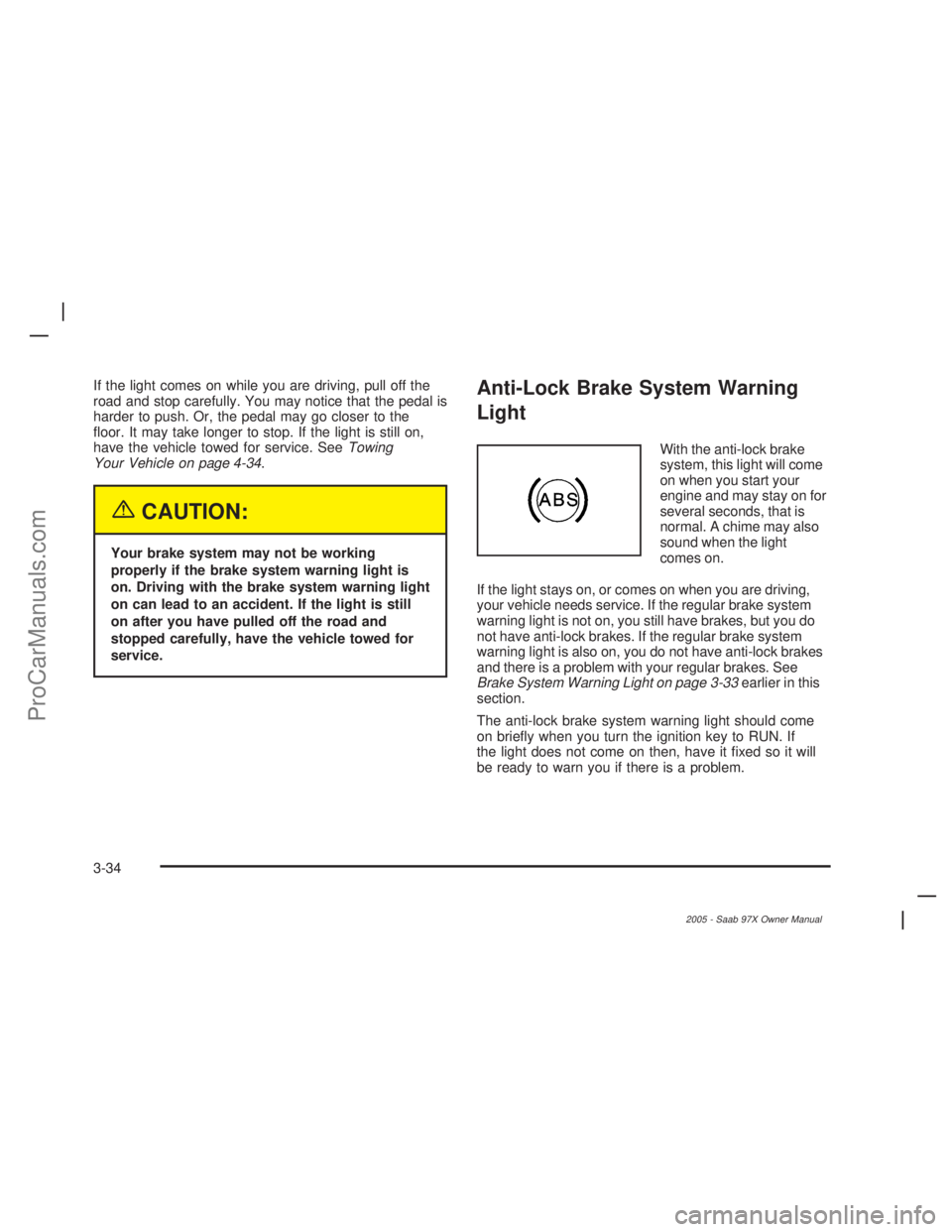
Anti-Lock Brake System Warning
Light
With the anti-lock brake
system, this light will come
on when you start your
engine and may stay on for
several seconds, that is
normal. A chime may also
sound when the light
comes on.
If the light stays on, or comes on when you are driving,
your vehicle needs service. If the regular brake system
warning light is not on, you still have brakes, but you do
not have anti-lock brakes. If the regular brake system
warning light is also on, you do not have anti-lock brakes
and there is a problem with your regular brakes. See
Brake System Warning Light on page 3-33earlier in this
section.
The anti-lock brake system warning light should come
on briey when you turn the ignition key to RUN. If
the light does not come on then, have it xed so it will
be ready to warn you if there is a problem.
3-34
2005 - Saab 97X Owner Manual
ProCarManuals.com
Page 162 of 398
SERVICE BRAKE SYSTEM
If a problem occurs with the brake system this message
will appear on the DIC. If this message appears, stop
as soon as possible and turn off the vehicle. Restart the
vehicle and check for the message on the DIC display.
If the message is still displayed, or appears again when
you begin driving, the brake system needs service.
See your Saab dealer.
TIGHTEN FUEL CAP
If the vehicle’s fuel cap is not tightened properly, this
message may appear on the DIC and a chime will
sound. Fully reinstall the fuel cap. SeeFilling the Tank
on page 5-6. The diagnostic system can determine
if the fuel cap has been left off or improperly installed.
A loose or missing fuel cap will allow fuel to evaporate
into the atmosphere. The DIC message will remain
on until the message is cancelled with the return button
on the steering wheel. The DIC message will also be
cancelled if the ignition is turned off.
The DIC message and the Service Engine Soon light
may come on again during a second trip if the fuel cap is
still not tightened properly. SeeMalfunction Indicator
Lamp on page 3-35for more information.
TURN SIGNAL ON
If a turn signal is left on for 3/4 of a mile (1.2 km), this
message will appear on the display and you will hear a
chime. Move the turn signal/multifunction lever to the
off position. Press the select button to acknowledge this
message and clear it from the DIC display.
DIC Vehicle Customization
Your vehicle may have customization capabilities that
allow you to program some features to one setting
based on your preference. All of the customizable
options listed may not be available on your vehicle.
Only the options available will be displayed on
your Driver Information Center (DIC).
The default settings for the customization features were
set when your vehicle left the factory, but may have
been changed from their default state since then.
To change feature preferences, make sure the ignition
is on and the vehicle is in PARK (P).
Press the customization button to scroll through the
available customizable options.
3-50
2005 - Saab 97X Owner Manual
ProCarManuals.com
Page 168 of 398
Audio System(s)
Notice:Before adding any sound equipment to your
vehicle, such as an audio system, CD player, CB
radio, mobile telephone, or two-way radio, make sure
that it can be added by checking with your dealer.
Also, check federal rules covering mobile radio and
telephone units. If sound equipment can be added, it
is very important to do it properly. Added sound
equipment may interfere with the operation of your
vehicle’s engine, radio, or other systems, and even
damage them. Your vehicle’s systems may interfere
with the operation of sound equipment that has been
added.
Notice:The chime signals related to seat belts,
parking brake, and other functions of your vehicle
operate through the radio/entertainment system. If
that equipment is replaced or additional equipment is
added to your vehicle, the chimes may not work.
Make sure that replacement or additional equipment
is compatible with your vehicle before installing it.Figure out which audio system is in your vehicle, nd
out what your audio system can do, and how to operate
all of its controls.
Setting the Time
Press and hold H until the correct hour appears on the
display. AM or PM will appear on the display (Radio
with CD (UpLevel, MP3, and Six-Disc CD)). Press and
hold M until the correct minute appears on the
display. The time can be set with the ignition on or off.
3-56
2005 - Saab 97X Owner Manual
ProCarManuals.com
Page 209 of 398
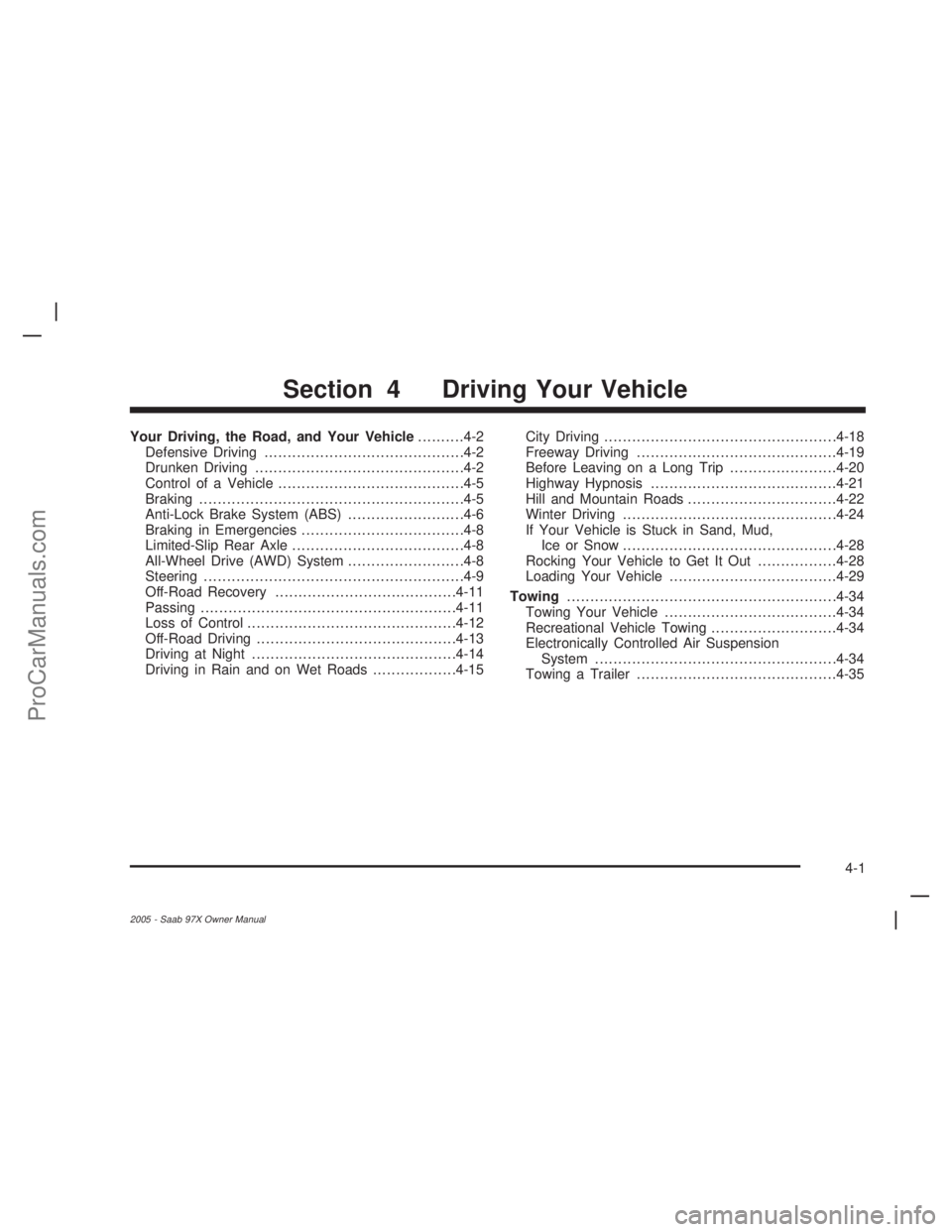
Your Driving, the Road, and Your Vehicle..........4-2
Defensive Driving...........................................4-2
Drunken Driving.............................................4-2
Control of a Vehicle........................................4-5
Braking.........................................................4-5
Anti-Lock Brake System (ABS).........................4-6
Braking in Emergencies...................................4-8
Limited-Slip Rear Axle.....................................4-8
All-Wheel Drive (AWD) System.........................4-8
Steering........................................................4-9
Off-Road Recovery.......................................4-11
Passing.......................................................4-11
Loss of Control.............................................4-12
Off-Road Driving...........................................4-13
Driving at Night............................................4-14
Driving in Rain and on Wet Roads..................4-15City Driving..................................................4-18
Freeway Driving...........................................4-19
Before Leaving on a Long Trip.......................4-20
Highway Hypnosis........................................4-21
Hill and Mountain Roads................................4-22
Winter Driving..............................................4-24
If Your Vehicle is Stuck in Sand, Mud,
Ice or Snow..............................................4-28
Rocking Your Vehicle to Get It Out.................4-28
Loading Your Vehicle....................................4-29
Towing..........................................................4-34
Towing Your Vehicle.....................................4-34
Recreational Vehicle Towing...........................4-34
Electronically Controlled Air Suspension
System....................................................4-34
Towing a Trailer...........................................4-35
Section 4 Driving Your Vehicle
4-1
2005 - Saab 97X Owner Manual
ProCarManuals.com