brake SAAB 9-7X 2006 Owner's Manual
[x] Cancel search | Manufacturer: SAAB, Model Year: 2006, Model line: 9-7X, Model: SAAB 9-7X 2006Pages: 434, PDF Size: 2.89 MB
Page 189 of 434
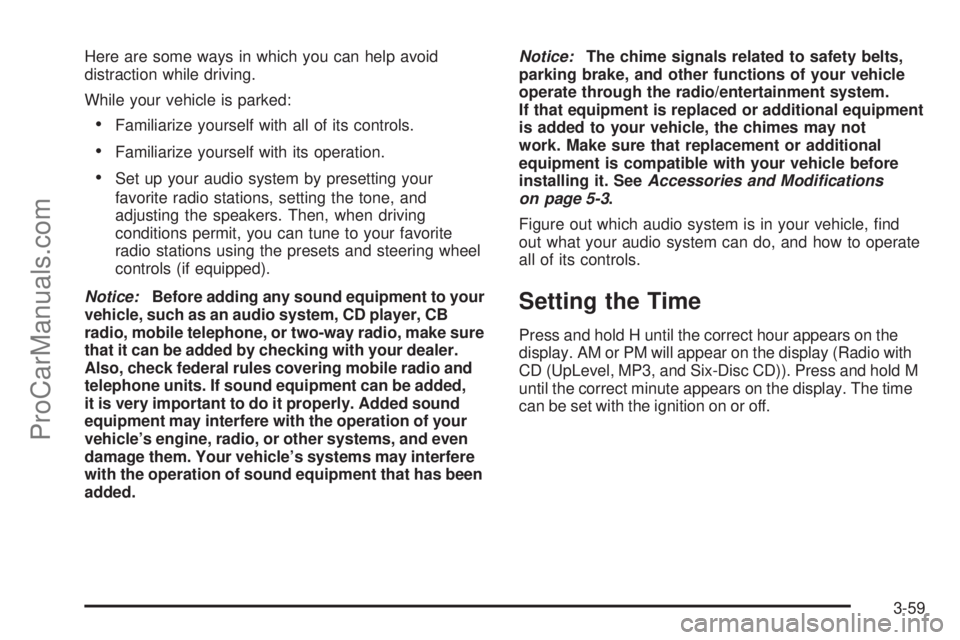
Here are some ways in which you can help avoid
distraction while driving.
While your vehicle is parked:
Familiarize yourself with all of its controls.
Familiarize yourself with its operation.
Set up your audio system by presetting your
favorite radio stations, setting the tone, and
adjusting the speakers. Then, when driving
conditions permit, you can tune to your favorite
radio stations using the presets and steering wheel
controls (if equipped).
Notice:Before adding any sound equipment to your
vehicle, such as an audio system, CD player, CB
radio, mobile telephone, or two-way radio, make sure
that it can be added by checking with your dealer.
Also, check federal rules covering mobile radio and
telephone units. If sound equipment can be added,
it is very important to do it properly. Added sound
equipment may interfere with the operation of your
vehicle’s engine, radio, or other systems, and even
damage them. Your vehicle’s systems may interfere
with the operation of sound equipment that has been
added.Notice:The chime signals related to safety belts,
parking brake, and other functions of your vehicle
operate through the radio/entertainment system.
If that equipment is replaced or additional equipment
is added to your vehicle, the chimes may not
work. Make sure that replacement or additional
equipment is compatible with your vehicle before
installing it. SeeAccessories and Modifications
on page 5-3.
Figure out which audio system is in your vehicle, nd
out what your audio system can do, and how to operate
all of its controls.
Setting the Time
Press and hold H until the correct hour appears on the
display. AM or PM will appear on the display (Radio with
CD (UpLevel, MP3, and Six-Disc CD)). Press and hold M
until the correct minute appears on the display. The time
can be set with the ignition on or off.
3-59
ProCarManuals.com
Page 231 of 434
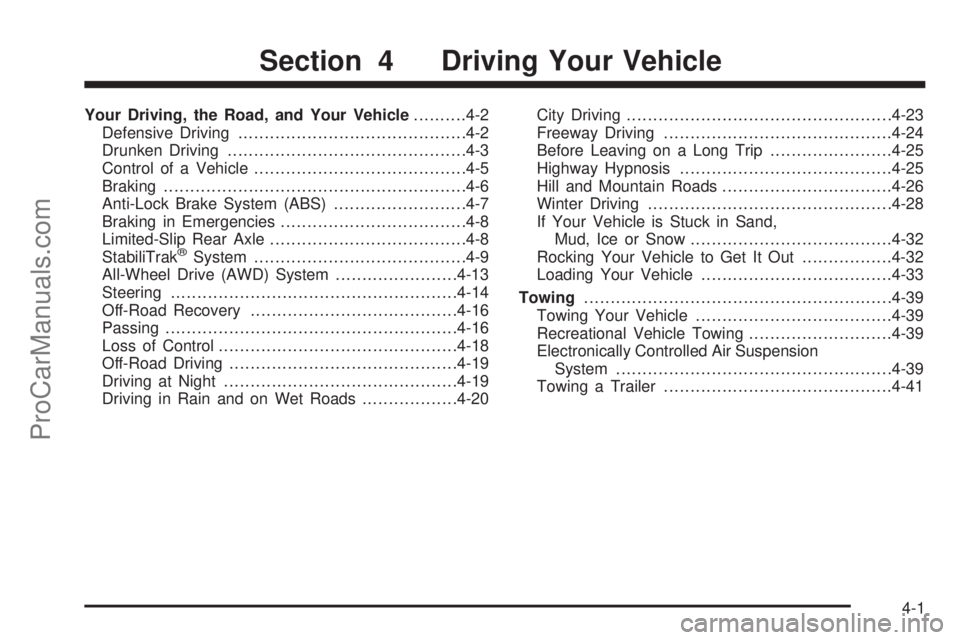
Your Driving, the Road, and Your Vehicle..........4-2
Defensive Driving...........................................4-2
Drunken Driving.............................................4-3
Control of a Vehicle........................................4-5
Braking.........................................................4-6
Anti-Lock Brake System (ABS).........................4-7
Braking in Emergencies...................................4-8
Limited-Slip Rear Axle.....................................4-8
StabiliTrak
®System........................................4-9
All-Wheel Drive (AWD) System.......................4-13
Steering......................................................4-14
Off-Road Recovery.......................................4-16
Passing.......................................................4-16
Loss of Control.............................................4-18
Off-Road Driving...........................................4-19
Driving at Night............................................4-19
Driving in Rain and on Wet Roads..................4-20City Driving..................................................4-23
Freeway Driving...........................................4-24
Before Leaving on a Long Trip.......................4-25
Highway Hypnosis........................................4-25
Hill and Mountain Roads................................4-26
Winter Driving..............................................4-28
If Your Vehicle is Stuck in Sand,
Mud, Ice or Snow......................................4-32
Rocking Your Vehicle to Get It Out.................4-32
Loading Your Vehicle....................................4-33
Towing..........................................................4-39
Towing Your Vehicle.....................................4-39
Recreational Vehicle Towing...........................4-39
Electronically Controlled Air Suspension
System....................................................4-39
Towing a Trailer...........................................4-41
Section 4 Driving Your Vehicle
4-1
ProCarManuals.com
Page 235 of 434
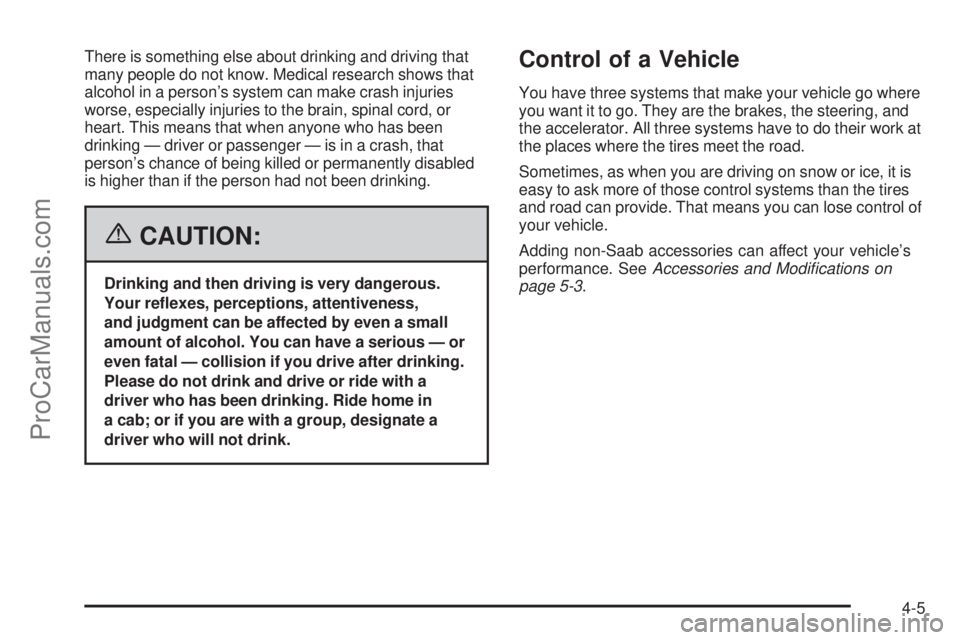
There is something else about drinking and driving that
many people do not know. Medical research shows that
alcohol in a person’s system can make crash injuries
worse, especially injuries to the brain, spinal cord, or
heart. This means that when anyone who has been
drinking — driver or passenger — is in a crash, that
person’s chance of being killed or permanently disabled
is higher than if the person had not been drinking.
{CAUTION:
Drinking and then driving is very dangerous.
Your reexes, perceptions, attentiveness,
and judgment can be affected by even a small
amount of alcohol. You can have a serious — or
even fatal — collision if you drive after drinking.
Please do not drink and drive or ride with a
driver who has been drinking. Ride home in
a cab; or if you are with a group, designate a
driver who will not drink.
Control of a Vehicle
You have three systems that make your vehicle go where
you want it to go. They are the brakes, the steering, and
the accelerator. All three systems have to do their work at
the places where the tires meet the road.
Sometimes, as when you are driving on snow or ice, it is
easy to ask more of those control systems than the tires
and road can provide. That means you can lose control of
your vehicle.
Adding non-Saab accessories can affect your vehicle’s
performance. SeeAccessories and Modications on
page 5-3.
4-5
ProCarManuals.com
Page 236 of 434
Braking
SeeBrake System Warning Light on page 3-33.
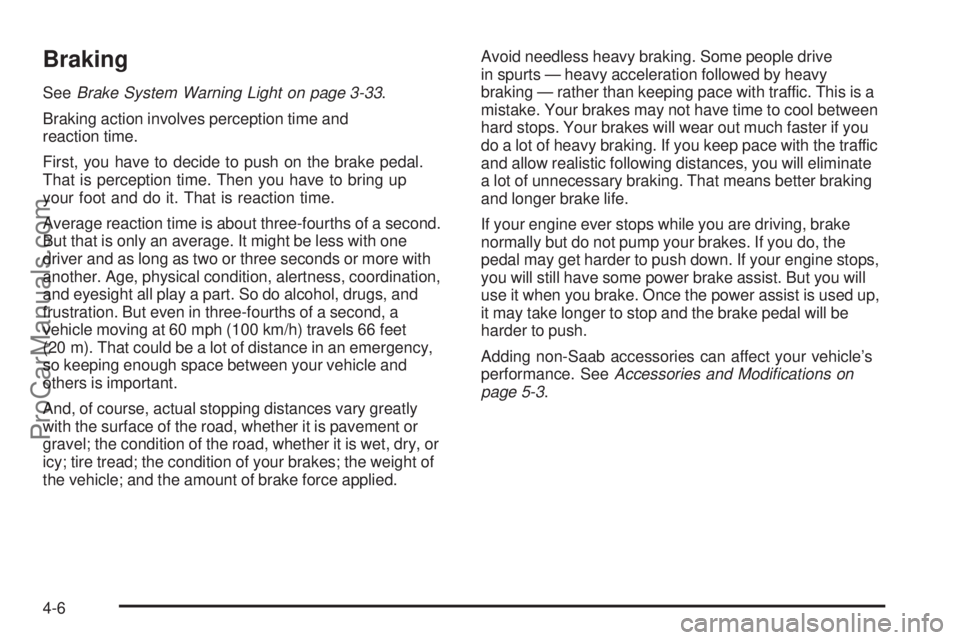
Braking action involves perception time and
reaction time.
First, you have to decide to push on the brake pedal.
That is perception time. Then you have to bring up
your foot and do it. That is reaction time.
Average reaction time is about three-fourths of a second.
But that is only an average. It might be less with one
driver and as long as two or three seconds or more with
another. Age, physical condition, alertness, coordination,
and eyesight all play a part. So do alcohol, drugs, and
frustration. But even in three-fourths of a second, a
vehicle moving at 60 mph (100 km/h) travels 66 feet
(20 m). That could be a lot of distance in an emergency,
so keeping enough space between your vehicle and
others is important.
And, of course, actual stopping distances vary greatly
with the surface of the road, whether it is pavement or
gravel; the condition of the road, whether it is wet, dry, or
icy; tire tread; the condition of your brakes; the weight of
the vehicle; and the amount of brake force applied.Avoid needless heavy braking. Some people drive
in spurts — heavy acceleration followed by heavy
braking — rather than keeping pace with traffic. This is a
mistake. Your brakes may not have time to cool between
hard stops. Your brakes will wear out much faster if you
do a lot of heavy braking. If you keep pace with the traffic
and allow realistic following distances, you will eliminate
a lot of unnecessary braking. That means better braking
and longer brake life.
If your engine ever stops while you are driving, brake
normally but do not pump your brakes. If you do, the
pedal may get harder to push down. If your engine stops,
you will still have some power brake assist. But you will
use it when you brake. Once the power assist is used up,
it may take longer to stop and the brake pedal will be
harder to push.
Adding non-Saab accessories can affect your vehicle’s
performance. SeeAccessories and Modications on
page 5-3.
4-6
ProCarManuals.com
Page 237 of 434
Anti-Lock Brake System (ABS)
Your vehicle has anti-lock brakes. ABS is an advanced
electronic braking system that will help prevent a
braking skid.
When you start your engine and begin to drive away, your
anti-lock brake system will check itself. You may hear a
momentary motor or clicking noise while this test is going
on. This is normal.
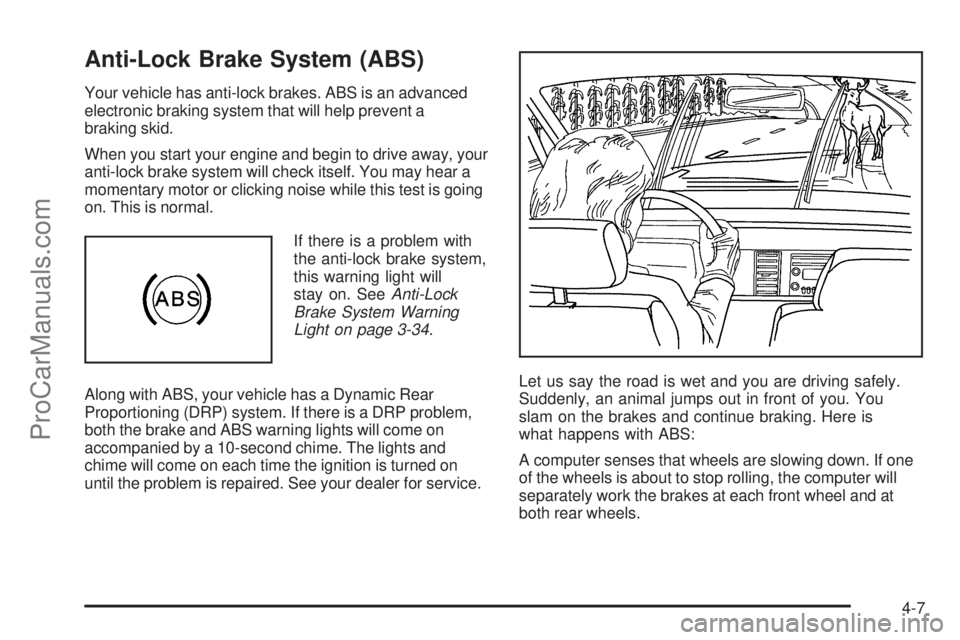
If there is a problem with
the anti-lock brake system,
this warning light will
stay on. SeeAnti-Lock
Brake System Warning
Light on page 3-34.
Along with ABS, your vehicle has a Dynamic Rear
Proportioning (DRP) system. If there is a DRP problem,
both the brake and ABS warning lights will come on
accompanied by a 10-second chime. The lights and
chime will come on each time the ignition is turned on
until the problem is repaired. See your dealer for service.Let us say the road is wet and you are driving safely.
Suddenly, an animal jumps out in front of you. You
slam on the brakes and continue braking. Here is
what happens with ABS:
A computer senses that wheels are slowing down. If one
of the wheels is about to stop rolling, the computer will
separately work the brakes at each front wheel and at
both rear wheels.
4-7
ProCarManuals.com
Page 238 of 434
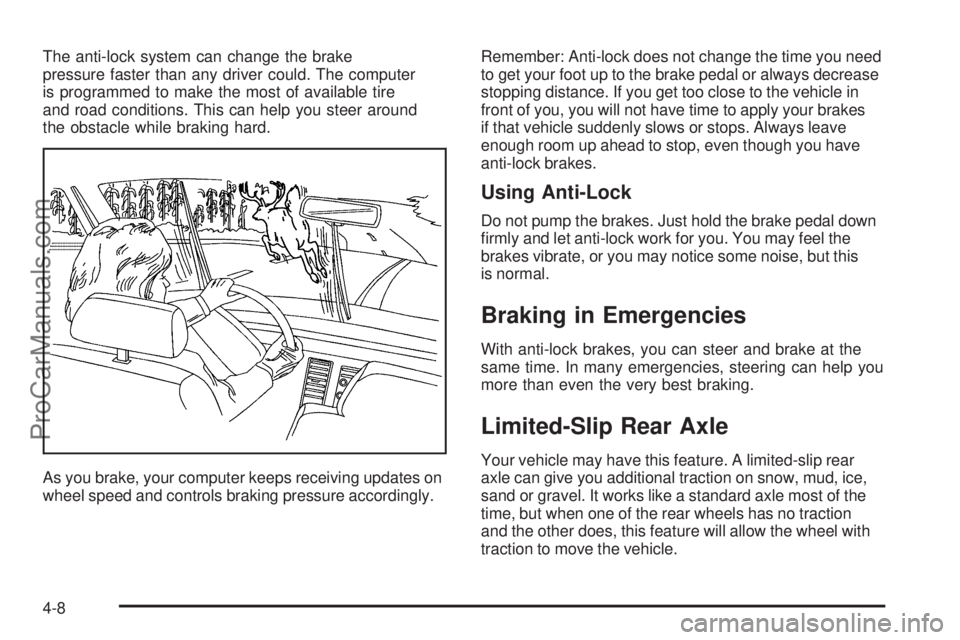
The anti-lock system can change the brake
pressure faster than any driver could. The computer
is programmed to make the most of available tire
and road conditions. This can help you steer around
the obstacle while braking hard.
As you brake, your computer keeps receiving updates on
wheel speed and controls braking pressure accordingly.Remember: Anti-lock does not change the time you need
to get your foot up to the brake pedal or always decrease
stopping distance. If you get too close to the vehicle in
front of you, you will not have time to apply your brakes
if that vehicle suddenly slows or stops. Always leave
enough room up ahead to stop, even though you have
anti-lock brakes.
Using Anti-Lock
Do not pump the brakes. Just hold the brake pedal down
rmly and let anti-lock work for you. You may feel the
brakes vibrate, or you may notice some noise, but this
is normal.
Braking in Emergencies
With anti-lock brakes, you can steer and brake at the
same time. In many emergencies, steering can help you
more than even the very best braking.
Limited-Slip Rear Axle
Your vehicle may have this feature. A limited-slip rear
axle can give you additional traction on snow, mud, ice,
sand or gravel. It works like a standard axle most of the
time, but when one of the rear wheels has no traction
and the other does, this feature will allow the wheel with
traction to move the vehicle.
4-8
ProCarManuals.com
Page 239 of 434
StabiliTrak®System
Your vehicle is equipped with StabiliTrak®, Electronic
Stability Control (ESC) which combines antilock
brake, traction and stability control systems and helps
the driver maintain directional control of the vehicle
in most driving conditions.
Traction control activates when the controller senses
wheel spin. StabiliTrak
®will selectively apply the brakes
and reduce engine torque to help regain traction.
Stability control activates when the controller senses
a discrepancy between your intended path and the
direction the vehicle is travelling. StabiliTrak
®selectively
applies braking pressure at any one of the vehicle’s
brakes to help guide the vehicle in the direction which
you are steering.
When you rst start your vehicle and begin to drive away,
the system performs several diagnostic checks to insure
there are no problems. You may hear or feel the system
working. This is normal and does not mean there is a
problem with your vehicle. If driving conditions delay
system initialization, the STABILITRAK NOT READY
message may be displayed. If this is the case, your
vehicle does not need servicing.
For more information on the stability messages, see
DIC Warnings and Messages on page 3-47.When the StabiliTrak
®
system is both on and
actively controlling the
stability of the vehicle,
the StabiliTrak
®light will
blink for the duration of
the event.
You may also feel or hear the system working. This is
normal.
The StabiliTrak
®disable
button is located on the
transmission shift handle.
The StabiliTrak
®system has three modes of operation:
STABILITRAK ON, TRACTION CONTROL OFF, and
STABILITRAK OFF.
STABILITRAK ON -The vehicle will default to
STABILITRAK ON every time the driver starts the
vehicle. The StabiliTrak
®light will be off and no DIC
messages will be displayed.
4-9
ProCarManuals.com
Page 240 of 434
TRACTION CONTROL OFF - The driver can modify
the engine speed management system by momentarily
pressing the StabiliTrak
®button on the transmission
shift handle. The StabiliTrak®light will come on and
TRACTION CONTROL OFF will be displayed. For
vehicles without a DIC, the StabiliTrak
®indicator light
will come on. Momentarily pressing the StabiliTrak®
button again will return the system to the STABILITRAK
ON mode.
STABILITRAK OFF - The driver can turn off StabiliTrak
®
by pressing the StabiliTrak®button for more than
ve seconds. The StabiliTrak®light will come on and
STABILITRAK OFF will be displayed. For vehicles
without a DIC, the StabiliTrak
®indicator light will come
on. Momentarily pressing the StabiliTrak®button again
will return the system to the STABILITRAK ON mode.
See StabiliTrak
®Off below for more information.
Traction Control Off
In this mode, stability control and brake-traction control
are functional. Engine speed management will be
modied and the driven wheels can spin more freely.
This can cause the brake-traction control to activate more
frequently. If the controller detects excessive wheel spin
in this mode, the StabiliTrak
®indicator light may blink and
the STABILITRAK ACTIVE message may be displayed
to warn the driver that damage may occur to the
transfer case.
4-10
ProCarManuals.com
Page 241 of 434
StabiliTrak®Off
In this mode, both stability control and part of the
traction control system are disabled. Your vehicle will
still have brake-traction control, but will not be able
to use the engine speed management system. You may
still hear system noises as a result of the brake-traction
control coming on. If the controller detects excessive
wheel spin in this mode, the StabiliTrak
®indicator light
may blink and the STABILITRAK ACTIVE message
may be displayed to warn the driver that damage may
occur to the transfer case.It is recommended to leave the system on for normal
driving conditions, but it may be necessary to turn the
system off if your vehicle is stuck in sand, mud, ice or
snow, and you may want to “rock” your vehicle in an
attempt to free it. It may also be necessary to turn off the
system when driving in extreme off-road conditions where
high wheel spin is required. SeeIf Your Vehicle is Stuck
in Sand, Mud, Ice or Snow on page 4-32for more
information.
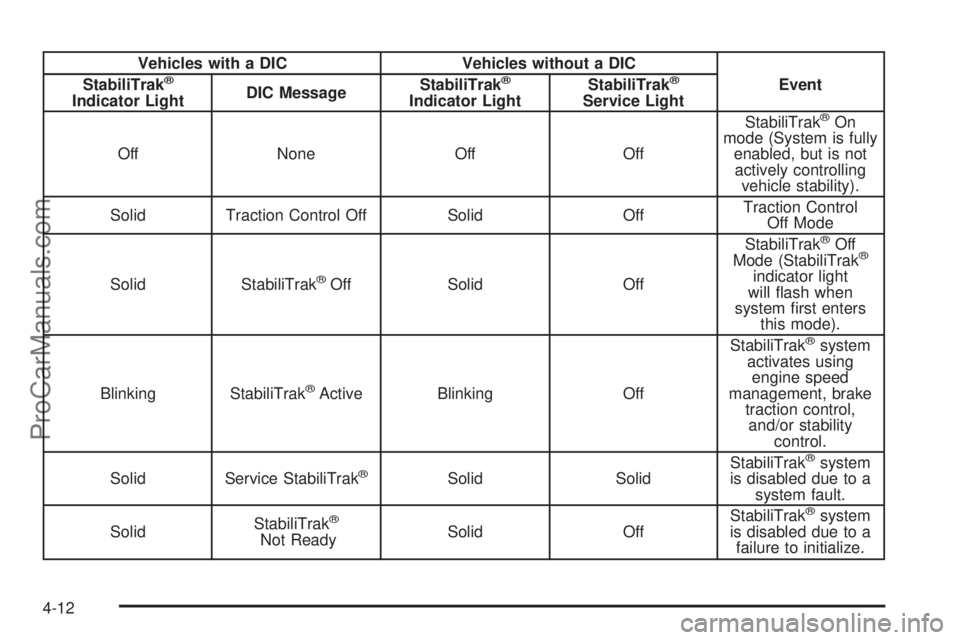
The following chart describes the StabiliTrak
®system
events and the corresponding messages and lights that
will be displayed on the instrument panel cluster.
4-11
ProCarManuals.com
Page 242 of 434
Vehicles with a DIC Vehicles without a DIC
StabiliTrak®
Indicator LightDIC MessageStabiliTrak
®
Indicator LightStabiliTrak
®
Service LightEvent
Off None Off OffStabiliTrak®On
mode (System is fully
enabled, but is not
actively controlling
vehicle stability).
Solid Traction Control Off Solid OffTraction Control
Off Mode
Solid StabiliTrak
®Off Solid OffStabiliTrak
®Off
Mode (StabiliTrak®
indicator light
will ash when
system rst enters
this mode).
Blinking StabiliTrak
®Active Blinking OffStabiliTrak
®system
activates using
engine speed
management, brake
traction control,
and/or stability
control.
Solid Service StabiliTrak
®Solid SolidStabiliTrak
®system
is disabled due to a
system fault.
SolidStabiliTrak
®
Not ReadySolid OffStabiliTrak
®system
is disabled due to a
failure to initialize.
4-12
ProCarManuals.com