keyless SAAB 9-7X 2007 User Guide
[x] Cancel search | Manufacturer: SAAB, Model Year: 2007, Model line: 9-7X, Model: SAAB 9-7X 2007Pages: 498, PDF Size: 3.13 MB
Page 163 of 498
Instrument Panel Brightness
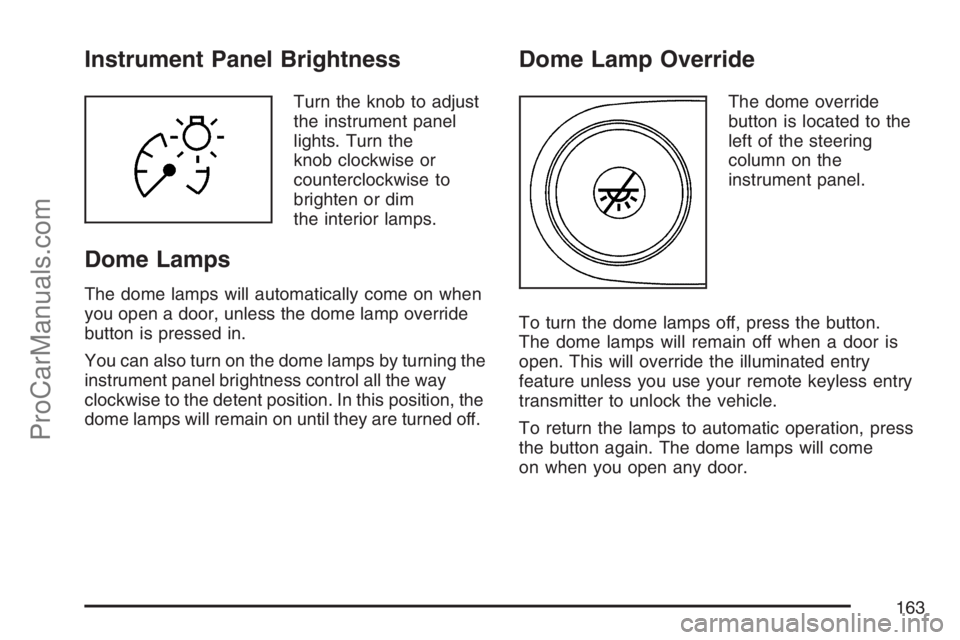
Turn the knob to adjust
the instrument panel
lights. Turn the
knob clockwise or
counterclockwise to
brighten or dim
the interior lamps.
Dome Lamps
The dome lamps will automatically come on when
you open a door, unless the dome lamp override
button is pressed in.
You can also turn on the dome lamps by turning the
instrument panel brightness control all the way
clockwise to the detent position. In this position, the
dome lamps will remain on until they are turned off.
Dome Lamp Override
The dome override
button is located to the
left of the steering
column on the
instrument panel.
To turn the dome lamps off, press the button.
The dome lamps will remain off when a door is
open. This will override the illuminated entry
feature unless you use your remote keyless entry
transmitter to unlock the vehicle.
To return the lamps to automatic operation, press
the button again. The dome lamps will come
on when you open any door.
163
ProCarManuals.com
Page 164 of 498
Entry Lighting
The vehicle has entry lighting.
When any door is opened, the dome lamps come
on as long as the dome override lamp override
button is not pressed in. When all the doors
are closed, the lamps stay on for a short period of
time and then turn off automatically. If you use
the Remote Keyless Entry (RKE) transmitter
to unlock the vehicle, the interior lamps come on
for a short time whether or not the dome lamp
override is on.
Exit Lighting
With exit lighting, the interior lamps will come on
when you remove the key from the ignition. If
the dome override is off, these lights will stay on
for a short period of time and then will go out.
Reading Lamps
Press the indented part of the lenses on the
reading lamps located in the overhead console to
turn them on or off.
Electric Power Management
The vehicle has Electric Power Management (EPM)
that estimates the battery’s temperature and state
of charge. It then adjusts the voltage for best
performance and extended life of the battery.
When the battery’s state of charge is low, the
voltage is raised slightly to quickly put the charge
back in. When the state of charge is high, the
voltage is lowered slightly to prevent overcharging.
If the vehicle has a voltmeter gage or voltage
display on the Driver Information Center (DIC), you
may see the voltage move up or down. This is
normal. If there is a problem, an alert will be
displayed.
The battery can be discharged at idle if the
electrical loads are very high. This is true for all
vehicles. This is because the generator (alternator)
may not be spinning fast enough at idle to
produce all the power that is needed for very high
electrical loads.
164
ProCarManuals.com
Page 173 of 498
Rear Climate Control System
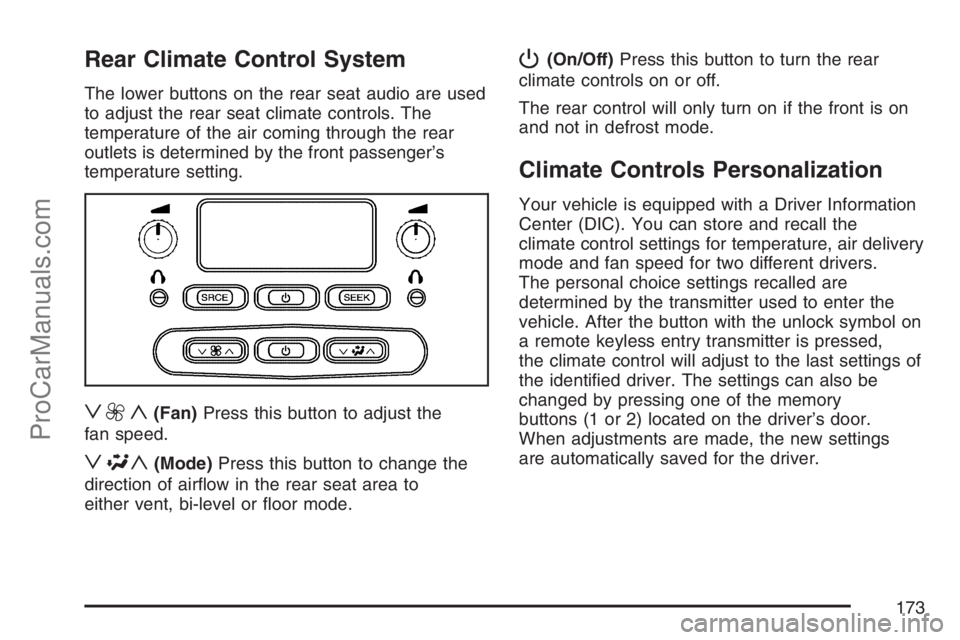
The lower buttons on the rear seat audio are used
to adjust the rear seat climate controls. The
temperature of the air coming through the rear
outlets is determined by the front passenger’s
temperature setting.
z9y(Fan)Press this button to adjust the
fan speed.
z\y(Mode)Press this button to change the
direction of airow in the rear seat area to
either vent, bi-level or oor mode.
P(On/Off)Press this button to turn the rear
climate controls on or off.
The rear control will only turn on if the front is on
and not in defrost mode.
Climate Controls Personalization
Your vehicle is equipped with a Driver Information
Center (DIC). You can store and recall the
climate control settings for temperature, air delivery
mode and fan speed for two different drivers.
The personal choice settings recalled are
determined by the transmitter used to enter the
vehicle. After the button with the unlock symbol on
a remote keyless entry transmitter is pressed,
the climate control will adjust to the last settings of
the identied driver. The settings can also be
changed by pressing one of the memory
buttons (1 or 2) located on the driver’s door.
When adjustments are made, the new settings
are automatically saved for the driver.
173
ProCarManuals.com
Page 201 of 498
FRONT FOG LAMPS ON
This message displays if the fog lamps are turned
on. The message clears after 10 seconds. See
Fog Lamps on page 162andTurn Signal/
Multifunction Lever on page 151for more
information.
FUEL LEVEL LOW
This message displays and a chime sounds if the
fuel level is low in the vehicle’s fuel tank. Refuel
as soon as possible. Press any of the DIC buttons,
or the trip stem, to acknowledge this message
and clear it from the DIC display. SeeLow
Fuel Warning Light on page 194,Filling the Tank
on page 326, andFuel on page 324for more
information.
ICE POSSIBLE
This message may display if the outside
temperature reaches a level where ice could form
on the roadway. If the temperature rises to a
safe level, the message clears. This message
clears itself after 10 seconds, or you can press any
of the DIC buttons, or the trip stem, to
acknowledge this message and clear it from the
DIC display.
KEY FOB # BATTERY LOW
This message displays if a Remote Keyless
Entry (RKE) transmitter battery is low. Replace
the battery in the transmitter. See “Battery
Replacement” underRemote Keyless Entry (RKE)
System Operation on page 90. Press any of the
DIC buttons, or the trip stem, to acknowledge this
message and clear it from the DIC display.
LEFT REAR DOOR AJAR
This message displays and a chime sounds if the
driver’s side rear door is not fully closed. Stop and
turn off the vehicle, check the door for obstructions,
and close the door again. Check to see if the
message still appears on the DIC. Press any of the
DIC buttons, or the trip stem, to acknowledge this
message and clear it from the DIC display.
201
ProCarManuals.com
Page 207 of 498
Lock Feedback
Press the customization button until LOCK
FEEDBACK: BOTH appears in the display.
To select your preference for the feedback you
receive when locking the vehicle with the Remote
Keyless Entry (RKE) transmitter, press the
select button while LOCK FEEDBACK: BOTH is
displayed on the DIC. Pressing the select
button will scroll through the following choices:
LOCK FEEDBACK: BOTH (default):The parking
lamps will ash each time you press the button
with the lock symbol on the RKE transmitter
and the horn will chirp the second time you press
the lock button.
LOCK FEEDBACK: OFF:There will be no
feedback when locking the vehicle.
LOCK FEEDBACK: LAMPS:The parking lamps
will ash each time you press the button with
the lock symbol on the RKE transmitter.
LOCK FEEDBACK: HORN:The horn will chirp
the second time you press the button with the lock
symbol on the RKE transmitter.
Choose one of the available options and press the
customization button while it is displayed on the
DIC to select it and move on to the next feature.
Unlock Feedback
Press the customization button until UNLOCK
FEEDBACK: LAMPS appears in the display. To
select your preference for the feedback you will
receive when unlocking the vehicle with the Remote
Keyless Entry (RKE) transmitter, press the select
button while UNLOCK FEEDBACK: LAMPS is
displayed on the DIC. Pressing the select button will
scroll through the following choices:
UNLOCK FEEDBACK: LAMPS (default):
The parking lamps will ash each time you
press the button with the unlock symbol on the
RKE transmitter.
UNLOCK FEEDBACK: HORN:The horn will
chirp the second time you press the button with the
unlock symbol on the RKE transmitter.
UNLOCK FEEDBACK: BOTH:The parking
lamps will ash each time you press the button
with the unlock symbol on the RKE transmitter and
the horn will chirp the second time you press
the unlock button.
207
ProCarManuals.com
Page 208 of 498
UNLOCK FEEDBACK: OFF:There will be no
feedback when unlocking the vehicle.
Choose one of the available options and press the
customization button while it is displayed on the
DIC to select it and move on to the next feature.
Headlamp Delay
Press the customization button until HEADLAMP
DELAY: 10 SEC appears in the display. To
select your preference for how long the headlamps
will stay on when you turn off the vehicle, press
the select button while HEADLAMP DELAY:
10 SEC is displayed on the DIC. Pressing the
select button will scroll through the following
choices:
HEADLAMP DELAY: 10 SEC (Seconds)
(default)
HEADLAMP DELAY: 20 SEC
HEADLAMP DELAY: 40 SEC
HEADLAMP DELAY: 1 MIN (Minute)
HEADLAMP DELAY: 2 MIN
HEADLAMP DELAY: 3 MIN
HEADLAMP DELAY: OFFThe amount of time you choose will be the
amount of time that the headlamps stay on after
you turn off the vehicle. If you choose OFF,
the headlamps will turn off as soon as you turn off
the vehicle.
Choose one of the available options and press the
customization button while it is displayed on the
DIC to select it and move on to the next feature.
Perimeter Lights
Press the customization button until PERIMETER
LIGHTS: ON appears in the display. To select
your preference for perimeter lighting, press
the select button while PERIMETER LIGHTS: ON
is displayed on the DIC. Pressing the select
button will scroll through the following choices:
PERIMETER LIGHTS: ON (default):The
headlamps and back-up lamps will come on for
40 seconds, if it is dark enough outside, when you
unlock the vehicle with the Remote Keyless
Entry (RKE) transmitter.
PERIMETER LIGHTS: OFF:The perimeter lights
will not come on when you unlock the vehicle
with the RKE transmitter.
Choose one of the available options and press the
customization button while it is displayed on the
DIC to select it and move on to the next feature.
208
ProCarManuals.com
Page 210 of 498
SEAT RECALL: ON REMOTE:The driver’s
memory seat, mirrors, and adjustable pedals
position you saved will be recalled when
you unlock the vehicle with the Remote Keyless
Entry (RKE) transmitter.
Choose one of the available options and press the
customization button while it is displayed on the
DIC to select it and move on to the next feature. For
more information on the memory seat feature, see
Memory Seat, Mirrors, and Pedals on page 11.
Curb View
Press the customization button until CURB VIEW:
OFF appears in the display. To select your
preference for curb view, press the select button
while CURB VIEW: OFF is displayed on the
DIC. Pressing the select button will scroll through
the following choices:
CURB VIEW: OFF (default):The passenger’s
outside mirror will not be tilted down when
the vehicle is shifted into REVERSE (R).
CURB VIEW: PASSENGER:The passenger’s
outside mirror will be tilted down when the vehicle
is shifted into REVERSE (R).When the vehicle is placed in PARK (P) or in any
forward gear, the mirror will return to the normal
driving position, following a short delay.
Choose one of the available options and press the
customization button while it is displayed on the
DIC to select it and move on to the next feature.
For more information on tilt mirror in reverse,
seeOutside Curb View Assist Mirror on page 124.
Alarm Warning
Press the customization button until ALARM
WARNING: BOTH appears in the display. To
select your preference for alarm warning, press the
select button while ALARM WARNING: BOTH is
displayed on the DIC. Pressing the select
button will scroll through the following choices:
ALARM WARNING: BOTH (default):The
headlamps will ash and the horn will chirp when
the alarm is active.
ALARM WARNING: HORN:The horn will chirp
when the alarm is active.
ALARM WARNING: LAMPS:The headlamps will
ash when the alarm is active.
210
ProCarManuals.com
Page 490 of 498
I
Ignition Positions......................................... 107
Infants and Young Children, Restraints.......... 40
Ination - Tire Pressure............................... 388
Instrument Panel
Overview.................................................. 148
Instrument Panel (I/P)
Brightness................................................ 163
Cluster..................................................... 175
J
Jump Starting.............................................. 362
K
Keyless Entry System................................... 89
Keys............................................................. 87
L
Labeling, Tire Sidewall................................. 381
Lamps
Battery Run-Down Protection................... 165
Dome....................................................... 163
Dome Lamp Override............................... 163
Electric Power Management..................... 164
Fog .......................................................... 162
Reading................................................... 164
LATCH System
Child Restraints......................................... 50
License Plate Lamps................................... 376
Liftgate/Liftglass............................................. 98
Liftglass/Liftgate............................................. 98
Light
Airbag Readiness..................................... 178
Anti-Lock Brake System Warning............. 184
Brake System Warning............................. 183
Charging System..................................... 182
Check Gages Warning............................. 192
Check Gas Cap....................................... 194
Cruise Control.......................................... 191
Gate Ajar................................................. 193
Highbeam On.......................................... 192
490
ProCarManuals.com
Page 494 of 498
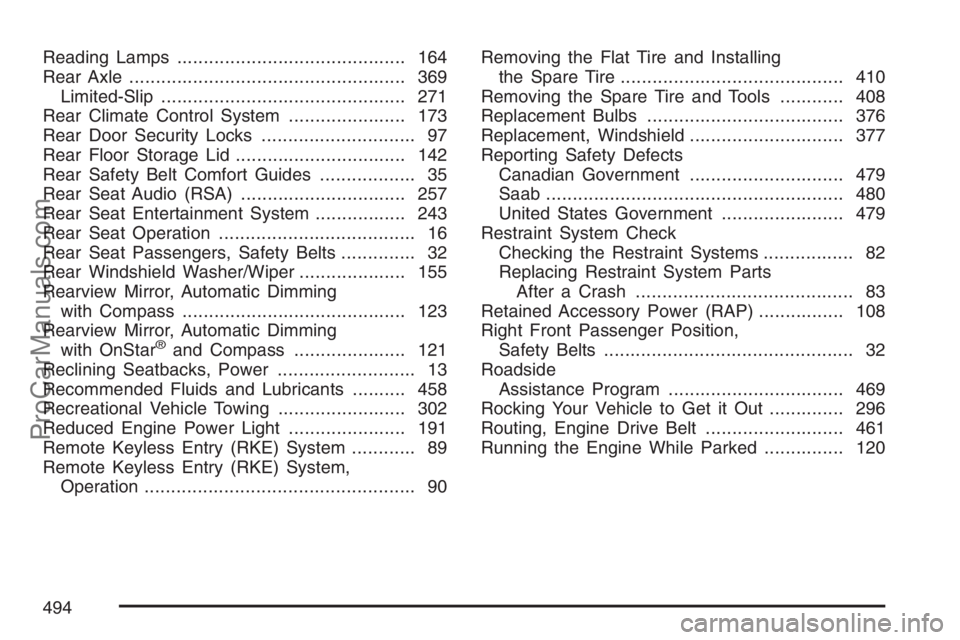
Reading Lamps........................................... 164
Rear Axle.................................................... 369
Limited-Slip.............................................. 271
Rear Climate Control System...................... 173
Rear Door Security Locks............................. 97
Rear Floor Storage Lid................................ 142
Rear Safety Belt Comfort Guides.................. 35
Rear Seat Audio (RSA)............................... 257
Rear Seat Entertainment System................. 243
Rear Seat Operation..................................... 16
Rear Seat Passengers, Safety Belts.............. 32
Rear Windshield Washer/Wiper.................... 155
Rearview Mirror, Automatic Dimming
with Compass.......................................... 123
Rearview Mirror, Automatic Dimming
with OnStar
®and Compass..................... 121
Reclining Seatbacks, Power.......................... 13
Recommended Fluids and Lubricants.......... 458
Recreational Vehicle Towing........................ 302
Reduced Engine Power Light...................... 191
Remote Keyless Entry (RKE) System............ 89
Remote Keyless Entry (RKE) System,
Operation................................................... 90Removing the Flat Tire and Installing
the Spare Tire.......................................... 410
Removing the Spare Tire and Tools............ 408
Replacement Bulbs..................................... 376
Replacement, Windshield............................. 377
Reporting Safety Defects
Canadian Government............................. 479
Saab........................................................ 480
United States Government....................... 479
Restraint System Check
Checking the Restraint Systems................. 82
Replacing Restraint System Parts
After a Crash......................................... 83
Retained Accessory Power (RAP)................ 108
Right Front Passenger Position,
Safety Belts............................................... 32
Roadside
Assistance Program................................. 469
Rocking Your Vehicle to Get it Out.............. 296
Routing, Engine Drive Belt.......................... 461
Running the Engine While Parked............... 120
494
ProCarManuals.com