turn signal SAAB 9-7X 2007 Owner's Manual
[x] Cancel search | Manufacturer: SAAB, Model Year: 2007, Model line: 9-7X, Model: SAAB 9-7X 2007Pages: 498, PDF Size: 3.13 MB
Page 245 of 498
Stereo RCA Jacks
The RCA jacks are located behind the video
screen. The RCA jacks allow audio and video
signals to be connected from an auxiliary device
such as a camcorder or a video game unit to
the RSE system. Standard RCA cables, not
included, are needed to connect the auxiliary
device to the RCA jacks. The yellow connector
inputs video and the red and white connectors
input right and left audio. Refer to the
manufacturer’s instructions for proper connection
of the auxiliary device.
To use the auxiliary inputs on the RSE system,
connect an external auxiliary device to the
color-coded RCA jacks and turn both the auxiliary
device and the RSE system power on. If the
RSE system had been previously in the DVD
player mode, pressing the SRCE button on
the faceplate or the remote control will switch the
RSE system between the auxiliary device and
the DVD player.
How to Change the Video Format when in
the Auxiliary Mode
The auxiliary input video format is preset to NTSC.
In some countries, the video format may be in
the PAL system. To change the video format,
perform the following:
1. Press the display menu button.
2. Press the down arrow button to highlight the
Video Format option.
3. Press the enter button to select Video Format.
4. Press the right or left arrow button to select
the desired video format.
5. Press the enter button to accept the change.
Audio Output
Audio from the DVD player or auxiliary inputs may
be heard through the following possible sources:
Wireless Headphones
Vehicle Speakers
Vehicle wired headphone jacks on the Rear
Seat Audio system (if equipped)
245
ProCarManuals.com
Page 259 of 498
Audio Steering Wheel Controls
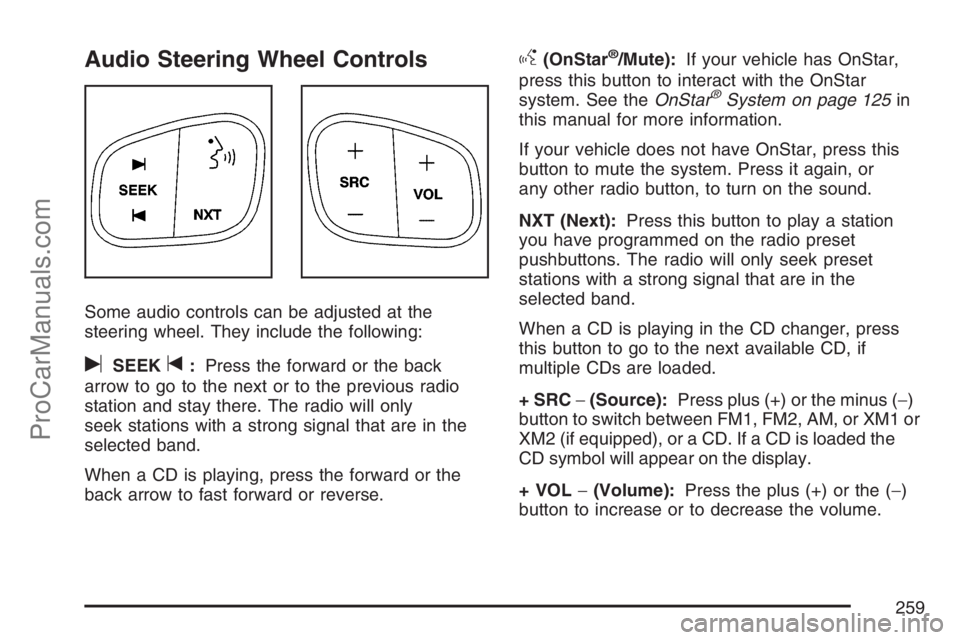
Some audio controls can be adjusted at the
steering wheel. They include the following:
uSEEKt:Press the forward or the back
arrow to go to the next or to the previous radio
station and stay there. The radio will only
seek stations with a strong signal that are in the
selected band.
When a CD is playing, press the forward or the
back arrow to fast forward or reverse.
g(OnStar®/Mute):If your vehicle has OnStar,
press this button to interact with the OnStar
system. See theOnStar
®System on page 125in
this manual for more information.
If your vehicle does not have OnStar, press this
button to mute the system. Press it again, or
any other radio button, to turn on the sound.
NXT (Next):Press this button to play a station
you have programmed on the radio preset
pushbuttons. The radio will only seek preset
stations with a strong signal that are in the
selected band.
When a CD is playing in the CD changer, press
this button to go to the next available CD, if
multiple CDs are loaded.
+ SRC−(Source):Press plus (+) or the minus (−)
button to switch between FM1, FM2, AM, or XM1 or
XM2 (if equipped), or a CD. If a CD is loaded the
CD symbol will appear on the display.
+ VOL−(Volume):Press the plus (+) or the (−)
button to increase or to decrease the volume.
259
ProCarManuals.com
Page 279 of 498
Watch for traffic signs, pavement markings, and
lines. If you can see a sign up ahead that might
indicate a turn or an intersection, delay your
pass. A broken center line usually indicates it is
all right to pass, providing the road ahead is
clear. Never cross a solid line on your side of
the lane or a double solid line, even if the road
seems empty of approaching traffic.
Do not get too close to the vehicle you want to
pass while you are awaiting an opportunity. For
one thing, following too closely reduces your
area of vision, especially if you are following a
larger vehicle. Also, you will not have adequate
space if the vehicle ahead suddenly slows or
stops. Keep back a reasonable distance.
When it looks like a chance to pass is coming
up, start to accelerate but stay in the right lane
and do not get too close. Time your move so
you will be increasing speed as the time comes
to move into the other lane. If the way is clear to
pass, you will have a running start that more
than makes up for the distance you would lose
by dropping back. And if something happens to
cause you to cancel your pass, you need only
slow down and drop back again and wait for
another opportunity.
If other vehicles are lined up to pass a slow
vehicle, wait your turn. But take care that
someone is not trying to pass you as you pull
out to pass the slow vehicle. Remember to
glance over your shoulder and check the
blind spot.
Check your vehicle’s mirrors, glance over your
shoulder, and start your left lane change signal
before moving out of the right lane to pass.
When you are far enough ahead of the passed
vehicle to see its front in your vehicle’s inside
mirror, activate the right lane change signal and
move back into the right lane. Remember that
your vehicle’s passenger side outside mirror is
convex. The vehicle you just passed may seem
to be farther away from you than it really is.
Try not to pass more than one vehicle at a time
on two-lane roads. Reconsider before passing
the next vehicle.
Do not overtake a slowly moving vehicle too
rapidly. Even though the brake lamps are not
ashing, it may be slowing down or starting
to turn.
If you are being passed, make it easy for the
following driver to get ahead of you. Perhaps
you can ease a little to the right.
279
ProCarManuals.com
Page 285 of 498
City Driving
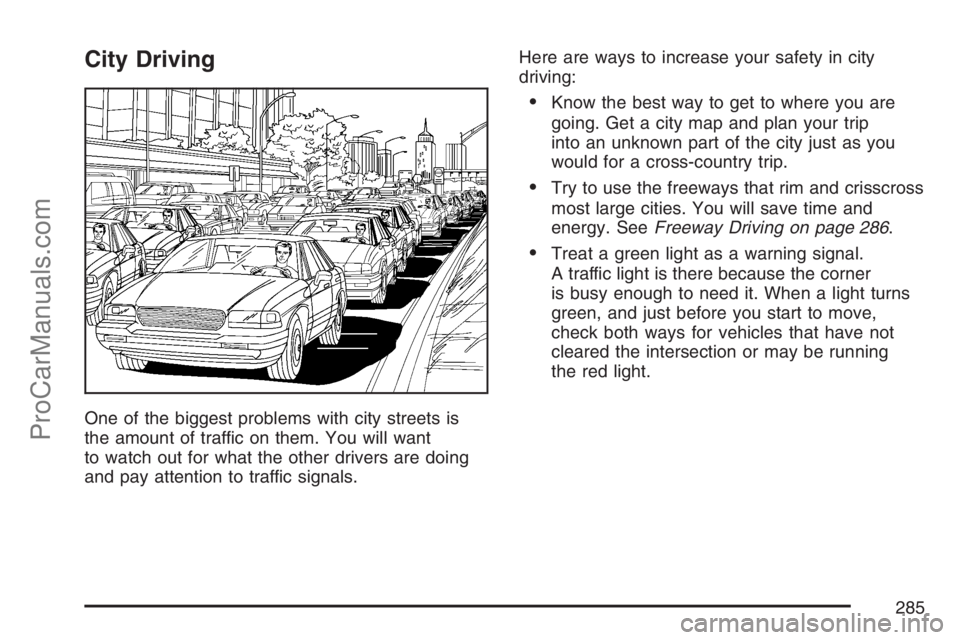
One of the biggest problems with city streets is
the amount of traffic on them. You will want
to watch out for what the other drivers are doing
and pay attention to traffic signals.Here are ways to increase your safety in city
driving:
Know the best way to get to where you are
going. Get a city map and plan your trip
into an unknown part of the city just as you
would for a cross-country trip.
Try to use the freeways that rim and crisscross
most large cities. You will save time and
energy. SeeFreeway Driving on page 286.
Treat a green light as a warning signal.
A traffic light is there because the corner
is busy enough to need it. When a light turns
green, and just before you start to move,
check both ways for vehicles that have not
cleared the intersection or may be running
the red light.
285
ProCarManuals.com
Page 286 of 498
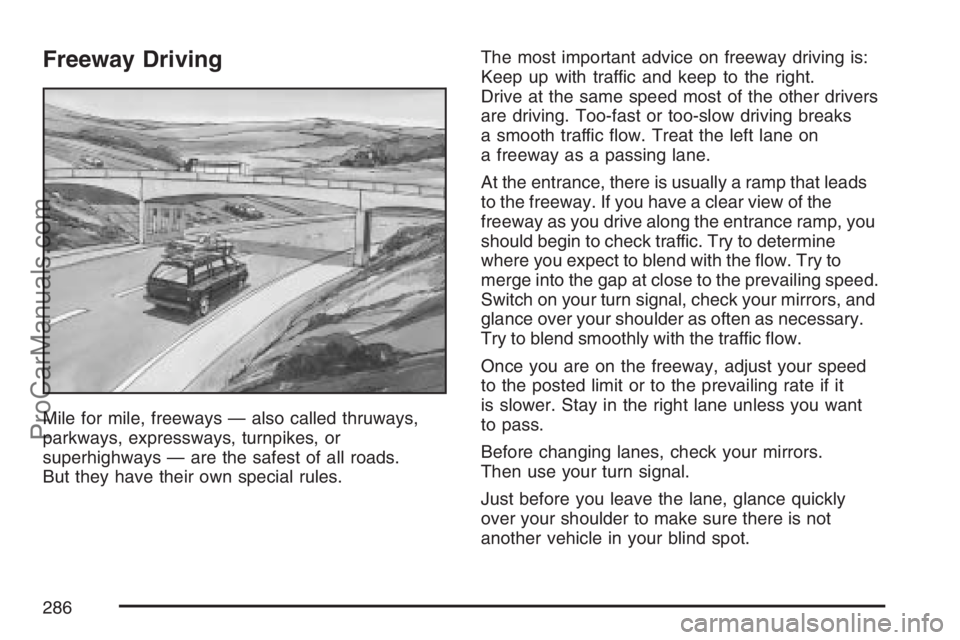
Freeway Driving
Mile for mile, freeways — also called thruways,
parkways, expressways, turnpikes, or
superhighways — are the safest of all roads.
But they have their own special rules.The most important advice on freeway driving is:
Keep up with traffic and keep to the right.
Drive at the same speed most of the other drivers
are driving. Too-fast or too-slow driving breaks
a smooth traffic ow. Treat the left lane on
a freeway as a passing lane.
At the entrance, there is usually a ramp that leads
to the freeway. If you have a clear view of the
freeway as you drive along the entrance ramp, you
should begin to check traffic. Try to determine
where you expect to blend with the ow. Try to
merge into the gap at close to the prevailing speed.
Switch on your turn signal, check your mirrors, and
glance over your shoulder as often as necessary.
Try to blend smoothly with the traffic ow.
Once you are on the freeway, adjust your speed
to the posted limit or to the prevailing rate if it
is slower. Stay in the right lane unless you want
to pass.
Before changing lanes, check your mirrors.
Then use your turn signal.
Just before you leave the lane, glance quickly
over your shoulder to make sure there is not
another vehicle in your blind spot.
286
ProCarManuals.com
Page 314 of 498
Before you start, check all trailer hitch parts and
attachments, safety chains, electrical connection,
lamps, tires and mirror adjustment. If the trailer
has electric brakes, start your vehicle and
trailer moving and then apply the trailer brake
controller by hand to be sure the brakes are
working. This lets you check your electrical
connection at the same time.
During your trip, check occasionally to be sure
that the load is secure, and that the lamps and any
trailer brakes are still working.
Following Distance
Stay at least twice as far behind the vehicle ahead
as you would when driving your vehicle without
a trailer. This can help you avoid situations
that require heavy braking and sudden turns.
Passing
You’ll need more passing distance up ahead when
you’re towing a trailer. And, because you’re a
good deal longer, you’ll need to go much farther
beyond the passed vehicle before you can
return to your lane.
Backing Up
Hold the bottom of the steering wheel with one
hand. Then, to move the trailer to the left,
just move that hand to the left. To move the trailer
to the right, move your hand to the right. Always
back up slowly and, if possible, have someone
guide you.
Making Turns
Notice:Making very sharp turns while
trailering could cause the trailer to come in
contact with the vehicle. Your vehicle could be
damaged. Avoid making very sharp turns
while trailering.
When you’re turning with a trailer, make wider
turns than normal. Do this so your trailer
won’t strike soft shoulders, curbs, road signs,
trees or other objects. Avoid jerky or sudden
maneuvers. Signal well in advance.
314
ProCarManuals.com
Page 315 of 498
Turn Signals When Towing a Trailer
The arrows on your instrument panel will
ash whenever you signal a turn or lane change.
Properly hooked up, the trailer lamps will also
ash, telling other drivers you’re about to
turn, change lanes or stop.
When towing a trailer, the arrows on your
instrument panel will ash for turns even if the
bulbs on the trailer are burned out. Thus, you may
think drivers behind you are seeing your signal
when they are not. It’s important to check
occasionally to be sure the trailer bulbs are still
working.
Driving On Grades
Reduce speed and shift to a lower gearbefore
you start down a long or steep downgrade. If you
don’t shift down, you might have to use your
brakes so much that they would get hot and no
longer work well.
You can tow in DRIVE (D). You may want to shift
the transmission to THIRD (3) or a lower gear,
under heavy loads or hilly conditions.
When towing at high altitude on steep uphill
grades, consider the following: Engine coolant will
boil at a lower temperature than at normal
altitudes. If you turn your engine off immediately
after towing at high altitude on steep uphill grades,
your vehicle may show signs similar to engine
overheating. To avoid this, let the engine run while
parked (preferably on level ground) with the
automatic transmission in PARK (P) for a few
minutes before turning the engine off. If you do get
the overheat warning, seeEngine Overheating
on page 347.
315
ProCarManuals.com
Page 317 of 498
Maintenance When Trailer Towing
Your vehicle will need service more often when
you’re pulling a trailer. See the Maintenance
Schedule for more on this. Things that are
especially important in trailer operation are
automatic transmission uid (don’t overll), engine
oil, axle lubricant, belt(s), cooling system and
brake system. Each of these is covered in
this manual, and the Index will help you nd them
quickly. If you’re trailering, it’s a good idea to
review these sections before you start your trip.
Check periodically to see that all hitch nuts
and bolts are tight.
Trailer Wiring Harness
Your vehicle is equipped with a seven-wire trailer
towing harness. This harness has a seven-pin
universal heavy-duty trailer connector (if equipped
with the trailering package) that is attached to a
bracket on the hitch platform. If your vehicle is not
equipped with the heavy-duty trailer connector,
you can purchase one from your Saab dealer.The seven-wire harness contains the following
trailer circuits:
Yellow: Left Stop/Turn Signal
Dark Green: Right Stop/Turn Signal
Brown: Running Lamps
White: Ground
Light Green: Back-up Lamps
Dark Blue: Electric Brakes
Red: Battery Feed (The chassis wiring ring
terminal must be fastened to a stud on the
underhood electrical center before the
trailer feed will become active.)
If you need to tow a light-duty trailer with a standard
four-way round pin connector, an adapter connector
is available from your dealer.
If you are charging a remote (non-vehicle) battery,
turn on the headlamps to boost the vehicle
system voltage and properly charge the battery.
Your vehicle is also equipped with wiring for an
electric trailer brake controller. These wires are
located inside the vehicle on the driver’s side under
the instrument panel. These wires should be
connected to an electric trailer brake controller by
your dealer or a qualied service center.
317
ProCarManuals.com
Page 319 of 498
Service........................................................ 322
Accessories and Modications................... 322
California Proposition 65 Warning.............. 322
Doing Your Own Service Work.................. 323
Adding Equipment to the Outside of
Your Vehicle.......................................... 323
Fuel............................................................. 324
Gasoline Octane........................................ 324
Gasoline Specications.............................. 324
California Fuel........................................... 324
Additives................................................... 325
Fuels in Foreign Countries........................ 326
Filling the Tank......................................... 326
Filling a Portable Fuel Container............... 328
Checking Things Under the Hood.............. 329
Hood Release........................................... 329
Engine Compartment Overview.................. 330
Engine Oil................................................. 334
Engine Oil Life System.............................. 337
Engine Air Cleaner/Filter............................ 339
Automatic Transmission Fluid.................... 341
Engine Coolant.......................................... 344
Radiator Pressure Cap.............................. 347Engine Overheating................................... 347
Cooling System......................................... 349
Engine Fan Noise..................................... 355
Power Steering Fluid ................................. 356
Windshield Washer Fluid........................... 357
Brakes...................................................... 358
Battery...................................................... 361
Jump Starting............................................ 362
All-Wheel Drive........................................... 368
Rear Axle.................................................... 369
Front Axle................................................... 370
Headlamp Aiming........................................ 371
Bulb Replacement....................................... 371
High Intensity Discharge (HID) Lighting........ 371
Halogen Bulbs........................................... 372
Headlamps................................................ 372
Front Turn Signal, Sidemarker and
Parking Lamps....................................... 374
Taillamps, Turn Signal, Sidemarker,
Stoplamps and Back-up Lamps.............. 374
License Plate Lamp................................... 376
Replacement Bulbs................................... 376
Section 5 Service and Appearance Care
319
ProCarManuals.com
Page 374 of 498
Front Turn Signal, Sidemarker and
Parking Lamps
To replace one of these bulbs, do the following:
1. Follow Steps 1 through 3 underHeadlamps on
page 372to access the front turn signal,
sidemarker or parking lamp.
2. Turn the bulb socket counterclockwise and
remove it from the lamp assembly.
3. Holding the socket, pull the old bulb to
release it from the socket.
4. Push the new bulb into the socket until it
clicks.
5. Insert the bulb socket into the lamp assembly
and turn it clockwise to secure.
6. Reinstall the headlamp assembly by lining up
the headlamp assembly with the slots in the
headlamp retaining clips.
7. Press down on the headlamp retaining clips to
secure the headlamp assembly.
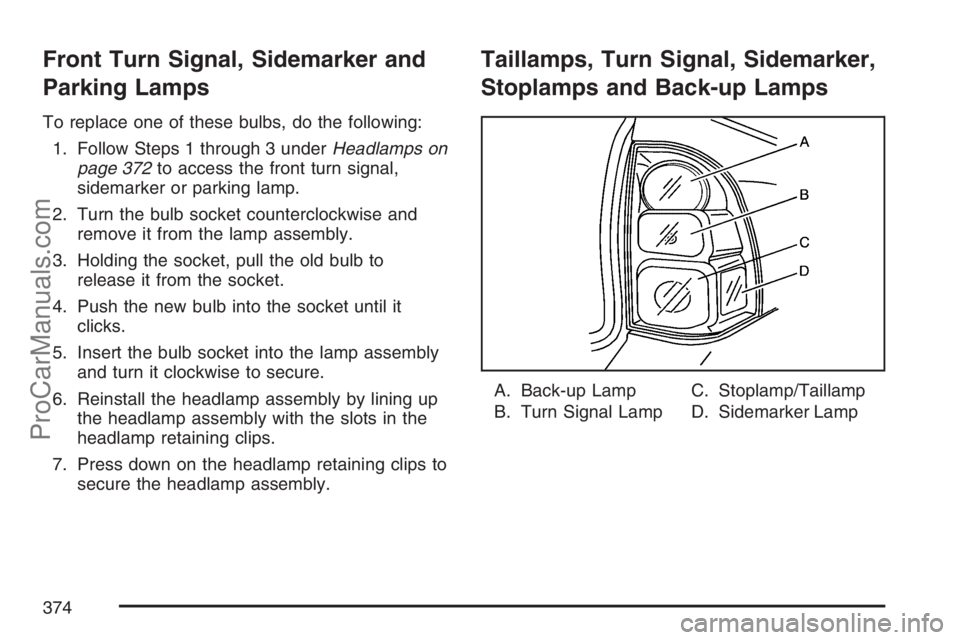
Taillamps, Turn Signal, Sidemarker,
Stoplamps and Back-up Lamps
A. Back-up Lamp
B. Turn Signal LampC. Stoplamp/Taillamp
D. Sidemarker Lamp
374
ProCarManuals.com