change time SAAB 9-7X 2009 User Guide
[x] Cancel search | Manufacturer: SAAB, Model Year: 2009, Model line: 9-7X, Model: SAAB 9-7X 2009Pages: 424, PDF Size: 2.75 MB
Page 165 of 424
the ignition is off. Time will continue to be counted as
long as the ignition is on, even if another display is being
shown on the DIC. The timer will record up to 99 hours,
59 minutes, and 59 seconds (99:59:59), after which
the display will roll back to zero.
To stop the counting of time, press the select button
briey while TIMER is displayed.
To reset the timer to zero, press and hold the select
button while TIMER is displayed.
Customization Button
q
(Customization):Press this button to access
the VEHICLE SETTINGS menu and customize the
settings to your vehicle. SeeDIC Vehicle Customization
on page 3-51for more information.
Select Button
r
(Select):Press the select button to reset certain
DIC functions, turn off or acknowledge messages
on the DIC display, and set your customization settings.
For example, this button will allow you to reset the
trip odometers, turn off the FUEL LEVEL LOW message,
and enables you to scroll through and select the
language in which the DIC information will appear.
DIC Warnings and Messages
Messages are displayed on the DIC to notify the driver
that the status of the vehicle has changed and that
some action may be needed to correct the condition.
Multiple messages may appear one after another.
Some messages may not require immediate action.
Press any of the DIC buttons on the instrument panel or
the trip odometer reset stem on the instrument panel
cluster to acknowledge that you received the messages
and to clear them from the display.
Some messages cannot be cleared from the display
because they are more urgent. These messages require
action before they can be removed from the DIC
display. Take any messages that appear on the display
seriously and remember that clearing the messages
will only make the messages disappear, not correct the
problem.
The following are the possible messages that can be
displayed and some information about them.
3-45
ProCarManuals.com
Page 179 of 424
XM™ Satellite Radio Service
XM is a satellite radio service that is based in the
48 contiguous United States and 10 Canadian
provinces. XM Satellite Radio has a wide variety
of programming and commercial-free music,
coast-to-coast, and in digital-quality sound. During your
trial or when you subscribe, you will get unlimited
access to XM Radio Online for when you are not in
the vehicle. A service fee is required to receive the
XM service. For more information, contact XM at
xmradio.com or call 1-800-929-2100 in the U.S. and
xmradio.ca or call 1-877-438-9677 in Canada.
Playing the Radio
P
(Power/Volume):Press to turn the system on
and off.
Turn to increase or to decrease the volume.
DISP (Display):Press to display the time, while the
ignition is turned off.For XM, press the DISP button while in XM mode to
retrieve four different categories of information related
to the current song or channel: Artist, Song Title,
Category or PTY, Channel Number/Channel Name.
To change the default on the display, press the DISP
button until the desired option displays, then hold
this knob for two seconds. One beep sounds and the
selected display becomes the default.
AUTO VOL (Automatic Volume):With automatic
volume, the audio system adjusts automatically to make
up for road and wind noise while driving by increasing
the volume as vehicle speed increases.
Set the volume at the desired level. Press this button to
select LOW, MEDIUM, or HIGH. AVOL, or depending
on the radio, MIN, MED, or MAX. AUTO VOL. Each
higher setting provides more volume compensation at
faster vehicle speeds. The volume level should always
sound the same while driving. NONE displays if the
radio cannot determine the vehicle speed. To turn
automatic volume off, press this button until AVOL OFF
(automatic volume off) displays.
3-59
ProCarManuals.com
Page 186 of 424
N(Repeat):With the repeat setting, one track or
an entire CD can be repeated.
To use repeat:
To repeat the current track, press and releaseN.
RPT ON displays. Press
Nagain to turn off repeat
play. RPT OFF displays.
For the Radio with Six-Disc CD player, repeat the CD
you are listening to by pressing and holding
Nfor
two seconds. RPT ON displays. Press
Nagain to
turn off repeat play. RPT OFF displays.
4
y(Random):Press to hear the tracks in random,
rather than sequential, order. RDM ON displays.
Press this pushbutton again to turn off random play.
RDM OFF displays.
y(Random) (Radio with Six-Disc CD Player):
The CD tracks can be listened to in random, rather than
sequential, order, on one CD or on all of the CDs.
To use random:
To play the tracks on the CD in random order,
press and release the random button. RANDOM
ONE displays. Press this button again to turn
off random play.
To play the tracks on all of the CDs that are loaded
in random order, press and hold this button for
more than two seconds. A beep sounds and
RANDOM ALL displays. Press this button again to
turn off random play.
tSEEKu:Press the left arrow to go to the start of the
current or the previous track. Press the right arrow to go
to the start of the next track. If a track is approximately
10 seconds into its song, press either the left or right
arrow twice to get to the previous or next track.
To scan tracks, press either arrow for more than
two seconds until one beep sounds and SCAN displays.
The CD searches the previous or next tracks at
two seconds per track. Press either arrow to stop
scanning.
To scan all loaded CDs on a Radio with Six-Disc CD
player, press and hold either arrow for more than
four seconds until CD SCAN displays and a beep sounds.
Use this feature to listen to 10 seconds of the rst track
of each loaded CD. Press either arrow again, to stop
scanning.
DISP (Display):Press to see how long the current
track has been playing. The elapsed time of the track
appears on the display. To change the default on
3-66
ProCarManuals.com
Page 191 of 424
To play all the tracks on the CD in random order, press
and hold 4
yfor two seconds. A beep sounds and
CD RDM displays. This feature does not work with
playlists.
When in random, pressing and releasing either SEEK
arrow takes the CD to the next or previous randomized
track.
Press and release 4
yagain to turn off random play.
NO RDM displays.
5
!(Previous Folder):Press to go to the rst track
in the previous folder. Pressing 5
!while in folder
random mode takes the CD to the previous folder and
randomizes the tracks in that folder.
6
#(Next Folder):Press to go to the rst track in the
next folder. Pressing 6
#while in folder random
mode takes the CD to the next folder and randomizes
the tracks in that folder.
tSEEKu:Press the left arrow to go to the start of
the previous track. Press the right arrow to go to
the start of the next track. Press either arrow for
more than two seconds and SCAN displays.The radio scans the previous or next tracks at two tracks
per second. Release the arrow to stop scanning and
to play the track.
DISP (Display):Press to switch between track
mode, folder/playlist mode, and time of day mode.
The display shows only eight characters, but there can
be up to four pages of text. If there are more than
eight characters in the song, folder, or playlist name,
pressing DISP within two seconds takes the CD to the
next page of text. If there are no other pages to be
shown, pressing DISP within two seconds takes the CD
to the next display mode.
Track mode displays the current track number and
the ID3 tag song name.
Folder/playlist mode displays the current folder or
playlist number and the folder/playlist name.
Time of day mode displays the time of day and the
ID3 tag song name.
To change the default on the display, press the DISP
knob until the desired option displays, then hold
this knob for two seconds. One beep sounds and the
selected display becomes the default.
3-71
ProCarManuals.com
Page 195 of 424
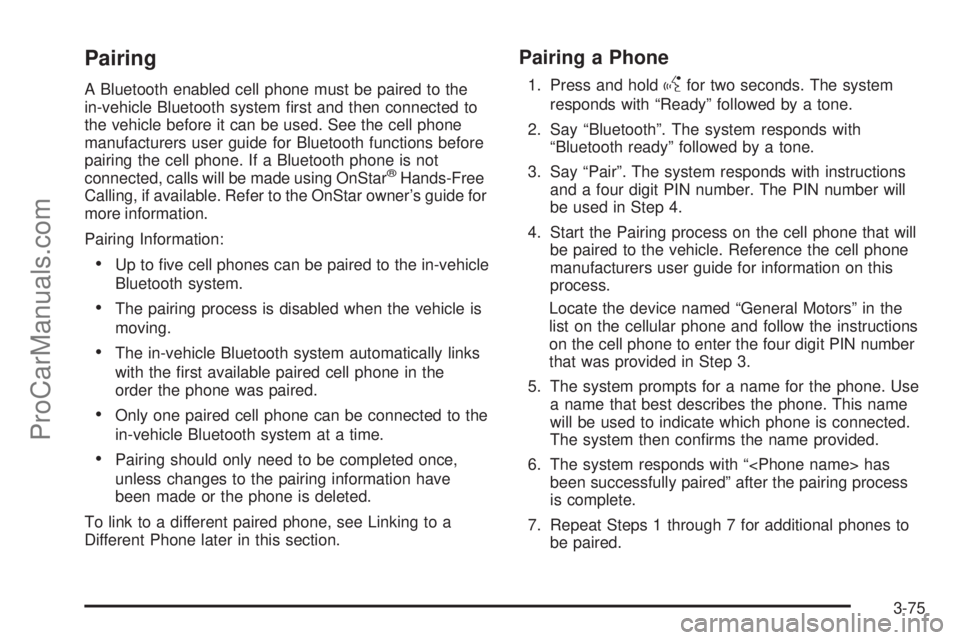
Pairing
A Bluetooth enabled cell phone must be paired to the
in-vehicle Bluetooth system rst and then connected to
the vehicle before it can be used. See the cell phone
manufacturers user guide for Bluetooth functions before
pairing the cell phone. If a Bluetooth phone is not
connected, calls will be made using OnStar
®Hands-Free
Calling, if available. Refer to the OnStar owner’s guide for
more information.
Pairing Information:
Up to ve cell phones can be paired to the in-vehicle
Bluetooth system.
The pairing process is disabled when the vehicle is
moving.
The in-vehicle Bluetooth system automatically links
with the rst available paired cell phone in the
order the phone was paired.
Only one paired cell phone can be connected to the
in-vehicle Bluetooth system at a time.
Pairing should only need to be completed once,
unless changes to the pairing information have
been made or the phone is deleted.
To link to a different paired phone, see Linking to a
Different Phone later in this section.
Pairing a Phone
1. Press and holdgfor two seconds. The system
responds with “Ready” followed by a tone.
2. Say “Bluetooth”. The system responds with
“Bluetooth ready” followed by a tone.
3. Say “Pair”. The system responds with instructions
and a four digit PIN number. The PIN number will
be used in Step 4.
4. Start the Pairing process on the cell phone that will
be paired to the vehicle. Reference the cell phone
manufacturers user guide for information on this
process.
Locate the device named “General Motors” in the
list on the cellular phone and follow the instructions
on the cell phone to enter the four digit PIN number
that was provided in Step 3.
5. The system prompts for a name for the phone. Use
a name that best describes the phone. This name
will be used to indicate which phone is connected.
The system then conrms the name provided.
6. The system responds with “
been successfully paired” after the pairing process
is complete.
7. Repeat Steps 1 through 7 for additional phones to
be paired.
3-75
ProCarManuals.com
Page 205 of 424
Headphones
The RSE system includes two sets of wireless
headphones.
Each set of headphones has an ON/OFF control.
An indicator light will illuminate on the headphones
when they are on. If the light does not illuminate,
the batteries may need to be replaced. See “Battery
Replacement” following for more information.
Each set of headphones has a volume knob. To adjust
the volume, adjust this knob.
The transmitters are located below the video display
screen. The headphones will shut off automatically
if they lose the signal from the system after about
four minutes to save battery power. The signal may be
lost if the system is turned off or if the headphones
are out of range of the transmitters.
When using the wired headphones, if the front seat
passengers play a CD in the Radio with Six-Disc CD
or use XM Satellite Radio Service, the audio for
these sources is heard, instead of the DVD or CD that
is currently playing through the RSE.
Notice:Do not store the headphones in heat or
direct sunlight. This could damage the headphones
and repairs will not be covered by the warranty.
Storage in extreme cold can weaken the batteries.
Keep the headphones stored in a cool, dry place.
Battery Replacement
To change the batteries on the headphones:
1. Turn the screw to loosen the battery door located
on the left side of the headphones. Slide the
battery door open.
2. Replace the two batteries in the compartment.
Make sure that they are installed correctly, using the
diagram on the inside of the battery compartment.
3. Replace the battery door and tighten the door
screw.
If the headphones are to be stored for a long period of
time, remove the batteries and keep them in a cool,
dry place.
Stereo RCA Jacks
The RCA jacks are located behind the video screen.
The RCA jacks allow audio and video signals to
be connected from an auxiliary device such as a
camcorder or a video game unit to the RSE system.
Standard RCA cables, not included, are needed
to connect the auxiliary device to the RCA jacks.
The yellow connector inputs video and the red and white
connectors input right and left audio. Refer to the
manufacturer’s instructions for proper connection of the
auxiliary device.
3-85
ProCarManuals.com
Page 208 of 424
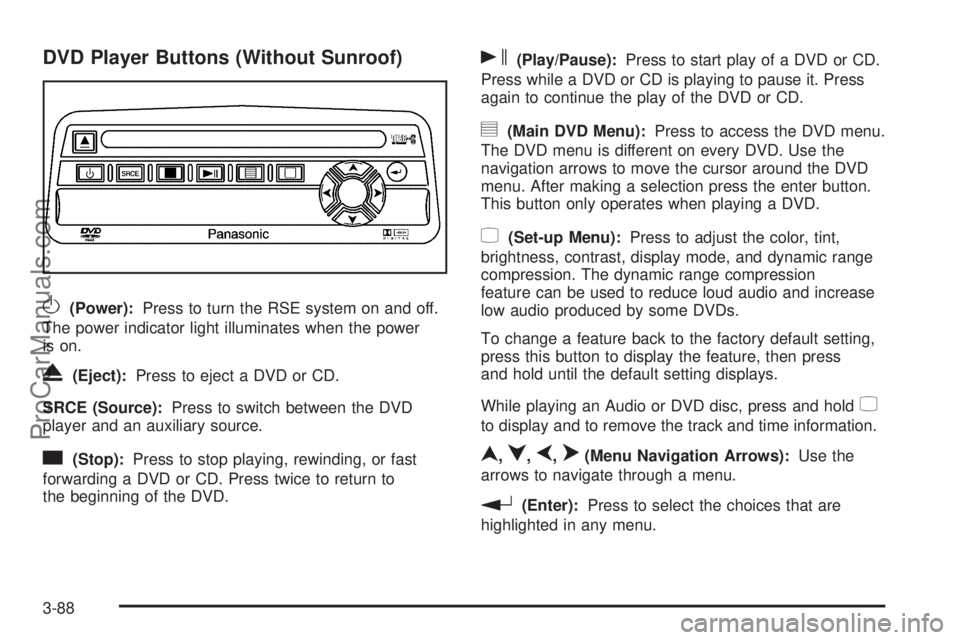
DVD Player Buttons (Without Sunroof)
O(Power):Press to turn the RSE system on and off.
The power indicator light illuminates when the power
is on.
X(Eject):Press to eject a DVD or CD.
SRCE (Source):Press to switch between the DVD
player and an auxiliary source.
c(Stop):Press to stop playing, rewinding, or fast
forwarding a DVD or CD. Press twice to return to
the beginning of the DVD.
s(Play/Pause):Press to start play of a DVD or CD.
Press while a DVD or CD is playing to pause it. Press
again to continue the play of the DVD or CD.
y(Main DVD Menu):Press to access the DVD menu.
The DVD menu is different on every DVD. Use the
navigation arrows to move the cursor around the DVD
menu. After making a selection press the enter button.
This button only operates when playing a DVD.
z(Set-up Menu):Press to adjust the color, tint,
brightness, contrast, display mode, and dynamic range
compression. The dynamic range compression
feature can be used to reduce loud audio and increase
low audio produced by some DVDs.
To change a feature back to the factory default setting,
press this button to display the feature, then press
and hold until the default setting displays.
While playing an Audio or DVD disc, press and hold
z
to display and to remove the track and time information.
n,q,p,o(Menu Navigation Arrows):Use the
arrows to navigate through a menu.
r(Enter):Press to select the choices that are
highlighted in any menu.
3-88
ProCarManuals.com
Page 211 of 424
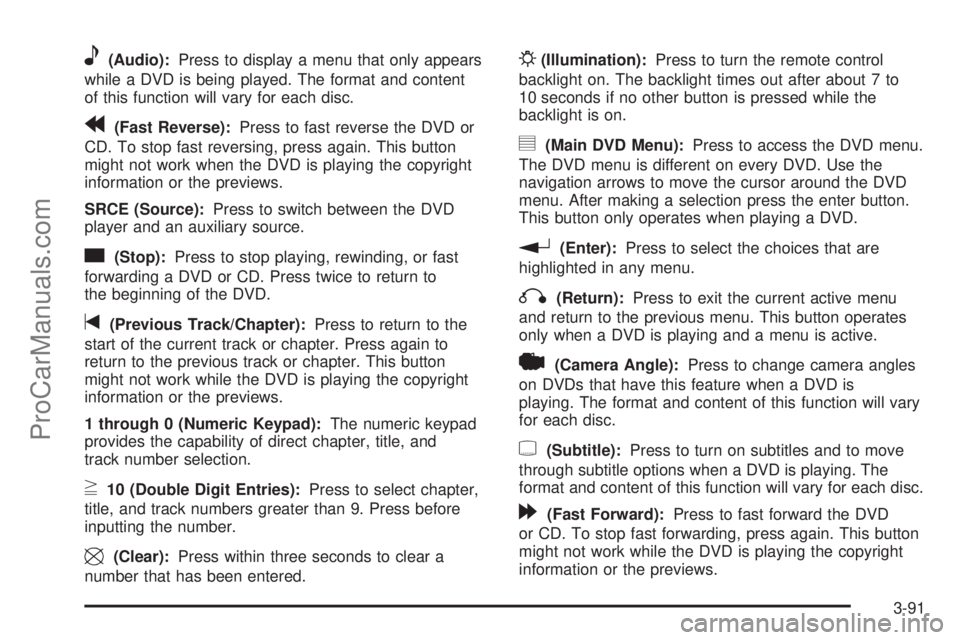
e(Audio):Press to display a menu that only appears
while a DVD is being played. The format and content
of this function will vary for each disc.
r(Fast Reverse):Press to fast reverse the DVD or
CD. To stop fast reversing, press again. This button
might not work when the DVD is playing the copyright
information or the previews.
SRCE (Source):Press to switch between the DVD
player and an auxiliary source.
c(Stop):Press to stop playing, rewinding, or fast
forwarding a DVD or CD. Press twice to return to
the beginning of the DVD.
t(Previous Track/Chapter):Press to return to the
start of the current track or chapter. Press again to
return to the previous track or chapter. This button
might not work while the DVD is playing the copyright
information or the previews.
1 through 0 (Numeric Keypad):The numeric keypad
provides the capability of direct chapter, title, and
track number selection.
}10 (Double Digit Entries):Press to select chapter,
title, and track numbers greater than 9. Press before
inputting the number.
\(Clear):Press within three seconds to clear a
number that has been entered.
P(Illumination):Press to turn the remote control
backlight on. The backlight times out after about 7 to
10 seconds if no other button is pressed while the
backlight is on.
y(Main DVD Menu):Press to access the DVD menu.
The DVD menu is different on every DVD. Use the
navigation arrows to move the cursor around the DVD
menu. After making a selection press the enter button.
This button only operates when playing a DVD.
r(Enter):Press to select the choices that are
highlighted in any menu.
q(Return):Press to exit the current active menu
and return to the previous menu. This button operates
only when a DVD is playing and a menu is active.
|(Camera Angle):Press to change camera angles
on DVDs that have this feature when a DVD is
playing. The format and content of this function will vary
for each disc.
{(Subtitle):Press to turn on subtitles and to move
through subtitle options when a DVD is playing. The
format and content of this function will vary for each disc.
[(Fast Forward):Press to fast forward the DVD
or CD. To stop fast forwarding, press again. This button
might not work while the DVD is playing the copyright
information or the previews.
3-91
ProCarManuals.com
Page 212 of 424
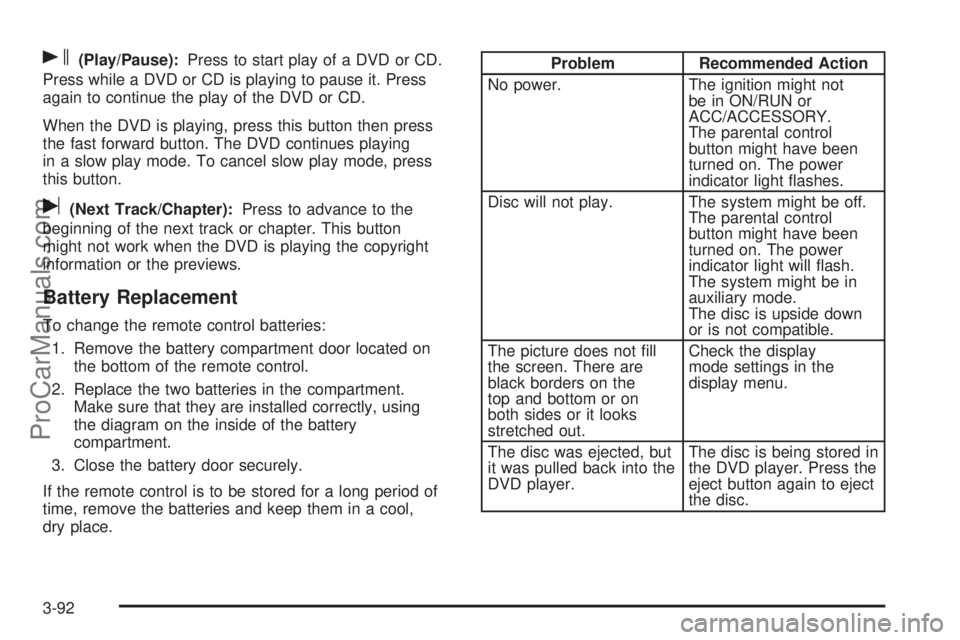
s(Play/Pause):Press to start play of a DVD or CD.
Press while a DVD or CD is playing to pause it. Press
again to continue the play of the DVD or CD.
When the DVD is playing, press this button then press
the fast forward button. The DVD continues playing
in a slow play mode. To cancel slow play mode, press
this button.
u(Next Track/Chapter):Press to advance to the
beginning of the next track or chapter. This button
might not work when the DVD is playing the copyright
information or the previews.
Battery Replacement
To change the remote control batteries:
1. Remove the battery compartment door located on
the bottom of the remote control.
2. Replace the two batteries in the compartment.
Make sure that they are installed correctly, using
the diagram on the inside of the battery
compartment.
3. Close the battery door securely.
If the remote control is to be stored for a long period of
time, remove the batteries and keep them in a cool,
dry place.
Problem Recommended Action
No power. The ignition might not
be in ON/RUN or
ACC/ACCESSORY.
The parental control
button might have been
turned on. The power
indicator light ashes.
Disc will not play. The system might be off.
The parental control
button might have been
turned on. The power
indicator light will ash.
The system might be in
auxiliary mode.
The disc is upside down
or is not compatible.
The picture does not ll
the screen. There are
black borders on the
top and bottom or on
both sides or it looks
stretched out.Check the display
mode settings in the
display menu.
The disc was ejected, but
it was pulled back into the
DVD player.The disc is being stored in
the DVD player. Press the
eject button again to eject
the disc.
3-92
ProCarManuals.com
Page 213 of 424
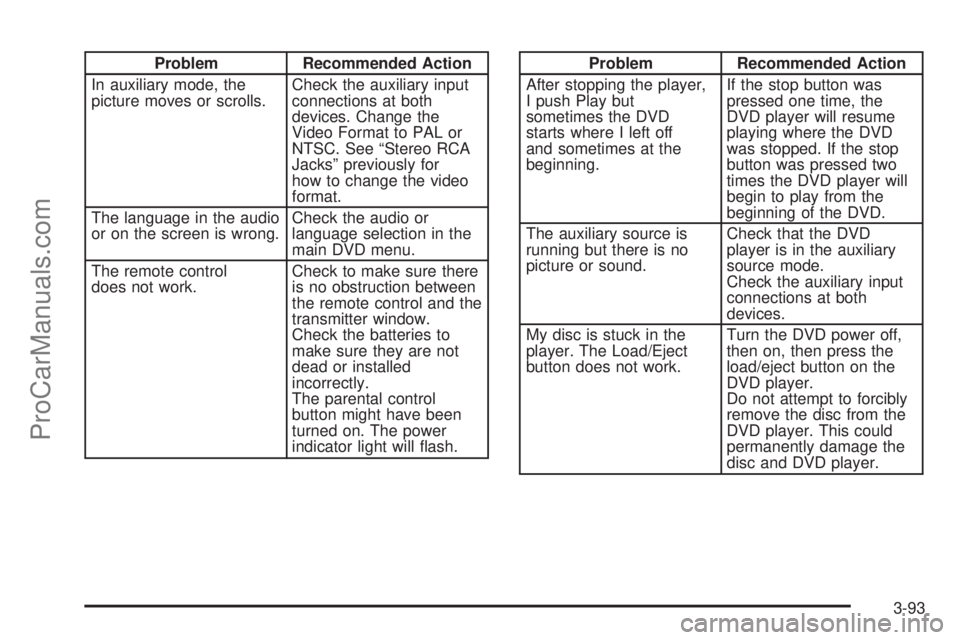
Problem Recommended Action
In auxiliary mode, the
picture moves or scrolls.Check the auxiliary input
connections at both
devices. Change the
Video Format to PAL or
NTSC. See “Stereo RCA
Jacks” previously for
how to change the video
format.
The language in the audio
or on the screen is wrong.Check the audio or
language selection in the
main DVD menu.
The remote control
does not work.Check to make sure there
is no obstruction between
the remote control and the
transmitter window.
Check the batteries to
make sure they are not
dead or installed
incorrectly.
The parental control
button might have been
turned on. The power
indicator light will ash.Problem Recommended Action
After stopping the player,
I push Play but
sometimes the DVD
starts where I left off
and sometimes at the
beginning.If the stop button was
pressed one time, the
DVD player will resume
playing where the DVD
was stopped. If the stop
button was pressed two
times the DVD player will
begin to play from the
beginning of the DVD.
The auxiliary source is
running but there is no
picture or sound.Check that the DVD
player is in the auxiliary
source mode.
Check the auxiliary input
connections at both
devices.
My disc is stuck in the
player. The Load/Eject
button does not work.Turn the DVD power off,
then on, then press the
load/eject button on the
DVD player.
Do not attempt to forcibly
remove the disc from the
DVD player. This could
permanently damage the
disc and DVD player.
3-93
ProCarManuals.com