horn SAAB 9-7X 2009 User Guide
[x] Cancel search | Manufacturer: SAAB, Model Year: 2009, Model line: 9-7X, Model: SAAB 9-7X 2009Pages: 424, PDF Size: 2.75 MB
Page 175 of 424
Seat Recall
Pressquntil SEAT RECALL: OFF appears in the
display. To select your preference for recall of the
driver’s memory seat and adjustable pedals, if your
vehicle has this feature, press
rwhile SEAT
RECALL: OFF is displayed on the DIC. Pressing
r
will scroll through the following settings:
SEAT RECALL: OFF (default):The driver’s memory
seat and adjustable pedals position you saved will only
be recalled when the memory button 1 or 2 is pressed.
SEAT RECALL: AT KEY IN:The driver’s memory seat
and adjustable pedals position you saved will be
recalled when you put the key in the ignition.
SEAT RECALL: ON REMOTE:The driver’s memory
seat and adjustable pedals position you saved will
be recalled when you unlock the vehicle with the
Remote Keyless Entry (RKE) transmitter. Whichever
position, 1 or 2, you programmed with the transmitter
being used to unlock the vehicle is the one that will
be recalled.
To select a setting and move on to the next feature,
press
qwhile the desired setting is displayed on
the DIC.
See “Easy Exit Seat” underMemory Seat on page 1-3
for more information.
Alarm Warning
Pressquntil ALARM WARNING: BOTH appears in the
display. To select your preference for alarm warning,
press
rwhile ALARM WARNING: BOTH is displayed
on the DIC. Pressing
rwill scroll through the following
settings:
ALARM WARNING: BOTH (default):The headlamps
will ash and the horn will chirp when the alarm is
active.
ALARM WARNING: HORN:The horn will chirp when
the alarm is active.
ALARM WARNING: LAMPS:The headlamps will ash
when the alarm is active.
ALARM WARNING: OFF:There will be no alarm
warning on activation.
To select a setting and move on to the next feature,
press
qwhile the desired setting is displayed on
the DIC.
SeeContent Theft-Deterrent on page 2-16for more
information.
3-55
ProCarManuals.com
Page 331 of 424
To decrease air-pressure out of a tire you can use the
pointed end of the valve cap, a pencil-style air pressure
gage, or a key.
You have two minutes to match the rst tire/wheel
position, and ve minutes overall to match all
four tire/wheel positions. If it takes longer than
two minutes, to match the rst tire and wheel, or
more than ve minutes to match all four tire and
wheel positions the matching process stops and
you will need to start over.
The TPMS sensor matching process is outlined below:
1. Set the parking brake.
2. Turn the ignition switch to ON/RUN with the
engine off.
3. Turn the headlamp control from off to parking lamps
four times within three seconds. A double horn
chirp will sound and the TPMS low tire warning light
will begin to ash. The double horn chirp and
ashing TPMS warning light indicate that the TPMS
matching process has started. The TPMS warning
light should continue ashing throughout the
matching procedure.
4. Start with the driver side front tire.
5. Remove the valve cap from the valve cap stem.
Activate the TPMS sensor by increasing or
decreasing the tire’s air pressure for 10 seconds,
then stop and listen for a single horn chirp.The single horn chirp should sound within
15 seconds, conrming that the sensor identication
code has been matched to this tire and wheel
position. If you do not hear the conrming single
horn chirp, you will need to start over with step
number one.
6. Proceed to the passenger side front tire, and repeat
the procedure in Step 5.
7. Proceed to the passenger side rear tire, and repeat
the procedure in Step 5.
8. Proceed to the driver side rear tire, and repeat the
procedure in Step 5.
9. After hearing the conrming horn chirp for the
driver’s side rear tire, check to see if the TPMS
warning light is still ashing. If yes, turn the ignition
switch to LOCK/OFF to exit the sensor matching
process. If the TPMS warning light is not ashing,
the ve minute time limit has passed and you
will need to start the process over beginning
with Step 1.
10. Set all four tires to the recommended air pressure
level as indicated on the Tire and Loading
Information label.
11. Put the valve caps back on the valve stems
5-71
ProCarManuals.com
Page 369 of 424
Fuses Usage
6 Driver Side Headlamp Low-Beam
7 Windshield Wiper
8 Automatic Transfer Case
9 Windshield Washer
10 Powertrain Control Module B
11 Fog Lamps
12 Stoplamp
13 Cigarette Lighter
14 Ignition Coils
15Transmission Control Module
Canister
16 Ignition B
18 Airbag
19 Electric Brake
21 Horn
22 Ignition E
23 Electronic Throttle Control
24Instrument Panel Cluster/Driver
Information Center (DIC)
25 Brake Transmission Shift Interlock
26 Engine 1
27 Backup Lamps
28 Engine Control Module 1Fuses Usage
29 Engine Control Module
30 Air Conditioning
31 Injector 1
50 Passenger Side Trailer Turn
51 Driver Side Trailer Turn
52 Hazard Flashers
53 Transmission
54 Oxygen Sensor B
55 Oxygen Sensor A
56 Injector B
57 Headlamp Drive Module
58 Truck Body Computer/Controller
59 Electric Adjustable Pedals
61 Ignition A1
66 Regulated Voltage Control
67 Air Solenoid
J-Case Fuses Usage
17 Trailer Stoplamp/Turn Signal
32 Trailer
33 Antilock Brake System
34 Ignition A
5-109
ProCarManuals.com
Page 370 of 424
J-Case Fuses Usage
35 Blower
36 Driver Side Headlamp
62 Passenger Side Headlamp
65Vehicle Stability Enhancement
System (StabiliTrak
®)
68 Air Pump
Relays Usage
37 Headlamp Wiper
38 Rear Windshield Wiper/Washer
39 Fog Lamps
40 Horn
41 Fuel Pump
42 Windshield Washer
43 High-Beam Headlamp
44 Air Conditioning
46 Headlamp Driver Module
47 Starter
49 Electric Adjustable Pedals
60 Powertrain
63 Low-Beam Headlamps
Relays Usage
64 Ignition 1
69 Air Solenoid
Misc. Usage
48 Instrument Panel Battery
Rear Underseat Fuse Block
The rear underseat fuse block is located on the driver
side of the vehicle, under the second row seat. Pull the
seat cushion forward to access the fuse block.
5-110
ProCarManuals.com
Page 417 of 424
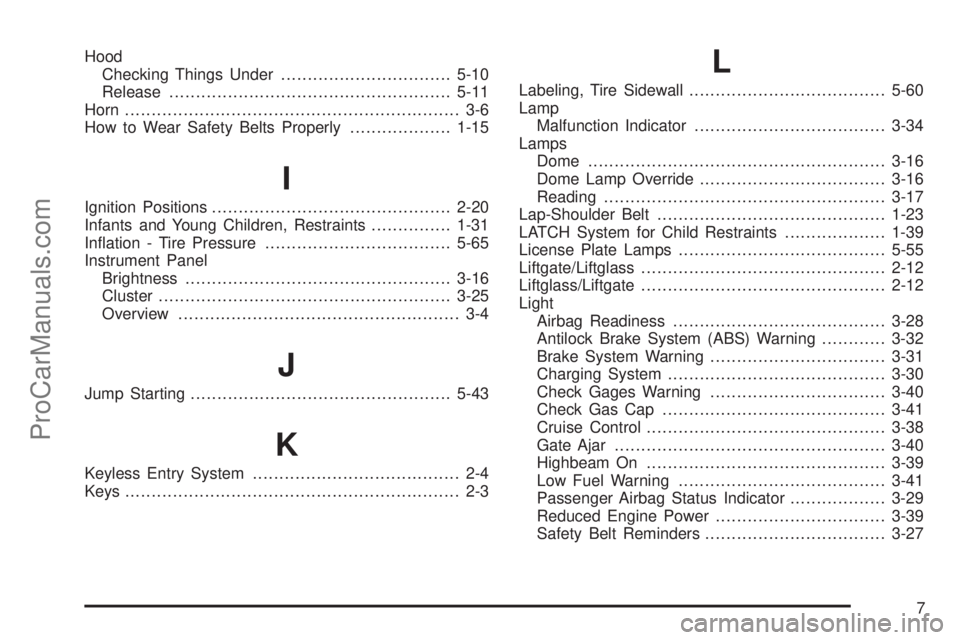
Hood
Checking Things Under................................5-10
Release.....................................................5-11
Horn ............................................................... 3-6
How to Wear Safety Belts Properly...................1-15
I
Ignition Positions.............................................2-20
Infants and Young Children, Restraints...............1-31
Ination - Tire Pressure...................................5-65
Instrument Panel
Brightness..................................................3-16
Cluster.......................................................3-25
Overview..................................................... 3-4
J
Jump Starting.................................................5-43
K
Keyless Entry System....................................... 2-4
Keys............................................................... 2-3
L
Labeling, Tire Sidewall.....................................5-60
Lamp
Malfunction Indicator....................................3-34
Lamps
Dome ........................................................3-16
Dome Lamp Override...................................3-16
Reading.....................................................3-17
Lap-Shoulder Belt...........................................1-23
LATCH System for Child Restraints...................1-39
License Plate Lamps.......................................5-55
Liftgate/Liftglass..............................................2-12
Liftglass/Liftgate..............................................2-12
Light
Airbag Readiness........................................3-28
Antilock Brake System (ABS) Warning............3-32
Brake System Warning.................................3-31
Charging System.........................................3-30
Check Gages Warning.................................3-40
Check Gas Cap..........................................3-41
Cruise Control.............................................3-38
Gate Ajar...................................................3-40
Highbeam On.............................................3-39
Low Fuel Warning.......................................3-41
Passenger Airbag Status Indicator..................3-29
Reduced Engine Power................................3-39
Safety Belt Reminders..................................3-27
7
ProCarManuals.com