audio SAAB 9-7X 2009 Owner's Guide
[x] Cancel search | Manufacturer: SAAB, Model Year: 2009, Model line: 9-7X, Model: SAAB 9-7X 2009Pages: 424, PDF Size: 2.75 MB
Page 215 of 424
DVD Distortion
There may be an experience with audio distortion in the
wireless headphones when operating cellular phones,
scanners, CB radios, Global Positioning Systems
(GPS)*, two-way radios, mobile fax, or walkie talkies.
It might be necessary to turn off the DVD player
when operating one of these devices in or near the
vehicle.
* Excludes the OnStar
®System.
Cleaning the Video Screen
Pour some isopropyl or rubbing alcohol on a clean cloth
and gently wipe the video screen. Do not spray
directly onto the screen and do not press too hard or
too long on the video screen.
Rear Seat Audio (RSA)
This feature allows rear seat passengers to select and
listen to any of the available radio sources: AM/FM,
XM, CD, or DVD. However, a rear seat passenger
cannot control a source selected on the radio by
someone in the front of the vehicle. For example, the
RSA cannot be used to change CD tracks if the radio is
set to CD. Also, if the radio is switched to a source
the RSA has control of, sound will not be lost, but the
RSA will lose control of that source.
Rear seat passengers always have control of the
volume for each set of headphones.
The RSA will run when the radio is off if the ignition key
is positioned in the power mode.
3-95
ProCarManuals.com
Page 216 of 424
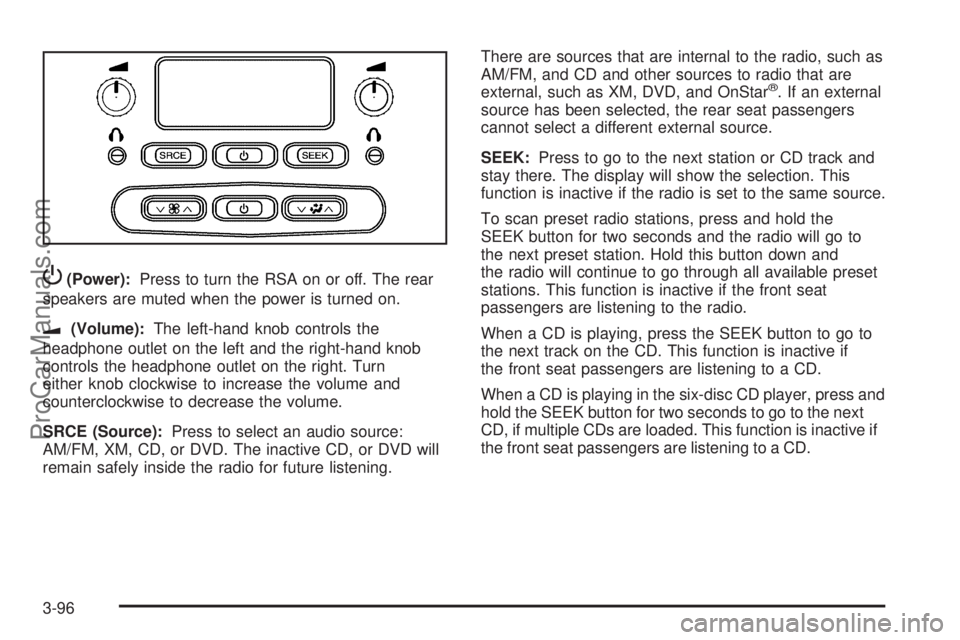
P(Power):Press to turn the RSA on or off. The rear
speakers are muted when the power is turned on.
u(Volume):The left-hand knob controls the
headphone outlet on the left and the right-hand knob
controls the headphone outlet on the right. Turn
either knob clockwise to increase the volume and
counterclockwise to decrease the volume.
SRCE (Source):Press to select an audio source:
AM/FM, XM, CD, or DVD. The inactive CD, or DVD will
remain safely inside the radio for future listening.There are sources that are internal to the radio, such as
AM/FM, and CD and other sources to radio that are
external, such as XM, DVD, and OnStar
®. If an external
source has been selected, the rear seat passengers
cannot select a different external source.
SEEK:Press to go to the next station or CD track and
stay there. The display will show the selection. This
function is inactive if the radio is set to the same source.
To scan preset radio stations, press and hold the
SEEK button for two seconds and the radio will go to
the next preset station. Hold this button down and
the radio will continue to go through all available preset
stations. This function is inactive if the front seat
passengers are listening to the radio.
When a CD is playing, press the SEEK button to go to
the next track on the CD. This function is inactive if
the front seat passengers are listening to a CD.
When a CD is playing in the six-disc CD player, press and
hold the SEEK button for two seconds to go to the next
CD, if multiple CDs are loaded. This function is inactive if
the front seat passengers are listening to a CD.
3-96
ProCarManuals.com
Page 217 of 424
Theft-Deterrent Feature
THEFTLOCK®is designed to discourage theft of the
vehicle’s radio by learning a portion of the Vehicle
Identication Number (VIN). The radio does not operate
and LOCKED displays if the radio is stolen or moved
to a different vehicle.
When the when the ignition is in the off position, a
blinking red light on the upper left side of the radio
indicates that THEFTLOCK
®is armed.
Audio Steering Wheel Controls
Some audio controls can be adjusted at the steering
wheel.
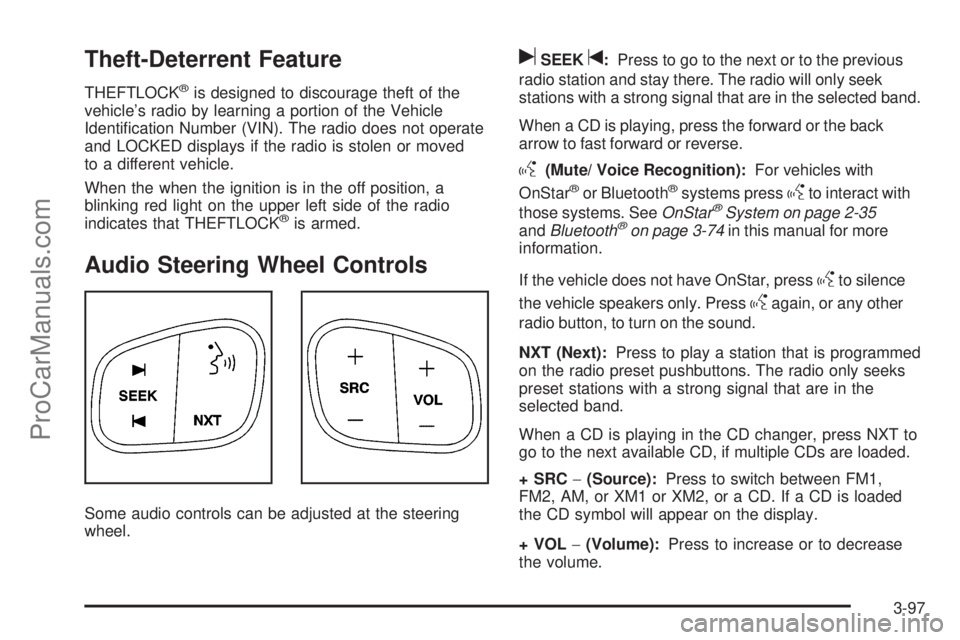
uSEEKt:Press to go to the next or to the previous
radio station and stay there. The radio will only seek
stations with a strong signal that are in the selected band.
When a CD is playing, press the forward or the back
arrow to fast forward or reverse.
g(Mute/ Voice Recognition):For vehicles with
OnStar®or Bluetooth®systems pressgto interact with
those systems. SeeOnStar®System on page 2-35
andBluetooth®on page 3-74in this manual for more
information.
If the vehicle does not have OnStar, press
gto silence
the vehicle speakers only. Press
gagain, or any other
radio button, to turn on the sound.
NXT (Next):Press to play a station that is programmed
on the radio preset pushbuttons. The radio only seeks
preset stations with a strong signal that are in the
selected band.
When a CD is playing in the CD changer, press NXT to
go to the next available CD, if multiple CDs are loaded.
+SRC−(Source):Press to switch between FM1,
FM2, AM, or XM1 or XM2, or a CD. If a CD is loaded
the CD symbol will appear on the display.
+VOL−(Volume):Press to increase or to decrease
the volume.
3-97
ProCarManuals.com
Page 411 of 424
A
Accessories and Modications............................ 5-3
Accessory Power Outlets.................................3-18
Adding Equipment to Your Airbag-Equipped
Vehicle.......................................................1-65
Additives, Fuel................................................. 5-6
Add-On Electrical Equipment...........................5-106
Adjustable Throttle and Brake Pedal..................2-22
Air Cleaner/Filter, Engine.................................5-24
Air Conditioning..............................................3-19
Airbag
Passenger Status Indicator...........................3-29
Readiness Light..........................................3-28
Airbag System................................................1-52
Adding Equipment to Your Airbag-Equipped
Vehicle...................................................1-65
How Does an Airbag Restrain?......................1-57
Passenger Sensing System...........................1-59
Servicing Your Airbag-Equipped Vehicle..........1-64
What Makes an Airbag Inate?......................1-57
What Will You See After an Airbag Inates?........1-58
When Should an Airbag Inate?....................1-56
Where Are the Airbags?...............................1-54
All-Wheel Drive...............................................5-47
All-Wheel-Drive (AWD) System.........................4-10
All-Wheel-Drive Service Light............................3-40
Antenna, Fixed Mast.......................................3-99Antenna, XM™ Satellite Radio Antenna
System......................................................3-99
Antilock Brake System (ABS)............................. 4-5
Antilock Brake, System Warning Light................3-32
Appearance Care
Aluminum Wheels......................................5-103
Care of Safety Belts...................................5-100
Chemical Paint Spotting..............................5-104
Cleaning Exterior Lamps/Lenses..................5-101
Fabric/Carpet..............................................5-99
Finish Care...............................................5-102
Finish Damage..........................................5-104
Instrument Panel, Vinyl, and Other Plastic
Surfaces...............................................5-100
Interior Cleaning..........................................5-97
Leather......................................................5-99
Sheet Metal Damage..................................5-104
Tires........................................................5-104
Underbody Maintenance.............................5-104
Washing Your Vehicle.................................5-101
Weatherstrips............................................5-100
Windshield, Backglass, and Wiper Blades......5-102
Appointments, Scheduling Service....................... 7-8
Audio System.................................................3-57
Audio Steering Wheel Controls......................3-97
Fixed Mast Antenna.....................................3-99
Navigation/Radio System, see Navigation
Manual...................................................3-74
1
ProCarManuals.com
Page 412 of 424
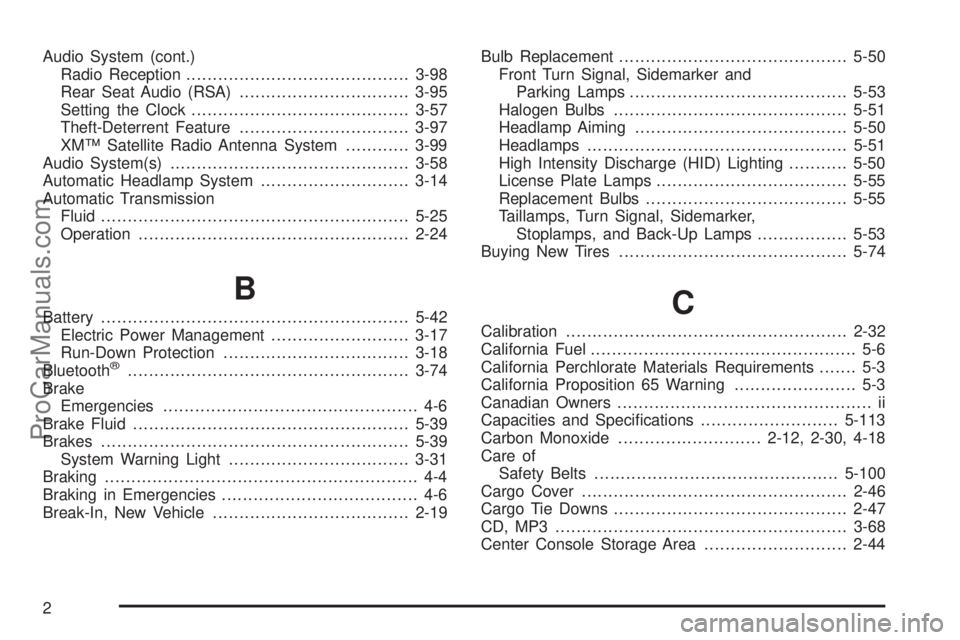
Audio System (cont.)
Radio Reception..........................................3-98
Rear Seat Audio (RSA)................................3-95
Setting the Clock.........................................3-57
Theft-Deterrent Feature................................3-97
XM™ Satellite Radio Antenna System............3-99
Audio System(s).............................................3-58
Automatic Headlamp System............................3-14
Automatic Transmission
Fluid..........................................................5-25
Operation...................................................2-24
B
Battery..........................................................5-42
Electric Power Management..........................3-17
Run-Down Protection...................................3-18
Bluetooth
®.....................................................3-74
Brake
Emergencies................................................ 4-6
Brake Fluid....................................................5-39
Brakes..........................................................5-39
System Warning Light..................................3-31
Braking........................................................... 4-4
Braking in Emergencies..................................... 4-6
Break-In, New Vehicle.....................................2-19Bulb Replacement...........................................5-50
Front Turn Signal, Sidemarker and
Parking Lamps.........................................5-53
Halogen Bulbs............................................5-51
Headlamp Aiming........................................5-50
Headlamps.................................................5-51
High Intensity Discharge (HID) Lighting...........5-50
License Plate Lamps....................................5-55
Replacement Bulbs......................................5-55
Taillamps, Turn Signal, Sidemarker,
Stoplamps, and Back-Up Lamps.................5-53
Buying New Tires...........................................5-74
C
Calibration.....................................................2-32
California Fuel.................................................. 5-6
California Perchlorate Materials Requirements....... 5-3
California Proposition 65 Warning....................... 5-3
Canadian Owners................................................ ii
Capacities and Specications..........................5-113
Carbon Monoxide...........................2-12, 2-30, 4-18
Care of
Safety Belts..............................................5-100
Cargo Cover..................................................2-46
Cargo Tie Downs............................................2-47
CD, MP3 .......................................................3-68
Center Console Storage Area...........................2-44
2
ProCarManuals.com
Page 420 of 424
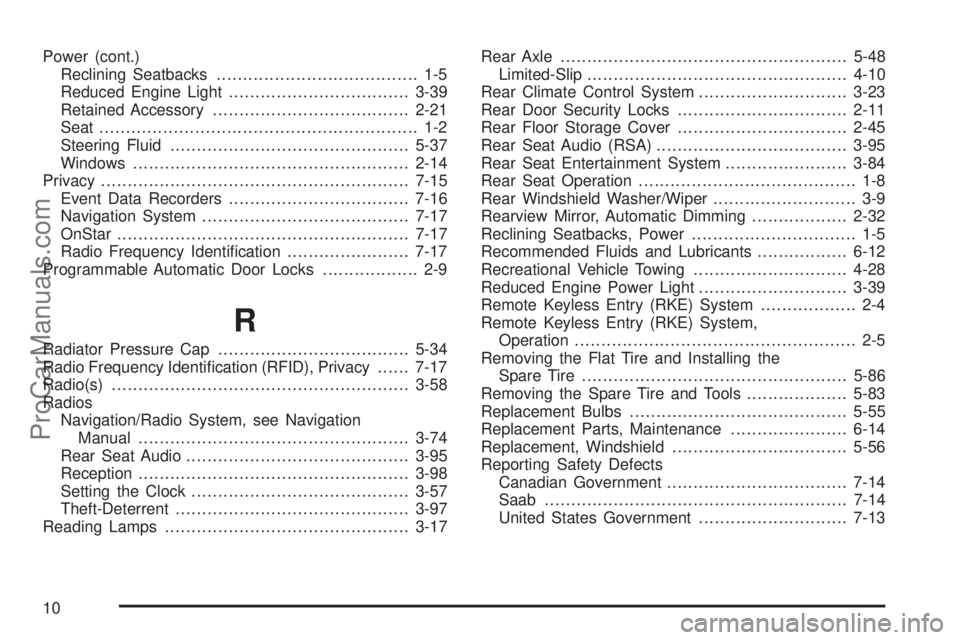
Power (cont.)
Reclining Seatbacks...................................... 1-5
Reduced Engine Light..................................3-39
Retained Accessory.....................................2-21
Seat ............................................................ 1-2
Steering Fluid.............................................5-37
Windows....................................................2-14
Privacy..........................................................7-15
Event Data Recorders..................................7-16
Navigation System.......................................7-17
OnStar .......................................................7-17
Radio Frequency Identication.......................7-17
Programmable Automatic Door Locks.................. 2-9
R
Radiator Pressure Cap....................................5-34
Radio Frequency Identication (RFID), Privacy......7-17
Radio(s)........................................................3-58
Radios
Navigation/Radio System, see Navigation
Manual...................................................3-74
Rear Seat Audio..........................................3-95
Reception...................................................3-98
Setting the Clock.........................................3-57
Theft-Deterrent............................................3-97
Reading Lamps..............................................3-17Rear Axle......................................................5-48
Limited-Slip.................................................4-10
Rear Climate Control System............................3-23
Rear Door Security Locks................................2-11
Rear Floor Storage Cover................................2-45
Rear Seat Audio (RSA)....................................3-95
Rear Seat Entertainment System.......................3-84
Rear Seat Operation......................................... 1-8
Rear Windshield Washer/Wiper........................... 3-9
Rearview Mirror, Automatic Dimming..................2-32
Reclining Seatbacks, Power............................... 1-5
Recommended Fluids and Lubricants.................6-12
Recreational Vehicle Towing.............................4-28
Reduced Engine Power Light............................3-39
Remote Keyless Entry (RKE) System.................. 2-4
Remote Keyless Entry (RKE) System,
Operation..................................................... 2-5
Removing the Flat Tire and Installing the
Spare Tire..................................................5-86
Removing the Spare Tire and Tools...................5-83
Replacement Bulbs.........................................5-55
Replacement Parts, Maintenance......................6-14
Replacement, Windshield.................................5-56
Reporting Safety Defects
Canadian Government..................................7-14
Saab.........................................................7-14
United States Government............................7-13
10
ProCarManuals.com
Page 422 of 424
Shifting Out of Park........................................2-29
Signals, Turn and Lane-Change.......................... 3-7
Spare Tire.....................................................5-97
Installing....................................................5-86
Removing...................................................5-83
Storing.......................................................5-94
Specications, Capacities...............................5-113
Speedometer..................................................3-26
StabiliTrak Service Light...................................3-32
StabiliTrak
®Indicator Light...............................3-33
StabiliTrak®System.......................................... 4-6
Starting the Engine.........................................2-21
Steering........................................................4-10
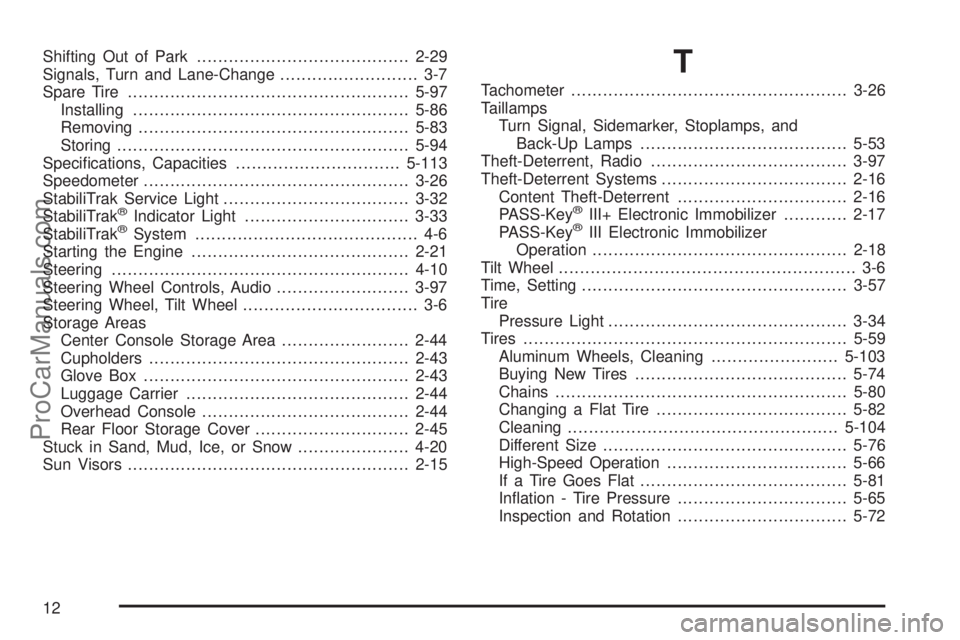
Steering Wheel Controls, Audio.........................3-97
Steering Wheel, Tilt Wheel................................. 3-6
Storage Areas
Center Console Storage Area........................2-44
Cupholders.................................................2-43
Glove Box..................................................2-43
Luggage Carrier..........................................2-44
Overhead Console.......................................2-44
Rear Floor Storage Cover.............................2-45
Stuck in Sand, Mud, Ice, or Snow.....................4-20
Sun Visors.....................................................2-15
T
Tachometer....................................................3-26
Taillamps
Turn Signal, Sidemarker, Stoplamps, and
Back-Up Lamps.......................................5-53
Theft-Deterrent, Radio.....................................3-97
Theft-Deterrent Systems...................................2-16
Content Theft-Deterrent................................2-16
PASS-Key
®III+ Electronic Immobilizer............2-17
PASS-Key®III Electronic Immobilizer
Operation................................................2-18
Tilt Wheel........................................................ 3-6
Time, Setting..................................................3-57
Tire
Pressure Light.............................................3-34
Tires.............................................................5-59
Aluminum Wheels, Cleaning........................5-103
Buying New Tires........................................5-74
Chains.......................................................5-80
Changing a Flat Tire....................................5-82
Cleaning...................................................5-104
Different Size..............................................5-76
High-Speed Operation..................................5-66
If a Tire Goes Flat.......................................5-81
Ination - Tire Pressure................................5-65
Inspection and Rotation................................5-72
12
ProCarManuals.com