lock SAAB 9-7X 2009 Workshop Manual
[x] Cancel search | Manufacturer: SAAB, Model Year: 2009, Model line: 9-7X, Model: SAAB 9-7X 2009Pages: 424, PDF Size: 2.75 MB
Page 174 of 424
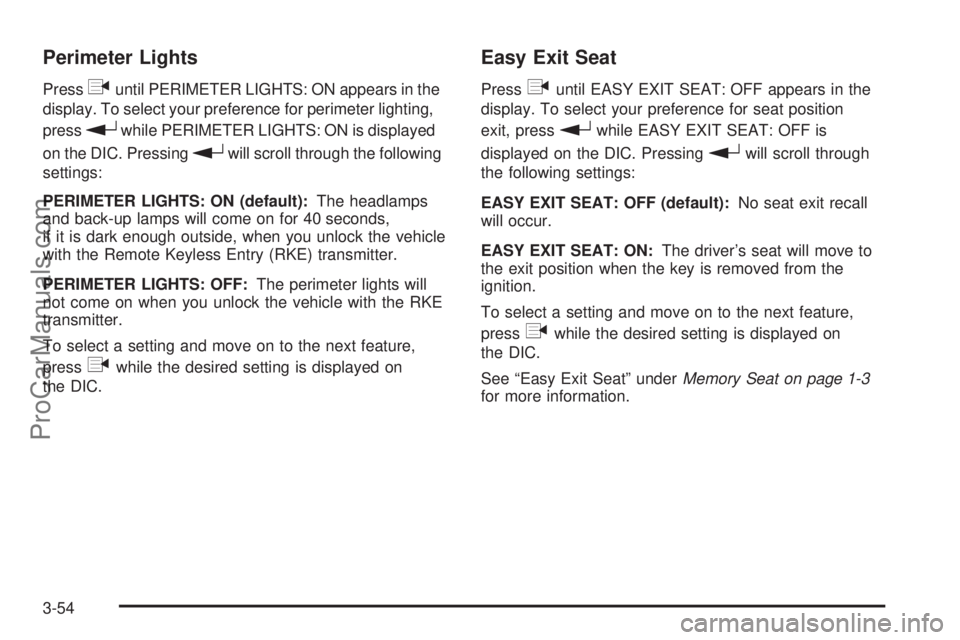
Perimeter Lights
Pressquntil PERIMETER LIGHTS: ON appears in the
display. To select your preference for perimeter lighting,
press
rwhile PERIMETER LIGHTS: ON is displayed
on the DIC. Pressing
rwill scroll through the following
settings:
PERIMETER LIGHTS: ON (default):The headlamps
and back-up lamps will come on for 40 seconds,
if it is dark enough outside, when you unlock the vehicle
with the Remote Keyless Entry (RKE) transmitter.
PERIMETER LIGHTS: OFF:The perimeter lights will
not come on when you unlock the vehicle with the RKE
transmitter.
To select a setting and move on to the next feature,
press
qwhile the desired setting is displayed on
the DIC.
Easy Exit Seat
Pressquntil EASY EXIT SEAT: OFF appears in the
display. To select your preference for seat position
exit, press
rwhile EASY EXIT SEAT: OFF is
displayed on the DIC. Pressing
rwill scroll through
the following settings:
EASY EXIT SEAT: OFF (default):No seat exit recall
will occur.
EASY EXIT SEAT: ON:The driver’s seat will move to
the exit position when the key is removed from the
ignition.
To select a setting and move on to the next feature,
press
qwhile the desired setting is displayed on
the DIC.
See “Easy Exit Seat” underMemory Seat on page 1-3
for more information.
3-54
ProCarManuals.com
Page 175 of 424
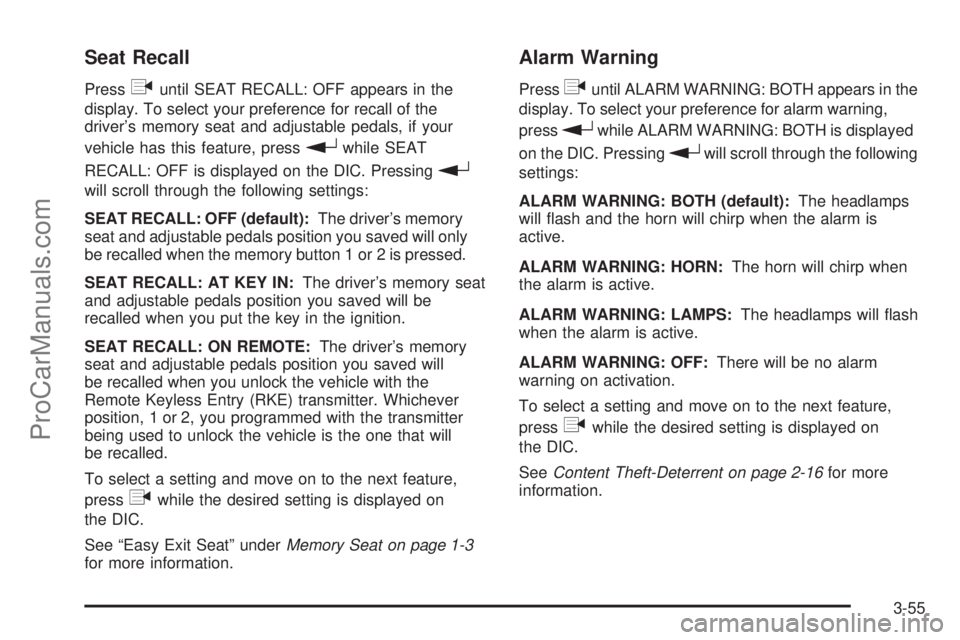
Seat Recall
Pressquntil SEAT RECALL: OFF appears in the
display. To select your preference for recall of the
driver’s memory seat and adjustable pedals, if your
vehicle has this feature, press
rwhile SEAT
RECALL: OFF is displayed on the DIC. Pressing
r
will scroll through the following settings:
SEAT RECALL: OFF (default):The driver’s memory
seat and adjustable pedals position you saved will only
be recalled when the memory button 1 or 2 is pressed.
SEAT RECALL: AT KEY IN:The driver’s memory seat
and adjustable pedals position you saved will be
recalled when you put the key in the ignition.
SEAT RECALL: ON REMOTE:The driver’s memory
seat and adjustable pedals position you saved will
be recalled when you unlock the vehicle with the
Remote Keyless Entry (RKE) transmitter. Whichever
position, 1 or 2, you programmed with the transmitter
being used to unlock the vehicle is the one that will
be recalled.
To select a setting and move on to the next feature,
press
qwhile the desired setting is displayed on
the DIC.
See “Easy Exit Seat” underMemory Seat on page 1-3
for more information.
Alarm Warning
Pressquntil ALARM WARNING: BOTH appears in the
display. To select your preference for alarm warning,
press
rwhile ALARM WARNING: BOTH is displayed
on the DIC. Pressing
rwill scroll through the following
settings:
ALARM WARNING: BOTH (default):The headlamps
will ash and the horn will chirp when the alarm is
active.
ALARM WARNING: HORN:The horn will chirp when
the alarm is active.
ALARM WARNING: LAMPS:The headlamps will ash
when the alarm is active.
ALARM WARNING: OFF:There will be no alarm
warning on activation.
To select a setting and move on to the next feature,
press
qwhile the desired setting is displayed on
the DIC.
SeeContent Theft-Deterrent on page 2-16for more
information.
3-55
ProCarManuals.com
Page 177 of 424
Audio System(s)
Determine which radio the vehicle has and read the
following pages to become familiar with its features.
{CAUTION:
Taking your eyes off the road for extended periods
could cause a crash resulting in injury or death to
you or others. Do not give extended attention to
entertainment tasks while driving.
This system provides access to many audio and non
audio listings.
To minimize taking your eyes off the road while driving,
do the following while the vehicle is parked:
Become familiar with the operation and controls of
the audio system.
Set up the tone, speaker adjustments, and preset
radio stations.
For more information, seeDefensive Driving on page 4-2.Notice:Contact your dealer/retailer before adding
any equipment.
Adding audio or communication equipment could
interfere with the operation of the vehicle’s engine,
radio, or other systems, and could damage them.
Follow federal rules covering mobile radio and
telephone equipment.
The vehicle has Retained Accessory Power (RAP). With
RAP, the audio system can be played even after the
ignition is turned off. SeeRetained Accessory Power
(RAP) on page 2-21for more information.
Setting the Clock
Press and hold H until the correct hour and AM or PM
displays. Press and hold M until the correct minute
displays. The clock can be set with the ignition on or off.
3-57
ProCarManuals.com
Page 183 of 424
Radio Messages
CAL ERR (Calibration Error):Displays if the radio is
no longer calibrated properly for the vehicle. The vehicle
must be returned to your dealer/retailer for service.
LOC (Locked):Displays when the THEFTLOCK
®
system has activated. Take the vehicle to your
dealer/retailer for service.
If any error occurs repeatedly or if an error cannot be
corrected, contact your dealer/retailer.
Radio Messages for XM™ Only
SeeXM Radio Messages on page 3-72later in this
section for further detail.
Playing a CD
Insert a CD partway into the slot, label side up.
The player pulls it in and the CD should begin playing.
To insert a CD with the ignition off, rst press the
eject button or the DISP (display) knob.
If the ignition or radio is turned off with a CD in the
player, it stays in the player. When the ignition or radio
is turned on, the CD starts to play where it stopped,
if it was the last selected audio source.When the CD is inserted, READING and the CD symbol
displays. As each new track starts to play, the track
number also displays.
The CD player can play the smaller 3 inch (8 cm)
single CDs with an adapter ring. Full-size CDs and the
smaller CDs are loaded in the same manner.
For vehicles that have a radio with a Six-Disc CD player:
LOAD:Press this button to load CDs into the CD
player. This CD player holds up to six CDs.
To insert one CD:
1. Turn the ignition on.
2. Press and release the LOAD button.
3. Wait for the indicator light, located to the right of
the slot, to turn green.
4. Load a CD. Insert the CD partway into the slot,
label side up. The player pulls the CD in.
To insert multiple CDs:
1. Turn the ignition on.
2. Press and hold the LOAD button for two seconds.
A beep sounds and the indicator light, located to
the right of the slot, ashes and LOAD # displays.
3-63
ProCarManuals.com
Page 192 of 424
4(Information):INFO displays whenever a current
track has ID3 tag information. Press
4to display
the artist name and album contained in the tag.
INFO disappears from the display when the information
in the ID3 tag has nished.
BAND:Press to listen to the radio when a CD is
playing. The inactive CD remains inside the radio for
future listening.
B(CD):Press to play a CD when listening to the
radio. The CD symbol displays when a CD is loaded.
AUTO EQ (Automatic Equalization):Press to
select an equalization setting while playing a CD.
The equalization is set whenever a CD is played.
See “AUTO EQ” listed previously for more information.
If an EQ setting is selected for a CD, it is activated
each time a CD plays.
Z(Eject):Press to eject a CD. Eject may be
activated with either the ignition or radio off. CDs may
be loaded with the ignition and radio off if this button
is pressed rst.
XM Radio Messages
xL (Explicit Language Channels):These
channels, or any others, can be blocked by calling
1-800-852-XMXM (9696).
Updating:The encryption code in the receiver is being
updated, and no action is required. This process
should take no longer than 30 seconds.
No Signal:The system is functioning correctly, but the
vehicle is in a location that is blocking the XM signal.
When the vehicle is moved into an open area, the signal
should return.
No Signl:The system is functioning correctly, but the
vehicle is in a location that is blocking the XM signal.
When the vehicle is moved into an open area, the signal
should return.
Loading XM:The audio system is acquiring and
processing audio and text data. No action is needed.
This message should disappear shortly.
Loading:The radio system is acquiring and processing
audio and text data. No action is needed. This message
should disappear shortly.
3-72
ProCarManuals.com
Page 193 of 424
CH Off Air:This channel is not currently in service.
Tune in to another channel.
Off Air:This channel is not currently in service.
Tune to another channel.
CH Unauth:This channel is blocked or cannot be
received with your XM Subscription package.
Unauth:This channel is blocked or cannot be received
with your XM Subscription package.
CH Unavail:This previously assigned channel is no
longer assigned. Tune to another station. If this station
was one of the presets, choose another station for
that preset button.
CH Unavl:This previously assigned channel is no
longer assigned. Tune to another station. If this station
was one of the presets, choose another station for
that preset button.
No Info:No artist, song title, category, or text
information is available at this time on this channel.
The system is working properly.
Not Found:There are no channels available for the
selected category. The system is working properly.XM Locked:The XM receiver in the vehicle may have
previously been in another vehicle. For security
purposes, XM receivers cannot be swapped between
vehicles. If this message is received after having
the vehicle serviced, check with your dealer/retailer.
XM Lock:The XM receiver in your vehicle could have
previously been in another vehicle. For security
purposes, XM receivers cannot be swapped between
vehicles. If this message is received after having
your vehicle serviced, check with your dealer/retailer.
Radio ID:If tuned to channel 0, there could be a
receiver fault., this message will alternate with the
XM Radio 8 digit radio ID label. This label is needed to
activate the service. Consult with your dealer/retailer.
Unknown:If this message is received when tuned
to channel 0, there could be a receiver fault. Consult
with your dealer/retailer.
Chk XMRcvr:If this message does not clear within a
short period of time, the receiver may have a fault.
Consult with your dealer/retailer.
Check XM:If this message does not clear within
a short period of time, the receiver could have a fault.
Consult with your dealer/retailer.
3-73
ProCarManuals.com
Page 210 of 424
Remote Control
To use the remote control, aim it at the transmitter
window below the video screen and press the desired
button. Direct sunlight or very bright light may affect the
ability of the RSE system to receive signals from the
remote control. If the remote control does not seem to
be working, the batteries may need to be replaced.
See “Battery Replacement” later in this section.
Objects blocking the line of sight may also affect the
function of the remote control.
Notice:Storing the remote control in a hot area or
in direct sunlight can damage it, and the repairs
will not be covered by the warranty. Storage
in extreme cold can weaken the batteries. Keep the
remote control stored in a cool, dry place.
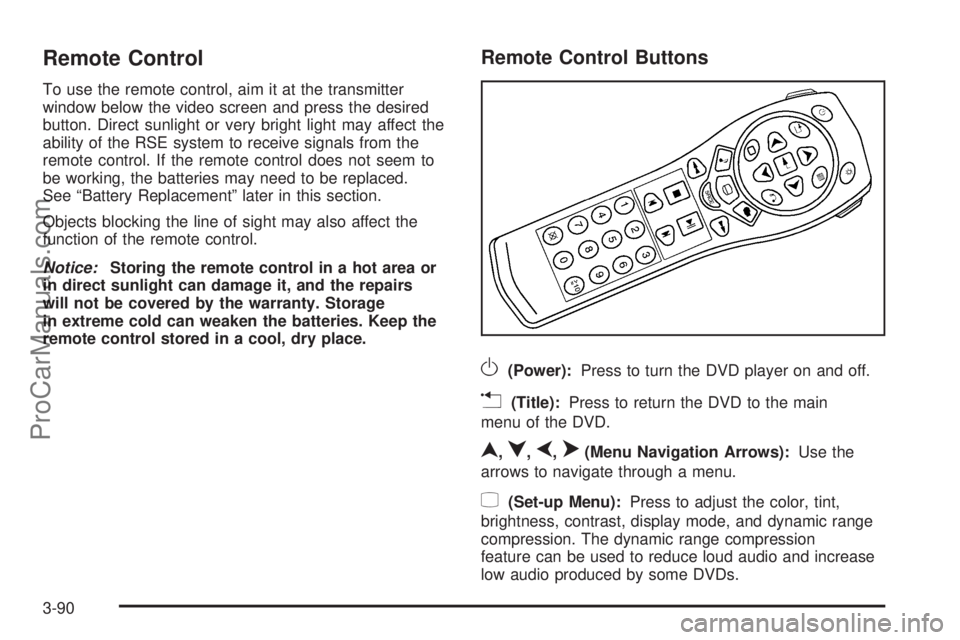
Remote Control Buttons
O(Power):Press to turn the DVD player on and off.
v(Title):Press to return the DVD to the main
menu of the DVD.
n,q,p,o(Menu Navigation Arrows):Use the
arrows to navigate through a menu.
z(Set-up Menu):Press to adjust the color, tint,
brightness, contrast, display mode, and dynamic range
compression. The dynamic range compression
feature can be used to reduce loud audio and increase
low audio produced by some DVDs.
3-90
ProCarManuals.com
Page 216 of 424
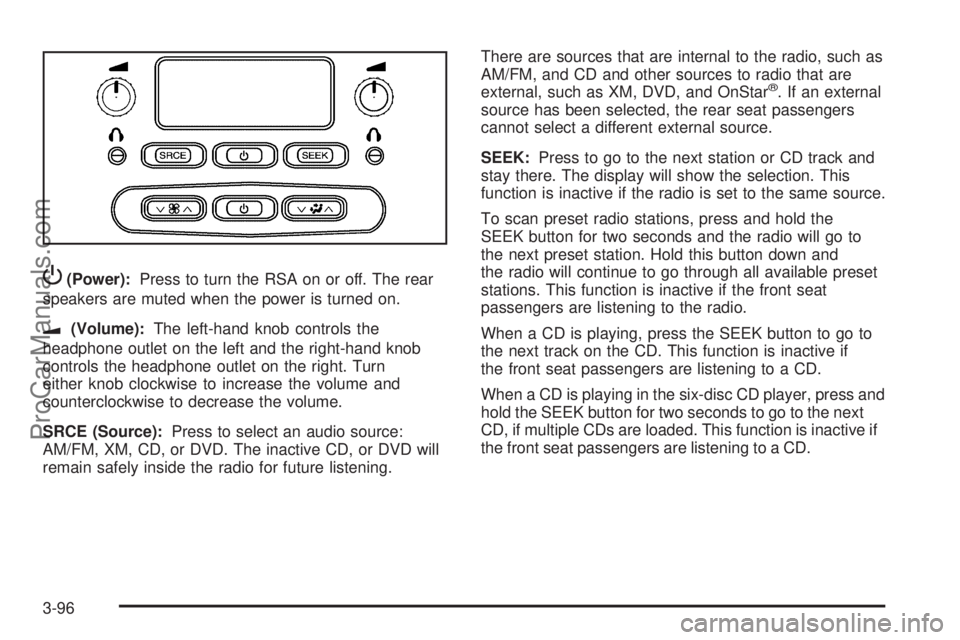
P(Power):Press to turn the RSA on or off. The rear
speakers are muted when the power is turned on.
u(Volume):The left-hand knob controls the
headphone outlet on the left and the right-hand knob
controls the headphone outlet on the right. Turn
either knob clockwise to increase the volume and
counterclockwise to decrease the volume.
SRCE (Source):Press to select an audio source:
AM/FM, XM, CD, or DVD. The inactive CD, or DVD will
remain safely inside the radio for future listening.There are sources that are internal to the radio, such as
AM/FM, and CD and other sources to radio that are
external, such as XM, DVD, and OnStar
®. If an external
source has been selected, the rear seat passengers
cannot select a different external source.
SEEK:Press to go to the next station or CD track and
stay there. The display will show the selection. This
function is inactive if the radio is set to the same source.
To scan preset radio stations, press and hold the
SEEK button for two seconds and the radio will go to
the next preset station. Hold this button down and
the radio will continue to go through all available preset
stations. This function is inactive if the front seat
passengers are listening to the radio.
When a CD is playing, press the SEEK button to go to
the next track on the CD. This function is inactive if
the front seat passengers are listening to a CD.
When a CD is playing in the six-disc CD player, press and
hold the SEEK button for two seconds to go to the next
CD, if multiple CDs are loaded. This function is inactive if
the front seat passengers are listening to a CD.
3-96
ProCarManuals.com
Page 217 of 424
Theft-Deterrent Feature
THEFTLOCK®is designed to discourage theft of the
vehicle’s radio by learning a portion of the Vehicle
Identication Number (VIN). The radio does not operate
and LOCKED displays if the radio is stolen or moved
to a different vehicle.
When the when the ignition is in the off position, a
blinking red light on the upper left side of the radio
indicates that THEFTLOCK
®is armed.
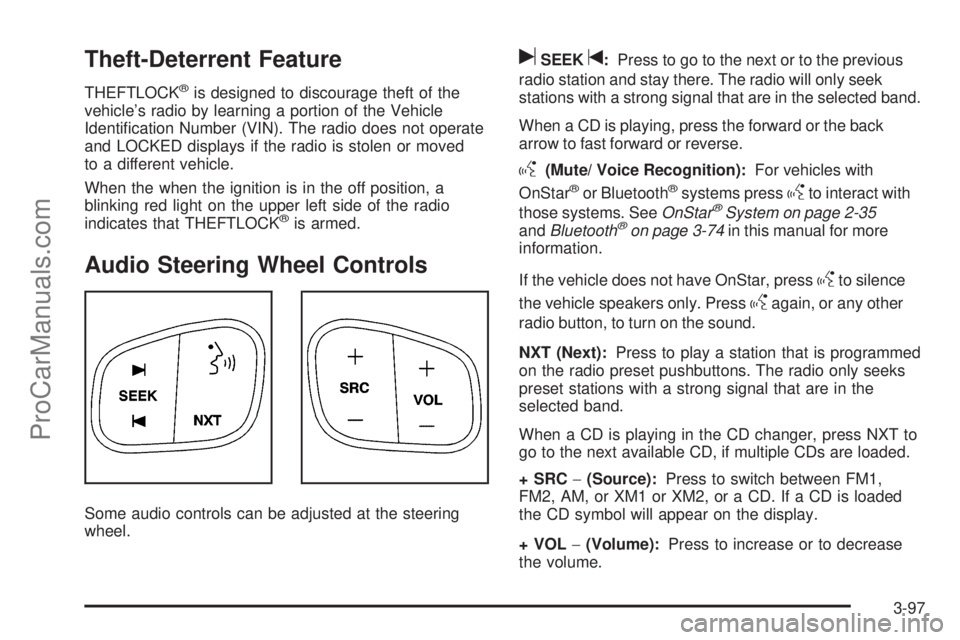
Audio Steering Wheel Controls
Some audio controls can be adjusted at the steering
wheel.
uSEEKt:Press to go to the next or to the previous
radio station and stay there. The radio will only seek
stations with a strong signal that are in the selected band.
When a CD is playing, press the forward or the back
arrow to fast forward or reverse.
g(Mute/ Voice Recognition):For vehicles with
OnStar®or Bluetooth®systems pressgto interact with
those systems. SeeOnStar®System on page 2-35
andBluetooth®on page 3-74in this manual for more
information.
If the vehicle does not have OnStar, press
gto silence
the vehicle speakers only. Press
gagain, or any other
radio button, to turn on the sound.
NXT (Next):Press to play a station that is programmed
on the radio preset pushbuttons. The radio only seeks
preset stations with a strong signal that are in the
selected band.
When a CD is playing in the CD changer, press NXT to
go to the next available CD, if multiple CDs are loaded.
+SRC−(Source):Press to switch between FM1,
FM2, AM, or XM1 or XM2, or a CD. If a CD is loaded
the CD symbol will appear on the display.
+VOL−(Volume):Press to increase or to decrease
the volume.
3-97
ProCarManuals.com
Page 221 of 424
Your Driving, the Road, and the Vehicle............4-2
Driving for Better Fuel Economy.......................4-2
Defensive Driving...........................................4-2
Drunk Driving.................................................4-3
Control of a Vehicle........................................4-3
Braking.........................................................4-4
Antilock Brake System (ABS)...........................4-5
Braking in Emergencies...................................4-6
StabiliTrak
®System........................................4-6
Limited-Slip Rear Axle...................................4-10
All-Wheel Drive (AWD) System.......................4-10
Steering......................................................4-10
Off-Road Recovery.......................................4-12
Passing.......................................................4-12
Loss of Control.............................................4-12
Off-Road Driving...........................................4-13Driving at Night............................................4-14
Driving in Rain and on Wet Roads..................4-15
Before Leaving on a Long Trip.......................4-16
Highway Hypnosis........................................4-16
Hill and Mountain Roads................................4-17
Winter Driving..............................................4-18
If Your Vehicle is Stuck in Sand, Mud,
Ice, or Snow.............................................4-20
Rocking Your Vehicle to Get It Out.................4-21
Loading the Vehicle......................................4-21
Towing..........................................................4-27
Towing Your Vehicle.....................................4-27
Recreational Vehicle Towing...........................4-28
Electronically Controlled Air Suspension
System....................................................4-28
Towing a Trailer...........................................4-29
Section 4 Driving Your Vehicle
4-1
ProCarManuals.com