service SATURN ASTRA 2008 Owner's Manual
[x] Cancel search | Manufacturer: SATURN, Model Year: 2008, Model line: ASTRA, Model: SATURN ASTRA 2008Pages: 304, PDF Size: 1.92 MB
Page 102 of 304
Driver Information
Center (DIC)
Vehicles with a Driver Information
Center (DIC) can display:
Time
Outside temperature
Date or audio system, if it is
turned on
Trip computer, on vehicles with
this feature
Warning messages
The type of information and how it is
displayed depends on the equipment
of the vehicle and the settings of the
trip computer and audio system.SeeDIC Operation and Displays
(Base Level DIC and Audio) on
page 4-27orDIC Operation and
Displays (Uplevel DIC and Audio)
on page 4-31andAudio System(s)
on page 6-1for more information.
An F in the display indicates a fault.
See your dealer/retailer for service.
Outside Air Temperature
The DIC shows the temperature
outside of the vehicle in either
degrees Fahrenheit or degrees
Celsius. A fall in temperature
is displayed immediately, while a
rise in temperature is displayed
after a short delay.On vehicles with the base level DIC,
Qdisplays when the outside air
temperature is cold enough to
create icy road conditions.
On vehicles with the uplevel DIC,
“Slippery road” displays.
The road surface may already be
icy even though the DIC shows
a few degrees above freezing.
Adjust your driving accordingly.
4-26 Instruments and Controls
ProCarManuals.com
Page 114 of 304
Brakelight switch check
This message displays when the
brake lamp does not come on
when the brake is applied. Have
your vehicle serviced by your
dealer/retailer immediately.
Coolant level check
This message displays when the
engine coolant level is low. Have
the cooling system serviced by your
dealer/retailer as soon as possible.
SeeEngine Coolant on page 9-12.
Remote Control Battery
check
This message displays if the
Remote Keyless Entry (RKE)
transmitter battery is low. Replace
the battery in the transmitter.
See “Battery Replacement” under
Remote Keyless Entry (RKE)
System Operation on page 2-4.
Safeguard check
This message displays when there
is a problem with the theft-deterrent
system. Have the system serviced
by your dealer/retailer immediately.
Washer Fluid Level
(Base Level) or Washing
Water Level (Uplevel)
This message displays when the
vehicle’s windshield washer uid is
low. When the washer uid level is
low, the rear window washer system
is deactivated. Fill the windshield
washer uid reservoir to the proper
level as soon as possible. See
Windshield Washer Fluid on
page 9-20.
OnStar®System
OnStar uses several innovative
technologies and live advisors to
provide you with a wide range of
safety, security, information, and
convenience services. If your airbags
deploy, the system is designed to
make an automatic call to OnStar
Emergency advisors who can
request emergency services be
sent to your location. If you lock your
keys in the vehicle, call OnStar at
1-888-4-ONSTAR and they can send
a signal to unlock your doors. If you
need roadside assistance, press the
OnStar button and they can contact
Roadside Service for you.
4-38 Instruments and Controls
ProCarManuals.com
Page 115 of 304
OnStar service is provided to you
subject to the OnStar Terms and
Conditions. You may cancel your
OnStar service at any time by
contacting OnStar. A complete
OnStar Owner’s Guide and the
OnStar Terms and Conditions are
included in the vehicle’s OnStar
Subscriber glove box literature.
For more information, visit
onstar.com or onstar.ca, contact
OnStar at 1-888-4-ONSTAR
(1-888-466-7827) or TTY
1-877-248-2080, or press the
OnStar button to speak with an
OnStar advisor 24 hours a day,
7 days a week.
Not all OnStar features are available
on all vehicles. To check if your
vehicle is equipped to provide the
services described below, or for a
full description of OnStar services
and system limitations, see the
OnStar Owner’s Guide in your
glove box or visit onstar.com.OnStar Services
For new vehicles with OnStar,
the Safe & Sound Plan, or the
Directions & Connections Plan
is included for one year from the
date of purchase. You can extend
this plan beyond the rst year,
or upgrade to the Directions &
Connections Plan. For more
information, press the OnStar
button to speak with an advisor.
Some OnStar services (such as
Remote Door Unlock or Stolen
Vehicle Location Assistance) may
not be available until you register
with OnStar.Available Services with
Safe & Sound PlanAutomatic Notication of Airbag
Deployment
Link to Emergency Services
Roadside Assistance
Stolen Vehicle Location
Assistance
AccidentAssist
Remote Door Unlock/Vehicle
Alert
OnStar Vehicle Diagnostics
GM Goodwrench On Demand
Diagnostics (if equipped)
OnStar Hands-Free Calling with
30 complimentary minutes
OnStar Virtual Advisor
(U.S. Only)
Instruments and Controls 4-39
ProCarManuals.com
Page 116 of 304

Available Services included with
Directions & Connections Plan
All Safe and Sound Plan Services
Driving Directions - Advisor
delivered or OnStar Turn-by-Turn
Navigation (If equipped)
RideAssist
Information and Convenience
Services
OnStar Hands-Free Calling
OnStar Hands-Free Calling allows
eligible OnStar subscribers to make
and receive calls using voice
commands. Hands-Free Calling is
integrated into the vehicle, and can
be used with OnStar Pre-Paid Minute
Packages. Hands-Free Calling may
also be linked to a Verizon Wireless
service plan in the U.S. or a BellMobility service plan in Canada,
depending on eligibility. To nd out
more, refer to the OnStar Owner’s
Guide in the vehicle’s glove box, visit
onstar.com or onstar.ca, or speak
with an OnStar advisor by pressing
the OnStar button or calling
1-888-4-ONSTAR (1-888-466-7827).
OnStar Virtual Advisor
OnStar Virtual Advisor is a feature
of OnStar Hands-Free Calling
that uses your minutes to access
location-based weather, local
traffic reports, and stock quotes.
By pressing the phone button and
giving a few simple voice commands,
you can browse through the various
topics. See the OnStar Owner’s
Guide for more information (Only
available in the continental U.S.).
How OnStar Service Works
In order to provide you with OnStar
services, your vehicle’s OnStar
system has the capability of
recording and transmitting vehicle
information. This information is
automatically sent to an OnStar
Call Center at the time of an OnStar
button press, Emergency button
press or if your airbags deploy.
The vehicle information usually
includes your GPS location and,
in the event of a crash, additional
information regarding the accident
that your vehicle has been involved
in. When you use the Virtual Advisor
feature of OnStar Hands-Free
Calling, your vehicle also sends
OnStar your GPS location so that we
can provide you with location-based
services.
4-40 Instruments and Controls
ProCarManuals.com
Page 117 of 304

OnStar service cannot work unless
your vehicle is in a place where
OnStar has an agreement with a
wireless service provider for service
in that area. OnStar service also
cannot work unless you are in a
place where the wireless service
provider OnStar has hired for that
area has coverage, network capacity
and reception when the service is
needed, and technology that is
compatible with the OnStar service.
Not all services are available
everywhere, particularly in remote
or enclosed areas, or at all times.OnStar service that involves location
information about your vehicle
cannot work unless GPS satellite
signals are unobstructed and
available in that place as well.
Your vehicle must have a working
electrical system (including adequate
battery power) for the OnStar
equipment to operate. There are
other problems OnStar cannot
control that may prevent OnStar
from providing service to you at
any particular time or place. Some
examples are damage to important
parts of your vehicle in an accident,
hills, tall buildings, tunnels, weather
or wireless phone network
congestion.Your Responsibility
You may need to increase the
volume of your radio to hear the
OnStar advisor. If the light next to the
OnStar buttons is red, this means
that your system is not functioning
properly and should be checked
by your dealer/retailer. If the light
appears clear (no light is appearing),
your OnStar subscription has
expired. You can always press the
OnStar button to conrm that your
OnStar equipment is active.
Instruments and Controls 4-41
ProCarManuals.com
Page 154 of 304

Starting and
Operating Your
Vehicle
New Vehicle Break-In
Notice:Your vehicle does not
need an elaborate break-in. But it
will perform better in the long
run if you follow these guidelines:
Do not drive at any one
constant speed, fast or slow,
for the rst 500 miles (805 km).
Do not make full-throttle
starts. Avoid downshifting
to brake or slow the vehicle.
Avoid making hard stops for
the rst 200 miles (322 km) or
so. During this time the new
brake linings are not yet broken
in. Hard stops with new linings
can mean premature wear and
earlier replacement. Follow this
breaking-in guideline every
time you get new brake linings.Following break-in, engine
speed and load can be gradually
increased.
Ignition Positions
Use the key to turn the ignition
switch to four different positions.
Notice:Using a tool to force the
key to turn in the ignition could
cause damage to the switch or
break the key. Use the correct key,
make sure it is all the way in, and
turn it only with your hand. If the
key cannot be turned by hand, see
your dealer/retailer.To shift out of P (Park), the ignition
must be in the ON/RUN position
and the regular brake pedal must
be applied.
A (LOCK/OFF):This is the only
position from which you can remove
the key. This locks the steering
wheel, ignition and automatic
transmission.
On vehicles with an automatic
transmission, the shift lever must
be in P (Park) to turn the ignition
switch to the LOCK/OFF position.
The ignition switch can bind in the
LOCK/OFF position with your wheels
turned off center. If this happens,
move the steering wheel from
right to left while turning the key to
STEERING UNLOCK/IGNITION
OFF. If this doesn’t work, then the
vehicle needs service.
8-2 Driving and Operating
ProCarManuals.com
Page 159 of 304

Notice:Shifting out of P (Park)
or N (Neutral) with the engine
running at high speed may
damage the transmission. The
repairs would not be covered by
the vehicle warranty. Be sure the
engine is not running at high
speed when shifting the vehicle.
DRIVE (D):This position is for
normal driving.
Notice:If your vehicle seems to
start up rather slowly or not shift
gears when you go faster, and you
continue to drive your vehicle that
way, you could damage the
transmission. Have your vehicle
serviced right away.THIRD (3):This position is also
used for normal driving, however, it
offers more power and lower fuel
economy than DRIVE (D). Here are
some times you might choose
THIRD (3) instead of DRIVE (D):
When driving on hilly, winding
roads.
When going down a steep hill.
SECOND (2):This position gives
you more power but lower fuel
economy. Use SECOND (2) on hills.
It can help control the vehicles speed
as you go down steep mountain
roads, but then you would also want
to use your brakes off and on.
Notice:Driving in FIRST (1) for
more than 25 miles (40 km) or at
speeds over 55 mph (90 km/h)
may damage the transmission.
Also, shifting into FIRST (1) at
speeds above 65 mph (105 km/h)
can cause damage. Drive in
THIRD (3) or DRIVE (D) instead
of FIRST (1).FIRST (1):This position gives you
even more power but lower fuel
economy than SECOND (2). Use it
on very steep hills, or in deep snow
or mud. If the shift lever is put in
FIRST (1), the transmission does not
shift into rst gear until the vehicle is
going slowly enough.
Notice:Spinning the tires
or holding the vehicle in one
place on a hill using only
the accelerator pedal may
damage the transmission. The
repair will not be covered by your
warranty. If you are stuck, do
not spin the tires. When stopping
on a hill, use the brakes to
hold the vehicle in place.
Driving and Operating 8-7
ProCarManuals.com
Page 165 of 304
Shifting Out of Park
This vehicle has an electronic shift
lock release system. The shift
lock release is designed to:
Prevent ignition key removal
unless the shift lever is in
PARK (P) with the shift lever
button fully released.
Prevent movement of the shift
lever out of PARK (P), unless
the ignition is in the ON/RUN
position and the regular brake
pedal is applied.
The shift lock release is always
functional except in the case of an
uncharged or low voltage (less
than 9 volt) battery.
If your vehicle has an uncharged
battery or a battery with low voltage,
try charging or jump starting the
battery. SeeJump Starting on
page 9-68for more information.To shift out of PARK (P) use the
following sequence:
1. Apply the brake pedal.
2. Press the shift lever button.
3. Move the shift lever to the
desired position.
If you still are unable to shift out of
PARK (P):
1. Fully release the shift lever
button.
2. While holding down the brake
pedal, press the shift lever
button again.
3. Move the shift lever to the
desired position.
If you still cannot move the shift
lever from PARK (P), consult your
dealer/retailer or a professional
towing service.
Parking the Vehicle
Before you get out of your vehicle,
move the shift lever into FIRST (1) or
REVERSE (R) and rmly apply the
parking brake. Once the shift lever
has been placed into FIRST (1) or
REVERSE (R) with the clutch pedal
pressed in, you can turn the ignition
off and release the clutch.
Parking Over Things
That Burn
{CAUTION
Things that can burn could
touch hot exhaust parts under
your vehicle and ignite. Do not
park over papers, leaves, dry
grass, or other things that
can burn.
Driving and Operating 8-13
ProCarManuals.com
Page 172 of 304
It is recommended to leave the
system on for normal driving
conditions, but it may be necessary
to turn the system off if your vehicle
is stuck in sand, mud, ice or snow,
and you want to “rock” your vehicle
to attempt to free it. It may also be
necessary to turn off the system
when driving in extreme off-road
conditions where high wheel spin
is required. SeeIf Your Vehicle is
Stuck in Sand, Mud, Ice, or Snow
on page 8-29.
StabiliTrak may also turn off
automatically if it determines that a
problem exists with the system.
The light on the instrument panel
cluster will be on solid to warn
the driver that StabiliTrak is disabled
and requires service. If the problem
does not clear after restarting
the vehicle, you should see your
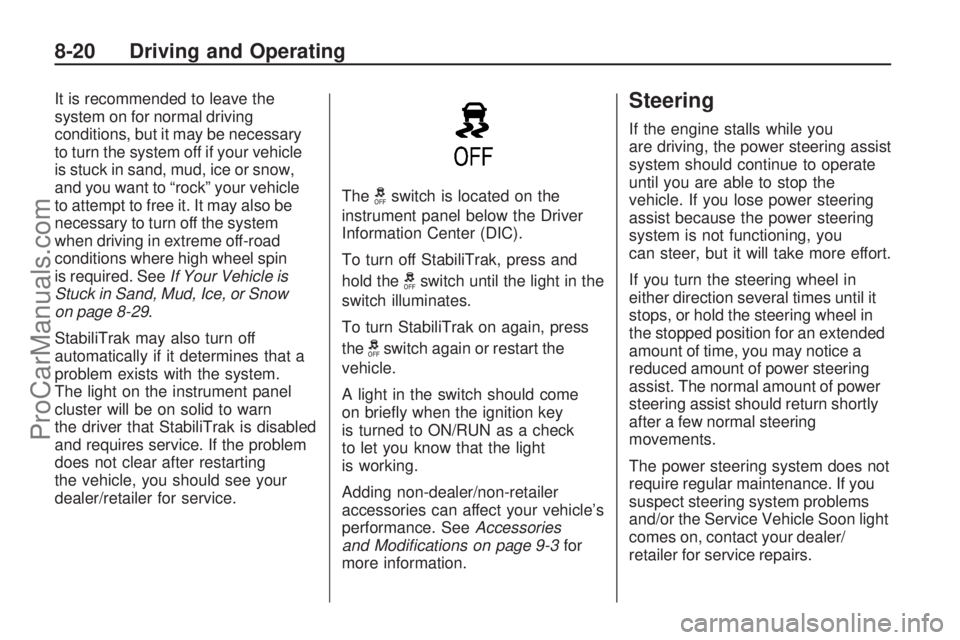
dealer/retailer for service.The
gswitch is located on the
instrument panel below the Driver
Information Center (DIC).
To turn off StabiliTrak, press and
hold the
gswitch until the light in the
switch illuminates.
To turn StabiliTrak on again, press
the
gswitch again or restart the
vehicle.
A light in the switch should come
on briey when the ignition key
is turned to ON/RUN as a check
to let you know that the light
is working.
Adding non-dealer/non-retailer
accessories can affect your vehicle’s
performance. SeeAccessories
and Modifications on page 9-3for
more information.
Steering
If the engine stalls while you
are driving, the power steering assist
system should continue to operate
until you are able to stop the
vehicle. If you lose power steering
assist because the power steering
system is not functioning, you
can steer, but it will take more effort.
If you turn the steering wheel in
either direction several times until it
stops, or hold the steering wheel in
the stopped position for an extended
amount of time, you may notice a
reduced amount of power steering
assist. The normal amount of power
steering assist should return shortly
after a few normal steering
movements.
The power steering system does not
require regular maintenance. If you
suspect steering system problems
and/or the Service Vehicle Soon light
comes on, contact your dealer/
retailer for service repairs.
8-20 Driving and Operating
ProCarManuals.com
Page 178 of 304
Before Leaving on a
Long Trip
To prepare your vehicle for a long
trip, consider having it serviced by
your dealer/retailer before departing.
Things to check on your own
include:
Windshield Washer Fluid:
Reservoir full? Windows
clean — inside and outside?
Wiper Blades:In good shape?
Fuel, Engine Oil, Other Fluids:All
levels checked?
Lamps:Do they all work and are
lenses clean?
Tires:Are treads good? Are tires
inated to recommended
pressure?
Weather and Maps:Safe to
travel? Have up-to-date maps?
Highway Hypnosis
Always be alert and pay attention
to your surroundings while driving.
If you become tired or sleepy, nd
a safe place to park your vehicle
and rest.
Other driving tips include:
Keep the vehicle well ventilated.
Keep interior temperature cool.
Keep your eyes moving — scan
the road ahead and to the sides.
Check the rearview mirror and
vehicle instruments often.
Hill and Mountain Roads
Driving on steep hills or through
mountains is different than driving
on at or rolling terrain. Tips for
driving in these conditions include:
Keep the vehicle serviced
and in good shape.
Check all uid levels and brakes,
tires, cooling system, and
transmission.
Going down steep or long hills,
shift to a lower gear.
{CAUTION
If you do not shift down, the
brakes could get so hot that
they would not work well. You
would then have poor braking
or even none going down a hill.
You could crash. Shift down to
let the engine assist the brakes
on a steep downhill slope.
8-26 Driving and Operating
ProCarManuals.com