lights SATURN ASTRA 2008 Owners Manual
[x] Cancel search | Manufacturer: SATURN, Model Year: 2008, Model line: ASTRA, Model: SATURN ASTRA 2008Pages: 304, PDF Size: 1.92 MB
Page 1 of 304
Seats and Restraints......... 1-1
Front Seats
.................... 1-2
Rear Seats
.................... 1-7
Safety Belts
................... 1-8
Airbag System
..............1-23
Child Restraints
.............1-37
Keys, Doors and
Windows............................ 2-1
Keys
............................. 2-2
Doors and Locks
............ 2-5
Theft-Deterrent Systems
... 2-7
Windows
......................2-10
Mirrors
.........................2-12
Sunroof
........................2-13
Storage.............................. 3-1
Storage
......................... 3-1
Instruments and
Controls............................. 4-1
Instrument Panel
Overview
.................... 4-2
Warning Lights, Gages,
and Indicators
............4-11Driver Information
Center (DIC)
.............4-26
OnStar
®System
............4-38
Lighting............................. 5-1
Lighting
......................... 5-1
Infotainment...................... 6-1
Audio System(s)
............. 6-1
Climate Controls............... 7-1
Climate Controls
............. 7-1
Driving and Operating....... 8-1
Starting and Operating
Your Vehicle
................ 8-2
Driving Your Vehicle
......8-16
Fuel
............................8-35
Vehicle Service
and Care............................ 9-1
Service
.......................... 9-2
Owner Checks
................ 9-5
Headlamp Aiming
..........9-26
Bulb Replacement
.........9-28
Electrical System
...........9-33
Tires
...........................9-38Tire Changing
...............9-60
Jump Starting
...............9-68
Towing
........................9-72
Appearance Care
..........9-72
Technical Data.................10-1
Vehicle Identication
......10-1
Capacities and
Specications
............10-2
Customer Information......11-1
Customer Information
.....11-1
Reporting Safety
Defects
...................11-13
Vehicle Data Recording
and Privacy
.............11-15
Index................................... i-1
2008 Saturn Astra Owner ManualM
ProCarManuals.com
Page 10 of 304
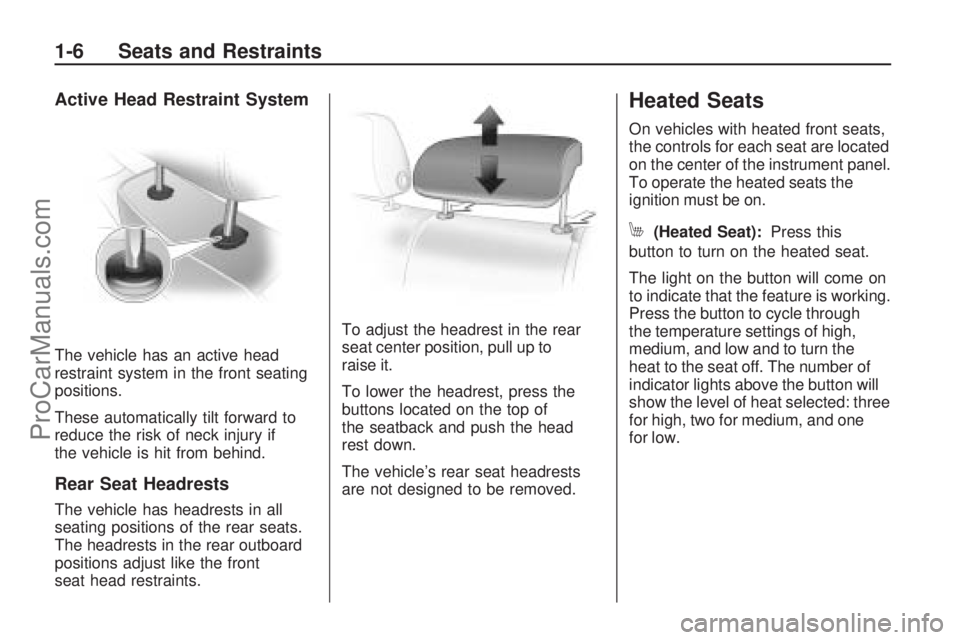
Active Head Restraint System
The vehicle has an active head
restraint system in the front seating
positions.
These automatically tilt forward to
reduce the risk of neck injury if
the vehicle is hit from behind.
Rear Seat Headrests
The vehicle has headrests in all
seating positions of the rear seats.
The headrests in the rear outboard
positions adjust like the front
seat head restraints.To adjust the headrest in the rear
seat center position, pull up to
raise it.
To lower the headrest, press the
buttons located on the top of
the seatback and push the head
rest down.
The vehicle’s rear seat headrests
are not designed to be removed.
Heated Seats
On vehicles with heated front seats,
the controls for each seat are located
on the center of the instrument panel.
To operate the heated seats the
ignition must be on.
M(Heated Seat):Press this
button to turn on the heated seat.
The light on the button will come on
to indicate that the feature is working.
Press the button to cycle through
the temperature settings of high,
medium, and low and to turn the
heat to the seat off. The number of
indicator lights above the button will
show the level of heat selected: three
for high, two for medium, and one
for low.
1-6 Seats and Restraints
ProCarManuals.com
Page 77 of 304
Instruments and
Controls
Instrument Panel
Overview
Instrument Panel
Overview...........................4-2
Hazard Warning Flashers. . .4-4
Horn...................................4-4
Tilt Wheel...........................4-4
Turn Signal/Multifunction
Lever................................4-4
Cruise Control....................4-5
Turn and Lane-Change
Signals.............................4-8
Headlamp High/Low-Beam
Changer............................4-8
Flash-to-Pass......................4-8
Windshield Wipers..............4-9
Windshield Washer...........4-10
Rear Window Wiper/
Washer...........................4-10
Accessory Power
Outlet(s)..........................4-10
Warning Lights, Gages,
and Indicators
Warning Lights, Gages,
and Indicators.................4-11
Instrument Panel Cluster. . .4-12
Speedometer and
Odometer........................4-13
Trip Odometer(s)...............4-13
Tachometer.......................4-13
Safety Belt Reminders......4-14
Airbag Readiness Light.....4-14
Passenger Airbag Status
Indicator..........................4-15
Charging System Light......4-17
Brake System Warning
Light................................4-17
Antilock Brake System
(ABS) Warning Light.......4-18
StabiliTrak®Indicator
Light................................4-19
Engine Coolant
Temperature Warning
Light
................................4-19
Tire Pressure Light...........4-19
Malfunction
Indicator Lamp................4-20
Oil Pressure Light.............4-22
Low Oil Level Light...........4-23
Winter Driving Mode
Light................................4-23
Fog Lamp Light................4-23
Exterior Lamps Off
Reminder........................4-24Cruise Control Light..........4-24
Highbeam On Light...........4-24
Door Ajar Light.................4-24
Service Vehicle Soon
Light................................4-24
Fuel Gage........................4-25
Low Fuel Warning Light. . . .4-25
Driver Information
Center (DIC)
Driver Information
Center (DIC)...................4-26
DIC Operation and
Displays (Base Level
DIC and Audio)
...............4-27
DIC Operation and
Displays (Uplevel
DIC and Audio)
...............4-31
DIC Warnings and
Messages (Base and
Uplevel Systems)
............4-37
OnStar®System
OnStar®System................4-38
Instruments and Controls 4-1
ProCarManuals.com
Page 87 of 304
Notice:Adding any electrical
equipment to your vehicle
may damage it or keep other
components from working as they
should. The repairs would not be
covered by your warranty. Check
with your dealer/retailer before
adding electrical equipment.
When adding electrical equipment,
be sure to follow the installation
instructions included with the
equipment.
Notice:Improper use of the
power outlet can cause damage
not covered by your warranty.
Do not hang any type of
accessory or accessory bracket
from the plug because the
power outlets are designed for
accessory power plugs only.Warning Lights,
Gages, and Indicators
This section describes the warning
lights and gages on the vehicle.
Warning lights and gages can signal
that something is wrong before it
becomes serious enough to cause
an expensive repair or replacement.
Paying attention to the warning lights
and gages could prevent injury.
Warning lights come on when there
may be or is a problem with one
of the vehicle’s functions. Some
warning lights come on briey when
the engine is started to indicate they
are working.Gages can indicate when there may
be or is a problem with one of the
vehicle’s functions. Often gages
and warning lights work together
to indicate a problem with the
vehicle.
When one of the warning lights
comes on and stays on while
driving, or when one of the gages
shows there may be a problem,
check the section that explains
what to do. Follow this manual’s
advice. Waiting to do repairs can
be costly and even dangerous.
Instruments and Controls 4-11
ProCarManuals.com
Page 93 of 304
If, after several seconds, both status
indicator lights remain on, or if there
are no lights at all, there may be
a problem with the lights or the
passenger sensing system.
See your dealer/retailer for service.
{CAUTION
If the airbag readiness light in
the instrument panel cluster
ever comes on and stays on, it
means that something may be
wrong with the airbag system.
If this ever happens, have the
vehicle serviced promptly,
because an adult-size person
sitting in the right front
passenger’s seat may not have
the protection of the airbag(s).
SeeAirbag Readiness Light
on page 4-14for more on this,
including important safety
information.
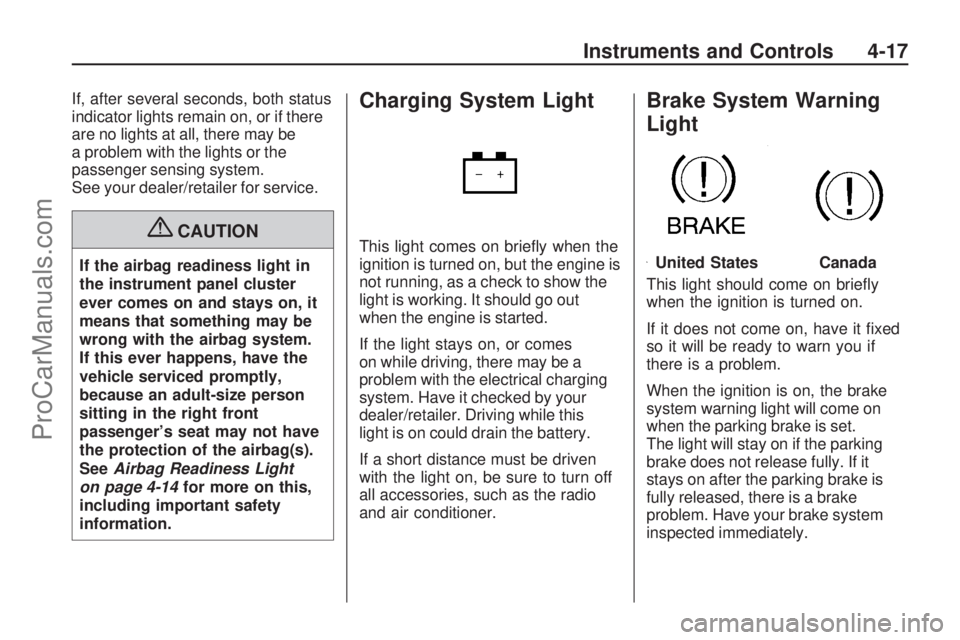
Charging System Light
This light comes on briey when the
ignition is turned on, but the engine is
not running, as a check to show the
light is working. It should go out
when the engine is started.
If the light stays on, or comes
on while driving, there may be a
problem with the electrical charging
system. Have it checked by your
dealer/retailer. Driving while this
light is on could drain the battery.
If a short distance must be driven
with the light on, be sure to turn off
all accessories, such as the radio
and air conditioner.
Brake System Warning
Light
This light should come on briey
when the ignition is turned on.
If it does not come on, have it xed
so it will be ready to warn you if
there is a problem.
When the ignition is on, the brake
system warning light will come on
when the parking brake is set.
The light will stay on if the parking
brake does not release fully. If it
stays on after the parking brake is
fully released, there is a brake
problem. Have your brake system
inspected immediately.
United StatesCanada
Instruments and Controls 4-17
ProCarManuals.com
Page 100 of 304
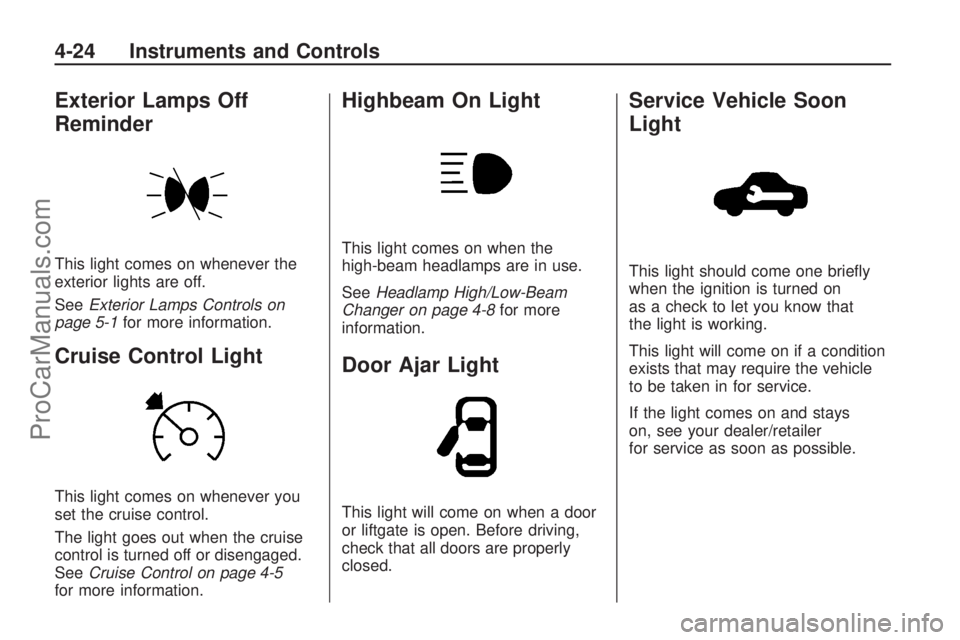
Exterior Lamps Off
Reminder
This light comes on whenever the
exterior lights are off.
SeeExterior Lamps Controls on
page 5-1for more information.
Cruise Control Light
This light comes on whenever you
set the cruise control.
The light goes out when the cruise
control is turned off or disengaged.
SeeCruise Control on page 4-5
for more information.
Highbeam On Light
This light comes on when the
high-beam headlamps are in use.
SeeHeadlamp High/Low-Beam
Changer on page 4-8for more
information.
Door Ajar Light
This light will come on when a door
or liftgate is open. Before driving,
check that all doors are properly
closed.
Service Vehicle Soon
Light
This light should come one briey
when the ignition is turned on
as a check to let you know that
the light is working.
This light will come on if a condition
exists that may require the vehicle
to be taken in for service.
If the light comes on and stays
on, see your dealer/retailer
for service as soon as possible.
4-24 Instruments and Controls
ProCarManuals.com
Page 113 of 304
DIC Warnings and
Messages (Base and
Uplevel Systems)
Messages are displayed on the DIC
to notify the driver that the status of
the vehicle has changed and that
some action may be needed by
the driver to correct the condition.
Multiple messages may appear
one after another.
The DIC monitors some uid levels,
battery of the Remote Keyless Entry
(RKE) transmitter, the theft-deterrent
system on vehicles with this feature,
the brake light switch, and important
exterior lights, including wiring and
fuses.Some messages may not require
immediate action, but you can
acknowledge that you received the
messages and to clear them from the
display by doing one of the following:
Press the OK button on the base
level audio system.
Press the multifunction knob, if
your vehicle has this feature,
on the uplevel audio system.
Press the left thumbwheel, if your
vehicle has this feature, on the
steering wheel.
If there are several warning
messages, acknowledge them
one at a time.Some messages cannot be cleared
from the DIC display because they
are more urgent. These messages
require action before they can
be cleared. You should take any
messages that appear on the display
seriously and remember that clearing
the messages will only make the
messages disappear, not correct
the problem.
Warning messages for the uplevel
DIC follow. On the base level
DIC, messages appear in an
abbreviated form.
Brakelight check---
This message displays when there
is a problem with the vehicle lighting.
The source of the problem is
displayed as text. For example,
“Brakelight check right”.
Instruments and Controls 4-37
ProCarManuals.com
Page 121 of 304

Instrument Panel
Brightness
D
(Instrument Panel
Brightness):The knob with this
symbol on it is located next to the
exterior lamps control to the left of
the steering wheel. Push the knob in
all the way until it extends out and
then turn the knob clockwise or
counterclockwise to brighten or dim
the lights. Push the knob back in
when nished.
Dome Lamp(s)
There are two dome lamps. The rear
dome lamp turns on automatically
with the front dome lamp.
+(On/Off):Press to turn the
front dome lamp on or off while
the doors are closed.
Entry Lighting
With entry lighting, the interior of the
vehicle is illuminated while entering
the vehicle. The interior lamps
turn on briey when the door
is unlocked using the key or the
Remote Keyless Entry (RKE)
transmitter and the ignition is in
LOCK/OFF. After a few seconds
have passed, the interior lamps
will slowly fade out.
Reading Lamps
Front Reading Lamps
The front reading lamps, located on
the headliner, can be controlled
separately by the buttons located
near each lamp.
\(On/Off):Press to turn the lamp
on or off.
Lighting 5-3
ProCarManuals.com
Page 135 of 304
Menus
The menus of the audio systems
are structured in levels. The current
menu level is indicated by vertical
lines at the edge of the screen.
Selecting from a Menu
The items within a menu are
selected by turning the multifunction
knob to move the cursor. The cursor
highlights the menu item being
selected.
To select a menu item:
1. Turn the multifunction knob
until the desired menu item
is highlighted.
2. Press the multifunction knob to
select the function or to display
another menu.
Selected menu items display
as
Vora.
Un-selected menu items display
as
(oro.To exit from a menu:
Turn the multifunction knob to
the left until Return is displayed
and then press the knob.
Press CDC, FM/AM, SETTINGS,
SOUND, or MAIN at any time to
exit from a menu and use that
function.
Selecting the Audio Menu
The Audio menu allows access to
FM, AM, CD, and Sound menus.
To access the Audio menu from
one of these menus:
Turn the multifunction knob to the
left until Return displays and
then press the knob.Selecting from a List
Some menus are displayed in the
form of lists.If the cursor is moved to the
top or bottom area of the display,
other list items appear. A
scroll-bar on the right edge of the
display indicates the current
cursor position in the list.
The last list item selected is
marked with an arrow in some
lists.
The name of the list and the
number of items in it are displayed
above the list.
To select from a list:
1. Turn the multifunction knob until
the desired item is highlighted.
2. Press the multifunction knob to
select the item.
Infotainment 6-13
ProCarManuals.com
Page 155 of 304
B (STEERING UNLOCKED/
IGNITION OFF):This position
unlocks the steering wheel.
C (ON/RUN):The ignition switch
stays in this position when the
engine is running. This position can
be used to operate the electrical
accessories, as well as to display
some warning and indicator lights.
The battery could be drained if you
leave the key in the ON/RUN position
with the engine off. You may not be
able to start the vehicle if the battery
is allowed to drain for an extended
period of time.
D (START):This position starts
the engine. When the engine starts,
release the key. The ignition switch
will return to ON/RUN for normal
driving. A warning tone will sound
when the driver door is opened and
the key is in the ignition.Retained Accessory
Power (RAP)
The power windows and mirrors
may be used for up to ve minutes
after the key is turned to LOCK/OFF.
The power windows and mirrors will
not operate after any of the front
doors are opened.
The radio may be used for up to
sixty minutes after the key is turned
to LOCK/OFF.
Starting the Engine
Automatic Transmission
Move the shift lever to P (Park) or
N (Neutral). The engine will not start
in any other position. To restart
when you are already moving,
use N (Neutral) only.
Notice:Do not try to shift to
P (Park) if your vehicle is moving.
If you do, you could damage the
transmission. Shift to P (Park)
only when your vehicle is stopped.
Manual Transmission
The shift lever should be in Neutral
and the parking brake engaged.
Hold the clutch pedal to the
oor and start the engine. The
vehicle will not start if the clutch
pedal is not all the way down.
Starting Procedure
1. With your foot off the accelerator
pedal, turn the ignition key to
START. When the engine starts,
let go of the key. The idle speed
will go down as your engine gets
warm. Do not race the engine
immediately after starting it.
Operate the engine and
transmission gently to allow the
oil to warm up and lubricate all
moving parts.
Driving and Operating 8-3
ProCarManuals.com