oil change SATURN ASTRA 2008 Owners Manual
[x] Cancel search | Manufacturer: SATURN, Model Year: 2008, Model line: ASTRA, Model: SATURN ASTRA 2008Pages: 304, PDF Size: 1.92 MB
Page 77 of 304
Instruments and
Controls
Instrument Panel
Overview
Instrument Panel
Overview...........................4-2
Hazard Warning Flashers. . .4-4
Horn...................................4-4
Tilt Wheel...........................4-4
Turn Signal/Multifunction
Lever................................4-4
Cruise Control....................4-5
Turn and Lane-Change
Signals.............................4-8
Headlamp High/Low-Beam
Changer............................4-8
Flash-to-Pass......................4-8
Windshield Wipers..............4-9
Windshield Washer...........4-10
Rear Window Wiper/
Washer...........................4-10
Accessory Power
Outlet(s)..........................4-10
Warning Lights, Gages,
and Indicators
Warning Lights, Gages,
and Indicators.................4-11
Instrument Panel Cluster. . .4-12
Speedometer and
Odometer........................4-13
Trip Odometer(s)...............4-13
Tachometer.......................4-13
Safety Belt Reminders......4-14
Airbag Readiness Light.....4-14
Passenger Airbag Status
Indicator..........................4-15
Charging System Light......4-17
Brake System Warning
Light................................4-17
Antilock Brake System
(ABS) Warning Light.......4-18
StabiliTrak®Indicator
Light................................4-19
Engine Coolant
Temperature Warning
Light
................................4-19
Tire Pressure Light...........4-19
Malfunction
Indicator Lamp................4-20
Oil Pressure Light.............4-22
Low Oil Level Light...........4-23
Winter Driving Mode
Light................................4-23
Fog Lamp Light................4-23
Exterior Lamps Off
Reminder........................4-24Cruise Control Light..........4-24
Highbeam On Light...........4-24
Door Ajar Light.................4-24
Service Vehicle Soon
Light................................4-24
Fuel Gage........................4-25
Low Fuel Warning Light. . . .4-25
Driver Information
Center (DIC)
Driver Information
Center (DIC)...................4-26
DIC Operation and
Displays (Base Level
DIC and Audio)
...............4-27
DIC Operation and
Displays (Uplevel
DIC and Audio)
...............4-31
DIC Warnings and
Messages (Base and
Uplevel Systems)
............4-37
OnStar®System
OnStar®System................4-38
Instruments and Controls 4-1
ProCarManuals.com
Page 156 of 304
Your vehicle has a
Computer-Controlled Cranking
System. This feature assists in
starting the engine and protects
components. If the ignition key is
turned to the START position,
and then released when the
engine begins cranking, the
engine will continue cranking for a
few seconds or until the vehicle
starts. If the engine does not start
and the key is held in START for
many seconds, cranking will be
stopped after 15 seconds to
prevent cranking motor damage.
To prevent gear damage, this
system also prevents cranking if
the engine is already running.
Engine cranking can be stopped
by turning the ignition switch to
STEERING UNLOCKED/
IGNITION OFF or LOCK/OFF.
Notice:Cranking the engine for
long periods of time, by returning
the key to the START position
immediately after cranking has
ended, can overheat and damage
the cranking motor, and drain thebattery. Wait at least 15 seconds
between each try, to let the
cranking motor cool down.
2. If the engine does not start after
5-10 seconds, especially in very
cold weather (below 0°F or
−18°C), it could be ooded with
too much gasoline. Try pushing
the accelerator pedal all the way
to the oor and holding it there as
you hold the key in START for up
to a maximum of 15 seconds.
Wait at least 15 seconds between
each try, to let the cranking motor
cool down. When the engine
starts, let go of the key and
accelerator. If the vehicle starts
briey but then stops again, do
the same thing. This clears the
extra gasoline from the engine.
Do not race the engine
immediately after starting it.
Operate the engine and
transmission gently until the oil
warms up and lubricates all
moving parts.Notice:The engine is designed
to work with the electronics in the
vehicle. If you add electrical parts
or accessories, you could change
the way the engine operates.
Before adding electrical
equipment, check with your
dealer/retailer. If you do not,
the engine might not perform
properly. Any resulting damage
would not be covered by the
vehicle warranty.
Engine Heater
The engine heater can provide
easier starting and better fuel
economy during engine warm-up
in cold weather conditions at or
below−4°F (−20°C). Vehicles with
an engine heater should be plugged
in at least four hours before starting.
8-4 Driving and Operating
ProCarManuals.com
Page 199 of 304
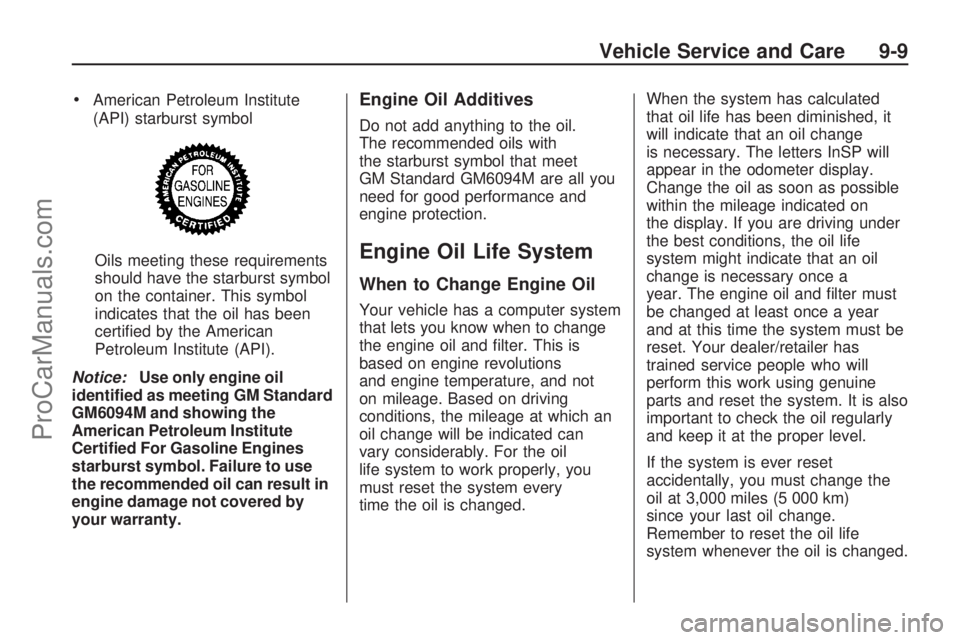
American Petroleum Institute
(API) starburst symbol
Oils meeting these requirements
should have the starburst symbol
on the container. This symbol
indicates that the oil has been
certied by the American
Petroleum Institute (API).
Notice:Use only engine oil
identied as meeting GM Standard
GM6094M and showing the
American Petroleum Institute
Certied For Gasoline Engines
starburst symbol. Failure to use
the recommended oil can result in
engine damage not covered by
your warranty.Engine Oil Additives
Do not add anything to the oil.
The recommended oils with
the starburst symbol that meet
GM Standard GM6094M are all you
need for good performance and
engine protection.
Engine Oil Life System
When to Change Engine Oil
Your vehicle has a computer system
that lets you know when to change
the engine oil and lter. This is
based on engine revolutions
and engine temperature, and not
on mileage. Based on driving
conditions, the mileage at which an
oil change will be indicated can
vary considerably. For the oil
life system to work properly, you
must reset the system every
time the oil is changed.When the system has calculated
that oil life has been diminished, it
will indicate that an oil change
is necessary. The letters InSP will
appear in the odometer display.
Change the oil as soon as possible
within the mileage indicated on
the display. If you are driving under
the best conditions, the oil life
system might indicate that an oil
change is necessary once a
year. The engine oil and lter must
be changed at least once a year
and at this time the system must be
reset. Your dealer/retailer has
trained service people who will
perform this work using genuine
parts and reset the system. It is also
important to check the oil regularly
and keep it at the proper level.
If the system is ever reset
accidentally, you must change the
oil at 3,000 miles (5 000 km)
since your last oil change.
Remember to reset the oil life
system whenever the oil is changed.
Vehicle Service and Care 9-9
ProCarManuals.com
Page 200 of 304
How to Reset the Engine Oil
Life System
The Engine Oil Life System
calculates when to change the
engine oil and lter based on vehicle
use. Whenever the oil is changed,
reset the system so it can calculate
when the next oil change is
required. If a situation occurs where
you change the oil prior to the
letters InSP appearing in the
odometer display, reset the system.
After changing the engine oil,
reset the system:
1. Turn the ignition key to
LOCK/OFF.
2. Press the instrument panel
cluster stem until the odometer
is displayed.3. Press and hold the cluster
stem until the letters InSP
are displayed.
4. Hold the cluster stem down and
turn the ignition key to ON/RUN.
5. The letters InSP in the instrument
panel cluster display will ash.
6. Keep the cluster stem down for
at least 20 seconds and then
release the stem.
If the letters InSP and the remaining
mileage for the next oil change
appear in the instrument panel
cluster display, the system is
properly reset.
What to Do with Used Oil
Used engine oil contains certain
elements that can be unhealthy for
your skin and could even cause
cancer. Do not let used oil stay on
your skin for very long. Clean your
skin and nails with soap and water,
or a good hand cleaner. Wash or
properly dispose of clothing or rags
containing used engine oil. See the
manufacturer’s warnings about the
use and disposal of oil products.
Used oil can be a threat to the
environment. If you change your own
oil, be sure to drain all the oil from the
lter before disposal. Never dispose
of oil by putting it in the trash, pouring
it on the ground, into sewers, or into
streams or bodies of water. Recycle
it by taking it to a place that collects
used oil.
9-10 Vehicle Service and Care
ProCarManuals.com
Page 201 of 304

Engine Air Cleaner/Filter
SeeEngine Compartment Overview
on page 9-6for the location of
the engine air cleaner/lter.
When to Inspect the Engine
Air Cleaner/Filter
Inspect the air cleaner/lter at the
MaintenanceIIintervals and replace
it at the rst oil change after each
50,000 mile (83 000 km) interval.
See “Schedule Maintenance”
in Service and Maintenance formore information. If you are driving
in dusty/dirty conditions, inspect
the lter at each engine oil change.
How to Inspect the Engine
Air Cleaner/Filter
To inspect the air cleaner/lter,
remove the lter from the vehicle
and lightly shake the lter to release
loose dust and dirt. If the lter
remains caked with dirt, a new lter
is required.
To inspect or replace the engine air
cleaner/lter.
1. Remove the screws that hold
the cover on.
2. Disconnect the electrical
connector.
3. Lift off the cover.
4. Inspect or replace the engine air
cleaner/lter.
5. Reverse Steps 1 through 3 to
reinstall the cover and reconnect
the electrical connector.
{CAUTION
Operating the engine with the
air cleaner/lter off can cause
you or others to be burned.
The air cleaner not only cleans
the air; it helps to stop ames if
the engine backres. If it is not
there and the engine backres,
you could be burned. Do not
drive with it off, and be careful
working on the engine with the
air cleaner/lter off.
Notice:If the air cleaner/lter
is off, a backre can cause a
damaging engine re. And, dirt
can easily get into your engine,
which will damage it. Always have
the air cleaner/lter in place
when you are driving.
Vehicle Service and Care 9-11
ProCarManuals.com
Page 202 of 304
Automatic Transmission
Fluid
It is not necessary to check
the transmission uid level.
A transmission uid leak is the only
reason for uid loss. If a leak
occurs, take your vehicle to the
dealer/retailer service department
and have it repaired as soon
as possible.
Change the uid and lter at the
intervals listed in the Maintenance
Schedule. See “Additional
Required Services” in Service
and Maintenance. Be sure to use
the transmission uid listed in
“Recommended Fluids and
Lubricants” in Service and
Maintenance.
Notice:Use of the incorrect
automatic transmission uid
may damage your vehicle,
and the damages may not becovered by your warranty.
See “Recommended Fluids
and Lubricants” in the Limited
Warranty, Maintenance and Owner
Assistance Information manual.
Manual Transmission
Fluid
It is not necessary to check the
manual transmission uid level.
A transmission uid leak is the only
reason for uid loss. If a leak
occurs, take the vehicle to the
dealer/retailer service department
and have it repaired as soon
as possible. You may also have
your uid level checked by
your dealer/retailer when you have
your oil changed. See “Part D:
Recommended Fluids and
Lubricants” in Service and
Maintenance for the proper uid
to use.
Hydraulic Clutch
The hydraulic clutch linkage in
your vehicle is self-adjusting.
This system does not have its own
reservoir. It receives uid from
the brake master cylinder reservoir.
SeeBrakes on page 9-22for more
information.
Engine Coolant
The cooling system in your vehicle
is lled with DEX-COOL®engine
coolant. This coolant is designed to
remain in your vehicle for ve years
or 150,000 miles (240 000 km),
whichever occurs rst, if you add
only DEX-COOL
®extended life
coolant.
The following explains your cooling
system and how to add coolant
when it is low. If you have a problem
with engine overheating, see
Engine Overheating on page 9-15.
9-12 Vehicle Service and Care
ProCarManuals.com
Page 299 of 304
Hood
Release............................ 9-5
Horn .................................... 4-4
How to Wear Safety Belts
Properly..........................1-12
Hydraulic Clutch...................9-12
I
Ignition Positions................... 8-2
Immobilizer........................... 2-7
Immobilizer Operation............. 2-8
Infants and Young
Children, Restraints...........1-38
Ination - Tire Pressure.........9-46
Instrument Panel
Brightness......................... 5-3
Cluster............................4-12
Overview........................... 4-2
J
Jump Starting......................9-68
K
Keyless Entry System............ 2-3
Keys.................................... 2-2
L
Labeling, Tire Sidewall..........9-40
Lamp
Rear Compartment............. 5-4
Lamps
Dome ............................... 5-3
Exterior, Off Reminder.......4-24
Reading............................ 5-3
Lap-Shoulder Belt................1-17
LATCH System
Child Restraints................1-45
Replacing Parts After a
Crash..........................1-50
License Plate Lamps............9-32
Liftgate
Carbon Monoxide............... 2-6
Light
Airbag Readiness.............4-14
Anti-lock Brake System
(ABS) Warning..............4-18Light (cont.)
Brake System Warning......4-17
Charging System..............4-17
Cruise Control..................4-24
Door Ajar.........................4-24
Engine Coolant
Temperature Warning.....4-19
Fog Lamp ........................4-23
Highbeam On...................4-24
Low Fuel Warning.............4-25
Low Oil Level...................4-23
Malfunction Indicator.........4-20
Oil Pressure.....................4-22
Passenger Airbag Status
Indicator.......................4-15
Safety Belt Reminders.......4-14
Service Vehicle Soon........4-24
StabiliTrak
®Indicator.........4-19
Tire Pressure...................4-19
Winter Driving Mode..........4-23
Lighting
Entry................................ 5-3
Lights
Exterior Lamps................... 5-1
Flash-to-Pass..................... 4-8
High/Low Beam Changer..... 4-8
INDEX i-5
ProCarManuals.com