coolant temperature SATURN AURA 2009 User Guide
[x] Cancel search | Manufacturer: SATURN, Model Year: 2009, Model line: AURA, Model: SATURN AURA 2009Pages: 408, PDF Size: 2.61 MB
Page 283 of 408

3. Fill the coolant surge tank with the proper mixture,
to the FULL COLD mark. Wait about ve minutes,
then check to see if the level is below the mark. If the
level is below the FULL COLD mark, add additional
coolant to bring the level up to the mark. Repeat this
procedure until the level remains constant at the
FULL COLD mark for at least ve minutes.
4. With the coolant surge tank pressure cap off, start
the engine and let it run until you can feel the upper
radiator hose getting hot. Watch out for the engine
cooling fans.
By this time, the coolant level inside the coolant
surge tank might be lower. If the level is lower
than the FULL COLD mark, add more of the proper
mixture to the coolant surge tank until the level
reaches the FULL COLD mark.
5. Then replace the pressure cap. Be sure the
pressure cap is hand-tight and fully seated.
Notice:If the pressure cap is not tightly installed,
coolant loss and possible engine damage may
occur. Be sure the cap is properly and tightly
secured.Pressure Cap
Notice:If the pressure cap is not tightly installed,
coolant loss and possible engine damage may
occur. Be sure the cap is properly and tightly
secured.
SeeEngine Compartment Overview on page 5-12for
more information on location.
Engine Overheating
The vehicle has several indicators to warn of engine
overheating.
You will nd an engine coolant temperature gage as
well as an engine coolant temperature warning light on
your vehicle’s instrument panel cluster. SeeEngine
Coolant Temperature Gage on page 3-36andEngine
Coolant Temperature Warning Light on page 3-35.
5-27
ProCarManuals.com
Page 286 of 408

Overheated Engine Protection
Operating Mode
This emergency operating mode allows your vehicle to
be driven to a safe place in an emergency situation.
If an overheated engine condition exists, an overheat
protection mode which alternates ring groups of
cylinders helps prevent engine damage. In this mode,
you will notice a signicant loss in power and engine
performance. The temperature gage will indicate
an overheat condition exists. Driving extended miles
(km) and/or towing a trailer in the overheat protection
mode should be avoided.
Notice:After driving in the overheated engine
protection operating mode, to avoid engine damage,
allow the engine to cool before attempting any
repair. The engine oil will be severely degraded.
Repair the cause of coolant loss, change the oil
and reset the oil life system. SeeEngine Oil
on page 5-15.
Power Steering Fluid
SeeEngine Compartment
Overview on page 5-12for
reservoir location.
When to Check Power Steering Fluid
Power steering uid is used in all vehicles with
V6 engines. Vehicles with the 4-cylinder engine
have electric power steering and do not use power
steering uid.
It is not necessary to regularly check power steering
uid unless a leak is suspected in the system, or
an unusual noise is heard. A uid loss in this system
could indicate a problem. Have the system inspected
and repaired.
5-30
ProCarManuals.com
Page 288 of 408

Windshield Washer Fluid
What to Use
When you need windshield washer uid, be sure to read
the manufacturer’s instructions before use. If you will be
operating your vehicle in an area where the temperature
may fall below freezing, use a uid that has sufficient
protection against freezing.
Adding Washer Fluid
When the windshield washer uid reservoir is low,
a LOW WASHER FLUID message displays on
the Driver Information Center (DIC). SeeDIC Warnings
and Messages on page 3-45for more information.
Open the cap with the
washer symbol on it.
Add washer uid until the
tank is full. SeeEngine
Compartment Overview
on page 5-12for reservoir
location.Notice:
When using concentrated washer uid, follow
the manufacturer’s instructions for adding water.
Do not mix water with ready-to-use washer uid.
Water can cause the solution to freeze and
damage your washer uid tank and other parts of
the washer system. Also, water does not clean as
well as washer uid.
Fill the washer uid tank only three-quarters
full when it is very cold. This allows for uid
expansion if freezing occurs, which could
damage the tank if it is completely full.
Do not use engine coolant (antifreeze) in your
windshield washer. It can damage the vehicle’s
windshield washer system and paint.
5-32
ProCarManuals.com
Page 366 of 408

(e)Make sure the safety belt reminder light and safety
belt assemblies are working properly. Look for any other
loose or damaged safety belt system parts. If you see
anything that might keep a safety belt system from doing
its job, have it repaired. Have any torn or frayed safety
belts replaced. Also see Checking the Restraint Systems
on page 1-72.
(f)Lubricate all key lock cylinders, door hinges and
latches, hood hinges and latches, and trunk lid hinges
and latches. More frequent lubrication may be required
when exposed to a corrosive environment. Applying
silicone grease on weatherstrips with a clean cloth will
make them last longer, seal better, and not stick or
squeak.
(g)Check system for interference or binding and for
damaged or missing parts. Replace parts as needed.
Replace any components that have high effort or
excessive wear. Do not lubricate accelerator or cruise
control cables.
(h)Change automatic transmission fluid and filter if the
vehicle is mainly driven under one or more of these
conditions:
In heavy city traffic where the outside temperature
regularly reaches 90°F (32°C) or higher.
In hilly or mountainous terrain.
When doing frequent trailer towing.
Uses such as found in taxi, police, or delivery
service.(i)Drain, flush, and refill cooling system. This service can
be complex; you should have your dealer/retailer perform
this service. See Engine Coolant on page 5-23 for what to
use. Inspect hoses. Clean radiator, condenser, pressure
cap, and filler neck. Pressure test the cooling system and
pressure cap.
(j)A fluid loss in any vehicle system could indicate a
problem. Have the system inspected and repaired and
the fluid level checked. Add fluid if needed.
(k)If driving regularly under dusty conditions, inspect
the filter at each engine oil change.
(l)Change automatic transmission fluid if the vehicle is
mainly driven under one or more of these conditions:
In heavy city traffic where the outside temperature
regularly reaches 90°F (32°C) or higher.
In hilly or mountainous terrain.
When doing frequent trailer towing.
Uses such as found in taxi, police, or delivery
service.
If the vehicle is not used under any of these conditions,
the fluid does not require changing.
(m)Visually inspect belt for fraying, excessive cracks, or
obvious damage. Replace belt if necessary.
6-8
ProCarManuals.com
Page 397 of 408

Check
Engine Lamp..............................................3-37
Checking Things Under the Hood......................5-10
Chemical Paint Spotting...................................5-88
Child Restraints
Infants and Young Children...........................1-33
Lower Anchors and Tethers for Children..........1-43
Older Children.............................................1-30
Securing a Child Restraint in a
Rear Seat Position...................................1-50
Securing a Child Restraint in the
Right Front Seat Position..........................1-52
Systems.....................................................1-37
Where to Put the Restraint...........................1-40
Chime Level Adjustment..................................3-92
Cleaning
Aluminum Wheels........................................5-87
Exterior Lamps/Lenses.................................5-85
Fabric/Carpet..............................................5-83
Finish Care.................................................5-86
Instrument Panel, Vinyl, and Other
Plastic Surfaces.......................................5-84
Interior.......................................................5-81
Leather......................................................5-83
Tires..........................................................5-87
Underbody Maintenance...............................5-88
Washing Your Vehicle...................................5-85
Weatherstrips..............................................5-84
Windshield and Wiper Blades........................5-86Climate Control System...................................3-19
Outlet Adjustment........................................3-26
Climate Control Systems
Automatic...................................................3-23
Clock, Setting.................................................3-56
Collision Damage Repair..................................7-11
Compact Spare Tire........................................5-80
Compass.......................................................2-36
Content Theft-Deterrent....................................2-18
Control of a Vehicle
.......................................... 4-3
Convenience Net............................................2-49
Coolant
Engine.......................................................5-23
Engine Temperature Gage............................3-36
Engine Temperature Warning Light.................3-35
Cooling System..............................................5-22
Courtesy Transportation...................................7-10
Cruise Control................................................3-10
Cruise Control Light........................................3-41
Cupholders....................................................2-48
Customer Assistance......................................... 7-6
Offices......................................................... 7-6
Text Telephone (TTY) Users........................... 7-6
Customer Information
Service Publications Ordering Information........7-15
Customer Satisfaction Procedure........................ 7-2
3
ProCarManuals.com
Page 399 of 408

Engine
Air Cleaner/Filter.........................................5-20
Check and Service Engine Soon Lamp...........3-37
Compartment Overview................................5-12
Coolant......................................................5-23
Coolant Heater............................................2-25
Coolant Temperature Gage...........................3-36
Coolant Temperature Warning Light................3-35
Cooling System...........................................5-22
Drive Belt Routing.......................................6-14
Exhaust.....................................................2-33
Oil .............................................................5-15
Oil Life System...........................................5-18
Overheated Protection Operating Mode...........5-30
Overheating................................................5-27
Starting......................................................2-23
Entry/Exit Lighting...........................................3-16
Event Data Recorders.....................................7-17
Extender, Safety Belt.......................................1-29
F
Filter
Engine Air Cleaner......................................5-20
Finish Damage...............................................5-88
Flashers, Hazard Warning.................................. 3-6Flash-to-Pass................................................... 3-8
Flat Tire........................................................5-67
Flat Tire, Changing.........................................5-68
Flat Tire, Storing.............................................5-76
Fluid
Automatic Transmission................................5-22
Power Steering...........................................5-30
Windshield Washer......................................5-32
Fog Lamp
Fog ...........................................................3-15
Folding Rear Seat............................................ 1-8
Fuel............................................................... 5-5
Additives...................................................... 5-6
California Fuel.............................................. 5-6
Economy Driving........................................... 4-2
Filling a Portable Fuel Container....................5-10
Filling the Tank............................................. 5-8
Fuels in Foreign Countries.............................. 5-7
Gage .........................................................3-42
Gasoline Octane........................................... 5-5
Gasoline Specications.................................. 5-6
Fuses...........................................................5-91
Engine Compartment Fuse Block...................5-94
Instrument Panel Fuse Block.........................5-91
Rear Compartment Fuse Block......................5-97
Windshield Wiper.........................................5-90
5
ProCarManuals.com
Page 400 of 408

G
Gage
Speedometer..............................................3-29
Tachometer.................................................3-29
Gages
Engine Coolant Temperature.........................3-36
Fuel..........................................................3-42
Trip Odometer.............................................3-29
Garage Door Opener.......................................2-41
Garment Hooks..............................................2-49
Gasoline
Octane........................................................ 5-5
Specications............................................... 5-6
Glove Box.....................................................2-48
GM Mobility Reimbursement Program.................. 7-6
H
Halogen Bulbs................................................5-41
Hazard Warning Flashers................................... 3-6
Head Restraints............................................... 1-7
Headlamp
Aiming .......................................................5-41
Headlamps....................................................3-13
Bulb Replacement.......................................5-41
Daytime Running Lamps (DRL).....................3-14
Delayed.....................................................3-14
Flash-to-Pass............................................... 3-8Headlamps (cont.)
High/Low Beam Changer................................ 3-8
On Reminder..............................................3-13
Range Adjustment......................................... 1-7
Headlamps Off in Park....................................3-13
Heated Seats................................................... 1-4
Heater...........................................................3-19
Engine Coolant...........................................2-25
Highbeam On Light.........................................3-41
High-Speed Operation, Tires.............................5-53
Highway Hypnosis...........................................4-16
Hill and Mountain Roads..................................4-17
Hood
Checking Things Under................................5-10
Release.....................................................5-11
Horn ............................................................... 3-6
How to Wear Safety Belts Properly...................1-15I
Ignition Positions.............................................2-22
Infants and Young Children, Restraints...............1-33
Ination - Tire Pressure...................................5-52
Instrument Panel
Brightness..................................................3-16
Cluster.......................................................3-28
Overview..................................................... 3-4
Introduction...................................................... 6-2
6
ProCarManuals.com
Page 401 of 408
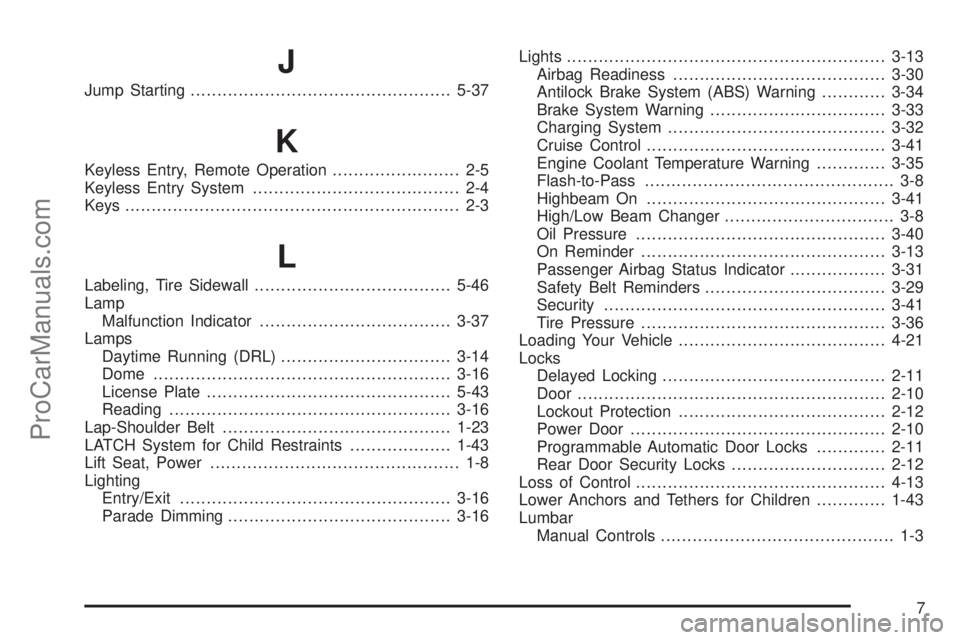
J
Jump Starting.................................................5-37
K
Keyless Entry, Remote Operation........................ 2-5
Keyless Entry System....................................... 2-4
Keys............................................................... 2-3
L
Labeling, Tire Sidewall.....................................5-46
Lamp
Malfunction Indicator....................................3-37
Lamps
Daytime Running (DRL)................................3-14
Dome ........................................................3-16
License Plate..............................................5-43
Reading.....................................................3-16
Lap-Shoulder Belt...........................................1-23
LATCH System for Child Restraints...................1-43
Lift Seat, Power............................................... 1-8
Lighting
Entry/Exit...................................................3-16
Parade Dimming..........................................3-16Lights............................................................3-13
Airbag Readiness........................................3-30
Antilock Brake System (ABS) Warning............3-34
Brake System Warning.................................3-33
Charging System.........................................3-32
Cruise Control.............................................3-41
Engine Coolant Temperature Warning.............3-35
Flash-to-Pass............................................... 3-8
Highbeam On.............................................3-41
High/Low Beam Changer................................ 3-8
Oil Pressure...............................................3-40
On Reminder..............................................3-13
Passenger Airbag Status Indicator..................3-31
Safety Belt Reminders..................................3-29
Security.....................................................3-41
Tire Pressure..............................................3-36
Loading Your Vehicle.......................................4-21
Locks
Delayed Locking..........................................2-11
Door ..........................................................2-10
Lockout Protection.......................................2-12
Power Door ................................................2-10
Programmable Automatic Door Locks.............2-11
Rear Door Security Locks.............................2-12
Loss of Control
...............................................4-13
Lower Anchors and Tethers for Children.............1-43
Lumbar
Manual Controls............................................ 1-3
7
ProCarManuals.com