light SATURN AURA 2009 Owner's Manual
[x] Cancel search | Manufacturer: SATURN, Model Year: 2009, Model line: AURA, Model: SATURN AURA 2009Pages: 408, PDF Size: 2.61 MB
Page 107 of 408
Second or Third Gear Start Feature
When accelerating the vehicle from a stop in snowy and
icy conditions, you may want to shift the gear select tap
switch into Second or Third gear. A higher gear allows
you to gain more traction on slippery surfaces.
With the DSC feature, the vehicle can be set to pull
away in Second or Third gear.
1. Move the shift lever from D (Drive) into the
M (Manual Mode).
2. With the vehicle stopped, press (+) end of the
button to select Second or Third gear. The vehicle
will start from a stop position in Second or Third gear.
3. Once moving select the desired drive gear.
Parking Brake
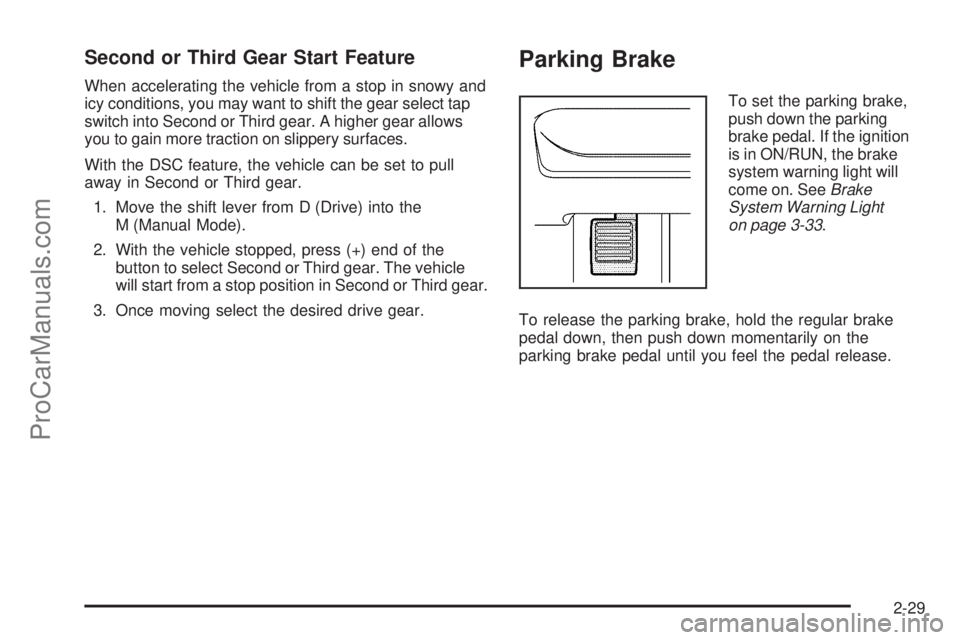
To set the parking brake,
push down the parking
brake pedal. If the ignition
is in ON/RUN, the brake
system warning light will
come on. SeeBrake
System Warning Light
on page 3-33.
To release the parking brake, hold the regular brake
pedal down, then push down momentarily on the
parking brake pedal until you feel the pedal release.
2-29
ProCarManuals.com
Page 108 of 408
If the parking brake is not released when you begin to
drive, the brake system warning light will be on and a
chime will sound warning you that the parking brake is
still on.
The PUSH PARK PEDAL message will also appear
in the Driver Information Center (DIC) to remind you to
release the parking brake. SeeDIC Warnings and
Messages on page 3-45.
Notice:Driving with the parking brake on can
overheat the brake system and cause premature
wear or damage to brake system parts. Make sure
that the parking brake is fully released and the brake
warning light is off before driving.
If you are towing a trailer and are parking on a hill, see
Towing a Trailer on page 4-30.Shifting Into Park
{CAUTION:
It can be dangerous to get out of the vehicle if the
shift lever is not fully in P (Park) with the parking
brake rmly set. The vehicle can roll. If you have
left the engine running, the vehicle can move
suddenly. You or others could be injured. To be
sure the vehicle will not move, even when you are
on fairly level ground, use the steps that follow.
If you are pulling a trailer, seeTowing a Trailer
on page 4-30.
1. Hold the brake pedal down and set the parking
brake. SeeParking Brake on page 2-29for more
information.
2. Move the shift lever into P (Park) by holding in the
button on the shift lever and pushing the shift lever
all the way toward the front of the vehicle.
3. Turn the ignition key to LOCK/OFF.
4. Remove the key and take it with you. If you can
leave the vehicle with the ignition key in your
hand, the vehicle is in P (Park).
2-30
ProCarManuals.com
Page 113 of 408
Mirrors
Manual Rearview Mirror
Hold the inside rearview mirror in the center to move
it for a clearer view of behind your vehicle. Adjust the
mirror to reduce the glare of headlamps from behind
you. Push the tab forward for daytime use and pull it
for nighttime use.
There are also three additional OnStar
®control buttons
located at the bottom of the mirror. See your dealer/
retailer for more information on the system and how
to subscribe to OnStar
®. SeeOnStar®System on
page 2-38for more information about the services
OnStar
®provides.
Cleaning the Mirror
Do not spray glass cleaner directly on the mirror.
Use a soft towel dampened with water.
Automatic Dimming Rearview Mirror
The vehicle may have an automatic dimming inside
rearview mirror with a compass display and OnStar®.
Vehicles with OnStar
®have three additional control
buttons located at the bottom of the mirror. See your
retailer/dealer for more information on the system and
how to subscribe to OnStar. SeeOnStar
®System on
page 2-38for more information about the services
OnStar provides.
O(On/Off):Press to turn the dimming feature on or
off. This button is located on the lower left side of
the mirror.
Automatic Dimming Mirror Operation
Automatic dimming reduces the glare of lights from
behind the vehicle. The dimming feature comes on and
the indicator light illuminates each time the vehicle is
started.
Cleaning the Mirror
Do not spray glass cleaner directly on the mirror.
Use a soft towel dampened with water.
2-35
ProCarManuals.com
Page 119 of 408
Location information about the vehicle is only available
if the GPS satellite signals are unobstructed and
available.
The vehicle must have a working electrical system,
including adequate battery power, for the OnStar
equipment to operate. There are other problems OnStar
cannot control that may prevent OnStar from providing
OnStar service at any particular time or place. Some
examples are damage to important parts of the vehicle
in a crash, hills, tall buildings, tunnels, weather or
wireless phone network congestion.
Your Responsibility
Increase the volume of the radio if the OnStar advisor
cannot be heard. If the light next to the OnStar buttons is
red, the system may not be functioning properly. Press
the OnStar button and request a vehicle diagnostic. If the
light appears clear (no light is appearing), your OnStar
subscription has expired and all services have been
deactivated. Press the OnStar button to conrm that
the OnStar equipment is active.
Universal Home Remote
System
The Universal Home Remote System provides a way to
replace up to three hand-held Radio-Frequency (RF)
transmitters used to activate devices such as garage
door openers, security systems, and home lighting.
This device complies with Part 15 of the FCC Rules.
Operation is subject to the following two conditions:
1. This device may not cause harmful interference.
2. This device must accept any interference received,
including interference that may cause undesired
operation.
This device complies with RSS-210 of Industry Canada.
Operation is subject to the following two conditions:
1. This device may not cause interference.
2. This device must accept any interference received,
including interference that may cause undesired
operation of the device.
Changes or modications to this system by other than
an authorized service facility could void authorization to
use this equipment.
2-41
ProCarManuals.com
Page 120 of 408
Universal Home Remote System
Operation (With Three Round LED)
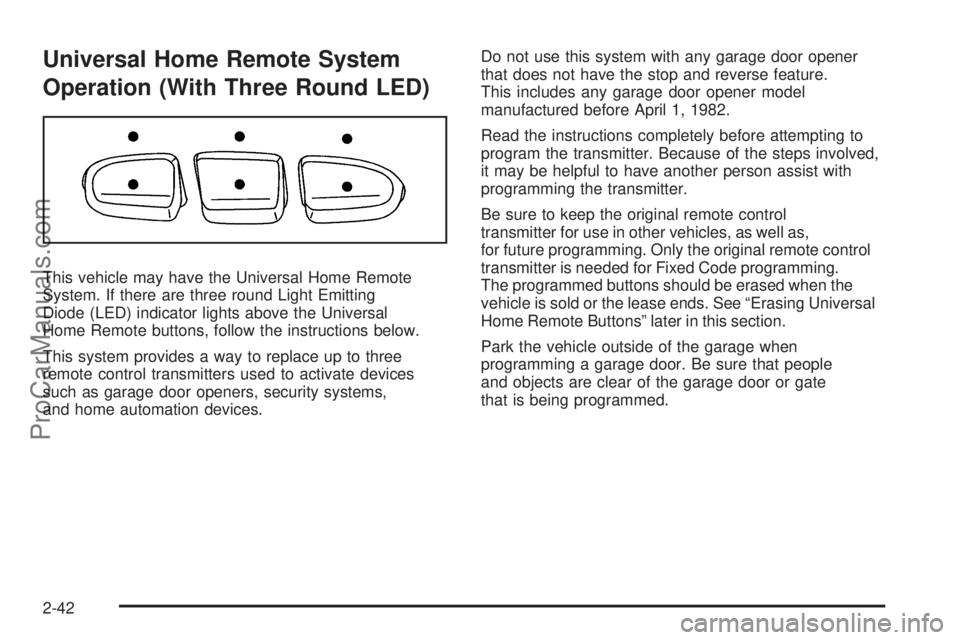
This vehicle may have the Universal Home Remote
System. If there are three round Light Emitting
Diode (LED) indicator lights above the Universal
Home Remote buttons, follow the instructions below.
This system provides a way to replace up to three
remote control transmitters used to activate devices
such as garage door openers, security systems,
and home automation devices.Do not use this system with any garage door opener
that does not have the stop and reverse feature.
This includes any garage door opener model
manufactured before April 1, 1982.
Read the instructions completely before attempting to
program the transmitter. Because of the steps involved,
it may be helpful to have another person assist with
programming the transmitter.
Be sure to keep the original remote control
transmitter for use in other vehicles, as well as,
for future programming. Only the original remote control
transmitter is needed for Fixed Code programming.
The programmed buttons should be erased when the
vehicle is sold or the lease ends. See “Erasing Universal
Home Remote Buttons” later in this section.
Park the vehicle outside of the garage when
programming a garage door. Be sure that people
and objects are clear of the garage door or gate
that is being programmed.
2-42
ProCarManuals.com
Page 121 of 408
Programming Universal Home
Remote — Rolling Code
For questions or help programming the Universal
Home Remote System, call 1-866-572-2728 or go
to learcar2u.com.
Most garage door openers sold after 1996 are Rolling
Code units.
Programming a garage door opener involves
time-sensitive actions, so read the entire procedure
before starting. Otherwise, the device will time out
and the procedure will have to be repeated.
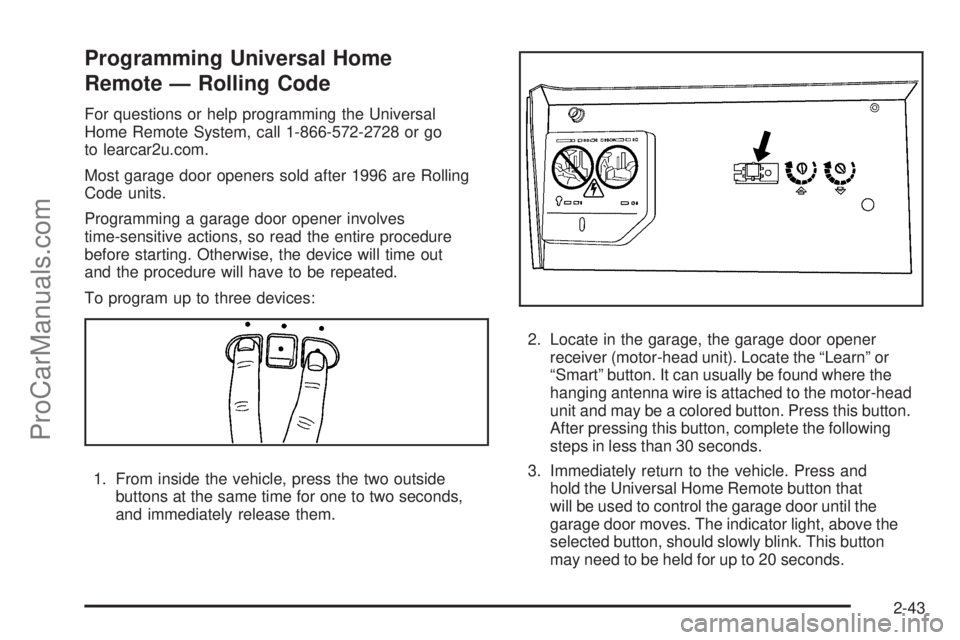
To program up to three devices:
1. From inside the vehicle, press the two outside
buttons at the same time for one to two seconds,
and immediately release them.2. Locate in the garage, the garage door opener
receiver (motor-head unit). Locate the “Learn” or
“Smart” button. It can usually be found where the
hanging antenna wire is attached to the motor-head
unit and may be a colored button. Press this button.
After pressing this button, complete the following
steps in less than 30 seconds.
3. Immediately return to the vehicle. Press and
hold the Universal Home Remote button that
will be used to control the garage door until the
garage door moves. The indicator light, above the
selected button, should slowly blink. This button
may need to be held for up to 20 seconds.
2-43
ProCarManuals.com
Page 122 of 408

4. Immediately, within one second, release the button
when the garage door moves. The indicator light
will blink rapidly until programming is complete.
5. Press and release the same button again.
The garage door should move, conrming
that programming is successful and complete.
To program another Rolling Code device such as an
additional garage door opener, a security device, or home
automation device, repeat Steps 1 through 5, choosing a
different function button in Step 3 than what was used for
the garage door opener.
If these instructions do not work, the garage door
opener is probably a Fixed Code unit. Follow the
Programming instructions that follow for a Fixed
Code garage door opener.
Programming Universal Home
Remote — Fixed Code
For questions or help programming the Universal
Home Remote System, call 1-866-572-2728 or go
to learcar2u.com.
Most garage door openers sold before 1996 are Fixed
Code units.
Programming a garage door opener involves
time-sensitive actions, so read the entire procedure
before starting. Otherwise, the device will time out
and the procedure will have to be repeated.To program up to three devices:
1. To verify that the garage door opener is a Fixed
Code unit, remove the battery cover on the hand
held transmitter supplied by the manufacturer of
the garage door opener motor. If there are a row
of dip switches similar to the graphic above, the
garage door opener is a Fixed Code unit. If you
do not see a row of dip switches, return to the
previous section for Programming Universal
Home Remote – Rolling Code.
Your hand held transmitter can have between
eight to 12 dip switches depending on the brand
of transmitter.
2-44
ProCarManuals.com
Page 124 of 408
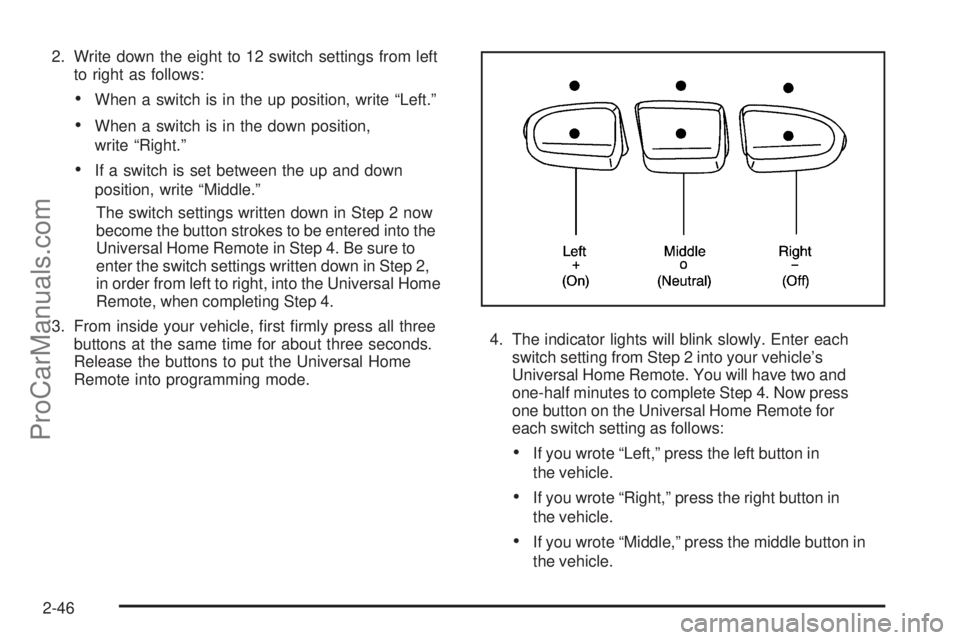
2. Write down the eight to 12 switch settings from left
to right as follows:
When a switch is in the up position, write “Left.”
When a switch is in the down position,
write “Right.”
If a switch is set between the up and down
position, write “Middle.”
The switch settings written down in Step 2 now
become the button strokes to be entered into the
Universal Home Remote in Step 4. Be sure to
enter the switch settings written down in Step 2,
in order from left to right, into the Universal Home
Remote, when completing Step 4.
3. From inside your vehicle, rst rmly press all three
buttons at the same time for about three seconds.
Release the buttons to put the Universal Home
Remote into programming mode.4. The indicator lights will blink slowly. Enter each
switch setting from Step 2 into your vehicle’s
Universal Home Remote. You will have two and
one-half minutes to complete Step 4. Now press
one button on the Universal Home Remote for
each switch setting as follows:
If you wrote “Left,” press the left button in
the vehicle.
If you wrote “Right,” press the right button in
the vehicle.
If you wrote “Middle,” press the middle button in
the vehicle.
2-46
ProCarManuals.com
Page 125 of 408
5. After entering all of the switch positions, again,
rmly press and release all three buttons at the
same time. The indicator lights will turn on.
6. Press and hold the button that will be used to
control the garage door until the garage door
moves. The indicator light above the selected
button should slowly blink. This button may
need to be held for up to 55 seconds.
7. Immediately release the button when the garage
door moves. The indicator light will blink rapidly
until programming is complete.
8. Press and release the same button again.
The garage door should move, conrming
that programming is successful and complete.
To program another Fixed Code device such as an
additional garage door opener, a security device,
or home automation device, repeat Steps 1-8, choosing
a different button in Step 6 than what was used for
the garage door opener.
Using Universal Home Remote
Press and hold the appropriate button for at least
half of a second. The indicator light will come on
while the signal is being transmitted.
Reprogramming Universal Home
Remote Buttons
Any of the three buttons can be reprogrammed by
repeating the instructions.
Erasing Universal Home Remote
Buttons
The programmed buttons should be erased when the
vehicle is sold or the lease ends.
To erase either Rolling Code or Fixed Code on the
Universal Home Remote device:
1. Press and hold the two outside buttons at the
same time for approximately 20 seconds, until
the indicator lights, located directly above the
buttons, begin to blink rapidly.
2. Once the indicator lights begin to blink, release both
buttons. The codes from all buttons will be erased.
For help or information on the Universal Home Remote
System, call the customer assistance phone number
underCustomer Assistance Offices on page 7-6.
2-47
ProCarManuals.com
Page 129 of 408
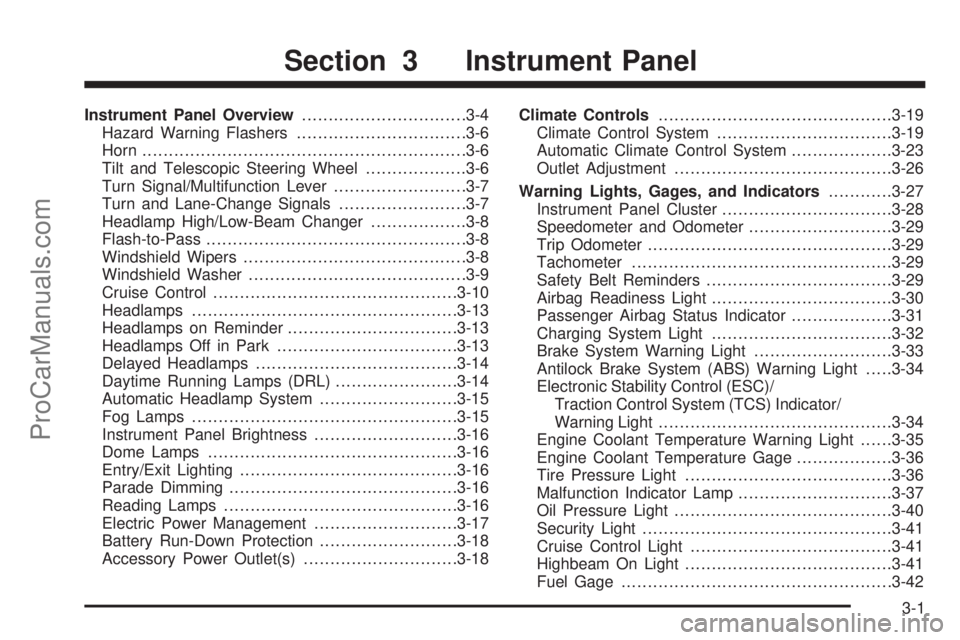
Instrument Panel Overview...............................3-4
Hazard Warning Flashers................................3-6
Horn .............................................................3-6
Tilt and Telescopic Steering Wheel...................3-6
Turn Signal/Multifunction Lever.........................3-7
Turn and Lane-Change Signals........................3-7
Headlamp High/Low-Beam Changer..................3-8
Flash-to-Pass.................................................3-8
Windshield Wipers..........................................3-8
Windshield Washer.........................................3-9
Cruise Control..............................................3-10
Headlamps..................................................3-13
Headlamps on Reminder................................3-13
Headlamps Off in Park..................................3-13
Delayed Headlamps......................................3-14
Daytime Running Lamps (DRL).......................3-14
Automatic Headlamp System..........................3-15
Fog Lamps ..................................................3-15
Instrument Panel Brightness...........................3-16
Dome Lamps ...............................................3-16
Entry/Exit Lighting.........................................3-16
Parade Dimming...........................................3-16
Reading Lamps............................................3-16
Electric Power Management...........................3-17
Battery Run-Down Protection..........................3-18
Accessory Power Outlet(s).............................3-18Climate Controls............................................3-19
Climate Control System.................................3-19
Automatic Climate Control System...................3-23
Outlet Adjustment.........................................3-26
Warning Lights, Gages, and Indicators............3-27
Instrument Panel Cluster................................3-28
Speedometer and Odometer...........................3-29
Trip Odometer..............................................3-29
Tachometer................................................
.3-29
Safety Belt Reminders...................................3-29
Airbag Readiness Light..................................3-30
Passenger Airbag Status Indicator...................3-31
Charging System Light..................................3-32
Brake System Warning Light..........................3-33
Antilock Brake System (ABS) Warning Light.....3-34
Electronic Stability Control (ESC)/
Traction Control System (TCS) Indicator/
Warning Light............................................3-34
Engine Coolant Temperature Warning Light......3-35
Engine Coolant Temperature Gage..................3-36
Tire Pressure Light.......................................3-36
Malfunction Indicator Lamp.............................3-37
Oil Pressure Light.........................................3-40
Security Light...............................................3-41
Cruise Control Light......................................3-41
Highbeam On Light.......................................3-41
Fuel Gage...................................................3-42
Section 3 Instrument Panel
3-1
ProCarManuals.com