instrument panel SATURN AURA 2009 Owner's Guide
[x] Cancel search | Manufacturer: SATURN, Model Year: 2009, Model line: AURA, Model: SATURN AURA 2009Pages: 408, PDF Size: 2.61 MB
Page 158 of 408
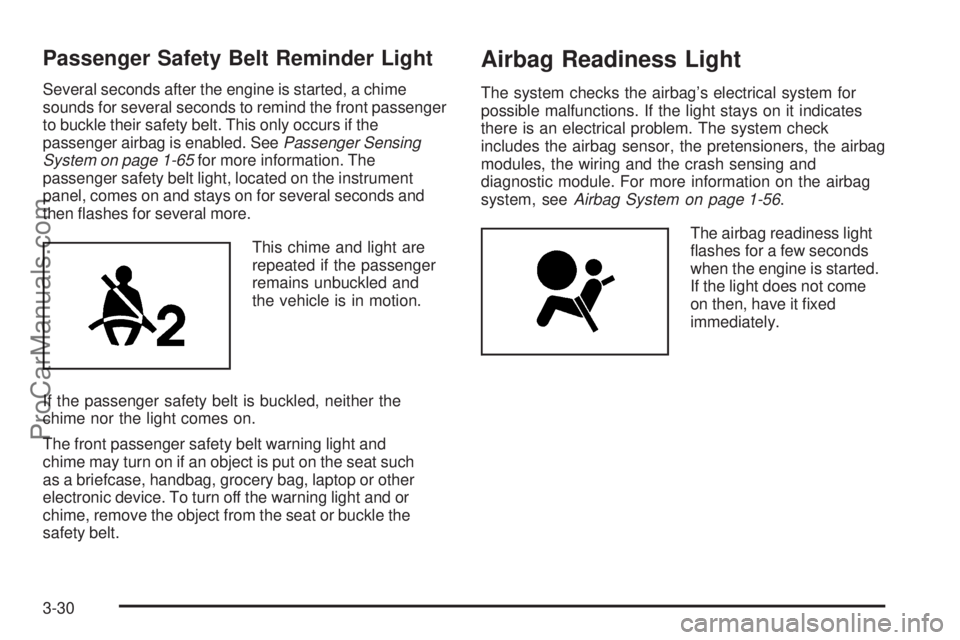
Passenger Safety Belt Reminder Light
Several seconds after the engine is started, a chime
sounds for several seconds to remind the front passenger
to buckle their safety belt. This only occurs if the
passenger airbag is enabled. SeePassenger Sensing
System on page 1-65for more information. The
passenger safety belt light, located on the instrument
panel, comes on and stays on for several seconds and
then ashes for several more.
This chime and light are
repeated if the passenger
remains unbuckled and
the vehicle is in motion.
If the passenger safety belt is buckled, neither the
chime nor the light comes on.
The front passenger safety belt warning light and
chime may turn on if an object is put on the seat such
as a briefcase, handbag, grocery bag, laptop or other
electronic device. To turn off the warning light and or
chime, remove the object from the seat or buckle the
safety belt.
Airbag Readiness Light
The system checks the airbag’s electrical system for
possible malfunctions. If the light stays on it indicates
there is an electrical problem. The system check
includes the airbag sensor, the pretensioners, the airbag
modules, the wiring and the crash sensing and
diagnostic module. For more information on the airbag
system, seeAirbag System on page 1-56.
The airbag readiness light
ashes for a few seconds
when the engine is started.
If the light does not come
on then, have it xed
immediately.
3-30
ProCarManuals.com
Page 159 of 408

{CAUTION:
If the airbag readiness light stays on after the
vehicle is started or comes on while driving, it
means the airbag system might not be working
properly. The airbags in the vehicle might not
inate in a crash, or they could even inate
without a crash. To help avoid injury, have the
vehicle serviced right away.
If there is a problem with the airbag system, an airbag
Driver Information Center (DIC) message can also come
on. SeeDIC Warnings and Messages on page 3-45
for more information.
Passenger Airbag Status Indicator
The vehicle has a passenger sensing system. See
Passenger Sensing System on page 1-65for important
safety information. The instrument panel has a
passenger airbag status indicator.
When the vehicle is started, the passenger airbag status
indicator will light ON and OFF, or the symbol for on and
off, for several seconds as a system check. If you are
using remote start to start the vehicle from a distance, if
equipped, you may not see the system check. Then, after
several more seconds, the status indicator will light either
ON or OFF, or either the on or off symbol to let you know
the status of the right front passenger frontal and
seat-mounted side impact airbags.United States
Canada
3-31
ProCarManuals.com
Page 171 of 408
Driver Information Center (DIC)
Your vehicle has a Driver Information Center (DIC).
The DIC display gives you the status of many of your
vehicle’s systems. The DIC is also used to display driver
personalization menu modes and warning/status
messages. All messages will appear in the DIC display,
located at the bottom of the instrument panel cluster.
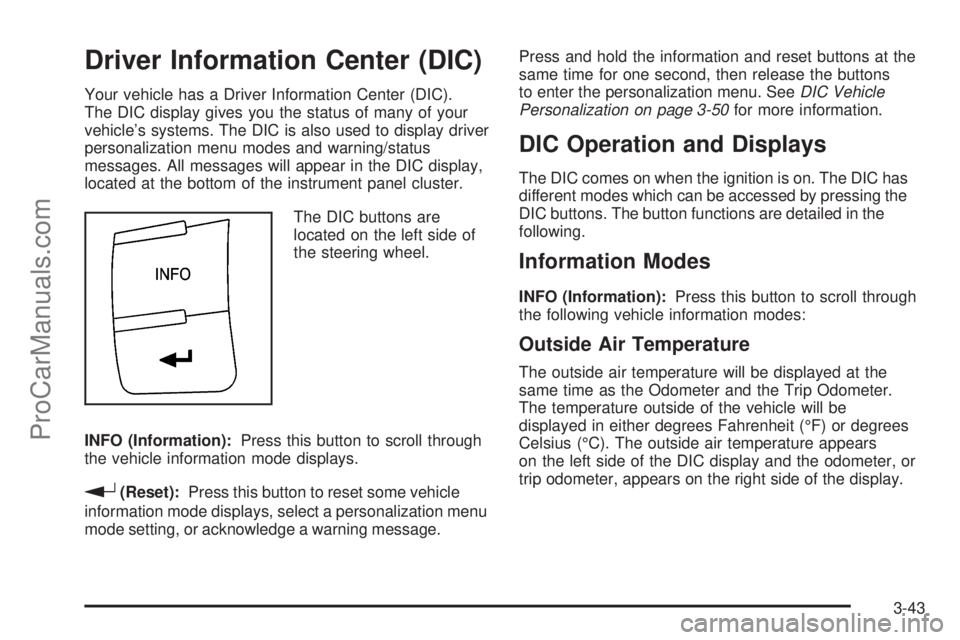
The DIC buttons are
located on the left side of
the steering wheel.
INFO (Information):Press this button to scroll through
the vehicle information mode displays.
r(Reset):Press this button to reset some vehicle
information mode displays, select a personalization menu
mode setting, or acknowledge a warning message.Press and hold the information and reset buttons at the
same time for one second, then release the buttons
to enter the personalization menu. SeeDIC Vehicle
Personalization on page 3-50for more information.
DIC Operation and Displays
The DIC comes on when the ignition is on. The DIC has
different modes which can be accessed by pressing the
DIC buttons. The button functions are detailed in the
following.
Information Modes
INFO (Information):Press this button to scroll through
the following vehicle information modes:
Outside Air Temperature
The outside air temperature will be displayed at the
same time as the Odometer and the Trip Odometer.
The temperature outside of the vehicle will be
displayed in either degrees Fahrenheit (°F) or degrees
Celsius (°C). The outside air temperature appears
on the left side of the DIC display and the odometer, or
trip odometer, appears on the right side of the display.
3-43
ProCarManuals.com
Page 174 of 408
AUTO (Automatic) LIGHTS ON
This message displays if the automatic headlamp
system is enabled with the headlamp switch. See
Automatic Headlamp System on page 3-15for more
information.
BRAKE FLUID
This message displays, while the ignition is on, when the
brake uid level is low. The brake system warning light on
the instrument panel cluster also comes on. SeeBrake
System Warning Light on page 3-33for more information.
Have the brake system serviced by your dealer/retailer as
soon as possible.
CHANGE OIL SOON
This message displays when the life of the engine oil
has expired and it should be changed.
When this message is acknowledged and cleared from
the display, the engine oil life system must still be reset
separately. SeeEngine Oil Life System on page 5-18,
Engine Oil on page 5-15, andScheduled Maintenance on
page 6-4for more information.
CHECK GAS CAP
This message displays if the fuel cap has not been fully
tightened. Recheck the fuel cap to make sure that it is on
properly. A few driving trips with the cap properly installed
should turn the message off.
CHECK TIRE PRESS (Pressure)
On vehicles with the Tire Pressure Monitor System
(TPMS), this message displays when the pressure in
one or more of the vehicle’s tires needs to be checked.
If a tire pressure message appears on the DIC, stop
as soon as you can. Have the tire pressures checked
and set to those shown on the Tire Loading Information
label. SeeTires on page 5-45,Loading the Vehicle on
page 4-21, andInflation - Tire Pressure on page 5-52.
The DIC also shows the tire pressure values. SeeDIC
Operation and Displays on page 3-43. If the tire pressure
is low, the low tire pressure warning light comes on.
SeeTire Pressure Light on page 3-36.
CRUISE ENGAGED
This message displays when the cruise control system
is active. SeeCruise Control on page 3-10for more
information.
DOOR AJAR
This message displays if one or more of the vehicle’s
doors are not closed properly. Make sure that the
door(s) are closed completely.
ENGINE DISABLED
This message displays if the starting of the engine is
disabled. Have your vehicle serviced by your dealer/
retailer immediately.
3-46
ProCarManuals.com
Page 175 of 408
ENG (Engine) PWR (Power) REDUCED
This message displays when the vehicle’s engine
power is reduced. Reduced engine power can affect the
vehicle’s ability to accelerate. If this message is on, but
there is no reduction in performance, proceed to your
destination. The performance may be reduced the next
time the vehicle is driven. The vehicle may be driven at a
reduced speed while this message is on, but acceleration
and speed may be reduced. Anytime this message stays
on, the vehicle should be taken to your dealer/retailer for
service as soon as possible.
ESC (Electronic Stability Control) ACTIVE
If your vehicle has Electronic Stability Control (ESC),
this message displays and the ESC/TCS light on the
instrument panel cluster ashes when ESC is assisting
you with directional control of the vehicle. You may feel or
hear the system working and see this message displayed
in the DIC. Slippery road conditions may exist when this
message is displayed, so adjust your driving accordingly.
This message may stay on for a few seconds after ESC
stops assisting you with directional control of the vehicle.
This is normal when the system is operating. See
Electronic Stability Control (ESC) on page 4-6and
Electronic Stability Control (ESC)/Traction Control
System (TCS) Indicator/Warning Light on page 3-34
for more information.
ESC (Electronic Stability Control) OFF
If your vehicle has Electronic Stability Control (ESC),
this message displays and the ESC/TCS light on the
instrument panel cluster comes on solid when ESC is
turned off. Adjust your driving accordingly. SeeElectronic
Stability Control (ESC) on page 4-6andElectronic
Stability Control (ESC)/Traction Control System (TCS)
Indicator/Warning Light on page 3-34for more
information.
ICE POSSIBLE
This message displays when the outside air temperature
is cold enough to create icy road conditions. Adjust your
driving accordingly.
KEY FOB BATT (Battery) LOW
This message displays if the Remote Keyless Entry
(RKE) transmitter battery is low. Replace the battery
in the transmitter. See “Battery Replacement” under
Remote Keyless Entry (RKE) System Operation on
page 2-5.
LOW FUEL
This message displays when your vehicle is low on fuel.
Rell the fuel tank as soon as possible. SeeFuel Gage
on page 3-42,Fuel on page 5-5, andFilling the Tank on
page 5-8for more information.
3-47
ProCarManuals.com
Page 176 of 408
LOW TRACTION
If your vehicle has the Traction Control System (TCS),
this message displays and the ESC/TCS light on the
instrument panel cluster ashes when the system is
actively limiting wheel spin. Slippery road conditions may
exist if this message is displayed, so adjust your driving
accordingly. This message stays on for a few seconds
after the system stops limiting wheel spin. SeeTraction
Control System (TCS) on page 4-8andElectronic
Stability Control (ESC)/Traction Control System (TCS)
Indicator/Warning Light on page 3-34for more
information.
LOW WASHER FLUID
This message displays when the vehicle’s windshield
washer uid is low. Fill the windshield washer uid
reservoir to the proper level as soon as possible.
SeeWindshield Washer Fluid on page 5-32.
POWER STEERING
On some vehicles, this message displays if a problem
has been detected with the electric power steering. Have
your vehicle serviced by your dealer/retailer immediately.
PUSH PARK PEDAL
This message displays if the parking brake is left
engaged. SeeParking Brake on page 2-29for more
information.
SERVICE AIR BAG
This message displays when there is a problem with the
airbag system. Have your vehicle serviced by your
dealer/retailer immediately.
SERVICE ESC (ELECTRONIC STABILITY
CONTROL)
If your vehicle has Electronic Stability Control (ESC),
this message displays and a chime sounds if there has
been a problem detected with ESC. The ESC/TCS
light also appears on the instrument panel cluster. This
light stays on solid as long as the detected problem
remains present. When this message displays, the
system is not working. Adjust your driving accordingly.
SeeElectronic Stability Control (ESC) on page 4-6
andElectronic Stability Control (ESC)/Traction Control
System (TCS) Indicator/Warning Light on page 3-34
for more information.
If this message turns on while you are driving, pull off the
road as soon as possible and stop carefully. Try resetting
the system by turning the ignition off and then back on.
If this message still stays on or turns back on again while
you are driving, your vehicle needs service. Have the
ESC inspected by your dealer/retailer as soon as
possible.
3-48
ProCarManuals.com
Page 177 of 408

SERVICE TRACTION
If your vehicle has the Traction Control System (TCS),
this message displays and a chime sounds when the
system is not functioning properly. The ESC/TCS light
also appears on the instrument panel cluster. This light
stays on solid as long as the detected problem remains
present. When this message displays, the system is not
working. Adjust your driving accordingly. SeeTraction
Control System (TCS) on page 4-8andElectronic
Stability Control (ESC)/Traction Control System (TCS)
Indicator/Warning Light on page 3-34for more
information. Have the system serviced by your dealer/
retailer as soon as possible.
SVC (Service) TIRE MONITOR
On vehicles with the Tire Pressure Monitor System
(TPMS), this message displays if a part on the TPMS is
not working properly. The tire pressure light also ashes
and then remains on during the same ignition cycle. See
Tire Pressure Light on page 3-36. Several conditions may
cause this message to appear. SeeTire Pressure Monitor
Operation on page 5-55for more information. If the
warning comes on and stays on, there may be a problem
with the TPMS. See your dealer/retailer.
TRACTION OFF
If your vehicle has the Traction Control System (TCS),
this message displays and the ESC/TCS light on the
instrument panel cluster comes on solid when the system
is turned off. Adjust your driving accordingly. SeeTraction
Control System (TCS) on page 4-8andElectronic
Stability Control (ESC)/Traction Control System (TCS)
Indicator/Warning Light on page 3-34for more
information.
TRUNK AJAR
This message displays when the trunk is not closed
completely. Make sure that the trunk is closed
completely. SeeTrunk on page 2-13for more
information.
3-49
ProCarManuals.com
Page 227 of 408

This light will ash on the
instrument panel cluster
when the ESC system
is both on and activated.
The system may be heard or felt while it is working;
this is normal.
When the light is on solid and either the SERVICE ESC
or ESC OFF message is displayed, the system will not
assist the driver in maintaining directional control of
the vehicle. Adjust your driving accordingly. SeeDIC
Warnings and Messages on page 3-45.
The Electronic Stability Control (ESC) system is
automatically enabled whenever the vehicle is started.
To assist the driver with vehicle directional control,
especially in slippery road conditions, the system should
always be left on. But, ESC can be turned off if needed.If the vehicle is in cruise control when the system
begins to assist the driver maintain directional control of
the vehicle, the ESC/TCS light will ash and the cruise
control will automatically disengage. The cruise control
system may be re-engaged when road conditions allow.
SeeCruise Control on page 3-10.
The ESC/TCS button is
located on the instrument
panel.
The traction control system can be turned off or back
on by pressing the ESC/TCS button. To disable both
traction control and ESC, press and hold the button
briey.
4-7
ProCarManuals.com
Page 239 of 408

Blizzard Conditions
Being stuck in snow can be in a serious situation. Stay
with the vehicle unless there is help nearby. If possible,
use theRoadside Assistance Program on page 7-7.
To get help and keep everyone in the vehicle safe:
Turn on theHazard Warning Flashers on page 3-6.
Tie a red cloth to an outside mirror.
{CAUTION:
Snow can trap engine exhaust under the vehicle.
This may cause exhaust gases to get inside.
Engine exhaust contains carbon monoxide (CO)
which cannot be seen or smelled. It can cause
unconsciousness and even death.
If the vehicle is stuck in the snow:
Clear away snow from around the base of
your vehicle, especially any that is blocking
the exhaust pipe.
Check again from time to time to be sure
snow does not collect there.
CAUTION: (Continued)
CAUTION: (Continued)
Open a window about two inches (5 cm) on
the side of the vehicle that is away from the
wind to bring in fresh air.
Fully open the air outlets on or under the
instrument panel.
Adjust the Climate Control system to a setting
that circulates the air inside the vehicle and
set the fan speed to the highest setting.
See Climate Control System in the Index.
For more information about carbon monoxide, see
Engine Exhaust on page 2-33.
Snow can trap exhaust gases under your vehicle.
This can cause deadly CO (carbon monoxide) gas
to get inside. CO could overcome you and kill you.
You cannot see it or smell it, so you might not
know it is in your vehicle. Clear away snow from
around the base of your vehicle, especially any
that is blocking the exhaust.
Run the engine for short periods only as needed to
keep warm, but be careful.
4-19
ProCarManuals.com
Page 248 of 408
3. Set the parking brake.
4. To prevent the battery from draining while the
vehicle is being towed, remove the following
fuse from the instrument panel fuse block:
(IGN SENSOR). SeeInstrument Panel Fuse
Block on page 5-91for more information.
5. Turn the ignition to ACC/ACCESSORY.
6. Shift the transmission to N (Neutral).
7. Release the parking brake.
Remember to reinstall the IGN SENSOR fuse once the
destination has been reached.
Notice:If 65 mph (105 km/h) is exceeded while
towing the vehicle, it could be damaged. Never
exceed 65 mph (105 km/h) while towing the vehicle.
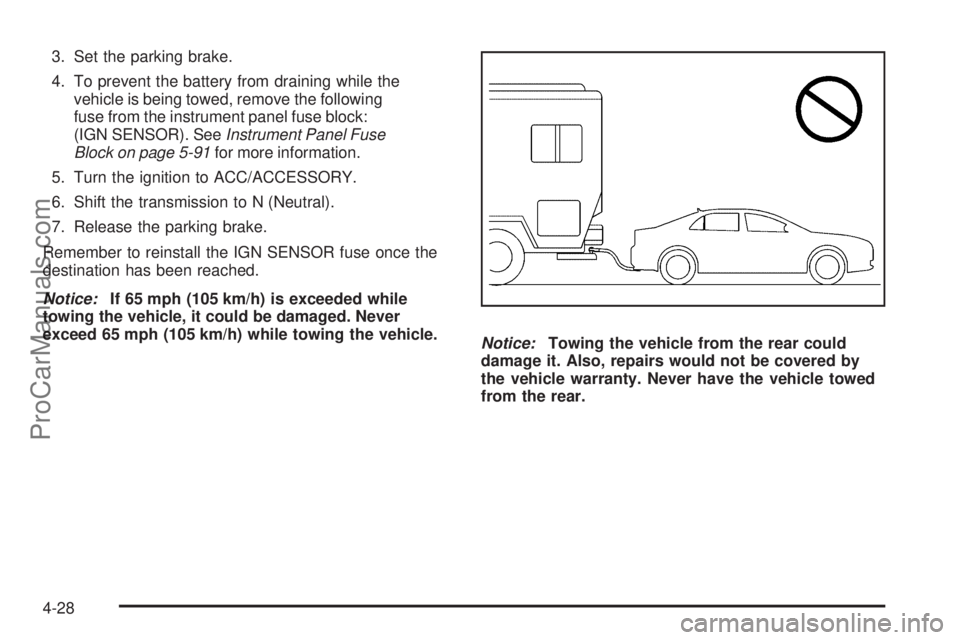
Notice:Towing the vehicle from the rear could
damage it. Also, repairs would not be covered by
the vehicle warranty. Never have the vehicle towed
from the rear.
4-28
ProCarManuals.com