instrument panel SATURN ION 2005 Owner's Manual
[x] Cancel search | Manufacturer: SATURN, Model Year: 2005, Model line: ION, Model: SATURN ION 2005Pages: 366, PDF Size: 2.74 MB
Page 126 of 366

Climate Controls
Climate Control System (Without Air
Conditioning)
With this system you can control the heating and
ventilation for your vehicle.
Operation
To change the current mode, select one of the following:
H(Vent):This mode directs air to the instrument
panel outlets.
)(Bi-Level):This mode directs approximately half of
the air to the instrument panel outlets, and then
directs the remaining air to the oor outlets. Cooler air is
directed to the upper outlets and warmer air to the
oor outlets.
6(Floor):This mode directs most of the air to the
oor outlets with some air directed to the windshield.
The left knob can also be used to select defog or defrost
mode. Information on defogging and defrosting can
be found later in this section.
A(Fan):Turn the center knob clockwise or
counterclockwise to increase or decrease the fan speed.
In any setting other than off, the fan will run continuously
with the ignition on.
9(Off):To turn the fan off, turn the knob all the way
counterclockwise to the off position.
Temperature Control:Turn the right knob clockwise or
counterclockwise to increase or decrease the
temperature inside your vehicle.
3-18
ProCarManuals.com
Page 128 of 366

Climate Control System (With Air
Conditioning)
With this system you can control the heating, cooling
and ventilation for your vehicle.
Operation
To change the current mode, select one of the following:
H(Vent):This mode directs air to the instrument
panel outlets.
)(Bi-Level):This mode directs approximately half of
the air to the instrument panel outlets, and then
directs the remaining air to the oor outlets. Cooler air is
directed to the upper outlets and warmer air to the
oor outlets.
6(Floor):This mode directs most of the air to the
oor outlets with some air directed to the windshield.
The left knob can also be used to select defog or defrost
mode. Information on defogging and defrosting can
be found later in this section.
3-20
ProCarManuals.com
Page 134 of 366

Instrument Panel Cluster
Your instrument cluster is designed to let you know at a glance how your vehicle is running. You will know how fast
you are going, about how much fuel you have used, and many other things you will need to know to drive safely
and economically.
United States version shown, Canada similar
3-26
ProCarManuals.com
Page 135 of 366

Speedometer and Odometer
Your speedometer lets you see your speed in both
miles per hour (mph) and kilometers per hour (km/h).
Your odometer is located in your message center,
and shows how far your vehicle has been driven, in
either miles (used in the United States) or kilometers
(used in Canada).
When information messages need to be shown in the
message center, they will be shown in place of the
odometer. To display the odometer after a message(s)
is shown, clear each message by pressing the
trip/reset button located to the right of the speedometer.
SeeMessage Center on page 3-39for more information.
Your vehicle has a tamper-resistant odometer. You
may wonder what happens if your vehicle needs a new
odometer installed. If the new one can be set to the
mileage total of the old odometer, then that will be done.
If it can’t, it will be set at zero and a label must be put
on the driver’s door to show the old mileage reading
when the new odometer was installed. If the mileage is
unknown, the label should then indicate “previous
mileage unknown”.
Trip Odometer
Your trip odometer shows how far your vehicle has
been driven since the trip odometer was last reset.
To reset the trip odometer to zero, press and hold the
trip/reset button for about two seconds.
Tachometer
The tachometer is located on the instrument panel
and displays the engine speed in revolutions per
minute (rpm).
3-27
ProCarManuals.com
Page 136 of 366

Notice:If you operate the engine with the
tachometer in the shaded warning area, your vehicle
could be damaged, and the damages would not
be covered by your warranty. Do not operate
the engine with the tachometer in the shaded
warning area.
Safety Belt Reminder Light
When the key is turned to RUN or START, a chime will
come on for several seconds to remind people to
fasten their safety belts, unless the driver’s safety belt is
already buckled.
The safety belt light will
also come on and stay
on for several seconds,
then it will ash for
several more.
If the driver’s belt is already buckled, neither the chime
nor the light will come on.
Airbag Readiness Light
There is an airbag readiness light on the instrument
panel, which shows the airbag symbol. The system
checks the airbag’s electrical system for malfunctions.
The light tells you if there is an electrical problem.
The system check includes the airbag sensor, the airbag
modules, the wiring and the crash sensing and
diagnostic module. For more information on the airbag
system, seeAirbag System on page 1-49.
This light will come on
when you start your
vehicle, and it will ash for
a few seconds. Then
the light should go out.
This means the system
is ready.
If the airbag readiness light stays on after you start the
vehicle or comes on when you are driving, your
airbag system may not work properly. Have your vehicle
serviced right away.
3-28
ProCarManuals.com
Page 138 of 366

Up-Shift Light
Your vehicle may have an up-shift light. When this light
comes on, you should shift to the next higher gear if
weather, road, and traffic conditions allow you to.
This light is located in your
instrument panel cluster to
the left of the
speedometer.
SeeManual Transaxle Operation on page 2-24for more
information.
Brake System Warning Light
This light should come on briey when you turn the
ignition to RUN. If it does not come on then, have it xed
so it will be ready to warn you if there is a problem.
Your vehicle’s hydraulic brake system is divided
into two parts. If one part is not working, the other part
can still work and stop you. For good braking, though,
you need both parts working well. United States Only
United States
Canada
3-30
ProCarManuals.com
Page 140 of 366
Anti-Lock Brake System Warning
Light
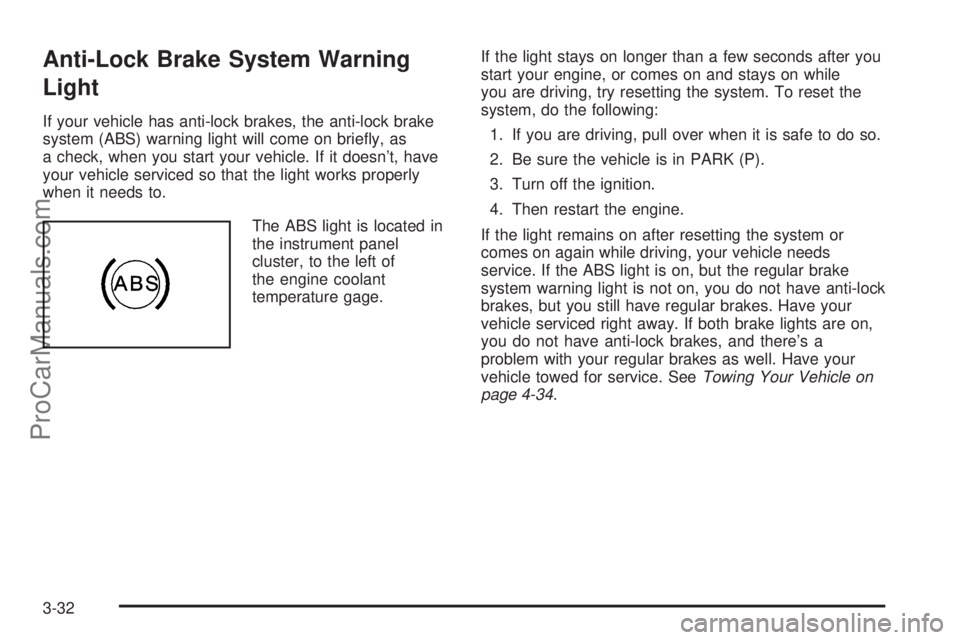
If your vehicle has anti-lock brakes, the anti-lock brake
system (ABS) warning light will come on briey, as
a check, when you start your vehicle. If it doesn’t, have
your vehicle serviced so that the light works properly
when it needs to.
The ABS light is located in
the instrument panel
cluster, to the left of
the engine coolant
temperature gage.If the light stays on longer than a few seconds after you
start your engine, or comes on and stays on while
you are driving, try resetting the system. To reset the
system, do the following:
1. If you are driving, pull over when it is safe to do so.
2. Be sure the vehicle is in PARK (P).
3. Turn off the ignition.
4. Then restart the engine.
If the light remains on after resetting the system or
comes on again while driving, your vehicle needs
service. If the ABS light is on, but the regular brake
system warning light is not on, you do not have anti-lock
brakes, but you still have regular brakes. Have your
vehicle serviced right away. If both brake lights are on,
you do not have anti-lock brakes, and there’s a
problem with your regular brakes as well. Have your
vehicle towed for service. SeeTowing Your Vehicle on
page 4-34.
3-32
ProCarManuals.com
Page 147 of 366
Boost Gage
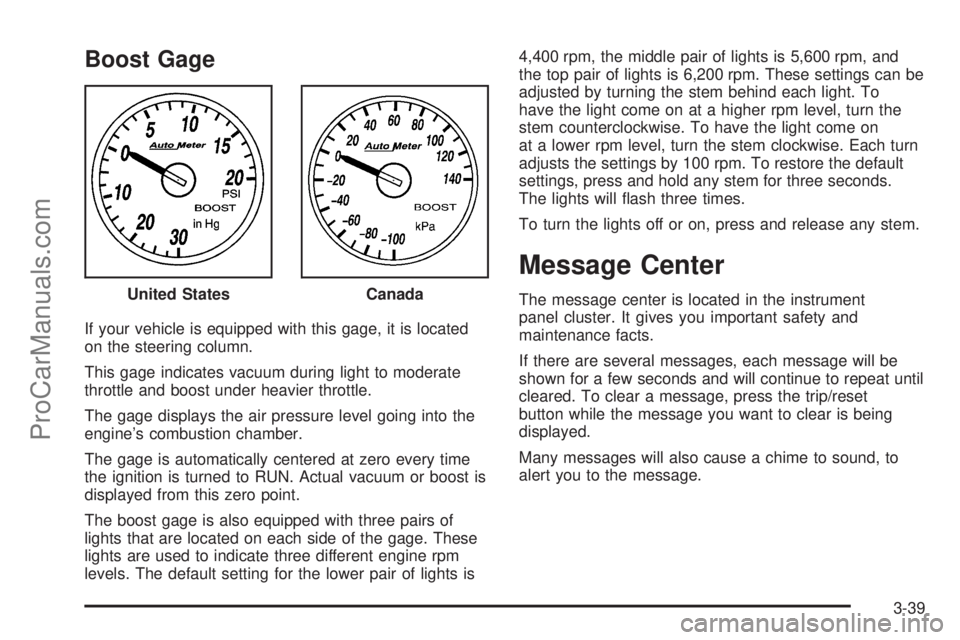
If your vehicle is equipped with this gage, it is located
on the steering column.
This gage indicates vacuum during light to moderate
throttle and boost under heavier throttle.
The gage displays the air pressure level going into the
engine’s combustion chamber.
The gage is automatically centered at zero every time
the ignition is turned to RUN. Actual vacuum or boost is
displayed from this zero point.
The boost gage is also equipped with three pairs of
lights that are located on each side of the gage. These
lights are used to indicate three different engine rpm
levels. The default setting for the lower pair of lights is4,400 rpm, the middle pair of lights is 5,600 rpm, and
the top pair of lights is 6,200 rpm. These settings can be
adjusted by turning the stem behind each light. To
have the light come on at a higher rpm level, turn the
stem counterclockwise. To have the light come on
at a lower rpm level, turn the stem clockwise. Each turn
adjusts the settings by 100 rpm. To restore the default
settings, press and hold any stem for three seconds.
The lights will ash three times.
To turn the lights off or on, press and release any stem.
Message Center
The message center is located in the instrument
panel cluster. It gives you important safety and
maintenance facts.
If there are several messages, each message will be
shown for a few seconds and will continue to repeat until
cleared. To clear a message, press the trip/reset
button while the message you want to clear is being
displayed.
Many messages will also cause a chime to sound, to
alert you to the message. United StatesCanada
3-39
ProCarManuals.com
Page 148 of 366
Changing the Language (Canada Only)
Vehicles rst sold in Canada have instrument panel
clusters that show messages in either English or French.
To change the language, do the following:
1. Turn the ignition on.
2. Press the trip/reset button until the current language
of ENGLISH or FRENCH is displayed.
3. Press and hold the trip/reset button for
several seconds until the language is changed.
4. Press the trip/reset button to return to the odometer
display.
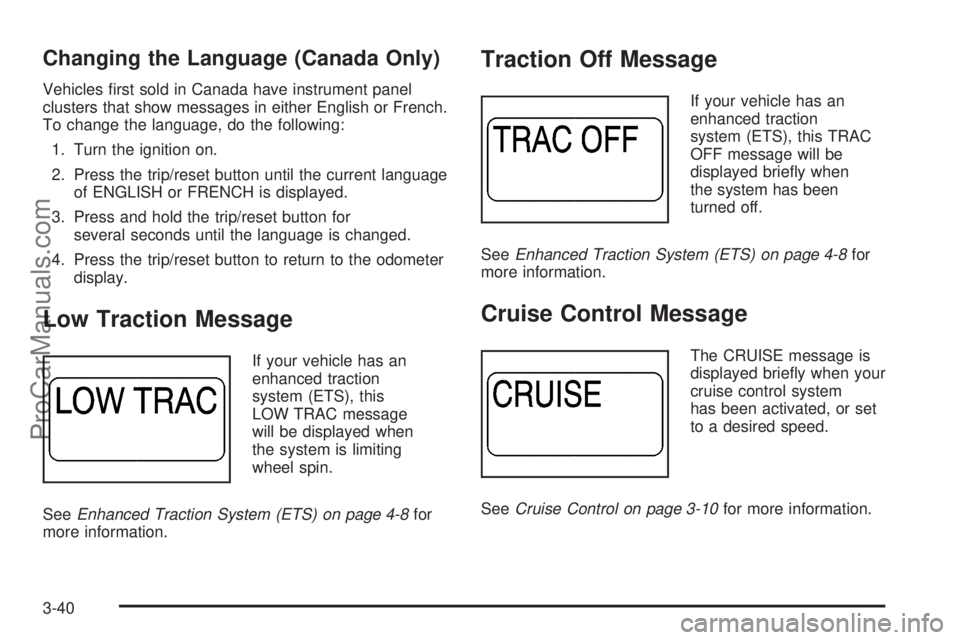
Low Traction Message
If your vehicle has an
enhanced traction
system (ETS), this
LOW TRAC message
will be displayed when
the system is limiting
wheel spin.
SeeEnhanced Traction System (ETS) on page 4-8for
more information.
Traction Off Message
If your vehicle has an
enhanced traction
system (ETS), this TRAC
OFF message will be
displayed briey when
the system has been
turned off.
SeeEnhanced Traction System (ETS) on page 4-8for
more information.
Cruise Control Message
The CRUISE message is
displayed briey when your
cruise control system
has been activated, or set
to a desired speed.
SeeCruise Control on page 3-10for more information.
3-40
ProCarManuals.com
Page 150 of 366

Check Gage Message
If the CHK GAGE
message is displayed,
the engine coolant may
be overheated. A
chime will also sound to
alert you to this message.
If this message is displayed, check your engine coolant
temperature gage. If the needle is in the red area,
your engine may be overheating. SeeEngine Coolant
Temperature Gage on page 3-33andEngine
Overheating on page 5-28for more information.
Notice:Driving with either the CHK GAGE message
or the COOLANT message displayed in the
message center and the Engine Coolant
Temperature Gage on your instrument panel in the
red zone could cause your vehicle to overheat.
SeeEngine Overheating on page 5-28. Your vehicle
could be damaged and the damages might not
be covered by your warranty.
Power Steering Message
If the PWR STR message
is displayed, a problem
has been detected with the
electric power steering.
If you suspect electric power steering problems and/or
the PWR STR message is on, see your retailer for
service and repair.
Trunk Ajar Warning Message
When the TRUNK
message is displayed, it
means the trunk lid is
not fully closed.
3-42
ProCarManuals.com