wheel SATURN ION 2007 User Guide
[x] Cancel search | Manufacturer: SATURN, Model Year: 2007, Model line: ION, Model: SATURN ION 2007Pages: 440, PDF Size: 2.93 MB
Page 131 of 440

Available Services included with
Directions & Connections®Plan
All Safe and Sound Plan Services
Driving Directions - Advisor delivered or
OnStar®Turn-by-Turn Navigation (If equipped)
RideAssist
Information and Convenience Services
OnStar®Hands-Free Calling
OnStar®Hands-Free Calling allows eligible
OnStar®subscribers to make and receive calls
using voice commands. Hands-Free Calling is fully
integrated into the vehicle, and can be used
with OnStar
®Pre-Paid Minute Packages.
Hands-Free Calling may also be linked to a
Verizon Wireless service plan in the U.S. or a
Bell Mobility service plan in Canada, depending on
eligibility. To nd out more, refer to the OnStar
®
Owner’s Guide in the vehicle’s glove box, visit
www.onstar.com or www.onstar.ca, or speak
with an OnStar
®advisor by pressing the
OnStar®button or calling 1-888-4-ONSTAR
(1-888-466-7827).
OnStar®Virtual Advisor
OnStar®Virtual Advisor is a feature of OnStar®
Hands-Free Calling that uses your minutes to
access location-based weather, local traffic reports,
and stock quotes. By pressing the phone button
and giving a few simple voice commands, you can
browse through the various topics. See the
OnStar
®Owner’s Guide for more information.
(Only available in the continental U.S.)
OnStar®Steering Wheel Controls
Your vehicle may be equipped with a Talk/Mute
button that can be used to interact with OnStar®
Hands-Free Calling.
On some vehicles, you may have to hold the
button for a few seconds and give the command
“ONSTAR” in order to activate the OnStar
®
Hands-Free Calling feature.
On some vehicles, the mute button can be used to
dial numbers into voicemail systems, or to dial
phone extensions. See the OnStar
®Owner’s
Guide for more information.
131
ProCarManuals.com
Page 137 of 440
Instrument Panel Overview........................ 140
Hazard Warning Flashers.......................... 142
Other Warning Devices............................. 142
Horn.......................................................... 142
Tilt Wheel.................................................. 142
Turn Signal/Multifunction Lever.................. 143
Turn and Lane-Change Signals................. 144
Headlamp High/Low-Beam Changer.......... 145
Flash-to-Pass............................................ 145
Windshield Washer.................................... 145
Windshield Wiper Lever............................. 146
Cruise Control........................................... 147
Headlamps................................................ 150
Daytime Running Lamps (DRL)................. 151
Automatic Headlamp System..................... 151
Fog Lamps................................................ 152
Instrument Panel Brightness...................... 152
Dome Lamp.............................................. 153
Entry Lighting............................................ 153
Map Lamps............................................... 153
Battery Run-Down Protection..................... 153
Accessory Power Outlet(s)........................ 153
Ashtray(s) and Cigarette Lighter................ 154Climate Controls......................................... 155
Climate Control System
(Without Air Conditioning)....................... 155
Climate Control System
(With Air Conditioning)........................... 157
Outlet Adjustment...................................... 160
Passenger Compartment Air Filter............. 161
Warning Lights, Gages, and Indicators..... 163
Instrument Panel Cluster........................... 164
Speedometer and Odometer...................... 165
Trip Odometer........................................... 165
Tachometer............................................... 165
Safety Belt Reminder Light........................ 166
Passenger Safety Belt Reminder Light....... 166
Airbag Readiness Light............................. 167
Passenger Airbag Status Indicator............. 168
Battery Warning Light................................ 170
Up-Shift Light............................................ 170
Brake System Warning Light..................... 170
Anti-Lock Brake System Warning Light...... 172
Engine Coolant Temperature Gage............ 173
Malfunction Indicator Lamp........................ 174
Section 3 Instrument Panel
137
ProCarManuals.com
Page 142 of 440
Hazard Warning Flashers
The hazard warning ashers let you warn the
police and others that you have a problem. The
front and rear turn signal lamps will ash on
and off.
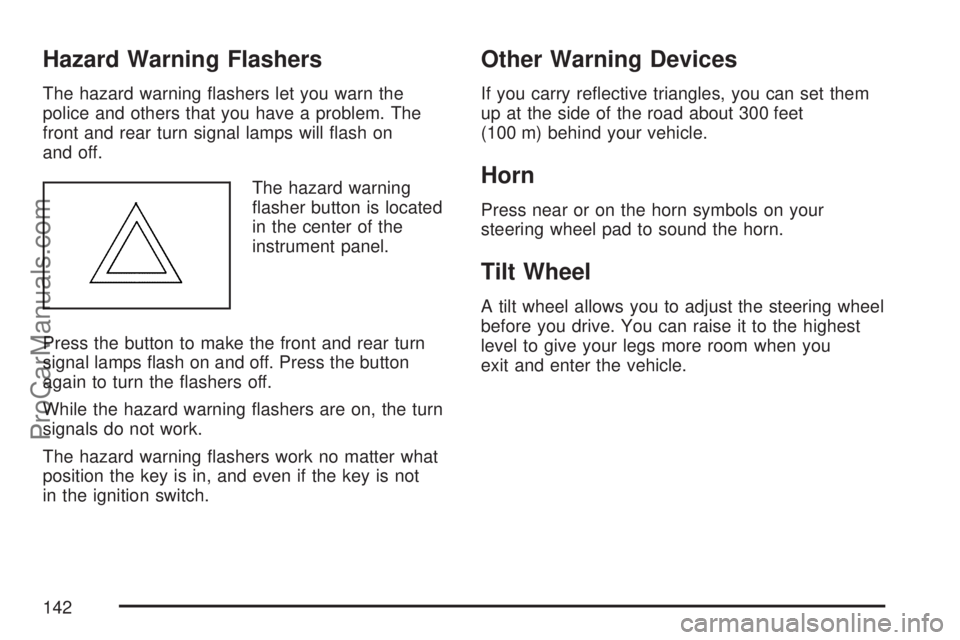
The hazard warning
asher button is located
in the center of the
instrument panel.
Press the button to make the front and rear turn
signal lamps ash on and off. Press the button
again to turn the ashers off.
While the hazard warning ashers are on, the turn
signals do not work.
The hazard warning ashers work no matter what
position the key is in, and even if the key is not
in the ignition switch.
Other Warning Devices
If you carry reective triangles, you can set them
up at the side of the road about 300 feet
(100 m) behind your vehicle.
Horn
Press near or on the horn symbols on your
steering wheel pad to sound the horn.
Tilt Wheel
A tilt wheel allows you to adjust the steering wheel
before you drive. You can raise it to the highest
level to give your legs more room when you
exit and enter the vehicle.
142
ProCarManuals.com
Page 143 of 440
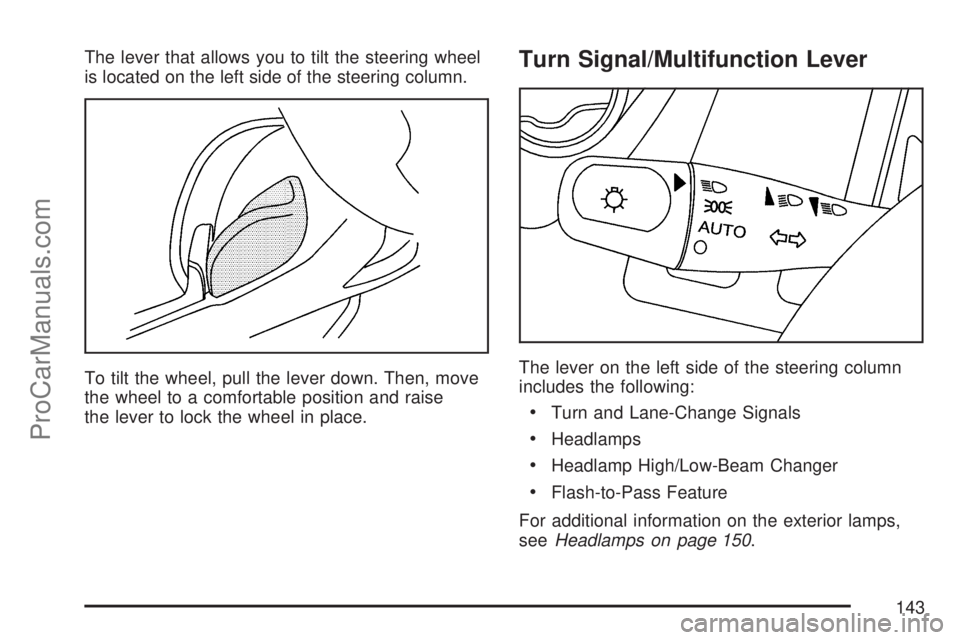
The lever that allows you to tilt the steering wheel
is located on the left side of the steering column.
To tilt the wheel, pull the lever down. Then, move
the wheel to a comfortable position and raise
the lever to lock the wheel in place.Turn Signal/Multifunction Lever
The lever on the left side of the steering column
includes the following:
Turn and Lane-Change Signals
Headlamps
Headlamp High/Low-Beam Changer
Flash-to-Pass Feature
For additional information on the exterior lamps,
seeHeadlamps on page 150.
143
ProCarManuals.com
Page 147 of 440
Cruise Control
With cruise control, you can maintain a speed of
about 25 mph (40 km/h) or more without
keeping your foot on the accelerator. This can
really help on long trips. Cruise control does not
work at speeds below 25 mph (40 km/h).
{CAUTION:
Cruise control can be dangerous where
you cannot drive safely at a steady speed.
So, do not use your cruise control on
winding roads or in heavy traffic.
Cruise control can be dangerous on
slippery roads. On such roads, fast
changes in tire traction can cause
excessive wheel slip, and you could lose
control. Do not use cruise control on
slippery roads.
Setting Cruise Control
{CAUTION:
If you leave your cruise control on when
you are not using cruise, you might hit a
button and go into cruise when you do not
want to. You could be startled and even
lose control. Keep the cruise control switch
off until you want to use cruise control.
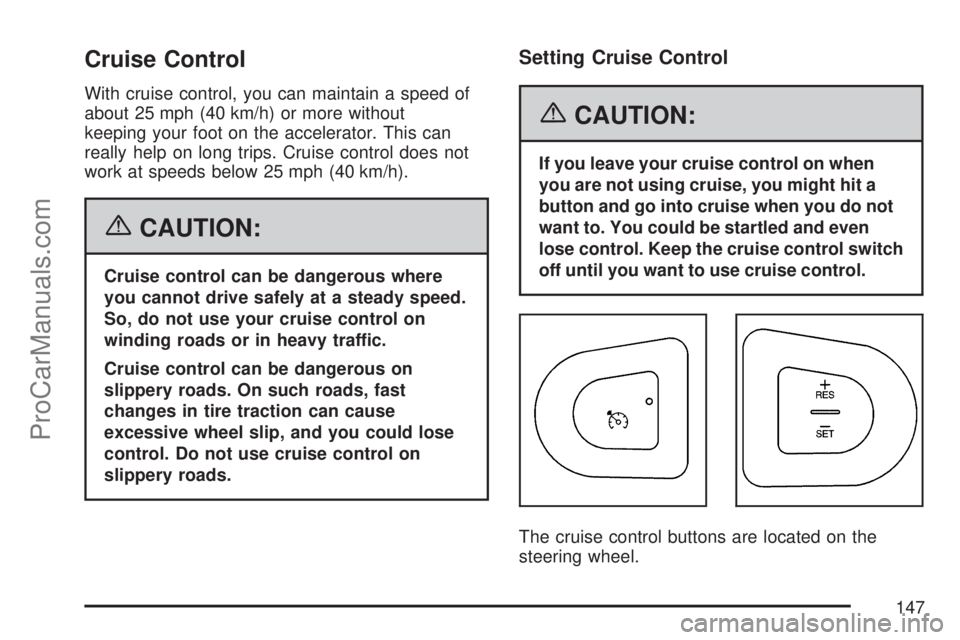
The cruise control buttons are located on the
steering wheel.
147
ProCarManuals.com
Page 148 of 440
J(On/Off):Press this button to turn the cruise
control system on and off.
+RES (Resume):Press this part of the button to
resume a set speed and to accelerate the speed.
−SET (Set):Press this part of the button to set a
speed and to decrease the speed.
To set a speed do the following:
1. Press the on/off button to turn cruise control
on. The indicator light on the button will
come on.
2. Get to the speed you want.
3. Press the−SET part of the control button and
release it. The CRUISE message will display
in the instrument panel cluster to show the
system is engaged.
4. Take your foot off the accelerator pedal.
When the brakes are applied, the cruise control
shuts off.If the vehicle is in cruise control and the Enhanced
Traction System (ETS) begins to limit wheel
spin, the cruise control will automatically
disengage. SeeEnhanced Traction System (ETS)
on page 226. When road conditions allow, the
cruise control can be used again.
Resuming a Set Speed
Suppose you set your cruise control at a desired
speed and then you apply the brake. This, of
course, disengages the cruise control. The
CRUISE message in the instrument panel cluster
will also go out indicating cruise is no longer
engaged. To return to your previously set speed,
you do not need to go through the set process
again. Once you are going about 25 mph (40 km/h)
or more, you can press the +RES part of the
button briey.
This will take you back up to your previously
chosen speed and stay there.
148
ProCarManuals.com
Page 152 of 440
Fog Lamps
If your vehicle has this feature, use your fog lamps
for better visibility in foggy or misty conditions.
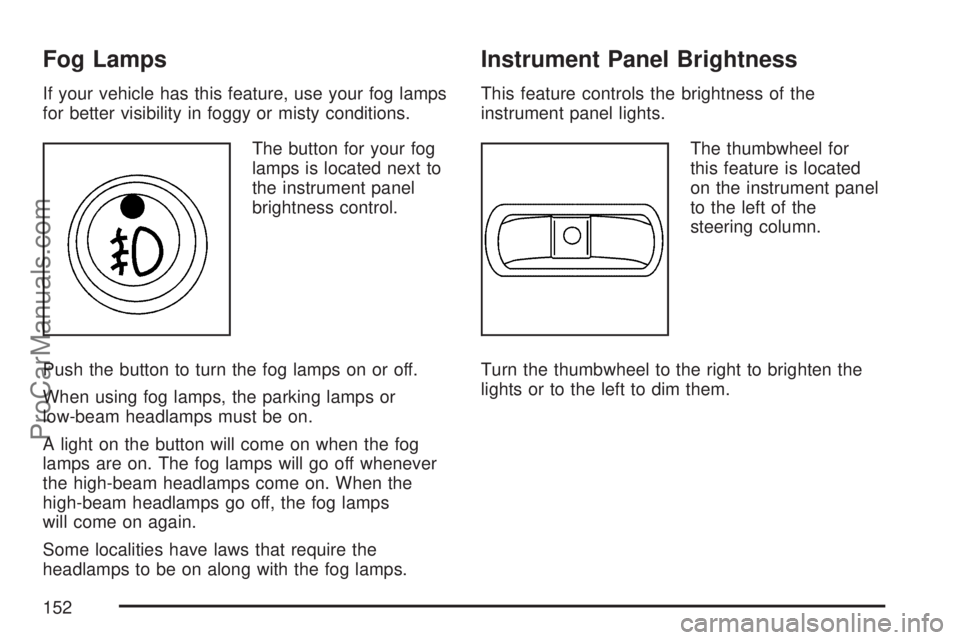
The button for your fog
lamps is located next to
the instrument panel
brightness control.
Push the button to turn the fog lamps on or off.
When using fog lamps, the parking lamps or
low-beam headlamps must be on.
A light on the button will come on when the fog
lamps are on. The fog lamps will go off whenever
the high-beam headlamps come on. When the
high-beam headlamps go off, the fog lamps
will come on again.
Some localities have laws that require the
headlamps to be on along with the fog lamps.
Instrument Panel Brightness
This feature controls the brightness of the
instrument panel lights.
The thumbwheel for
this feature is located
on the instrument panel
to the left of the
steering column.
Turn the thumbwheel to the right to brighten the
lights or to the left to dim them.
152
ProCarManuals.com
Page 182 of 440
Message Center
The message center is located in the instrument
panel cluster. It gives you important safety
and maintenance facts.
If there are several messages, each message will
be shown for a few seconds and will continue
to repeat until cleared. To clear a message, press
the trip/reset button while the message you
want to clear is being displayed.
Many messages will also cause a chime to sound,
to alert you to the message.
Changing the Language (Canada Only)
Vehicles rst sold in Canada have instrument panel
clusters that show messages in either English or
French. To change the language, do the following:
1. Turn the ignition on.
2. Press the trip/reset button until the current
language of ENGLISH or FRENCH is
displayed.
3. Press and hold the trip/reset button for
several seconds until the language is
changed.
4. Press the trip/reset button to return to the
odometer display.
Low Traction Message
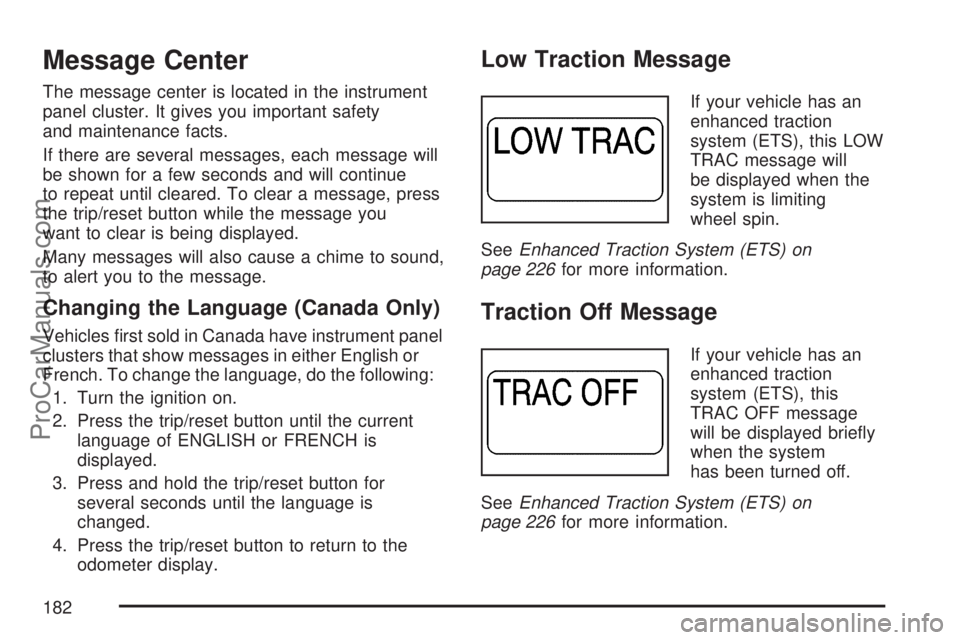
If your vehicle has an
enhanced traction
system (ETS), this LOW
TRAC message will
be displayed when the
system is limiting
wheel spin.
SeeEnhanced Traction System (ETS) on
page 226for more information.
Traction Off Message
If your vehicle has an
enhanced traction
system (ETS), this
TRAC OFF message
will be displayed briey
when the system
has been turned off.
SeeEnhanced Traction System (ETS) on
page 226for more information.
182
ProCarManuals.com
Page 186 of 440
Audio System(s)
Determine which radio your vehicle has and then
read the pages following to familiarize yourself
with its features.
Driving without distraction is a necessity for a
safer driving experience. SeeDefensive Driving on
page 218. By taking a few moments to read this
manual and get familiar with your vehicle’s
audio system, you can use it with less effort, as
well as take advantage of its features. While your
vehicle is parked, set up your audio system by
presetting your favorite radio stations, setting the
tone and adjusting the speakers. Then, when
driving conditions permit, you can tune to
your favorite stations using the presets and
steering wheel controls if the vehicle has them.{CAUTION:
This system provides you with a far greater
access to audio stations and song listings.
Giving extended attention to entertainment
tasks while driving can cause a crash and
you or others can be injured or killed.
Always keep your eyes on the road and
your mind on the drive — avoid engaging
in extended searching while driving.
Keeping your mind on the drive is important for
safe driving. Here are some ways in which you can
help avoid distraction while driving.
While your vehicle is parked:
Familiarize yourself with all of its controls.
Familiarize yourself with its operation.
Set up your audio system by presetting your
favorite radio stations, setting the tone, and
adjusting the speakers. Then, when driving
conditions permit, you can tune to your favorite
radio stations using the presets and steering
wheel controls if the vehicle has them.
186
ProCarManuals.com
Page 197 of 440
4(Information) (XM™ Satellite Radio Service,
MP3, and RDS Features):Press the information
button to display additional text information related
to the current FM-RDS or XM™ station, or MP3
song. A choice of additional information such as:
Channel, Song, Artist, CAT (category) may appear.
Continue pressing the information button to
highlight the desired label, or press the pushbutton
positioned under any one of the labels and the
information about that label is displayed.
When information is not available, No Info displays.
Storing a Radio Station as a Favorite
Drivers are encouraged to set up their radio station
favorites while the vehicle is parked. Tune to
your favorite stations using the presets, favorites
button, and steering wheel controls (if equipped).
SeeDefensive Driving on page 218.FAV (Favorites):A maximum of 36 stations
can be programmed as favorites using the
six pushbuttons positioned below the radio station
frequency labels and by using the radio favorites
page button (FAV button). Press the FAV button to
go through up to six pages of favorites, each
having six favorite stations available per page.
Each page of favorites can contain any
combination of AM, FM, or XM™ (if equipped)
stations. To store a station as a favorite, perform
the following steps:
1. Tune to the desired radio station.
2. Press the FAV button to display the page
where you want the station stored.
3. Press and hold one of the six pushbuttons
until a beep sounds. Whenever that
pushbutton is pressed and released, the
station that was set, returns.
4. Repeat the steps for each pushbutton radio
station you want stored as a favorite.
197
ProCarManuals.com