phone SATURN OUTLOOK 2007 User Guide
[x] Cancel search | Manufacturer: SATURN, Model Year: 2007, Model line: OUTLOOK, Model: SATURN OUTLOOK 2007Pages: 538, PDF Size: 3.2 MB
Page 305 of 538
Navigation/Radio System
Your vehicle may have a navigation radio system.
The navigation system has built-in features
intended to minimize driver distraction. Technology
alone, no matter how advanced, can never
replace your own judgment. See the Navigation
System manual for some tips to help you
reduce distractions while driving.
Rear Seat Entertainment System
Your vehicle may have a DVD Rear Seat
Entertainment (RSE) system. The RSE system
works with the vehicle’s audio system. The
DVD player is part of the front radio. The RSE
system includes a radio with a DVD player, a video
display screen, audio/video jacks, two wireless
headphones, and a remote control. SeeRadio with
CD and DVD on page 273for more information
on the vehicle’s audio/DVD system.
Before You Drive
The RSE is designed for rear seat passengers
only. The driver cannot safely view the video
screen while driving and should not try to do so.
In severe or extreme weather conditions the
RSE system might not work until the temperature
is within the operating range. The operating
range for the RSE system is above−4°F (−20°C)
or below 140°F (60°C). If the temperature of
your vehicle is outside of this range, heat or cool
the vehicle until the temperature is within the
operating range of the RSE system.
Parental Control
The RSE system may have a Parental Control
feature, depending on which radio you have.
To enable Parental Control, press and hold the
radio power button for more than two seconds to
stop all system features such as: radio, video
screen, RSA, DVD and/or CD. While Parental
Control is on, a padlock icon displays.
When the radio is turned back on, Parental
Control is unlocked.
305
ProCarManuals.com
Page 306 of 538
Headphones
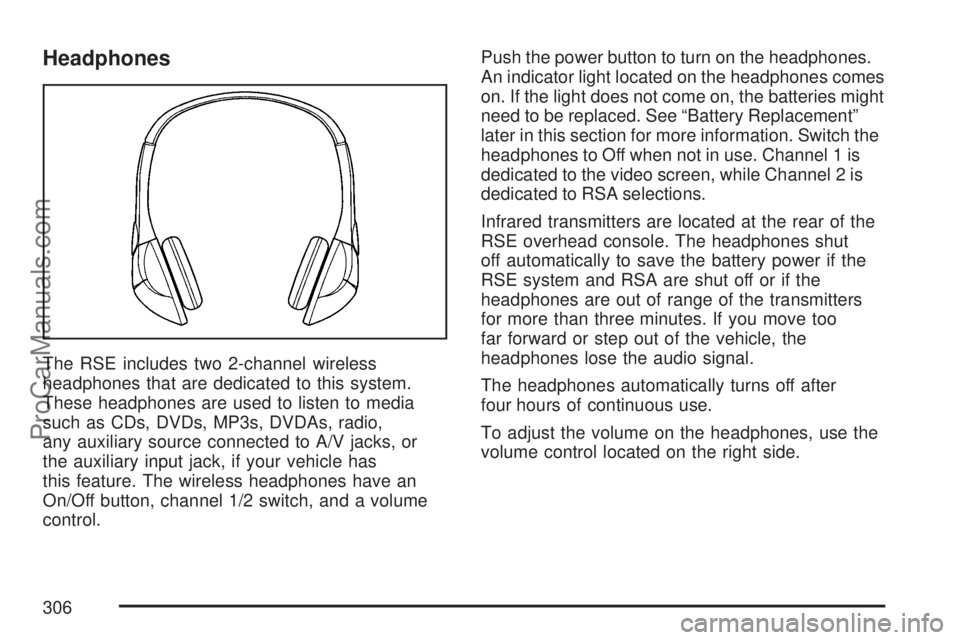
The RSE includes two 2-channel wireless
headphones that are dedicated to this system.
These headphones are used to listen to media
such as CDs, DVDs, MP3s, DVDAs, radio,
any auxiliary source connected to A/V jacks, or
the auxiliary input jack, if your vehicle has
this feature. The wireless headphones have an
On/Off button, channel 1/2 switch, and a volume
control.Push the power button to turn on the headphones.
An indicator light located on the headphones comes
on. If the light does not come on, the batteries might
need to be replaced. See “Battery Replacement”
later in this section for more information. Switch the
headphones to Off when not in use. Channel 1 is
dedicated to the video screen, while Channel 2 is
dedicated to RSA selections.
Infrared transmitters are located at the rear of the
RSE overhead console. The headphones shut
off automatically to save the battery power if the
RSE system and RSA are shut off or if the
headphones are out of range of the transmitters
for more than three minutes. If you move too
far forward or step out of the vehicle, the
headphones lose the audio signal.
The headphones automatically turns off after
four hours of continuous use.
To adjust the volume on the headphones, use the
volume control located on the right side.
306
ProCarManuals.com
Page 307 of 538
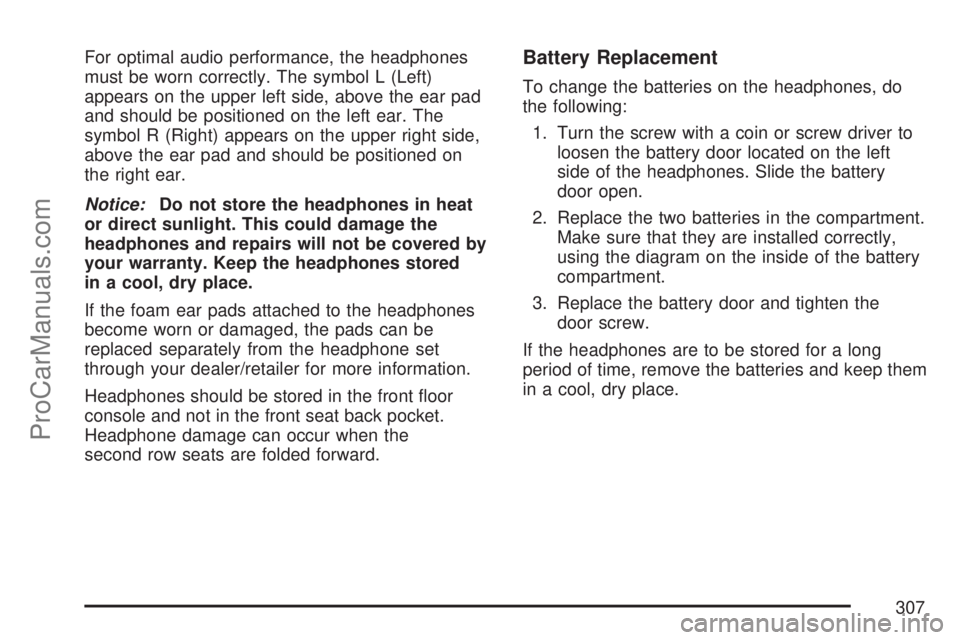
For optimal audio performance, the headphones
must be worn correctly. The symbol L (Left)
appears on the upper left side, above the ear pad
and should be positioned on the left ear. The
symbol R (Right) appears on the upper right side,
above the ear pad and should be positioned on
the right ear.
Notice:Do not store the headphones in heat
or direct sunlight. This could damage the
headphones and repairs will not be covered by
your warranty. Keep the headphones stored
in a cool, dry place.
If the foam ear pads attached to the headphones
become worn or damaged, the pads can be
replaced separately from the headphone set
through your dealer/retailer for more information.
Headphones should be stored in the front oor
console and not in the front seat back pocket.
Headphone damage can occur when the
second row seats are folded forward.Battery Replacement
To change the batteries on the headphones, do
the following:
1. Turn the screw with a coin or screw driver to
loosen the battery door located on the left
side of the headphones. Slide the battery
door open.
2. Replace the two batteries in the compartment.
Make sure that they are installed correctly,
using the diagram on the inside of the battery
compartment.
3. Replace the battery door and tighten the
door screw.
If the headphones are to be stored for a long
period of time, remove the batteries and keep them
in a cool, dry place.
307
ProCarManuals.com
Page 309 of 538

Audio Output
Audio from the DVD player or auxiliary inputs can
be heard through the following possible sources:
Wireless Headphones
Vehicle Speakers
Vehicle wired headphone jacks on the rear
seat audio system, if your vehicle has this
feature.
The RSE system always transmits the audio
signal to the wireless headphones, if there is audio
available. See “Headphones” earlier in this
section for more information.
When a device is connected to the A/V jacks, or
the radio’s auxiliary input jack, if your vehicle
has this feature, the rear seat passengers are able
to hear audio from the auxiliary device through
the wireless or wired headphones. The front seat
passengers are able to listen to playback from
this device through the vehicle speakers by
selecting AUX as the source on the radio.
Video Screen
The video screen is located in the RSE overhead
console.
To use the video screen, do the following:
1. Push the release button located on the RSE
overhead console.
2. Move the screen to the desired position.
When the video screen is not in use, push it up
into its locked position.
If a DVD is playing and the screen is raised to its
locked position, the screen remains on. This is
normal. The DVD continues to play through the
previous audio source. Use the remote control
power button or eject the disc to turn off the screen.
The RSE overhead console contains the IR
transmitters for the wireless headphones and the
IR receivers for the remote control. They are
located at the rear of the console.
Notice:Avoid directly touching the video
screen, as damage may occur. See “Cleaning
the Video Screen” later in this section for
more information.
309
ProCarManuals.com
Page 314 of 538

Problem Recommended Action
Sometimes the wireless
headphone audio cuts out
or buzzes.Check for obstructions,
low batteries, reception
range, and interference
from cellular telephone
towers or by using your
cellular telephone in the
vehicle.
Check that the
headphones are on
correctly using the L (left)
and R (right) on the
headphones.
I lost the remote and/or the
headphones.See your dealer/retailer for
assistance.
The DVD is playing, but
there is no picture or
sound.Check that the RSE video
screen is sourced to the
DVD player.DVD Display Error Messages
The DVD display error message depends on
which radio you have. The video screen may
display one of the following:
Disc Load/Eject Error:This message displays
when there are disc load or eject problems.
Disc Format Error:This message displays, if the
disc is inserted with the disc label wrong side
up, or if the disc is damaged.
Disc Region Error:This message displays, if the
disc is not from a correct region.
No Disc Inserted:This message displays, if no
disc is present when the EJECT button is pressed
on the radio.
314
ProCarManuals.com
Page 315 of 538

DVD Distortion
Video distortion may occur when operating cellular
phones, scanners, CB radios, Global Position
Systems (GPS)*, two-way radios, mobile fax, or
walkie talkies.
It may be necessary to turn off the DVD player
when operating one of these devices in or near the
vehicle.
*Excludes the OnStar
®System.
Cleaning the RSE Overhead Console
When cleaning the RSE overhead console surface,
use only a clean cloth dampened with clean water.
Cleaning the Video Screen
When cleaning the video screen, use only a clean
cloth dampened with clean water. Use care
when directly touching or cleaning the screen, as
damage could result.
Rear Seat Audio (RSA)
This feature allows rear seat passengers to listen to
and control any of the music sources: radio, CDs,
DVDs, or other auxiliary sources. However, the rear
seat passengers can only control the music sources
the front seat passengers are not listening to
(except on some radios where dual control is
allowed). For example, rear seat passengers can
listen to and control a CD through the headphones,
while the driver listens to the radio through the front
speakers. The rear seat passengers have control of
the volume for each set of headphones.
You can operate the RSA functions even when
the main radio is off.
Audio can be heard through wired headphones
(not included) plugged into the jacks on the RSA.
If your vehicle has this feature, audio can also
be heard on Channel 2 of the wireless
headphones.
The audio system mutes the rear speakers when
the RSA audio is active through the headphones.
315
ProCarManuals.com
Page 316 of 538
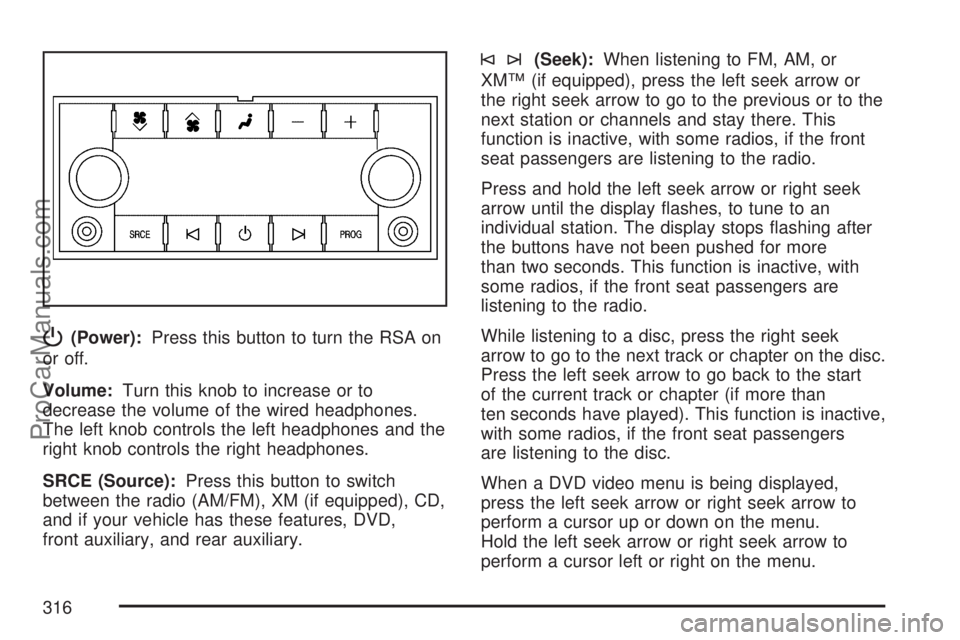
P(Power):Press this button to turn the RSA on
or off.
Volume:Turn this knob to increase or to
decrease the volume of the wired headphones.
The left knob controls the left headphones and the
right knob controls the right headphones.
SRCE (Source):Press this button to switch
between the radio (AM/FM), XM (if equipped), CD,
and if your vehicle has these features, DVD,
front auxiliary, and rear auxiliary.
©¨(Seek):When listening to FM, AM, or
XM™ (if equipped), press the left seek arrow or
the right seek arrow to go to the previous or to the
next station or channels and stay there. This
function is inactive, with some radios, if the front
seat passengers are listening to the radio.
Press and hold the left seek arrow or right seek
arrow until the display ashes, to tune to an
individual station. The display stops ashing after
the buttons have not been pushed for more
than two seconds. This function is inactive, with
some radios, if the front seat passengers are
listening to the radio.
While listening to a disc, press the right seek
arrow to go to the next track or chapter on the disc.
Press the left seek arrow to go back to the start
of the current track or chapter (if more than
ten seconds have played). This function is inactive,
with some radios, if the front seat passengers
are listening to the disc.
When a DVD video menu is being displayed,
press the left seek arrow or right seek arrow to
perform a cursor up or down on the menu.
Hold the left seek arrow or right seek arrow to
perform a cursor left or right on the menu.
316
ProCarManuals.com
Page 318 of 538

g(Mute/Voice Recognition):Press and release
this button to silence the vehicle speakers only.
The audio of the wireless and wired headphones, if
your vehicle has these features, does not mute.
Press and release this button again, to turn
the sound on.
If your vehicle has the navigation system, press
and hold this button briey to initiate voice
recognition. See “Voice Recognition” in the
Navigation System manual for more information.
If your vehicle has OnStar
®, press and hold
this button briey to interact with the OnStar®
system. If your vehicle also has the navigation
system, press and hold this button briey to initiate
voice recognition and say “OnStar” to enter
OnStar
®mode. See theOnStar®System on
page 145in this manual for more information.SRCE (Source):Press this button to switch
between the radio (AM, FM), XM™ (if equipped),
CD, and if your vehicle has these features,
DVD, front auxiliary, and rear auxiliary.
+
e−e(Volume):Press the plus or minus
button to increase or to decrease the radio volume.
¨(Seek):Press the seek arrow to go to the
next radio station while in AM, FM, or XM™
(if equipped). Press this button to go to the next
track or chapter while sourced to the CD or
DVD slot.
Radio Reception
Frequency interference and static can occur
during normal radio reception if items such as cell
phone chargers, vehicle convenience accessories,
and external electronic devices are plugged
into the accessory power outlet. If there is
interference or static, unplug the item from the
accessory power outlet.
318
ProCarManuals.com
Page 340 of 538

{CAUTION:
Wet brakes can cause accidents. They
may not work as well in a quick stop and
may cause pulling to one side. You could
lose control of the vehicle.
After driving through a large puddle of
water or a car wash, apply the brake pedal
lightly until the brakes work normally.
Driving too fast through large water puddles or
even going through some car washes can cause
problems, too. The water may affect the brakes.
Try to avoid puddles. But if you cannot, try to slow
down before you hit them.
Hydroplaning
Hydroplaning is dangerous. So much water can
build up under the tires that they can actually ride
on the water. This can happen if the road is
wet enough and you are going fast enough. When
your vehicle is hydroplaning, it has little or no
contact with the road.
Hydroplaning does not happen often. But it can if
the tires do not have much tread or if the
pressure in one or more is low. It can happen if a
lot of water is standing on the road. If you can
see reections from trees, telephone poles,
or other vehicles, and raindrops dimple the water’s
surface, there could be hydroplaning.
Hydroplaning usually happens at higher speeds.
There just is not a hard and fast rule about
hydroplaning. The best advice is to slow down
when it is raining.
340
ProCarManuals.com
Page 381 of 538

Some gasolines that are not reformulated for low
emissions can contain an octane-enhancing
additive called methylcyclopentadienyl manganese
tricarbonyl (MMT); ask the attendant where you
buy gasoline whether the fuel contains MMT.
We recommend against the use of such gasolines.
Fuels containing MMT can reduce the life of
spark plugs and the performance of the emission
control system could be affected. The malfunction
indicator lamp might turn on. If this occurs,
return to your dealer/retailer for service.
Fuels in Foreign Countries
If you plan on driving in another country outside the
United States or Canada, the proper fuel might be
hard to nd. Never use leaded gasoline or any other
fuel not recommended in the previous text on fuel.
Costly repairs caused by use of improper fuel would
not be covered by your warranty.
To check the fuel availability, ask an auto club, or
contact a major oil company that does business
in the country where you will be driving.
Filling the Tank
{CAUTION:
Fuel vapor burns violently and a fuel re
can cause bad injuries. To help avoid
injuries to you and others, read and follow
all the instructions on the pump island.
Turn off your engine when you are
refueling. Do not smoke if you are near
fuel or refueling your vehicle. Do not use
cellular phones. Keep sparks, ames, and
smoking materials away from fuel. Do not
leave the fuel pump unattended when
refueling your vehicle. This is against the
law in some places. Do not re-enter the
vehicle while pumping fuel. Keep children
away from the fuel pump; never let
children pump fuel.
The tethered fuel cap is located behind a hinged
fuel door on the driver’s side of the vehicle.
381
ProCarManuals.com