service SATURN SKY 2007 Owner's Guide
[x] Cancel search | Manufacturer: SATURN, Model Year: 2007, Model line: SKY, Model: SATURN SKY 2007Pages: 384, PDF Size: 2.47 MB
Page 164 of 384
Adjusting the Speakers (Balance/Fade)
`
BAL/FADE (Balance/Fade):To adjust the
balance or fade, press this button or the tune knob
until the desired speaker control label appears
on the display. Turn the tune knob clockwise
or counterclockwise to adjust the setting. You can
also adjust the setting by pressing either the
SEEK, FWD, or REV buttons.
Radio Messages
Calibration Error:The audio system has been
calibrated for your vehicle from the factory.
If Calibration Error displays, it means that the
radio has not been congured properly for your
vehicle and it must be returned to your retailer for
service.
Loc (Locked):This message is displayed while
the THEFTLOCK
®system has locked up the radio.
Take the vehicle to your retailer for service.
If any error occurs repeatedly or if an error cannot
be corrected, contact your retailer.
Playing a CD (Single CD Player)
Insert a CD partway into the slot, label side up. The
player pulls it in and the CD should begin playing.
If the ignition or radio is turned off with a CD in the
player, it stays in the player. When the ignition or
radio is turned on, the CD starts playing where it
stopped, if it was the last selected audio source.
When a CD is inserted, the CD symbol appears on
the radio display. As each new track starts to
play, the track number appears on the display.
The CD player can play the smaller 3 inch (8 cm)
single CDs with an adapter ring. Full-size CDs and
the smaller CDs are loaded in the same manner.
If playing a CD-R, the sound quality may be
reduced due to CD-R quality, the method of
recording, the quality of the music that has been
recorded, and the way the CD-R has been
handled. There may be an increase in skipping,
difficulty in nding tracks, and/or difficulty in loading
and ejecting. If these problems occur, check the
bottom surface of the CD. If the surface of the
CD is damaged, such as cracked, broken,
or scratched, the CD will not play properly. If the
surface of the CD is soiled, seeCare of Your CDs
on page 190for more information.
164
ProCarManuals.com
Page 169 of 384

In rare cases, a radio station may broadcast
incorrect information that causes the radio features
to work improperly. If this happens, contact the
radio station.
XM™ Satellite Radio Service
XM™ is a satellite radio service that is based in
the 48 contiguous United States and Canada.
XM™ offers a large variety of coast-to-coast
channels including music, news, sports, talk,
traffic/weather (U.S. subscribers), and children’s
programming. XM™ provides digital quality
audio and text information that includes song title
and artist name. A service fee is required in
order to receive the XM™ service. For more
information, contact XM™; In the U.S. at
www.xmradio.com or call 1-800-852-XMXM (9696)
or in Canada at www.xmradio.ca or call
1-877-GET-XMSR (438-9677).
Playing the Radio
O
(Power/Volume):Press this knob to turn the
system on and off.
Turn this knob clockwise or counterclockwise to
increase or decrease the volume.Speed Compensated Volume (SCV):The radio
has Speed Compensated Volume (SCV). When
SCV is on, the radio volume automatically adjusts
to compensate for road and wind noise as you
speed up or slow down while driving. That way, the
volume level should sound about the same as
you drive. To activate SCV:
1. Set the radio volume to the desired level.
2. Press the MENU button to display the radio
setup menu.
3. Press the pushbutton under the AUTO
VOLUM label on the radio display.
4. Press the pushbutton under the desired SCV
setting (OFF, Low, Med, or High) to select the
level of radio volume compensation. Each
higher setting allows for more radio volume
compensation at faster vehicle speeds.
The display times out after approximately
10 seconds.
169
ProCarManuals.com
Page 170 of 384
Finding a Station
BAND:Press this button to switch between AM,
FM, or XM™ (if equipped). The display shows
the selection.
f(Tune):Turn this knob to select radio stations.
©SEEK¨:Press the right or left SEEK
arrow to go to the next or to the previous station
and stay there.
To scan stations, press and hold either SEEK
arrow for a few seconds until a beep sounds. The
radio goes to a station, plays for a few seconds,
then goes to the next station. Press either
SEEK arrow again to stop scanning.
The radio only seeks and scans stations with a
strong signal that are in the selected band.
4(Information) (XM™ Satellite Radio Service,
MP3, and RDS Features):Press the information
button to display additional text information related
to the current FM-RDS or XM™ station, or MP3
song. A choice of additional information such as:
Channel, Song, Artist, and CAT may appear.
Continue pressing the information button to
highlight the desired label, or press the pushbutton
positioned under any one of the labels and the
information about that label is displayed.
While information is not available, No Info displays.
Storing a Radio Station as a Favorite
Drivers are encouraged to set up their radio station
favorites while the vehicle is parked. Tune to
your favorite stations using the presets, favorites
button, and steering wheel controls if the
vehicle has this feature. SeeDefensive Driving
on page 192.
170
ProCarManuals.com
Page 174 of 384
Radio Messages
Calibration Error:The audio system has been
calibrated for your vehicle from the factory.
If Calibration Error displays, it means that the
radio has not been congured properly for your
vehicle and it must be returned to your retailer
for service.
Locked:This message is displayed when the
THEFTLOCK
®system has locked up the
radio. Take the vehicle to your retailer for service.
If any error occurs repeatedly or if an error
cannot be corrected, contact your retailer.
Radio Messages for XM™ Only
SeeXM Radio Messages on page 186later in
this section for further detail.
Playing a CD (Single CD Player)
Insert a CD partway into the slot, label side up.
The player pulls it in and the CD should begin
playing.
Playing a CD(s) (Six-Disc CD Player)
LOAD^:Press this button to load CDs into the
CD player. This CD player holds up to six CDs.
To insert one CD, do the following:
1. Press and release the load button.
2. Wait for the message to insert the disc.
3. Load a CD. Insert the CD partway into the slot,
label side up. The player pulls the CD in.
To insert multiple CDs, do the following:
1. Press and hold the load button for
two seconds. A beep sounds and Load All
Discs displays.
2. Follow the displayed instruction on when to
insert the discs. The CD player takes up to
six CDs.
3. Press the Load button again to cancel loading
more CDs.
If the ignition or radio is turned off, with a CD in the
player, it stays in the player. When the ignition or
radio is turned on, the CD starts playing where it
stopped, if it was the last selected audio source.
174
ProCarManuals.com
Page 186 of 384

XM Radio Messages
Radio Display Message Condition Action Required
XL (Explicit Language
Channels)XL on the radio display,
after the channel name,
indicates content with
explicit language.These channels, or any others, can be blocked at a
customer’s request, by calling 1-800-852-XMXM (9696).
XM Updating Updating
encryption codeThe encryption code in the receiver is being updated, and
no action is required. This process should take no longer
than 30 seconds.
No XM Signal Loss of signal The system is functioning correctly, but the vehicle is in a
location that is blocking the XM™ signal. When you move
into an open area, the signal should return.
Loading XM Acquiring channel audio
(after four second delay)The audio system is acquiring and processing audio and text
data. No action is needed. This message should disappear
shortly.
Channel Off Air Channel not in service This channel is not currently in service. Tune to another
channel.
Channel Unavail Channel no longer
availableThis previously assigned channel is no longer assigned.
Tune to another station. If this station was one of the presets,
choose another station for that preset button.
No Artist Info Artist Name/Feature
not availableNo artist information is available at this time on this channel.
The system is working properly.
186
ProCarManuals.com
Page 187 of 384

Radio Display Message Condition Action Required
No Title Info Song/Program Title
not availableNo song title information is available at this time on this
channel. The system is working properly.
No CAT Info Category Name
not availableNo category information is available at this time on this
channel. The system is working properly.
No Information No Text/Informational
message availableNo text or informational messages are available at this time
on this channel. The system is working properly.
CAT Not Found No channel available for
the chosen categoryThere are no channels available for the selected category.
The system is working properly.
XM Theftlocked Theftlock
®active The XM™ receiver in the vehicle may have previously been
in another vehicle. For security purposes, XM™ receivers
cannot be swapped between vehicles. If this message
appears after having your vehicle serviced, check with
your retailer.
XM Radio ID Radio ID label
(channel 0)If tuned to channel 0, this message will alternate with the
XM™ Radio eight digit radio ID label. This label is needed
to activate the service.
Unknown Radio ID not known
(should only be if
hardware failure)If this message is received when tuned to channel 0, there
may be a receiver fault. Consult with your retailer.
Check XM Receivr Hardware failure If this message does not clear within a short period of time,
the receiver may have a fault. Consult with your retailer.
XM Not Available XM™ Not Available If this message does not clear within a short period of time,
the receiver may have a fault. Consult with your retailer.
187
ProCarManuals.com
Page 189 of 384

Radio Reception
You may experience frequency interference and
static during normal radio reception if items
such as cellphone chargers, vehicle convenience
accessories, and external electronic devices
are plugged into the accessory power outlet.
If there is interference or static, unplug the item
from the accessory power outlet.
AM
The range for most AM stations is greater than
for FM, especially at night. The longer range
can cause station frequencies to interfere with
each other. For better radio reception, most
AM radio stations will boost the power levels
during the day, and then reduce these levels
during the night. Static can also occur when
things like storms and power lines interfere
with radio reception. When this happens,
try reducing the treble on your radio.
FM Stereo
FM stereo will give the best sound, but FM signals
will reach only about 10 to 40 miles (16 to 65 km).
Tall buildings or hills can interfere with FM
signals, causing the sound to fade in and out.
XM™ Satellite Radio Service
XM™ Satellite Radio Service gives digital radio
reception from coast-to-coast in the 48 contiguous
United States, and in Canada. Just as with FM,
tall buildings or hills can interfere with satellite
radio signals, causing the sound to fade in and out.
In addition, traveling or standing under heavy
foliage, bridges, garages, or tunnels may cause
loss of the XM™ signal for a period of time.
The radio may display NO XM SIGNAL to
indicate interference.
189
ProCarManuals.com
Page 200 of 384

When the system is on,
this warning light will
come on and stay on to
let you know if there
is a problem.
When this light is on solid and either the SERVICE
TRACTION or TRACTION OFF message is
displayed, the system will not limit wheel spin.
Adjust your driving accordingly. SeeDIC Warnings
and Messages on page 147.
The traction control system automatically comes on
whenever you start your vehicle. To limit wheel
spin, especially in slippery road conditions, you
should always leave the system on. You can turn
the traction control system off if you ever need to.
To turn the system off,
press and release this
button located on
the console.Press the traction control system button again to
turn the system back on. The DIC will display
the appropriate message when you press
the button.
Adding non-Saturn accessories can affect your
vehicle’s performance. SeeAccessories and
Modications on page 233for more information.
Limited-Slip Rear Axle
Your vehicle may have a limited-slip rear
differential which provides maximum power and
performance. It is designed to give you additional
traction on snow, mud, ice, sand or gravel. It
works like a standard axle most of the time, but
when one of the rear wheels has no traction
and the other does, this feature will allow
the wheel with traction to move the vehicle.
During a sudden shift, such as shifting from
FIRST (1) to SECOND (2) gear at low engine
speeds or suddenly applying the clutch, you may
feel or hear a clunking or rattling noise. This is
normal.
200
ProCarManuals.com
Page 201 of 384

Electronic Stability Control
Your vehicle may be equipped with an Electronic
Stability Control (ESC) system which combines
antilock brake, traction and stability control
systems and helps the driver maintain directional
control of the vehicle in most driving conditions.
When you rst start your vehicle and begin to drive
away, the system performs several diagnostic
checks to ensure there are no problems. You may
hear or feel the system working. This is normal
and does not mean there is a problem with
your vehicle. The system should initialize before
the vehicle reaches 20 mph (32 km/h). In
some cases, it may take approximately two miles
of driving before the system initializes.
If the system fails to turn on or activate, the
ESC/TCS light will be on solid, and the ESC
OFF or SERVICE ESC message will be displayed.
For more information, seeDriver Information
Center (DIC) on page 144andElectronic Stability
Control (ESC)/Traction Control System (TCS)
Indicator/Warning Light (2.0L Engine Only)
on page 136.This light is located
on the instrument
panel cluster.
It will ash when the ESC system is both on and
activated. You may also feel or hear the system
working; this is normal.
When the light is on solid and either the SERVICE
ESC or ESC OFF message is displayed, the
system will not assist the driver maintain
directional control of the vehicle. Adjust your
driving accordingly. SeeDIC Warnings and
Messages on page 147.
SeeElectronic Stability Control (ESC)/Traction
Control System (TCS) Indicator/Warning Light
(2.0L Engine Only) on page 136for more
information.
201
ProCarManuals.com
Page 202 of 384
The Electronic Stability Control (ESC) system
automatically comes on whenever you start your
vehicle. To assist the driver with vehicle directional
control, especially in slippery road conditions,
you should always leave the system on. You can
turn ESC off if you ever need to.
If your vehicle is in cruise control when the system
begins to assist the driver maintain directional
control of the vehicle, the ESC/TCS light will ash
and the cruise control will automatically disengage.
When road conditions allow you to use cruise
again, you may re-engage the cruise control.
SeeCruise Control on page 115.
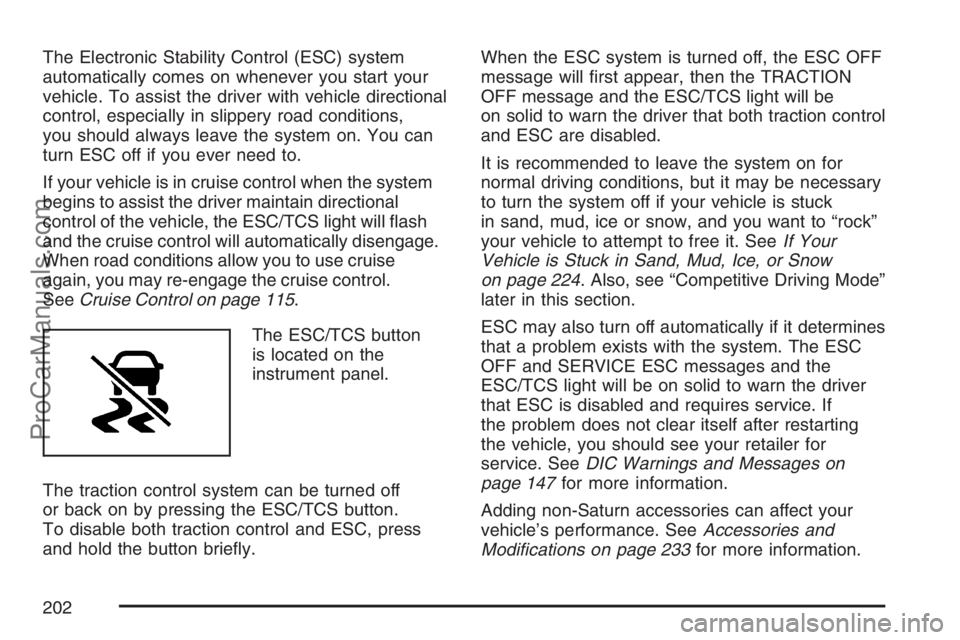
The ESC/TCS button
is located on the
instrument panel.
The traction control system can be turned off
or back on by pressing the ESC/TCS button.
To disable both traction control and ESC, press
and hold the button briey.When the ESC system is turned off, the ESC OFF
message will rst appear, then the TRACTION
OFF message and the ESC/TCS light will be
on solid to warn the driver that both traction control
and ESC are disabled.
It is recommended to leave the system on for
normal driving conditions, but it may be necessary
to turn the system off if your vehicle is stuck
in sand, mud, ice or snow, and you want to “rock”
your vehicle to attempt to free it. SeeIf Your
Vehicle is Stuck in Sand, Mud, Ice, or Snow
on page 224. Also, see “Competitive Driving Mode”
later in this section.
ESC may also turn off automatically if it determines
that a problem exists with the system. The ESC
OFF and SERVICE ESC messages and the
ESC/TCS light will be on solid to warn the driver
that ESC is disabled and requires service. If
the problem does not clear itself after restarting
the vehicle, you should see your retailer for
service. SeeDIC Warnings and Messages on
page 147for more information.
Adding non-Saturn accessories can affect your
vehicle’s performance. SeeAccessories and
Modications on page 233for more information.
202
ProCarManuals.com