gearbox Seat Alhambra 2007 User Guide
[x] Cancel search | Manufacturer: SEAT, Model Year: 2007, Model line: Alhambra, Model: Seat Alhambra 2007Pages: 291, PDF Size: 9.13 MB
Page 170 of 291
Driving
168
– Press and hold the lock button, move the selector lever to P and
release the lock button.
Driving up and down hills
– Press the selector lever from position D to the right into the
“Tiptronic” selector gate.
– Lightly press the selector lever back to change down.
Holding the car on a hill
– You should always hold the vehicle in position with the footbrake
to stop it from “rolling backwards” ⇒. Do not try to prevent
the vehicle from “rolling backwards” by increasing the engine
speed while a range of gears is selected
Moving away on an incline
– With a gear engaged, take your foot from the brake and depress the accelerator.The steeper the gradient, the lower the gear you will need. This increases the
braking effect of the engine. For example, you should drive down a very steep
slope in 3rd gear. If the engine brake effect is not sufficient, the vehicle will
gain speed. The automatic gearbox / direct shift gearbox automatically
changes up to prevent the engine over revving. Use the foot brake to reduce
speed and change into 3rd gear using “Tiptronic” ⇒.
Your vehicle has an automatic interlock which prevents the selector lever
being put into a position for driving forwards or in reverse from positions P or
N if the brake pedal is not depressed.
The ignition key cannot be removed unl ess the selector lever is in position P.
WARNING
•
As a driver you should never leave your vehicle if the engine is running
and a gear is engaged. If you have to leave your vehicle while the engine is
running, you must apply the parking brake and engage parking lock P.
•
If the engine is running and if D, S or R is engaged, you will need to hold
the car on the foot brake. The car will creep forward as the power transmis-
sion is not fully interrupted even when the engine is idling.
•
Never press the accelerator when you move the selector lever. Risk of
accident.
•
Never move the selector lever to R or P when driving. Risk of accident!
•
Before you drive down a steep gradient, reduce your speed and use
“Tiptronic” to select a low gear.
•
If you have to stop the vehicle on a gradient, always hold the vehicle in
position using the foot brake to stop it from rolling back.
•
Never allow the brake to rub and do not use the brake pedal too often
or for long periods. Constant braking will cause the brakes to overheat and
will considerably reduce the brake effect. This increases the braking
distance and could cause the brake system to fail.
•
Never allow the car to roll down a gradient with the gear in neutral N, or
in selector lever position D, even if the engine is not running.Caution
•
If you stop the vehicle on a gradient, do not attempt to stop it from rolling
by depressing the accelerator when a gear has been selected. Otherwise, the
automatic gearbox /direct shift gearbox* may overheat causing damage. Pull
the handbrake on fully or depress the brake pedal to prevent the vehicle from
rolling away.
•
If you allow the car to roll with the selector lever in position N with the
engine switched off, the automatic gearbox / direct shift gearbox* will be
damaged as it will not be lubricated.
alhambra ingles.book Seite 168 Donnerstag, 19. April 2007 4:04 16
Page 171 of 291
Driving169
Safety First
Operating instructions
Tips and Maintenance
Te c h n i c a l D a t a
Note
The two clutch system of the direct shift gearbox* has a system to protect
against excess strain, which may occur, for example, when the vehicle is held
on a hill with the clutch and the gearbox oil overheats. When the clutch is
overloaded, the vehicle begins to jerk and the position indicator of the
selector lever begins to flash. To avoid breakdowns, the clutch breaks the
power transmission between the engine and the gearbox, as a result of which
the vehicle loses impetus. If the clutch opens automatically due to over-
loading, depress the brake pedal and wait a few seconds before
continuing.Selector lever positions
The selector lever positions and gears are shown on the
display in the combi-instrument.
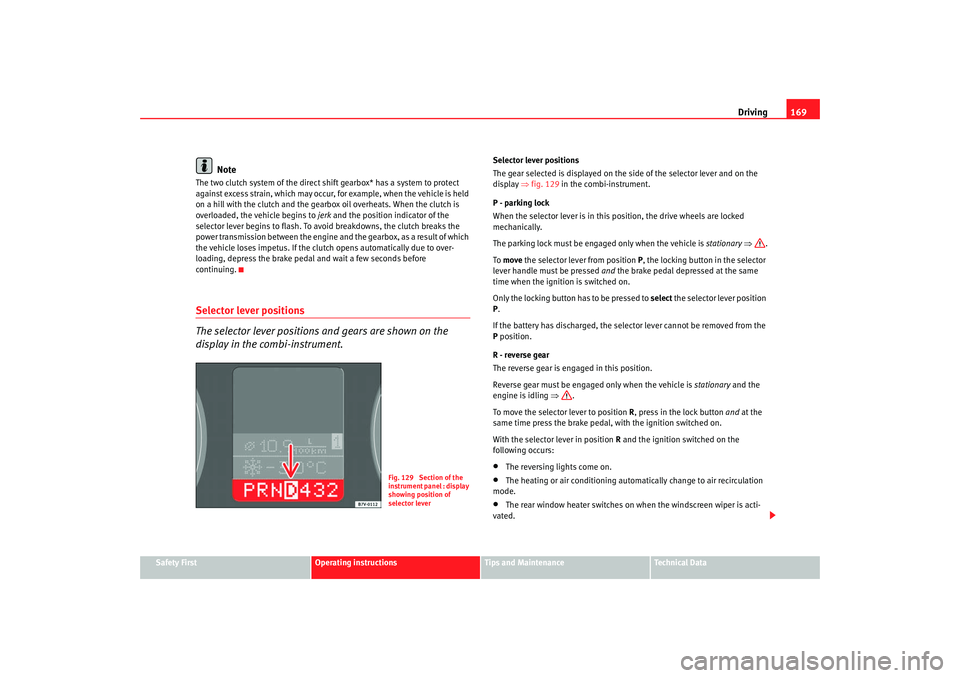
Selector lever positions
The gear selected is displayed on the side of the selector lever and on the
display ⇒fig. 129 in the combi-instrument.
P - parking lock
When the selector lever is in this position, the drive wheels are locked
mechanically.
The parking lock must be engaged only when the vehicle is stationary ⇒ .
To move the selector lever from position P, the locking button in the selector
lever handle must be pressed and the brake pedal depressed at the same
time when the ignition is switched on.
Only the locking button has to be pressed to select the selector lever position
P .
If the battery has discharged, the selector lever cannot be removed from the
P position.
R - reverse gear
The reverse gear is engaged in this position.
Reverse gear must be engaged only when the vehicle is stationary and the
engine is idling ⇒.
To move the selector lever to position R, press in the lock button and at the
same time press the brake pedal, with the ignition switched on.
With the selector lever in position R and the ignition switched on the
following occurs:•
The reversing li ghts come on.
•
The heating or air conditioning automatically change to air recirculation
mode.
•
The rear window heater switches on when the windscreen wiper is acti-
vated.
Fig. 129 Section of the
instrument panel : display
showing position of
selector lever
alhambra ingles.book Seite 169 Donnerstag, 19. April 2007 4:04 16
Page 172 of 291
Driving
170N - neutral (idling)
If this position is selected, the gearbox is in neutral. Power is not transmitted
to the wheels and the engine does not have a braking function.
Never use the N position to drive down a hill. The engine does not function as
a brake and the brakes are subjected to excessive stain.
You could damage the automatic gearbox if you drive down hills with the
selector lever in position N and the engine switched off.
D - Drive (forwards)
In this position the gearbox automatically changes automatically to a longer
or shorter gear, according to the driving style and speed. The braking effect
of the engine when driving downhill is very limited when the selector is in this
position. The display also shows which gear has been selected in addition to
position D.
If position N has been selected and you wish to select D, you must press the
foot brake if the vehicle is stationary, or travelling at under 5 km/h (approx.
3 km/h) ⇒.
WARNING
•
Never move the selector lever to R or P when driving. Risk of accident!
•
Never drive the vehicle with the engine and the ignition switched off.
You could loose control of the vehicle. The brake servo only functions when
the engine is running as does the elector-mechanical steering system. You
need more strength to steer and brake the vehicle when the engine and the
ignition are switched off. As you cannot steer and brake in the normal
manner, there is a greater risk of accidents and serious injury.Caution
If you allow the car to roll with the selector lever in position N with the engine
switched off, the automatic gearbox will be damaged as it will not be lubri-
cated.
Note
If the lever is moved accidentally to N when driving, take your foot off the
accelerator and let the engine speed drop to idling before selecting D
again.
alhambra ingles.book Seite 170 Donnerstag, 19. April 2007 4:04 16
Page 173 of 291
Driving171
Safety First
Operating instructions
Tips and Maintenance
Te c h n i c a l D a t a
Changing gear with “Tiptronic”
The “Tiptronic” system allows the driver to change gears
manually.
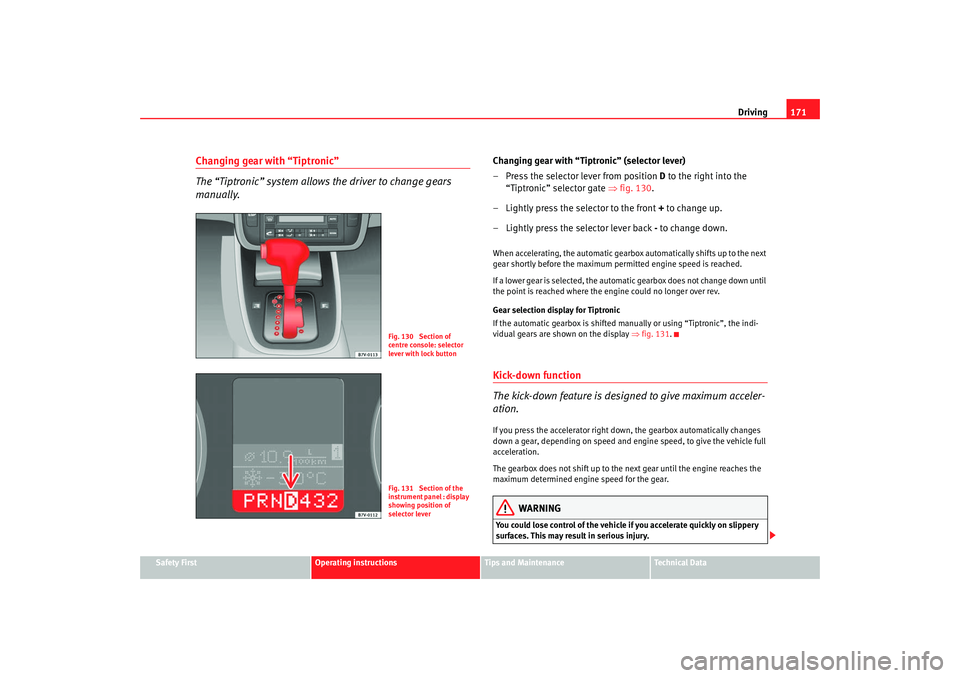
Changing gear with “Tiptronic” (selector lever)
– Press the selector lever from position D to the right into the
“Tiptronic” selector gate ⇒fig. 130 .
– Lightly press the selector to the front + to change up.
– Lightly press the selector lever back - to change down.When accelerating, the automatic gearbox automatically shifts up to the next
gear shortly before the maximum permitted engine speed is reached.
If a lower gear is selected, the automatic gearbox does not change down until
the point is reached where the engine could no longer over rev.
Gear selection display for Tiptronic
If the automatic gearbox is shifted manually or using “Tiptronic”, the indi-
vidual gears are shown on the display ⇒fig. 131 .Kick-down function
The kick-down feature is designed to give maximum acceler-
ation.If you press the accelerator right down, the gearbox automatically changes
down a gear, depending on speed and engine speed, to give the vehicle full
acceleration.
The gearbox does not shift up to the next gear until the engine reaches the
maximum determined engine speed for the gear.
WARNING
You could lose control of the vehicle if you accelerate quickly on slippery
surfaces. This may result in serious injury.
Fig. 130 Section of
centre console: selector
lever with lock buttonFig. 131 Section of the
instrument panel : display
showing position of
selector lever
alhambra ingles.book Seite 171 Donnerstag, 19. April 2007 4:04 16
Page 174 of 291
Driving
172•
Be particularly careful, therefore, when using the kick-down function on
slippery road surfaces.
•
You should use the kick-down func tion only when traffic and weather
conditions allow it to be used safely.
HandbrakeUsing the handbrake
The handbrake should be applied firmly to prevent the
vehicle from accidentally rolling away.Always apply the handbrake when you leave your vehicle and when
you park.
Using the handbrake
– Firmly pull the handbrake lever up all the way.
Releasing the handbrake
– Firmly pull the handbrake lever up all the way.
– Push in the lock button on the handbrake lever.
– Keep the locking knob pressed and push the lever all the way down ⇒ .The handbrake is located at the side of the driver seat. Always apply the
handbrake firmly. This prevents you driving with the handbrake applied
⇒ . The handbrake warning lamp
lights up when the handbrake is applied
and the ignition switched on. The warning lamp goes out when the hand-
brake is released.
WARNING
•
Never use the handbrake to slow down the vehicle when it is in motion.
The braking distance is considerably longer, as braking is only applied to
the rear wheels. Risk of accident!
•
Never drive with the handbrake slightly applied. This could cause the
rear brakes to overheat and lose thei r braking efficiency. Risk of accident.
This also causes premature wear on the rear brake pads/linings.Caution
Always apply the handbrake before you leave the vehicle. On cars with a
manual gearbox engage 1st gear, or on an automatic move the selector lever
to P .Parking
The handbrake should always be firmly applied when the
vehicle is parked.Always note the following points when parking the vehicle:
– Use the foot brake to stop the vehicle.
–Apply the handbrake firmly.
– On a manual gearbox engage 1st gear. On an automatic move
the selector lever to P.
WARNING (continued)
alhambra ingles.book Seite 172 Donnerstag, 19. April 2007 4:04 16
Page 177 of 291
Driving175
Safety First
Operating instructions
Tips and Maintenance
Te c h n i c a l D a t a
Cruise control system (CCS)Cruise control operation
The cruise control system(CCS) is able to maintain the set
speed in the range from approx. 30 km/h to 180 km/h.Once the desired speed has been reached and the setting stored, you may
take your foot off the accelerator.
In vehicles fitted with a manual gearbox and in vehicles with an automatic
gearbox with the lever in positions P, N or R the cruise control does not
operate in first gear.
WARNING
It could be dangerous to use the cruise control system (CCS) if it is not
possible to drive at constant speed.•
Do not use the cruise control in heavy traffic or on steep roads, with
several bends or in slippery circumstances (snow, ice, rain or loose gravel),
as there is a risk of accident.
•
Always adapt your speed and the dist ance to the vehicles ahead to take
the traffic situation into consideration. This is the duty of the driver. The
cruise control system is merely an aid to the driver.
•
Never use the cruise control system when driving off-road or on
unpaved roads. This feature is designed for use on paved roads only. Risk
of accident.
•
Always switch off the CCS when you have finished using it. This will
prevent you using it by mistake.
•
It is dangerous to use a set speed wh ich is too high for the prevailing
road, traffic or weather conditions. This may cause an accident.
Caution
if the cruise control is activated the gearbox should not be set in neutral
without first releasing the clutch, as the the engine speed will increase and
this may cause damage.
Note
When travelling down hills, the CCS cannot maintain a constant speed. The
vehicle will accelerate under its own weight. Reduce gears (with an automatic
gearbox, reduce gears using the “Tiptronic”) or brake using the footbrake.
alhambra ingles.book Seite 175 Donnerstag, 19. April 2007 4:04 16
Page 179 of 291
Driving177
Safety First
Operating instructions
Tips and Maintenance
Te c h n i c a l D a t a
Control of the set speed is switched off if you reduce speed by depressing the
brake pedal. You can reactivate the control by pressing once on the upper part
of the rocker switch or button .
WARNING
It is dangerous to use a set speed whic
h is too high for the prevailing road,
traffic or weather conditions. This may cause an accident.Switching off system temporarilySwitching off the control temporarily in vehicles with a manual
gearbox
– Depress the brake or clutch pedal or
–Push the switch ⇒page 176, fig. 133 to “OFF”, or
– Press the lower part of the button .
Switching off the control temporaril y in vehicles with an automatic
gearbox
– Press the brake pedal or
– Select positions N or 1 or
–Push the switch ⇒page 176, fig. 133 to “OFF”, or
– Press the lower part of the rocker button .The speed stored will remain in the memory if the control is switched off
temporarily, unless you select positions N or 1. In this case, the speed stored
in the memory will be deleted. To resume the control function, release the brake or clutch pedal, move the
switch to ON or press the button
⇒page 176, fig. 133 or button
⇒ page 176, fig. 134 once.
WARNING
It is dangerous to use a set speed whic h is too high for the current road,
traffic or weather conditions. Risk of accident.
+
AA
CANCEL
AACANCEL
AA
+
alhambra ingles.book Seite 177 Donnerstag, 19. April 2007 4:04 16
Page 192 of 291
Driving and the environment
190
Storing towing bracket in the luggage compartment
– First tension the towing bracket.
– Place the towing bracket in its casing on the right-hand side of the luggage compartment. The bracket engages and the tension
is released ⇒ .
– Check that it is correctly fitted.The ball coupling is provided with in structions on fitting and removing the
ball coupling of the towing bracket.
If the ball coupling is fitted it s possible to store the cover of the tow-bar in a
plastic bag next to the tools.
WARNING
The towing bracket ball coupling must be stored securely to prevent it
being flung through the vehicle and causing injury.•
When the pretensed towing bracket is being fitted, there is a risk of
injury in the event that the wheel goes back on itself.Note
By law, the ball coupling must be remo ved if a trailer is not being towed and
it obscures the number plate.•
When placing the towing bracket in the casing check that it is no longer
tensed and securely fastened.
Driving tips
Driving with a trailer always requires extra care.Weight distribution
The weight distribution of a loaded trailer with an unladen vehicle is very
unfavourable. However, if this cannot be avoided, drive extra slowly to allow
for the unbalanced weight distribution.
Speed
The stability of the car and trailer is reduced with increasing speed. For this
reason it is advisable not to drive at the maximum permissible top speed in
unfavourable road, weather or wind conditions. This applies especially when
driving downhill.
You should always reduce speed immediately if the trailer shows the slightest
sign of snaking . Never try to stop the “snaking” by increasing speed.
Always brake in good time. If the trailer has an overrun brake, apply the
brakes gently at first and then firmly. This will prevent the jerking that can be
caused by the trailer wheels locking. Select a low gear (in both manual and
automatic gearboxes) in good time before going down a steep hill. This
enables you to use the engine braking effect to slow down the vehicle.
Overheating
At very high temperatures and during prolonged ascents, driving in a low gear
and high engine speed, always moni tor the temperature indicator for the
coolant.
Electronic Stabilisation Program
Do not switch off the ESP when towing a trailer. The ESP makes it easier to
stabilise if the trailer starts to snake.
alhambra ingles.book Seite 190 Donnerstag, 19. April 2007 4:04 16
Page 212 of 291
Checking and refilling levels
210
WARNING
All work on the engine or in the engine compartment, e.g. checking and
refilling fluids, involves the danger of injury and scalding as well as the risk
of accident or fire.•
Never open the bonnet if you see steam, smoke or coolant escaping
from the engine compartment. Otherwise, there is a risk of sustaining
burns. Wait until no more steam or coolant is emitted, then allow the
engine to cool before carefully opening the bonnet.
•
Switch off the engine and remove the key from the ignition.
•
Apply the handbrake and move the gea r stick to neutral or selector
lever to position P.
•
Keep children away from the vehicle.
•
Never touch hot engine parts. There is a risk of burns.
•
Never spill liquids on a hot engine or on a hot exhaust gas system. This
is a fire hazard.
•
Avoid causing short-circuits in the electrical system, particularly at the
points where the jump leads are attached ⇒page 250. The battery could
explode.
•
Never touch the radiator fan. It is temperature controlled and could
start automatically, even when the engine has been switched off and the
key removed from the ignition!
•
Do not unscrew the cap on the expansion tank when the engine is hot.
If the coolant is hot, the cooling system will be pressurised!
•
Protect face, hands and arms by covering the cap with a large, thick
cloth to protect against escaping coolant and steam.
•
Always make sure you have not left any objects, such as cleaning cloths
and tools, in the engine compartment.
•
If you have to work underneath the vehicle, you must use suitable
stands additionally to support the vehicle, there is a risk of accident!. A
hydraulic jack is insufficient for securing the vehicle and there is a risk of
injury.
•
If any work has to be performed when the engine is started or with the
engine running, there is an additional, potentially fatal, safety risk from the
rotating parts, such as the drive belt s, alternator, radiator fan, etc., and
from the high-voltage ignition system. You should also observe the
following points:
−Never touch the electrical wiring of the ignition system.
− Ensure that jewellery, loose clothing and long hair do not get
trapped in rotating engine parts. Danger of death. Before starting any
work remove jewellery, tie back and cover hair, and wear tight-fitting
clothes.
− Always think carefully about pressing the accelerator if a gear is
engaged in either an automatic or manual gearbox. The vehicle could
move, even if the handbrake is applied. Danger of death.
•
If work has to be carried out on the fuel system or on electrical compo-
nents, you must observe the following safety notes in addition to the above
warnings:
−Always disconnect the battery. The vehicle must be unlocked when
this is done, otherwise the alarm will be triggered.
− Do not smoke.
− Never work near naked flames.
− Always have a fire extinguisher on hand.Caution
When changing or topping up service fluids, make absolutely certain that you
fill the fluids into the correct reservoirs. Failure to observe this point will result
in serious malfunctions and engine damage!
WARNING (continued)
alhambra ingles.book Seite 210 Donnerstag, 19. April 2007 4:04 16
Page 255 of 291
If and when253
Safety First
Operating instructions
Tips and Maintenance
Te c h n i c a l D a t a
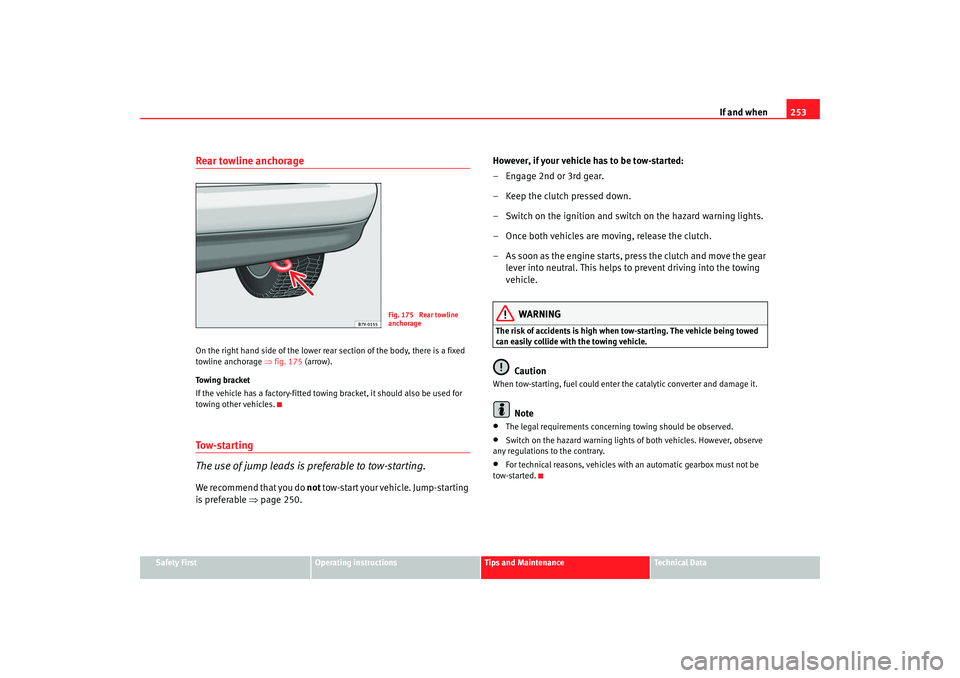
Rear towline anchorageOn the right hand side of the lower rear section of the body, there is a fixed
towline anchorage ⇒ fig. 175 (arrow).
Towing bracket
If the vehicle has a factory-fitted towing bracket, it should also be used for
towing other vehicles.To w - s t a r t i n g
The use of jump leads is preferable to tow-starting.We recommend that you do not tow-start your vehicle. Jump-starting
is preferable ⇒page 250. However, if your vehicle has to be tow-started:
– Engage 2nd or 3rd gear.
– Keep the clutch pressed down.
– Switch on the ignition and switch on the hazard warning lights.
– Once both vehicles are moving, release the clutch.
– As soon as the engine starts, press the clutch and move the gear
lever into neutral. This helps to prevent driving into the towing
vehicle.
WARNING
The risk of accidents is high when tow-starting. The vehicle being towed
can easily collide with the towing vehicle.
Caution
When tow-starting, fuel could enter the catalytic converter and damage it.
Note
•
The legal requirements concerning towing should be observed.
•
Switch on the hazard warning lights of both vehicles. However, observe
any regulations to the contrary.
•
For technical reasons, vehicles with an automatic gearbox must not be
tow-started.
Fig. 175 Rear towline
anchorage
alhambra ingles.book Seite 253 Donnerstag, 19. April 2007 4:04 16