ECO mode Seat Alhambra 2016 User Guide
[x] Cancel search | Manufacturer: SEAT, Model Year: 2016, Model line: Alhambra, Model: Seat Alhambra 2016Pages: 324, PDF Size: 5.93 MB
Page 107 of 324
General instrument panel
reason we recommend that the service inter-
v al
di
splay be reset by a SEAT authorised
service ››› Booklet Maintenance schedule. Note
● The serv ic
e message disappears after a few
seconds, when the engine is started or when OK is pressed.
● In vehicles with the LongLife system in
which the b att
ery has been disconnected for
a long period of time, it is not possible to cal-
culate the date of the next service. Therefore
the service interval display may not be cor-
rect. In this case, bear in mind the maximum
service intervals permitted in the ››› Book-
let Maintenance Programme. Control lamps
W arnin
g and indic
ation lampsRead the additional information carefully
› ›
›
page 32
The control and warning lamps are indicators
of warnings, ››› , faults
››
›
or certain func-
tion s.
Some c
ontrol and warning lamps come
on when the ignition is switched on, and
switch off when the engine starts running, or
while driving.
Depending on the model, additional text
messages may be viewed on the instrument panel display. These may be purely informa-
tive or they m
ay be advising of the need for
action ››› page 100, Instruments.
Depending upon the equipment fitted in the
vehicle, instead of a warning lamp, some-
times a symbol may be displayed on the in-
strument panel.
When certain control and warning lamps are
lit, an audible warning is also heard. WARNING
If the warning lamps and messages are ignor-
ed, the v ehic
le may stall in traffic, or may
cause accidents and severe injuries.
● Never ignore the warning lamps or text
mess
ages.
● Stop the vehicle safely as soon as possible.
● Park the vehicle away from traffic and en-
sure th
at there are no highly flammable ma-
terials under the vehicle that could come into
contact with the exhaust system (e.g. dry
grass, fuel).
● A faulty vehicle represents a risk of acci-
dent for the driv
er and for other road users. If
necessary, switch on the hazard warning
lamps and put out the warning triangle to ad-
vise other drivers.
● Before opening the bonnet, switch off the
engine and al
low it to cool.
● In any vehicle, the engine compartment is a
hazar
dous area and could cause severe inju-
ries ››› page 272. CAUTION
Failure to heed the control lamps and text
mes s
ages when they appear may result in
faults in the vehicle. 105
Technical data
Advice
Operation
Emergencies
Safety
Page 115 of 324
Opening and closing
CAUTION
All of the vehicle keys contain electronic com-
ponents. Pr ot
ect them from damage, impacts
and humidity. Note
● Only u
se the key button when you require
the corresponding function. Pushing the but-
ton unnecessarily could accidentally unlock
the vehicle or trigger the alarm. It is also pos-
sible even when you are outside the radius of
action.
● Key operation can be greatly influenced by
overl
apping radio signals around the vehicle
working in the same range of frequencies
(e.g. radio transmitters, mobile telephones).
● Obstacles between the remote control and
the vehic
le, bad weather conditions and
draining batteries can considerably reduce
the range of the remote control. Control lamp on the vehicle key
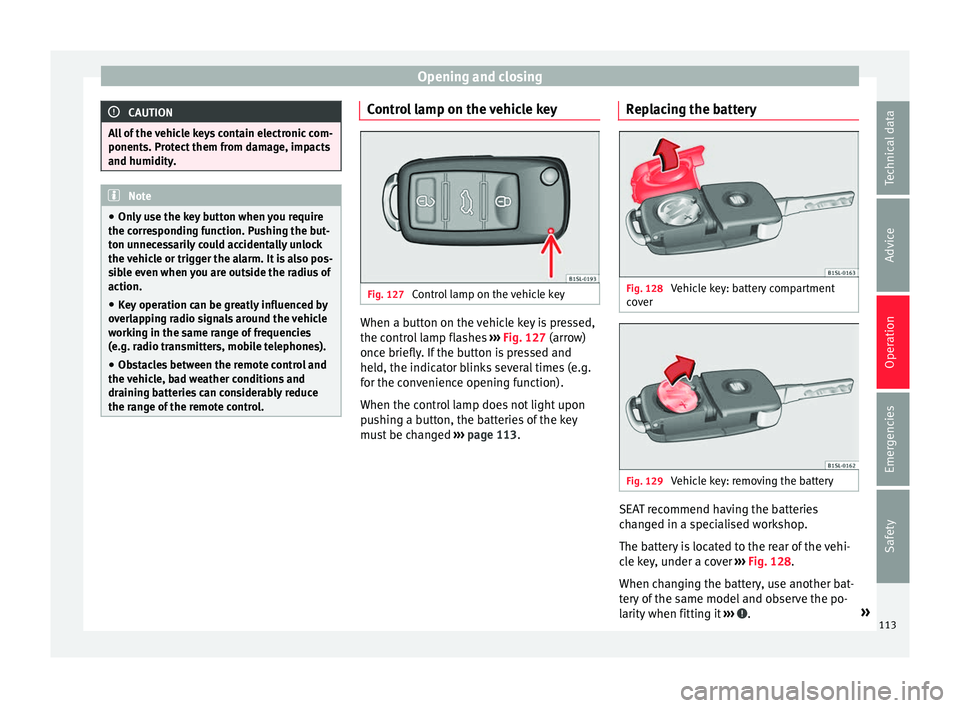
Fig. 127
Control lamp on the vehicle key When a button on the vehicle key is pressed,
the c ontr
o
l lamp flashes ››› Fig. 127 (arrow)
once briefly. If the button is pressed and
held, the indicator blinks several times (e.g.
for the convenience opening function).
When the control lamp does not light upon
pushing a button, the batteries of the key
must be changed ››› page 113. Replacing the battery Fig. 128
Vehicle key: battery compartment
c o
v
er Fig. 129
Vehicle key: removing the battery SEAT recommend having the batteries
c
h
an
ged in a specialised workshop.
The battery is located to the rear of the vehi-
cle key, under a cover ››› Fig. 128.
When changing the battery, use another bat-
tery of the same model and observe the po-
larity when fitting it ››› .
»
113
Technical data
Advice
Operation
Emergencies
Safety
Page 140 of 324
Operation
●
The inter v
al wipe speed varies according to
the vehicle speed. The faster the vehicle is
moving, the more often the windscreen is
cleaned.
● The rear wiper is automatically switched on
when the winds
creen wiper is on and the car
is in reverse gear. Windscreen wiper functions
Windscreen wiper performance in different sit-
uations
If the vehicle
is at a stand-
stillThe activated position provisionally
changes to the previous position.
During auto-
matic wipe
The air conditioner comes on for ap-
proximately 30 seconds in air recircula-
tion mode to prevent the smell of the
windscreen washer fluid entering the
inside the vehicle.
For the inter-
val wipeIntervals between wipes depend on the
vehicle's speed. The higher the vehicle
speed the shorter the intervals.
Heated windscreen washer jets
The he
atin
g on
ly thaws the frozen jets, it
does not thaw the water in the washer hoses.
The heated windscreen washer jets automati-
cally adjust the heat depending on the ambi-
ent temperature when the ignition is switch-
ed on. Headlight wash/wipe system
The headlight
washers/wipers clean the
headlight lenses.
After the ignition is switched on, the first and
every fifth time the windscreen washer is
switched on, the headlights are also washed.
Therefore, the windscreen wiper lever should
be pulled towards the steering wheel when
the dipped beam or main beam are on. Any
incrusted dirt (such as insects) should be
cleaned regularly (e.g. when refuelling).
To ensure the headlight washers work cor-
rectly in winter, any snow which has got into
the bumper jet supports should be cleaned
away. If necessary, remove snow with an anti-
icing spray. Note
The wiper will try to wipe away any obstacles
that ar
e on the windscreen. The wiper will
stop moving if the obstacle blocks its path.
Remove the obstacle and switch the wiper
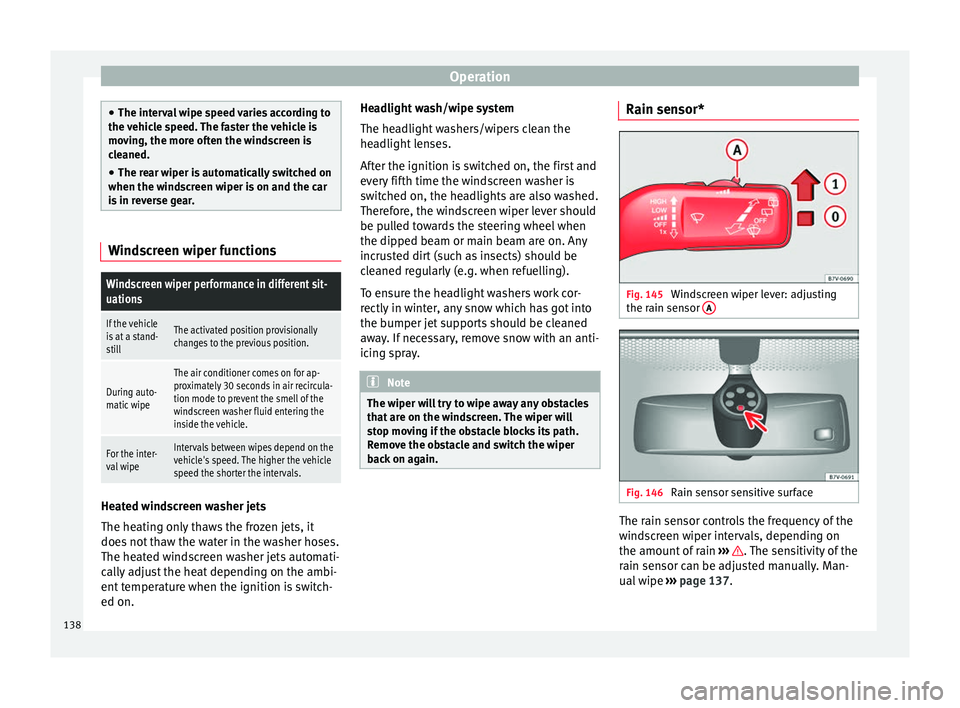
back on again. Rain sensor*
Fig. 145
Windscreen wiper lever: adjusting
the r ain sen
sor A Fig. 146
Rain sensor sensitive surface The rain sensor controls the frequency of the
w
ind
s
creen wiper intervals, depending on
the amount of rain ››› . The sensitivity of the
r ain sen
sor c
an be adjusted manually. Man-
ual wipe ››› page 137.
138
Page 161 of 324
Transport and practical equipment
● Hook in the net
p
artition on the rear right-
hand side roof support by pressing on the
rod.
● Secure the net partition hooks into the
strap
s in the front of the boot ››› Fig. 168 then
tighten the belts.
Installing the net partition behind the front
seats
● Hook in the net partition on the front left-
hand side r
oof support ››› Fig. 168. To do this,
guide the rod from up to down.
● Hook in the net partition on the rear right-
hand side r
oof support by pressing on the
rod.
● Secure the hooks of the net partition to the
attachment
rings in the left and right hand
side footwells on the second row of seats
then tighten the straps.
Removing the net partition
● Loosen the net partition straps.
● Release the net partition hooks from the
rings
››› Fig. 168.
● Unhook the net partition on the right-hand
side roof
support ››› Fig. 168 by pressing on
the rod.
● Unhook the net partition from the left-hand
side roof
support. Folding in the net partition
●
Press on the release button ›››
Fig. 167 2 and bend the rod
A in the direction of the
arr o
w w
ith the release button pressed.
● Press on the release button ›››
Fig. 167 3 and bend the rod
B in the direction of the
arr o
w w
ith the release button pressed.
● Store the net partition securely in the vehi-
cle. WARNING
Loose objects in the vehicle interior can be vi-
ol ently
thrown in case of a sudden manoeu-
vre or braking and especially in accidents
causing serious injury.
● Ensure that the rods are correctly locked in
plac
e.
● Even when the net partition is correctly fit-
ted, ob
jects must be secured.
● When driving with the net partition, no pas-
senger
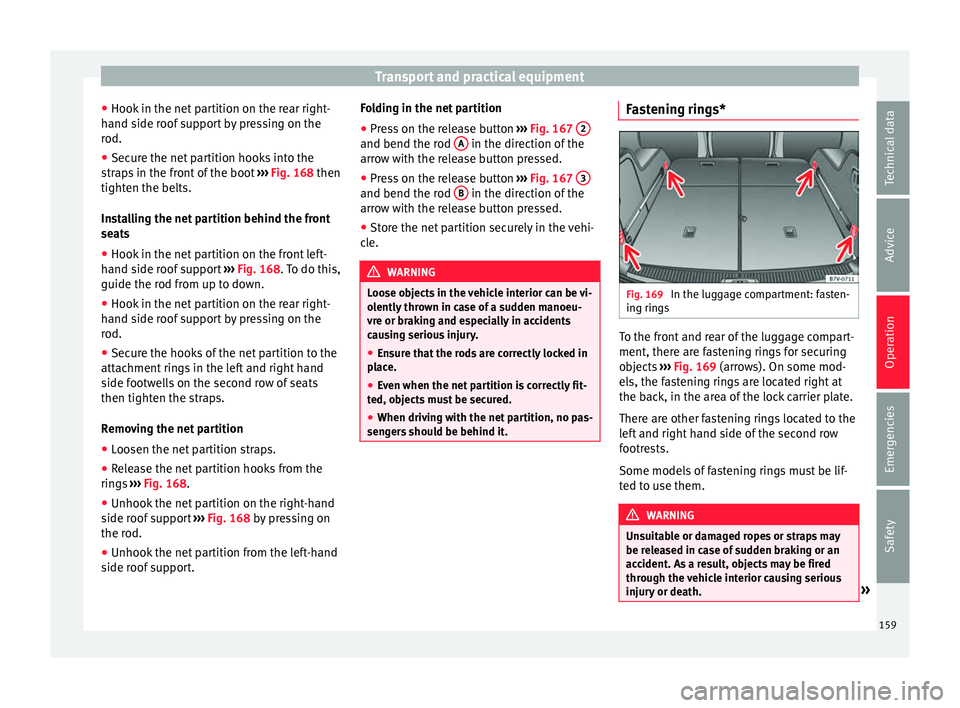
s should be behind it. Fastening rings*
Fig. 169
In the luggage compartment: fasten-
in g rin
g
s To the front and rear of the luggage compart-
ment, ther
e ar
e f
astening rings for securing
objects ››› Fig. 169 (arrows). On some mod-
els, the fastening rings are located right at
the back, in the area of the lock carrier plate.
There are other fastening rings located to the
left and right hand side of the second row
footrests.
Some models of fastening rings must be lif-
ted to use them. WARNING
Unsuitable or damaged ropes or straps may
be rel e
ased in case of sudden braking or an
accident. As a result, objects may be fired
through the vehicle interior causing serious
injury or death. » 159
Technical data
Advice
Operation
Emergencies
Safety
Page 171 of 324
Transport and practical equipment
Vehicle wallet compartment
The glo v
e c
ompartment is designed to store
the vehicle documentation.
The vehicle on-board documentation wallet
should always be kept in the glove compart-
ment. Insert it crosswise in the glove com-
partment.
Glove compartment cooling
There is an air vent ››› Fig. 183 A on the rear
p anel
so th
at cooled air from the air condi-
tioner (this must be connected) is fed into
the glove compartment. Turn the air vent to
open and close it. WARNING
The risk of serious injuries in the event of an
acc ident
during a sudden braking manoeuvre
or turn is increased if the glove compartment
is left open.
● Keep the glove compartment closed while
the vehic
le is in motion. CAUTION
For structural reasons, some model versions
wi l
l have gaps behind the glove compartment
into which small objects may fall. This could
lead to strange noises and damage to the ve-
hicle. You should therefore not keep very
small objects in the glove compartment. Storage compartments in the rear
f
ootw
el
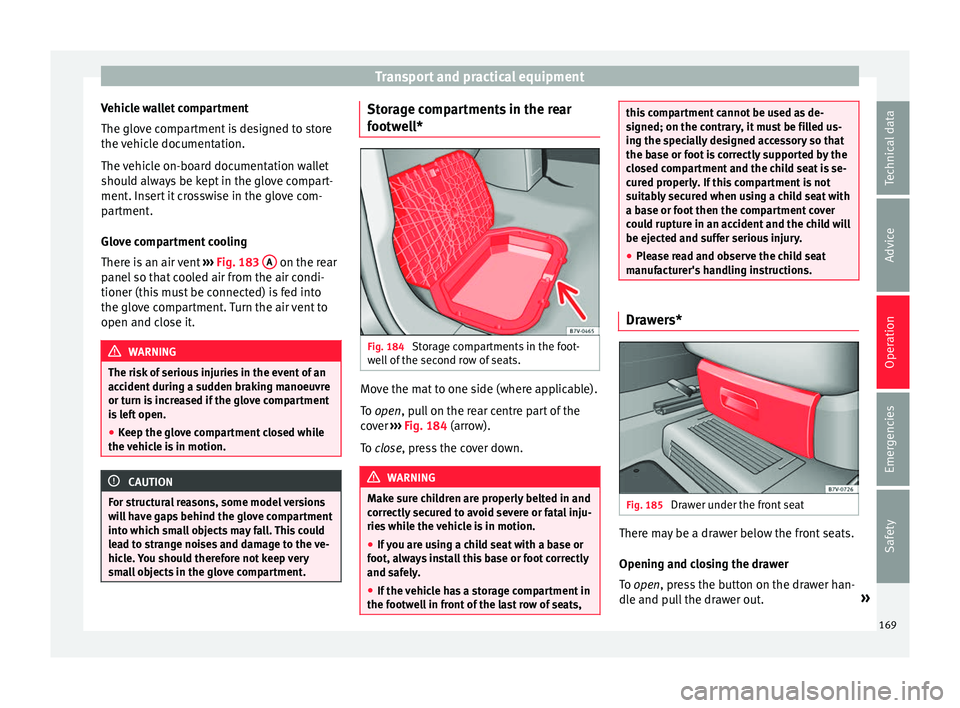
l* Fig. 184
Storage compartments in the foot-
w el
l
of the second row of seats. Move the mat to one side (where applicable).
T
o
open
, pull on the rear centre part of the
cover ›››
Fig. 184 (arrow).
To close, press the cover down. WARNING
Make sure children are properly belted in and
corr ectly
secured to avoid severe or fatal inju-
ries while the vehicle is in motion.
● If you are using a child seat with a base or
foot, alw
ays install this base or foot correctly
and safely.
● If the vehicle has a storage compartment in
the footwel
l in front of the last row of seats, this compartment cannot be used as de-
signed; on the c
ontr
ary, it must be filled us-
ing the specially designed accessory so that
the base or foot is correctly supported by the
closed compartment and the child seat is se-
cured properly. If this compartment is not
suitably secured when using a child seat with
a base or foot then the compartment cover
could rupture in an accident and the child will
be ejected and suffer serious injury.
● Please read and observe the child seat
manufact
urer's handling instructions. Drawers*
Fig. 185
Drawer under the front seat There may be a drawer below the front seats.
Openin
g and c
lo
sing the drawer
To open, press the button on the drawer han-
dle and pull the drawer out. »
169
Technical data
Advice
Operation
Emergencies
Safety
Page 178 of 324
Operation
Air conditioning
Air c onditionin
g
Intr
oduction Viewing Climatronic information
The fact
or
y-fitted radio or navigation system
screen briefly displays information relating to
Climatronic.
The units of temperature measurement is dis-
played on the factory-installed radio or navi-
gation system and, depending on the vehicle
equipment, can be set using the Configu-
ration menu on the instrument panel. WARNING
Reduced visibility through the windows in-
cr e
ases the risk of serious accidents.
● Ensure that all windows are free of ice and
snow and th
at they are not fogged up pre-
venting a clear view of everything outside.
● The maximum heat output required to de-
fros
t windows quickly is only available when
the engine has reached its normal running
temperature. Only drive when you have good
visibility.
● Always ensure that you use the air condi-
tioner and heated r
ear window to maintain
good visibility.
● Never leave the air recirculation on for a
long period of time. If
the cooling system is switched off and air recirculation mode
swit
c
hed on, the windows can mist over very
quickly, considerably limiting visibility.
● Switch air recirculation mode off when it is
not requir
ed. WARNING
Stuffy or used air will increase fatigue and re-
duc e driv er c
oncentration possibly resulting
in a serious accident.
● Never leave the fresh air fan turned off or
use the air rec
irculation for long periods of
time; the air in the vehicle interior will not be
refreshed. CAUTION
● Swit c
h the air conditioner off if you think it
may be broken. This will avoid additional
damage. Have the air conditioner checked by
a specialised workshop.
● Repairs to the air conditioner require spe-
cia
list knowledge and special tools. SEAT rec-
ommends taking your car in for technical
service.
● Do not smoke when air recirculation is
switc
hed on in vehicles with an air condition-
er. The smoke taken in could lie on the cool-
ing system vaporiser and on the activated
charcoal cartridge of the dust and pollen fil-
ter, leading to a permanently unpleasant
smell. Note
● When the coo lin
g system is turned off, air
coming from the outside will not be dried. To
avoid fogging up the windows, SEAT recom-
mends leaving the cooler (compressor) on. To
do this, press the A/C button. The button
lamp shou l
d light up.
● If the humidity and temperature outside the
vehicl
e are high, condensation can drip off
the evaporator in the cooling system and
form a pool underneath the vehicle, this is
completely normal and there is no need to
suspect a leak.
● Keep the air intake slots in front of the
winds
creen free of snow, ice and leaves to en-
sure heating and cooling are not impaired,
and to prevent the windows from misting
over. Controls
Read the additional information carefully
› ›
›
page 36
To switch a function on or off, press the ap-
propriate button. Press the button again to
switch off the function.
The LED on each control lights up to indicate
that the respective function of a control has
been switched on.
Some Climatronic controls may also be on
the air conditioner control panel located in
176
Page 181 of 324
Air conditioning
heat-sensitive, they may be damaged or
ma
de u
nsuitable for use by the air coming
from the air vents. Note
The air from the vents flows through the vehi-
c le int
erior and out through the outlets below
the rear window. The slots must not be cov-
ered with items of clothing or other objects. Air recirculation
Air recirculation mode prevents the ambient
air fr
om ent
erin
g the interior.
When the outside temperature is very high,
selecting manual air recirculation mode for a
short period refreshes the vehicle interior
more quickly.
For safety reasons, air recirculation mode is
switched off when the button is press-
ed or the air distributor turned to ››› .
Sw it
c
hing the recirculation mode on and off
manually on the air conditioning (Electronic
manual air conditioning)
Switching on: press the button until the
lamp on the button lights up.
Switching off: press the button until the
lamp on the button switches off. Switching the recirculation mode on and off
manual
ly on the Climatronic
Switching on: press the button until the
lamp on the button lights up.
Switching off: press the button until the
lamp on the button switches off.
Automatic air recirculation mode
Fresh air enters the vehicle interior in posi-
tion . If the system detects a high con-
centration of hazardous substances in the
ambient air, air recirculation mode is switch-
ed on automatically. When the level of impur-
ities drops to within a normal range, recircu-
lation mode is switched off.
The system is unable to detect unpleasant
smells.
With the following outside temperatures and
conditions the air recirculation does not
switch on automatically:
● The cooling system is switched on (the AC button is lit up) and the outside temperature
i
s
belo
w +3°C (+38°F).
● The cooling system and the windscreen
wipers
are switched off and the outside tem-
perature is below +10°C (+50°F).
● The cooling system is switched off and the
outside temper
ature is below +15°C (+59°F).
The windscreen wiper is switched on. Switching the automatic air recirculation
mode on and off
Switc
hing on: press the button until the
right lamp on the button lights up.
Switching off: press the button until all
the lamps on the button are switched off.
Switching the automatic air recirculation
mode off temporarily
● Press the button onc
e to temporarily
switch to manual air recirculation mode in
the event of unpleasant smells from outside.
The left indicator lamp turns on.
● After more than two seconds, press the
button ag
ain to restart automatic air recircu-
lation. The right indicator lamp turns on. WARNING
Observe the safety warnings ›››
in Intro-
duction on pag e 176
.
● If the cooling system is switched off and air
recir
culation mode switched on, the windows
can mist over very quickly, considerably limit-
ing visibility.
● Switch air recirculation mode off when it is
not requir
ed. » 179
Technical data
Advice
Operation
Emergencies
Safety
Page 183 of 324
Air conditioning
burn any fuel remaining in the auxiliary heat-
er .
The e
xhaust gases are also extracted from
the system.
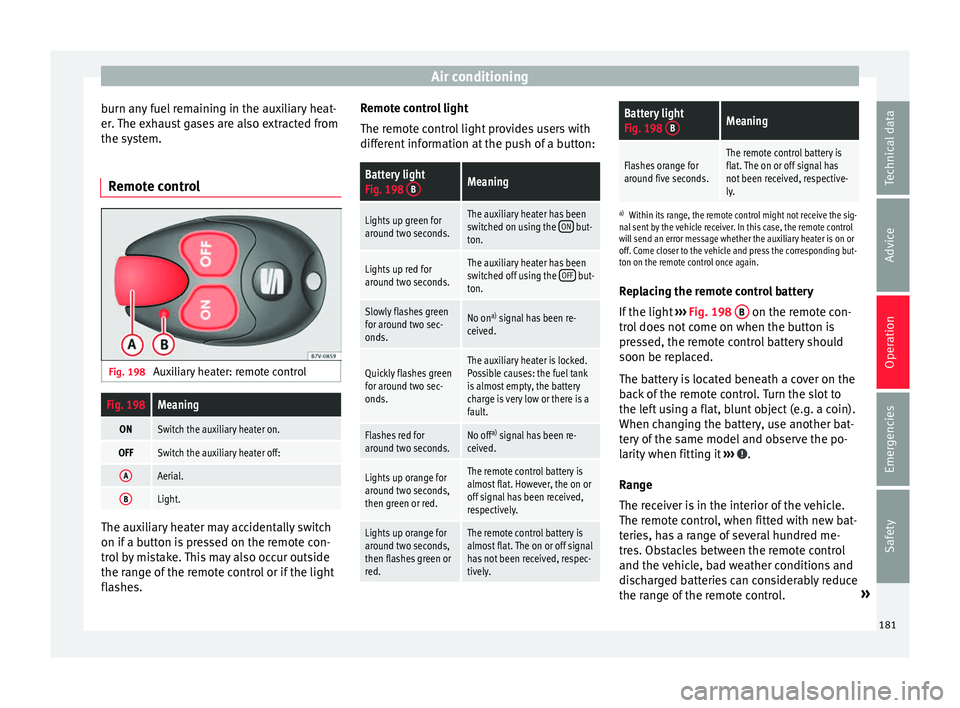
Remote control Fig. 198
Auxiliary heater: remote control
Fig. 198Meaning
ONSwitch the auxiliary heater on.
OFFSwitch the auxiliary heater off:
AAerial.
BLight. The auxiliary heater may accidentally switch
on if
a b
utt
on is pressed on the remote con-
trol by mistake. This may also occur outside
the range of the remote control or if the light
flashes. Remote control light
The remote c
ontrol light provides users with
different information at the push of a button:
Battery light
Fig. 198 BMeaning
Lights up green for
around two seconds.The auxiliary heater has been
switched on using the ON but-
ton.
Lights up red for
around two seconds.The auxiliary heater has been
switched off using the OFF but-
ton.
Slowly flashes green
for around two sec-
onds.No on a)
signal has been re-
ceived.
Quickly flashes green
for around two sec-
onds.The auxiliary heater is locked.
Possible causes: the fuel tank
is almost empty, the battery
charge is very low or there is a
fault.
Flashes red for
around two seconds.No off a)
signal has been re-
ceived.
Lights up orange for
around two seconds,
then green or red.The remote control battery is
almost flat. However, the on or
off signal has been received,
respectively.
Lights up orange for
around two seconds,
then flashes green or
red.The remote control battery is
almost flat. The on or off signal
has not been received, respec-
tively.
Battery light
Fig. 198 BMeaning
Flashes orange for
around five seconds.The remote control battery is
flat. The on or off signal has
not been received, respective-
ly.
a)
Within its range, the remote control might not receive the sig-
nal sent by the vehicle receiver. In this case, the remote control
will send an error message whether the auxiliary heater is on or
off. Come closer to the vehicle and press the corresponding but-
ton on the remote control once again.
Replacing the remote control battery
If the light ›››
Fig. 198 B on the remote con-
tr o
l
does not come on when the button is
pressed, the remote control battery should
soon be replaced.
The battery is located beneath a cover on the
back of the remote control. Turn the slot to
the left using a flat, blunt object (e.g. a coin).
When changing the battery, use another bat-
tery of the same model and observe the po-
larity when fitting it ››› .
R an
g
e
The receiver is in the interior of the vehicle.
The remote control, when fitted with new bat-
teries, has a range of several hundred me-
tres. Obstacles between the remote control
and the vehicle, bad weather conditions and
discharged batteries can considerably reduce
the range of the remote control. »
181
Technical data
Advice
Operation
Emergencies
Safety
Page 184 of 324
Operation
An optimum range is obtained by keeping
the r emot
e c
ontrol vertical, with the aerial
››› Fig. 198 A pointing upwards. When doing
so , do not
c
over the aerial with your fingers
or with the palm of your hand.
There must be a minimum distance of 2 me-
tres between the remote control and the vehi-
cle. CAUTION
● The ra dio fr
equency remote control con-
tains electronic components. Therefore, avoid
getting it wet and being knocked and protect
it from direct sunlight.
● Use of inappropriate batteries may damage
the remote c
ontrol. For this reason, always re-
place the used battery with another of the
same voltage, size and specifications. For the sake of the environment
● Ple a
se dispose of old batteries so that they
do not harm the environment.
● The remote control battery may contain
perch
lorate. Observe the legal requirements
for their disposal. Programming the auxiliary heater
The heater or ventilation inside the vehicle
c
an be pr
ogr
ammed for a certain period. Before programming, check that the day is
corr
ectly set in the Auxiliary heater -
day of the week menu ››› .
En ab
lin
g the Auxiliary heater menu on
the instrument panel
● From the main menu, select the Auxili-
ary heater submenu and pre
ss the OK button on the windscreen wiper lever.
● OR: pr ess the or
arrow buttons on the
mu lti-f
u
nction steering wheel until the Aux-
iliary heater menu is displayed.
Menu op-
tionsDescription
Switching
on
Switching
off
The auxiliary heater can be set to come
on automatically if required. To do so,
select a timer:
– The timer is displayed marked with a
.
– Only one timer can be selected. If a
timer has been selected, Prog. ON
will be displayed on the screen. If no
timer has been selected, the dash
panel display will show Prog. OFF.
– To modify the programmed timer, se-
lect another timer or select the Off
option.
Timer 1
Timer 2
Timer 3
Three different timers (hh.mm) can lat-
er be selected using the On option. If
the auxiliary heater is to be switched
on for just a certain day of the week,
select the day of the week and the
time for the auxiliary heater to come
on.
Menu op-
tionsDescription
DurationThe operating time may vary between
10 and 60 minutes and can be set to
5-minute intervals.
Operating
modeSet to heat or ventilate the vehicle in-
terior when the auxiliary heater is
switched on.
DaySet the current day of the week.
Factory
settingsThe predefined factory values for the
functions of this menu are restored.
BackThis returns to the main menu. Checking programming
If
the
timer h
a
s been switched on after
switching the ignition off, the light on button will remain lit for around 10 seconds.
WARNING
Never program the independent heating sys-
tem t o be activ
ated and operated in closed,
unventilated areas. The auxiliary heater
fumes contain carbon dioxide, an odourless
and colourless toxic gas. Carbon monoxide
can cause people to lose consciousness. It
can also cause death. 182
Page 195 of 324
Driving
WARNING
The components of the exhaust system reach
ver y
high temperatures. This could cause a
fire and considerable damage.
● Always park your vehicle so that no part of
the exhau
st system can come in contact with
flammable materials (such as wood,
leaves,dried grass, or spilled fuel). CAUTION
● Spec i
al care should be taken when parking
in areas with high kerbs or fixed barriers. Ob-
jects protruding from the ground may dam-
age the bumper or other parts of the vehicle
during manoeuvres. To avoid damage, stop
before the wheels touch the barrier or kerb.
● Special attention is required when driving
through entranc
es, over ramps, kerbs or oth-
er objects. The vehicle underbody, bumpers,
mudguards and running gear, and the engine
and exhaust system could be damaged as
you drive over these objects. Information on the brakes
For the first 200 to 300 km (100 to 200
mi
l
e
s), new brake pads have not yet reached
their maximum braking capacity, and need to
be “run in” first ››› . The slightly reduced
br ak in
g effect can be compensated for by in-
creasing pressure on the brake pedal. While
running in, the full braking distance or emer- gency braking distance is larger
then when
the brake p
ads have been run in. While run-
ning in, avoid full power braking or situations
requiring braking performance. For example,
in heavy traffic.
The rate of wear of the brake pads depends
to a great extent on the conditions in which
the vehicle is used and the way the vehicle is
driven. If the vehicle is used frequently in city
traffic or for short trips or driven sport style,
visit a specialised workshop regularly, more
frequently than advised in the Maintenance
Programme, to have the brake pads checked.
If you drive with wet brakes, for example, af-
ter crossing areas of water, in heavy rainfall
or even after washing the car, the effect of
the brakes is lessened as the brake discs are
wet or even frozen (in winter). At higher
speed, “dry” the brakes as quickly as possi-
ble by braking gently several times. Only do
this without endangering vehicles behind
you or any other road users ››› .
A l a
y
er of salt on the discs and brake pads
will reduce the effectiveness of the brakes
and increase braking distance. If you drive for
a prolonged period on salted roads without
braking then brake carefully several times to
eliminate the layer of salt on the brakes ››› .
If the
v
ehicle remains parked for considera-
ble lengths of time, is used little, or if the
brakes are not used, there may be corrosion
on the brake discs and a build up of dirt onthe brake pads. If the brakes are not used fre-
quently, or if ru
st has formed on the discs,
SEAT recommends cleaning the pads and
discs by braking firmly a few times at a mod-
erately high speed. Only do this without en-
dangering vehicles behind you or any other
road users ››› .
F au
lt
s in the brake system
During braking, if you notice that the vehicle
does not react as usual (that the braking dis-
tance has increased suddenly) it may be pos-
sible that there is a fault in the braking sys-
tem. The warning lamp lights up and a
text message displayed. Take the vehicle to a
specialised workshop immediately and have
the fault repaired. Drive at a moderate speed
and be prepared to use more pressure on the
brake pedal, and allow for longer stopping
distances.
Brake servo
The brake servo only operates when the en-
gine is running and the pressure applied by
the driver on the brake pedal increases.
If the brake servo does not operate or the ve-
hicle must be towed, then the brake pedal
will have to be pressed with more force given
that the braking distance will be increased
when the brake servo does not operate ››› .
»
193Technical data
Advice
Operation
Emergencies
Safety