tyres Seat Alhambra 2016 User Guide
[x] Cancel search | Manufacturer: SEAT, Model Year: 2016, Model line: Alhambra, Model: Seat Alhambra 2016Pages: 324, PDF Size: 5.93 MB
Page 204 of 324
Operation
The engine takes a long time to warm up
when it i
s
idling. Mechanical wear and pollu-
tant emissions are also especially high dur-
ing this initial warm-up phase. It is therefore
best to drive off immediately after starting
the engine. Avoid running the engine at high
speed.
Adjusting type pressures.
Having the correct pressure in your tyres
helps to reduce rolling resistance and, as a
result reduces fuel consumption. Increasing
the tyre pressure slightly (+0.2 bar
[2.9 psi/20 kPa]) can help to save fuel.
If you are prepared to accept a slight reduc-
tion in comfort, the tyres may be filled to the
pressures recommended for a fully-loaded
vehicle. This is also valid when driving alone
without luggage.
When you buy new tyres, make sure they are
optimised for minimum rolling resistance.
Avoid carrying unnecessary loads
The lighter the vehicle, the more economical
and ecological the driving style. For example,
an additional weight of 100 kg will increase
fuel consumption up to 0.3 l/100 km.
Remove any unnecessary objects or loads
from the vehicle. Remove optional equipment and unnecessa-
ry ac
cessories
The more aerodynamic the vehicle, the lower
the fuel consumption. Optional equipment
and accessories (such as roof racks or bike
carriers) reduce the aerodynamic benefits of
the vehicle.
Therefore, we recommend you remove all op-
tional and unnecessary equipment and racks,
especially if you intend to drive at high
speeds.
Other factors which increase fuel consump-
tion (examples):
● Fault in engine management.
● Driving on hills.
● Trailer towing. WARNING
Always adapt your speed and the distance to
the v ehic
les ahead in line with visibility,
weather conditions, the condition of the road
and the traffic situation. Engine management and ex-
h
au
s
t gas purification system
Introduction WARNING
The components of the exhaust system reach
ver y
high temperatures. This could cause a
fire.
● Always park your vehicle so that no part of
the exhau
st system can come in contact with
flammable materials (such as dried grass).
● Do not apply additional underseal or anti-
corro
sion coatings to the exhaust pipes, cata-
lytic converter, heat shields or the diesel par-
ticulate filter. Control lamps
It lights up
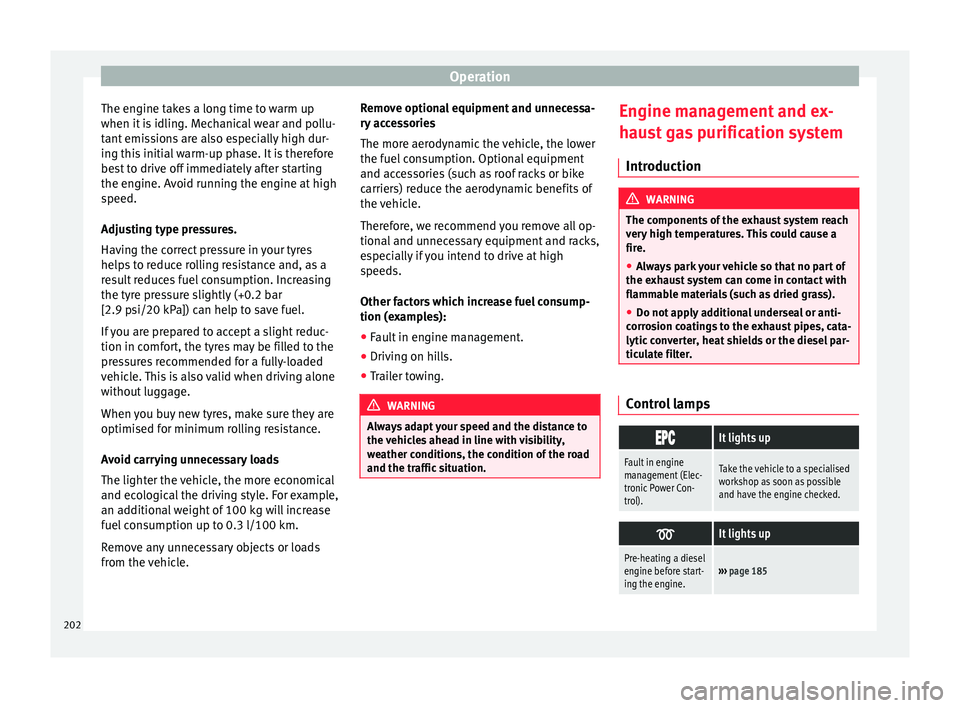
Fault in engine
management (Elec-
tronic Power Con-
trol).Take the vehicle to a specialised
workshop as soon as possible
and have the engine checked.
It lights up
Pre-heating a diesel
engine before start-
ing the engine.›››
page 185 202
Page 206 of 324
Operation
● Do not t
op up w
ith too much engine oil
››› page 276.
● Do not tow-start the vehicle; use the starter
cabl
es ›››
page 51.
In order to reduce blocking of the diesel par-
ticulate filter, some vehicles with an automat-
ic gearbox may increase the engine speed
slightly to start cleaning the filter automati-
cally. The control lamp will not light up in this
case .
Control lamp
If the control lamp lights up you should
help the filter clean itself by driving in the ap-
propriate manner.
To do this, drive about 15 minutes in fourth
or fifth gear (automatic gearbox: S gear
range) at a minimum speed of 60 km/h
(37 mph), with the engine running at approxi-
mately 2,000 rpm. In this way, the soot build
up in the filter is burned. When cleaning is
successful, the control lamp turns off.
If the lamp does not turn off, or the three
lamps turn on (particulate filter , fault in
the emission control system and glow
plugs ), drive the vehicle to a specialised
workshop and have the fault repaired at the
earliest opportunity. WARNING
● Alw a
ys drive according to the road weather
conditions, the terrain and traffic. Driving rec-
ommendations should never lead to illegal
manoeuvres in surrounding traffic. For the sake of the environment
Even when the emission control system is
work in
g perfectly, there may be a smell of
sulphur under certain conditions. This de-
pends on the sulphur content of the fuel be-
ing used. Driving abroad
In some countries, certain safety regulations
and r
equir
ements
are in force relating to ex-
haust gas emissions, which differ from the
technical characteristics of the vehicle. Be-
fore travelling abroad, SEAT recommends you
consult a technical service about the legal re-
quirements and the following points:
● Does the vehicle need technical modifica-
tions f
or driving abroad, for example, adjust-
ment of the headlamps?
● Does the vehicle have all the tools, diag-
nostic
s equipment and spare parts required
for inspections and repairs?
● Are there any SEAT dealers in the destina-
tion cou ntr
y? ●
For petr o
l vehicles: Is unleaded petrol avail-
able at the right octane rating?
● For diesel engines: Is diesel fuel available
with a low s
ulphur content?
● Are a suitable engine oil ( ›››
page 276) and
other engine fluids complying with SEAT
specifications available in the destination
country?
● Will the navigation system fitted at the fac-
tory
operate correctly in the destination coun-
try with the available navigation data?
● Are special tyres required in the destination
countr
y? CAUTION
SEAT does not accept liability for any damage
to the v
ehicle due to the use of a lower quali-
ty fuel, an inadequate service or the non-
availability of genuine spare parts. Driving along flooded roadways
To prevent damage to the vehicle when driv-
in
g thr
ough w
ater, for example, along a floo-
ded road, please observe the following:
● Check the depth of the water before enter-
ing the flooded z
one. The water should never
come above the lower edge of the bodywork
››› .
● Do not drive faster than a pedestrian.
204
Page 209 of 324
Driver assistance systems
WARNING
Driving at high speed on icy, slippery wet
grou nd c
an result in loss of vehicle control
and serious injury to the driver and passen-
gers.
● Adjust your speed and driving style to visi-
bility
, road, traffic and weather conditions.
Even though the brake assist systems, ABS,
BAS, EDL, ASR and ESC, provide more securi-
ty, do not take unnecessary risks while driv-
ing.
● Brake assist systems can not overcome the
law
s of physics. Even with ESC and other sys-
tems, slippery and wet roads will always be
dangerous.
● Driving to quickly on wet ground can result
in the wheels lo
sing contact with the ground
in an effect known as “aquaplaning”. Without
adherence, it is impossible to brake, steer or
control the vehicle.
● Brake assist systems cannot avoid acci-
dents if
, for example, the driver does not re-
spect safety distances or drives to quickly in
difficult conditions.
● Even though brake assist systems are ex-
tremely eff
ective and help control the vehicle
in difficult situations, remember that the ve-
hicle stability depends on tyre grip.
● When accelerating on a slippery surface,
for ex
ample on ice or snow, press the acceler-
ator carefully. The wheels can still slip even
with brake assist systems resulting in loss of
vehicle control. WARNING
The effectiveness of the ESC can be consider-
ably r
educed if other components and sys-
tems affecting driving dynamics are not main-
tained or are not functioning correctly. This
includes, among others, brakes, tyres and
other systems already mentioned.
● Remember that changing and fitting other
components
to the vehicle can affect opera-
tion of the ABS, BAS, ASL EDL and ESC.
● Changes to the vehicle suspension or using
unap
proved wheel/tyre combinations can af-
fect operation of the ABS, BAS, ASL EDL and
ESC, as well as their effectiveness.
● Likewise, the effectiveness of ESC depends
on the use of s
uitable tyres ››› page 288. Note
● To en s
ure that the ESC and ASR work prop-
erly, all four wheels must be fitted with iden-
tical tyres. Any differences in the rolling radi-
us of the tyres can cause the system to re-
duce engine power when this is not desired.
● If a malfunction should occur in the ABS,
the ESC, EDL and ASR w
ill also be out of ac-
tion.
● Noises may be heard while any of the
above sy
stems are operating. Switching ASR on and off
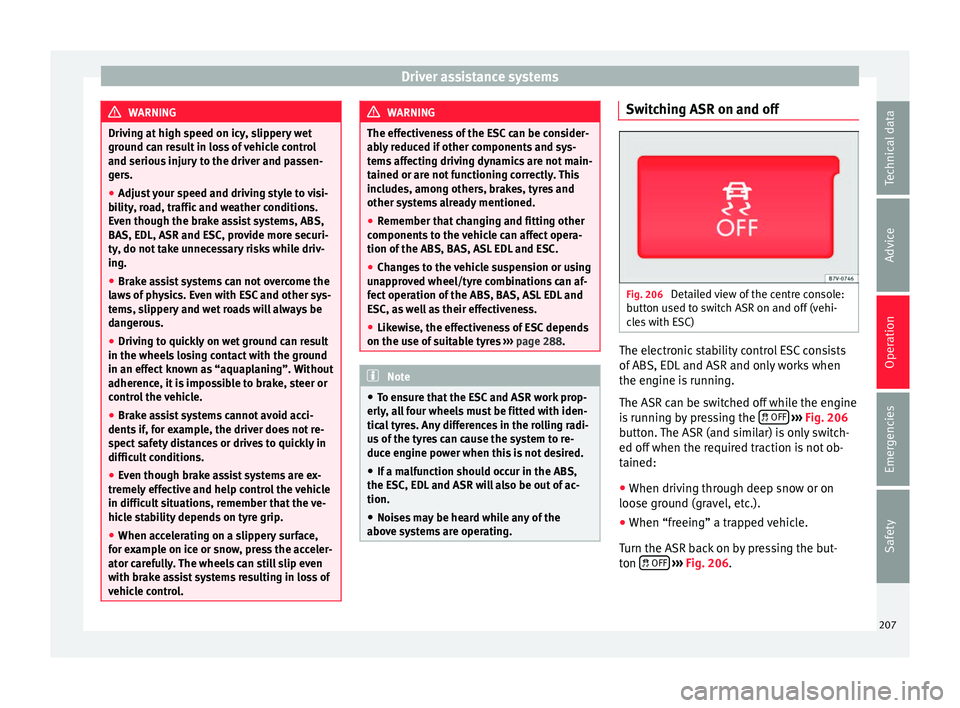
Fig. 206
Detailed view of the centre console:
b utt
on u
sed to switch ASR on and off (vehi-
cles with ESC) The electronic stability control ESC consists
of
ABS, EDL
and ASR and on
ly works when
the engine is running.
The ASR can be switched off while the engine
is running by pressing the OFF
› ›
› Fig. 206
b
utton. The ASR (and similar) is only switch-
ed off when the required traction is not ob-
tained:
● When driving through deep snow or on
loose grou
nd (gravel, etc.).
● When “freeing” a trapped vehicle.
Turn the ASR bac
k on by pressing the but-
ton OFF
›
› ›
Fig. 206
.
207
Technical data
Advice
Operation
Emergencies
Safety
Page 216 of 324
Operation
Switching the parking sensor system sound
on and off
If the button on the radio or navigation
sy s
t
em screen may mute the sound of OPS
warnings. To switch the warnings back on,
press the button again briefly.
When the OPS is switched off and back on
again, muting is cancelled. Error messages
cannot be switched off. WARNING
Do not be distracted from the traffic when
lookin g at
the screen. Park Assist system* (Park As-
s
i
s
t)
Introduction The Park Assist system helps the driver to
find a s
uit
ab
le place to park, to insert the ve-
hicle into parallel and perpendicular parking
places and to leave parallel parking places.
The Park Assist system is limited to the sys-
tem abilities and requires that the driver is
especially attentive ››› .
The p ark
in
g sensor system is a component of
the Park Assist system that helps to park the
vehicle. For vehicles with the optical parking system
(OPS), the ra
dio navigation systems screen
displays the detected zones in front of and
behind the vehicle, indicating - within the
limits of the system - the position of obsta-
cles in relation to the vehicle.
The park assist system cannot be switched
on if the factory-fitted towing bracket is elec-
trically connected to a trailer. WARNING
Despite the assistance provided by the park
as s
ist system, do not run any risks when
parking. The system is not a replacement for
driver awareness.
● Unintentional movements of the vehicle
coul
d cause serious injury.
● Adjust your speed and driving style to visi-
bility
, road, traffic and weather conditions.
● The surface of certain objects and items of
clothing and e
xternal sound sources may
have a negative affect on the park assist sig-
nals or on the system sensors or may not re-
flect its signals.
● The sensors have blind spots in which ob-
stac
les and people are not registered.
● Always observe the area around the vehi-
cle, a
s the sensors do not always detect
small children, animals or objects. CAUTION
● The park a
ssist system aims exclusively at
other parked vehicles, without taking curbs
or other circumstances into account. Make
sure you do not damage the tyres and wheel
rims when parking. Where necessary, stop
manoeuvring to avoid damaging the vehicle.
● The sensors may not always be able to de-
tect o
bjects such as trailer draw bars, thin
rails, fences, posts and trees, etc. This could
result in damage to your car.
● Although the parking distance warning sys-
tem detect
s and warns of the presence of an
obstacle, the obstacle could disappear from
the angle of measurement of the sensors if it
is too high or low and the system would no
longer show it. Therefore, it will not warn you
of these objects. Ignoring the warnings of the
parking sensor system could cause consider-
able damage to the vehicle. This is also valid
when using the park assist (e.g. to park be-
hind a truck or motorcycle). Therefore, always
keep a close watch on the area in front of and
behind the vehicle while parking, and inter-
vene promptly if necessary.
● To ensure that the system works properly,
the bumper sensor
s must be kept clean, free
of ice and snow and uncovered.
● The bumper sensors may become damaged
or misa
ligned, for example, when parking.
● When cleaning the sensors with high-pres-
sure or s
team cleaning equipment, spray the
sensors briefly at a distance of no less than
10 cm. 214
Page 236 of 324
Operation
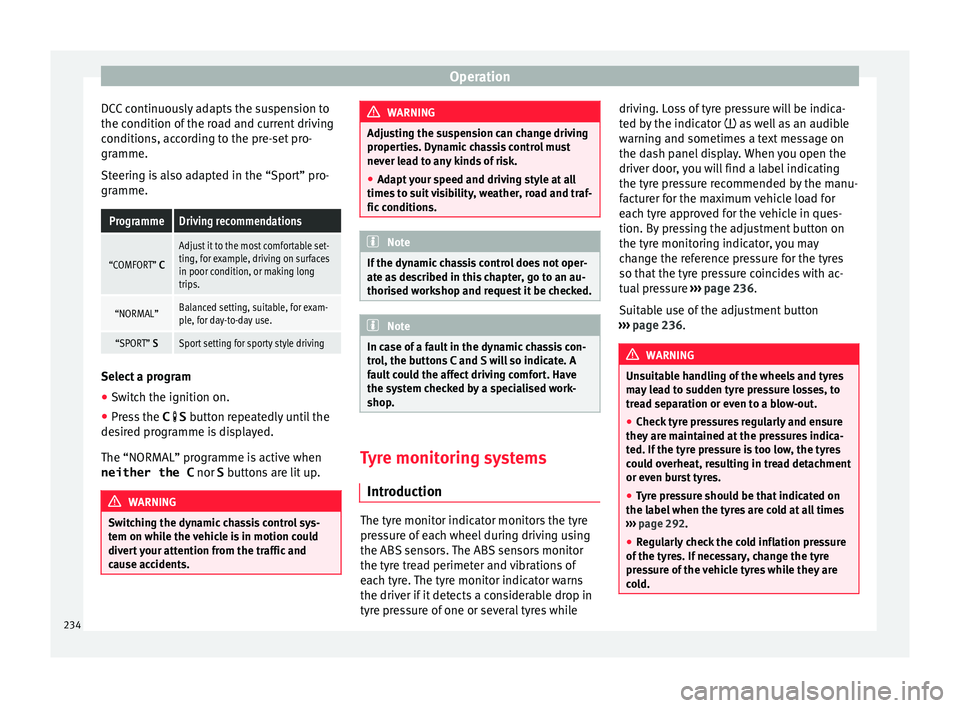
DCC continuously adapts the suspension to
the c ondition of
the r
oad and current driving
conditions, according to the pre-set pro-
gramme.
Steering is also adapted in the “Sport” pro-
gramme.
ProgrammeDriving recommendations
“COMFORT” C
Adjust it to the most comfortable set-
ting, for example, driving on surfaces
in poor condition, or making long
trips.
“NORMAL”Balanced setting, suitable, for exam-
ple, for day-to-day use.
“SPORT” SSport setting for sporty style driving Select a program
● Switch the ignition on.
● Press the C S butt
on r
epeatedly until the
desired programme is displayed.
The “NORMAL” programme is active when
neither the C nor S buttons are lit up. WARNING
Switching the dynamic chassis control sys-
tem on whi l
e the vehicle is in motion could
divert your attention from the traffic and
cause accidents. WARNING
Adjusting the suspension can change driving
proper tie
s. Dynamic chassis control must
never lead to any kinds of risk.
● Adapt your speed and driving style at all
times t
o suit visibility, weather, road and traf-
fic conditions. Note
If the dynamic chassis control does not oper-
ate a s
described in this chapter, go to an au-
thorised workshop and request it be checked. Note
In case of a fault in the dynamic chassis con-
tro l, the b
uttons C and S will so indicate. A
fault could the affect driving comfort. Have
the system checked by a specialised work-
shop. Tyre monitoring systems
Intr oduction The tyre monitor indicator monitors the tyre
pr
e
s
sure of each wheel during driving using
the ABS sensors. The ABS sensors monitor
the tyre tread perimeter and vibrations of
each tyre. The tyre monitor indicator warns
the driver if it detects a considerable drop in
tyre pressure of one or several tyres while driving. Loss of tyre pressure will be indica-
ted by
the indicator as well as an audible
warning and sometimes a text message on
the dash panel display. When you open the
driver door, you will find a label indicating
the tyre pressure recommended by the manu-
facturer for the maximum vehicle load for
each tyre approved for the vehicle in ques-
tion. By pressing the adjustment button on
the tyre monitoring indicator, you may
change the reference pressure for the tyres
so that the tyre pressure coincides with ac-
tual pressure ››› page 236.
Suitable use of the adjustment button
››› page 236. WARNING
Unsuitable handling of the wheels and tyres
ma y
lead to sudden tyre pressure losses, to
tread separation or even to a blow-out.
● Check tyre pressures regularly and ensure
they are m
aintained at the pressures indica-
ted. If the tyre pressure is too low, the tyres
could overheat, resulting in tread detachment
or even burst tyres.
● Tyre pressure should be that indicated on
the label when the ty
res are cold at all times
››› page 292.
● Regularly check the cold inflation pressure
of the tyr
es. If necessary, change the tyre
pressure of the vehicle tyres while they are
cold. 234
Page 237 of 324
Driver assistance systems
●
Re gu
larly check your tyres for damage and
wear.
● Never exceed the maximum permitted
speed or loa
ds specified for the type of tyre
fitted on your vehicle. WARNING
Incorrect use of the tyre monitoring indicator
b utt on c
ould result in the indicator giving er-
roneous messages or prevented from indicat-
ing the danger caused by a defective tyre
››› page 236. CAUTION
● The tyr e
valves may be damaged if the cap
is not in place. Check that the caps are identi-
cal to the standard caps and have been cor-
rectly tightened. Do not use metal caps
››› page 236.
● Do not damage the valves when changing
the tyre
s ››› page 236. For the sake of the environment
Under-inflated tyres lead to increased fuel
con s
umption and tyre wear. Note
● Do not on ly
rely on the tyre monitoring sys-
tem. Regularly check your tyres to ensure
that the tyre pressure is correct and that the
tyres are not damaged due to puncture, cuts, tears and impacts/dents. Remove objects
from the ty
r
es only when the tyres have not
been pierced by these.
● The tyre monitoring system is set to the
tyre pr
essure recommended by the manufac-
turer and indicated on the label ››› Fig. 252. Elements of the tyre monitoring indi-
cat
or
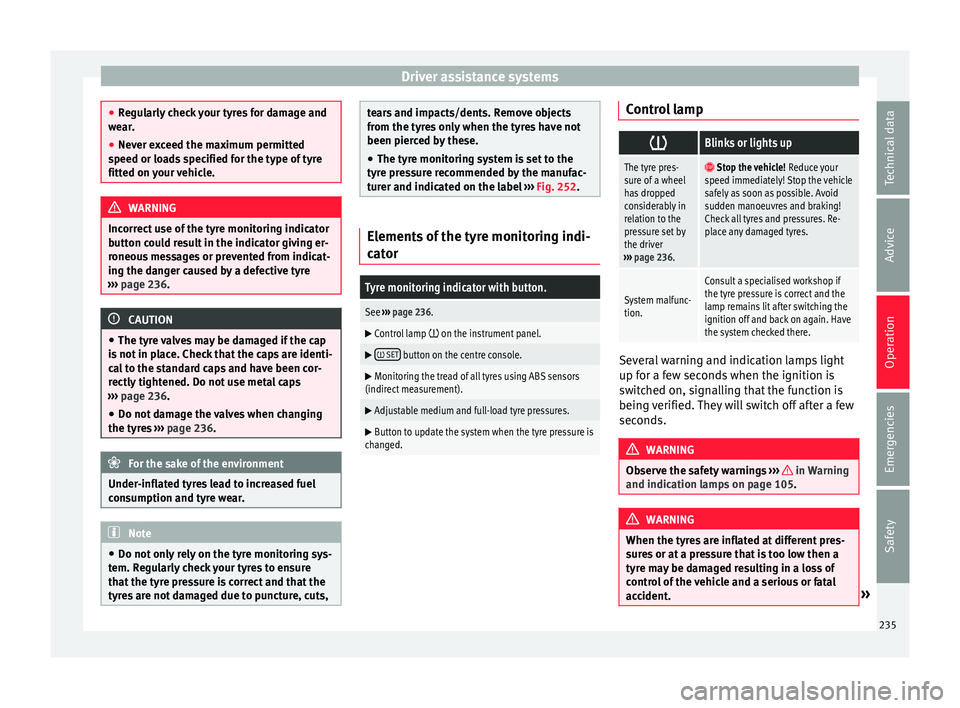
Tyre monitoring indicator with button.
See ››› page 236.
Control lamp on the instrument panel.
SET button on the centre console.
Monitoring the tread of all tyres using ABS sensors
(indirect measurement).
Adjustable medium and full-load tyre pressures.
Button to update the system when the tyre pressure is
changed. Control lamp
Blinks or lights up
The tyre pres-
sure of a wheel
has dropped
considerably in
relation to the
pressure set by
the driver
››› page 236. Stop the vehicle!
Reduce your
speed immediately! Stop the vehicle
safely as soon as possible. Avoid
sudden manoeuvres and braking!
Check all tyres and pressures. Re-
place any damaged tyres.
System malfunc-
tion.
Consult a specialised workshop if
the tyre pressure is correct and the
lamp remains lit after switching the
ignition off and back on again. Have
the system checked there. Several warning and indication lamps light
up f
or a f
ew sec
onds when the ignition is
switched on, signalling that the function is
being verified. They will switch off after a few
seconds. WARNING
Observe the safety warnings ›››
in Warning
and indication l amp
s on page 105. WARNING
When the tyres are inflated at different pres-
sur e
s or at a pressure that is too low then a
tyre may be damaged resulting in a loss of
control of the vehicle and a serious or fatal
accident. » 235
Technical data
Advice
Operation
Emergencies
Safety
Page 238 of 324
Operation
●
If the w arnin
g lamp lights up, stop im-
mediately and check the tyres.
● If the tyres are inflated at different pres-
sure
s or if a tyre pressure is too low, this will
increase tyre wear, negatively affecting vehi-
cle stability and increasing braking distan-
ces.
● If tyres are inflated at different pressures or
a tyre pr
essure is too low, a tyre may be dam-
aged and burst resulting in a loss of control
of the vehicle.
● The driver is responsible for ensuring that
all
of the vehicle tyres are correctly inflated
to the right pressure. The recommended tyre
pressure is indicated on the label ››› Fig. 252.
● The tyre monitoring system can only oper-
ate corr
ectly if all of the tyres are inflated to
the correct pressure when cold.
● Driving with tyres at the wrong pressure
can dam
age them and result in an accident.
Ensure that the tyre pressures of all the tyres
correspond to the vehicle load.
● Before starting a journey, always inflate
tyre
s to the correct pressure.
● If tyre pressure is too low then the tyre is
subj
ect to greater forces and it may be heated
to such an extent that the tread can rupture
and the tyre will burst.
● With an overloaded vehicle at high speed,
the tyre
s can overheat and burst resulting in
a loss of vehicle control.
● Tyre pressures which are too high or too
low reduc
e the useful life of the tyre, affect-
ing vehicle performance. ●
If a ty r
e has not been “punctured” and does
not have to be changed immediately, drive to
the nearest specialised workshop at a moder-
ate speed and have the tyre checked and in-
flated to the correct pressure. Tyre monitoring indicatortyre monitor-
ing indic
at
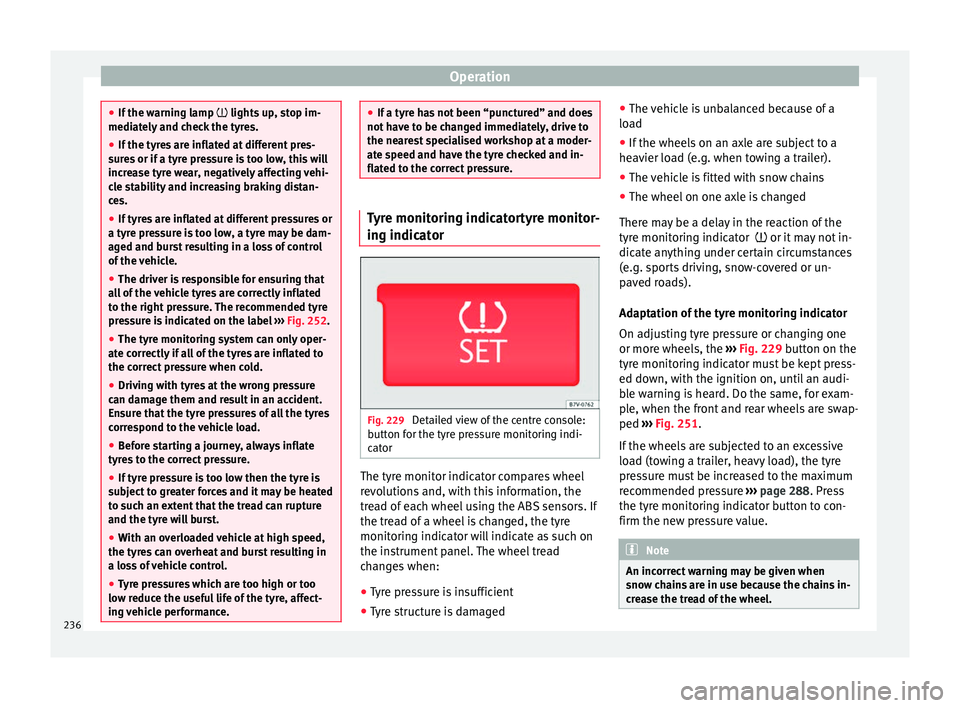
or Fig. 229
Detailed view of the centre console:
b utt
on f
or the tyre pressure monitoring indi-
cator The tyre monitor indicator compares wheel
r
ev
o
lutions and, with this information, the
tread of each wheel using the ABS sensors. If
the tread of a wheel is changed, the tyre
monitoring indicator will indicate as such on
the instrument panel. The wheel tread
changes when:
● Tyre pressure is insufficient
● Tyre structure is damaged ●
The vehic
le is unbalanced because of a
load
● If the wheels on an axle are subject to a
heavier lo
ad (e.g. when towing a trailer).
● The vehicle is fitted with snow chains
● The wheel on one axle is changed
There ma
y be a delay in the reaction of the
tyre monitoring indicator or it may not in-
dicate anything under certain circumstances
(e.g. sports driving, snow-covered or un-
paved roads).
Adaptation of the tyre monitoring indicator
On adjusting tyre pressure or changing one
or more wheels, the ››› Fig. 229 button on the
tyre monitoring indicator must be kept press-
ed down, with the ignition on, until an audi-
ble warning is heard. Do the same, for exam-
ple, when the front and rear wheels are swap-
ped ››› Fig. 251.
If the wheels are subjected to an excessive
load (towing a trailer, heavy load), the tyre
pressure must be increased to the maximum
recommended pressure ››› page 288. Press
the tyre monitoring indicator button to con-
firm the new pressure value. Note
An incorrect warning may be given when
sno w c
hains are in use because the chains in-
crease the tread of the wheel. 236
Page 239 of 324
Towing bracket device
Towing bracket device
Driv in
g w
ith a trailer
Introduction Always be aware of the legal requirements for
eac
h c
ountry to drive with a trailer and to use
a tow hitch.
Your car is intended mainly for transporting
passengers however, it can also be used to
tow a trailer provided that it is fitted with the
necessary equipment. The additional load
has an effect on the useful life, fuel con-
sumption and the vehicle performance and,
in some cases, reduce the service intervals.
Driving with a trailer requires more force from
the vehicle and, thus, more concentration
from the driver.
For wintertime temperatures, fit winter tyres
to the vehicle and the trailer.
Drawbar load
The maximum permitted Drawbar load exer-
ted by the trailer drawbar on the ball joint of
the tow hitch must not exceed 100 kg (ap-
proximately 220 lbs).
Vehicles with the Start-Stop function
With a SEAT factory fitted or retrofitted tow
hitch, the Start-Stop function is automatically deactivated when a trailer is connected. For
to
w hit
ches not installed by SEAT, the Start-
Stop function must be deactivated manually
using a button located on the dash panel be-
fore driving with a trailer and it must remain
off for the entire journey ››› .
WARNING
Never transport people in a trailer: this will
endan g
er in their life and is against the law. WARNING
The incorrect use of the tow hitch can cause
acc ident
s and injury.
● Only use a tow hitch in perfect condition
and correctly
installed.
● Never change or repair a tow hitch.
● To reduce the risk of injury in case of a re-
vers
ing collision, injury to pedestrians and
cyclists when parking, always keep the ball
joint in when a trailer is not being used.
● Never fit a trailer tow hitch “that distrib-
utes
the load” or “balances the load”. Your
vehicle has not been designed for this type of
tow hitch. The tow hitch may fail and the
trailer will separate from the vehicle. WARNING
Driving with a trailer and transporting heavy
or lar g
e objects can affect vehicle handling
and even cause an accident. ●
Alw a
ys secure loads correctly with suitable
and undamaged attachment rope or straps.
● Adjust your speed and driving style to visi-
bility
, road, traffic and weather conditions.
● Trailers with a high centre of gravity can
over
turn more easily than those with a low
centre of gravity.
● Avoid brusque manoeuvres and sudden
brakin
g.
● Always take the following precautions seri-
ously
.
● Reduce your speed immediately if you ob-
serve the tr
ailer rocking from side to side.
● Never drive at more than 80 km/h (50 mph)
when tow
ing a trailer (or 100 km/h [62 mph]
in exceptional circumstances). This also ap-
plies in countries where higher speeds are
permitted. Always take the speed limits for
vehicles with and without trailers in each
country into account.
● Never try to stop the “snaking” by increas-
ing speed. WARNING
When driving with a trailer and using a tow
hitc h th
at was not installed by SEAT, the
Start-Stop function must be manually deacti-
vated. Otherwise, this could cause a braking
anomaly that could result in an accident with
serious consequences.
● Always manually deactivate the Start-Stop
function when a tr
ailer is being used on a tow
hitch that has not been installed by SEAT. » 237
Technical data
Advice
Operation
Emergencies
Safety
Page 244 of 324
Operation
●
Never c onnect
the trailer's electric system
to the electrical connections of the rear lights
or any other power sources. CAUTION
Do not leave the trailer connected to the vehi-
c le when p
arked; places on its support wheel
or its supports. For example, when changing
the load or a puncture, the vehicle will be
pushed up or down. The force acting on the
tow hitch and the trailer could damage the
vehicle or the trailer. Note
● In the event of
a fault in the vehicle or trail-
er electrical system or in the event of prob-
lems with the anti-theft alarm system, have
the system checked by a specialised work-
shop.
● If the trailer accessories use energy from
the power soc
ket when the engine is stop-
ped, the battery will be discharged.
● For technical reasons, trailers fitted with
rear LED light
s cannot be connected to the
anti-theft alarm system.
● If the vehicle battery is running low, the
electrica
l connection with the trailer is auto-
matically cut.
● With the engine running, the electrical
equipment on the trai
ler will be supplied with
power. Loading the trailer
Trailer weight / drawbar load
The trai
l
er weight is the load that the vehicle
can pull ››› . The drawbar load is the vertical
weight of
the tow hitch on the tow hitch ball
››› page 245.
The figures for trailer weights and drawbar
load weights given on the data plate of the
tow hitch are for values of this model only.
The correct figures for your specific vehicle,
which may be lower than these figures for the
tow hitch, are given in the vehicle documen-
tation. The instructions in the official vehicle
documents take precedence.
For the sake of road safety, SEAT recom-
mends using the maximum allowed drawbar
load. The handling of the combined vehicle
and trailer will be poor if the drawbar load is
too low.
The drawbar load increases the weight on the
rear axle, reducing the vehicle carrying ca-
pacity.
Gross combination weight
This figure refers to the combined weight of
the loaded vehicle and loaded trailer.
Loading the trailer
The combined vehicle and trailer must be
balanced. Use the maximum drawbar load authorised and do not overload the front or
the re
ar of
the trailer:
● Distribute loads in the trailer so that heavy
obj
ects are as near to the axle as possible or
above it.
● Correctly secure the trailer load.
Tyr
e pressure
Inflate the trailer tyres according to the man-
ufacturer's instructions.
Inflate the towing vehicles tyres to the maxi-
mum ››› page 288. WARNING
Exceeding the maximum authorised axle
loa d, dr
awbar load or the gross combination
weight of the towing vehicle and trailer could
cause a serious accident with severe conse-
quences.
● Never exceed the specifications.
● With the actual load on the front and rear
axle
s, the maximum axle load should never
be exceeded. The weight on the front and rear
should never exceed the gross vehicle
weight. WARNING
If the load moves, the stability and safety of
the v ehic
le and trailer combination will be se-
riously affected and this could result in a seri-
ous accident. 242
Page 249 of 324
Care and maintenance
Advice
C ar
e and m
aintenance
Accessories, replacement of
parts and modifications Introduction WARNING
The use of spare parts and accessories, or in-
corr ectly
performed modifications or repairs
may result in damage to the vehicle, acci-
dents and serious injury.
● SEAT strongly recommends you to only use
SEAT ap
proved accessories and SEAT ®
origi-
nal spare parts. These parts and accessories
have been specially tested by SEAT for suita-
bility, reliability and safety.
● Have any repairs or modifications carried
out at a s
pecialised workshop. These work-
shops have the necessary tools, diagnostics
equipment, repair information and qualified
personnel.
● Only mount parts with the same specifica-
tions a
s the parts fitted at factory.
● Never mount, fasten or fit objects such as
drink hol
ders or telephone cradles over the
covers of the airbag modules or within their
radius of action. ●
Only u
se wheels and tyre combinations
which have been approved by SEAT for your
vehicle type. Accessories and spare parts
SEAT recommends you consult an Official
Serv
ic
e before purchasing accessories and
spare parts or consumables. For example,
when fitting accessories at a later date, or
when replacing a component. A technical
service centre will advise you as to the legal
requirements and manufacturer's recommen-
dations regarding accessories, spare parts
and other components.
SEAT recommend you use only approved
SEAT accessories and genuine SEAT spare
parts ®
. These parts and accessories have
been specially tested by SEAT for suitability,
reliability and safety. In addition the techni-
cal service centre will guarantee that the as-
sembly is carried out professionally.
Although we continually monitor the market,
SEAT cannot guarantee that products not ap-
proved by SEAT are reliable, safe and suita-
ble for the vehicle. Therefore, SEAT cannot ac-
cept liability, even in those cases authorised
by an officially recognised technical inspec-
tion office or other official body.
Any retro-fitted equipment which has a direct
effect on the vehicle and/or the way it is driv- en must be approved by SEAT for use in your
vehic
l
e and bear the e mark (the European
Union's authorisation symbol). This includes
cruise control systems or electronically con-
trolled suspension.
If any additional electrical devices are fitted
which do not serve to control the vehicle it-
self, these must bear the mark (European
Union manufacturer conformity declaration).
This includes refrigerator boxes, laptops or
ventilator fans. WARNING
Unprofessional repairs or modifications to
the v ehic
le may affect the performance of the
airbags, and may cause operating faults or fa-
tal accidents.
● Never mount, fasten or fit objects such as
drink hol
ders or telephone cradles over the
covers of the airbag modules or within their
radius of action.
● Objects placed over the airbag covers, or
within their ra
dius of action, could lead to se-
rious injury or loss of life if the airbags are
triggered. Service fluids and components
All vehicle fluids and consumables
, s
uc h a
s
notched belts, tyres, coolant fluids, engine
oils, spark plugs and batteries are continual-
ly being developed. Therefore all fluids and »
247
Technical data
Advice
Operation
Emergencies
Safety