lock Seat Alhambra 2016 Manual Online
[x] Cancel search | Manufacturer: SEAT, Model Year: 2016, Model line: Alhambra, Model: Seat Alhambra 2016Pages: 324, PDF Size: 5.93 MB
Page 168 of 324
Operation
Storage compartments Intr oduction Storage compartments must only be used to
st
or
e light or small objects.
In the front centre armrest compartment the
following factory-fitted connections are avail-
able: USB/AUX-IN.
The factory-fitted CD changer is located in the
left-hand storage compartment of the boot. WARNING
In the event of sudden braking movements or
turn s, loo
se objects may be thrown around
the vehicle interior. This could cause serious
injuries to passengers and cause the driver to
lose control of the vehicle.
● Do not transport animals or place hard,
heavy or sh
arp objects inside the vehicle in:
open storage compartments, dash panel, rear
shelf, items of clothing or bags.
● While driving, always keep object compart-
ments c
losed. WARNING
Objects falling into the driver's footwell could
prev ent
use of the pedals. This could lead the
driver to lose control of the vehicle, increas-
ing the risk of a serious accident. ●
Mak e s
ure the pedals can be used at all
times, with no objects rolling underneath
them.
● The floor mat should always be secured to
the floor.
● Never p
lace other mats or rugs on top of
the original
mat supplied by the factory.
● Make sure that no objects can fall into the
driver's f
ootwell while the vehicle is in mo-
tion. CAUTION
● Obj
ects on the shelf could chafe against
the wires of the heating element in the heat-
ed rear window and cause damage.
● Do not keep heat-sensitive objects, food or
medicines
inside the vehicle. Heat and cold
could damage them or render them useless.
● Light-transparent objects placed inside the
vehicl
e, such as lenses, magnifying glasses
or transparent suction caps on the windows,
may concentrate the sun's rays and cause
damage to the vehicle. Note
The ventilating slits between the heated rear
windo w and the shelf
must not be covered so
that used air can escape from the vehicle. Spectacle case in the roof console
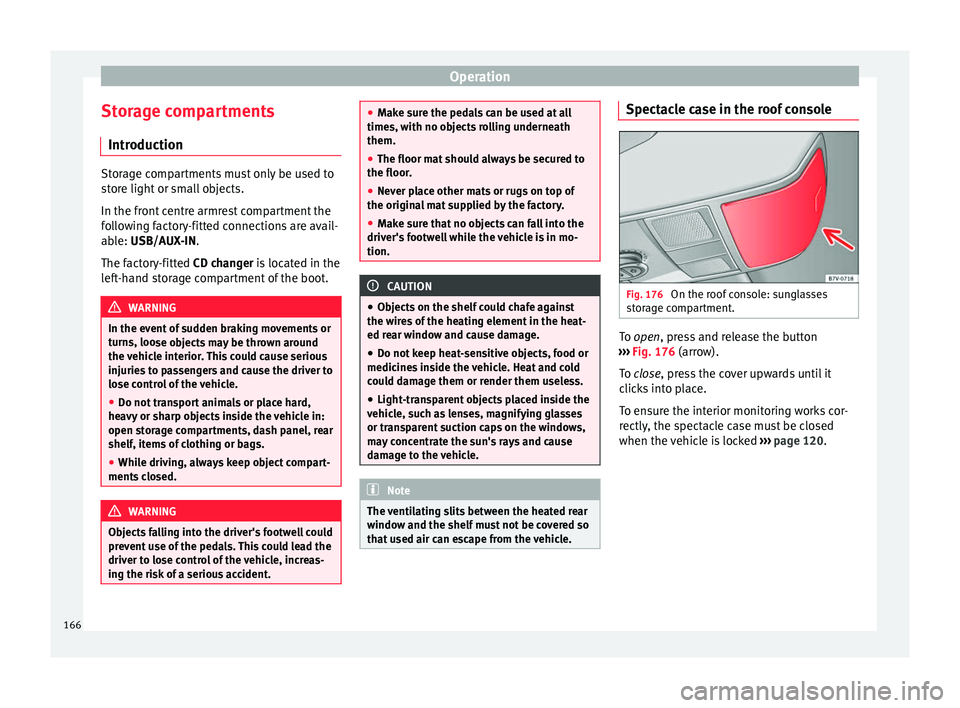
Fig. 176
On the roof console: sunglasses
s t
or
age compartment. To open, pr
ess and release the button
› ›
› Fig. 176 (arrow).
To close, press the cover upwards until it
clicks into place.
To ensure the interior monitoring works cor-
rectly, the spectacle case must be closed
when the vehicle is locked ››› page 120.
166
Page 169 of 324
Transport and practical equipment
Storage compartment in the roof con-
so l
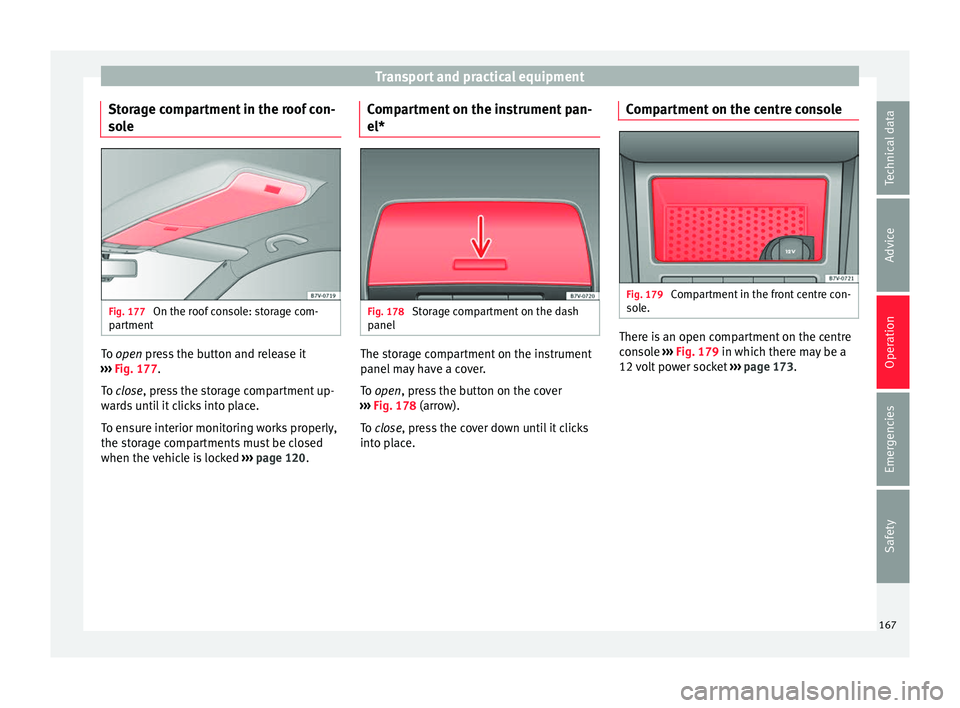
e Fig. 177
On the roof console: storage com-
p ar
tment To open pr
ess the button and release it
› ›
› Fig. 177.
To close, press the storage compartment up-
wards until it clicks into place.
To ensure interior monitoring works properly,
the storage compartments must be closed
when the vehicle is locked ››› page 120. Compartment on the instrument pan-
el*
Fig. 178
Storage compartment on the dash
p anel The storage compartment on the instrument
p
anel
m
ay have a cover.
To open, press the button on the cover
››› Fig. 178 (arrow).
To close, press the cover down until it clicks
into place. Compartment on the centre console Fig. 179
Compartment in the front centre con-
so l
e. There is an open compartment on the centre
c
on
so
le ››› Fig. 179 in which there may be a
12 volt power socket ››› page 173.
167
Technical data
Advice
Operation
Emergencies
Safety
Page 170 of 324
Operation
Compartment in the front central arm-
r e
s
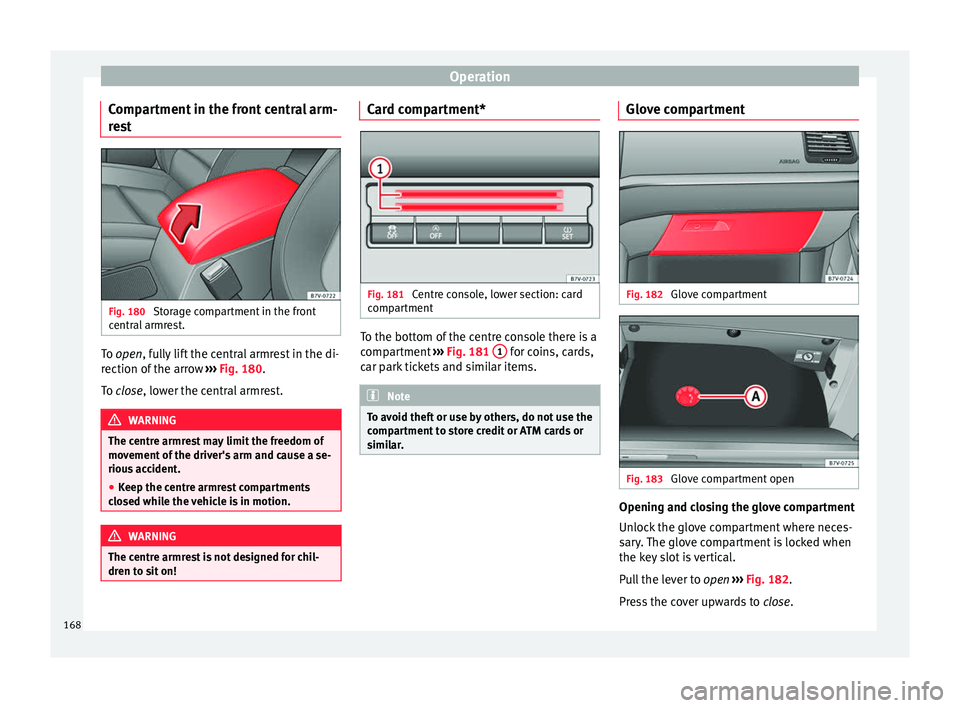
t Fig. 180
Storage compartment in the front
c entr
al
armrest. To open, f
ully lift the central armrest in the di-
r ection of
the arrow ››› Fig. 180.
To close, lower the central armrest. WARNING
The centre armrest may limit the freedom of
mov ement
of the driver's arm and cause a se-
rious accident.
● Keep the centre armrest compartments
closed whi
le the vehicle is in motion. WARNING
The centre armrest is not designed for chil-
dren t o s
it on! Card compartment*
Fig. 181
Centre console, lower section: card
c omp
ar
tment To the bottom of the centre console there is a
c
omp
ar
tment ››› Fig. 181 1 for coins, cards,
c ar p
ark
tickets and similar items. Note
To avoid theft or use by others, do not use the
comp ar
tment to store credit or ATM cards or
similar. Glove compartment
Fig. 182
Glove compartment Fig. 183
Glove compartment open Opening and closing the glove compartment
Un
loc
k
the glove compartment where neces-
sary. The glove compartment is locked when
the key slot is vertical.
Pull the lever to open ››› Fig. 182.
Press the cover upwards to close.
168
Page 173 of 324
Transport and practical equipment
Side compartments in the luggage compart-
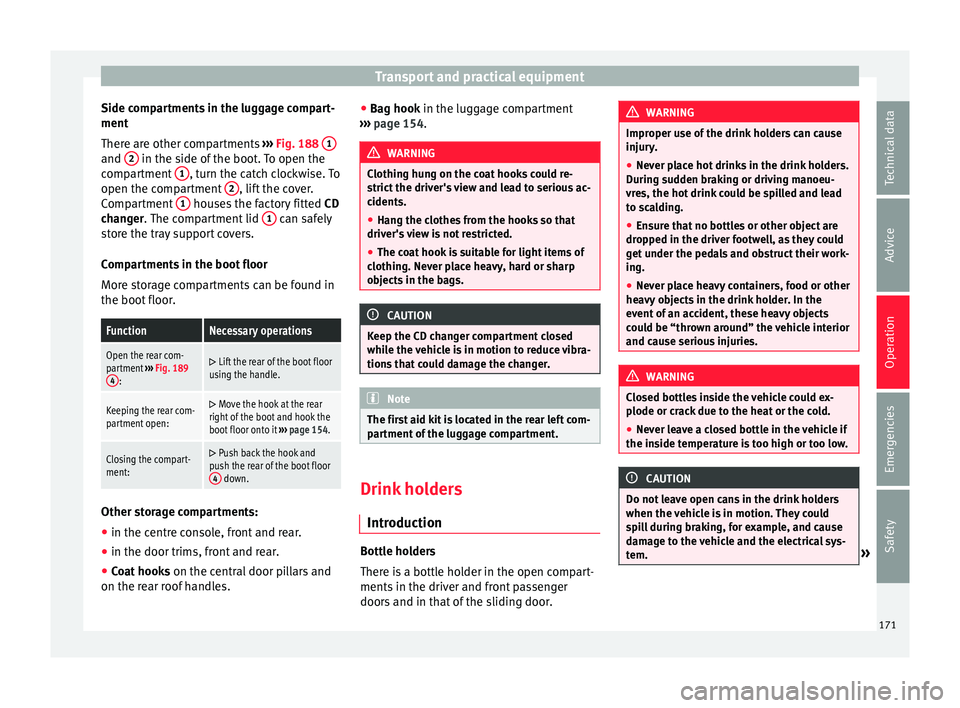
ment
Ther e ar
e other c
ompartments ››› Fig. 188 1 and
2 in the side of the boot. To open the
c omp
ar
tment 1 , turn the catch clockwise. To
open the c omp
ar
tment 2 , lift the cover.
C omp
ar
tment 1 houses the factory fitted
CD
c h
an
ger. The compartment lid 1 can safely
s t
or
e the tray support covers.
Compartments in the boot floor
More storage compartments can be found in
the boot floor.
FunctionNecessary operations
Open the rear com-
partment ››› Fig. 189
4
:
Lift the rear of the boot floor
using the handle.
Keeping the rear com-
partment open: Move the hook at the rear
right of the boot and hook the
boot floor onto it ››› page 154.
Closing the compart-
ment: Push back the hook and
push the rear of the boot floor 4
down. Other storage compartments:
● in the centre console, front and rear.
● in the door trims, front and rear.
● Coat hooks on the centr
al
door pillars and
on the rear roof handles. ●
Bag hook in the lug
gage compartment
››› page 154. WARNING
Clothing hung on the coat hooks could re-
strict the driv
er's view and lead to serious ac-
cidents.
● Hang the clothes from the hooks so that
driver's
view is not restricted.
● The coat hook is suitable for light items of
clothing. Nev
er place heavy, hard or sharp
objects in the bags. CAUTION
Keep the CD changer compartment closed
whil e the
vehicle is in motion to reduce vibra-
tions that could damage the changer. Note
The first aid kit is located in the rear left com-
par tment
of the luggage compartment. Drink holders
Intr oduction Bottle holders
Ther
e i
s
a bottle holder in the open compart-
ments in the driver and front passenger
doors and in that of the sliding door. WARNING
Improper use of the drink holders can cause
injury .
● Nev
er place hot drinks in the drink holders.
During s
udden braking or driving manoeu-
vres, the hot drink could be spilled and lead
to scalding.
● Ensure that no bottles or other object are
dropped in the driv
er footwell, as they could
get under the pedals and obstruct their work-
ing.
● Never place heavy containers, food or other
heavy o
bjects in the drink holder. In the
event of an accident, these heavy objects
could be “thrown around” the vehicle interior
and cause serious injuries. WARNING
Closed bottles inside the vehicle could ex-
plode or c r
ack due to the heat or the cold.
● Never leave a closed bottle in the vehicle if
the inside t
emperature is too high or too low. CAUTION
Do not leave open cans in the drink holders
when the v ehic
le is in motion. They could
spill during braking, for example, and cause
damage to the vehicle and the electrical sys-
tem. » 171
Technical data
Advice
Operation
Emergencies
Safety
Page 176 of 324
Operation
●
Unshiel ded equipment
can cause interfer-
ence on the radio equipment and the vehi-
cle's electrical system.
● Interference can occur on the radio's AM
wave
band if electrical appliances are used
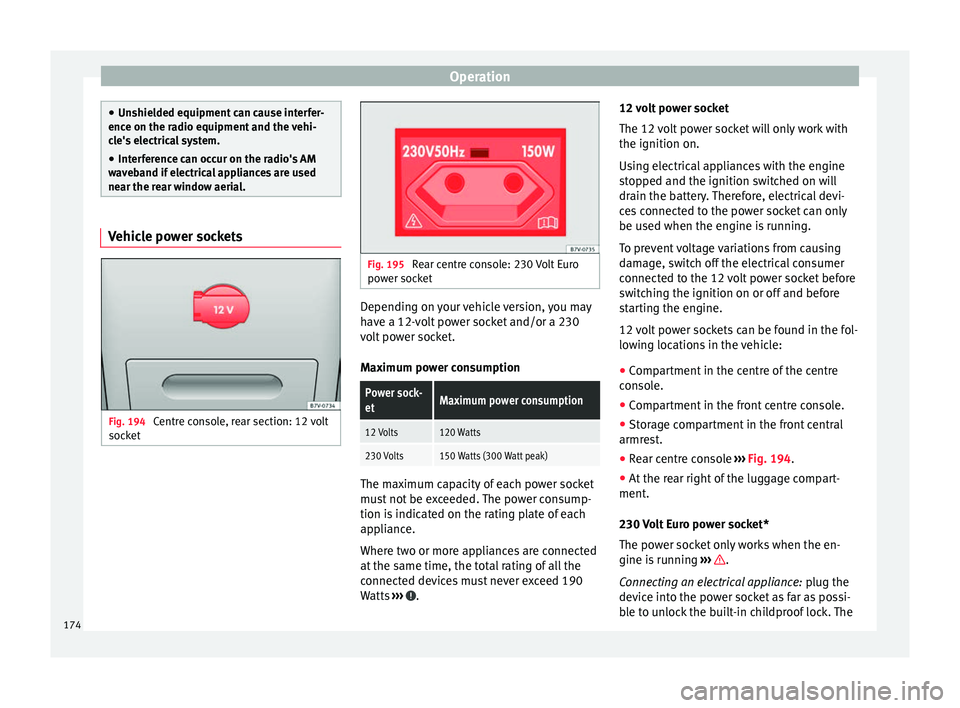
near the rear window aerial. Vehicle power sockets
Fig. 194
Centre console, rear section: 12 volt
soc k
et Fig. 195
Rear centre console: 230 Volt Euro
pow er soc
ket Depending on your vehicle version, you may
h
av
e a 12-
volt power socket and/or a 230
volt power socket.
Maximum power consumption
Power sock-
etMaximum power consumption
12 Volts120 Watts
230 Volts150 Watts (300 Watt peak) The maximum capacity of each power socket
mu
s
t
not be exceeded. The power consump-
tion is indicated on the rating plate of each
appliance.
Where two or more appliances are connected
at the same time, the total rating of all the
connected devices must never exceed 190
Watts ››› .12 volt power socket
The 12
v
o
lt power socket will only work with
the ignition on.
Using electrical appliances with the engine
stopped and the ignition switched on will
drain the battery. Therefore, electrical devi-
ces connected to the power socket can only
be used when the engine is running.
To prevent voltage variations from causing
damage, switch off the electrical consumer
connected to the 12 volt power socket before
switching the ignition on or off and before
starting the engine.
12 volt power sockets can be found in the fol-
lowing locations in the vehicle:
● Compartment in the centre of the centre
conso
le.
● Compartment in the front centre console.
● Storage compartment in the front central
armres
t.
● Rear centre console ›››
Fig. 194.
● At the rear right of the luggage compart-
ment.
230 V
olt Euro power socket*
The power socket only works when the en-
gine is running ››› .
C onn e
cting an electrical appliance: plug the
device into the power socket as far as possi-
ble to unlock the built-in childproof lock. The
174
Page 177 of 324
Transport and practical equipment
current only flows when the childproof lock is
u n
loc
ked.
LED on the power socket ››› Fig. 195
Steady green light:The childproof lock is un-
locked. The power socket can
now be used.
Flashing red light:There is some kind of fault
(e.g. disconnection due to ex-
cess current or temperature). Heat protection
The 230
V
o
lt Euro power connector converter
switches off automatically when a certain
temperature is exceeded. This disconnect
prevents overheating in the event of an in-
crease in power consumption of the connec-
ted appliance and where the atmospheric
temperature is too high. The inverter will
switch on again automatically after it has
cooled down. Appliances that are switched
on and connected to the power socket will
start up again. Therefore, switch off all elec-
trical appliances connected to the power
socket when the current converter switches
off due to overheating. WARNING
High voltage in the electrical installation!
● Liquids must not be spilt over the power
sock et
. ●
Do not p lug a
dapters or extension cords in-
to the 230 Volt Euro power connector. Other-
wise, the built-in child safety device will
switch off and the connector will become live.
● Do not plug current conductors such as a
knitting needle int
o the 230 Volt Euro power
connector. CAUTION
● Alw a
ys follow the operating instructions for
the appliances to be connected!
● Never exceed the maximum power rating as
this c
ould damage the vehicle's general elec-
trical system.
● 12 volt power socket:
– Only u
se accessories with approved elec-
tromagnetic compatibility according to
current regulations.
– Never power the socket.
● 230 Volt Euro power socket:
– Do not plug in dev
ices or connectors that
are too heavy (e.g. a transformer) into the
power socket.
– Do not connect lamps which contain a ne-
on tube.
– Only plug appliances with a voltage that
matches the power socket voltage into
the power socket.
– Where devices have with a high start-up
current, surge protection prevents them
from switching on. In this case, unplug the device and try plugging it back in af-
ter ar
ou
nd 10 seconds. Note
● Some ap pli
ances may not work properly in
the 230 Volt Euro power connector due to a
lack of power (Watts).
● The 230 Watt Euro power connector can be
modified for 115 W
att appliances and vice
versa. Consult a specialist shop for advice on
accessories to adapt the connector. SEAT rec-
ommends taking your car in for technical
service. 175
Technical data
Advice
Operation
Emergencies
Safety
Page 179 of 324
Air conditioning
the rear centre console. These controls are
u sed t
o m
ake the appropriate settings for the
rear seats. Note
● Not a l
l Climatronic buttons are operational
in REAR mode.
● The REAR button is locked in defrost mode.
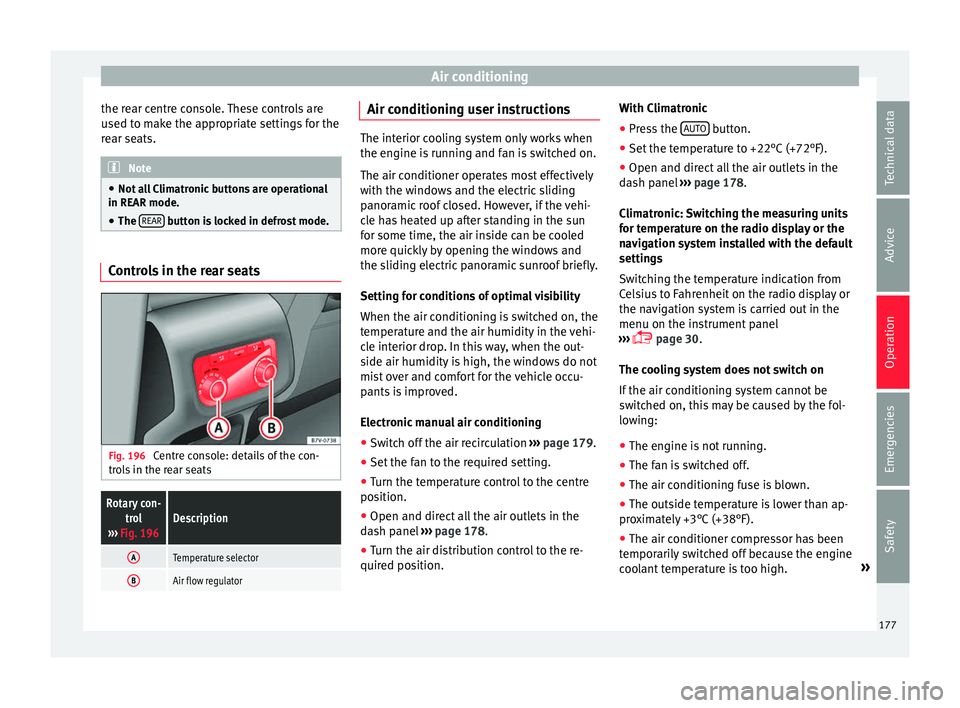
Controls in the rear seats
Fig. 196
Centre console: details of the con-
tr o
l
s in the rear seats
Rotary con-
trol
››› Fig. 196Description
ATemperature selector
BAir flow regulator Air conditioning user instructions
The interior cooling system only works when
the engine i
s
running and fan is switched on.
The air conditioner operates most effectively
with the windows and the electric sliding
panoramic roof closed. However, if the vehi-
cle has heated up after standing in the sun
for some time, the air inside can be cooled
more quickly by opening the windows and
the sliding electric panoramic sunroof briefly.
Setting for conditions of optimal visibility
When the air conditioning is switched on, the
temperature and the air humidity in the vehi-
cle interior drop. In this way, when the out-
side air humidity is high, the windows do not
mist over and comfort for the vehicle occu-
pants is improved.
Electronic manual air conditioning
● Switch off the air recirculation ››
›
page 179.
● Set the fan to the required setting.
● Turn the temperature control to the centre
position.
● Open and dir
ect all the air outlets in the
dash p
anel ›››
page 178.
● Turn the air distribution control to the re-
quired pos
ition. With Climatronic
●
Press the AUTO button.
● Set the temperature to +22°C (+72°F).
● Open and direct all the air outlets in the
d a
sh p
anel ››› page 178.
Climatronic: Switching the measuring units
for temperature on the radio display or the
navigation system installed with the default
settings
Switching the temperature indication from
Celsius to Fahrenheit on the radio display or
the navigation system is carried out in the
menu on the instrument panel
››› page 30.
The cooling system does not switch on
If the air conditioning system cannot be
switched on, this may be caused by the fol-
lowing:
● The engine is not running.
● The fan is switched off.
● The air conditioning fuse is blown.
● The outside temperature is lower than ap-
prox
imately +3°C (+38°F).
● The air conditioner compressor has been
temporari
ly switched off because the engine
coolant temperature is too high. »
177
Technical data
Advice
Operation
Emergencies
Safety
Page 183 of 324
Air conditioning
burn any fuel remaining in the auxiliary heat-
er .
The e
xhaust gases are also extracted from
the system.
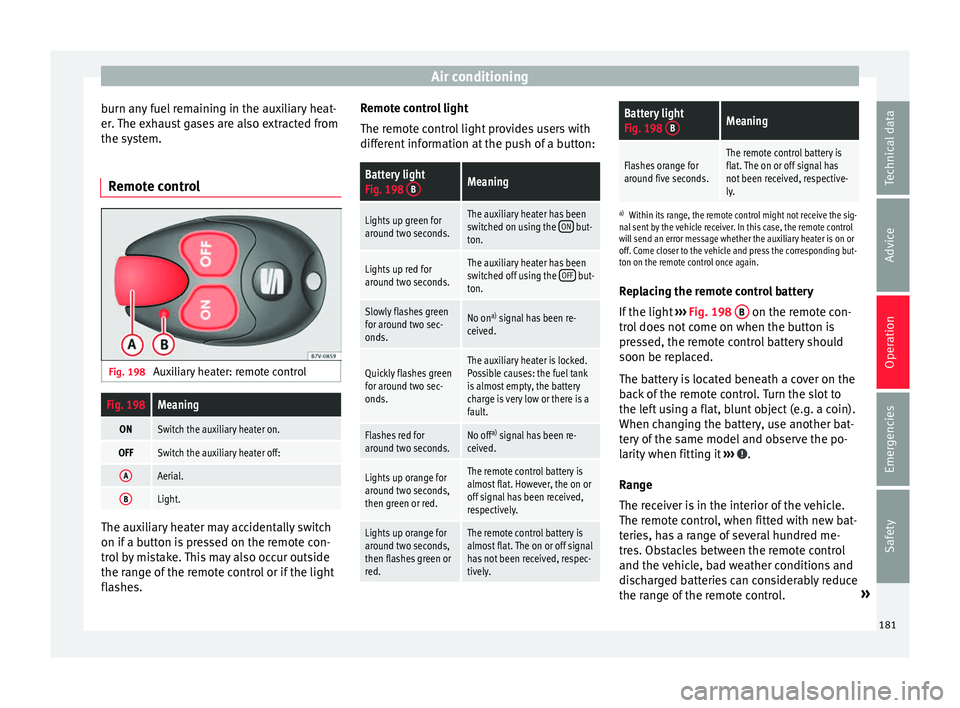
Remote control Fig. 198
Auxiliary heater: remote control
Fig. 198Meaning
ONSwitch the auxiliary heater on.
OFFSwitch the auxiliary heater off:
AAerial.
BLight. The auxiliary heater may accidentally switch
on if
a b
utt
on is pressed on the remote con-
trol by mistake. This may also occur outside
the range of the remote control or if the light
flashes. Remote control light
The remote c
ontrol light provides users with
different information at the push of a button:
Battery light
Fig. 198 BMeaning
Lights up green for
around two seconds.The auxiliary heater has been
switched on using the ON but-
ton.
Lights up red for
around two seconds.The auxiliary heater has been
switched off using the OFF but-
ton.
Slowly flashes green
for around two sec-
onds.No on a)
signal has been re-
ceived.
Quickly flashes green
for around two sec-
onds.The auxiliary heater is locked.
Possible causes: the fuel tank
is almost empty, the battery
charge is very low or there is a
fault.
Flashes red for
around two seconds.No off a)
signal has been re-
ceived.
Lights up orange for
around two seconds,
then green or red.The remote control battery is
almost flat. However, the on or
off signal has been received,
respectively.
Lights up orange for
around two seconds,
then flashes green or
red.The remote control battery is
almost flat. The on or off signal
has not been received, respec-
tively.
Battery light
Fig. 198 BMeaning
Flashes orange for
around five seconds.The remote control battery is
flat. The on or off signal has
not been received, respective-
ly.
a)
Within its range, the remote control might not receive the sig-
nal sent by the vehicle receiver. In this case, the remote control
will send an error message whether the auxiliary heater is on or
off. Come closer to the vehicle and press the corresponding but-
ton on the remote control once again.
Replacing the remote control battery
If the light ›››
Fig. 198 B on the remote con-
tr o
l
does not come on when the button is
pressed, the remote control battery should
soon be replaced.
The battery is located beneath a cover on the
back of the remote control. Turn the slot to
the left using a flat, blunt object (e.g. a coin).
When changing the battery, use another bat-
tery of the same model and observe the po-
larity when fitting it ››› .
R an
g
e
The receiver is in the interior of the vehicle.
The remote control, when fitted with new bat-
teries, has a range of several hundred me-
tres. Obstacles between the remote control
and the vehicle, bad weather conditions and
discharged batteries can considerably reduce
the range of the remote control. »
181
Technical data
Advice
Operation
Emergencies
Safety
Page 186 of 324
Operation
lock and it will not be possible to turn the
st
eerin
g wheel. Warning and indication lamps
It lights up red
Power steering faul-
ty.The steering system should be
checked by a specialised work-
shop as soon as possible.
It lights up yellow
Power steering op-
eration reduced.The steering system should be
checked by a specialised work-
shop as soon as possible.
If, after restarting the engine and
driving for a short distance, the
yellow warning lamp no longer
comes on, it will
not be necessa-
ry to take the vehicle to a speci-
alised workshop.
The vehicle battery
was disconnected
and has been recon-
nected.Drive for a short distance at
15-20 km/h (9-12 mph).
Flashes red
Fault in the steering
column electronic
lock.
Do not drive on!
Seek professional advice.
It flashes yellow
Steering column de-
viation.Gently turn the steering wheel to
and fro.
Steering wheel not
unlocked or locked.Remove the key from the ignition
and then switch the ignition
back on. Check the messages
displayed on the instrument
panel at the same time.
Do not drive on, if
the steering
column remains locked after the
ignition has been switched on.
Seek specialist assistance. Several warning and indication lamps light
up f
or a f
ew sec
onds when the ignition is
switched on, signalling that the function is
being verified. They will switch off after a few
seconds. WARNING
Observe the safety warnings ›››
in Warning
and indication l amp
s on page 105. Information on the steering
Electronic steering column lock
V
ehic
l
es with Keyless Access: the steering
column locks when the driver's door is
opened and the ignition is switched off.
Therefore, the vehicle should be at a stand-
still and, where applicable, the selector lever
in position P. If the driver door is opened before the igni-
tion is sw
itched off, the steering column elec-
tronic lock is activated via the ignition key or
the sensor built into the door handle.
Steering column mechanical lock
To prevent theft, we recommend you lock the
steering before leaving the vehicle.
Please engage steer-
ing lockUnlocking the steering
Parking the vehicle
››› page 189.Turn the steering wheel
slightly to release the
steering lock.
Remove the key from the
ignition.Insert the key in the igni-
tion lock.
Turn the steering wheel
slightly until you hear the
steering lock.Hold the steering wheel in
this position and switch
on the ignition. Electromechanical power steering
W
ith the po
w
er steering system, the assisted
steering function automatically adjusts ac-
cording to the vehicle speed, the steering tor-
que and the wheel turning angle. The power
steering only works when the engine is run-
ning.
You should remember that you will need con-
siderably more power than normal to steer
the vehicle if the power steering is not work-
ing correctly or not at all.
184
Page 187 of 324
Driving
Counter steering assistance system
The c ou
nt
er steering assistance system helps
the driver in critical situations. Additional
steering power helps the driver when counter
steering. WARNING
The counter steering assistance system com-
bined w ith E
SC helps the driver to steer the
vehicle in critical driving conditions. At all
times, it is the driver who steers the vehicle.
The counter steering system does not steer
the vehicle. Stopping and starting the en-
gine
Intr oduction Immobiliser display
When an in
v
alid k
ey is used or in the event of
a system fault, or Immobiliser on is
displayed on the instrument panel. The en-
gine cannot be started.
Pushing or towing
For technical reasons, the vehicle must not
be push- or tow-started. Jump starting is pref-
erable. WARNING
Turning off the engine while driving will make
st op
ping the vehicle difficult; this could even
result in the loss of control causing an acci-
dent with serious consequences.
● The assisted braking and steering systems,
the airbag sys
tem, seat belts and certain
safety equipment are only active while the
engine is running.
● The engine should only be switched off
when the vehic
le is at a standstill. WARNING
While the engine is running or starting it
cou l
d help reduce the risk of serious injury.
● Never start or leave the engine running in
poorly v
entilated or closed spaces. Exhaust
gas contains carbon monoxide, a toxic, col-
ourless and odourless gas. Carbon monoxide
can cause people to lose consciousness. It
can also cause death.
● Never leave the vehicle unattended if the
engine is
running. The vehicle could move off
suddenly or something unexpected could
happen resulting in damage and serious in-
jury.
● Never use start boosters. Cold start sprays
coul
d explode or increase the engine speed
unexpectedly. WARNING
The components of the exhaust system reach
ver y
high temperatures. This could cause a
fire and considerable damage.
● Always park your vehicle so that no part of
the exhau
st system can come in contact with
flammable materials (such as wood, leaves,
dried grass, spilled fuel, etc.).
● Do not apply additional underseal or anti-
corro
sion coatings to the exhaust pipes, cata-
lytic converter, heat shields or the diesel par-
ticulate filter. Ignition lock
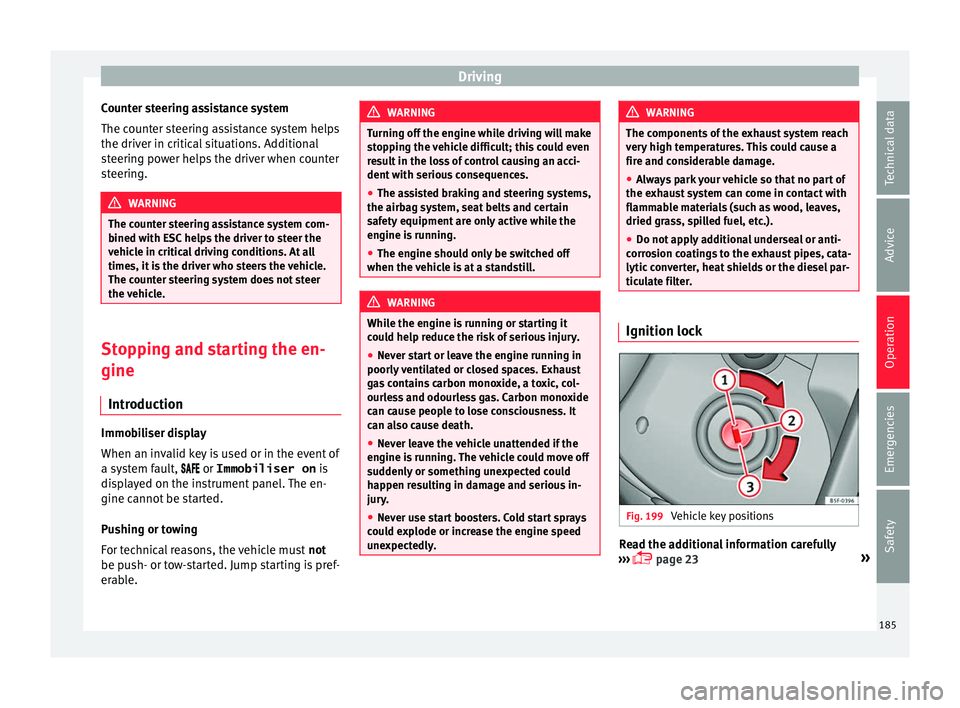
Fig. 199
Vehicle key positions Read the additional information carefully
› ›
›
page 23 »
185
Technical data
Advice
Operation
Emergencies
Safety