lock Seat Alhambra 2018 Owners Manual
[x] Cancel search | Manufacturer: SEAT, Model Year: 2018, Model line: Alhambra, Model: Seat Alhambra 2018Pages: 324, PDF Size: 7.04 MB
Page 187 of 324
Driving
Note
● If the k ey
is left in the ignition lock with the
engine off for long periods, the vehicle
battery will run flat.
● For automatic gearbox vehicles, the key can
only be r
emoved from the ignition lock if the
gear selector lever is in position P. In this
case, press and release the selector lever
locking button. Starter button
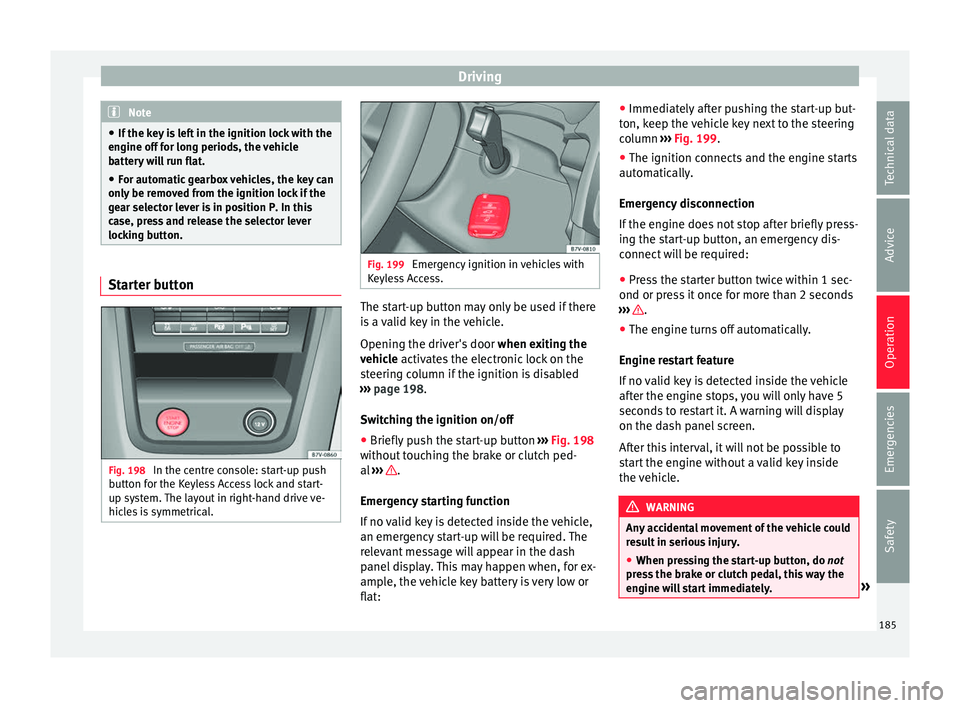
Fig. 198
In the centre console: start-up push
b utt
on f
or the Keyless Access lock and start-
up system. The layout in right-hand drive ve-
hicles is symmetrical. Fig. 199
Emergency ignition in vehicles with
Keyl e
ss Access. The start-up button may only be used if there
i
s
a
valid key in the vehicle.
Opening the driver's door when exiting the
vehicle activates the electronic lock on the
steering column if the ignition is disabled
››› page 198.
Switching the ignition on/off
● Briefly push the start-up button ›››
Fig. 198
without touching the brake or clutch ped-
al ››› .
Emer g
ency
starting function
If no valid key is detected inside the vehicle,
an emergency start-up will be required. The
relevant message will appear in the dash
panel display. This may happen when, for ex-
ample, the vehicle key battery is very low or
flat: ●
Immediately
after pushing the start-up but-
ton, keep the vehicle key next to the steering
column ››› Fig. 199.
● The ignition connects and the engine starts
automatic
ally.
Emergency disconnection
If the engine does not stop after briefly press-
ing the start-up button, an emergency dis-
connect will be required:
● Press the starter button twice within 1 sec-
ond or pres
s it once for more than 2 seconds
››› .
● The engine turns off automatically.
En gine r
e
start feature
If no valid key is detected inside the vehicle
after the engine stops, you will only have 5
seconds to restart it. A warning will display
on the dash panel screen.
After this interval, it will not be possible to
start the engine without a valid key inside
the vehicle. WARNING
Any accidental movement of the vehicle could
re s
ult in serious injury.
● When pressing the start-up button, do not
pre
ss the brake or clutch pedal, this way the
engine will start immediately. » 185
Technical data
Advice
Operation
Emergencies
Safety
Page 188 of 324
Operation
WARNING
If vehicle keys are used negligently or with-
out due c ar
e, this may cause accidents and
serious injury.
● Never leave any key inside the vehicle
when exitin
g. Otherwise, a child or unauthor-
ised person could lock the vehicle, start the
engine or connect the ignition and, in this
way, operate electronic equipment (e.g. the
windows). Note
In diesel vehicles with the Keyless Access
sys t
em, there may be a delay in the engine
starting if it requires preheating. Starting the engine
Complete operations only in the sequence
giv
en:
Vehicles without
Keyless AccessVehicles with
Keyless Access
1.Press and hold the brake pedal until step 5 is per- formed.
1a.In vehicles with a manual gearbox: press and
hold the clutch down until the engine starts.
2.Put the gearbox lever in neutral or the selector lever in position P or N.
Vehicles without
Keyless AccessVehicles with
Keyless Access
3.
Only in vehicles with
diesel engines: for pre-
heating, turn the key in the ignition lock to po-
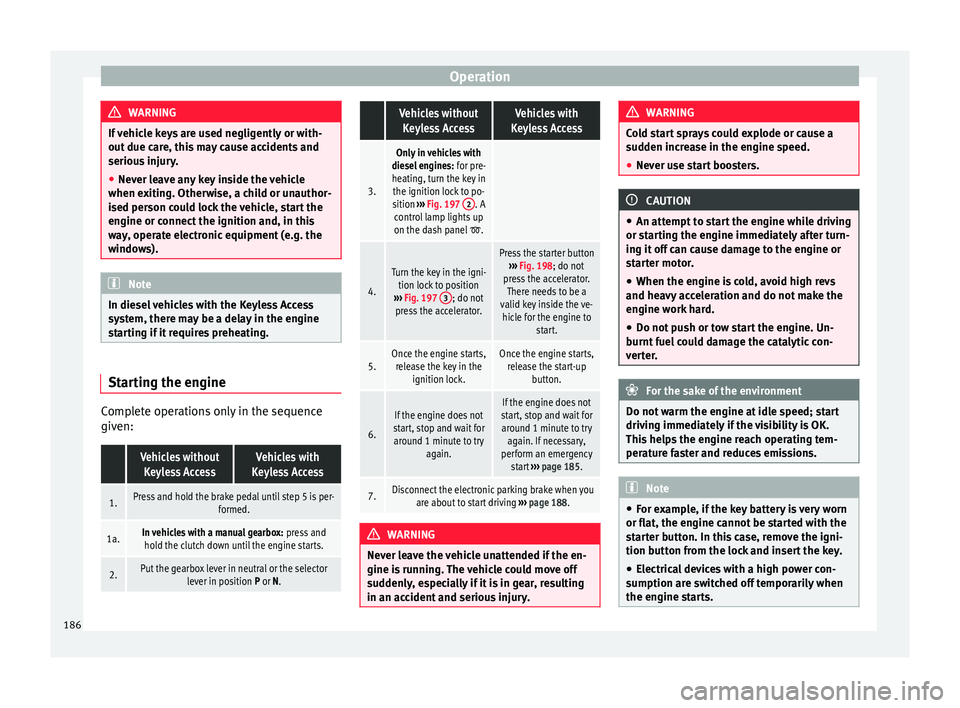
sition ››› Fig. 197 2
. A
control lamp lights up
on the dash panel
.
4.
Turn the key in the igni- tion lock to position
››› Fig. 197 3
; do not
press the accelerator.
Press the starter button ››› Fig. 198; do not
press the accelerator. There needs to be a
valid key inside the ve- hicle for the engine to start.
5.Once the engine starts,release the key in the ignition lock.Once the engine starts,release the start-up button.
6.
If the engine does not
start, stop and wait for around 1 minute to try again.If the engine does not
start, stop and wait for around 1 minute to try again. If necessary,
perform an emergency start ››› page 185.
7.Disconnect the electronic parking brake when you
are about to start driving ››› page 188. WARNING
Never leave the vehicle unattended if the en-
gine is ru
nning. The vehicle could move off
suddenly, especially if it is in gear, resulting
in an accident and serious injury. WARNING
Cold start sprays could explode or cause a
sud den inc
rease in the engine speed.
● Never use start boosters. CAUTION
● An attempt t
o start the engine while driving
or starting the engine immediately after turn-
ing it off can cause damage to the engine or
starter motor.
● When the engine is cold, avoid high revs
and heavy ac
celeration and do not make the
engine work hard.
● Do not push or tow start the engine. Un-
burnt f
uel could damage the catalytic con-
verter. For the sake of the environment
Do not warm the engine at idle speed; start
drivin g immedi
ately if the visibility is OK.
This helps the engine reach operating tem-
perature faster and reduces emissions. Note
● For e x
ample, if the key battery is very worn
or flat, the engine cannot be started with the
starter button. In this case, remove the igni-
tion button from the lock and insert the key.
● Electrical devices with a high power con-
sumption are sw
itched off temporarily when
the engine starts. 186
Page 189 of 324
Driving
●
When the engine i s
started cold, there may
be strong vibrations for a few moments for
technical reasons. This is quite normal, and
no cause for concern.
● At temperatures below +5°C (+41°F),
smoke ma
y be given off below the vehicle
when the additional heater is turned on. Stopping the engine
Complete operations only in the sequence
given:
Vehicles without
Keyless AccessVehicles with
Keyless Access
1.Bring the vehicle to a full stop ››› .
2.Press and hold the brake pedal until the step 4 is
performed.
3.If the vehicle has an automatic gearbox, place theselector lever in position P.
4.Connect the electronic parking brake ››› page 188.
5.Turn the vehicle key in
the ignition lock to po-
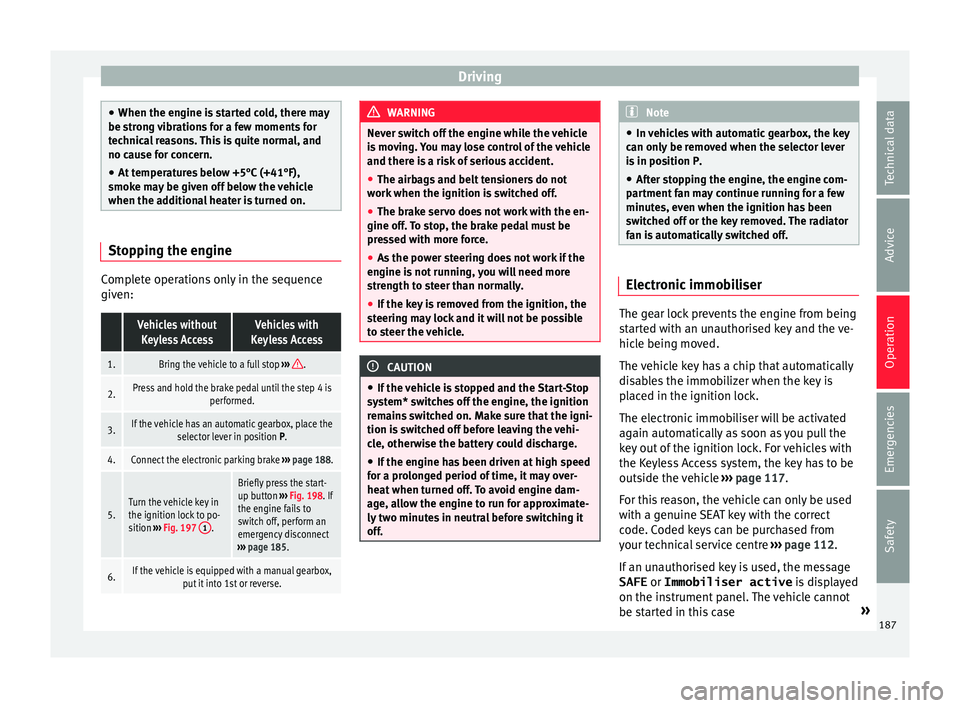
sition ››› Fig. 197 1
.
Briefly press the start-
up button
››› Fig. 198. If
the engine fails to
switch off, perform an
emergency disconnect
››› page 185.
6.If the vehicle is equipped with a manual gearbox,
put it into 1st or reverse. WARNING
Never switch off the engine while the vehicle
is mo
ving. You may lose control of the vehicle
and there is a risk of serious accident.
● The airbags and belt tensioners do not
work when the ignition i
s switched off.
● The brake servo does not work with the en-
gine off. T
o stop, the brake pedal must be
pressed with more force.
● As the power steering does not work if the
engine is
not running, you will need more
strength to steer than normally.
● If the key is removed from the ignition, the
steerin
g may lock and it will not be possible
to steer the vehicle. CAUTION
● If the v
ehicle is stopped and the Start-Stop
system* switches off the engine, the ignition
remains switched on. Make sure that the igni-
tion is switched off before leaving the vehi-
cle, otherwise the battery could discharge.
● If the engine has been driven at high speed
for a pro
longed period of time, it may over-
heat when turned off. To avoid engine dam-
age, allow the engine to run for approximate-
ly two minutes in neutral before switching it
off. Note
● In v ehic
les with automatic gearbox, the key
can only be removed when the selector lever
is in position P.
● After stopping the engine, the engine com-
partment
fan may continue running for a few
minutes, even when the ignition has been
switched off or the key removed. The radiator
fan is automatically switched off. Electronic immobiliser
The gear lock prevents the engine from being
s
t
ar
ted with an unauthorised key and the ve-
hicle being moved.
The vehicle key has a chip that automatically
disables the immobilizer when the key is
placed in the ignition lock.
The electronic immobiliser will be activated
again automatically as soon as you pull the
key out of the ignition lock. For vehicles with
the Keyless Access system, the key has to be
outside the vehicle ›››
page 117.
For this reason, the vehicle can only be used
with a genuine SEAT key with the correct
code. Coded keys can be purchased from
your technical service centre ›››
page 112.
If an unauthorised key is used, the message SAFE or Immobiliser active is displayed
on the instrument panel. The vehicle cannot
be started in this case »
187
Technical data
Advice
Operation
Emergencies
Safety
Page 190 of 324
Operation
Note
The correct operation of the vehicle is only
guarant eed when origin
al SEAT keys are
used. Braking and parking
Introduction The assisted braking systems include the an-
ti-loc
k
braking system (ABS), the brake assist
system (BAS), the electronic differential lock
(EDL), the traction control system (ASR) and
the electronic stability control (ESC). WARNING
Driving with worn brake pads or a faulty
brak e sy
stem may lead to serious accident.
● If lights, alone or accompanied by a
warnin
g message on the instrument panel
display, please go immediately to a special-
ised workshop to check the brake pads and to
replace them if they are worn. WARNING
Careless parking can cause serious injury.
● Never remove the key from the ignition if
the v ehic
le is in motion. The steering lock
may engage and lock the steering wheel mak-
ing the vehicle impossible to control. ●
Alw a
ys park your vehicle so that no part of
the exhaust system can come in contact with
flammable materials (such as wood, leaves,
dried grass, spilled fuel, etc.).
● Always apply the electronic parking brake
when you l
eave your vehicle and when you
park.
● Never leave children or disabled people
alone in the v
ehicle. They could release the
electronic parking brake, activate the selec-
tor lever or gear stick and start the vehicle
moving. This could result in a serious acci-
dent.
● Always take all the keys with you whenever
you le
ave the vehicle. The engine could acci-
dentally be started and electrical equipment
such as the windows could accidentally be
operated resulting in serious injury.
● Never leave children or disabled people
alone in the car
. They could be trapped in the
car in an emergency and will not be able to
get themselves to safety. For example, de-
pending on the time of the year, tempera-
tures inside a locked and closed vehicle can
be extremely high or extremely low resulting
in serious injuries and illness or even death,
particularly for young children. CAUTION
● Spec i
al care should be taken when parking
in areas with high kerbs or fixed barriers. Ob-
jects protruding from the ground may dam-
age the bumper or other parts of the vehicle during manoeuvres. To avoid damage, stop
befor
e the wheel
s touch the barrier or kerb.
● Special attention is required when driving
through entranc
es, over ramps, kerbs or oth-
er objects. The vehicle underbody, bumpers,
mudguards and running gear, and the engine
and exhaust system could be damaged as
you drive over these objects. Control and warning lamps
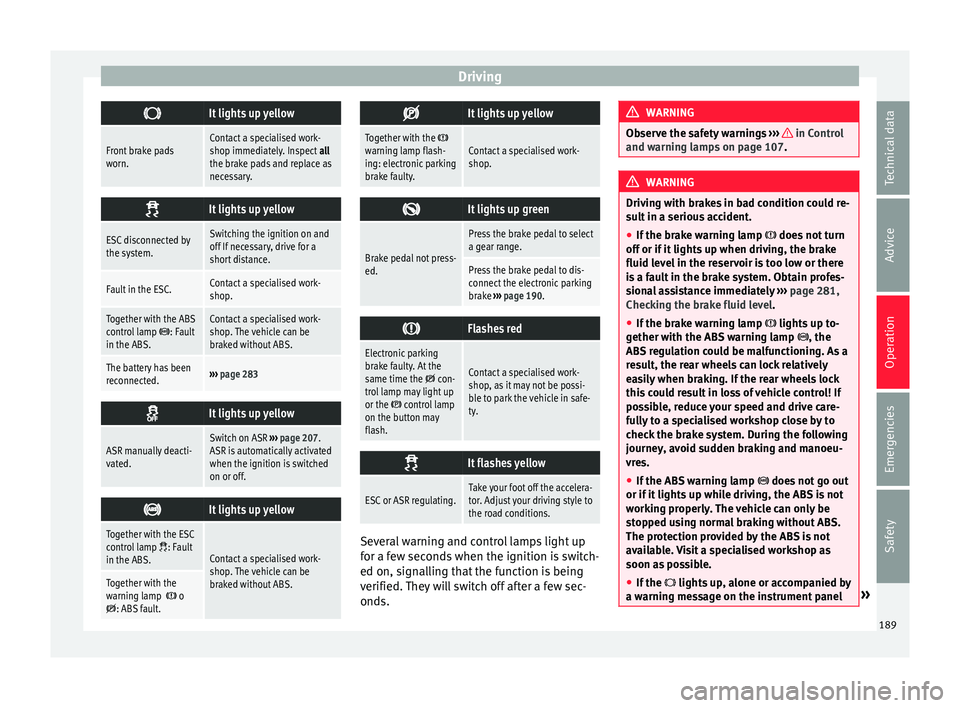
It lights up red
Together with the control lamp on the
button: Electronic
parking brake on.›››
page 190
Fault in the brake sys-
tem Stop the vehicle!
Seek professional assistance!
››› page 192.
Brake fluid level inad-
equate. Do not drive on!
Check brake fluid level
››› page 282.
Together with the ABS
control lamp : ABS
fault.Contact a specialised work-
shop. The vehicle can be
braked without ABS.
It lights up red
Brake pedal not press-
ed!Press brake pedal to the floor.
188
Page 191 of 324
Driving
It lights up yellow
Front brake pads
worn.Contact a specialised work-
shop immediately. Inspect
all
the brake pads and replace as
necessary.
It lights up yellow
ESC disconnected by
the system.Switching the ignition on and
off If necessary, drive for a
short distance.
Fault in the ESC.Contact a specialised work-
shop.
Together with the ABS
control lamp : Fault
in the ABS.Contact a specialised work-
shop. The vehicle can be
braked without ABS.
The battery has been
reconnected.››› page 283
It lights up yellow
ASR manually deacti-
vated.Switch on ASR
››› page 207.
ASR is automatically activated
when the ignition is switched
on or off.
It lights up yellow
Together with the ESC
control lamp : Fault
in the ABS.Contact a specialised work-
shop. The vehicle can be
braked without ABS.
Together with the
warning lamp o: ABS fault.
It lights up yellow
Together with the warning lamp flash-
ing: electronic parking
brake faulty.Contact a specialised work-
shop.
It lights up green
Brake pedal not press-
ed.
Press the brake pedal to select
a gear range.
Press the brake pedal to dis-
connect the electronic parking
brake
››› page 190.
Flashes red
Electronic parking
brake faulty. At the
same time the
con-
trol lamp may light up
or the
control lamp
on the button may
flash.
Contact a specialised work-
shop, as it may not be possi-
ble to park the vehicle in safe-
ty.
It flashes yellow
ESC or ASR regulating.Take your foot off the accelera-
tor. Adjust your driving style to
the road conditions.
Several warning and control lamps light up
f
or a f
ew sec
onds when the ignition is switch-
ed on, signalling that the function is being
verified. They will switch off after a few sec-
onds. WARNING
Observe the safety warnings ›››
in Control
and warnin g l
amps on page 107. WARNING
Driving with brakes in bad condition could re-
su lt
in a serious accident.
● If the brake warning lamp does not
turn
off or if it lights up when driving, the brake
fluid level in the reservoir is too low or there
is a fault in the brake system. Obtain profes-
sional assistance immediately ››› page 281,
Checking the brake fluid level.
● If the brake warning lamp lights up t
o-
gether with the ABS warning lamp , the
ABS regulation could be malfunctioning. As a
result, the rear wheels can lock relatively
easily when braking. If the rear wheels lock
this could result in loss of vehicle control! If
possible, reduce your speed and drive care-
fully to a specialised workshop close by to
check the brake system. During the following
journey, avoid sudden braking and manoeu-
vres.
● If the ABS warning lamp does not
go out
or if it lights up while driving, the ABS is not
working properly. The vehicle can only be
stopped using normal braking without ABS.
The protection provided by the ABS is not
available. Visit a specialised workshop as
soon as possible.
● If the lights up
, alone or accompanied by
a warning message on the instrument panel » 189
Technical data
Advice
Operation
Emergencies
Safety
Page 195 of 324
Driving
reduce the strain on the brake system. Other-
wi
se, the br
akes may overheat and fail. Only
use the brakes to reduce speed or to stop. Note
When checking the front brake pads, take the
time t o al
so check the rear brake pads. The
thickness of the brake pads should be
checked visually and regularly, by looking
through the openings in the wheel rims or
from underneath the vehicle. If necessary, re-
move the wheels to check them thoroughly.
SEAT recommends taking your car in for tech-
nical service. Gearbox
Intr oduction When reverse gear is engaged and the igni-
tion i
s
sw
itched on the following takes place:
● Reverse lights light up.
● When reversing, the air conditioner auto-
matical
ly changes to air recirculation mode.
● The rear window heater switches on when
the winds
creen wiper is activated.
● Also, the parking sensor system, the opti-
cal p
arking sensor and the camera for the re-
verse assist system are connected. WARNING
Rapid acceleration can cause loss of traction
and skid din
g, especially on slippery ground.
This could cause loss of control of the vehicle
resulting in an accident and considerable
damage.
● Only use the kick-down function or rapid
accel
eration if visibility, weather, road and
traffic conditions so permit. WARNING
Do not allow the brakes to “rub” for a pro-
long ed period of
time, or brake frequently or
for long periods of time. Continuous braking
heats up the brakes. This could significantly
reduce braking power, increase braking dis-
tance or even result in the total failure of the
brake system. Control and warning lamps
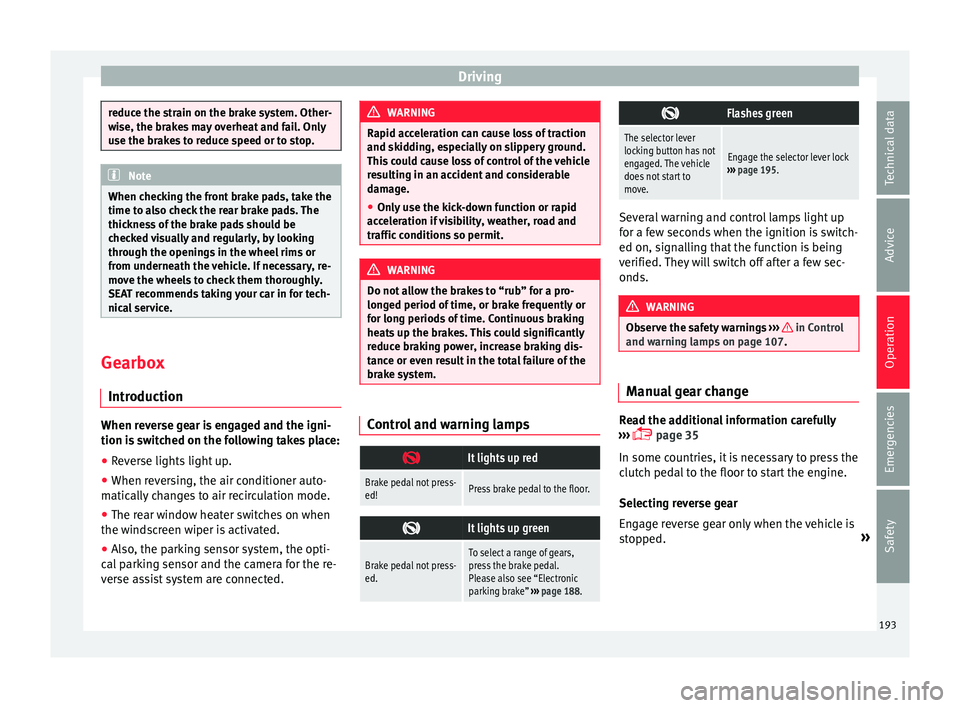
It lights up red
Brake pedal not press-
ed!Press brake pedal to the floor.
It lights up green
Brake pedal not press-
ed.To select a range of gears,
press the brake pedal.
Please also see “Electronic
parking brake”
››› page 188.
Flashes green
The selector lever
locking button has not
engaged. The vehicle
does not start to
move.
Engage the selector lever lock
››› page 195. Several warning and control lamps light up
for a f
ew sec
onds when the ignition is switch-
ed on, signalling that the function is being
verified. They will switch off after a few sec-
onds. WARNING
Observe the safety warnings ›››
in Control
and warnin g l
amps on page 107. Manual gear change
Read the additional information carefully
› ›
›
page 35
In some countries, it is necessary to press the
clutch pedal to the floor to start the engine.
Selecting reverse gear
Engage reverse gear only when the vehicle is
stopped. »
193
Technical data
Advice
Operation
Emergencies
Safety
Page 196 of 324
Operation
WARNING
When the engine is running, the vehicle will
st ar
t to move as soon as a gear is engaged
and the clutch released. This is also the case
with the electronic parking brake on.
● Never engage the reverse gear when a vehi-
cle i
s moving forward. CAUTION
To prevent damage and avoid premature
we ar
, please observe the following:
● While driving, do not leave your hand rest-
ing on the ge
ar stick. The pressure applied by
your hand is transmitted to the gearbox se-
lector forks.
● Always ensure that the vehicle is complete-
ly st
opped before engaging the reverse gear.
● When changing gear, always make sure the
clutc
h pedal is pushed right to the floor.
● Never hold the vehicle “on the clutch” on
hill
s with the engine on. Automatic gearbox*
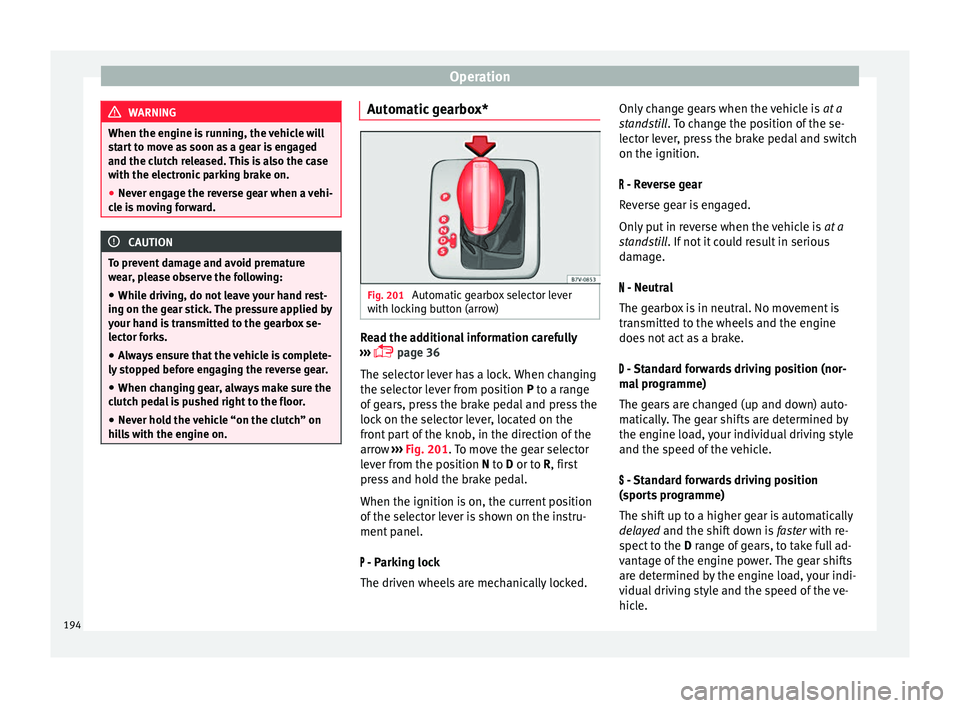
Fig. 201
Automatic gearbox selector lever
w ith loc
k
ing button (arrow) Read the additional information carefully
› ›
›
page 36
The selector lever has a lock. When changing
the selector lever from position P to a range
of gears, press the brake pedal and press the
lock on the selector lever, located on the
front part of the knob, in the direction of the
arrow ››› Fig. 201. To move the gear selector
lever from the position N to D or to R, first
press and hold the brake pedal.
When the ignition is on, the current position
of the selector lever is shown on the instru-
ment panel.
- Parking lock
The driven wheels are mechanically locked. Only change gears when the vehicle is
at a
st
andstill. To change the position of the se-
lector lever, press the brake pedal and switch
on the ignition.
- Reverse gear
Reverse gear is engaged.
Only put in reverse when the vehicle is at a
standstill. If not it could result in serious
damage.
- Neutral
The gearbox is in neutral. No movement is
transmitted to the wheels and the engine
does not act as a brake.
- Standard forwards driving position (nor-
mal programme)
The gears are changed (up and down) auto-
matically. The gear shifts are determined by
the engine load, your individual driving style
and the speed of the vehicle.
- Standard forwards driving position
(sports programme)
The shift up to a higher gear is automatically
delayed and the shift down is faster with re-
spect to the D range of gears, to take full ad-
vantage of the engine power. The gear shifts
are determined by the engine load, your indi-
vidual driving style and the speed of the ve-
hicle.
194
Page 197 of 324
Driving
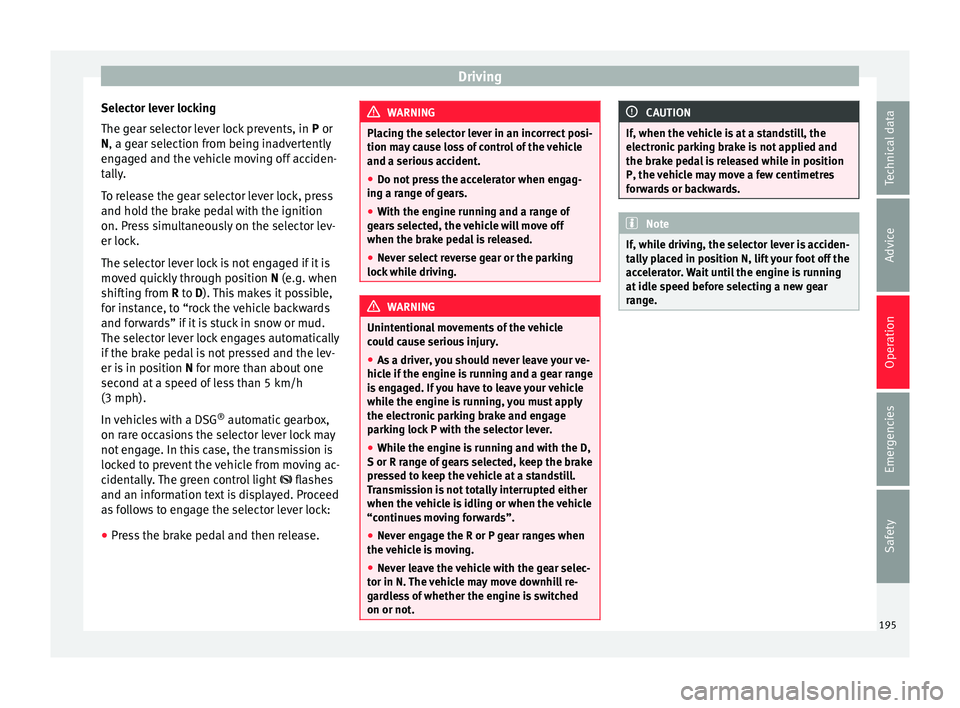
Selector lever locking
The g e
ar sel
ector lever lock prevents, in P or
N, a gear selection from being inadvertently
engaged and the vehicle moving off acciden-
tally.
To release the gear selector lever lock, press
and hold the brake pedal with the ignition
on. Press simultaneously on the selector lev-
er lock.
The selector lever lock is not engaged if it is
moved quickly through position N (e.g. when
shifting from R to D). This makes it possible,
for instance, to “rock the vehicle backwards
and forwards” if it is stuck in snow or mud.
The selector lever lock engages automatically
if the brake pedal is not pressed and the lev-
er is in position N for more than about one
second at a speed of less than 5 km/h
(3 mph).
In vehicles with a DSG ®
automatic gearbox,
on rare occasions the selector lever lock may
not engage. In this case, the transmission is
locked to prevent the vehicle from moving ac-
cidentally. The green control light flashes
and an information text is displayed. Proceed
as follows to engage the selector lever lock:
● Press the brake pedal and then release. WARNING
Placing the selector lever in an incorrect posi-
tion ma y
cause loss of control of the vehicle
and a serious accident.
● Do not press the accelerator when engag-
ing a ran
ge of gears.
● With the engine running and a range of
gear
s selected, the vehicle will move off
when the brake pedal is released.
● Never select reverse gear or the parking
lock whi
le driving. WARNING
Unintentional movements of the vehicle
cou l
d cause serious injury.
● As a driver, you should never leave your ve-
hicle if
the engine is running and a gear range
is engaged. If you have to leave your vehicle
while the engine is running, you must apply
the electronic parking brake and engage
parking lock P with the selector lever.
● While the engine is running and with the D,
S or R rang
e of gears selected, keep the brake
pressed to keep the vehicle at a standstill.
Transmission is not totally interrupted either
when the vehicle is idling or when the vehicle
“continues moving forwards”.
● Never engage the R or P gear ranges when
the vehic
le is moving.
● Never leave the vehicle with the gear selec-
tor in N. The
vehicle may move downhill re-
gardless of whether the engine is switched
on or not. CAUTION
If, when the vehicle is at a standstill, the
electr onic
parking brake is not applied and
the brake pedal is released while in position
P, the vehicle may move a few centimetres
forwards or backwards. Note
If, while driving, the selector lever is acciden-
ta l
ly placed in position N, lift your foot off the
accelerator. Wait until the engine is running
at idle speed before selecting a new gear
range. 195
Technical data
Advice
Operation
Emergencies
Safety
Page 199 of 324
Driving
checked by a specialised workshop as soon
a s
po
ssible.
Protection against overloading the DSG ®
6-
gear automatic gearbox
When the clutch is overloaded, the vehicle
begins to jerk and the selector lever position
indicator begins to flash. To prevent damage
to the clutch, this interrupts the power trans-
mission between the engine and the gear-
box. There is no more traction and it is not
possible to accelerate. If the clutch is opened
automatically due to overloading, press the
brake pedal. Wait a few seconds before start-
ing to move again.
Kick-down
The kick-down system provides maximum ac-
celeration when the gear selector lever is in
the positions D, S or in the Tiptronic position.
When the accelerator pedal is pressed right
down, the automatic gearbox will shift down
to a lower gear, depending on road speed
and engine speed. This takes advantage of
the maximum acceleration of the vehicle
››› .
When the ac c
el
erator is pressed to the floor,
the automatic gearbox shifts to the next gear
only after the engine reaches the specified
maximum engine speed. Launch-Control Programme
The Launch-C
ontrol programme enables max-
imum acceleration while at a standstill.
● Switch off the ASR ›››
page 188.
● Press and hold the brake pedal with your
left
foot.
● Place the selector lever in position S or Tip-
tronic
.
● Press the accelerator with the right foot un-
til the
vehicle reaches an engine speed of ap-
proximately 3200 rpm.
● Lift the left foot off the brake ›››
. The ve-
hic l
e s
tarts with maximum acceleration.
● Turn on the ASR after accelerating! WARNING
Rapid acceleration can cause loss of traction
and skid din
g, especially on slippery ground.
This could cause loss of control of the vehicle
resulting in an accident and considerable
damage.
● Only use kick-down and rapid acceleration
when weather c
onditions, surface conditions
and traffic conditions permit; accelerate and
drive in a manner that does not endanger
other road users.
● Please remember that the driven wheels
can slip and the
vehicle can skid if the ASR is
turned off, especially on slippery ground.
● Turn on the ASR after accelerating! CAUTION
● If y
ou stop on a hill with a gear range en-
gaged, do not try to prevent the vehicle from
rolling back by pressing on the accelerator.
This could cause overheating and damage the
automatic gearbox.
● Never allow the vehicle to move with the
gear sel
ector lever in N, especially with the
engine turned off. The automatic gearbox will
not be lubricated and could be damaged. Recommended gear display
In some vehicles, the recommended gear for
r
educ
in
g fuel consumption is displayed on
the instrument panel:
DisplayMeaning
Optimum gear.
Recommendation to change up a
gear.
Recommendation to change down a
gear.
Information for “cleaning” the diesel partic-
u
l
at
e filter
The exhaust gas system control recognises
when the diesel particulate filter is blocked,
and helps to clean it by recommending a spe-
cific gear for driving. It may therefore be »
197
Technical data
Advice
Operation
Emergencies
Safety
Page 200 of 324
Operation
necessary to drive with the engine at an ex-
c eption
al
ly high speed ››› page 202. WARNING
The recommended gear display is intended as
a guideline only; it shou
ld never replace the
driver's attention to driving carefully.
● Responsibility for selecting the correct gear
for eac
h situation continues to lie with the
driver, for example when overtaking, climb-
ing a hill or towing a trailer. For the sake of the environment
Selecting the most appropriate gear for the
sit uation w
ill help you to save fuel. Note
The recommended gear display is switched
off when the c lut
ch pedal is pressed.Address
Intr oduction The power steering is not hydraulic but elec-
tr
omec
h
anical. The advantage of this steer-
ing system is that it disposes of hydraulic
tubes, hydraulic oil, the pump, filter and oth-
er components. The electromechanical sys-
tem saves fuel. While a hydraulic system re-
quires oil pressure to be maintained, electro- mechanical steering only requires energy
when the steerin
g wheel is turned.
With the power steering system, the assisted
steering function automatically adjusts ac-
cording to the vehicle speed, the steering tor-
que and the wheel turning angle. The power
steering only works when the engine is run-
ning. WARNING
If the power steering is not working then the
st eerin
g wheel is much more difficult to turn
and the vehicle more difficult to control.
● The power steering only works when the
engine is
running.
● Never allow the vehicle to move when the
engine is
switched off.
● Never remove the key from the ignition if
the vehic
le is in motion. The steering may
lock and it will not be possible to turn the
steering wheel. Control and warning lamps
It lights up red
Power steering faulty.The steering system should be
checked by a specialised work-
shop as soon as possible.
It lights up yellow
Power steering opera-
tion reduced.The steering system should be
checked by a specialised work-
shop as soon as possible.
If, after restarting the engine
and driving for a short dis-
tance, the yellow warning lamp
no longer comes on, it will
not
be necessary to take the vehi-
cle to a specialised workshop.
The vehicle battery
was disconnected and
has been reconnec-
ted.Drive for a short distance at
15-20 km/h (9-12 mph).
Flashes red
Fault in the steering
column electronic
lock.
Do not drive on!
Seek professional advice.
It flashes yellow
Steering column devi-
ation.Gently turn the steering wheel
to and fro.
Steering wheel not
unlocked or locked.Remove the key from the igni-
tion and then switch the igni-
tion back on. Check the mes-
sages displayed on the instru-
ment panel at the same time.
Do not drive on, if
the steering
column remains locked after
the ignition has been switched
on. Seek specialist assistance. 198