page 43 Seat Alhambra 2018 Owner's Guide
[x] Cancel search | Manufacturer: SEAT, Model Year: 2018, Model line: Alhambra, Model: Seat Alhambra 2018Pages: 324, PDF Size: 7.04 MB
Page 35 of 324
The essentials
■ Door u n
loc
k (individual opening, Auto
Lock)
■ Convenience handling of windows
■ Rear vision mirror adjustment
■ Lights & visibility settings
menu
■ Coming home and leaving home
■ Footwell light
■ Convenience turn signals
The stored settings are automatically activa-
ted, at the latest when the ignition is switch-
ed on. Please refer to the information and
tips relating to the seat memory
››› page 147. Cruise control
Operating the c ruise control system
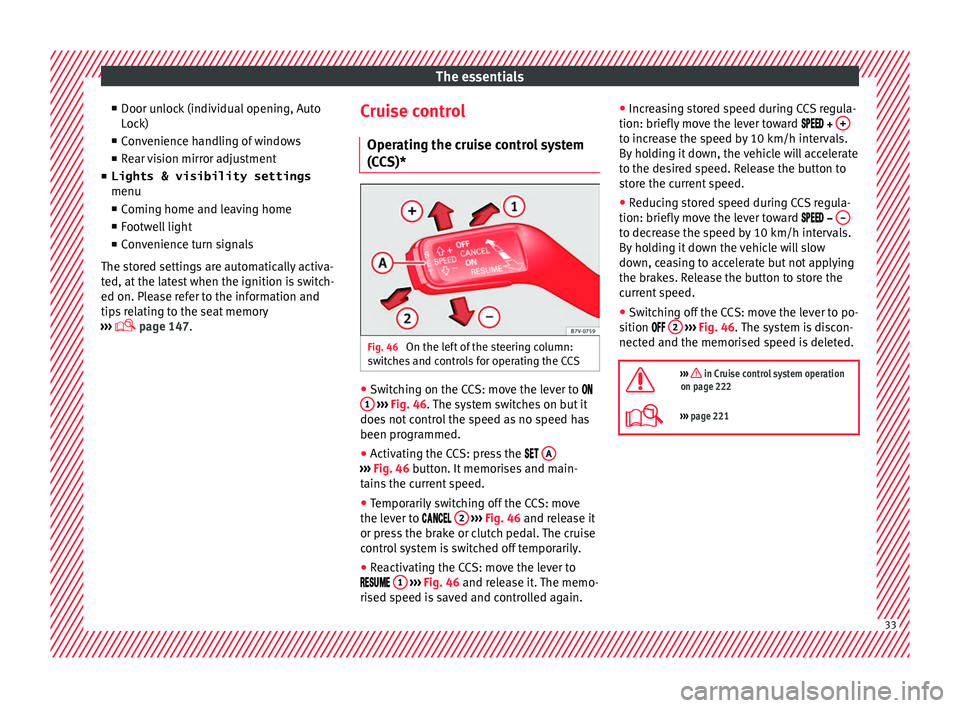
(CCS)* Fig. 46
On the left of the steering column:
sw it
c
hes and controls for operating the CCS ●
Switching on the CCS: move the lever to
1
› ›
› Fig. 46
. The system switches on but it
does not control the speed as no speed has
been programmed.
● Activating the CCS: press the A ›››
Fig. 46 butt on. It
memorises and main-
tains the current speed.
● Temporarily switching off the CCS: move
the lev er t
o 2
› ›
› Fig. 46 and release it
or press the brake or clutch pedal. The cruise
control system is switched off temporarily.
● Reactivating the CCS: move the lever to
1
› ›
› Fig. 46
and release it. The memo-
rised speed is saved and controlled again. ●
Incre
asing stored speed during CCS regula-
tion: briefly move the lever toward + to increase the speed by 10 km/h intervals.
B
y
ho
lding it down, the vehicle will accelerate
to the desired speed. Release the button to
store the current speed.
● Reducing stored speed during CCS regula-
tion: briefly mov
e the lever toward – to decrease the speed by 10 km/h intervals.
B
y
ho
lding it down the vehicle will slow
down, ceasing to accelerate but not applying
the brakes. Release the button to store the
current speed.
● Switching off the CCS: move the lever to po-
sition 2
› ›
› Fig. 46
. The system is discon-
nected and the memorised speed is deleted.
››› in Cruise control system operation
on page 222
››› page 221 33
Page 36 of 324
The essentials
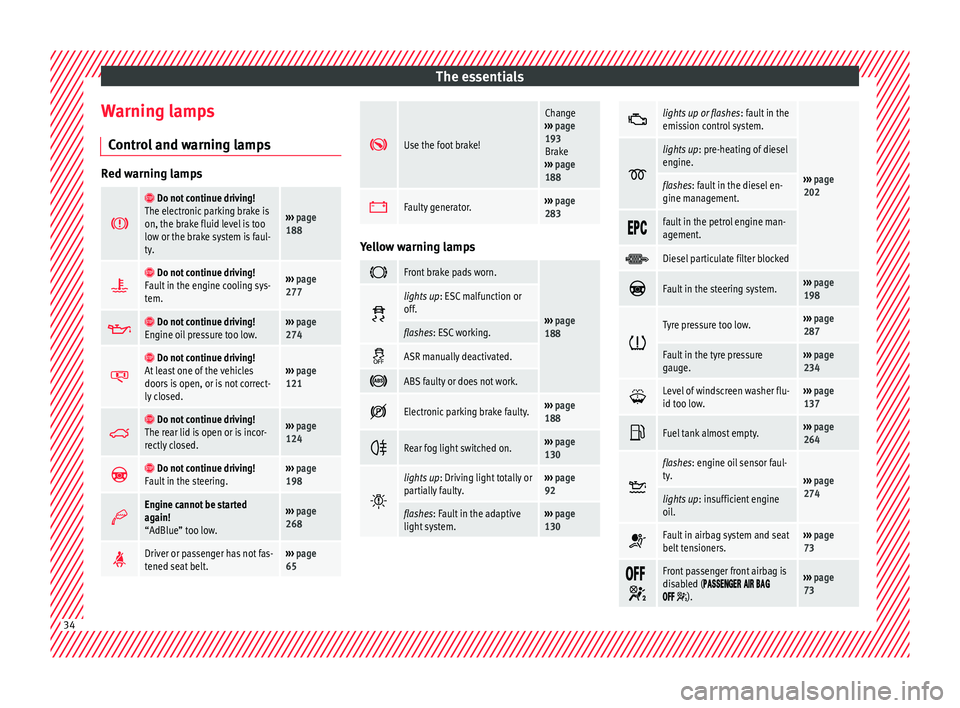
Warning lamps C ontr
o
l and warning lamps Red warning lamps
Do not continue driving!
The electronic parking brake is
on, the brake fluid level is too
low or the brake system is faul-
ty.
››› page
188
Do not continue driving!
Fault in the engine cooling sys-
tem.››› page
277
Do not continue driving!
Engine oil pressure too low.››› page
274
Do not continue driving!
At least one of the vehicles
doors is open, or is not correct-
ly closed.››› page
121
Do not continue driving!
The rear lid is open or is incor-
rectly closed.››› page
124
Do not continue driving!
Fault in the steering.››› page
198
Engine cannot be started
again!
“AdBlue” too low.›››
page
268
Driver or passenger has not fas-
tened seat belt.›››
page
65
Use the foot brake!
Change
››› page
193
Brake
››› page
188
Faulty generator.›››
page
283 Yellow warning lamps
Front brake pads worn.
›››
page
188
lights up
: ESC malfunction or
off.
flashes: ESC working.
ASR manually deactivated.
ABS faulty or does not work.
Electronic parking brake faulty.›››
page
188
Rear fog light switched on.›››
page
130
lights up
: Driving light totally or
partially faulty.››› page
92
flashes: Fault in the adaptive
light system.››› page
130
lights up or flashes
: fault in the
emission control system.
››› page
202
lights up
: pre-heating of diesel
engine.
flashes: fault in the diesel en-
gine management.
fault in the petrol engine man-
agement.
Diesel particulate filter blocked
Fault in the steering system.›››
page
198
Tyre pressure too low.›››
page
287
Fault in the tyre pressure
gauge.››› page
234
Level of windscreen washer flu-
id too low.›››
page
137
Fuel tank almost empty.›››
page
264
flashes: engine oil sensor faul-
ty.
›››
page
274
lights up : insufficient engine
oil.
Fault in airbag system and seat
belt tensioners.›››
page
73
Front passenger front airbag is
disabled (
).
››› page
73 34
Page 37 of 324
The essentials
Top up “AdBlue”, or there is a
fault in the “AdBlue” system.›››
page
268
Fuel tank not closed correctly.›››
page
264
Lane Assist is switched on, but
not active.›››
page
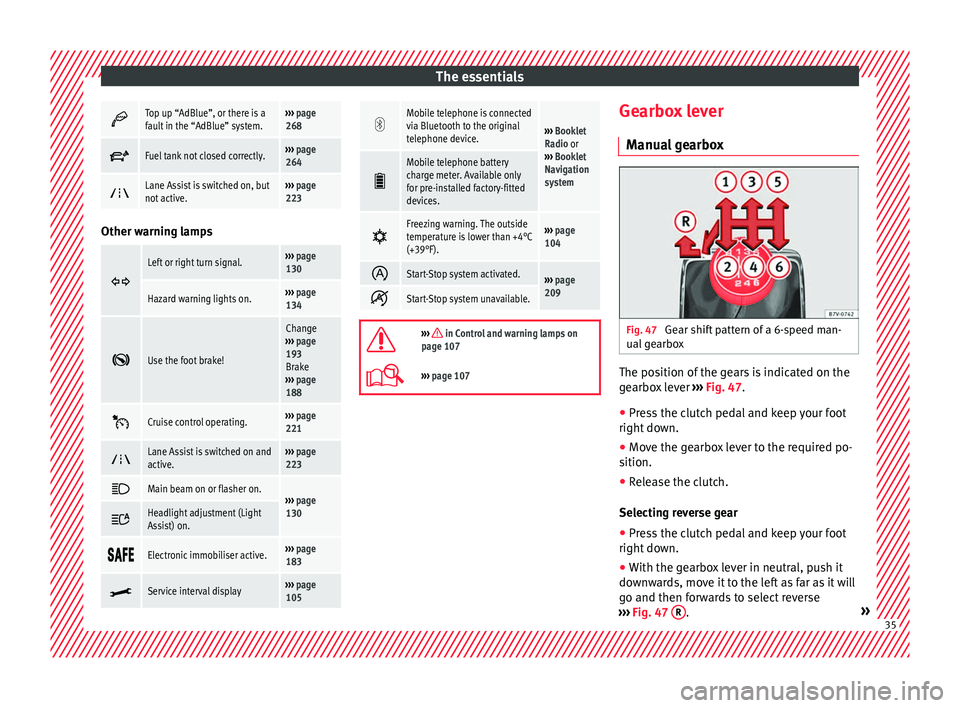
223 Other warning lamps
Left or right turn signal.›››
page
130
Hazard warning lights on.››› page
134
Use the foot brake!
Change
››› page
193
Brake
››› page
188
Cruise control operating.›››
page
221
Lane Assist is switched on and
active.›››
page
223
Main beam on or flasher on.›››
page
130 Headlight adjustment (Light
Assist) on.
Electronic immobiliser active.›››
page
183
Service interval display›››
page
105
Mobile telephone is connected
via Bluetooth to the original
telephone device.
›››
Booklet
Radio or
››› Booklet
Navigation
system
Mobile telephone battery
charge meter. Available only
for pre-installed factory-fitted
devices.
Freezing warning. The outside
temperature is lower than +4°C
(+39°F).›››
page
104
Start-Stop system activated.›››
page
209
Start-Stop system unavailable.
››› in Control and warning lamps on
page 107
››› page 107 Gearbox lever
M anua
l
gearbox Fig. 47
Gear shift pattern of a 6-speed man-
ual g
e
arbox The position of the gears is indicated on the
g
e
arbo
x lever ››› Fig. 47.
● Press the clutch pedal and keep your foot
right down.
● Mo
ve the gearbox lever to the required po-
sition.
● Rel
ease the clutch.
Selecting r
everse gear
● Press the clutch pedal and keep your foot
right down.
● W
ith the gearbox lever in neutral, push it
downw
ards, move it to the left as far as it will
go and then forwards to select reverse
››› Fig. 47 R .
» 35
Page 38 of 324
The essentials
● Rel
e
ase the clutch.
››› in Manual gear change on page 194
››› page 193 Automatic gearbox*
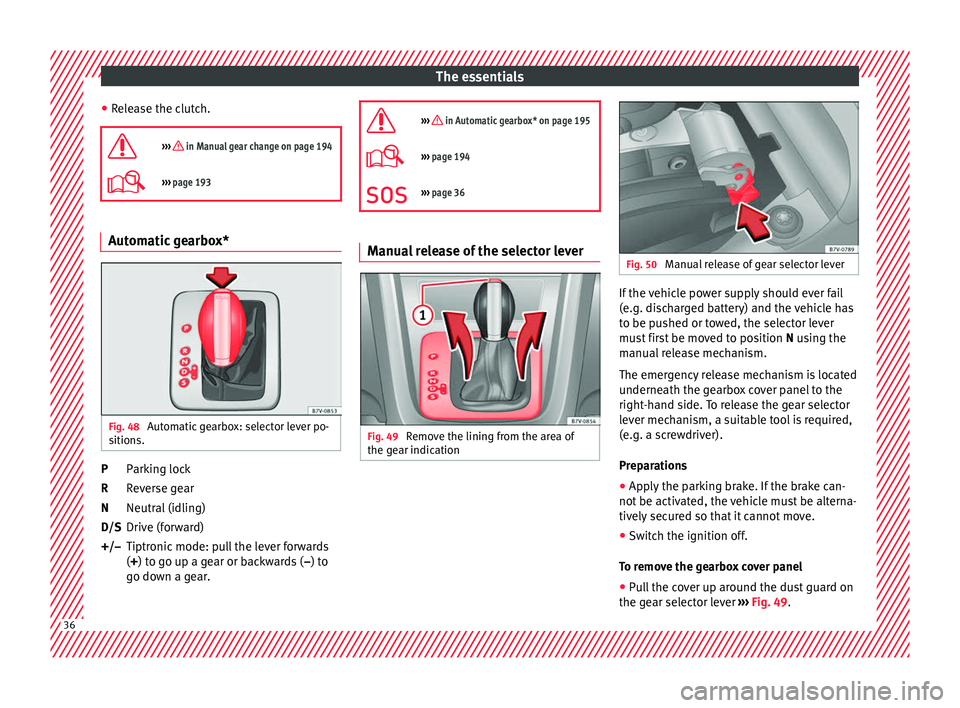
Fig. 48
Automatic gearbox: selector lever po-
s ition
s. Parking lock
R
ev
er
se gear
Neutral (idling)
Drive (forward)
Tiptronic mode: pull the lever forwards
(+) to go up a gear or backwards ( –) to
go down a gear.
P
R
N
D/S
+/–
››› in Automatic gearbox* on page 195
›››
page 194
››› page 36 Manual release of the selector lever
Fig. 49
Remove the lining from the area of
the g e
ar indic
ation Fig. 50
Manual release of gear selector lever If the vehicle power supply should ever fail
(e.
g. di
s
charged battery) and the vehicle has
to be pushed or towed, the selector lever
must first be moved to position N using the
manual release mechanism.
The emergency release mechanism is located
underneath the gearbox cover panel to the
right-hand side. To release the gear selector
lever mechanism, a suitable tool is required,
(e.g. a screwdriver).
Preparations
● Apply the parking brake. If the brake can-
not be activat
ed, the vehicle must be alterna-
tively secured so that it cannot move.
● Switch the ignition off.
To remo
ve the gearbox cover panel
● Pull the cover up around the dust guard on
the gear sel
ector lever ››› Fig. 49.36
Page 40 of 324
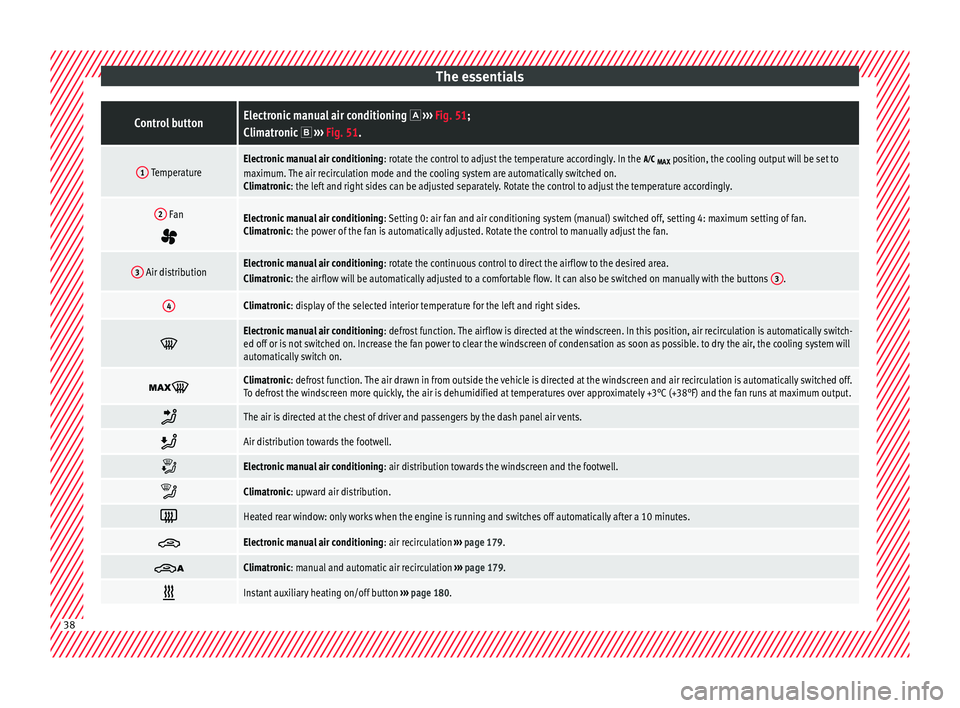
The essentialsControl buttonElectronic manual air conditioning
››› Fig. 51;
Climatronic ››› Fig. 51.
1 TemperatureElectronic manual air conditioning : rotate the control to adjust the temperature accordingly. In the
MAX position, the cooling output will be set to
maximum. The air recirculation mode and the cooling system are automatically switched on.
Climatronic: the left and right sides can be adjusted separately. Rotate the control to adjust the temperature accordingly.
2 Fan
Electronic manual air conditioning : Setting 0: air fan and air conditioning system (manual) switched off, setting 4: maximum setting of fan.
Climatronic: the power of the fan is automatically adjusted. Rotate the control to manually adjust the fan.
3 Air distributionElectronic manual air conditioning : rotate the continuous control to direct the airflow to the desired area.
Climatronic: the airflow will be automatically adjusted to a comfortable flow. It can also be switched on manually with the buttons 3.
4Climatronic: display of the selected interior temperature for the left and right sides.
Electronic manual air conditioning
: defrost function. The airflow is directed at the windscreen. In this position, air recirculation is automatically switch-
ed off or is not switched on. Increase the fan power to clear the windscreen of condensation as soon as possible. to dry the air, the cooling system will
automatically switch on.
Climatronic: defrost function. The air drawn in from outside the vehicle is directed at the windscreen and air recirculation is automatically switched off.
To defrost the windscreen more quickly, the air is dehumidified at temperatures over approximately +3°C (+38°F) and the fan runs at maximum output.
The air is directed at the chest of driver and passengers by the dash panel air vents.
Air distribution towards the footwell.
Electronic manual air conditioning
: air distribution towards the windscreen and the footwell.
Climatronic: upward air distribution.
Heated rear window: only works when the engine is running and switches off automatically after a 10 minutes.
Electronic manual air conditioning
: air recirculation ››› page 179.
Climatronic: manual and automatic air recirculation
››› page 179.
Instant auxiliary heating on/off button
››› page 180. 38
Page 41 of 324
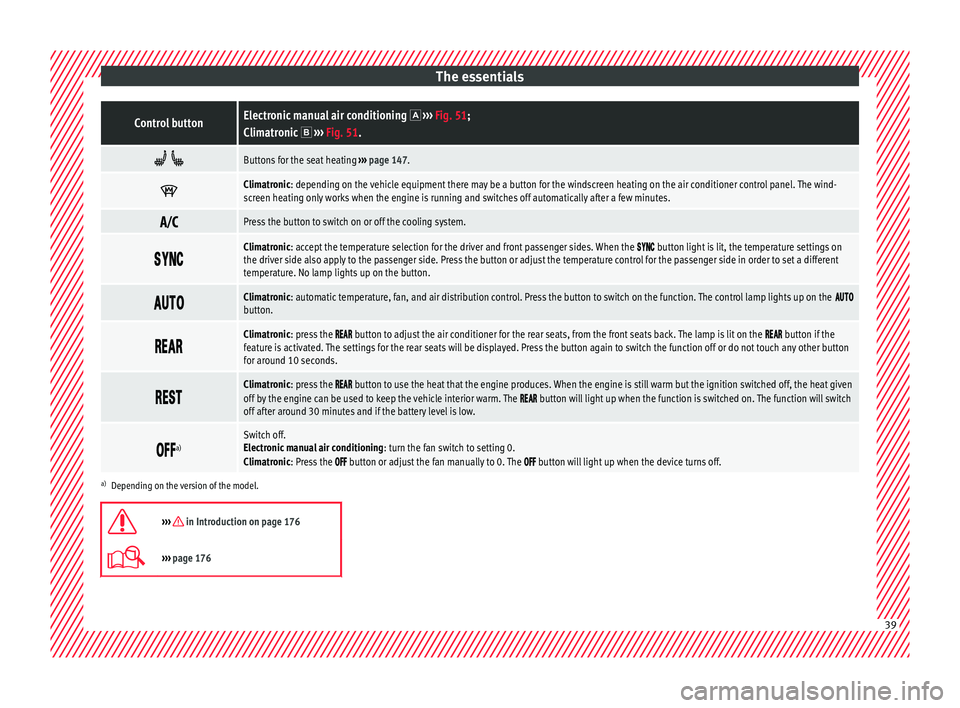
The essentialsControl buttonElectronic manual air conditioning
››› Fig. 51;
Climatronic ››› Fig. 51.
Buttons for the seat heating
››› page 147.
Climatronic: depending on the vehicle equipment there may be a button for the windscreen heating on the air conditioner control panel. The wind-
screen heating only works when the engine is running and switches off automatically after a few minutes.
Press the button to switch on or off the cooling system.
Climatronic: accept the temperature selection for the driver and front passenger sides. When the button light is lit, the temperature settings on
the driver side also apply to the passenger side. Press the button or adjust the temperature control for the passenger side in order to set a different
temperature. No lamp lights up on the button.
Climatronic: automatic temperature, fan, and air distribution control. Press the button to switch on the function. The control lamp lights up on the button.
Climatronic: press the button to adjust the air conditioner for the rear seats, from the front seats back. The lamp is lit on the button if the
feature is activated. The settings for the rear seats will be displayed. Press the button again to switch the function off or do not touch any other button
for around 10 seconds.
Climatronic: press the button to use the heat that the engine produces. When the engine is still warm but the ignition switched off, the heat given
off by the engine can be used to keep the vehicle interior warm. The button will light up when the function is switched on. The function will switch
off after around 30 minutes and if the battery level is low.
a)Switch off.
Electronic manual air conditioning
: turn the fan switch to setting 0.
Climatronic: Press the
button or adjust the fan manually to 0. The button will light up when the device turns off.
a) Depending on the version of the model.
››› in Introduction on page 176
››› page 176 39
Page 42 of 324
The essentials
Fluid Level control Fi l
lin
g capacities
Tank level
73 litres. 8 litre reserve
Capacity of the windscreen washer fluid con-
tainer
Versions without headlight
washer system3.5 litres
Versions with headlight washer
system6 litres Fuel
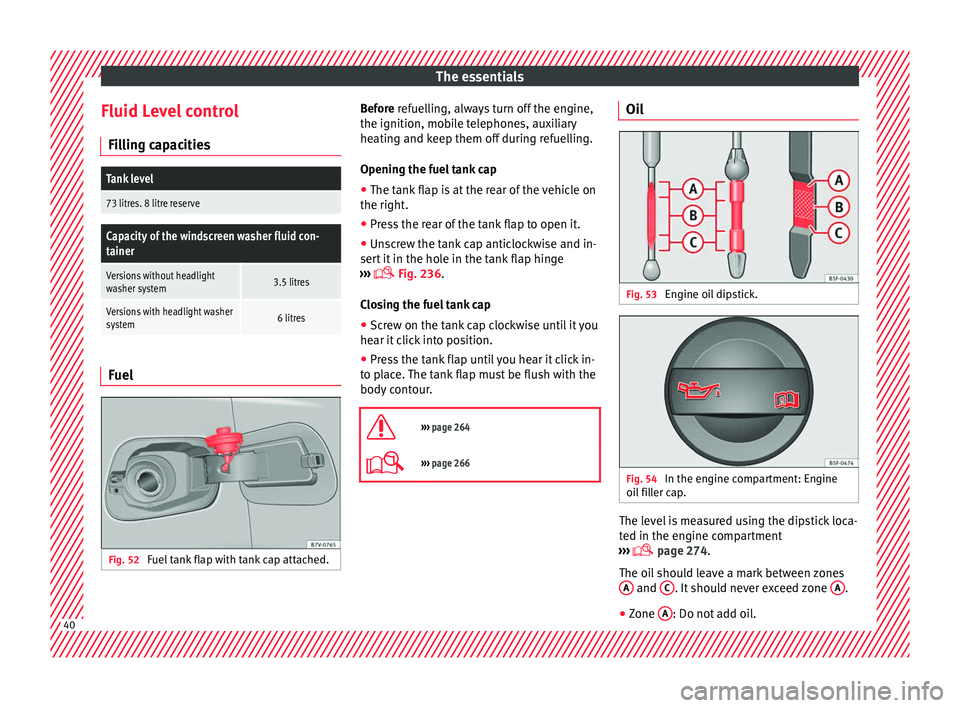
Fig. 52
Fuel tank flap with tank cap attached. Before r
efuelling, always turn off the engine,
the ignition, mo b
ile telephones, auxiliary
heating and keep them off during refuelling.
Opening the fuel tank cap
● The tank flap is at the rear of the vehicle on
the right.
● Pre
ss the rear of the tank flap to open it.
● Unscrew the tank cap anticlockwise and in-
sert it
in the hole in the tank flap hinge
››› Fig. 236.
Closing the fuel tank cap ● Screw on the tank cap clockwise until it you
hear it c
lick into position.
● Press the tank flap until you hear it click in-
to pl
ace. The tank flap must be flush with the
body contour.
››› page 264
››› page 266 Oil
Fig. 53
Engine oil dipstick. Fig. 54
In the engine compartment: Engine
oi l
fi
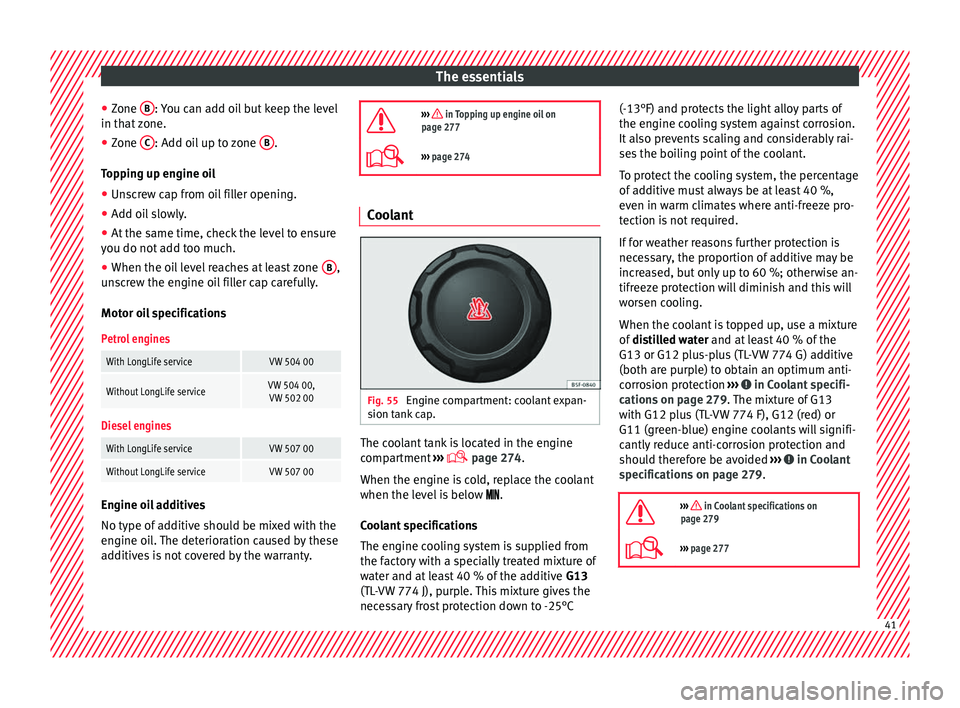
ller cap. The level is measured using the dipstick loca-
t
ed in the en
gine c
ompartment
››› page 274.
The oil should leave a mark between zones A and
C . It should never exceed zone
A .
● Zone A : Do not add oil.
40
Page 43 of 324
The essentials
● Zone B : You can add oil but keep the level
in th at
zone.
● Zone C : Add oil up to zone
B .
T op
pin
g up engine oil
● Unscrew cap from oil filler opening.
● Add oil slowly.
● At the same time, check the level to ensure
you do not a
dd too much.
● When the oil level reaches at least zone B ,
u n
s
crew the engine oil filler cap carefully.
Motor oil specifications
Petrol engines
With LongLife serviceVW 504 00
Without LongLife serviceVW 504 00, VW 502 00
Diesel engines
With LongLife serviceVW 507 00
Without LongLife serviceVW 507 00 Engine oil additives
No type of
a
d
ditive should be mixed with the
engine oil. The deterioration caused by these
additives is not covered by the warranty.
››› in Topping up engine oil on
page 277
››› page 274 Coolant
Fig. 55
Engine compartment: coolant expan-
s ion t
ank
cap. The coolant tank is located in the engine
c
omp
ar
tment ›››
page 274.
When the engine is cold, replace the coolant
when the level is below .
Coolant specifications
The engine cooling system is supplied from
the factory with a specially treated mixture of
water and at least 40 % of the additive G13
(TL-VW 774 J), purple. This mixture gives the
necessary frost protection down to -25°C (-13°F) and protects the light alloy parts of
the engine coo
ling system against corrosion.
It also prevents scaling and considerably rai-
ses the boiling point of the coolant.
To protect the cooling system, the percentage
of additive must always be at least 40 %,
even in warm climates where anti-freeze pro-
tection is not required.
If for weather reasons further protection is
necessary, the proportion of additive may be
increased, but only up to 60 %; otherwise an-
tifreeze protection will diminish and this will
worsen cooling.
When the coolant is topped up, use a mixture
of distilled water and at least 40 % of the
G13 or G12 plus-plus (TL-VW 774 G) additive
(both are purple) to obtain an optimum anti-
corrosion protection ››› in Coolant specifi-
c ation
s on p
age 279. The mixture of G13
with G12 plus (TL-VW 774 F), G12 (red) or
G11 (green-blue) engine coolants will signifi-
cantly reduce anti-corrosion protection and
should therefore be avoided ››› in Coolant
s pec
ific
ations on page 279.
››› in Coolant specifications on
page 279
››› page 277 41
Page 44 of 324
The essentials
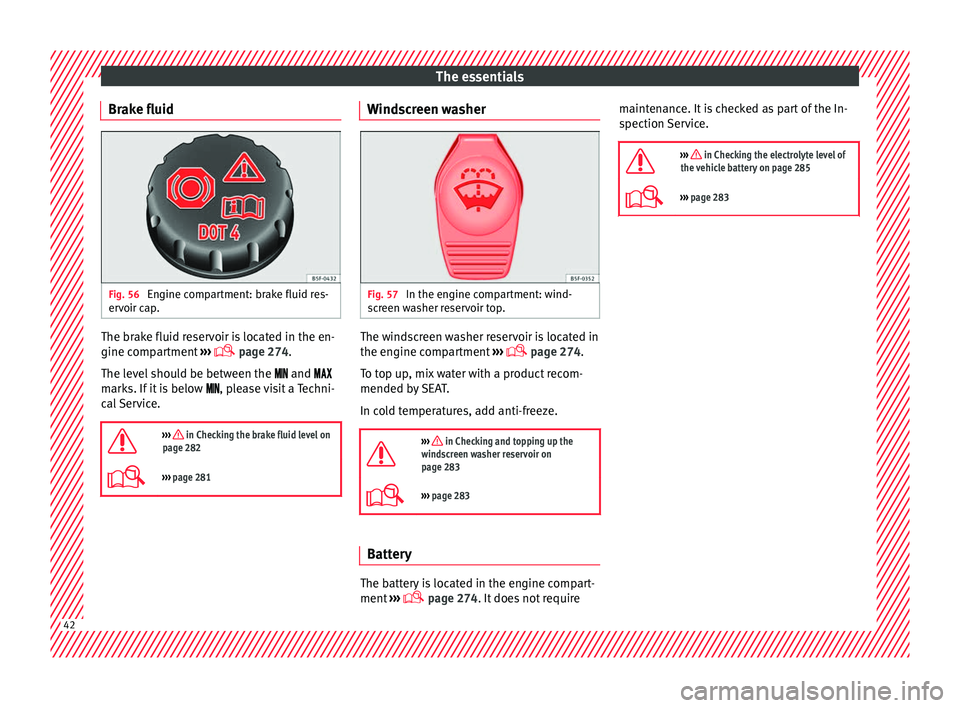
Brake fluid Fig. 56
Engine compartment: brake fluid res-
er v
oir c
ap. The brake fluid reservoir is located in the en-
gine c
omp
ar
tment ›››
page 274
.
The level should be between the and
marks. If it is below , please visit a Techni-
cal Service.
››› in Checking the brake fluid level on
page 282
››› page 281 Windscreen washer
Fig. 57
In the engine compartment: wind-
s c
r
een washer reservoir top. The windscreen washer reservoir is located in
the en
gine c
omp
artment ›››
page 274.
To top up, mix water with a product recom-
mended by SEAT.
In cold temperatures, add anti-freeze.
››› in Checking and topping up the
windscreen washer reservoir on
page 283
››› page 283 Battery
The battery is located in the engine compart-
ment
›
›
› page 274. It does not require maintenance. It is checked as part of the In-
spection Ser
vice.
››› in Checking the electrolyte level of
the vehicle battery on page 285
››› page 283 42
Page 45 of 324
The essentials
Emergencies F u
se
s
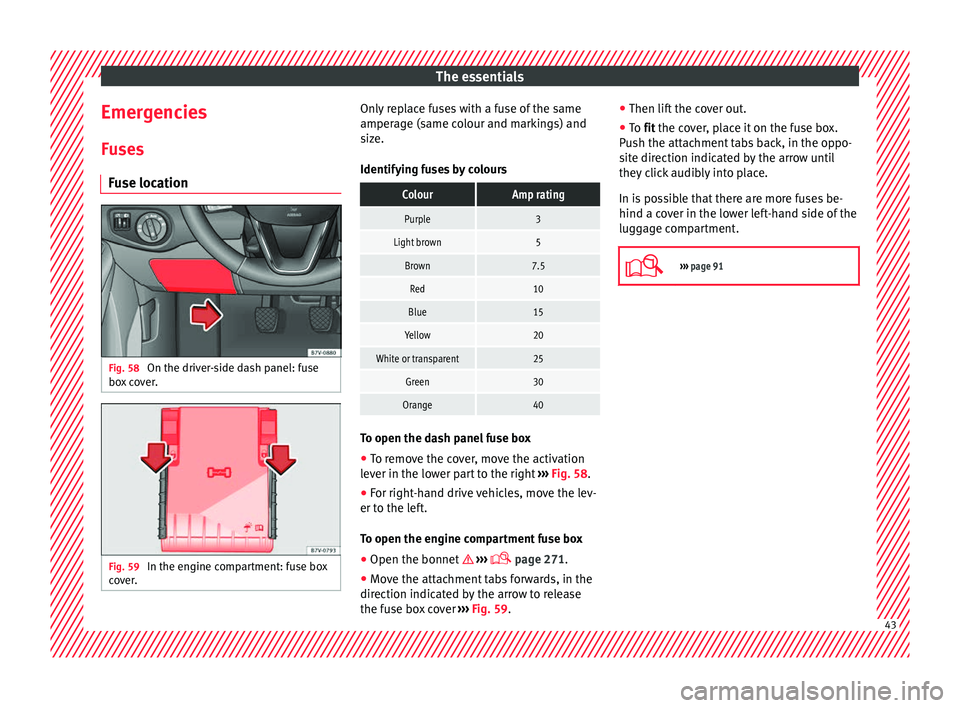
Fuse location Fig. 58
On the driver-side dash panel: fuse
bo x
c
over. Fig. 59
In the engine compartment: fuse box
c o v
er. Only replace fuses with a fuse of the same
amper
ag
e (s
ame colour and markings) and
size.
Identifying fuses by colours
ColourAmp rating
Purple3
Light brown5
Brown7.5
Red10
Blue15
Yellow20
White or transparent25
Green30
Orange40 To open the dash panel fuse box
●
To remove the cover, move the activation
l ev
er in the lo
wer part to the right ››› Fig. 58.
● For right-hand drive vehicles, move the lev-
er to the lef
t.
To open the engine compartment fuse box
● Open the bonnet ›››
page 271.
● Move the attachment tabs forwards, in the
direction indicat
ed by the arrow to release
the fuse box cover ››› Fig. 59. ●
Then lift the c
over out.
● To fit the cover, place it on the fuse box.
Pu
sh the attachment tabs back, in the oppo-
site direction indicated by the arrow until
they click audibly into place.
In is possible that there are more fuses be-
hind a cover in the lower left-hand side of the
luggage compartment.
››› page 91 43