warning Seat Altea 2005 Owner's Manual
[x] Cancel search | Manufacturer: SEAT, Model Year: 2005, Model line: Altea, Model: Seat Altea 2005Pages: 286, PDF Size: 9.59 MB
Page 146 of 286

Seats and stowage
144
Note•
Ensure that, when placing items of clothing on the luggage compartment
cover, that rear visibility is not reduced.
•
Only the warning triangle* and other li ghtweight objects should be stored
in the storage compartment.
Roof carrier*Please observe the following points if you intend to carry loads on the roof:•
For safety reasons, only luggage racks and accessories supplied by offi-
cial SEAT Service should be used.
•
It is imperative to precisely follow the fitting instructions included for the
rack, taking special care when fitting th e front bar in the allotments designed
for this and the rear bar between the marks on the upper part of the rear door
frame while respecting the correct direction of travel indicated in the installa-
tion manual. Not following these instructions may lead to paintwork damage
or marks on the bodywork.
•
Pay special attention to the tightening torque of the attachment bolts and
check them following a short journey. If necessary, retighten the bo lts and
check them at regular intervals.
•
Distribute the load evenly. A maximum load of 40 kg only is permitted for
each roof carrier system support bar, the load must be distributed evenly over
the entire length. However, the maximu m load permitted for the entire roof
(including the support system) of 75 kg must not be exceeded nor should the
total weight of the vehicle be exceeded. See the chapter on “Technical Data”.
•
When transporting heavy or large objects on the roof, any change in the
normal vehicle behaviour due to a change in the centre of gravity or an
increased wind resistance must be taken into account. For this reason, a suit-
able speed and driving style must be used.
•
For those vehicles fitted with a sunroof*, ensure that it does not contact
the load on the roof carrier system when opened.
altea_ingles Seite 144 Donnerstag, 19. Mai 2005 3:02 15
Page 148 of 286
Air conditioning
146With low ambient temperatures, the air recirculation increases the effective-
ness of the heating system by heating the air inside the passenger compart-
ment rather than the ambient air.
Air distribution
Control for setting the flow of air in the required direction. – Air distribution towards the windsc reen. Air recirculation is, for safety
reasons, not possible in this position. – Air distribution to the upper body. – Air distribution to footwell – Air distribution to the windscreen and the footwell.
Blower
The air flow can be set at four speeds with the control . The air flow should
always be set at the lowest speed when driving slowly.
WARNING
•
For road safety all windows must be clear of ice, snow, and condensa-
tion. This is essential to ensure good visibility. Please familiarize yourself
with the correct operation of the heat ing and ventilation system, including
the anti-fog/defrost functions for the windows.
•
In air recirculation mode, no ambient air enters the vehicle interior. The
windows can quickly fog over if the heating is switched off. Therefore, you
should never leave the air recirculation mode switched on for longer
periods, as this increases the risk of an accident.Note
Please observe the general notes ⇒page 154.
A4
A5
altea_ingles Seite 146 Donnerstag, 19. Mai 2005 3:02 15
Page 149 of 286
Air conditioning147
Safety First
Operating instructions
Tips and Maintenance
Te c h n i c a l D a t a
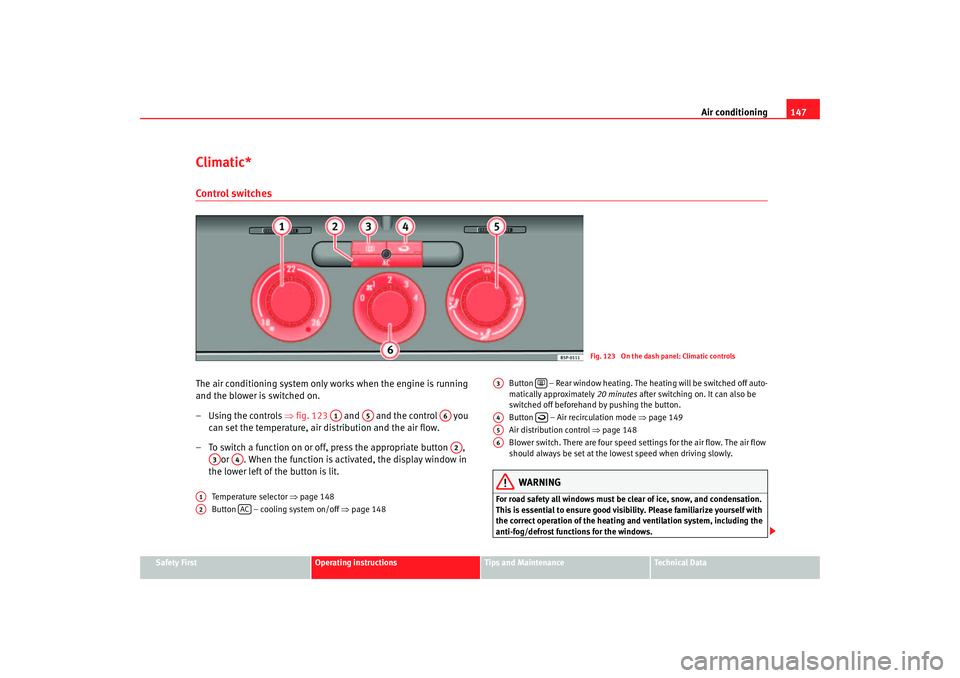
Climatic*Control switchesThe air conditioning system only works when the engine is running
and the blower is switched on.
– Using the controls ⇒fig. 123 and and the control you
can set the temperature, air distribution and the air flow.
– To switch a function on or off, press the appropriate button , or . When the function is activated, the display window in
the lower left of the button is lit.
Temperature selector ⇒page 148
Button – cooling system on/off ⇒page 148 Button – Rear window heating. The heating will be switched off auto-
matically approximately
20 minutes after switching on. It can also be
switched off beforehand by pushing the button.
Button – Air recirculation mode ⇒page 149
Air distribution control ⇒page 148
Blower switch. There are four speed settings for the air flow. The air flow
should always be set at the lowe st speed when driving slowly.
WARNING
For road safety all windows must be clear of ice, snow, and condensation.
This is essential to ensure good visibility. Please familiarize yourself with
the correct operation of the heating and ventilation system, including the
anti-fog/defrost functions for the windows.
Fig. 123 On the dash panel: Climatic controls
A1
A5
A6A2
A3
A4
A1A2
AC
A3
A4
A5A6
altea_ingles Seite 147 Donnerstag, 19. Mai 2005 3:02 15
Page 152 of 286
Air conditioning
150Air recirculation mode ⇒page 149, fig. 125 prevents strong odours in
the outside air from entering the vehicle interior, for example when passing
through a tunnel or in queuing traffic.
With low ambient temperatures, the air recirculation increases the effective-
ness of the heating system by heating the air inside the passenger compart-
ment rather than the ambient air.
With high ambient temperatures, the air recirculation increases the effective-
ness of the air cooling system by cooling the air inside the passenger
compartment rather than the ambient air. For reasons of safety, air recirculation is
not possible when the control for air
distribution is set to the windscreen setting
.
WARNING
In air recirculation mode, no ambient air enters the vehicle interior. If the
air conditioning system is switched off, the windows can quickly mist over.
Therefore, you should never leave the air recirculation mode switched on
for longer periods, as this increases the risk of an accident.
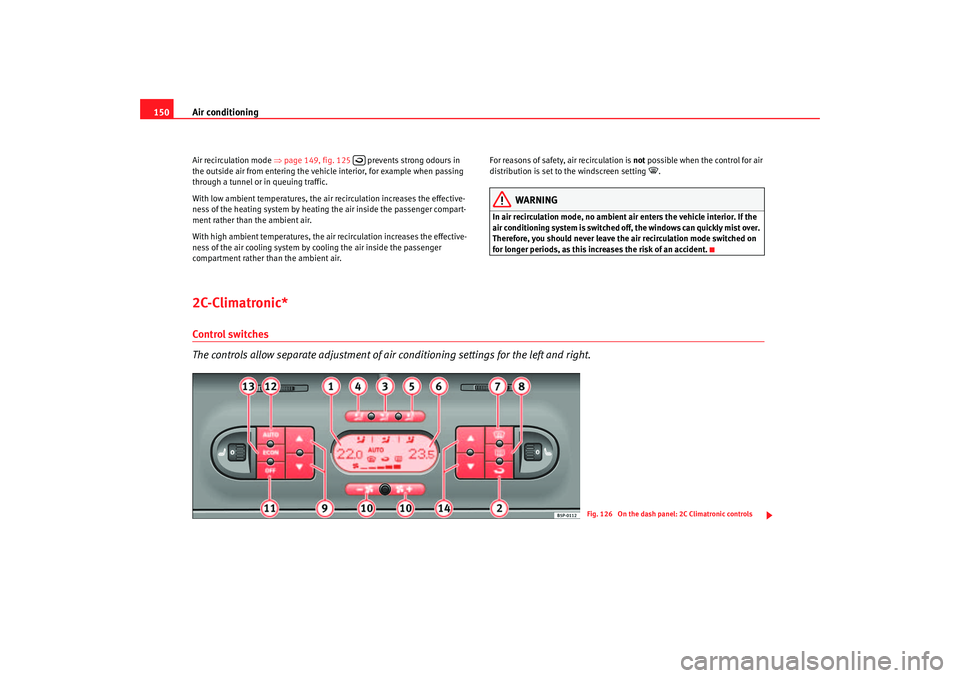
2C-Climatronic*Control switches
The controls allow separate adjustment of air conditioning settings for the left and right.
Fig. 126 On the dash panel: 2C Climatronic controls
altea_ingles Seite 150 Donnerstag, 19. Mai 2005 3:02 15
Page 153 of 286
Air conditioning151
Safety First
Operating instructions
Tips and Maintenance
Te c h n i c a l D a t a
The air conditioning system only works when the engine is running
and the blower is switched on.
– Press the temperature control buttons ⇒page 150, fig. 126
or in order to adjust the temperature on the left hand side or
the right hand side respectively.
– The functions will be switched on when the buttons are pressed. When these functions are activated, they are indicated in the
display. Also, the de-icing and re ar heated window functions will
turn on along with their corres ponding yellow symbol. Press the
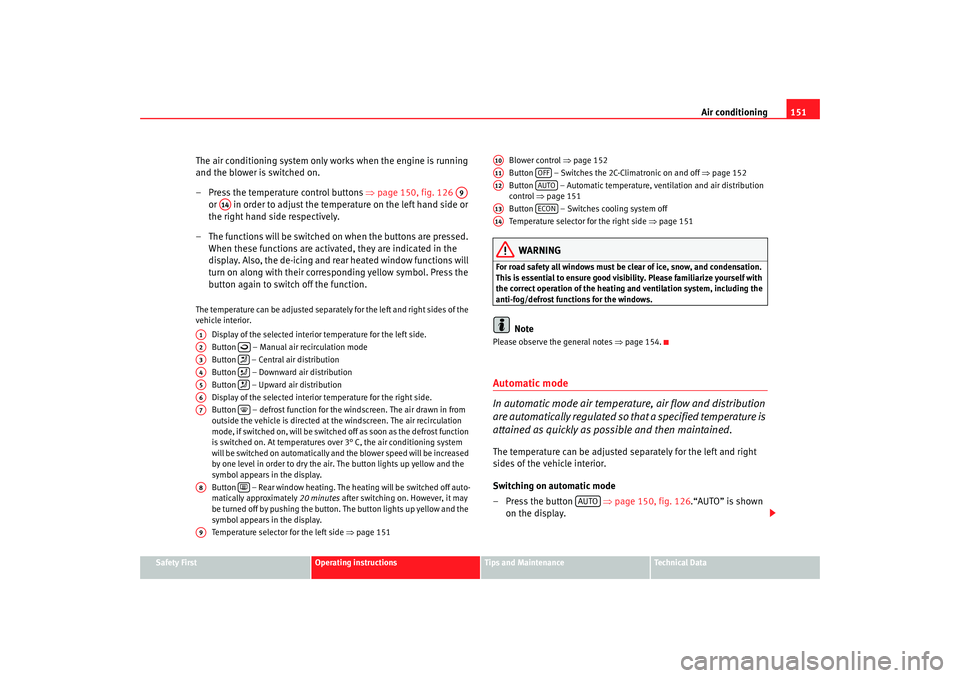
button again to switch off the function.The temperature can be adjusted separately for the left and right sides of the
vehicle interior.
Display of the selected interior temperature for the left side.
Button – Manual air recirculation mode
Button – Central air distribution
Button – Downward air distribution
Button – Upward air distribution
Display of the selected interior temperature for the right side.
Button – defrost function for the windscreen. The air drawn in from
outside the vehicle is directed at the windscreen. The air recirculation
mode, if switched on, will be switched off as soon as the defrost function
is switched on. At temperatures over 3° C, the air conditioning system
will be switched on automatically and the blower speed will be increased
by one level in order to dry the air. The button lights up yellow and the
symbol appears in the display.
Button – Rear window heating. The heating will be switched off auto-
matically approximately 20 minutes after switching on. However, it may
be turned off by pushing the button. The button lights up yellow and the
symbol appears in the display.
Temperature selector for the left side ⇒page 151 Blower control
⇒page 152
Button – Switches the 2C-Climatronic on and off ⇒page 152
Button – Automatic temperature, ventilation and air distribution
control ⇒page 151
Button – Switches cooling system off
Temperature selector for the right side ⇒page 151
WARNING
For road safety all windows must be clear of ice, snow, and condensation.
This is essential to ensure good visibility. Please familiarize yourself with
the correct operation of the heating and ventilation system, including the
anti-fog/defrost functions for the windows.
Note
Please observe the general notes ⇒page 154.Automatic mode
In automatic mode air temperatur e, air flow and distribution
are automatically regulated so that a specified temperature is
attained as quickly as possible and then maintained.The temperature can be adjusted separately for the left and right
sides of the vehicle interior.
Switching on automatic mode
– Press the button ⇒page 150, fig. 126 .“AUTO” is shown
on the display.
A9
A14
A1A2
A3
A4
A5
A6A7
A8
A9
A10A11
OFF
A12
AUTO
A13
ECON
A14
AUTO
altea_ingles Seite 151 Donnerstag, 19. Mai 2005 3:02 15
Page 155 of 286
Air conditioning153
Safety First
Operating instructions
Tips and Maintenance
Te c h n i c a l D a t a
Temperature
There are separate temperature selectors for the left and right sides of the
vehicle interior. The selected temperature is displayed above the selector. It
is possible to select interior temper
atures from +16° C (61° F) to +29.5° C
(86° F). These are approximate temperat ures and the actual temperature may
be slightly higher or lower depending on the ambient conditions.
If a temperature below 16° C (61° F) is selected, the display switches to LO. In
this setting the system runs at maximum cooling output and the temperature
is not regulated.
If a temperature above 29.5 °C (86 °F) is selected the display switches to HI.
In this setting the system runs at maximum heating output and the tempera-
ture is not regulated.
Blower
The air flow may be adjusted freely using the control . Always have the
blower running at a low setting to ensure a constant flow of fresh air into the
vehicle. Pushing the button
to the minimum -1, tu rns the Climatronic off.
Air distribution
The air distribution is adjusted using the buttons , and . Also, it is
also possible to open and close some of the air vents separately.
Switching the cooling system on and off
Pressing the button switches off the cooling system to save fuel. The
temperature continues to be regulated. The set temperature can then only be
reached if it is higher than the ambient temperature.
Air recirculation mode
Air recirculation mode prevents fumes or unpleasant smells
from entering the vehicle.– Press the button ⇒page 152, fig. 127 to switch air recir-
culation mode on or off. It is switched on if the following symbol
appears in the display
.
Air recirculation mode prevents strong odours in the ambient air from
entering the vehicle interior, for example when passing through a tunnel or in
queuing traffic.
With low ambient temperatures, the air recirculation increases the effective-
ness of the heating system by heating the air inside the passenger compart-
ment rather than the ambient air.
With high ambient temperatures, the air recirculation increases the effective-
ness of the air cooling system by cooling the air inside the passenger
compartment rather than the ambient air.
For reasons of safety, air recirculation is not possible when the control for air
distribution is set to the windscreen setting
.
WARNING
In air recirculation mode, no ambient air enters the vehicle interior. If the
air conditioning system is switched off, the windows can quickly mist over.
Therefore, you should never leave the air recirculation mode switched on
for longer periods, as this increases the risk of an accident.
A10
ECON
A2
altea_ingles Seite 153 Donnerstag, 19. Mai 2005 3:02 15
Page 157 of 286
Driving155
Safety First
Operating instructions
Tips and Maintenance
Te c h n i c a l D a t a
DrivingSteeringAdjusting the steering wheel position
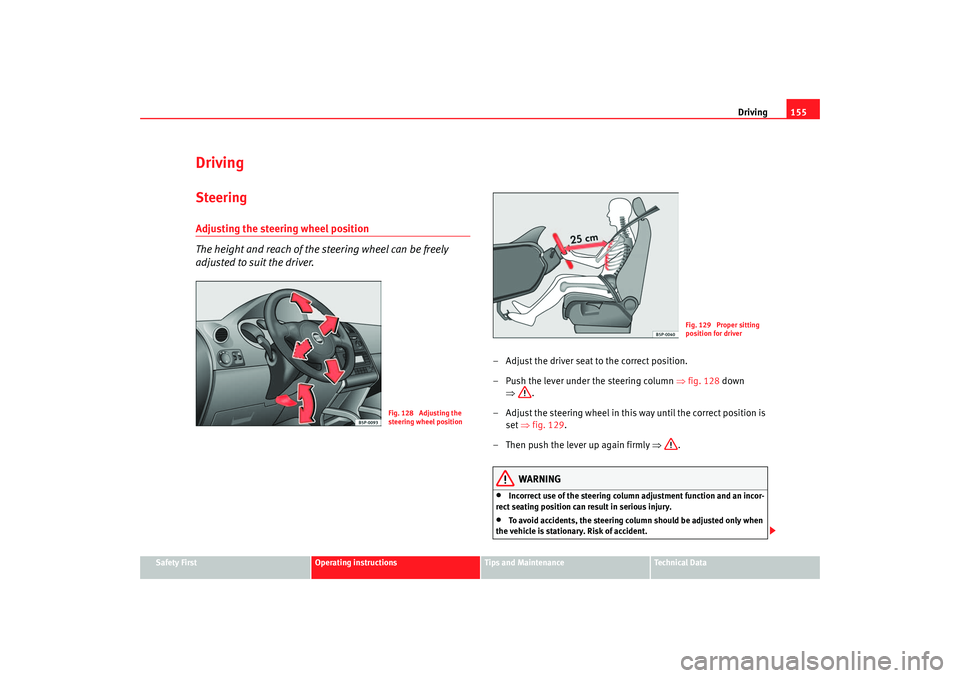
The height and reach of the steering wheel can be freely
adjusted to suit the driver.
– Adjust the driver seat to the correct position.
– Push the lever under the steering column ⇒fig. 128 down
⇒ .
– Adjust the steering wheel in this way until the correct position is set ⇒fig. 129 .
– Then push the lever up again firmly ⇒.
WARNING
•
Incorrect use of the steering column adjustment function and an inc or-
rect seating position can result in serious injury.
•
To avoid accidents, the steering column should be adjusted only when
the vehicle is stationary. Risk of accident.
Fig. 128 Adjusting the
steering wheel position
Fig. 129 Proper sitting
position for driver
altea_ingles Seite 155 Donnerstag, 19. Mai 2005 3:02 15
Page 158 of 286
Driving
156•
Adjust the driver seat or steering wheel so that there is a distance of at
least 25 cm between the steering wheel and your breast bone ⇒page 155,
fig. 129. If you fail to observe the minimum distance, the airbag will not
protect you. Risk of fatal injury.
•
If your physical constitution prevents you from maintaining the
minimum distance of 25 cm, contact an Authorised Service Centre. The
Authorised Service Centre will help you decide if special specific modifica-
tions are necessary.
•
If you adjust the steering wheel so tha t it points towards your face, the
driver airbag will not protect you properly in the event of an accident. Make
sure that the steering wheel points towards your chest.
•
When driving, always hold the steer ing wheel with both hands on the
outside of the ring at the 9 o'clock and 3 o'clock positions. Never hold the
steering wheel at the 12 o'clock positi on, or in any other manner (e.g. in
the centre of the steering wheel, or on the inside of the rim). In such cases,
you could receive severe injuries to the arms, hands and head.
SafetyElectronic stabilisation programme (ESP)*
ESP helps make driving safer in certain situations.The Electronic Stabilisation Program (ESP ) contains the electronic differential
lock (EDL) and the traction control syst em (TCS). The ESP function works in
conjunction with the ABS. Both warning lamps will light up if the ESP or ABS
systems are faulty.
The ESP is started automatically when the engine is started.
In specific circumstances where you require less traction, you can switch off
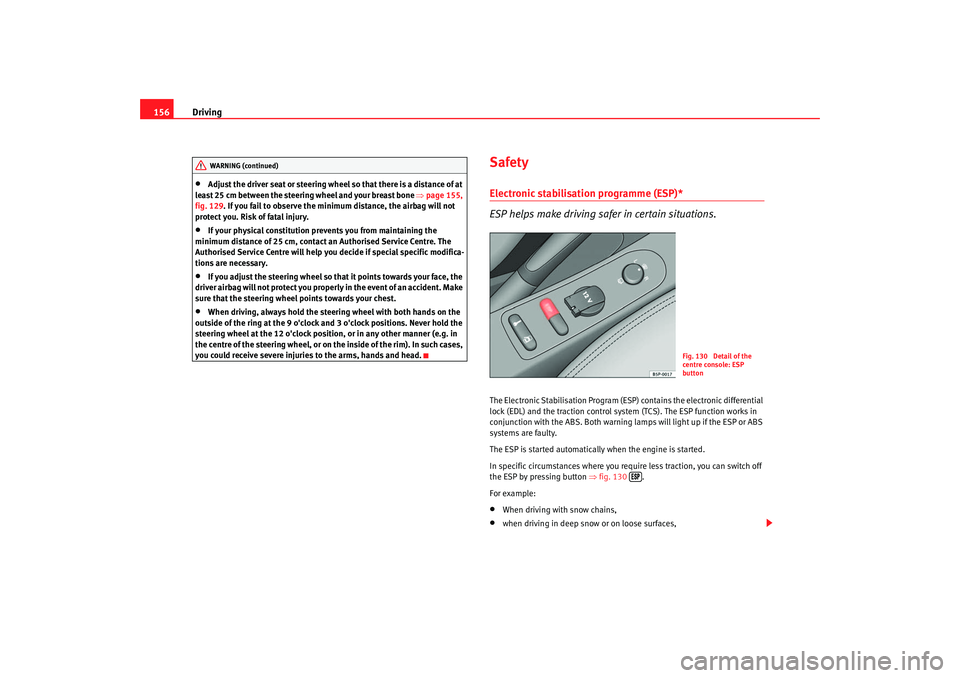
the ESP by pressing button ⇒fig. 130 .
For example:•
When driving with snow chains,
•
when driving in deep snow or on loose surfaces,
WARNING (continued)
Fig. 130 Detail of the
centre console: ESP
button
altea_ingles Seite 156 Donnerstag, 19. Mai 2005 3:02 15
Page 159 of 286
Driving157
Safety First
Operating instructions
Tips and Maintenance
Te c h n i c a l D a t a
•
when rocking the vehicle backwards and forwards to free it from mud, for
example.
You should press the button to switch the ESP back on when you no longer
need wheel spin.
The TCS and EDL are also switched off if the ESP is switched off. That is to say,
these systems are not available while ESP is not activated.
When does the button light up or flash?
•
It lights up when the ignition is switched on and should go out again after
about 2 seconds.
•
It will start flashing to indicate that ESP is counteracting an unstable
driving condition.
•
It will light up continuously if there is a malfunction in the ESP.
•
It will light up continuously if the ESP is switched off.
WARNING
•
The electronic stabilisation program (ESP) cannot defy the laws of
physics. This should be kept in mind, particularly on slippery and wet
roads and when towing a trailer.
•
Always adapt your driving style to suit the condition of the roads and
the traffic situation. Do not let the extra safety afforded by ESP tempt you
into taking any risks when driving, this can cause accidents.
•
Please refer to the corresponding warning notes on ESP in ⇒page 173,
“Intelligent technology”.
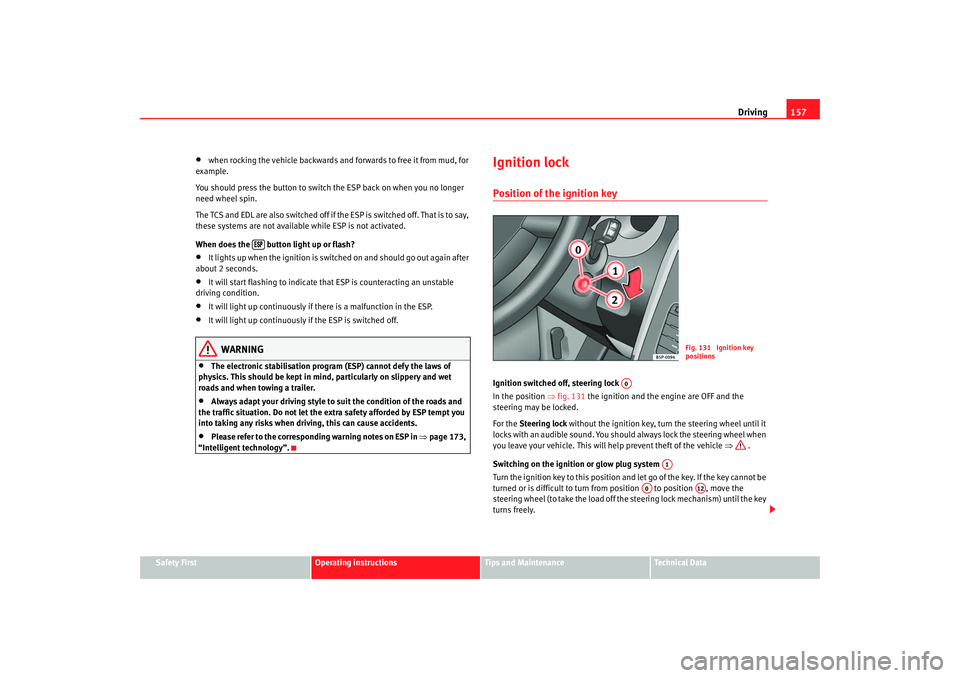
Ignition lockPosition of the ignition keyIgnition switched off, steering lock
In the position ⇒fig. 131 the ignition and the engine are OFF and the
steering may be locked.
For the Steering lock without the ignition key, turn the steering wheel until it
locks with an audible sound. You should always lock the steering wheel when
you leave your vehicle. This will help prevent theft of the vehicle ⇒ .
Switching on the ignition or glow plug system
Tu rn the ignition key to this position and let go of the key. If the key canno t b e
turned or is difficult to turn from position to position , move the
steering wheel (to take the load off the steering lock mechanism) until the key
turns freely.
Fig. 131 Ignition key
positions
A0
A1
A0
A12
altea_ingles Seite 157 Donnerstag, 19. Mai 2005 3:02 15
Page 160 of 286
Driving
158Starting
The engine is started when the key is in this position. Electrical components
with a high power consumption are switched off temporarily.
Each time that the vehicle must be star ted, the ignition key must be turned to
the position . The repetitive start prevention lock of the ignition prevents
possible damage to the starter moto r is the engine is already running.
WARNING
•
Never remove the ignition key from the ignition until the vehicle is
completely stopped! Otherwise, the steering may lock immediately and
there is a risk of an accident.
•
Always remove the key from the ignition lock when leaving the vehicle,
even if you only intend to be gone for a short period. This is especially
important if you must leave children or disabled people in the vehicle, they
could accidentally start the engine or work electrical equipment s uch as
the windows possibly resulting in an accident.
•
Unsupervised use of the keys could result in the engine being started
or electrical systems, such as the el ectric windows, being used. This can
result in serious injury.Caution
The starter motor will only work when the engine is stopped (ignition key
position ).
Electronic immobiliser
The immobiliser prevents unauthorised persons from driving
the vehicle.Inside the key there is a chip that deac tivates the electronic immobiliser auto-
matically when the key is inserted into the ignition.
The immobiliser will be activated again automatically as soon as you pull the
key out of the ignition lock.
The engine can only be started using a genuine SEAT key with the correct
code.
Note
The vehicle cannot be operated properly if you do not have a genuine SEAT
key.Starting and stopping the engineStarting petrol engines
The engine can only be started using a genuine SEAT key with
the correct code.– Move the gear lever to the ne utral position and depress the
clutch pedal fully and hold it in this position, the starter will then
only have to turn the engine.
– Turn the ignition key to position ⇒ page 157 to start the engine.
A2A0
A2
altea_ingles Seite 158 Donnerstag, 19. Mai 2005 3:02 15