service Seat Altea 2005 User Guide
[x] Cancel search | Manufacturer: SEAT, Model Year: 2005, Model line: Altea, Model: Seat Altea 2005Pages: 286, PDF Size: 9.59 MB
Page 81 of 286

Cockpit79
Safety First
Operating instructions
Tips and Maintenance
Te c h n i c a l D a t a
The tyre monitor indicator compares wh
eel revolutions and with this informa-
tion, the diameter of each wheel using the ABS sensors. If the diameter of a
wheel changes, the tyre monitor indicator lights
. The wheel diameter
changes when:
•
Tyre pressure is insufficient.
•
The tyre structure is damaged.
•
The vehicle is unbalanced because of a load.
•
The wheels of one axle are under more pressure (for example, driving with
a trailer or on extreme slopes).
•
The vehicle is fitted with snow chains.
•
The emergency wheel is fitted.
•
The wheel on one axle is changed.
Tyre pressure adjustment
Following the modification to tyre pressure or changing one or more wheels,
the button ⇒ page 78, fig. 48 must be kept pressed while the ignition is on
until an acoustic signal is heard.
If the wheels are under excessive load (for example, driving with a trailer or
heavy load), the tire pressure must be increased to the recommended value
for a full load (see the sticker on the inside of the fuel flap). If the tyre monitor
system button is pressed the new tyre pressures are confirmed.
The tyre pressure monitor indicator
lights
If the tyre pressure of one wheel is much lower than the value set by the
driver, then the indicator lights. ⇒
The tyre pressure monitor indicator flashes
If the tyre pressure indicator flashes, this indicates a fault. Go to the nearest
specialist workshop.
WARNING
•
When the tyre pressure indicator lights, reduce speed immediately and
avoid any sudden manoeuvre or brakin g. Stop when possible, and check
the tyre pressure and status.
•
The driver is responsible for correct tyre pressure. For this reason, tyre
pressure must be regularly checked.
•
Under certain circumstances (for example, in a sports situation, in
winter conditions or on a dirt track) the tyre monitor indicator may light or
function incorrectly.Note
If the battery is disconnected, the yellow indicator
lights after turning the
ignition on. This should turn off after a brief trip.
Engine management
This warning lamp monitors the engine management system
for petrol engines.The warning lamp
(Electronic Power Control) lights up when the ignition
is switched on to show that the lamp is working properly. It should go out
when the engine ha s started running.
If a fault develops in the electronic engine management system while you are
driving, this warning lamp will light up . Take the vehicle to an Authorised
Service Centre as soon as possible and have the engine checked.
altea_ingles Seite 79 Donnerstag, 19. Mai 2005 3:02 15
Page 82 of 286
Cockpit
80Glow plug system / Engine fault
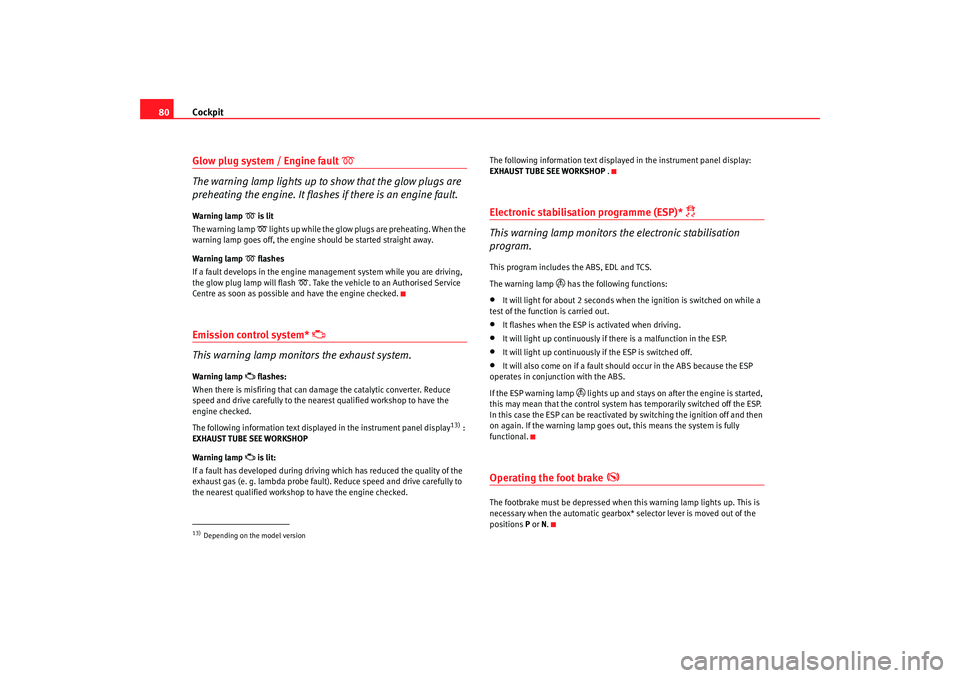
The warning lamp lights up to show that the glow plugs are
preheating the engine. It flashes if there is an engine fault.
Warning lamp
is lit
The warning lamp lights up while the glow plugs are preheating. When the
warning lamp goes off, the engine should be started straight away.
Warning lamp
flashes
If a fault develops in the engine management system while you are driving,
the glow plug lamp will flash
. Take the vehicle to an Authorised Service
Centre as soon as possible and have the engine checked.
Emission control system*
This warning lamp monitors the exhaust system.
Warning lamp
flashes:
When there is misfiring that can damage the catalytic converter. Reduce
speed and drive carefully to the near est qualified workshop to have the
engine checked.
The following information text display ed in the instrument panel display
13) :
EXHAUST TUBE SEE WORKSHOP
Warning lamp
is lit:
If a fault has developed during driving which has reduced the quality of the
exhaust gas (e. g. lambda probe fault). Reduce speed and drive carefully to
the nearest qualified workshop to have the engine checked. The following information text display
ed in the instrument panel display:
EXHAUST TUBE SEE WORKSHOP .
Electronic stabilisation programme (ESP)*
This warning lamp monitors the electronic stabilisation
program.
This program includes the ABS, EDL and TCS.
The warning lamp
has the following functions:
•
It will light for about 2 seconds when the ignition is switched on while a
test of the function is carried out.
•
It flashes when the ESP is activated when driving.
•
It will light up continuously if there is a malfunction in the ESP.
•
It will light up continuously if the ESP is switched off.
•
It will also come on if a fault should occur in the ABS because the ESP
operates in conjunction with the ABS.
If the ESP warning lamp
lights up and stays on af ter the engine is started,
this may mean that the control system has temporarily switched off the ESP.
In this case the ESP can be reactivated by switching the ignition off and then
on again. If the warning lamp goes out, this means the system is fully
functional.
Operating the foot brake
The footbrake must be depressed when this warning lamp lights up. This is
necessary when the automatic gearbox* selector lever is moved out of the
positions P or N.
13)Depending on the model version
altea_ingles Seite 80 Donnerstag, 19. Mai 2005 3:02 15
Page 99 of 286
Opening and closing97
Safety First
Operating instructions
Tips and Maintenance
Te c h n i c a l D a t a
KeysKey set
The set of keys includes a remote control, a key without a
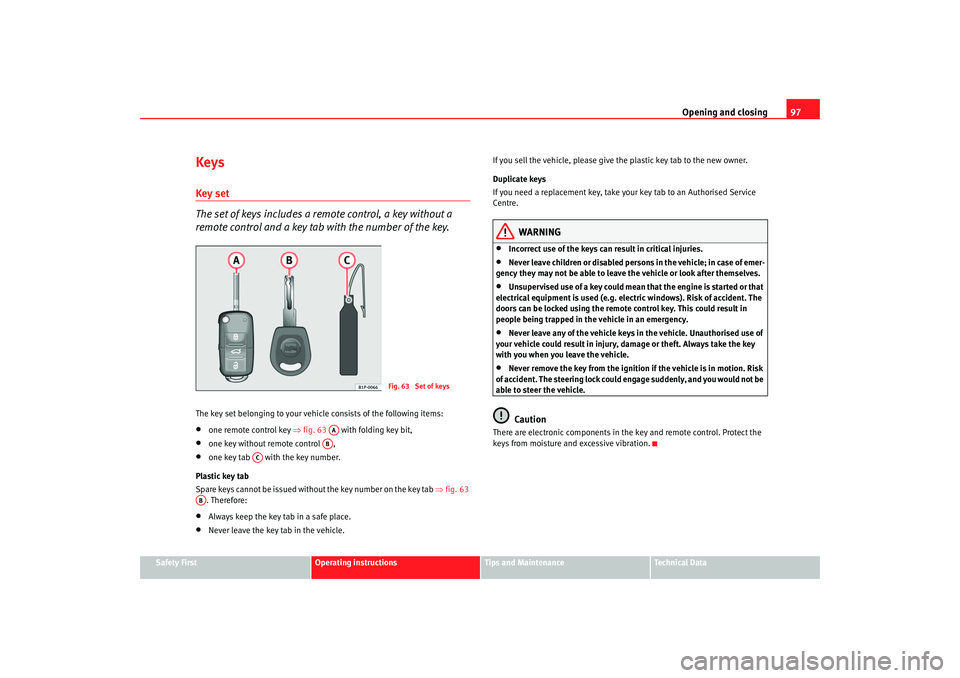
remote control and a key tab with the number of the key.The key set belonging to your vehicle consists of the following items:•
one remote control key ⇒fig. 63 with folding key bit,
•
one key without remote control ,
•
one key tab with the key number.
Plastic key tab
Spare keys cannot be issued with out the key number on the key tab ⇒fig. 63
. Therefore:
•
Always keep the key tab in a safe place.
•
Never leave the key tab in the vehicle. If you sell the vehicle, please give the plastic key tab to the new owner.
Duplicate keys
If you need a replacement key, take y
our key tab to an Authorised Service
Centre.
WARNING
•
Incorrect use of the keys can result in critical injuries.
•
Never leave children or disabled persons in the vehicle; in case of emer-
gency they may not be able to leave the vehicle or look after themselves.
•
Unsupervised use of a key could mean that the engine is started or that
electrical equipment is used (e.g. elec tric windows). Risk of accident. The
doors can be locked using the remote control key. This could result in
people being trapped in the vehicle in an emergency.
•
Never leave any of the vehicle keys in the vehicle. Unauthorised use of
your vehicle could result in injury, damage or theft. Always take the key
with you when you leave the vehicle.
•
Never remove the key from the ignition if the vehicle is in motion. Risk
of accident. The steering lock could engage suddenly, and you would not be
able to steer the vehicle.Caution
There are electronic compon ents in the key and remote control. Protect the
keys from moisture and excessive vibration.
Fig. 63 Set of keys
AAAB
AC
AB
altea_ingles Seite 97 Donnerstag, 19. Mai 2005 3:02 15
Page 102 of 286

Opening and closing
100Synchronising the remote control keySynchronising the remote control key
– Use both keys that have been delivered with the vehicle; the key
with the remote and the normal key ⇒page 98, fig. 64
⇒ page 98, fig. 65 .
– Unlock the vehicle from the driver side door using the key without the remote.
– Turn the ignition ON using the key without the remote control.
– Lock the vehicle from the driver side door lock using the key with the remote control ⇒page 98, fig. 64 ⇒page 98, fig. 65 .
– In a time of maximum 30 seconds the following operations must
be carried out:
– Operate the button once for locking on the remote control, the indicators will flash.
– Operate the button once for unlocking on the remote control for more than 2 seconds.
– The key will have been programmed and the vehicle will unlock, confirming at the same time the synchronisation.It is possible that the vehicle could no longer be opened and closed with the
remote control if the button is repeatedly pressed outside of the effective
range of the radio frequency remote cont rol. The remote control key will have
to be resynchronised.
Spare remote control keys are available from Authorised Service Centres, they
must be matched to the locking system. Up to eight remote cont
rol keys can be used.
Anti-theft alarm system*Description of anti-theft alarm system*
The anti-theft alarm triggers an alarm if unauthorised move-
ments are detected around the vehicle.The anti-theft alarm makes it more difficult to break into the vehicle or steal
it. Audible and visible alarms are triggered if the car is opened using the
mechanical key, or if unauthorised access is gained to the vehicle.
The anti-theft alarm system is automatically switched on when the vehicle is
locked. The system is then primed.
When does the system trigger an alarm?
The system triggers an alarm if the fol lowing unauthorised actions are carried
out when the car is locked:•
Mechanical opening of the vehicle with the vehicle key
•
Opening a door
•
Opening the bonnet
•
Opening the tailgate
•
Switching on the ignition
•
Movements in the vehicle
•
Undue manipulation of the alarm
•
Battery handling
The horn is sounded and the turn signals flash for approx. 30 seconds. This
may be repeated up to 10 times depending on the country.
altea_ingles Seite 100 Donnerstag, 19. Mai 2005 3:02 15
Page 107 of 286
Opening and closing105
Safety First
Operating instructions
Tips and Maintenance
Te c h n i c a l D a t a
•
If necessary, use the safety switch to disable the rear electric windows.
Make sure that they have been disabled.Note
If the window is not able to close because it is stiff or because of an obstruc-
tion, the window will automatically open again ⇒page 105. If this happens,
check why the window could not be clos ed before attempting to close it
again.One-touch opening and closing
One-touch opening and closing means you do not have to
hold down the button.One-touch closing
– Pull up the button for the window briefly to the second position. The window closes fully.
One-touch opening
– Push down the button for the window briefly to the second posi- tion. The window opens fully.
Restoring one-touch opening and closing
– Close all windows.
– Use the key to lock the vehicle from outside and hold the key in the lock position for at least one second. The one-touch function
is now ready for operation.
The buttons ⇒page 104, fig. 71 and have two levels for opening the
window and two for closing it. This makes it easier to open or close w indows
to the desired position.
One-touch closing does not work when the ignition has been switched off,
even if the key is in the ignition.
The automatic open and close function wi ll not work if the battery has been
temporarily disconnected, or if the battery is flat. The function then has to be
reactivated.
The one-touch function and roll-back function will not work if there is a
malfunction in the electric windows. Contact an Authorised Service Centre.Roll-back function
The windows have a roll-back function. This reduces the risk
of injuries when the windows are closing.•
If a window is obstructed when closing automatically, the window stops
at this point and lowers immediately ⇒.
•
If this happens, check immediately (within 10 seconds) why the window
could not be closed before attempting to close it again. After 10 seconds the
normal automatic function resumes.
•
If the window is still obstructed , the window stops at this point.
•
If there is no obvious reason why the window cannot be closed, try to
close it again within five seconds.
If you wait longer than 10 / 5 seconds, the window will open fully when you
operate one of the buttons. One-touch closing is reactivated.
The one-touch function and roll-back function will not work if there is a
malfunction in the electric windows. Contact an Authorised Service Centre.
WARNING (continued)
A1
A2
altea_ingles Seite 105 Donnerstag, 19. Mai 2005 3:02 15
Page 121 of 286

Lights and visibility119
Safety First
Operating instructions
Tips and Maintenance
Te c h n i c a l D a t a
Optional heated windscreen in the wiper blade* area
In some countries and with some versions, there is the possibility of heating
the windscreen in the area of the windscreen wiper blades in order to aid de-
icing in the zone.
This function is activated by turning the exterior heated rearview mirror*
control forwards.
⇒page 123
WARNING
•
Worn and dirty wiper blades obstruct visibility and reduce safety levels.
•
In cold conditions, you should not use the wash / wipe system unless
you have warmed the windscreen with the heating and ventilation system.
The washer fluid could otherwise freeze on the windscreen and obscure
your view of the road.
•
Always note the corresponding warnings on ⇒page 212, “Changing
windscreen wiper blades”.Caution
In icy conditions, always check that th e wiper blades are not frozen to the
glass before using the wipers for the fi rst time. If you switch on the wipers
when the wiper blades are frozen to the windscreen, you could damage both
the wiper blades and the wiper motor.
Note
•
The windscreen wipers will only function when the ignition is switched on
and the bonnet is closed.
•
When in use, the wipers do not go as far as the rest position. When the
lever is moved to position 0, they are totally hidden.
•
The next speed down will automatically be selected if wiper speed
⇒ page 118, fig. 86 or is selected when the vehicle stops. The set speed
will be resumed when the vehicle starts again
•
The windscreen will be wiped again after approximately five seconds once
the “automatic wipe/wash system” has been operated while the vehicle is in
transit.
•
When the “intermittent wi pe function” is on, the intervals are directly
proportional to the speed. This way, the higher the vehicle speed the shorter
the intervals.
•
The wiper will try to wipe away any obstacles that are on the windscreen.
The wiper will stop moving if the obstacle blocks its path. Remove the
obstacle and switch the wiper back on again.
•
Before removing any objects that may be trapped in the side areas of the
windscreen, always move the wiper arms to the service position
(horizontal).
A2
A3
altea_ingles Seite 119 Donnerstag, 19. Mai 2005 3:02 15
Page 146 of 286

Seats and stowage
144
Note•
Ensure that, when placing items of clothing on the luggage compartment
cover, that rear visibility is not reduced.
•
Only the warning triangle* and other li ghtweight objects should be stored
in the storage compartment.
Roof carrier*Please observe the following points if you intend to carry loads on the roof:•
For safety reasons, only luggage racks and accessories supplied by offi-
cial SEAT Service should be used.
•
It is imperative to precisely follow the fitting instructions included for the
rack, taking special care when fitting th e front bar in the allotments designed
for this and the rear bar between the marks on the upper part of the rear door
frame while respecting the correct direction of travel indicated in the installa-
tion manual. Not following these instructions may lead to paintwork damage
or marks on the bodywork.
•
Pay special attention to the tightening torque of the attachment bolts and
check them following a short journey. If necessary, retighten the bo lts and
check them at regular intervals.
•
Distribute the load evenly. A maximum load of 40 kg only is permitted for
each roof carrier system support bar, the load must be distributed evenly over
the entire length. However, the maximu m load permitted for the entire roof
(including the support system) of 75 kg must not be exceeded nor should the
total weight of the vehicle be exceeded. See the chapter on “Technical Data”.
•
When transporting heavy or large objects on the roof, any change in the
normal vehicle behaviour due to a change in the centre of gravity or an
increased wind resistance must be taken into account. For this reason, a suit-
able speed and driving style must be used.
•
For those vehicles fitted with a sunroof*, ensure that it does not contact
the load on the roof carrier system when opened.
altea_ingles Seite 144 Donnerstag, 19. Mai 2005 3:02 15
Page 156 of 286
Air conditioning
154General notesThe pollution filter
The pollution filter (a combined particle filter and active carbon filter) serves
as a barrier against impurities in the ambient air, including dust and pollen.
For the air conditioning system to work with maximum efficiency, the pollu-
tion filter must be replaced at the intervals specified in the Service Schedule.
If the filter loses efficiency prematurely due to use in areas with very high
levels of air pollution, the pollution filter must be changed more frequently
than stated in the Service Schedule.
Caution
•
If you suspect that the air conditioner is damaged, switch off the air condi-
tioner with button to prevent further damage and have it checked by a
qualified workshop.
•
Repairs to the air conditioning system require specialist knowledge and
special tools. Therefore, we recommend that you take the vehicle to a quali-
fied workshop should problems occur.Note
•
If the humidity and temperature outside the vehicle are high, condensa-
tion can drip off the evaporator in the cooling system and form a pool under-
neath the vehicle, this is completely normal and there is no need to suspect
a leak.
•
Keep the air intake slots in front of the windscreen free of snow, ice and
leaves to ensure heating and cooling is not impaired, and to prevent the
windows misting over.
•
The air from the vents flows through the passenger compartment and is
extracted by slots designed for this purpose. Do not cover these slots with
articles of clothing or other objects.
•
The air conditioning system operates most effectively with the windows
and the sliding/tilting roof* closed. Howe ver, if the sun has heated up the
vehicle, the air inside can be cooled more quickly by opening the windows for
a short period.
•
Do not smoke while air recirculation mode is on, as smoke drawn into the
air conditioning system leaves a r esidue on the evaporator, producing a
permanent unpleasant odour.
ECON
altea_ingles Seite 154 Donnerstag, 19. Mai 2005 3:02 15
Page 158 of 286
Driving
156•
Adjust the driver seat or steering wheel so that there is a distance of at
least 25 cm between the steering wheel and your breast bone ⇒page 155,
fig. 129. If you fail to observe the minimum distance, the airbag will not
protect you. Risk of fatal injury.
•
If your physical constitution prevents you from maintaining the
minimum distance of 25 cm, contact an Authorised Service Centre. The
Authorised Service Centre will help you decide if special specific modifica-
tions are necessary.
•
If you adjust the steering wheel so tha t it points towards your face, the
driver airbag will not protect you properly in the event of an accident. Make
sure that the steering wheel points towards your chest.
•
When driving, always hold the steer ing wheel with both hands on the
outside of the ring at the 9 o'clock and 3 o'clock positions. Never hold the
steering wheel at the 12 o'clock positi on, or in any other manner (e.g. in
the centre of the steering wheel, or on the inside of the rim). In such cases,
you could receive severe injuries to the arms, hands and head.
SafetyElectronic stabilisation programme (ESP)*
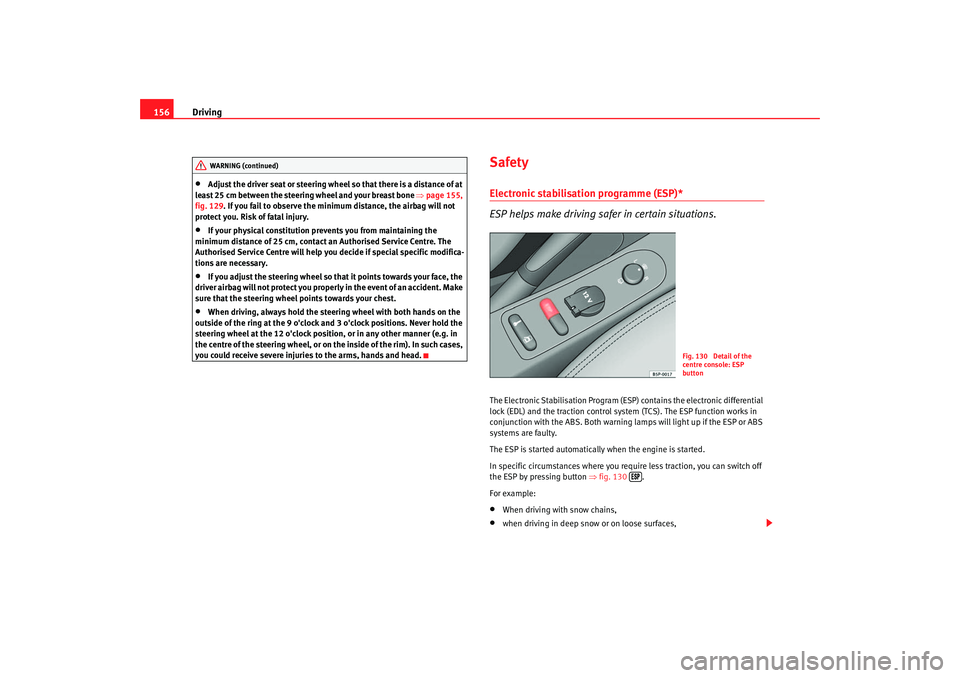
ESP helps make driving safer in certain situations.The Electronic Stabilisation Program (ESP ) contains the electronic differential
lock (EDL) and the traction control syst em (TCS). The ESP function works in
conjunction with the ABS. Both warning lamps will light up if the ESP or ABS
systems are faulty.
The ESP is started automatically when the engine is started.
In specific circumstances where you require less traction, you can switch off
the ESP by pressing button ⇒fig. 130 .
For example:•
When driving with snow chains,
•
when driving in deep snow or on loose surfaces,
WARNING (continued)
Fig. 130 Detail of the
centre console: ESP
button
altea_ingles Seite 156 Donnerstag, 19. Mai 2005 3:02 15
Page 170 of 286

Driving
168Activation
The system is activated by engagement of the reverse gear. A brief acoustic
signal confirms the activation and correct function of the system.
Reversing
The distance warning will begin as soon as an obstacle is detected by the
system. The frequency of the bleeps emitted by the system will increase
rapidly as the vehicle approaches the obstacle.
Within a short distance of about 25 cm, a continuous signal sounds (stop
signal). The driver should not reverse any further.
Trailer towing
For vehicles fitted with a tow bar by the manufacturer, the parking aid system
will not be activated by the engagement of the reverse gear when pulling a
trailer, as the trailer's electric connecter will be plugged into the vehicle.
To avoid system malfunctions, when not driving with a trailer, remove the
trailer hitch.
Possible faults
If a continuous bleep sounds for some seconds when the reverse gear is
engaged, this indicates that there is a fault in the parking aid system.
If the fault continues until the ignition is turned off, the acoustic signal
warning of the fault will not be emitted every time the system is reactivated
(by engaging the reverse gear). Thus, the system ready indication will not
sound either. Have the fault repaired by an Authorised Service Centre as soon
as possible.
If there is no ready signal or no acou stic warning signal then the parking aid
loudspeaker is faulty and may not warn of obstacles.
To ensure that the system works properly, the sensors must be kept clean and
free of ice and snow.
WARNING
•
The sensors have blind spots in which obstacles may not be detected.
•
Always look out for small children and animals because the system will
not always detect them. Always pay at tention when reversing to avoid acci-
dents.
•
The parking aid is not a replacement for driver awareness. The driver
must take full responsibility for parking and other manoeuvres.Caution
•
Please note that low obstacles detected by the system may no longer be
registered by the sensors as the car moves closer, so the system will not give
any further warning. Certain kinds of obstacles (such as wire fences, chains,
thin posts or trailer draw bars, high kerbs or painted railings etc) may not
always be detected by the system, so there is a risk of damaging the vehicle
in such cases.
•
Obstacles with uniform edges and bumps may not be detected immedi-
ately by the system due to their geometry. Take special care around this type
of obstacle such as corners, rectangu lar objects, etc.., these can cause
damage to the vehicle.
•
Be especially carefully when manoeuvring into a corner between two
perpendicular walls. Survey the approach of the wall to the side of the vehicle
(using the mirrors)
•
The parking aid system does not repl ace use of the mirrors for manoeu-
vres.
•
Distant ultra-sonic sources (hammers, tyres, construction machinery,
other vehicles with PDC) may interfere with the operation of the system.
•
Periodic cleaning of the sensors, take care not to damage or scratch them.
Cleaning with high pressure washers or steam cleaners, the sensors should
be sprayed for only a very short period and from a distance of more than 10
cm.
altea_ingles Seite 168 Donnerstag, 19. Mai 2005 3:02 15