warning Seat Altea 2006 Repair Manual
[x] Cancel search | Manufacturer: SEAT, Model Year: 2006, Model line: Altea, Model: Seat Altea 2006Pages: 288, PDF Size: 8.61 MB
Page 80 of 288
Cockpit
78Traction control system (TCS)*
The traction control system prevents the driven wheels from
spinning when the vehicle is acceleratingThe warning lamp lights up when the ignition is switched on and should turn
out after about 2 seconds.
When the TCS is operating while drivi ng, the warning lamp flashes. If the
system is deactivated or if there is any fault in the same, the warning lamp will
remain lit.
It will also come on if a fault should occur in the ABS because the TCS oper-
ates in conjunction with the ABS. For further information see ⇒page 175,
“Brakes”Soot accumulation in the diesel engine particle filter *
if the symbol
lights, soot has built up in the diesel engine particle filter
due to continuous short trips. In this case, drive the vehicle at a constant
speed of at least 60 km/h (with and engine speed of about 1400 rpm) for
about 10 minutes. The increase in temperature generated may burn the accu-
mulated soot in the filter.
If the symbol is not deactivated, bring the vehicle to a specialized work-
shop to repair the fault.
For more information on the diesel particle filter ⇒page 202, “Diesel”
Alternator
This warning lamp signals a fault in the alternator.The warning lamp
lights up when the ignition is switched on. It should go
out when the engine has started running.
If the warning lamp lights up while driving, the alternator is no longer
charging the battery. You should immediately drive to the nearest qualified
workshop.
You should avoid using electrical equipment that is not absolutely necessary
because this will drain the battery.
If the indicator flashes the voltage is insufficient for normal vehicle
operation.
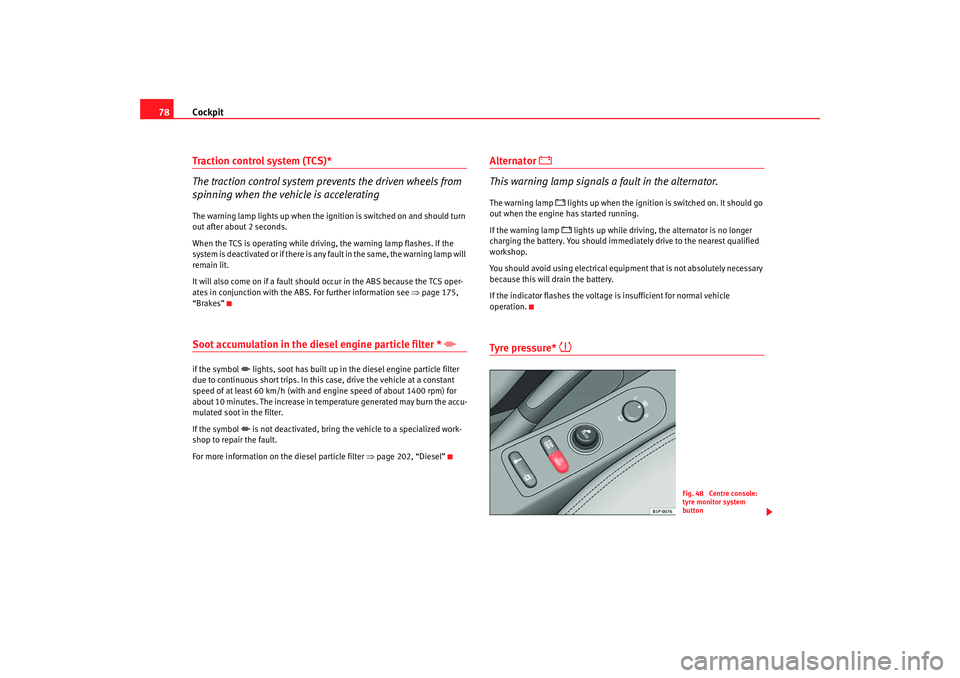
Tyre pressure*
Fig. 48 Centre console:
tyre monitor system
button
altea_ingles Seite 78 Dienstag, 4. Oktober 2005 6:57 18
Page 81 of 288
Cockpit79
Safety First
Operating instructions
Tips and Maintenance
Te c h n i c a l D a t a
The tyre monitor indicator compares wh
eel revolutions and with this informa-
tion, the diameter of each wheel using the ABS sensors. If the diameter of a
wheel changes, the tyre monitor indicator lights
. The wheel diameter
changes when:
•
Tyre pressure is insufficient.
•
The tyre structure is damaged.
•
The vehicle is unbalanced because of a load.
•
The wheels of one axle are under more pressure (for example, driving with
a trailer or on extreme slopes).
•
The vehicle is fitted with snow chains.
•
The emergency wheel is fitted.
•
The wheel on one axle is changed.
Tyre pressure adjustment
Following the modification to tyre pressure or changing one or more wheels,
the button ⇒ page 78, fig. 48 must be kept pressed while the ignition is on
until an acoustic signal is heard.
If the wheels are under excessive load (for example, driving with a trailer or
heavy load), the tire pressure must be increased to the recommended value
for a full load (see the sticker on the inside of the fuel flap). If the tyre monitor
system button is pressed the new tyre pressures are confirmed.
The tyre pressure monitor indicator
lights
If the tyre pressure of one wheel is much lower than the value set by the driver
then the indicator lights. ⇒
The tyre pressure monitor indicator flashes
If the tyre pressure indicator flashes, this indicates a fault. Go to the nearest
specialist workshop.
WARNING
•
When the tyre pressure indicator lights, reduce speed immediately and
avoid any sudden manoeuvre or brakin g. Stop when possible, and check
the tyre pressure and status.
•
The driver is responsible for correct tyre pressure. For this reason, tyre
pressure must be regularly checked.
•
Under certain circumstances (for example, in a sports situation, in
winter conditions or on a dirt track) the tyre monitor indicator may light or
function incorrectly.Note
If the battery is disconnected, the yellow indicator
lights after turning the
ignition on. This should turn off after a brief trip.
Engine management
This warning lamp monitors the engine management system
for petrol engines.The warning lamp
(Electronic Power Control) lights up when the ignition
is switched on to show that the lamp is working properly. It should go out
when the engine ha s started running.
If a fault develops in the electronic engine management system while you are
driving, this warning lamp will light up . Take the vehicle to an Authorised
Service Centre as soon as possible and have the engine checked.
altea_ingles Seite 79 Dienstag, 4. Oktober 2005 6:57 18
Page 82 of 288
Cockpit
80Glow plug system / Engine fault
The warning lamp lights up to show that the glow plugs are
preheating. It flashes if there is an engine fault.
Warning lamp
is lit
The warning lamp lights up while the glow plugs are preheating. When the
warning lamp goes off, the engine should be started straight away.
Warning lamp
flashes
If a fault develops in the engine management system while you are driving,
the glow plug lamp will flash
. Take the vehicle to an Authorised Service
Centre as soon as possible and have the engine checked.
Emi ssion control sy stem*
This warning lamp monitors the exhaust system.
Warning lamp
flashes:
When there is misfiring that can damage the catalytic converter. Reduce
speed and drive carefully to the near est qualified workshop to have the
engine checked.
The following text is displayed in the instrument panel display
14) : EXHAUST
FUMES GO TO WORKSHOP!
Warning lamp
is lit:
If a fault has developed during driving which has reduced the quality of the
exhaust gas (e. g. lambda probe fault). Reduce speed and drive carefully to
the nearest qualified workshop to have the engine checked. The following text is displayed in the instrument panel display:
EXHAUST
FUMES GO TO WORKSHOP!
Electronic stabilisation programme (ESP)*
This warning lamp monitors the electronic stabilisation
program.
This program includes the ABS, EDL and TCS.
The warning lamp
has the following functions:
•
It will light for about 2 seconds when the ignition is switched on while a
test of the function is carried out.
•
It flashes when the ESP is activated when driving.
•
It will light up continuously if there is a malfunction in the ESP.
•
It will light up continuously if the ESP is switched off.
•
It will also come on if a fault should occur in the ABS because the ESP
operates in conjunction with the ABS.
If the ESP warning lamp
lights up and stays on after the engine is started,
this may mean that the control system has temporarily switched off the ESP.
In this case the ESP can be reactivated by switching the ignition off and then
on again. If the warning lamp goes out, this means the system is fully
functional.
Operating the foot brake
The footbrake must be depressed when this warning lamp lights up. This is
necessary when the automatic gearbox* selector lever is moved out of the
positions P or N.
14)Depending on the model version
altea_ingles Seite 80 Dienstag, 4. Oktober 2005 6:57 18
Page 83 of 288
Cockpit81
Safety First
Operating instructions
Tips and Maintenance
Te c h n i c a l D a t a
Power steering system*
For vehicles with power steering, the level of steering assistance depends on
the vehicle's speed and on the steering angle.
The warning lamp should light up for a few seconds when the ignition is
switched on. It should go out when the engine has started running.
If the battery is disconnected, the indicator remains lit, even with the engine
running. The warning light only goes of f after a distance of approx. 50 m.
There is a fault in the electromechanica l steering system if the lamp does not
go out or lights up whilst the vehicle is in motion. The indicator may appear
in two different colours to indicate faults. If it lights yellow, this indicates a
minor fault. If it lights red, seek wo rkshop assistance immediately, if no
assistance is available stop driving. Stop the vehicle and seek technical
assistance. The power steering does not work if the battery is flat or if the
engine is off (for example, for towing). You should take into account that you
will need considerably more power than normal to steer the vehicle if the
steering assistance is reduced or has failed completely.
For those vehicles fitted with ESP* the function “Recommended steering
manoeuv r
e” is included. S e e ⇒ page 177Brake pad wear indicator*
As the brake pad wear indicator only monitors the front brake pads, it is advis-
able to have the rear brake pads inspected at the same time.
The information text displayed in the instrument panel display is
15) : CHECK
BRAKE PADS .
WARNING
Have the brake pads inspected immediately by a qualified dealership if the
warning display
lights up.
Indicator for open doors or tailgate
This indicator lights if one of th e doors or the tailgate is open.The warning light
should go off when all the doors are closed correctly.
The system also works when the ignition is switched off. It should go off
about 15 seconds after the vehicle is locked.
Electronic immobiliser* “Safe”
This warning lamp flashes if an unauthorised key is used.Inside the key there is a chip that deactivates the electronic immobiliser auto-
matically when the key is inserted into the ignition. The immobiliser will be
activated again automatically as soon as you pull the key out of the ignition
lock.
The message displayed in the instrument panel display is
16) : SAFE. The
vehicle cannot be used in that case ⇒page 160.
The engine can, however, be started if the appropriate coded SEAT genuine
key is used.
15)Depending on the model version
16)Depending on the model version
altea_ingles Seite 81 Dienstag, 4. Oktober 2005 6:57 18
Page 95 of 288

Unlocking and locking93
Safety First
Operating instructions
Tips and Maintenance
Te c h n i c a l D a t a
When the “Safe” system is deactivated, the doors are locked using the simple
locking system, meaning that
they may be opened from the interior but not
from the exterior.
Involuntary deactivation
The methods described for deactivation of the “Safe” system may be
executed involuntarily (for example, if we press the button because we
want to lock the vehicle, and it locks as a result, however, we are not sure that
it is locked and we press the button once more within 2 seconds, we will have
deactivated the “Safe” system).
Deactivation when opening
To deactivate the system on opening, see “Selective unlocking system*”
“Safe” status
On the front left hand side door, there is a light indicator visible from the
outside of the vehicle that indicates the “Safe” system status.
We can see that the “Safe” system is activated, by the flashing of the light
indicator . The indicator will flash on all vehicles, whether they are fitted with
an alarm or not, and until the vehicle is unlocked.
We can see that the “Safe” system is deactivated, when the light indicator
flashes about seven times and turns off. If the vehicle is not fitted with an
alarm then it remains off. If the vehicle is fitted with an alarm, once 28
seconds have passed since the indicator is switched off, it will start to flash
again and continue until the vehicle is unlocked once more.
Remember:
Safe activated with or without alarm: Continuous flashing of the indicator.
Safe deactivated without alarm: The indicator flashes about seven times and
turns off.
Safe deactivated with alarm: The indicator flashes seven times, turns off and
then continues to flash after 28 seconds.
WARNING
No one should remain in the vehicle if the “Safe” deadlock mechanism has
been activated. It is not possible to open the doors from the inside or the
outside and this would make any outside intervention difficult in case of
emergency. Danger of death. People could become trapped inside in an
emergency.Selective unlocking system*
This system allows for unlocking only the driver's door, or all
the vehicle.Driver's door unlock button
This is done by a simple unlocking (o nce). This can be done with the key or
the remote control.
With the key, rotate the key once in the lock cylinder in the unlock direction.
The driver's door will be released from the “Safe” system and unlocked and
may be opened. Once the door is open ed, 15 seconds remain for turning on
the ignition, in which moment, the “Safe” system will be deactivated on the
remaining doors and the light indicator wi ll be turned off. For vehicles fitted
with an alarm, this system is deactivated.
U sing the remote control, pre ss th e unlock button on the re
mote
once
. The
“Safe” system is deactivated for all the vehicle, only the driver's door is
unlocked for opening, the alarm is tu rned off as is the light indicator.
Unlocking all doors and the boot
So that all the doors and the boot ca n be opened, the unlock button on
the remote must be pressed twice.
The button must be pressed twice in under 2 seconds and this will deactivate
the “Safe” system for all the vehicle, all doors will be unlocked and the boot
altea_ingles Seite 93 Dienstag, 4. Oktober 2005 6:57 18
Page 96 of 288

Unlocking and locking
94will be activated. The indicator will be turned off as will be the alarm for those
vehicles fitted with one.
Unlocking the boot
See ⇒ page 99 and ⇒ page 104.Locking system for involuntary unlocking
This is an anti-theft system and will avoid situations where
the vehicle is left opened unintentionallyThe vehicle will be re-locked automatically, if it is unlocked and neither the
boot or any of the doors are opened within 30 seconds. This function
prevents the vehicle from remaining unlocked if the unlocking button is
pressed by mistake.Automatic speed dependent locking and unlocking system*
This is a safety system to prevent access to the vehicle from
the exterior when the vehicle is in transit (for example, when
stopped at a traffic light).Locking
The doors and the boot are automatically locked when vehicle speed exceeds
15 km/h.
If the vehicle is stopped and one of the doors is opened, when the vehicle
moves off again and exceeds a speed of 15 km/h the unlocked door(s) will be
locked once more. Unlocking
The driver's door automatically unlocks when the key is removed from the
ignition.
Each door may be unlocked and opened
from the interior (for example when
a passenger gets out). For this, simply operate the lever on the inside of the
door.
WARNING
When the vehicle is in motion, the internal door release levers should not
be operated, this could cause a door to open.Emergency unlocking systemThe entire vehicle is unlocked if the airbags are triggered during an accident,
except for the boot. It is possible to lock the vehicle from inside using the
central locking, after tu rning the ignition off and back on again.
If the doors must be locked from the outside, see “Manually locking the
doors”.
altea_ingles Seite 94 Dienstag, 4. Oktober 2005 6:57 18
Page 98 of 288
Unlocking and locking
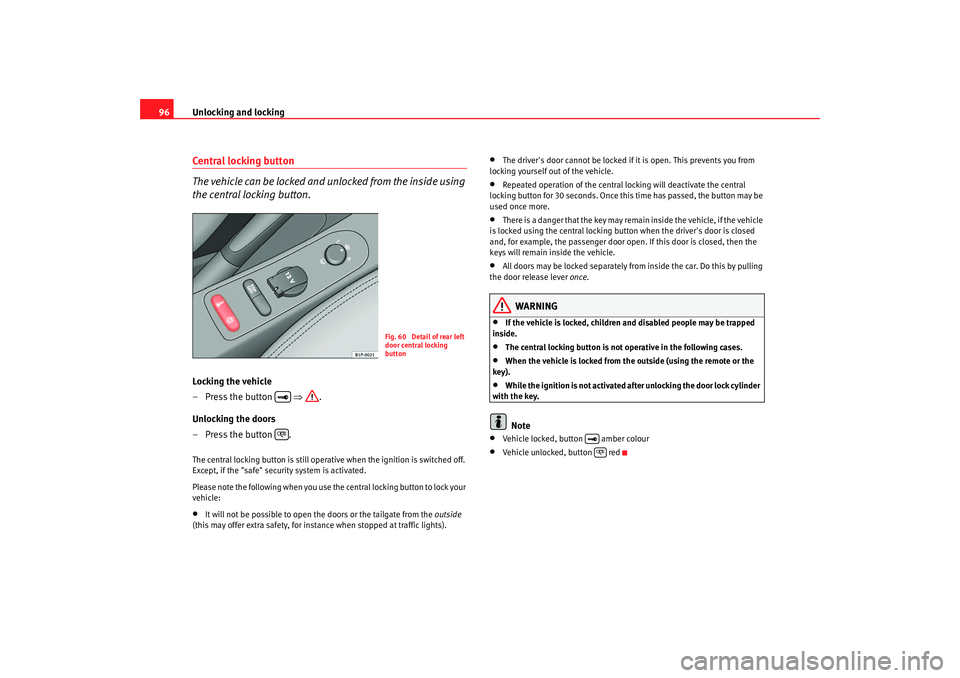
96Central locking button
The vehicle can be locked and unlocked from the inside using
the central locking button.Locking the vehicle
– Press the button ⇒.
Unlocking the doors
– Press the button .The central locking button is still operative when the ignition is switched off.
Except, if the "safe" security system is activated.
Please note the following when you use th e central locking button to lock your
vehicle:•
It will not be possible to open the doors or the tailgate from the outside
(this may offer extra safety, for instance when stopped at traffic lights).
•
The driver's door cannot be locked if it is open. This prevents you from
locking yourself out of the vehicle.
•
Repeated operation of the central locking will deactivate the central
locking button for 30 seconds. Once this time has passed, the button may be
used once more.
•
There is a danger that the key may remain inside the vehicle, if the vehicle
is locked using the central locking button when the driver's door is closed
and, for example, the passenger door o pen. If this door is closed, then the
keys will remain inside the vehicle.
•
All doors may be locked separately from inside the car. Do this by pulling
the door release lever once.
WARNING
•
If the vehicle is locked, children and disabled people may be trapped
inside.
•
The central locking button is not operative in the following cases.
•
When the vehicle is locked from the outside (using the remote or the
key).
•
While the ignition is not activated afte r unlocking the door lock cylinder
with the key.Note
•
Vehicle locked, button amber colour
•
Vehicle unlocked, button red
Fig. 60 Detail of rear left
door central locking
button
altea_ingles Seite 96 Dienstag, 4. Oktober 2005 6:57 18
Page 100 of 288

Unlocking and locking
98KeysKey set
The set of keys includes a remote control, a key without a
remote control and a key tab with the number of the key.The key set belonging to your vehicle consists of the following items:•
one remote control key ⇒fig. 63 with folding key bit,
•
one key without remote control ,
•
one key tab with the key number.
Plastic key tab
Spare keys cannot be issued without the key number on the key tab ⇒fig. 63
. Therefore:
•
Always keep the key tab in a safe place.
•
Never leave the key tab in the vehicle. If you sell the vehicle, please give the plastic key tab to the new owner.
Duplicate keys
If you need a replacement key, take your key tab to an Authorised Service
Centre.
WARNING
•
Incorrect use of the keys can result in critical injuries.
•
Never leave children or disabled persons in the vehicle; in case of emer-
gency they may not be able to leave the vehicle or look after themselves.
•
Unsupervised use of a key could mean that the engine is started or that
electrical equipment is used (e.g. elec tric windows). Risk of accident. The
doors can be locked using the remote control key. This could result in
people being trapped in the vehicle in an emergency.
•
Never leave any of the vehicle keys in the vehicle. Unauthorised use of
your vehicle could result in injury, damage or theft. Always take the key
with you when you leave the vehicle.
•
Never remove the key from the ignition if the vehicle is in motion. Risk
of accident. The steering lock could engage suddenly, and you would not be
able to steer the vehicle.Caution
There are electronic components in th e key and remote control. Protect the
keys from moisture and excessive vibration.
Fig. 63 Set of keys
AAAB
AC
AB
altea_ingles Seite 98 Dienstag, 4. Oktober 2005 6:57 18
Page 102 of 288
Unlocking and locking
100
WARNING
•
Incorrect use of the key can result in critical injuries.
•
Never leave children or disabled persons in the vehicle; in case of emer-
gency they may not be able to leave the vehicle or look after themselves.
•
Never leave any of the vehicle keys in the vehicle. This could result in
serious injuries, accidents or the theft of your vehicle. Always take the key
with you when you leave the vehicle.
•
Unsupervised use of a key could mean that the engine is started or that
electrical equipment is used (e.g. elec tric windows). Risk of accident. The
vehicle can be locked using the remote control key. This could result in
people being trapped in the vehicle in an emergency.Note
•
The radio-frequency remote control can also be programmed so that only
the driver's door is unlocked the first time that the unlocking button on the
radio frequency remote control key is pressed. When the button is pressed
once more, all doors and the tailgate will be unlocked.
•
The remote control functions only when you are in range ⇒page 99,
fig. 65 (red area).
•
If the vehicle is unlocked using the button, the vehicle will be
locked again automatically if any of the doors or the tailgate are not opened
within 30 seconds of unlocking the vehicle. This function prevents the vehicle
from remaining unlocked if the unlocking button is pressed by mistake.
•
If the vehicle cannot be opened and closed using the remote control, the
remote control key will have to be re-synchronised ⇒page 100.
Changing the batteryIf the battery indicator does not flash when the buttons are pushed, the
battery must be replaced.
Caution
Use of inappropriate batteries may damage the radio frequency remote
control. For this reason, always replac e the dead battery with another of the
same size and power.
For the sake of the environment
The flat batteries must be disposed of in accordance with regulations
governing the protection of the environment.Synchronising the remote control keySynchronising the remote control key
– Use both keys that have been delivered with the vehicle; the key with the remote and the normal key ⇒page 99, fig. 64
⇒ page 99, fig. 65 .
– Unlock the vehicle from the driver side door using the key without the remote.
– Turn the ignition ON using the key without the remote control.
– Lock the vehicle from the driver si de door lock using the key with
the remote control ⇒page 99, fig. 64 ⇒ page 99, fig. 65 .
– In a time of maximum 30 seconds the following operations must
be carried out:
A1
altea_ingles Seite 100 Dienstag, 4. Oktober 2005 6:57 18
Page 104 of 288
Unlocking and locking
102
Note•
If, after the alarm goes off, access is gained to a second secured zone
(e.g. the tailgate is opened after a door has been opened), the warning signal
is triggered again.
•
Vehicle monitoring remains active even if the battery is disconnected or
not working for any reason.
•
The alarm is triggered immediately if one of the battery cables is discon-
nected while the alarm system is active.
altea_ingles Seite 102 Dienstag, 4. Oktober 2005 6:57 18