Side and brake Seat Altea 2006 Owner's Manual
[x] Cancel search | Manufacturer: SEAT, Model Year: 2006, Model line: Altea, Model: Seat Altea 2006Pages: 288, PDF Size: 8.61 MB
Page 5 of 288
Contents3
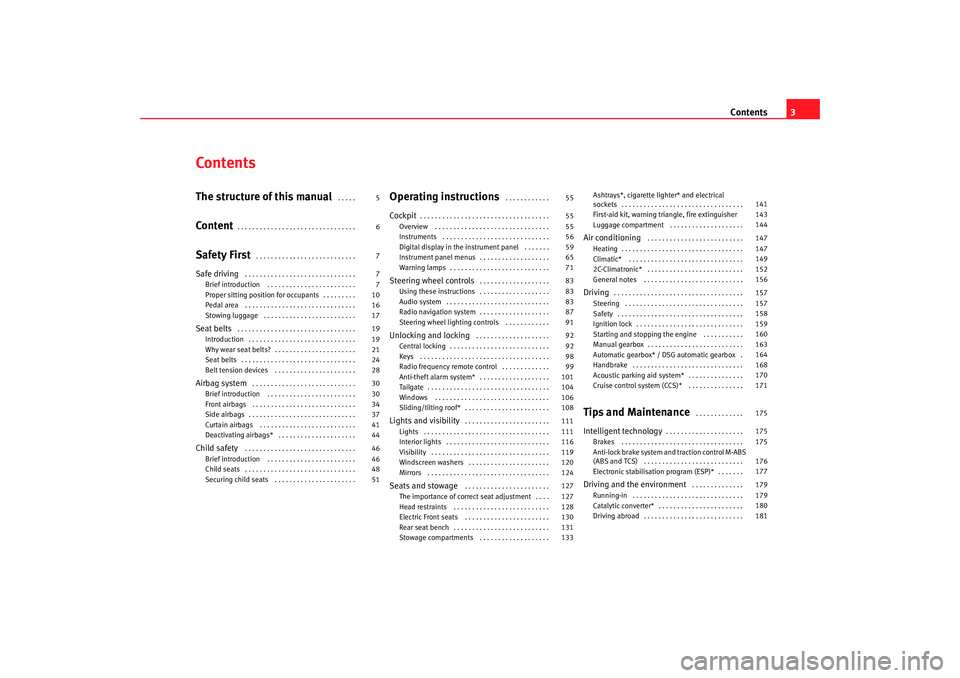
ContentsThe structure of this manual
. . . . .
Content
. . . . . . . . . . . . . . . . . . . . . . . . . . . . . . . .
Safety First
. . . . . . . . . . . . . . . . . . . . . . . . . . .
Safe driving
. . . . . . . . . . . . . . . . . . . . . . . . . . . . . .
Brief introduction . . . . . . . . . . . . . . . . . . . . . . . .
Proper sitting position for occupants . . . . . . . . .
Pedal area . . . . . . . . . . . . . . . . . . . . . . . . . . . . . .
Stowing luggage . . . . . . . . . . . . . . . . . . . . . . . . .
Seat belts
. . . . . . . . . . . . . . . . . . . . . . . . . . . . . . . .
Introduction . . . . . . . . . . . . . . . . . . . . . . . . . . . . .
Why wear seat belts? . . . . . . . . . . . . . . . . . . . . . .
Seat belts . . . . . . . . . . . . . . . . . . . . . . . . . . . . . . .
Belt tension devices . . . . . . . . . . . . . . . . . . . . . .
Airbag system
. . . . . . . . . . . . . . . . . . . . . . . . . . . .
Brief introduction . . . . . . . . . . . . . . . . . . . . . . . .
Front airbags . . . . . . . . . . . . . . . . . . . . . . . . . . . .
Side airbags . . . . . . . . . . . . . . . . . . . . . . . . . . . . .
Curtain airbags . . . . . . . . . . . . . . . . . . . . . . . . . .
Deactivating airbags* . . . . . . . . . . . . . . . . . . . . .
Child safety
. . . . . . . . . . . . . . . . . . . . . . . . . . . . . .
Brief introduction . . . . . . . . . . . . . . . . . . . . . . . .
Child seats . . . . . . . . . . . . . . . . . . . . . . . . . . . . . .
Securing child seats . . . . . . . . . . . . . . . . . . . . . .
Operating instructions
. . . . . . . . . . . .
Cockpit
. . . . . . . . . . . . . . . . . . . . . . . . . . . . . . . . . . .
Overview . . . . . . . . . . . . . . . . . . . . . . . . . . . . . . .
Instruments . . . . . . . . . . . . . . . . . . . . . . . . . . . . .
Digital display in the instrument panel . . . . . . .
Instrument panel menus . . . . . . . . . . . . . . . . . . .
Warning lamps . . . . . . . . . . . . . . . . . . . . . . . . . . .
Steering wheel controls
. . . . . . . . . . . . . . . . . . .
Using these instructions . . . . . . . . . . . . . . . . . . .
Audio system . . . . . . . . . . . . . . . . . . . . . . . . . . . .
Radio navigation system . . . . . . . . . . . . . . . . . . .
Steering wheel lighting controls . . . . . . . . . . . .
Unlocking and locking
. . . . . . . . . . . . . . . . . . . .
Central locking . . . . . . . . . . . . . . . . . . . . . . . . . . .
Keys . . . . . . . . . . . . . . . . . . . . . . . . . . . . . . . . . . .
Radio frequency remote control . . . . . . . . . . . . .
Anti-theft alarm system* . . . . . . . . . . . . . . . . . . .
Tailgate . . . . . . . . . . . . . . . . . . . . . . . . . . . . . . . . .
Windows . . . . . . . . . . . . . . . . . . . . . . . . . . . . . . .
Sliding/tilting roof* . . . . . . . . . . . . . . . . . . . . . . .
Lights and visibility
. . . . . . . . . . . . . . . . . . . . . . .
Lights . . . . . . . . . . . . . . . . . . . . . . . . . . . . . . . . . .
Interior lights . . . . . . . . . . . . . . . . . . . . . . . . . . . .
Visibility . . . . . . . . . . . . . . . . . . . . . . . . . . . . . . . .
Windscreen washers . . . . . . . . . . . . . . . . . . . . . .
Mirrors . . . . . . . . . . . . . . . . . . . . . . . . . . . . . . . . .
Seats and stowage
. . . . . . . . . . . . . . . . . . . . . . .
The importance of correct seat adjustment . . . .
Head restraints . . . . . . . . . . . . . . . . . . . . . . . . . .
Electric Front seats . . . . . . . . . . . . . . . . . . . . . . .
Rear seat bench . . . . . . . . . . . . . . . . . . . . . . . . . .
Stowage compartments . . . . . . . . . . . . . . . . . . . Ashtrays*, cigarette lighter* and electrical
sockets . . . . . . . . . . . . . . . . . . . . . . . . . . . . . . . . .
First-aid kit, warning triangle, fire extinguisher
Luggage compartment . . . . . . . . . . . . . . . . . . . .
Air conditioning
. . . . . . . . . . . . . . . . . . . . . . . . . .
Heating . . . . . . . . . . . . . . . . . . . . . . . . . . . . . . . . .
Climatic* . . . . . . . . . . . . . . . . . . . . . . . . . . . . . . .
2C-Climatronic* . . . . . . . . . . . . . . . . . . . . . . . . . .
General notes . . . . . . . . . . . . . . . . . . . . . . . . . . .
Driving
. . . . . . . . . . . . . . . . . . . . . . . . . . . . . . . . . . .
Steering . . . . . . . . . . . . . . . . . . . . . . . . . . . . . . . .
Safety . . . . . . . . . . . . . . . . . . . . . . . . . . . . . . . . . .
Ignition lock . . . . . . . . . . . . . . . . . . . . . . . . . . . . .
Starting and stopping the engine . . . . . . . . . . .
Manual gearbox . . . . . . . . . . . . . . . . . . . . . . . . . .
Automatic gearbox* / DSG automatic gearbox .
Handbrake . . . . . . . . . . . . . . . . . . . . . . . . . . . . . .
Acoustic parking aid system* . . . . . . . . . . . . . . .
Cruise control system (CCS)* . . . . . . . . . . . . . . .
Tips and Maintenance
. . . . . . . . . . . . .
Intelligent technology
. . . . . . . . . . . . . . . . . . . . .
Brakes . . . . . . . . . . . . . . . . . . . . . . . . . . . . . . . . .
Anti-lock brake system and traction control M-ABS
(ABS and TCS) . . . . . . . . . . . . . . . . . . . . . . . . . . .
Electronic stabilisation program (ESP)* . . . . . . .
Driving and the environment
. . . . . . . . . . . . . .
Running-in . . . . . . . . . . . . . . . . . . . . . . . . . . . . . .
Catalytic converter* . . . . . . . . . . . . . . . . . . . . . . .
Driving abroad . . . . . . . . . . . . . . . . . . . . . . . . . . .
5
6
7
7
7
10
16
17
19
19
21
24
28
30
30
34
37
41
44
46
46
48
51 55
55
55
56
59
65
71
83
83
83
87
91
92
92
98
99
101
104
106
108
111
111
116
119
120
124
127
127
128
130
131
133 141
143
144
147
147
149
152
156
157
157
158
159
160
163
164
168
170
171
175
175
175
176
177
179
179
180
181
altea_ingles Seite 3 Dienstag, 4. Oktober 2005 6:57 18
Page 18 of 288

Safe driving
16•
never travel in a foot well ,
•
never travel without wearing the seat belt,
•
never carry any person in the luggage compartment.
WARNING
•
Every incorrect sitting position increases the risk of severe injuries.
•
Sitting in an incorrect position exposes the occupants to severe injuries
if airbags deploy, striking an occupant who has assumed an incorrect
sitting position.
•
Before the vehicle moves, assume the proper sitting position and main-
tain it throughout the trip. Before every trip, instruct your passengers to
assume the proper sitting position and to maintain it during the trip
⇒ page 10, “Proper sitting position for occupants”.
Pedal areaPedals
The operation and freedom of movement of all pedals must
never be impaired by objects or floor mats.– Ensure that you can always press the accelerator, brake and
clutch pedals unimpaired to the floor.
– Ensure that the pedals can return unimpaired to their initial posi- tions.Use only floor mats which leave the pedal area free and can be securely
fastened in the foot well. If a brake circuit fails, the brake pedal must be free to move further than
normal in order to bring the vehicle to a stop.
Wear suitable shoes
Always wear shoes which support your feet properly and give you a good feel
for the pedals.
WARNING
•
Restricting pedal operation can lead
to critical situations while driving.
•
Never place objects in the driver foot well. An object could move into the
pedal area and impede pedal operation. In the event of a sudden driving or
braking manoeuvre, you will not be ab le to operate the brake, clutch or
accelerator pedal. Risk of accident!
Floor mats on the driver side
Only floor mats may be used which can be securely fastened
in the foot well and do not impair operation of the pedals.– Ensure that the floor mats are securely fastened during the trip and do not obstruct the pedals ⇒.Only use floor mats which leave the pedals clear and which are secured to
prevent them from slipping. You can obta in suitable floor mats from a quali-
fied dealership.
WARNING
•
If the pedals are obstructed, you could cause an accident. Risk of
serious injuries.
•
Ensure that the floor mats are always securely attached.
altea_ingles Seite 16 Dienstag, 4. Oktober 2005 6:57 18
Page 66 of 288
Cockpit
64
NoteIn the case of screens without warning or information texts, faults are indi-
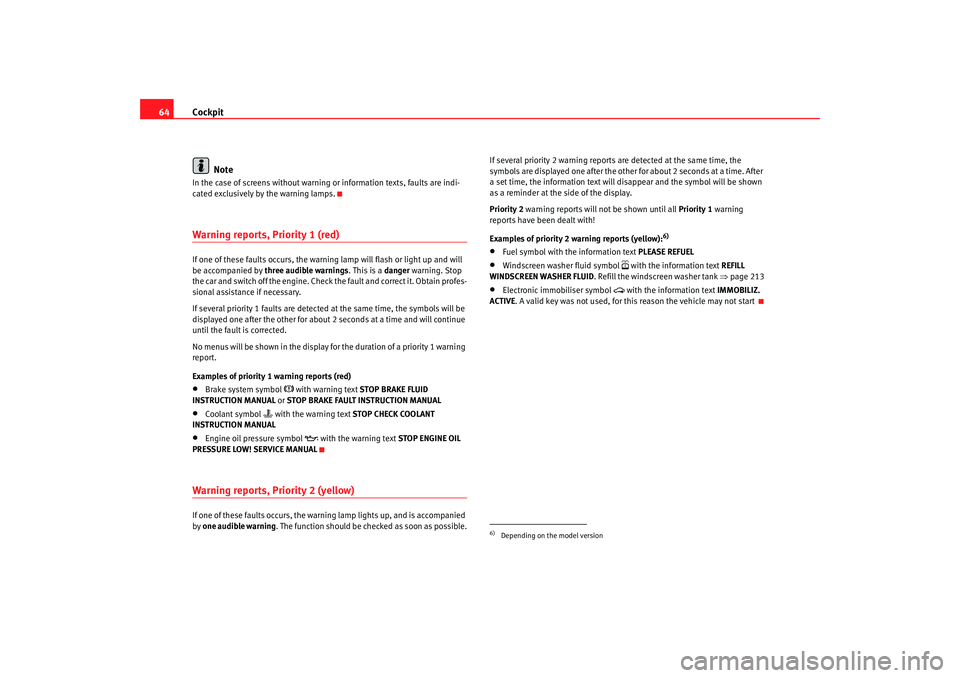
cated exclusively by the warning lamps.Warning reports, Priority 1 (red)If one of these faults occurs, the warning lamp will flash or light up and will
be accompanied by three audible warnings . This is a danger warning. Stop
the car and switch off the engine. Check the fault and correct it. Obtain profes-
sional assistance if necessary.
If several priority 1 faults are detected at the same time, the symbols will be
displayed one after the other for about 2 seconds at a time and will continue
until the fault is corrected.
No menus will be shown in the display fo r the duration of a priority 1 warning
report.
Examples of priority 1 warning reports (red)•
Brake system symbol
with warning text STOP BRAKE FLUID
INSTRUCTION MANUAL or STOP BRAKE FAULT INSTRUCTION MANUAL
•
Coolant symbol
with the warning text STOP CHECK COOLANT
INSTRUCTION MANUAL
•
Engine oil pressure symbol
with the warning text STOP ENGINE OIL
PRESSURE LOW! SERVICE MANUAL
Warning reports, Priority 2 (yellow)If one of these faults occurs, the warning lamp lights up, and is accompanied
by one audible warning. The function should be checked as soon as possible. If several priority 2 warning reports are detected at the same time, the
symbols are displayed one after the other for about 2 seconds at a time. After
a set time, the information text will disappear and the symbol will be shown
as a reminder at the side of the display.
Priority 2
warning reports will not be shown until all Priority 1 warning
reports have been dealt with!
Examples of priority 2 warning reports (yellow):
6)
•
Fuel symbol with the information text PLEASE REFUEL
•
Windscreen washer fluid symbol
with the information text REFILL
WINDSCREEN WASHER FLUID . Refill the windscreen washer tank ⇒page 213
•
Electronic immobiliser symbol
with the information text IMMOBILIZ.
ACTIVE . A valid key was not used, for this reason the vehicle may not start
6)Depending on the model version
altea_ingles Seite 64 Dienstag, 4. Oktober 2005 6:57 18
Page 83 of 288
Cockpit81
Safety First
Operating instructions
Tips and Maintenance
Te c h n i c a l D a t a
Power steering system*
For vehicles with power steering, the level of steering assistance depends on
the vehicle's speed and on the steering angle.
The warning lamp should light up for a few seconds when the ignition is
switched on. It should go out when the engine has started running.
If the battery is disconnected, the indicator remains lit, even with the engine
running. The warning light only goes of f after a distance of approx. 50 m.
There is a fault in the electromechanica l steering system if the lamp does not
go out or lights up whilst the vehicle is in motion. The indicator may appear
in two different colours to indicate faults. If it lights yellow, this indicates a
minor fault. If it lights red, seek wo rkshop assistance immediately, if no
assistance is available stop driving. Stop the vehicle and seek technical
assistance. The power steering does not work if the battery is flat or if the
engine is off (for example, for towing). You should take into account that you
will need considerably more power than normal to steer the vehicle if the
steering assistance is reduced or has failed completely.
For those vehicles fitted with ESP* the function “Recommended steering
manoeuv r
e” is included. S e e ⇒ page 177Brake pad wear indicator*
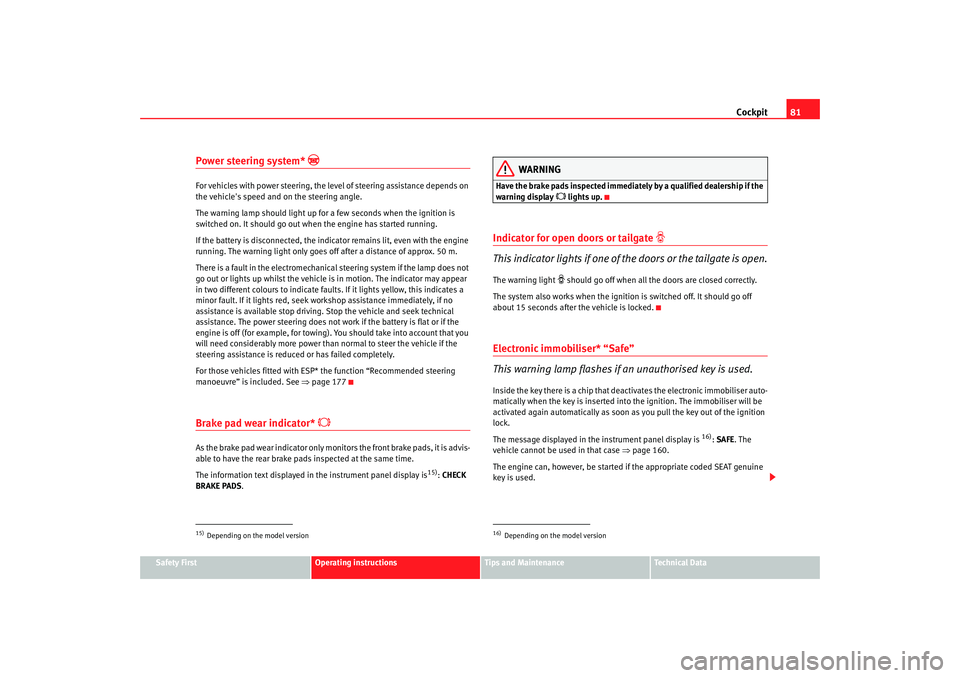
As the brake pad wear indicator only monitors the front brake pads, it is advis-
able to have the rear brake pads inspected at the same time.
The information text displayed in the instrument panel display is
15) : CHECK
BRAKE PADS .
WARNING
Have the brake pads inspected immediately by a qualified dealership if the
warning display
lights up.
Indicator for open doors or tailgate
This indicator lights if one of th e doors or the tailgate is open.The warning light
should go off when all the doors are closed correctly.
The system also works when the ignition is switched off. It should go off
about 15 seconds after the vehicle is locked.
Electronic immobiliser* “Safe”
This warning lamp flashes if an unauthorised key is used.Inside the key there is a chip that deactivates the electronic immobiliser auto-
matically when the key is inserted into the ignition. The immobiliser will be
activated again automatically as soon as you pull the key out of the ignition
lock.
The message displayed in the instrument panel display is
16) : SAFE. The
vehicle cannot be used in that case ⇒page 160.
The engine can, however, be started if the appropriate coded SEAT genuine
key is used.
15)Depending on the model version
16)Depending on the model version
altea_ingles Seite 81 Dienstag, 4. Oktober 2005 6:57 18
Page 139 of 288
Seats and stowage137
Safety First
Operating instructions
Tips and Maintenance
Te c h n i c a l D a t a
Other stowage areasOther stowage areas can be found:•
in the centre console,
•
in the door trims (front and rear),
•
in the side trims of the luggage compartment,
•
in the spare wheel recess in the luggage compartment (only on vehicles
with an optional anti-puncture kit*.
The clothes hooks are located on the rear roof handles.
WARNING
•
Do not store loose objects on the dashboard. These objects could be
flung through the passenger compartment when the vehicle is moving (e.g.
while accelerating, braking or cornerin g) and distract the driver. Risk of
accident.
•
Ensure that no objects can fall from the centre console or other stowage
areas into the driver foot well while the vehicle is moving. In the event of a
sudden braking manoeuvre, you will not be able to use the brake, clutch or
accelerator. Risk of accident.
•
Clothing hung on the coat hooks must not restrict the driver's view.
Risk of accident. The coat hooks are intended only for use with light arti-
cles of clothing. Do not leave any ha rd, sharp or heavy objects in hanging
articles of clothing. During sudden braking manoeuvres or accidents, espe-
cially those involving airbag deployment, these objects could injure the
vehicle occupants.
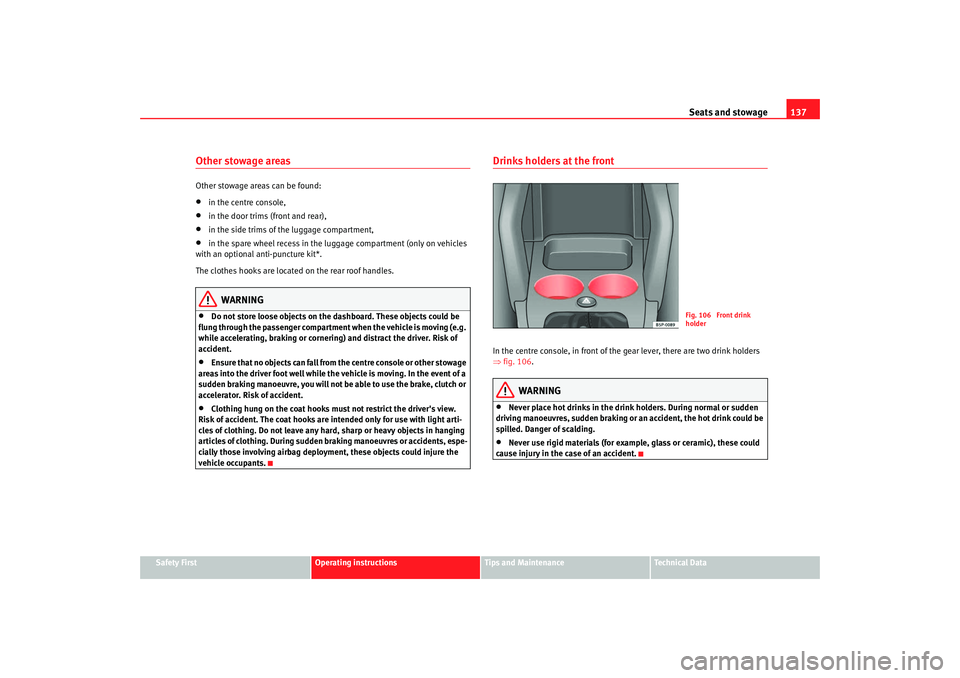
Drinks holders at the frontIn the centre console, in front of the gear lever, there are two drink holders
⇒ fig. 106 .
WARNING
•
Never place hot drinks in the drink holders. During normal or sudden
driving manoeuvres, sudden braking or an accident, the hot drink could be
spilled. Danger of scalding.
•
Never use rigid materials (for example, glass or ceramic), these could
cause injury in the case of an accident.
Fig. 106 Front drink
holder
altea_ingles Seite 137 Dienstag, 4. Oktober 2005 6:57 18
Page 171 of 288
Driving169
Safety First
Operating instructions
Tips and Maintenance
Te c h n i c a l D a t a
Always apply the handbrake firmly
. This prevents you driving with the hand-
brake applied ⇒.
The handbrake warning lamp
lights up when the handbrake is applied
and the ignition switched on. The warning lamp goes out when the hand-
brake is released.
If you drive faster than 6 km/h with the handbrake on, the following
message* will appear in the combi-instrument display: HANDBRAKE ON.
Also, an audible warning is given.
WARNING
•
Never use the handbrake to slow down th e vehicle when it is in motion.
The braking distance is considerably longer, as braking is only applied to
the rear wheels. Risk of accident!
•
If it is only partially released this will cause overheating of the rear
brakes, which can impair the function of the brake system and could lead
to an accident. This also causes premature wear on the rear brake
pads/linings.Caution
Always apply the handbrake before you leave the vehicle. The first gear
should also be selected.Parking
The handbrake should always be firmly applied when the
vehicle is parked.Always note the following points when parking the vehicle:
– Use the foot brake to stop the vehicle. –Apply the handbrake.
– The first gear should also be selected.
– Switch off the engine and remove the key from the ignition lock.
Turn the steering wheel slightly to engage the steering lock.
– Always take you car keys with you when you leave the vehicle ⇒ .
Additional notes on parking the vehicle on gradients:
Turn the steering wheel so that the vehicle would roll against the kerb if it did
start to roll.•
If the vehicle is facing downhill, turn the front wheels so that they point
towards the kerb .
•
If the vehicle is facing uphill, turn the front wheels so that they point away
from the kerb .
•
Secure the vehicle as normal by applying the handbrake firmly and
selecting fi rst gear.
WARNING
•
Take measures to reduce the risk of injury when you leave your vehicle
unattended.
•
Never park where the hot exhaust system could ignite inflammable
materials, such as dry grass, low bushes, spilt fuel etc.
•
Never allow vehicle occupants to remain in the vehicle when it is
locked. They would be unable to open the vehicle from the inside, and
could become trapped in the vehicle in an emergency. In the event of an
emergency, locked doors will delay assistance to occupants.
•
Never leave children unsupervised in the vehicle. They could set the
vehicle in motion, for example, by releasing the handbrake or the gear
lever / selector lever.
altea_ingles Seite 169 Dienstag, 4. Oktober 2005 6:57 18
Page 173 of 288
Driving171
Safety First
Operating instructions
Tips and Maintenance
Te c h n i c a l D a t a
Caution
•
Please note that low obstacles detected by the system may no longer be
registered by the sensors as the car moves closer, so the system will not give
any further warning. Certain kinds of ob stacles (such as wire fences, chains,
thin posts or trailer draw bars, high kerbs or painted railings etc) may not
always be detected by the system, so there is a risk of damaging the vehicle
in such cases.
•
Obstacles with uniform edges and bumps may not be detected immedi-
ately by the system due to their geometry. Take special care around this type
of obstacle such as corners, rectangular objects, etc.., these can cause
damage to the vehicle.
•
Be especially carefully when manoeuvring into a corner between two
perpendicular walls. Survey the approach of the wall to the side of the vehicle
(using the mirrors)
•
The parking aid system does not replace use of the mirrors for manoeu-
vres.
•
Distant ultra-sonic sources (hammers, tyres, construction machinery,
other vehicles with PDC) may interfere with the operation of the system.
•
Periodic cleaning of the sensors, take care not to damage or scratch them.
Cleaning with high pressure washers or steam cleaners, the sensors should
be sprayed for only a very short period and from a distance of more than 10
cm.
Cruise control system (CCS)*Description
The cruise control system is able to maintain the set speed in
the range from approx. 30 km/h to 180 km/h.Once the speed setting has been saved, you may take your foot off the accel-
erator.
WARNING
It could be dangerous to use the cruise control system if it is not possible
to drive at constant speed.•
For safety reasons the cruise control system should not be used in
dense traffic, in sections with bends or where roads conditions are poor
(e.g. aquaplaning, loose chippings, slippery surfaces, snow). Risk of acci-
dent.
•
Always switch off the CCS when you have finished using it. This will
prevent you using it by mistake.
•
It is dangerous to use a set speed which is too high for the current road,
traffic or weather conditions. Risk of accident.Note
The cruise control cannot maintain a constant speed when descending gradi-
ents. The vehicle will accelerate under its own weight. Use the foot brake to
slow the vehicle.
altea_ingles Seite 171 Dienstag, 4. Oktober 2005 6:57 18
Page 176 of 288
Driving
174•
if the clutch pedal is depressed,
•
if the vehicle is accelerated to over 180 km/h,
•
and the lever is pressed in the direction of OFF without being engaged.
To resume the cruise control, release the brake or clutch pedal or reduce the
vehicle speed to less than 180 km/h and press once on the upper part of the
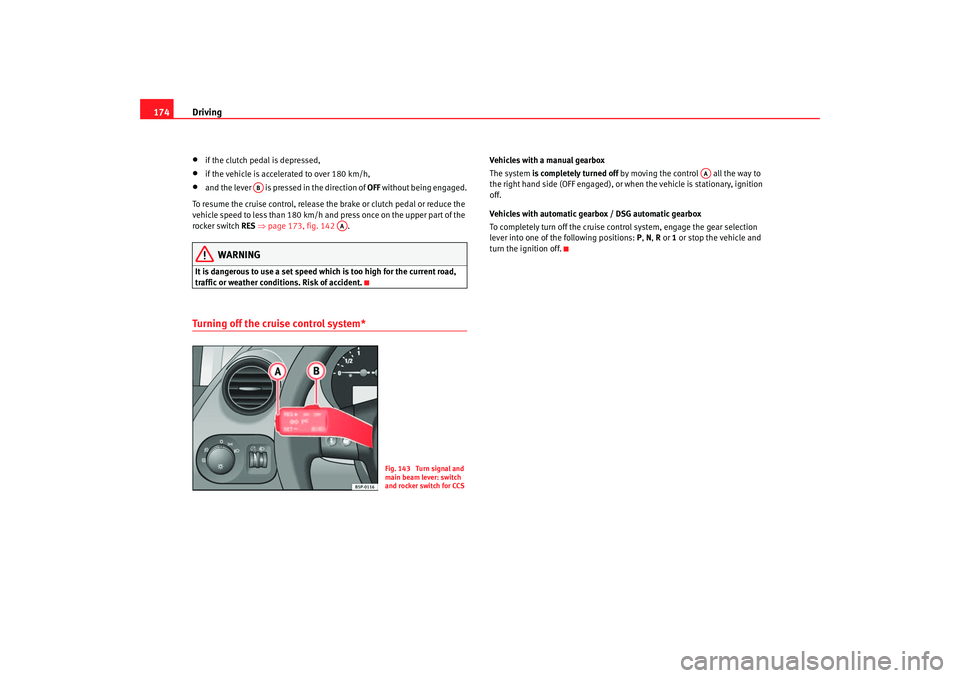
rocker switch RES ⇒page 173, fig. 142 .
WARNING
It is dangerous to use a set speed which is too high for the current road,
traffic or weather conditions. Risk of accident.Turning off the cruise control system*
Vehicles with a manual gearbox
The system is completely turned off by moving the control all the way to
the right hand side (OFF engaged), or when the vehicle is stationary, ignition
off.
Vehicles with automatic gearbox / DSG automatic gearbox
To completely turn off the cruise control system, engage the gear selection
lever into one of the following positions: P , N , R or 1 or stop the vehicle and
turn the ignition off.
AB
AA
Fig. 143 Turn signal and
main beam lever: switch
and rocker switch for CCS
AA
altea_ingles Seite 174 Dienstag, 4. Oktober 2005 6:57 18
Page 177 of 288
Intelligent technology175
Safety First
Operating instructions
Tips and Maintenance
Te c h n i c a l D a t a
Tips and MaintenanceIntelligent technologyBrakesBrake servoThe brake servo amplifies the pressure you apply to the brake pedal. It works
only when the engine is running .
If the brake servo is not functioning due to a malfunction, or if the vehicle has
to be towed, you will have to press the brake pedal considerably harder to
make up for the lack of servo assistance.
WARNING
The braking distance can also be affected by external factors.•
Never let the vehicle coast with the engine switched off. Failure to do so
could result in an accident. The braking distance is increased considerably
as the brake servo does not function.
•
If the brake servo is not functioning, for example if the vehicle is being
towed, you will have to press the brake pedal considerably harder than
normal.
Brake assist system (BAS)*In an emergency, most drivers brake in time, but not with maximum force.
This results in unnecessarily long braking distances. The brake assist system intervenes here, if you press the brake pedal very
quickly, the brake assist system registers an emergency situation. It then very
quickly builds up the full brake pressure so that the ABS can be activated
more quickly and efficiently, thus reducing the braking distance.
Do not reduce the pressure on the br
ake pedal. The brake assist system
switches off automatically as soon as you release the brake.
WARNING
•
The risk of accident is higher if yo u drive too fast, if you do not keep
your distance to the vehicle in front, and when the road surface is slippery
or wet. The increased accident risk cannot be reduced by the brake assist
system.
•
The brake assist system cannot defy the laws of physics. Slippery and
wet roads are dangerous even with the brake assist system! Therefore, it is
essential that you adjust your speed to suit the road and traffic conditions.
Do not let the extra safety features tempt you into taking any risks when
driving.
altea_ingles Seite 175 Dienstag, 4. Oktober 2005 6:57 18
Page 179 of 288
Intelligent technology177
Safety First
Operating instructions
Tips and Maintenance
Te c h n i c a l D a t a
The TCS should be switched on again afterwards as soon as possible.
WARNING
•
It must be remembered that TCS cann
ot defy the laws of physics. This
should be kept in mind, particular ly on slippery and wet roads and when
towing a trailer.
•
Always adapt your driving style to suit the condition of the roads and
the traffic situation. Do not let the extra safety afforded by TCS tempt you
into taking any risks when driving, this can cause accidents.Caution
•
In order to ensure that TCS function correctly, all four wheels must be
fitted with the same tyres. Any differences in the rolling radius of the tyres can
cause the system to reduce engine power when this is not desired.
•
Modifications to the vehicle (e.g. to the engine, the brake system, running
gear or any components affecting the wh eels and tyres) could affect the effi-
ciency of the ABS and TCS.
Electronic stabilisation program (ESP)*General notes
The electronic stabilisation program increases the vehicles
stability on the road.The electronic stabilisation program helps to reduce the danger of skidding.
The electronic stabilisation programme (ESP) consists of ABS, EDL, TCS and
Steering manoeuvre recommendations. Electronic Stabilising Program (ESP)*
ESP reduces the danger of skidding by braking the wheels individually.
The system uses the steering wheel angle and road speed to calculate the
changes of direction desired by the driver, and constantly compares them
with the actual behaviour of the vehi
cle. If the desired course is not being
maintained (for instance, if the car is starting to skid), then the ESP compen-
sates automatically by braking the appropriate wheel.
The forces acting on the braked wheel bring the vehicle back to a stable
condition. If the vehicle tends to oversteer, the system will act on the front
wheel on the outside of the turn.
Steering manoeuvre recommendations
This is a complementary safety function included in the ESP This function aids
the driver to better stabilize the vehicle in a critical situation. For example, in
case of sudden braking surface with varied adherence, the vehicle will tend
to destabilize its trajectory to the right to or to the left. In this case the ESP
recognizes the situation and helps the driver with a counter steering
manoeuvre from the power steering.
This function simply provides the dr iver with a recommended manoeuvre in
critical situations.
The vehicle doesn't steer itself with this function, the driver has full control of
the vehicle at all times.
WARNING
•
It must be remembered that ESP cann ot defy the laws of physics. This
should be kept in mind, particularly on slippery and wet roads and when
towing a trailer.
•
Always adapt your driving style to suit the condition of the roads and
the traffic situation. Do not let the extra safety afforded by ESP tempt you
into taking any risks when driving, this can cause accidents.
altea_ingles Seite 177 Dienstag, 4. Oktober 2005 6:57 18