maintenance Seat Altea 2008 Manual Online
[x] Cancel search | Manufacturer: SEAT, Model Year: 2008, Model line: Altea, Model: Seat Altea 2008Pages: 309, PDF Size: 9.45 MB
Page 163 of 309
Driving161
Safety First
Operating instructions
Tips and Maintenance
Te c h n i c a l D a t a
•
Adjust the driver seat or steering wheel so that there is a distance of at
least 25 cm between the steering wheel and your breast bone ⇒page 160,
fig. 133 . If you fail to observe the minimum distance, the airbag will not
protect you. Risk of fatal injury.
•
If your physical constitution prevents you from maintaining the
minimum distance of 25 cm, contact an Authorised Service Centre. The
Authorised Service Centre will help you decide if special specific modifica-
tions are necessary.
•
If you adjust the steering wheel so th at it points towards your face, the
driver airbag will not protect you prop erly in the event of an accident. Make
sure that the steering wheel points towards your chest.
•
When driving, always hold the steering wheel with both hands on the
outside of the ring at the 9 o'clock and 3 o'clock positions. Never hold the
steering wheel at the 12 o'clock position, or in any other manner (e.g. in
the centre of the steering wheel, or on the inside of the rim). In such cases,
you could receive severe injuries to the arms, hands and head.
SafetyElectronic stabilisation programme (ESP)*
ESP helps make driving safer in certain situations.The Electronic Stabilisation Program (ESP ) contains the electronic differential
lock (EDL) and the traction control system (TCS). The ESP function works in
conjunction with the ABS. Both warning la mps will light up if the ESP or ABS
systems are faulty.
The ESP is started automatically when the engine is started.
In specific circumstances where you requ ire less traction, you can switch off
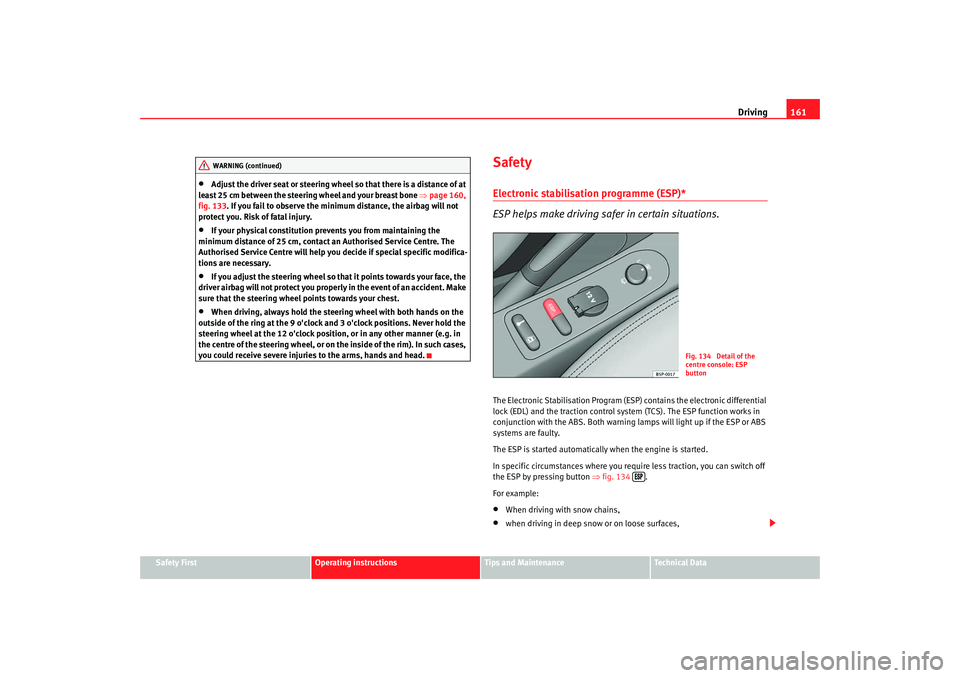
the ESP by pressing button ⇒fig. 134 .
For example:•
When driving with snow chains,
•
when driving in deep snow or on loose surfaces,
WARNING (continued)
Fig. 134 Detail of the
centre console: ESP
button
altea ingles.book Seite 161 Dienstag, 11. September 2007 4:39 16
Page 165 of 309
Driving163
Safety First
Operating instructions
Tips and Maintenance
Te c h n i c a l D a t a
Starting
The engine is started when the key is in
this position. Electrical components
with a high power consumption are switched off temporarily.
Each time that the vehicle must be started, the ignition key must be turned to
the position . The repetitive start prevention lock of the ignition prevents
possible damage to the starter motor if the engine is already running.
WARNING
•
Wait for the vehicle to come to a standstill before removing the ignition
key from the lock. The steering lock could be activated immediately - Risk
of accident!
•
Always remove the key from the ignit ion lock when leaving the vehicle,
even if you only intend to be gone for a short period. This is especially
important if you must leave children or disabled people in the vehicle, they
could accidentally start the engine or work electrical equipment such as
the windows possibly resulting in an accident.
•
Unsupervised use of the keys could result in the engine being started
or electrical systems, such as the electric windows, being used. This can
result in serious injury.Caution
The starter motor will only work when the engine is stopped (ignition key
position ).
Electronic immobiliser
The immobiliser prevents unauthorised persons from driving
the vehicle.Inside the key there is a chip that deactivates the electronic immobiliser auto-
matically when the key is inserted into the ignition.
The immobiliser will be activated again automatically as soon as you pull the
key out of the ignition lock.
The engine can only be started using a genuine SEAT key with the correct
code.
Note
The vehicle cannot be operated properly if you do not have a genuine SEAT
key.Starting and stopping the engineStarting petrol engines
The engine can only be started using a genuine SEAT key with
the correct code.– Move the gear lever to the neutral position and depress the clutch pedal fully and hold it in this position, the starter will then
only have to turn the engine.
– Turn the ignition key to position ⇒page 162 to start the engine.
A2A0
A2
altea ingles.book Seite 163 Dienstag, 11. September 2007 4:39 16
Page 167 of 309
Driving165
Safety First
Operating instructions
Tips and Maintenance
Te c h n i c a l D a t a
Glow plug system for the diesel engine
To avoid unnecessary load on the battery, do not use any other major elec-
trical equipment while the
glow plugs are pre-heating.
Start the engine as soon as the glow plug warning lamp ⇒page 81 goes out.
Starting the engine after the fuel tank has been completely run dry
If the fuel tank has been completely ru n dry, it may take longer than normal
(up to one minute) to start the engine af ter refuelling with diesel fuel. This is
because the system must eliminate air first.
WARNING
•
Never start or run the engine in unventilated or closed rooms. The
exhaust fumes contain carbon monoxide, an odourless and colourless
poisonous gas. Risk of fatal accidents. Carbon monoxide can cause loss of
consciousness. It can also cause death.
•
Never leave the vehicle unattended if the engine is running.
•
Never use “cold start sprays”, they could explode or cause the engine
to run at high revs. Risk of injury.Caution
•
When the engine is cold, you should avo id high engine speeds, driving at
full throttle and over-loading th e engine. Risk of engine damage.
•
The vehicle should not be pushed or towed for more than approximately
50 metres to start the engine. Fuel could enter the catalytic converter and
damage it.
•
Before attempting to push-start or tow a vehicle to start it, you should first
try to start it using the battery of another vehicle. Note and follow the instruc-
tions ⇒ page 263, “Jump-starting”.
For the sake of the environment
Do not warm-up the engine by running th e engine with the vehicle stationary.
You should drive off as soon as you start the engine. This helps the engine
reach operating temperature faster and reduces emissions.Switching off the engine– Stopping the engine.
– Turn the ignition key to position ⇒page 162, fig. 135 .After the engine is switched off the radiator fan may run on for up to 10
minutes, even if the ignition is switched of f. It is also possible that it will turn
itself on once more if the temperature of the coolant increases due to the
elimination of built up heat in the engine compartment or if this is heated due
to prolonged exposure to the heat of the sun.
WARNING
•
Never switch off the engine until the vehicle is stationary.
•
The brake servo works only when the engine is running. You will need
more strength to brake the vehicle when the engine is switched off. As you
cannot brake in the normal manner, there is a greater risk of accidents and
serious injury.
•
The steering lock can engage immediately when the key is removed
from the ignition lock. The vehicle cannot be steered. Risk of accident.
A0
altea ingles.book Seite 165 Dienstag, 11. September 2007 4:39 16
Page 169 of 309
Driving167
Safety First
Operating instructions
Tips and Maintenance
Te c h n i c a l D a t a
WARNING
•
When the engine is running, the vehicle will start to move as soon as a
gear is engaged and the clutch released.
•
Never select the reverse gear when the vehicle is in motion. Risk of acci-
dent.Note
•
Do not rest your hand on the gear le ver when driving. The pressure of your
hand could cause premature wear on the selector forks in the gearbox.
•
When changing gear, you should always depress the clutch fully to avoid
unnecessary wear and damage.
•
Do not hold the car “on the clutch” on hills. This causes premature wear
and damage to the clutch.
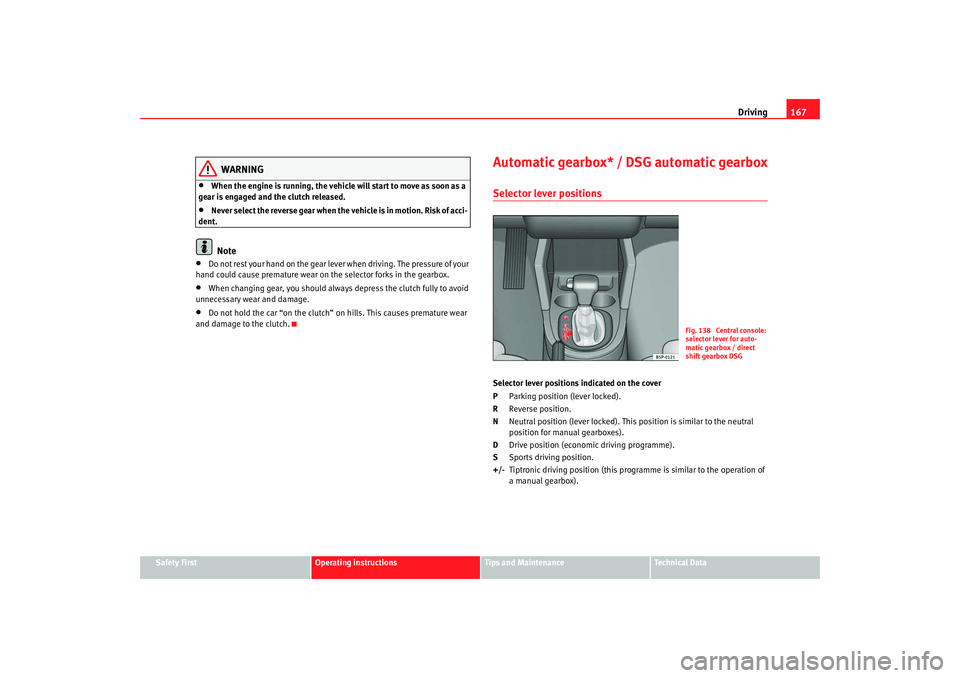
Automatic gearbox* / DSG automatic gearboxSelector lever positionsSelector lever positions indicated on the cover
P Parking position (lever locked).
R Reverse position.
N Neutral position (lever loc ked). This position is similar to the neutral
position for manual gearboxes).
D Drive position (economic driving programme).
S Sports driving position.
+/- Tiptronic driving position (this programme is similar to the operation of
a manual gearbox).
Fig. 138 Central console:
selector lever for auto-
matic gearbox / direct
shift gearbox DSG
altea ingles.book Seite 167 Dienstag, 11. September 2007 4:39 16
Page 171 of 309
Driving169
Safety First
Operating instructions
Tips and Maintenance
Te c h n i c a l D a t a
– Press and release the brake pedal, at the same time press the
button on the selector lever.The lock is only activated when the vehicle is stopped or at a speed of less
than 5 km/h. At higher speeds, the lock is automatically released in position
N.
For rapid changes of position (e.g. from R to D) the lever will not lock. If the
lever remains in the position N more than one second then it is locked. With
the automatic lock, the lever is prevented passing from P and N to any other
gear without first pressing the brake pedal.
The selector lever must be put in the position P in order to remove the key.Driving with an automatic gearbox* / DSG automatic gearbox
The drive and reverse gears are automatically engaged.
Driving
– Press and hold the foot brake.
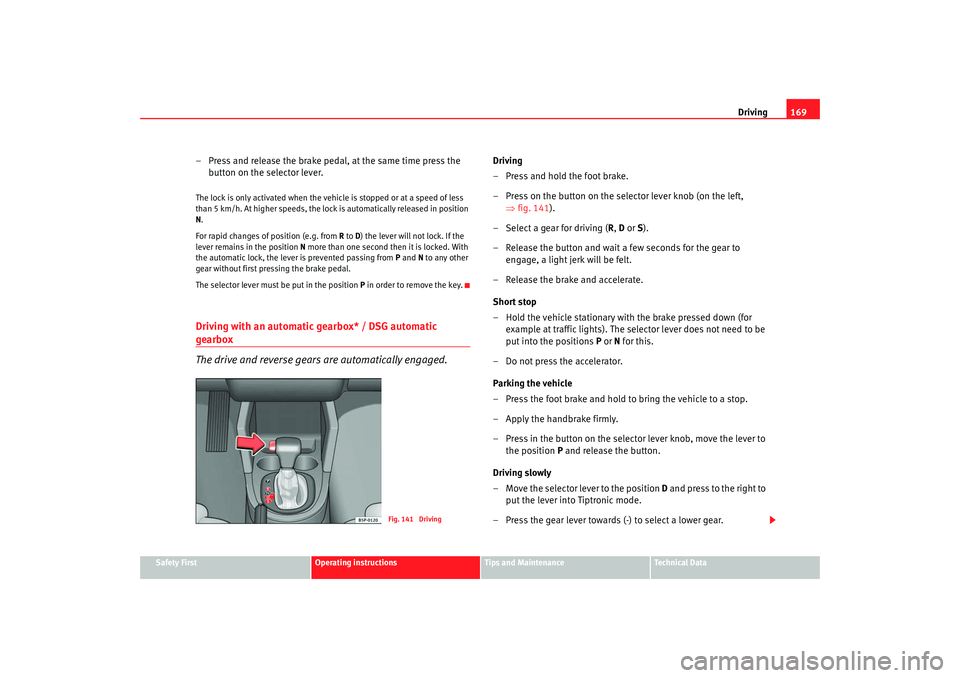
– Press on the button on the selector lever knob (on the left,
⇒fig. 141).
– Select a gear for driving ( R, D or S).
– Release the button and wait a few seconds for the gear to engage, a light jerk will be felt.
– Release the brake and accelerate.
Short stop
– Hold the vehicle stationary with the brake pressed down (for example at traffic lights). The selector lever does not need to be
put into the positions P or N for this.
– Do not press the accelerator.
Parking the vehicle
– Press the foot brake and hold to bring the vehicle to a stop.
– Apply the handbrake firmly.
– Press in the button on the select or lever knob, move the lever to
the position P and release the button.
Driving slowly
– Move the selector lever to the position D and press to the right to
put the lever into Tiptronic mode.
– Press the gear lever towards (-) to select a lower gear.
Fig. 141 Driving
altea ingles.book Seite 169 Dienstag, 11. September 2007 4:39 16
Page 173 of 309
Driving171
Safety First
Operating instructions
Tips and Maintenance
Te c h n i c a l D a t a
Using the Tiptronic gear system
The Tiptronic system allows th e driver to manually select
gears
General information about driving in Tiptronic mode
Changing gear with the gear stick
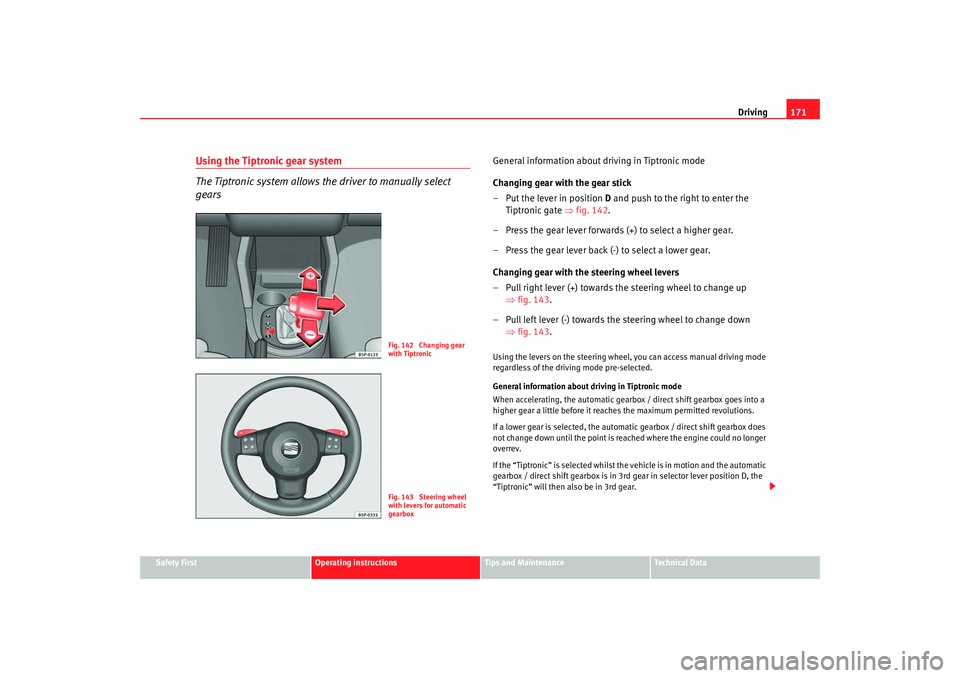
– Put the lever in position D and push to the right to enter the
Tiptronic gate ⇒fig. 142 .
– Press the gear lever forwards (+) to select a higher gear.
– Press the gear lever back (-) to select a lower gear.
Changing gear with the steering wheel levers
– Pull right lever (+) towards the steering wheel to change up ⇒fig. 143.
– Pull left lever (-) towards the steering wheel to change down ⇒fig. 143.Using the levers on the steering wheel, you can access manual driving mode
regardless of the driv ing mode pre-selected.
General information about driving in Tiptronic mode
When accelerating, the automatic gearbox / direct shift gearbox goes into a
higher gear a little before it reac hes the maximum permitted revolutions.
If a lower gear is selected, the automatic gearbox / direct shift gearbox does
not change down until the point is re ached where the engine could no longer
overrev.
If the “Tiptronic” is selected whilst the vehicle is in motion and the automatic
gearbox / direct shift gearbox is in 3rd gear in selector lever position D, the
“Tiptronic” will then also be in 3rd gear.
Fig. 142 Changing gear
with TiptronicFig. 143 Steering wheel
with levers for automatic
gearbox
altea ingles.book Seite 171 Dienstag, 11. September 2007 4:39 16
Page 175 of 309
Driving173
Safety First
Operating instructions
Tips and Maintenance
Te c h n i c a l D a t a
Parking
The handbrake should always be firmly applied when the
vehicle is parked.Always note the following points when parking the vehicle:
– Use the foot brake to stop the vehicle.
–Apply the handbrake.
– The first gear should also be selected.
– Switch off the engine and remove the key from the ignition lock.
Turn the steering wheel slightly to engage the steering lock.
– Always take you car keys with you when you leave the vehicle ⇒ .Additional notes on parking the vehicle on gradients:
Turn the steering wheel so that the vehicle would roll against the kerb if it did
start to roll.•
If the vehicle is facing downhill, turn the front wheels so that they point
towards the kerb.
•
If the vehicle is facing uphill , turn the front wheels so that they point away
from the kerb .
•
Secure the vehicle as normal by applying the handbrake firmly and
selecting first gear.
WARNING
•
Take measures to reduce the risk of injury when you leave your vehicle
unattended.
•
Never park where the hot exhaust system could ignite inflammable
materials, such as dry grass, low bushes, spilt fuel etc.
•
Never allow vehicle occupants to remain in the vehicle when it is
locked. They would be unable to open the vehicle from the inside, and
could become trapped in the vehicle in an emergency. In the event of an
emergency, locked doors will delay assistance to occupants.
•
Never leave children unsupervised in the vehicle. They could set the
vehicle in motion, for example, by releasing the handbrake or the gear
lever / selector lever.
•
Depending on weather conditions, it may become extremely hot or cold
inside the vehicle. This can be fatal.
Acoustic parking aid system*Rear parking aid
The parking aid system will use an acoustic signal to warn of
the approach of any object towards the rear of the vehicle.Description
The acoustic parking aid system will measure the distance between the rear
of the vehicle and any possible obstacle using four ultrasonic sensors located
on the rear bumper. The measuring range of the sensors starts at approxi-
mately and depending on the nature of the obstacle at a distance of:•
side of the rear bumper: 0.8 m
•
middle of the rear bumper: 1.5 mWARNING (continued)
altea ingles.book Seite 173 Dienstag, 11. September 2007 4:39 16
Page 177 of 309
Driving175
Safety First
Operating instructions
Tips and Maintenance
Te c h n i c a l D a t a
Cruise control system (CCS)*Description
The cruise control system is able to maintain the set speed in
the range from approx. 30 km/h to 180 km/h.Once the speed setting has been saved, you may take your foot off the accel-
erator.
WARNING
It could be dangerous to use the cruise control system if it is not possible
to drive at constant speed.•
For safety reasons the cruise control system should not be used in
dense traffic, in sections with bends or where roads conditions are poor
(e.g. aquaplaning, loose chippings, slippery surfaces, snow). Risk of acci-
dent.
•
Always switch off the CCS when you have finished using it. This will
prevent you using it by mistake.
•
It is dangerous to use a set speed whic h is too high for the current road,
traffic or weather conditions. Risk of accident.Note
The cruise control cannot maintain a constant speed when descending gradi-
ents. The vehicle will accelerate under its own weight. Use the foot brake to
slow the vehicle.
Switching the cruise control system on and offSwitching on the system
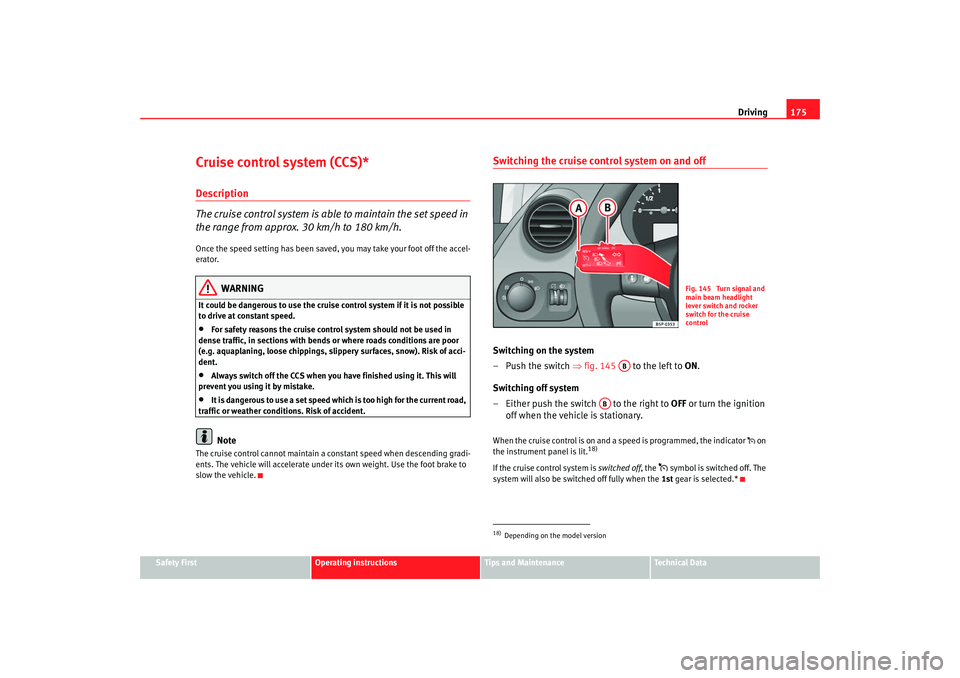
–Push the switch ⇒fig. 145 to the left to ON.
Switching off system
– Either push the switch to the right to OFF or turn the ignition
off when the vehicle is stationary.When the cruise control is on and a speed is programmed, the indicator on
the instrument panel is lit.
18)
If the cruise control system is switched off, the
symbol is switched off. The
system will also be switched off fully when the 1st gear is selected.*
18)Depending on the model version
Fig. 145 Turn signal and
main beam headlight
lever switch and rocker
switch for the cruise
control
AB
AB
altea ingles.book Seite 175 Dienstag, 11. September 2007 4:39 16
Page 179 of 309
Driving177
Safety First
Operating instructions
Tips and Maintenance
Te c h n i c a l D a t a
When you increase speed with the accelerator and then release the pedal, the
system will automatically restore the set speed. This will not be the case,
however, if the vehicle speed is more than 10 km/h higher than the stored
speed for longer than 5 minutes. The speed will have to be stored again.
Control of the set speed is switched off if you reduce speed by depressing the
brake pedal. You can reactivate the control by pressing once on the upper part
of the rocker switch
RES/+ ⇒ page 176, fig. 147 .
WARNING
It is dangerous to use a set speed wh ich is too high for the current road,
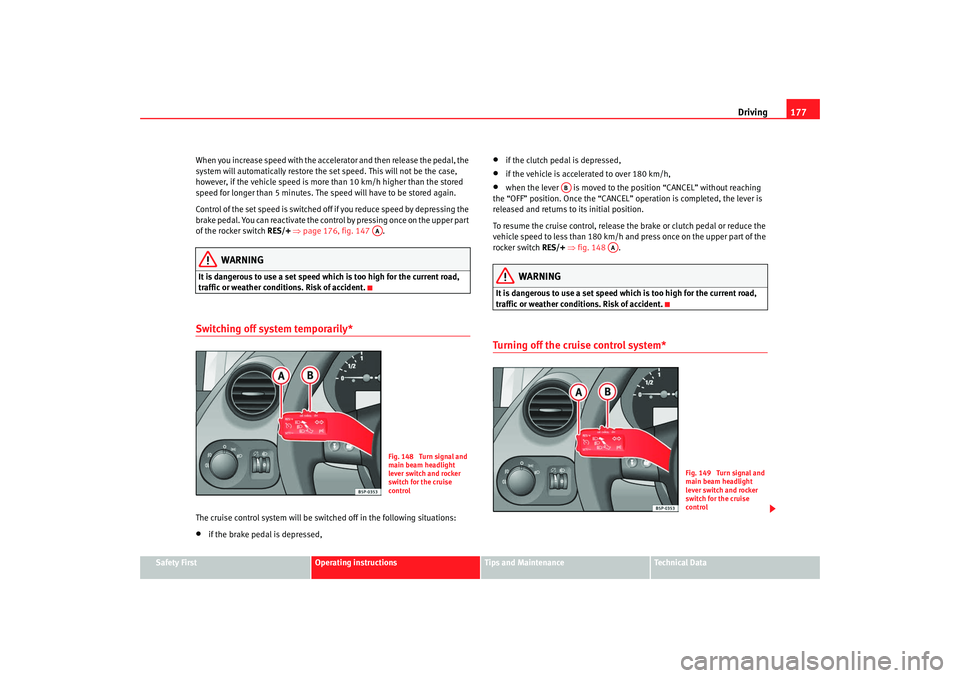
traffic or weather conditions. Risk of accident.Switching off system temporarily*The cruise control system will be switched off in the following situations:•
if the brake pedal is depressed,
•
if the clutch pedal is depressed,
•
if the vehicle is accelerated to over 180 km/h,
•
when the lever is moved to the position “CANCEL” without reaching
the “OFF” position. Once the “CANCEL” operation is completed, the lever is
released and returns to its initial position.
To resume the cruise control, release the brake or clutch pedal or reduce the
vehicle speed to less than 180 km/h and press once on the upper part of the
rocker switch RES/+ ⇒ fig. 148 .
WARNING
It is dangerous to use a set speed whic h is too high for the current road,
traffic or weather conditions. Risk of accident.Turning off the cruise control system*
AA
Fig. 148 Turn signal and
main beam headlight
lever switch and rocker
switch for the cruise
control
AB
AA
Fig. 149 Turn signal and
main beam headlight
lever switch and rocker
switch for the cruise
control
altea ingles.book Seite 177 Dienstag, 11. September 2007 4:39 16
Page 181 of 309
Intelligent technology179
Safety First
Operating instructions
Tips and Maintenance
Te c h n i c a l D a t a
Tips and MaintenanceIntelligent technologyBrakesBrake servoThe brake servo amplifies the pressure you apply to the brake pedal. It works
only when the engine is running .
If the brake servo is not functioning due to a malfunction, or if the vehicle has
to be towed, you will have to press the brake pedal considerably harder to
make up for the lack of servo assistance.
WARNING
The braking distance can also be affected by external factors.•
Never let the vehicle coast with the engine switched off. Failure to do so
could result in an accident. The braking distance is increased considerably
as the brake servo does not function.
•
If the brake servo is not functioning, for example if the vehicle is being
towed, you will have to press the brake pedal considerably harder than
normal.
Brake assist system (BAS)*In an emergency, most drivers brake in time, but not with maximum force.
This results in unnecessarily long braking distances. The brake assist system intervenes here, if you press the brake pedal very
quickly, the brake assist system registers an emergency situation. It then very
quickly builds up the full brake pressure so that the ABS can be activated
more quickly and efficiently, thus reducing the braking distance.
Do not reduce the pressure on the br
ake pedal. The brake assist system
switches off automatically as soon as you release the brake.
WARNING
•
The risk of accident is higher if yo u drive too fast, if you do not keep
your distance to the vehicle in front, and when the road surface is slippery
or wet. The increased accident risk cannot be reduced by the brake assist
system.
•
The brake assist system cannot defy the laws of physics. Slippery and
wet roads are dangerous even with the brake assist system! Therefore, it is
essential that you adjust your speed to suit the road and traffic conditions.
Do not let the extra safety features tempt you into taking any risks when
driving.
altea ingles.book Seite 179 Dienstag, 11. September 2007 4:39 16