warning Seat Altea 2010 Workshop Manual
[x] Cancel search | Manufacturer: SEAT, Model Year: 2010, Model line: Altea, Model: Seat Altea 2010Pages: 310, PDF Size: 7.46 MB
Page 68 of 310
Cockpit
66The speed may be altered using the rocker switch in steps of 5 km/h
within 5 seconds of the initial memory value.
WARNING
There could be black ice on the road surface even if the “snowflake symbol”
is not shown. You should, for this reason, not rely exclusively on this
display - Risk of accident!
Note
When the vehicle is stationary or travelling at very low speeds, the tempera-
ture displayed may be slightly higher than the actual ambient temperature as
a result of the heat radiated from the engine.Warning or information text in the display
Faults are shown in the display with warning lamps and
warning/information reports.The system runs a check on certain components and functions when the igni-
tion is switched on and while the vehicle is moving. Functional faults are indi-
cated by symbols with warnings and information texts in the display. An
audible warning is given in certain cases.
Warning symbols
There are red warning symbols (priority 1) and yellow warning symbols
(priority 2)
Information text
In addition to warning messages given on a fault, you will receive information
in the display on procedures or will be asked to carry out certain tasks.
Note
In the case of screens without warning or information texts, faults are indi-
cated exclusively by the warning lamps.Warning reports, Priority 1 (red)If one of these faults occurs, the warning lamp will flash or light up and will
be accompanied by three audible warnings . This is a danger warning. Stop
the car and switch off the engine. Check the fault and correct it. Obtain profes-
sional assistance if necessary.
If several priority 1 faults are detected at the same time, the symbols will be
displayed one after the other for about 2 seconds at a time and will continue
until the fault is corrected.
No menus will be shown in the display for the duration of a priority 1 warning
report.
Examples of priority 1 warning reports (red)•Brake system symbol
with the warning text STOP BRAKE FLUID
SERVICE MANUAL or STOP BRAKE FAULT SERVICE MANUAL .
•Coolant symbol
with the warning text STOP SEE COOLANT SERVICE
MANUAL .
•Engine oil pressure symbol
with the warning text STOP ENGINE OIL
PRESSURE LOW! SERVICE MANUAL .
Warning reports, Priority 2 (yellow)If one of these faults occurs, the warning lamp lights up, and is accompanied
by one audible warning . The function should be checked as soon as possible.
AB
altea_EN Seite 66 Mittwoch, 26. August 2009 6:00 18
Page 69 of 310
Cockpit67
Safety First
Operating instructions
Practical tips
Technical Data
If several priority 2 warning reports are detected at the same time, the
symbols are displayed one after the other for about 2 seconds at a time. After
a set time, the information text will disappear and the symbol will be shown
as a reminder at the side of the display.
Priority 2
warning reports will not be shown until all Priority 1 warning
reports have been dealt with!
Examples of priority 2 warning reports (yellow):
7)
•Fuel warning light with the information text PLEASE REFUEL. •Windscreen washer fluid symbol
with the information text REFILL
WINDSCREEN WASHER FLUID . Refill the windscreen washer tank
⇒ page 235.
7)Depending on the version of the model.
altea_EN Seite 67 Mittwoch, 26. August 2009 6:00 18
Page 70 of 310

Cockpit
68Dash panel menus*Example of menu use
All the menus on the dash panel may be used according to
the following procedure. The dash panel menus may vary
according to the version of the model.
The settin g of a speed warning will be used as an e xample of how to
use the menus. This is a good idea if you are, for example, using
winter tyres which are not suited for the top speed of the vehicle.
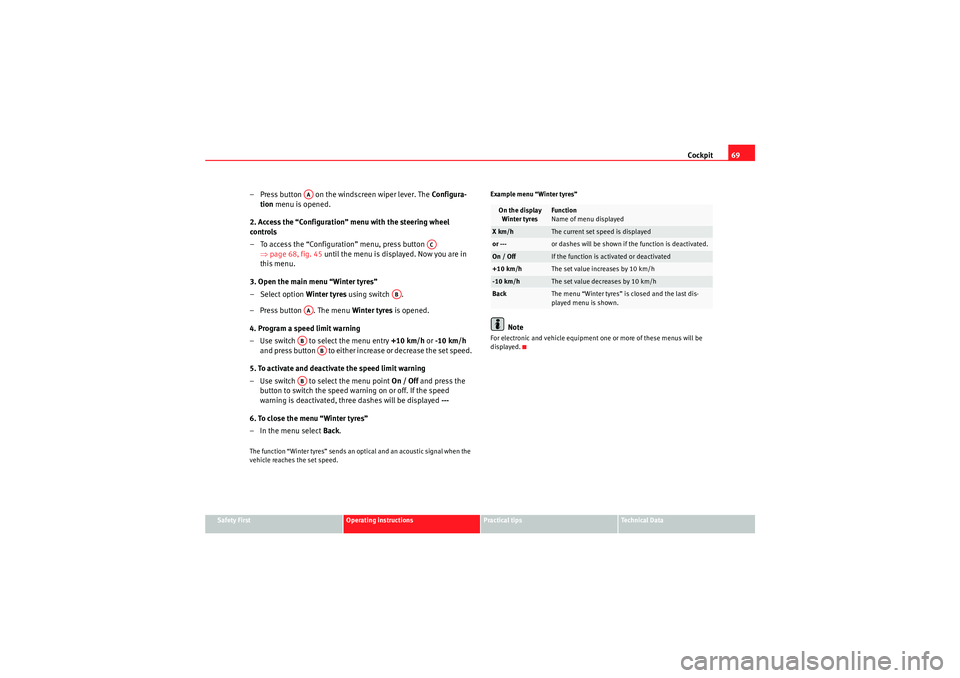
1. Open the main menu with the MFD lever
– Switch the ignition on.
– Hold down button for two seconds to return to main menu
from other menu. It may be necessary to repeat this operation
until the main menu is displayed.
2. Open the menu “Configuration” with the MFD lever
– To choose an option from the menu, press the upper or lower end of the rocker switch. The selected option is displayed between
two lines and there will also be a triangle on the right.
– Select menu Configuration.
Fig. 44 Windscreen wiper
lever: button A to confirm
the menu selection and
rocker switch B to change
the menu
Fig. 45 Steering wheel
controls: button A to
confirm the menu selec-
tion and switch B to
ch ange th e m enu
AB
altea_EN Seite 68 Mittwoch, 26. August 2009 6:00 18
Page 71 of 310
Cockpit69
Safety First
Operating instructions
Practical tips
Technical Data
– Press button on the windscreen wiper lever. The Configura-
tion menu is opened.
2. Access the “Configuration” menu with the steering wheel
controls
– To access the “Configuration” menu, press button ⇒page 68, fig. 45 until the menu is displayed. Now you are in
this menu.
3. Open the main menu “Winter tyres”
– Select option Winter tyres using switch .
– Press button . The menu Winter tyres is opened.
4. Program a speed limit warning
– Use switch to select the menu entry +10 km/h or -10 km/h
and press button to either increase or decrease the set speed.
5. To activate and deactivate the speed limit warning
– Use switch to select the menu point On / Off and press the
button to switch the speed warning on or off. If the speed
warning is deactivated, three dashes will be displayed ---
6. To close the menu “Winter tyres”
– In the menu select Back.The function “Winter tyres” sends an optical and an acoustic signal when the
vehicle reaches the set speed. Example menu “Winter tyres”
Note
For electronic and vehicle equipment one or more of these menus will be
displayed.
AA
AC
AB
AAAB
AB
AB
On the display
Winter tyres
Function
Name of menu displayed
X km/h
The current set speed is displayed
or ---
or dashes will be shown if the function is deactivated.
On / Off
If the function is activated or deactivated
+10 km/h
The set value increases by 10 km/h
-10 km/h
The set value decreases by 10 km/h
Back
The menu “Winter tyres” is closed and the last dis-
played menu is shown.
altea_EN Seite 69 Mittwoch, 26. August 2009 6:00 18
Page 73 of 310
Cockpit71
Safety First
Operating instructions
Practical tips
Technical Data
Note
For electronic and vehicle equipment one or more of these menus will be
displayed.
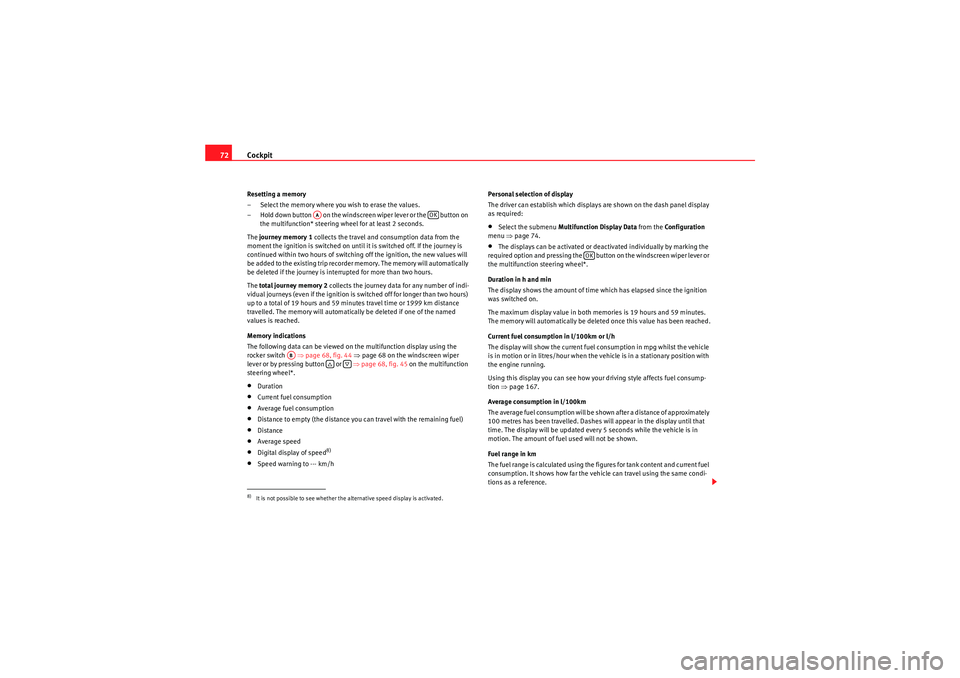
Multi-function display menu (MFD)
The multi-function display (MFD) shows you information on
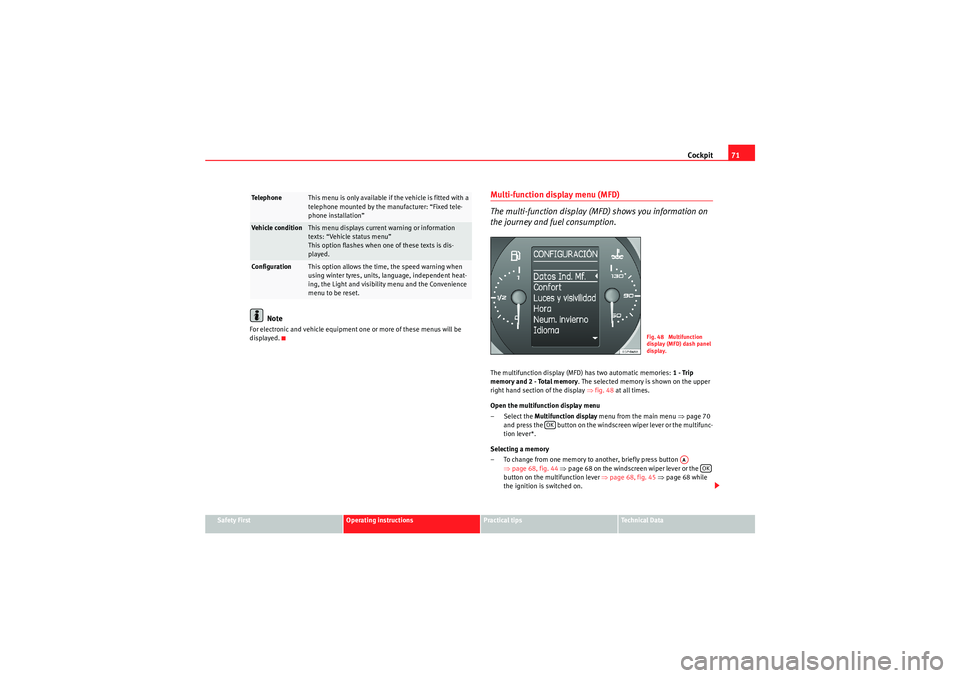
the journey and fuel consumption.The multifunction display (MFD) has two automatic memories: 1 - Trip
memory and 2 - Total memory . The selected memory is shown on the upper
right hand section of the display ⇒fig. 48 at all times.
Open the multifunction display menu
– Select the Multifunction display menu from the main menu ⇒page 70
and press the button on the windscreen wiper lever or the multifunc-
tion lever*.
Selecting a memory
– To change from one memory to another, briefly press button ⇒page 68, fig. 44 ⇒ page 68 on the windscreen wiper lever or the
button on the multifunction lever ⇒page 68, fig. 45 ⇒ page 68 while
the ignition is switched on.
Te l e p h o n e
This menu is only available if the vehicle is fitted with a
telephone mounted by the manufacturer: “Fixed tele-
phone installation”
Vehicle condition
This menu displays current warning or information
texts: “Vehicle status menu”
This option flashes when one of these texts is dis-
played.
Configuration
This option allows the time, the speed warning when
using winter tyres, units, language, independent heat-
ing, the Light and visibility menu and the Convenience
menu to be reset.
Fig. 48 Multifunction
display (MFD) dash panel
display.
OK
AA
OK
altea_EN Seite 71 Mittwoch, 26. August 2009 6:00 18
Page 74 of 310
Cockpit
72Resetting a memory
– Select the memory where you wish to erase the values.
– Hold down button on the windscreen wiper lever or the button on
the multifunction* steering wheel for at least 2 seconds.
The journey memory 1 collects the travel and consumption data from the
moment the ignition is switched on until it is switched off. If the journey is
continued within two hours of switching off the ignition, the new values will
be added to the existing trip recorder memory. The memory will automatically
be deleted if the journey is interrupted for more than two hours.
The total journey memory 2 collects the journey data for any number of indi-
vidual journeys (even if the ignition is switched off for longer than two hours)
up to a t otal o
f 19 hours and 59 m inut
es travel
time or 1
999 km di
stance
travelled. The memory will automatically be deleted if one of the named
values is reached.
Memory indications
The following data can be viewed on the multifunction display using the
rocker switch ⇒page 68, fig. 44 ⇒ page 68 on the windscreen wiper
lever or by pressing button or ⇒page 68, fig. 45 on the multifunction
steering wheel*.
•Duration•Current fuel consumption•Average fuel consumption•Distance to empty (the distance you can travel with the remaining fuel)•Distance•Average speed•Digital display of speed
8)
•Speed warning to --- km/h Personal selection of display
The driver can establish which displays are shown on the dash panel display
as required:
•Select the submenu
Multifunction Display Data from the Configuration
menu ⇒page 74.•The displays can be activated or deactivated individually by marking the
required option and pressing the button on the windscreen wiper lever or
the multifunction steering wheel*.
Duration in h and min
The display shows the amount of time which has elapsed since the ignition
was switched on.
The maximum display value in both memories is 19 hours and 59 minutes.
The memory will automatically be deleted once this value has been reached.
Current fuel consumption in l/100km or l/h
The display will show the current fuel consumption in mpg whilst the vehicle
is in motion or in litres/hour when the vehicle is in a stationary position with
the engine running.
Using this display you can see how your driving style affects fuel consump-
tion ⇒page 167.
Average consumption in l/100km
The average fuel consumption will be shown after a distance of approximately
100 metres has been travelled. Dashes will appear in the display until that
time. The display will be updated every 5 seconds while the vehicle is in
motion. The amount of fuel used will not be shown.
Fuel range in km
The fuel range is calculated using the figures for tank content and current fuel
consumption. It shows how far the vehicle can travel using the same condi-
tions as a reference.
8)It is not possible to see whether the alternative speed display is activated.
AA
OK
AB
OK
altea_EN Seite 72 Mittwoch, 26. August 2009 6:00 18
Page 75 of 310
Cockpit73
Safety First
Operating instructions
Practical tips
Technical Data
Distance travelled in km
The display shows the distance travelled since the ignition was switched on.
The
maximum display value in both memories is 1999 km. The memory will
automatically be deleted once this value has been reached.
Average speed in km/h
The average speed will be shown after a distance of approximately 100
metres has been travelled. Dashes will appear in the display until that time.
The display will be updated every 5 seconds while the vehicle is in motion.
Digital display of speed
The dash panel display gives the speed in digital format
8).
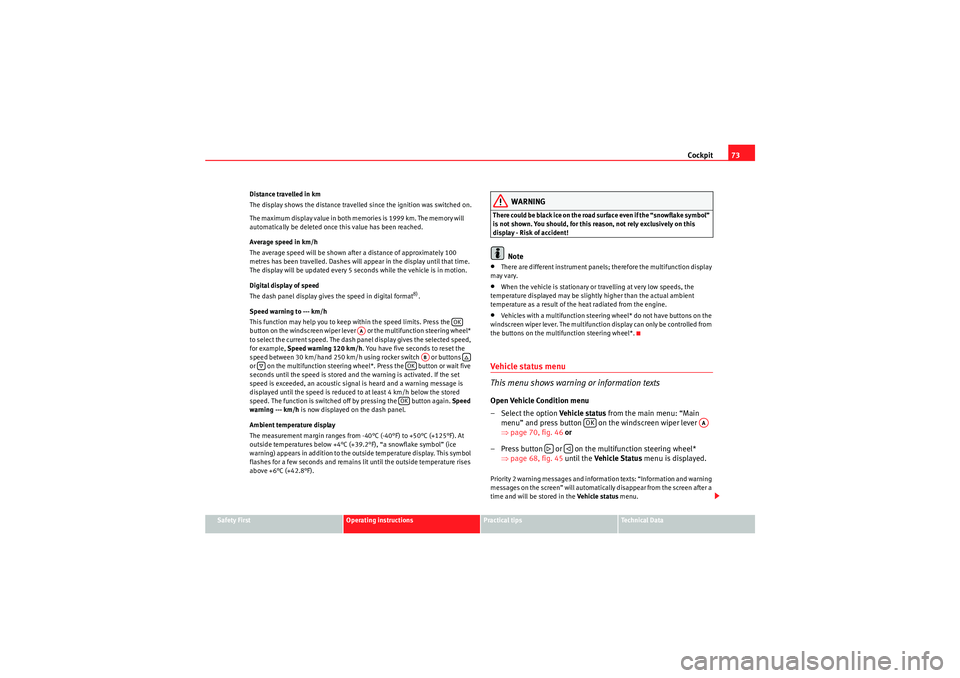
Speed warning to --- km/h
This function may help you to keep within the speed limits. Press the
button on the windscreen wiper lever or the multifunction steering wheel*
to select the current speed. The dash panel display gives the selected speed,
for example, Speed warning 120 km/h . You have five seconds to reset the
speed between 30 km/hand 250 km/h using rocker switch or buttons
or on the multifunction steering wheel*. Press the button or wait five
seconds until the speed is stored and the warning is activated. If the set
speed is exceeded, an acoustic signal is heard and a warning message is
displayed until the speed is reduced to at least 4 km/h below the stored
speed. The function is switched off by pressing the button again. Speed
warning --- km/h is now displayed on the dash panel.
Ambient temperature display
The measurement margin ranges from -40°C (-40°F) to +50°C (+125°F). At
outside temperatures below +4°C (+39.2°F), “a snowflake symbol” (ice
warning) appears in addition to the outside temperature display. This symbol
flashes for a few seconds and remains lit until the outside temperature rises
above +6°C (+42.8°F).
WARNING
There could be black ice on the road surface even if the “snowflake symbol”
is not shown. You should, for this reason, not rely exclusively on this
display - Risk of accident!
Note
•There are different instrument panels; therefore the multifunction display
may vary.•When the vehicle is stationary or travelling at very low speeds, the
temperature displayed may be slightly higher than the actual ambient
temperature as a result of the heat radiated from the engine.•Vehicles with a multifunction steering wheel* do not have buttons on the
windscreen wiper lever. The multifunction display can only be controlled from
the buttons on the multifunction steering wheel*.Vehi cle s ta tus m e nu
This menu shows warning or information textsOpen Vehicle Condition menu
– Select the option Vehicle status from the main menu: “Main
menu” and press button on the windscreen wiper lever
⇒ page 70, fig. 46 or
– Press button or on the multifunction steering wheel* ⇒page 68, fig. 45 until the Vehicle S tatus menu is displayed.Priority 2 warning messages and information texts: “Information and warning
messages on the screen” will automatically disappear from the screen after a
time and will be stored in the Vehicle status menu.
OK
AA
AB
OKOK
OK
AA
altea_EN Seite 73 Mittwoch, 26. August 2009 6:00 18
Page 76 of 310
Cockpit
74The warning and information texts may be viewed in this menu. If there is no
warning or information message, the option Vehicle status is not displayed.
If there are several messages, each one is shown for a few seconds.
Example of menu use ⇒ page 68.
Note
If there are no warning messages, this menu is not available.Configuration menu
This menu is used to make the settings for the vehicle func-
tions.Open Configuration menu
– Select the option Configuration from the main menu: “Main
menu” and press button ⇒ page 68, fig. 44 on the wind-
screen wiper lever or
– Press button or on the multifunction steering wheel* ⇒page 68, fig. 45 until the Configuration menu is displayed.Example of menu use ⇒ page 68
Note
•For electronic and vehicle equipment one or more of these menus will be
displayed.
Displayed on the screen
Function
Multifunction dis-
play data.
This menu is used to establish the data in the multi-
function display menu to be displayed on the dash
panel ⇒page 71
Convenience
This menu allows you to make the settings for the
convenience functions in the vehicle.
OK
AA
Lights and visibility
From this menu it is it possible to alter the vehicle
lighting settings.
Time
The hours and minutes of the clock and the naviga-
tion system can be changed. Choose between 12 or
24-hour format and change to summer time.
Winter tyres
The menu allows the setting of a speed at which an
optical and acoustic warning will be given by the
system. You can use this function, for example, if
you have fitted winter tyres which are not suited for
the top speed of your vehicle. Please see the sec-
tion “Wheels and tyres”.
Settings: Language
The display texts and the navigation system texts
can be seen in different languages.
Units
This option allows you to select the units for dis-
playing temperature, fuel consumption values and
distances.
Aux. Speed
The dash panel also displays the speed in another
different unit of measurement (mph or km/h) to that
given on the speedometer.
Inter Service
Consult service messages and reset service interval
display here.
Manufacturer's set-
tings
The manufacturer's predefined values for the func-
tions of this menu are restored.
Back
a)
This returns to the main menu
a)Only of the windscreen wiper lever is used (MFD).
altea_EN Seite 74 Mittwoch, 26. August 2009 6:00 18
Page 79 of 310
Cockpit77
Safety First
Operating instructions
Practical tips
Technical Data
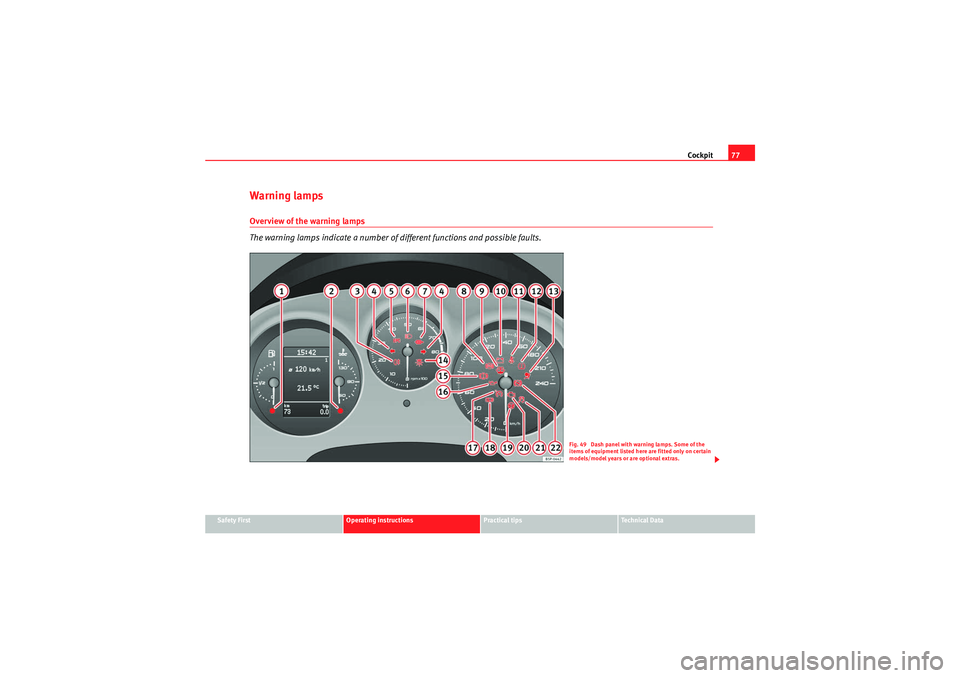
Warning lampsOverview of the warning lamps
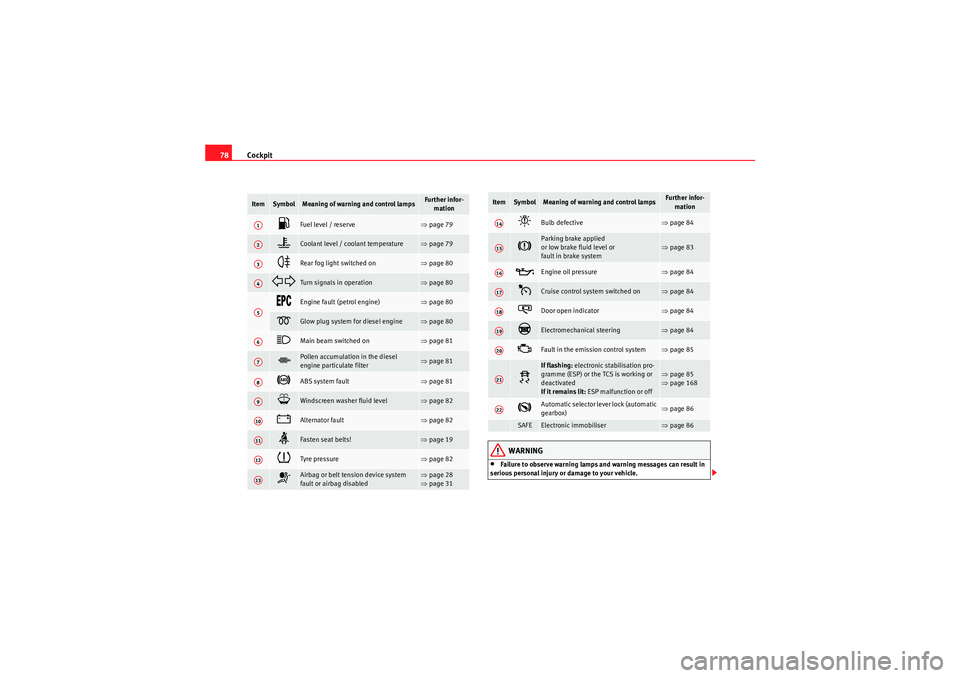
The warning lamps indicate a number of different functions and possible faults.
Fig. 49 Dash panel with warning lamps. Some of the
items of equipment listed here are fitted only on certain
models/model years or are optional extras.
altea_EN Seite 77 Mittwoch, 26. August 2009 6:00 18
Page 80 of 310
Cockpit
78
WARNING
•Failure to observe warning lamps and warning messages can result in
serious personal injury or damage to your vehicle.
Item
Symbol
Meaning of warning and control lamps
Further infor- mation
Fuel level / reserve
⇒page 79
Coolant level / coolant temperature
⇒page 79
Rear fog light switched on
⇒page 80
Turn signals in operation
⇒page 80
Engine fault (petrol engine)
⇒page 80
Glow plug system for diesel engine
⇒page 80
Main beam switched on
⇒page 81
Pollen accumulation in the diesel
engine particulate filter
⇒page 81
ABS system fault
⇒page 81
Windscreen washer fluid level
⇒page 82
Alternator fault
⇒page 82
Fasten seat belts!
⇒page 19
Tyre pressure
⇒page 82
Airbag or belt tension device system
fault or airbag disabled
⇒page 28
⇒ page 31
A1A2A3A4A5A6A7A8A9A10A11A12A13
Bulb defective
⇒page 84
Parking brake applied
or low brake fluid level or
fault in brake system
⇒page 83
Engine oil pressure
⇒page 84
Cruise control system switched on
⇒page 84
Door open indicator
⇒page 84
Electromechanical steering
⇒page 84
Fault in the emission control system
⇒page 85
If flashing: electronic stabilisation pro-
gramme (ESP) or the TCS is working or
deactivated
If it remains lit: ESP malfunction or off
⇒page 85
⇒ page 168
Automatic selector lever lock (automatic
gearbox)
⇒page 86
SAFE
Electronic immobiliser
⇒page 86
Item
Symbol
Meaning of warning and control lamps
Further infor-
mation
A14A15A16A17A18A19A20A21A22
altea_EN Seite 78 Mittwoch, 26. August 2009 6:00 18