steering Seat Altea 2012 User Guide
[x] Cancel search | Manufacturer: SEAT, Model Year: 2012, Model line: Altea, Model: Seat Altea 2012Pages: 313, PDF Size: 4.47 MB
Page 39 of 313
37
Airbag system
Safety notes on the front airbag system
If you use airbags correctly, they can considerably reduce
the risk of injury in many kinds of accident.
WARNING
● It is important for the driver and front passenger to keep a distance of
at least 25 cm from the steering wheel and dash panel. If the minimum
distance is not observed then the airbags do not correctly protect the ve-
hicle occupants; risk of fatal injuries! In addition, the front seats and
head restraints must always be positioned correctly for the height of the
occupant.
● If you are not wearing a seat belt, if you lean forward or to the side
while travelling or assume an incorrect sitting position, there is a sub-
stantially increased risk of injury. This increased risk of injury will be fur-
ther increased if you are struck by an inflating airbag.
● Never let a child travel on the front seat without an appropriate re-
straint system. If the airbag is triggered in an accident, children can sus-
tain serious or fatal injuries from the airbag as it inflates ⇒ page 46,
Child safety.
● The deployment space between the front passengers and the airbags
must not in any case be occupied by other passenger, pets and objects.
● The airbags provide protection for just one accident; replace them
once they have deployed.
● It is also important not to attach any objects such as cup holders or
telephone mountings to the surfaces covering the airbag units.
● Do not attempt to modify components of the airbag system in any
way.
Safety FirstOperating InstructionsPractical TipsTechnical Specifications
Page 57 of 313
55
Cockpit
Operating Instructions Cockpit
Overview Overview of the dash panel
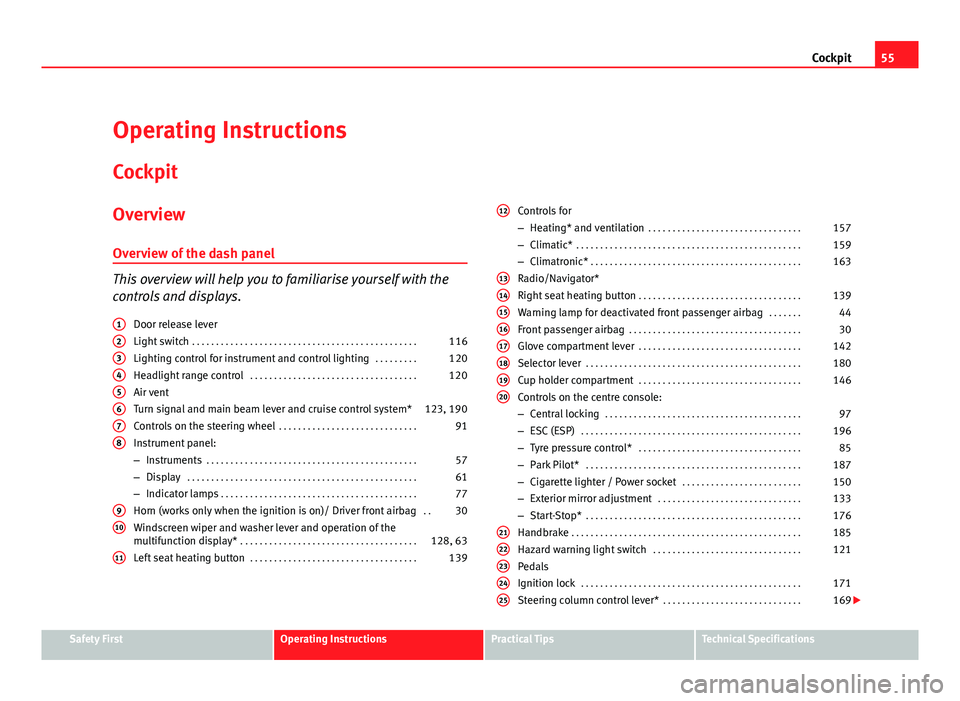
This overview will help you to familiarise yourself with the
controls and displays. Door release lever
Light switch . . . . . . . . . . . . . . . . . . . . . . . . . . . . . . . . . . . . . . . . . . . . . . . 116
Lighting control for instrument and control lighting . . . . . . . . .120
Headlight range control . . . . . . . . . . . . . . . . . . . . . . . . . . . . . . . . . . . 120
Air vent
Turn signal and main beam lever and cruise control system* 123, 190
Controls on the steering wheel . . . . . . . . . . . . . . . . . . . . . . . . . . . . . 91
Instrument panel:
– Instruments . . . . . . . . . . . . . . . . . . . . . . . . . . . . . . . . . . . . . . . . . . . . 57
– Display . . . . . . . . . . . . . . . . . . . . . . . . . . . . . . . . . . . . . . . . . . . . . . . . 61
– Indicator lamps . . . . . . . . . . . . . . . . . . . . . . . . . . . . . . . . . . . . . . . . . 77
Horn (works only when the ignition is on)/ Driver front airbag . .30
Windscreen wiper and washer lever and operation of the
multifunction display* . . . . . . . . . . . . . . . . . . . . . . . . . . . . . . . . . . . . . 128, 63
Left seat heating button . . . . . . . . . . . . . . . . . . . . . . . . . . . . . . . . . . . 139
1
2345678
910
11
Controls for
–
Heating* and ventilation . . . . . . . . . . . . . . . . . . . . . . . . . . . . . . . . 157
– Climatic* . . . . . . . . . . . . . . . . . . . . . . . . . . . . . . . . . . . . . . . . . . . . . . . 159
– Climatronic* . . . . . . . . . . . . . . . . . . . . . . . . . . . . . . . . . . . . . . . . . . . . 163
Radio/Navigator*
Right seat heating button . . . . . . . . . . . . . . . . . . . . . . . . . . . . . . . . . . 139
Warning lamp for deactivated front passenger airbag . . . . . . .44
Front passenger airbag . . . . . . . . . . . . . . . . . . . . . . . . . . . . . . . . . . . . 30
Glove compartment lever . . . . . . . . . . . . . . . . . . . . . . . . . . . . . . . . . . 142
Selector lever . . . . . . . . . . . . . . . . . . . . . . . . . . . . . . . . . . . . . . . . . . . . . 180
Cup holder compartment . . . . . . . . . . . . . . . . . . . . . . . . . . . . . . . . . . 146
Controls on the centre console:
– Central locking . . . . . . . . . . . . . . . . . . . . . . . . . . . . . . . . . . . . . . . . . 97
– ESC (ESP) . . . . . . . . . . . . . . . . . . . . . . . . . . . . . . . . . . . . . . . . . . . . . . 196
– Tyre pressure control* . . . . . . . . . . . . . . . . . . . . . . . . . . . . . . . . . . 85
– Park Pilot* . . . . . . . . . . . . . . . . . . . . . . . . . . . . . . . . . . . . . . . . . . . . . 187
– Cigarette lighter / Power socket . . . . . . . . . . . . . . . . . . . . . . . . . 150
– Exterior mirror adjustment . . . . . . . . . . . . . . . . . . . . . . . . . . . . . . 133
– Start-Stop* . . . . . . . . . . . . . . . . . . . . . . . . . . . . . . . . . . . . . . . . . . . . . 176
Handbrake . . . . . . . . . . . . . . . . . . . . . . . . . . . . . . . . . . . . . . . . . . . . . . . . 185
Hazard warning light switch . . . . . . . . . . . . . . . . . . . . . . . . . . . . . . . 121
Pedals
Ignition lock . . . . . . . . . . . . . . . . . . . . . . . . . . . . . . . . . . . . . . . . . . . . . . 171
Steering column control lever* . . . . . . . . . . . . . . . . . . . . . . . . . . . . . 169
12
1314151617181920
2122232425
Safety FirstOperating InstructionsPractical TipsTechnical Specifications
Page 64 of 313
62Cockpit
Recommended gear display*
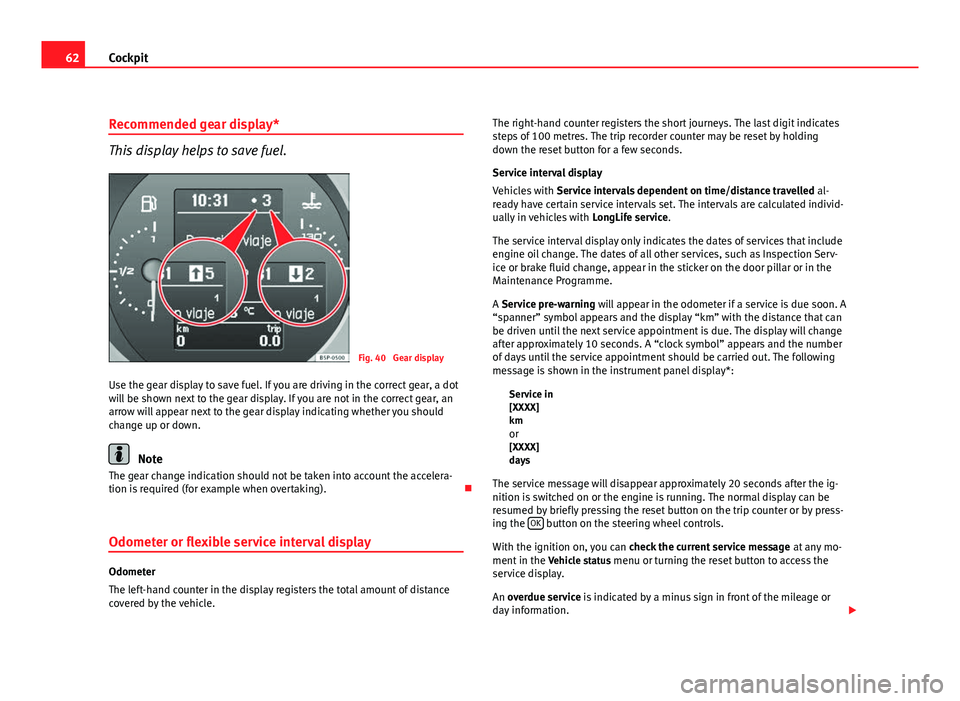
This display helps to save fuel.
Fig. 40 Gear display
Use the gear display to save fuel. If you are driving in the correct gear, a dot
will be shown next to the gear display. If you are not in the correct gear, an
arrow will appear next to the gear display indicating whether you should
change up or down.
Note
The gear change indication should not be taken into account the accelera-
tion is required (for example when overtaking).
Odometer or flexible service interval display
Odometer
The left-hand counter in the display registers the total amount of distance
covered by the vehicle. The right-hand counter registers the short journeys. The last digit indicates
steps of 100 metres. The trip recorder counter may be reset by holding
down the reset button for a few seconds.
Service interval display
Vehicles with
Service intervals dependent on time/distance travelled al-
ready have certain service intervals set. The intervals are calculated individ-
ually in vehicles with LongLife service.
The service interval display only indicates the dates of services that include
engine oil change. The dates of all other services, such as Inspection Serv-
ice or brake fluid change, appear in the sticker on the door pillar or in the
Maintenance Programme.
A Service pre-warning will appear in the odometer if a service is due soon. A
“spanner” symbol appears and the display “km” with the distance that can
be driven until the next service appointment is due. The display will change
after approximately 10 seconds. A “clock symbol” appears and the number
of days until the service appointment should be carried out. The following
message is shown in the instrument panel display*: Service in
[XXXX]
kmor
[XXXX]
days
The service message will disappear approximately 20 seconds after the ig-
nition is switched on or the engine is running. The normal display can be
resumed by briefly pressing the reset button on the trip counter or by press-
ing the OK
button on the steering wheel controls.
With the ignition on, you can check the current service message at any mo-
ment in the Vehicle status menu or turning the reset button to access the
service display.
An overdue service is indicated by a minus sign in front of the mileage or
day information.
Page 65 of 313
63
Cockpit
Indications for vehicles with LongLife service
Technical progress has made it possible to considerably reduce servicing re-
quirements. With the LongLife System, SEAT ensures that your vehicle only
has an interval service when it is necessary. The length of the service inter-
vals (max. two years) is determined by factors such as conditions under
which the vehicle is used and personal driving style.
The service pre-warning will first appear 20 days before the date on which
the service is due. The distance travelled is rounded off to the nearest 100
km and the time to full days. The current service message can only be con-
sulted 500 km after the last service. Until that time, only dashes are dis-
played.
Note
● If you reset the display manually, the next service interval will be indica-
ted after 15 000 km or one year and will not be calculated individually.
● Do not reset the display between service intervals as the display will
otherwise be incorrect.
● In LongLife Service vehicles, if the battery is disconnected for a long pe-
riod, the days remaining until the next service cannot be calculated. There-
fore, the service message displays on the instrument panel may be incor-
rect. Take into account the maximum authorised service intervals. Multifunction display (MFI)*
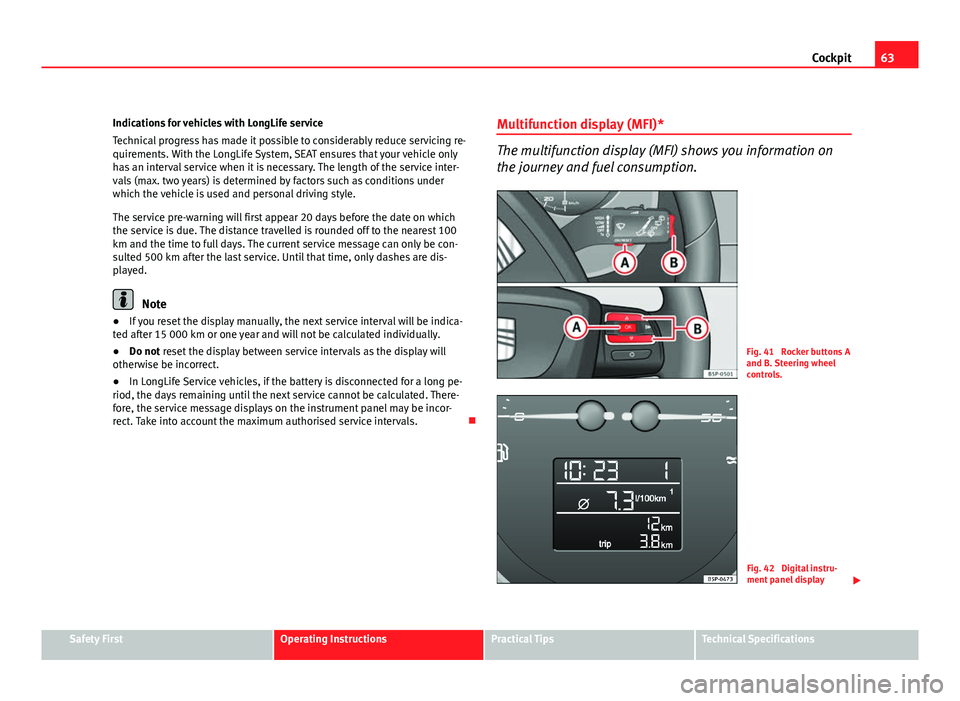
The multifunction display (MFI) shows you information on
the journey and fuel consumption.
Fig. 41 Rocker buttons A
and B. Steering wheel
controls.
Fig. 42 Digital instru-
ment panel display
Safety FirstOperating InstructionsPractical TipsTechnical Specifications
Page 66 of 313
64Cockpit
The multifunction system uses two automatic memories: 1 - Actual
memory and 2 - Total memory . The selected memory will be shown
in the upper right-hand corner of the display.
Selecting a memory
– When the ignition is on, briefly press button ⇒ fig. 41 A
on the
windscreen wiper lever to change from one memory to another
or press button A
on the steering wheel controls
⇒ fig. 41.
Resetting a memory
– Select the memory that you would like to reset.
– Hold down button A
on the windscreen wiper lever or button
A on the steering wheel controls for at least 2 seconds.
The trip memory 1 collects the travel and consumption rates from the mo-
ment the ignition is switched on until it is switched off. If the journey is con-
tinued within two hours of switching off the ignition, the new values will be
added to the existing trip recorder memory. The memory will automatically
be deleted if the journey is interrupted for more than two hours.
The total memory 2 collects the trip data for any number of individual jour-
neys (even if the ignition is switched off for longer than two hours) up to a
total of 19 hours and 59 minutes travel time or 1999 km distance travelled.
The memory will automatically be deleted if one of the named values is
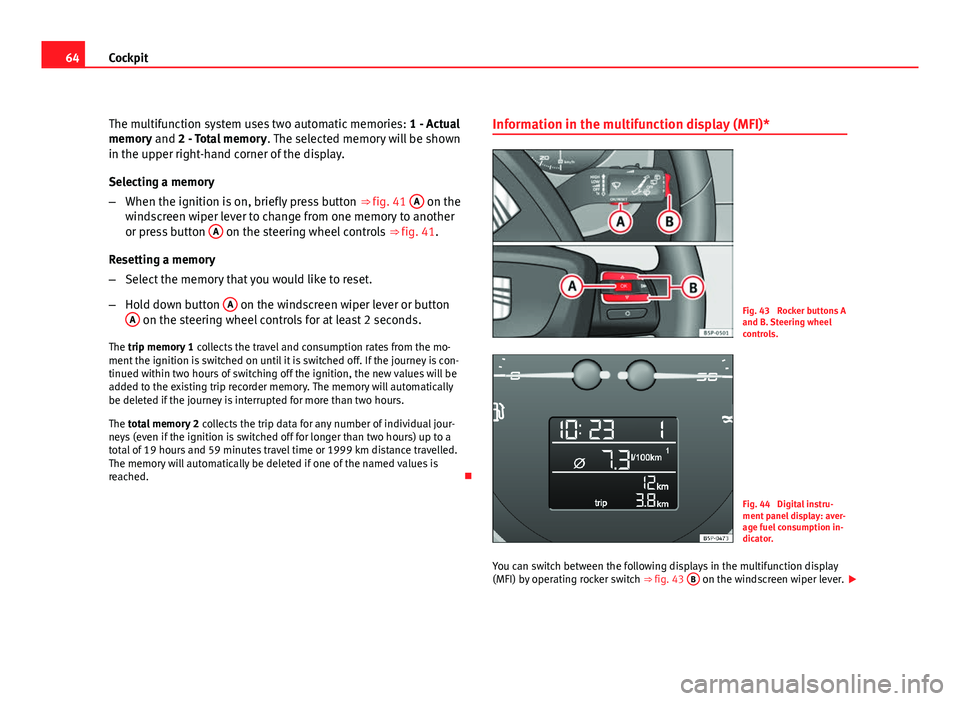
reached. Information in the multifunction display (MFI)*Fig. 43 Rocker buttons A
and B. Steering wheel
controls.
Fig. 44 Digital instru-
ment panel display: aver-
age fuel consumption in-
dicator.
You can switch between the following displays in the multifunction display
(MFI) by operating rocker switch ⇒ fig. 43 B
on the windscreen wiper lever.
Page 70 of 313
68Cockpit
Instrument panel menus*
Example of menu use
All the menus on the instrument panel may be used accord-
ing to the following procedure. The instrument panel menus
may vary according to the version of the model.
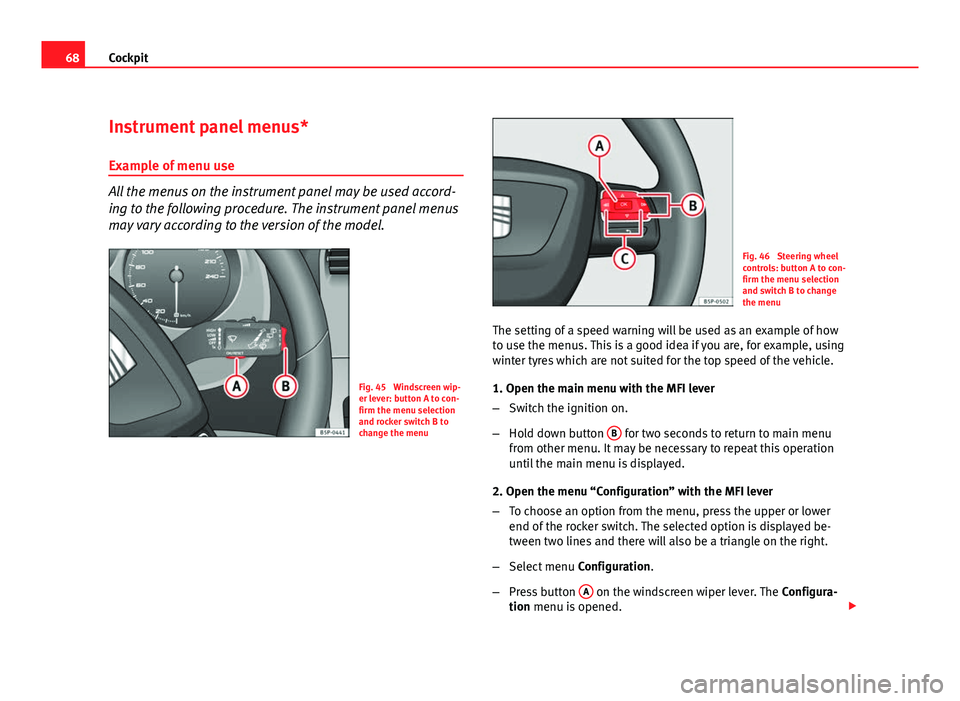
Fig. 45 Windscreen wip-
er lever: button A to con-
firm the menu selection
and rocker switch B to
change the menu
Fig. 46 Steering wheel
controls: button A to con-
firm the menu selection
and switch B to change
the menu
The setting of a speed warning will be used as an example of how
to use the menus. This is a good idea if you are, for example, using
winter tyres which are not suited for the top speed of the vehicle.
1. Open the main menu with the MFI lever
– Switch the ignition on.
– Hold down button B
for two seconds to return to main menu
from other menu. It may be necessary to repeat this operation
until the main menu is displayed.
2. Open the menu “Configuration” with the MFI lever
– To choose an option from the menu, press the upper or lower
end of the rocker switch. The selected option is displayed be-
tween two lines and there will also be a triangle on the right.
– Select menu Configuration.
– Press button A
on the windscreen wiper lever. The
Configura-
tion menu is opened.
Page 71 of 313
69
Cockpit
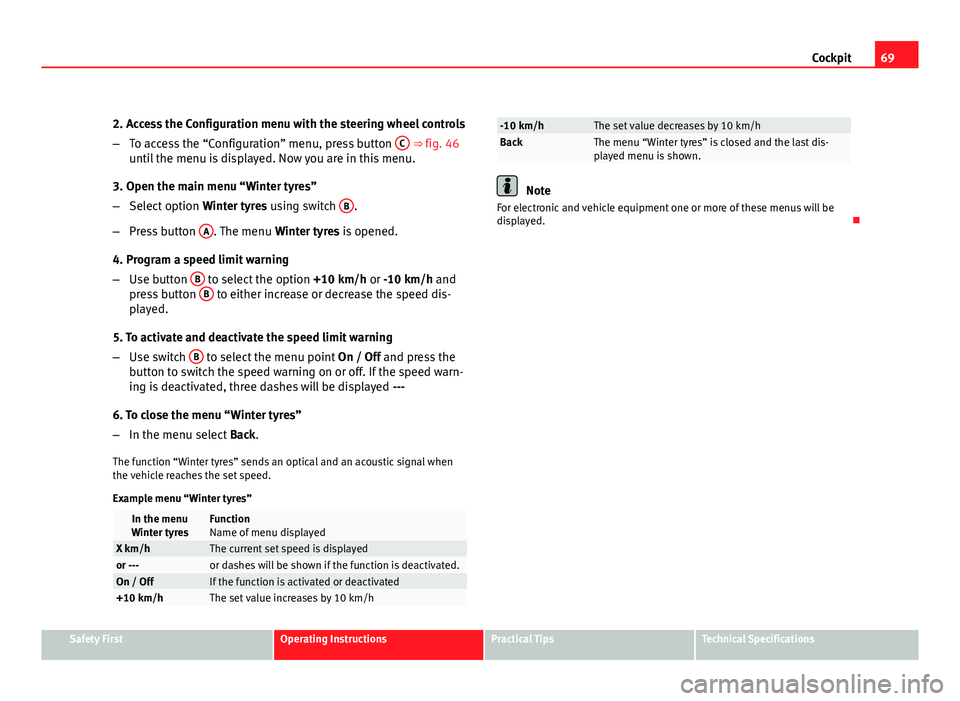
2. Access the Configuration menu with the steering wheel controls
– To access the “Configuration” menu, press button C
⇒ fig. 46
until the menu is displayed. Now you are in this menu.
3. Open the main menu “Winter tyres”
– Select option Winter tyres using switch B
.
– Press button A
. The menu
Winter tyres is opened.
4. Program a speed limit warning
– Use button B
to select the option
+10 km/h or -10 km/h and
press button B to either increase or decrease the speed dis-
played.
5. To activate and deactivate the speed limit warning
– Use switch B
to select the menu point
On / Off and press the
button to switch the speed warning on or off. If the speed warn-
ing is deactivated, three dashes will be displayed ---
6. To close the menu “Winter tyres”
– In the menu select Back.
The function “Winter tyres” sends an optical and an acoustic signal when
the vehicle reaches the set speed.
Example menu “Winter tyres”
In the menu
Winter tyresFunction
Name of menu displayed
X km/hThe current set speed is displayedor ---or dashes will be shown if the function is deactivated.On / OffIf the function is activated or deactivated+10 km/hThe set value increases by 10 km/h
-10 km/hThe set value decreases by 10 km/hBackThe menu “Winter tyres” is closed and the last dis-
played menu is shown.
Note
For electronic and vehicle equipment one or more of these menus will be
displayed.
Safety FirstOperating InstructionsPractical TipsTechnical Specifications
Page 73 of 313
71
Cockpit
TelephoneThis menu is only available in vehicles with radio unit if
the vehicle is fitted with the telephone function. In ve-
hicles fitted with a radio navigation system, this menu
is available in the central unit (navigator) ⇒ Book-
let SEAT Media System 2.1.
Vehicle conditionThis menu displays current warning or information
texts: “Vehicle status menu”
This option flashes when one of these texts is dis-
played.
ConfigurationThis option allows the time, the speed warning when
using winter tyres, units, language, independent heat-
ing, the Light and visibility menu and the Convenience
menu to be reset.
a) Only in vehicles fitted with a radio navigation system.
Note
For electronic and vehicle equipment one or more of these menus will be
displayed. Multifunction display menu (MFI)
The multifunction display (MFI) shows you information on
the journey and fuel consumption.
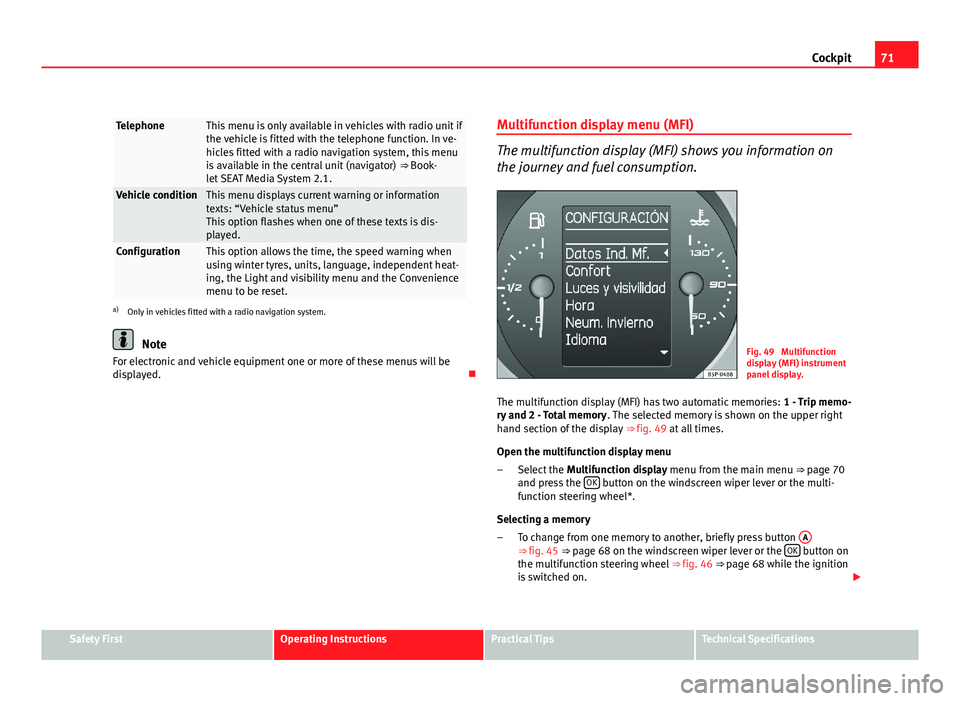
Fig. 49 Multifunction
display (MFI) instrument
panel display.
The multifunction display (MFI) has two automatic memories: 1 - Trip memo-
ry and 2 - Total memory . The selected memory is shown on the upper right
hand section of the display ⇒ fig. 49 at all times.
Open the multifunction display menu Select the Multifunction display menu from the main menu ⇒ page 70
and press the OK
button on the windscreen wiper lever or the multi-
function steering wheel*.
Selecting a memory To change from one memory to another, briefly press button A
⇒ fig. 45 ⇒ page 68 on the windscreen wiper lever or the OK button on
the multifunction steering wheel ⇒ fig. 46 ⇒ page 68 while the ignition
is switched on.
–
–
Safety FirstOperating InstructionsPractical TipsTechnical Specifications
Page 74 of 313
72Cockpit
Resetting a memory Select the memory where you wish to erase the values.
Hold down button A
on the windscreen wiper lever or the OK button
on the multifunction steering wheel* for at least two seconds.
The journey memory 1 collects the travel and consumption data from the
moment the ignition is switched on until it is switched off. If the journey is
continued within two hours of switching off the ignition, the new values will
be added to the existing trip recorder memory. The memory will automati-
cally be deleted if the journey is interrupted for more than two hours.
The total journey memory 2 collects the journey data for any number of indi-
vidual journeys (even if the ignition is switched off for longer than two
hours) up to a total of 19 hours and 59 minutes travel time or 1999 km dis-
tance travelled. The memory will automatically be deleted if one of the
named values is reached.
Memory indications
The following data can be viewed on the multifunction display using the
rocker switch B
⇒ fig. 45 ⇒
page 68 on the windscreen wiper lever or by
pressing button or ⇒
fig. 46 on the multifunction steering wheel*.
● Duration
● Current fuel consumption
● Average fuel consumption
● Distance to empty
● Distance
● Average speed
● Auxiliary speed
● Digital display of speed 1)
● Speed warning at --- km/h
–
–
Personal selection of display
The driver can establish which displays are shown on the instrument panel
display as required:
●
Select the submenu Multifunction Display Data from the Configuration
menu ⇒ page 74.
● The displays can be activated or deactivated individually by marking the
required option and pressing the OK
button on the windscreen wiper lever
or the multifunction steering wheel*.
Duration in h and min
The display shows the amount of time which has elapsed since the ignition
was switched on.
The maximum display value in both memories is 19 hours and 59 minutes.
The memory will automatically be deleted once this value has been
reached.
Current fuel consumption in l/100 km or l/h
The display will show the current fuel consumption in litres/100 km whilst
the vehicle is in motion or in litres/hour when the vehicle is in a stationary
position with the engine running.
Using this display you can see how your driving style affects fuel consump-
tion ⇒ page 169.
Average consumption in l/100 km The average fuel consumption will be shown after a distance of approxi-
mately 100 metres has been travelled. Until then dashes will appear in the
display. The display will be updated every five seconds while the vehicle is
in motion. The amount of fuel used will not be shown.
1)
It is not possible to see whether the alternative speed display is activated.
Page 75 of 313
73
Cockpit
Fuel range in km
The fuel range is calculated using the figures for tank content and current
fuel consumption. It shows how far the vehicle can travel using the same
conditions as a reference.
Distance travelled in km The display shows the distance travelled since the ignition was switched on.
The maximum display value in both memories is 1999 km. The memory will
automatically be deleted once this value has been reached.
Average speed in km/h
The average speed will be shown after a distance of approximately 100 me-
tres has been travelled. Until then dashes will appear in the display. The
display will be updated every five seconds while the vehicle is in motion.
Alternative speed display (mph or km/h)
The speed is also displayed in a second unit of measurement other than
that used on the speedometer.
● Select the menu Configuration using the rocker switch on the windscreen
wiper lever or the buttons on the multifunction steering wheel* ⇒ page 68.
● Select the option Auxiliary speed and press OK
on the windscreen wiper
lever or the multifunction steering wheel*.
Digital display of speed
The instrument panel display gives the speed in digital format 1)
.
Speed warning at --- km/h This function may help you to keep within the speed limits. Press the OK
button on the windscreen wiper lever
A or the multifunction steering
wheel* to select the current speed. The instrument panel display gives the
selected speed, for example, Speed warning 120 km/h. You have five sec-
onds to reset the speed between 30 km/h and 250 km/h using rocker switch
B
or buttons or on the multifunction steering wheel*. Press
the OK button or wait five seconds until the speed is stored and the warn-
ing is activated. If the set speed is exceeded, an acoustic signal is heard
and a warning message is displayed until the speed is reduced to at least 4
km/h below the stored speed. The function is switched off by pressing the OK
button again. Speed warning --- km/h is now displayed on the instru-
ment panel.
Outside temperature display
The measurement margin ranges from -40 °C (-40 °F) to +50 °C (+125 °F). At
outside temperatures below +4 °C (+39.2 °F), the snowflake symbol (ice
danger warning) appears in addition to the outside temperature display.
This symbol flashes for a few seconds and remains lit until the outside tem-
perature rises above +6 °C (+42.8 °F).
WARNING
There could be black ice on the road surface even if the “snowflake sym-
bol” is not shown. For this reason you should not rely exclusively on this
display - Risk of accident!
Note
● There are different instrument panels; therefore the multifunction dis-
play may vary.
● When the vehicle is stationary or travelling at very low speeds, the tem-
perature displayed may be slightly higher than the actual outside tempera-
ture as a result of the heat radiated from the engine.
● Vehicles with a multifunction steering wheel* do not have buttons on
the windscreen wiper lever. The multifunction display can only be controlled
from the buttons on the multifunction steering wheel*.
1)
It is not possible to see whether the alternative speed display is activated.
Safety FirstOperating InstructionsPractical TipsTechnical Specifications